
We cover both free and paid methods

It can be really frustrating when you go to use a password-protected resource and you have forgotten the password. Even online membership sites can be frustrating enough. But if it is a project in a password-protected Excel document, and you then forgot the password – it can be an unwelcome roadblock in your progress.
Fortunately, there are some things you can do to remove a password from Excel. If you want your document password-protected, you may want to re-save and protect it after you have cracked it. But for this article, we will be focusing on the cracking part.
Table of Contents

Some Terminology
Removing the password from Excel refers to just that – making the file such that it does not have a password anymore. Breaking the password is again, like it sounds, breaking the password so you can gain access to the file. That could be a case where the password is broken on its way to removal or broken on its way to being cracked.
Yes, cracked sounds like broken but think hack. In the case of cracking a forgotten password, you are figuring out what the password is, so you can gain access to the file.
Limitations
Many software programs and the multitude of other options available will only result in a dead end or limitation of some sort. For example they will work for Excel 2007 but not for Excel 2016 or Mac. Or they will work for protection within the worksheet but not if you cannot open the file (open password).
Interestingly, software options that will work for those items (i.e. Excel 2016, open password, Mac, etc.) will also work for the older Excel programs.
So, why buy two programs or have to buy one program for the new files and clutter up your computer with a free program for the older files when you don’t need it? It makes sense to get the right program that solves your problem. And while *free* is wonderful, $9-30 is not an absolutely horrible price, not when you consider a lot of valuable (and needed) software runs $300-500.
Too keep it simple, here are some *free* options that might remove the password from Excel, saving you from having to pay or even install anything. Later we will consider some paid software solutions.
Free Methods
The following are some methods that you can try that might allow you to keep your wallet closed. No guarantees, but it is a place to start. Keep in mind two things:
- If you are short on time or want an easier route, you might want to go straight to the paid solutions (software).
- The Excel encryption prior to 2013 was quite simplified. That means it is easier to crack a worksheet that was protected prior to 2013. Again, if you want to skip the hassle, for a newer version of the worksheet (newer version of Excel) you might want to skip the free versions and go straight for the paid.
No matter what, don’t forget to make a backup of the file. More than one backup can be wise. Crack a copy of the file so you can ensure that there is no corruption or damage to the original file. Most of these software methods and free methods do not damage the file but it is better to err on the side of caution.
Two VBA Script Methods
The idea of using a VBA script is to work around the password checking mechanism of Microsoft Excel and break the Excel password. But you do it by fooling the program before the process starts, with the core scripting language of Visual Basic.
It might seem the more geeky option but it is possibly the least involved method, so you might want to try it first.
Here is the VBA Script. As soon as you open the Excel Worksheet, access the Editor with Alt F11 (works on Mac, too), choose the file from the list and paste this script in the Declarations window.
Sub BreakPassword()

   Dim i As Integer, j As Integer, k As Integer
   Dim l As Integer, m As Integer, n As Integer
   Dim i1 As Integer, i2 As Integer, i3 As Integer
   Dim i4 As Integer, i5 As Integer, i6 As Integer

   On Error Resume Next

   For i = 65 To 66: For j = 65 To 66: For k = 65 To 66
   For l = 65 To 66: For m = 65 To 66: For i1 = 65 To 66
   For i2 = 65 To 66: For i3 = 65 To 66: For i4 = 65 To 66
   For i5 = 65 To 66: For i6 = 65 To 66: For n = 32 To 126

   ActiveSheet.Unprotect Chr(i) & Chr(j) & Chr(k) & _
   Chr(l) & Chr(m) & Chr(i1) & Chr(i2) & Chr(i3) & _
   Chr(i4) & Chr(i5) & Chr(i6) & Chr(n)

   If ActiveSheet.ProtectContents = False Then
      Exit Sub
   End If

   Next: Next: Next: Next: Next: Next
   Next: Next: Next: Next: Next: Next

End Sub
After hitting the run button (F5) for the VBA script, give it some time and when the button becomes available again, you will know that the script has finished.
There are a couple of possibilities. For example, in the Mac version, you can simply start editing the file. Other versions, like Windows, will give you a temporary password that you can use to unlock the document and start editing. At this point, you have the option to add a new password if you like and re-save the document with that password.
There is another excellent VBA Script method that takes the Excel file and recreates a copy of it without the password(s). You can copy/paste the VBA script from this page.
John the Ripper Option
Another option to remove a password from Excel is a more core approach, utilizing the terminal. It is the John the Ripper version. This is also an effective method for general password cracking and has been used effectively for decades. Some of the other methods, like the software method(s), are probably easier and more effective, especially for the newer versions of Excel.
Also, if you have an older version of Excel (pre-2013) and you don’t mind typing, the VBA Script Method is effective. For the John the Ripper method, visit this site and scroll to the bottom for the how-to method/instructions.
XML/Zip Method (Pre-Excel 2013)
After you have made a backup of the file, you can proceed to use the XML/Zip method to crack it.
- All you need to do is change the extension on the file from xls to zip so that Windows thinks that the file is now a zip file instead of an Excel file. This will allow access to the XML that exists (assuming the method works, which it may not).
- Extract the now-zip file and look for the XML file. It will be in the worksheets directory.
- Within the file, search for the term sheetProtection and when you find it, remove the tag that encloses it. A tag usually starts with < and ends with >. You want to remove the entire tag, beginning to end.
- Save the file (still zip). After saving the file, rename the zip extension to the original extension. You should be all set and able to open and work with the file.
This method did not perform well and research says that it seems to only work for the older files.
Other (Gathering Information)
There is another password option that is recommended called Excel Password Recovery Lastic. It is an interesting option but when tested, it failed to impress, never making any headway.
That said, there is some helpful information that may be gleaned by using the program even if it doesn’t complete the process of password cracking (or removing).
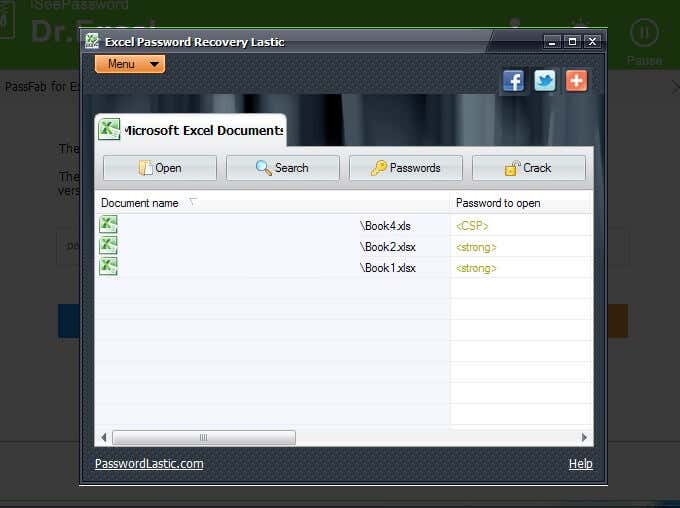
- After downloading the software, double-click on it and go through the process of installing it on your Windows machine.
- Opening the program will bring you to a window that looks like the one shown above, after it has done a scan of your machine.
The program is useful in that it finds the Excel files that may need some help, meaning those that are password-protected.
You’ll notice that the first file in the list above is a pre-2013 file with an extension of xls and the Password to open shows <CSP>. The other two files are 2016 files and show the extension of xlsx and the Password to open of <strong>.
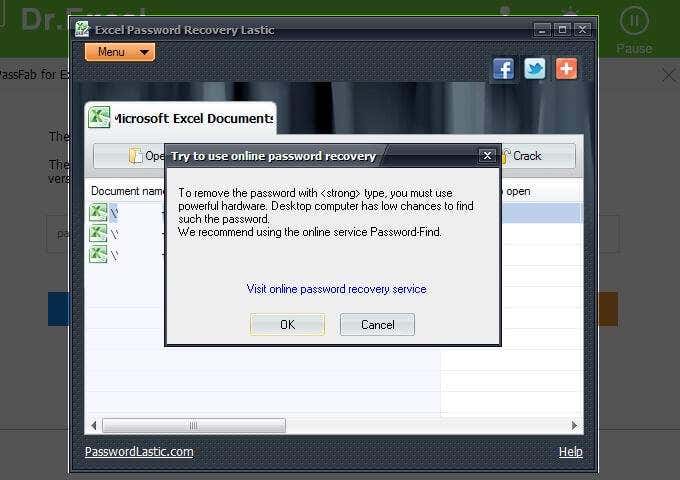
The password for the first file in the list is password. It was set this way to keep the testing simple. However, even with an easy password, and more importantly, weak encryption (because of the version of Excel software), the Excel Password Recovery Lastic tool still recommended that another option be tried. It recommended a visit to Password-Find, which you can find more details about below.
The other files (xlsx) also received the same recommendation, which was expected. If the software could not process the easiest file then it wouldn’t be expected to process the Excel 2016 file.
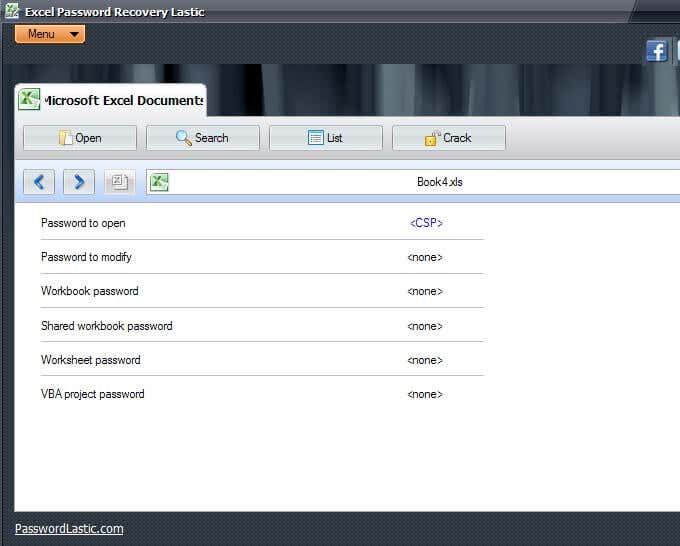
Now, here is where this software may be helpful. If you have an Excel spreadsheet and you know it is password protected but you are not sure to what extent, you could let Excel Password Recovery Lastic find the file (when it does its automatic scanning when you open the program) and then tell you what type of protection the file has (see above image).
You’ll notice that in the image above, it shows the <CSP>, as we mentioned earlier, helping us to know what version of file (beyond that little file extension help, looking at whether it is xls or xlsx).
Every little bit of information helps. By using this software tool, you can, at least, figure out whether the Excel file is an open password or modify password or both, or some other combination.
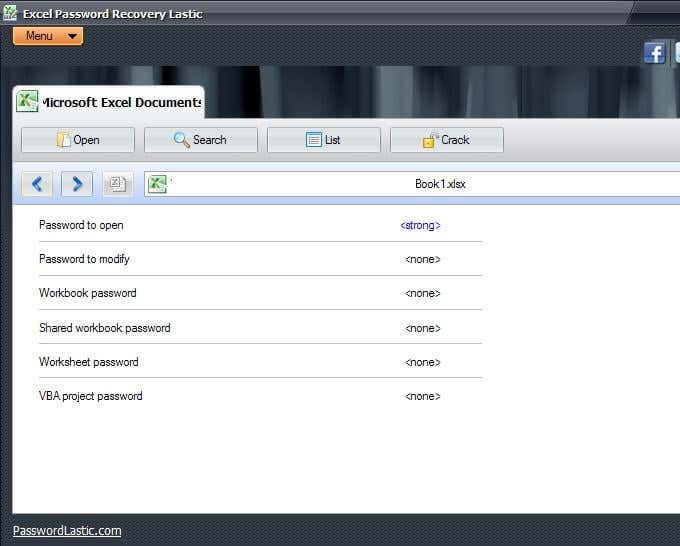
The image above shows a different file type. Knowing what type of protection the file has (as well as version), can isolate what type of password cracking is needed, and this might save us time, energy, and possibly money.
This software may not have done the deed (cracked the file) but it helped to understand the file and what steps to take next.
Paid Software Methods
No matter what method you choose to use to remove the password from Excel, it is helpful to make a backup of the Excel file just in case any corruption occurs in the process. Generally, you can simply duplicate the unopened file. There are also other methods of backup and it is fine to make a couple of backups, just to be safe.
Dr.Excel ($29.95)
iSeePassword offers a software package for cracking Excel passwords. They also offer options for normal Windows passwords, so to some extent they are a one-stop-shop.
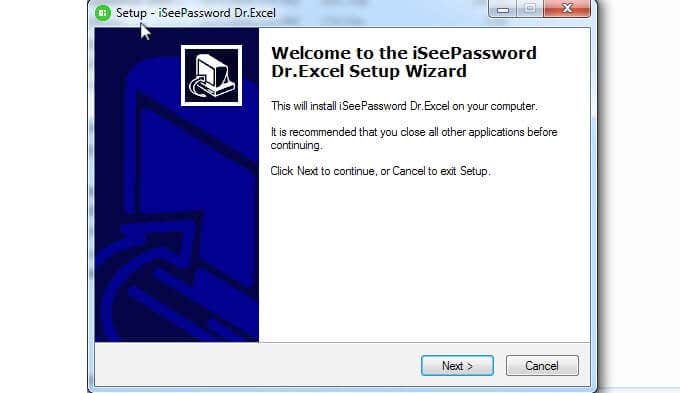
Also, they are kind enough to offer a trial so that you can see if the program even works for you before you spend the money. There are enough options out there that you might want to ensure that the software you decide to use has a trial version, allowing you to evaluate before spending money.
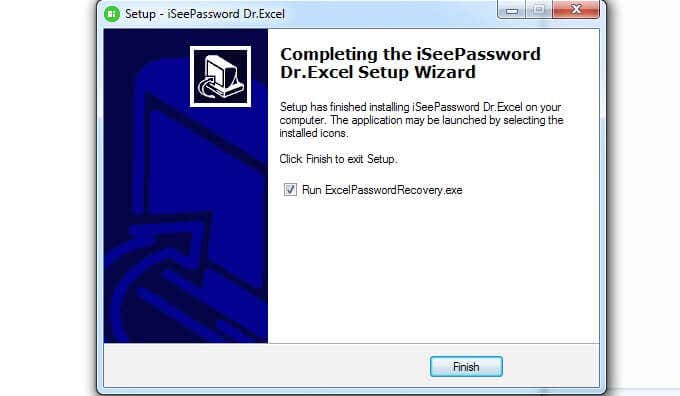
- When the installation is complete, be sure to click the box for Run ExcelPasswordRecovery.exe before clicking Finish. ExcelPasswordRecovery.exe is also the name of the software, Dr.Excel.
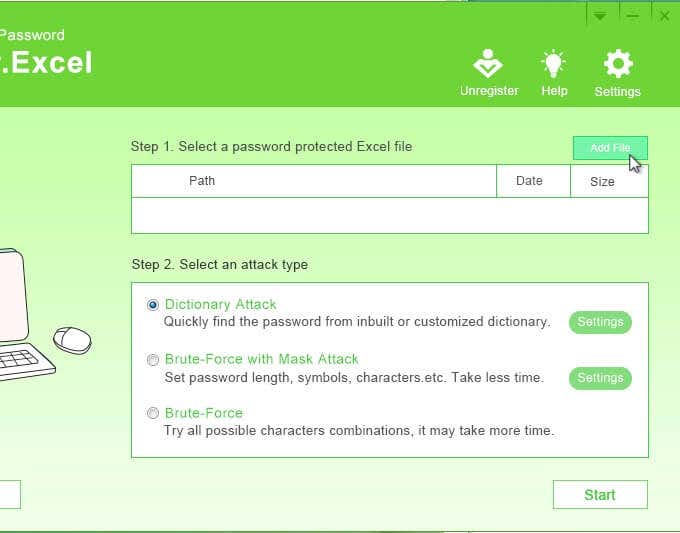
- The first step is to add the file in question. You can do that by clicking on Add File in the upper right-hand corner.
- Step 2 lets you pick the type of attack. The descriptions are pretty self-explanatory. The type of attack depends on what type of password you used.
So, for example, if you recall that you used a really easy password but you do not remember what that password was, you may want to use a Dictionary Attack so that it uses more common words. You may also prefer a Brute-Force with Mask Attack that might take less time.
Keep in mind that you will need to click on Settings to choose specifics related to the attack type.
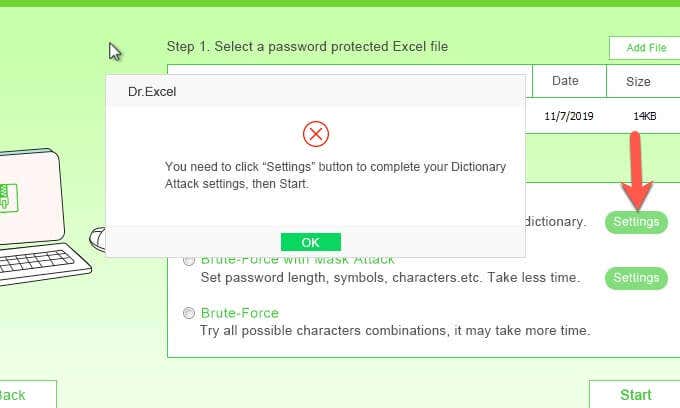
- If you do not click on Settings, Dr.Excel is nice enough to remind you to do so and after clicking OK you can return and click on the Settings.
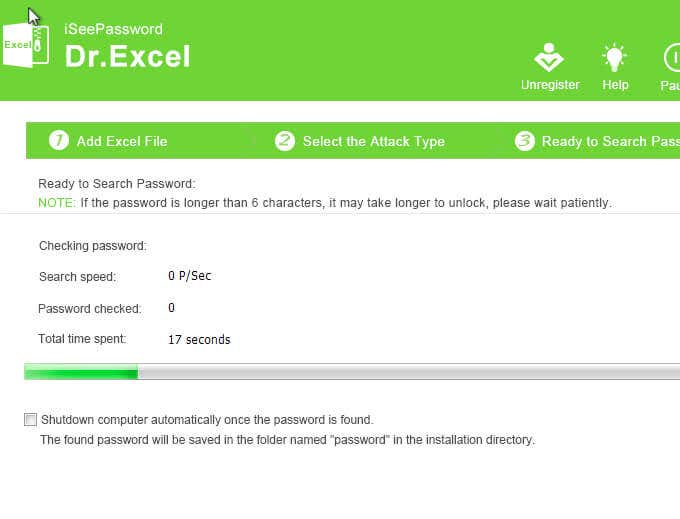
- You are now ready to start the attack. Keep in mind that no matter how thorough this software is, it can take a while. The password on the file tested was password, and with over six characters, it took several hours to crack. So, simplicity is not an indicator of how long it takes.
PassFab ($19.95/yr)
Another popular software solution is PassFab.

If you turn away or are not paying attention, your default browser may open with a confirmation that the software was successfully installed. The site is passfab.com, the same site that is the developer of the software and you are taken directly to the Quick Guide for help.
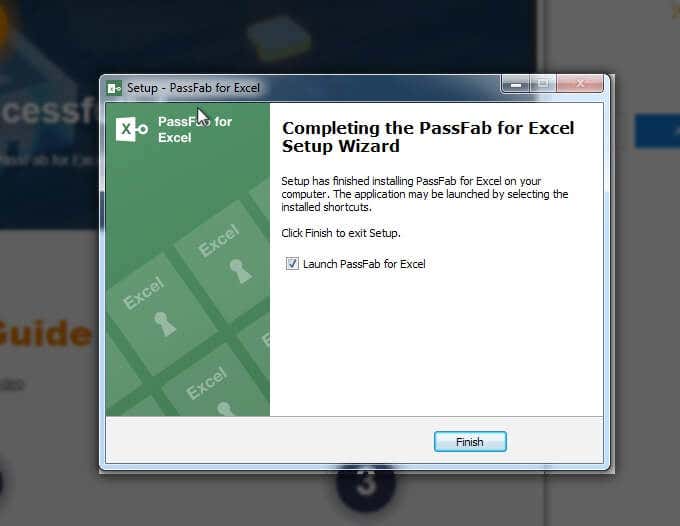
When you have finished with the website, return to the installation process and click the Finish button to open the program.
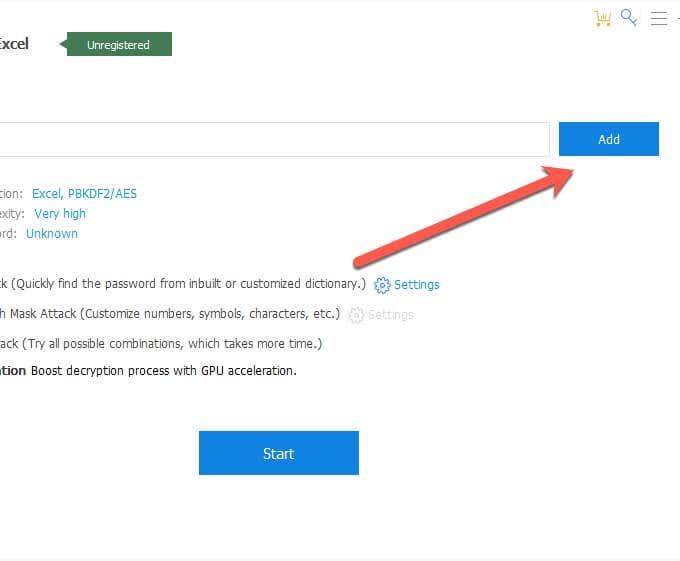
- On the next screen, you have the option to click Add and choose the password-protected file that you want to crack (or remove the password).
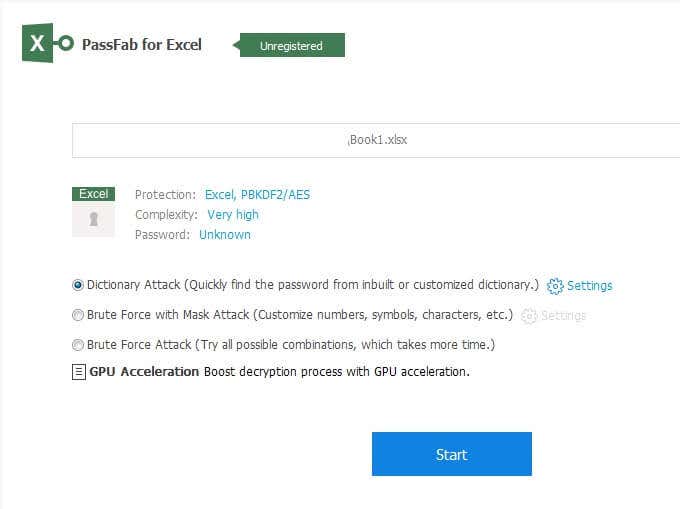
On that same screen, once you have selected your file, you have the option to choose what type of attack you want to use, with Dictionary Attack, Brute Force with Mask Attack, and Brute Force Attack.
Are you wondering what GPU Acceleration is? It is a Graphical Processing Unit that helps to manage the computer’s visual aspects in the most efficient manner. It is a faster processor than your computer processor and can speed up the attack considerably.
The Settings on this screen allows you to upload a customized dictionary. So if you have an idea of what the password is, you may want to list these possibilities in your customized dictionary.
Let’s say you have a particular password that you use regularly and when you are forced to change it you add a number or a special character to it. Though the password is somewhat different than what you usually use, the reality is that it is pretty much the same. This is your opportunity to include that password (and its variations) in your customized dictionary file to help speed up the process of cracking the password in Excel.
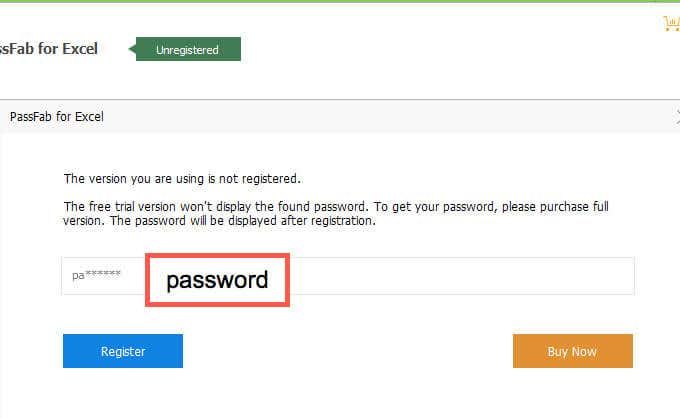
The PassFab software that was used for testing was a trial version to see if it worked. As you can see above, the software managed to crack the password. Or at least we are assuming so, based on the number of characters and the first two characters that match.
The password for this file was password as shown in the above box with the red border.
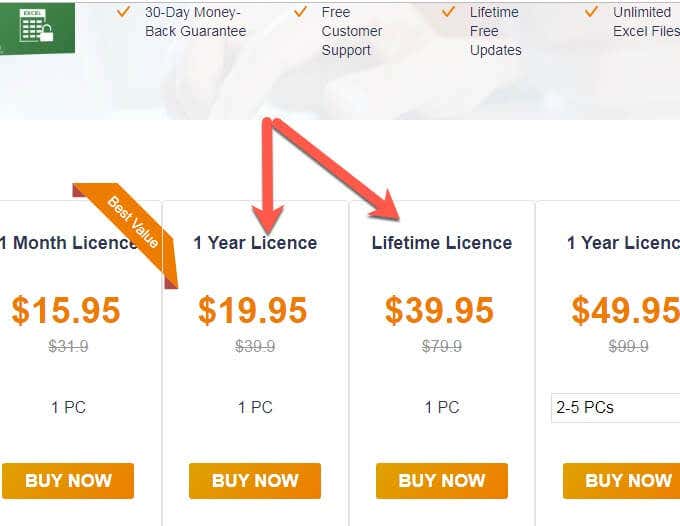
PassFab wants to be nice enough to show you that the software works before you have to spend any money. There are a number of license options available, allowing you to choose the one that suits you best. Remember, that while a lifetime license is good value, if the company goes out of business the software will no longer receive upgrades.
That is not a prediction with PassFab but rather a comment on the nature of software licensing in general.
Excel Password Remover Pro (Varies)
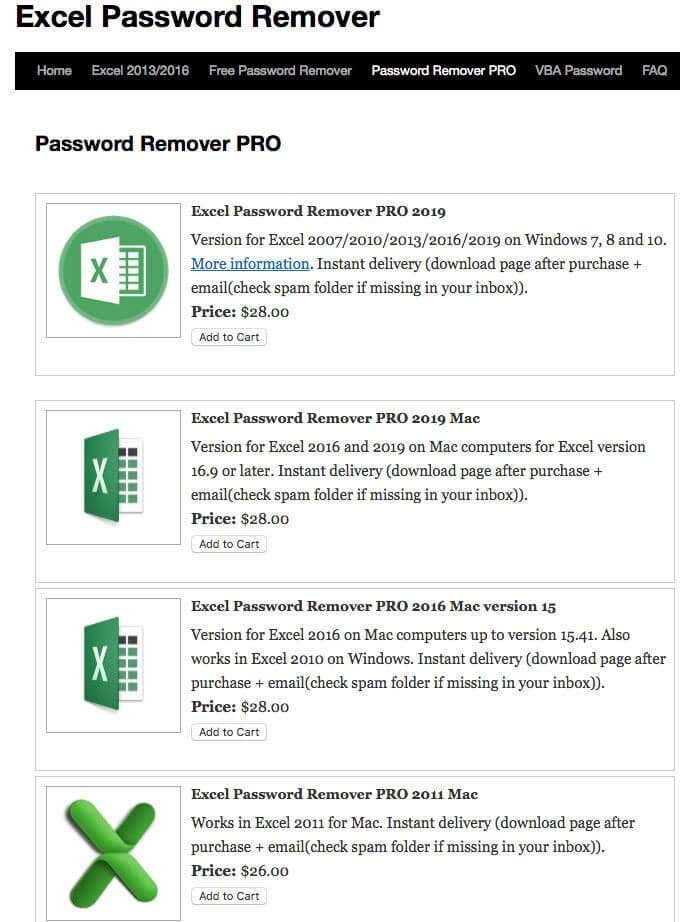
The final software package (or software packages) are quite a few different types and services, so be sure to read the description before spending money. The image above shows a listing of the software that is available at the time of writing.
Paid Online Methods
There are some options available via online access. There are also options to submit your file for others to crack for you and give you a quote. We included the semi-self-serve options available online.
Password-Find.com (19.95/39.95)
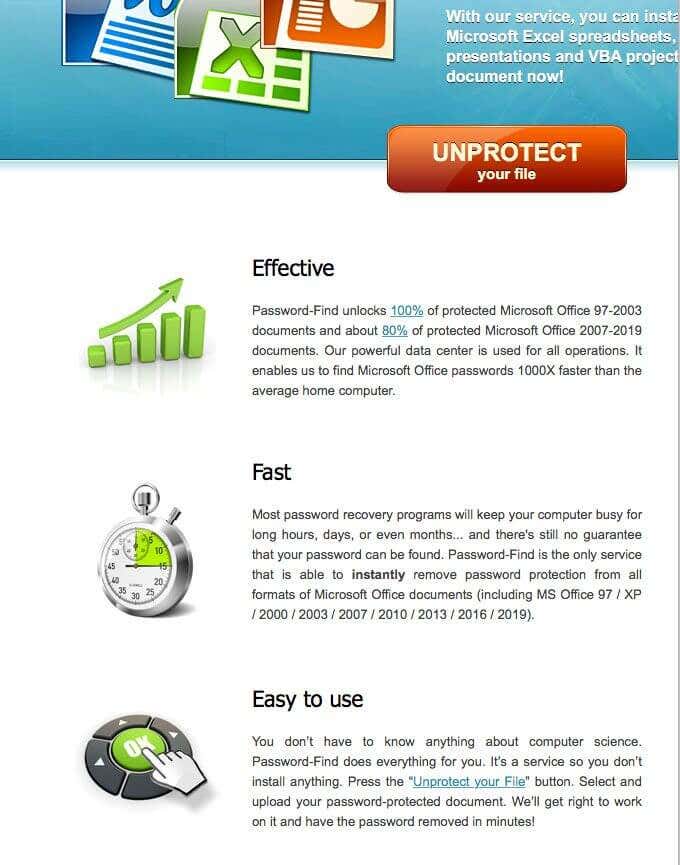
Password-Find was the option suggested by the Lastic software above — the software that helped to provide information about the files in question so that we could take an educated approach to them.
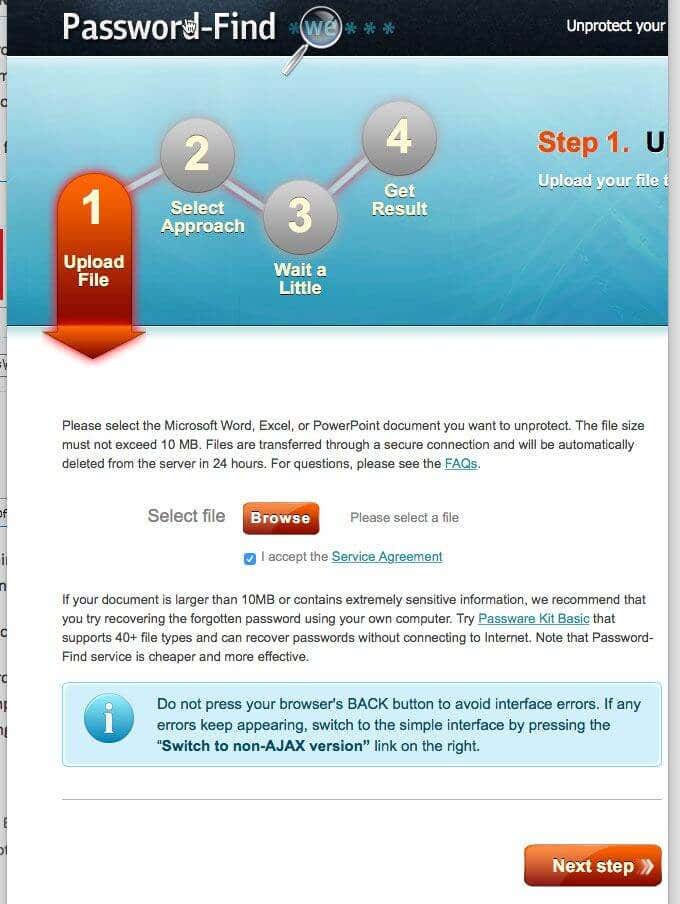
The graphics for the instructions are very clear. For example, the first step is to upload the file that you want cracked, or password removed.
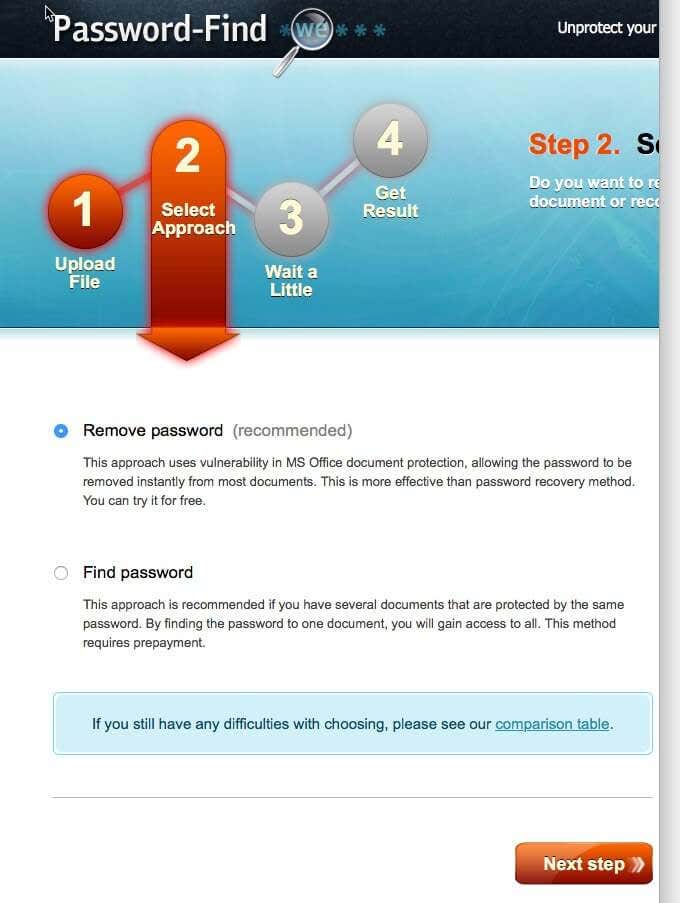
In step two, it is time to select the approach. In this case, instead of thinking of type or method you are looking at the outcome. It is still a method/approach but decide what type of outcome you want. Do you want to remove the password in Excel or figure out what the password is?
It makes sense that the recommendation is to remove the password since you can always save the file (or re-save the file) with another password, and that approach (removing the password) is faster. This was the method chosen during testing.
The developers recommend the other option (determining/finding the password) in cases where you may have several files and the same password for all of them. And that makes sense because if you use the removal process and you have 50 files you have to go through that process 50 times.
But if you use the cracking method on one file and it takes the time of three file password removals (just a number for example sake), you have saved the amount of time it would have taken for the other 47 files because you have figured out that password for the 50 files.
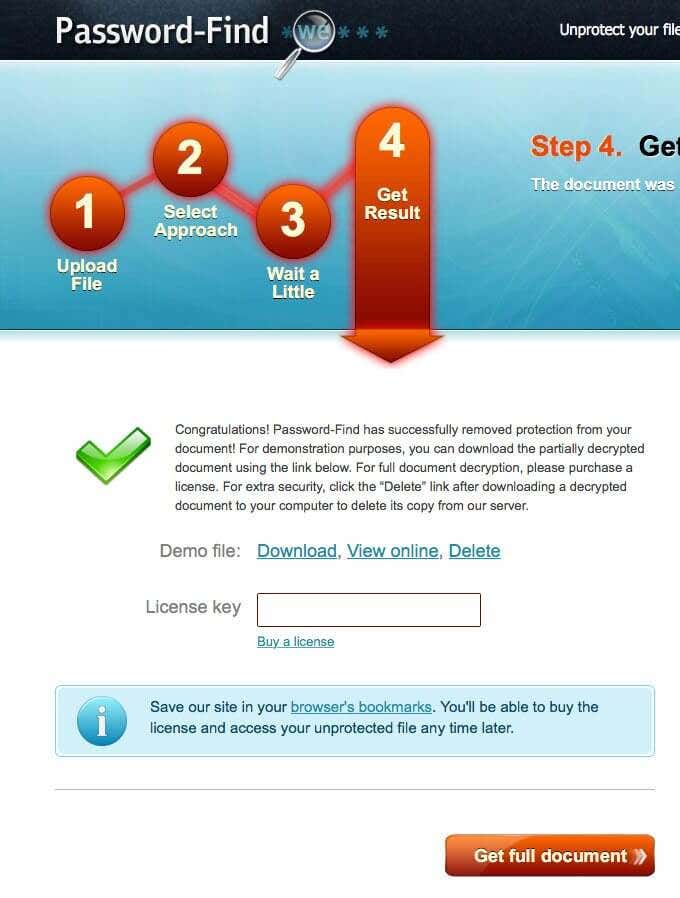
The effectiveness and speed of this particular online solution was very impressive. There is still a waiting phase while the software does its work, but for testing on our Excel 2016 file it was seconds, not hours.
It is worth noting that this software did not give us the file but rather gave us the opportunity to view the unprotected (password removed) file. While other software gave us partial views of the file, in this case we were able to see the complete file in the preview, proving that it worked.
The option is View online. And remember to click delete to remove your file so as not to leave your personal or business spreadsheets on the internet somewhere.
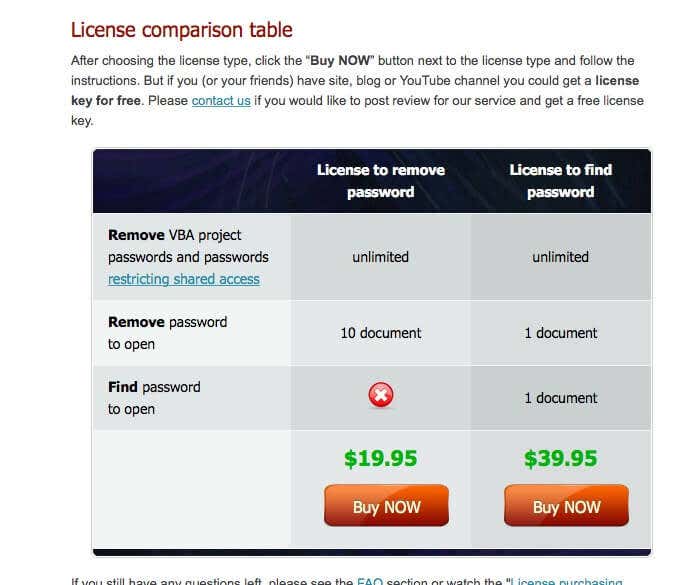
As you can see above, there are two options for purchase, offering different solutions depending on your needs.
Password-Online.com (10 EUR)
The final online option is password-online.com. When you visit the site, you will see Excel Password Recovery Online in the menu bar above. It appears that they have a one-size-fits-all, one step process.
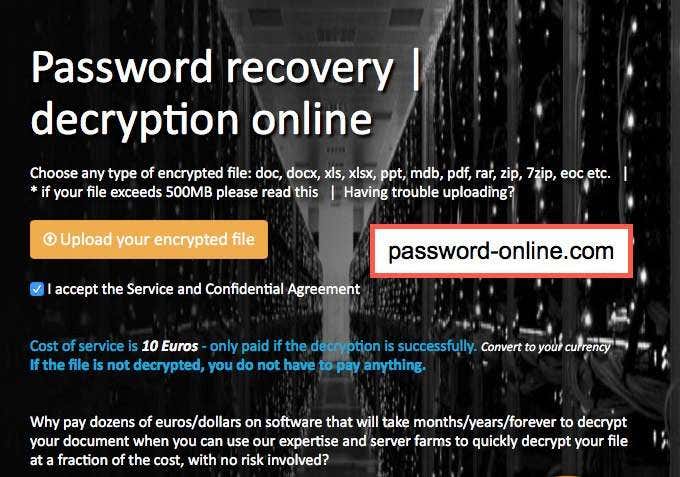
At this point, you can upload your encrypted file, just like the button says. Follow along and you are on your way.
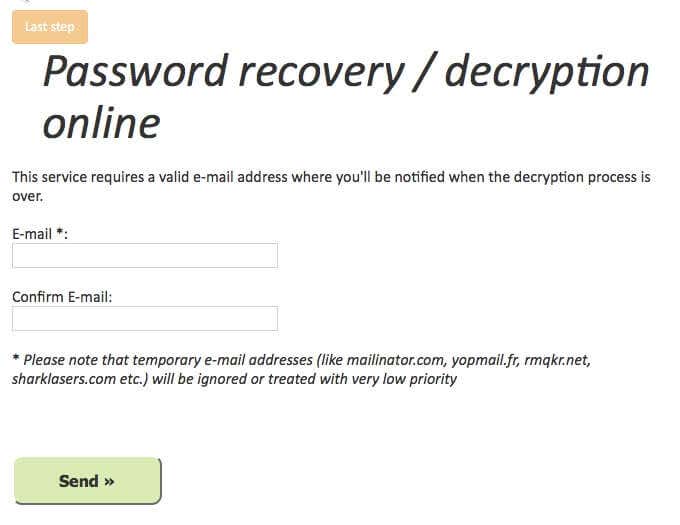
You’ll be required to enter your email, allowing them to notify you when your file is ready. The speed at which you receive your file depends on how many files are ahead of yours, the level of complexity, and any other factors that may impact those providing the service.
Though this service is well priced at only 10 EUR, it gives no estimate on how long your file might take to complete. You might feel better paying a little extra with some of the other options if you want more control of the process.

