
Modify a few settings in the Windows Control Panel

Are you looking for a way to change the keyboard language in Windows? There are occasions where you might need to do this such as when you buy a used computer and the keyboard is set to another language or if you need to type something in a foreign language instead of English.
You can easily change the keyboard language from French to English, US to UK, etc. by modifying a few settings in the Windows Control Panel. You can do this by changing the language and keyboard settings.
Table of Contents
It’s worth noting that when you switch languages in Windows, the settings are configured per application. You have to change the input language depending on which program you are using. This is very easily done using the language bar that shows up automatically when you add another language in Windows. I’ll also explain using the language bar at the bottom of this article.
Change Keyboard Language in Windows 8/Windows 10
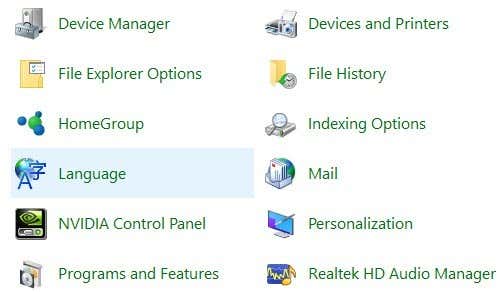
For Windows 8 and Windows 10, open the Control Panel and click on Language.
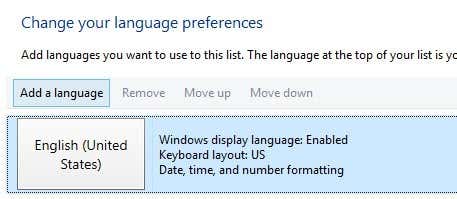
Click on the Add a language button that is located above the list of installed languages.
Windows 8 and 10 have a much better interface for browsing the languages as compared to Windows 7 and earlier. Here you get a nice preview of a few characters for each language.
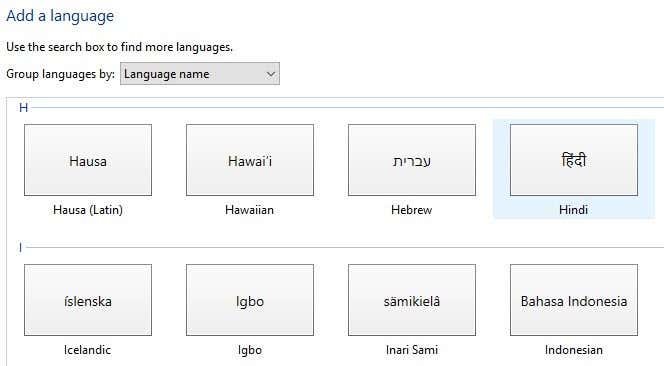
Pick the language and then click on the Add button at the bottom. You should now see it as an installed language. You might also get some messages from Windows as it installs any necessary files for the language.
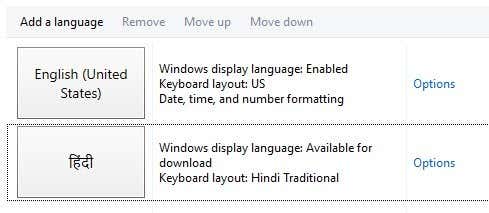
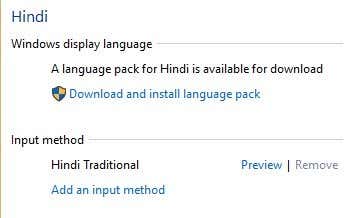
You can click on Options to download the language pack for the newly installed language, which will allow you to change the Windows display language. You can also add additional input methods for the language.
Change Keyboard Language in Windows 7
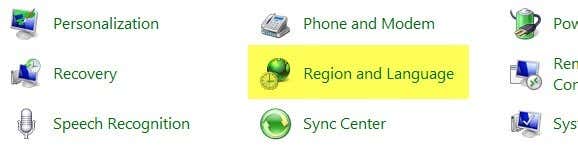
For Windows Vista and Windows 7, open the Control Panel and click on Region and Language.
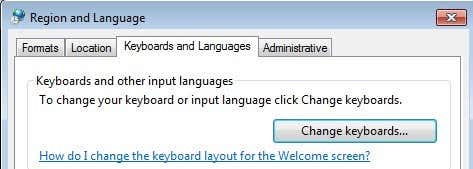
Now click on the Keyboards and Languages tab and then click on Change keyboards.
You’ll see the current default input language and installed services. To add a language, go ahead and click on the Add button.
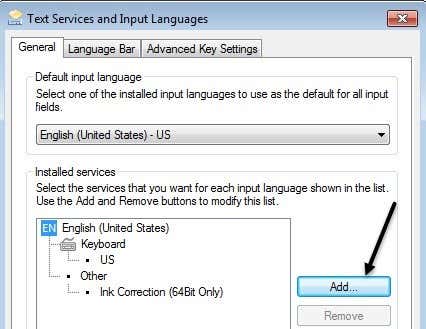
Now scroll down to the language you want to add and expand the keyboard section. Depending on the physical keyboard you are using, choose the correct keyboard option. You might have to play around with the different options because sometimes one keyboard doesn’t work properly.
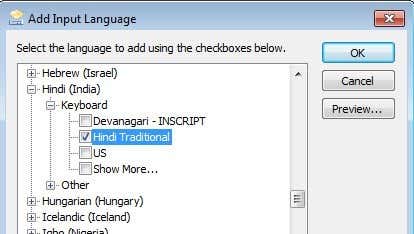
You can also click on the Preview button to see how the characters for your language are mapped to the keyboard you are using.
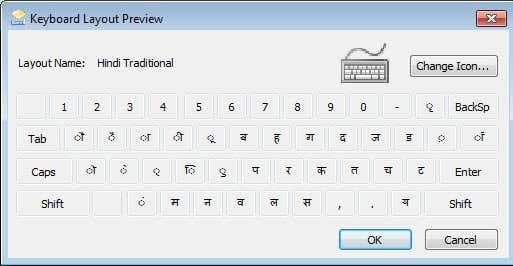
In my example, I chose Hindi Traditional for the keyboard language. Scroll down to the Using the Language Bar section to see how to type into different applications using the new language.
Change Keyboard Language in XP
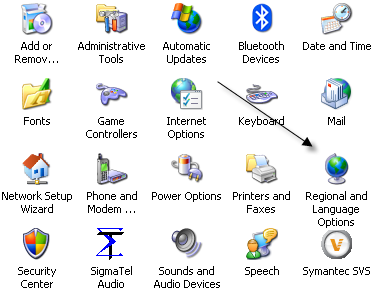
For Windows XP, you want to go to the Control Panel and click on Regional and Language Options.
Next click on the Languages tab and then click on the Details button.
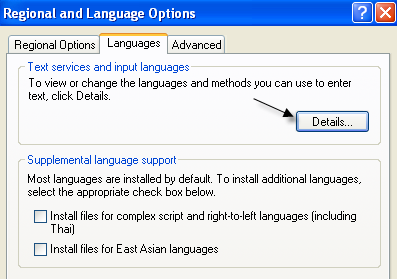
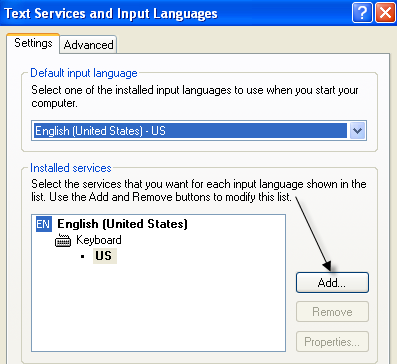
This will load up the Text Services and Input Languages dialog box. Here you will see the list of installed services and keyboards on your computer. You can click Add to install a new keyboard layout and input language.
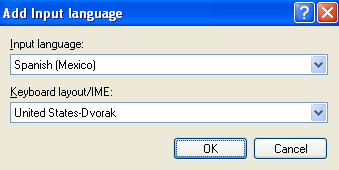
Choose the input language and choose the type of keyboard that you have attached to your computer. If you want to type Spanish on an English keyboard, choose Spanish as the Input language and United States-Dvorak.
Using the Language Bar
When you install a new language in Windows, it automatically enables the language bar. This is really useful for quickly switching between languages in Windows. You’re probably not going to be typing in one language for every application, so the language bar makes it easy to switch.
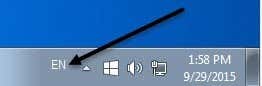
You’ll see the language bar in your taskbar with letters to denote the language you are currently using. If you click on it, a list will appear and you can simply click on another language to select it.
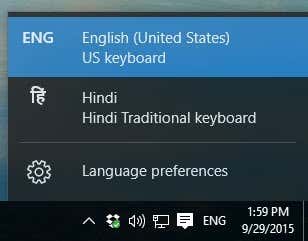
Now you can open an application like Word, select the language from the language bar and start typing. You should see the characters for your language appear as you type.

That’s about it! So if you want to type in another language, such as a foreign language, or if you want to switch the keyboard language back to English, the above steps should solve your problem! Enjoy!

