

WhatsApp is pretty straightforward, but certain parts about how it works can be confusing (especially if you’re new to the platform), including just how the Last Seen status operates.
Since WhatsApp became a part of Meta, it has added more features similar to those you might have seen on Facebook Messenger. In this article, we’ll look at the Last Seen status that WhatsApp shows to your contacts, as well as other users on the platform, and how to hide this information from strangers.
What Last Seen Status Means
WhatsApp’s Last Seen status refers to when the user was last active on the app. This includes the last time a user replied to someone, as well as the last time they had the app opened on their device. When you open a chat with another user on WhatsApp, you can find their Last Seen status next to their profile picture at the top of the screen. If someone hasn’t replied to your messages in a while, you can check their Last Seen status to see if they’ve been avoiding your messages on purpose or if they haven’t been online for that long.
Don’t confuse the Last Seen feature with Read Receipts (blue ticks next to the message when the recipient reads it) and Online status (shows when the user is online and has the WhatsApp app open in the foreground on their device).
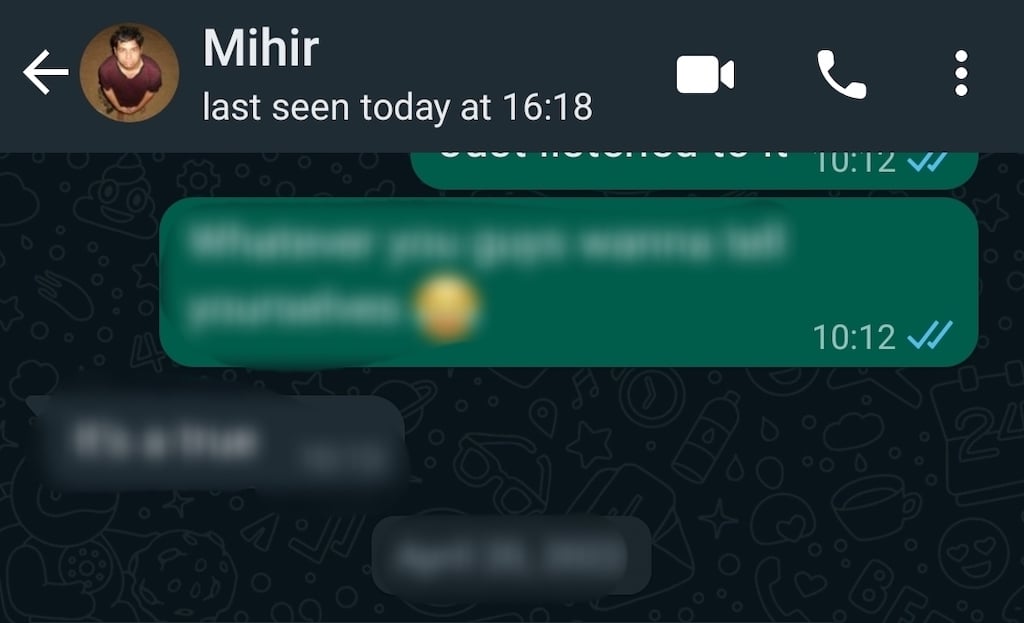
While Last Seen isn’t a new feature on WhatsApp, it recently received an update. Previously, you were able to hide your Last Seen information from the WhatsApp users who aren’t in your contact list or from everyone. With the update, you also can hide your Last Seen status from specific people. Effectively, it’s like blocking particular contacts from viewing your Last Seen info.
Note: If you don’t share your Last Seen status, you won’t be able to see the Last Seen status of other users.
How to Hide Your Last Seen Status on WhatsApp
The option to hide your Last Seen status is available for Android and iOS users. If you don’t want certain people to be aware of your online presence on the app, you can control who can see your Last Seen info in WhatsApp’s privacy settings.
Hide Your Last Seen Status on Android
If you’re an Android user, follow the steps below to hide your Last Seen status on WhatsApp using the mobile app.
- Open WhatsApp on your smartphone.
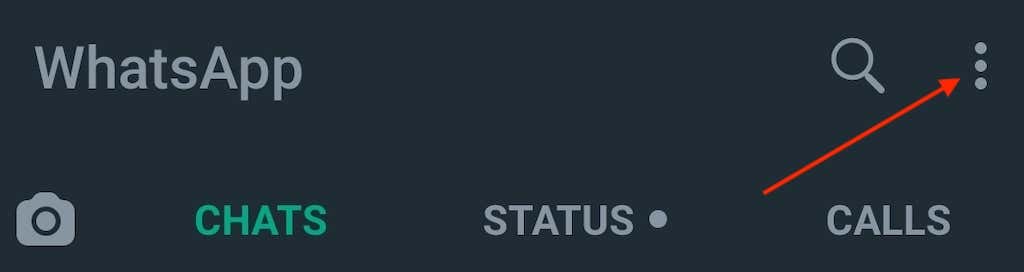
- In the upper-right corner of the screen, select the three vertical dots icon to open the menu.
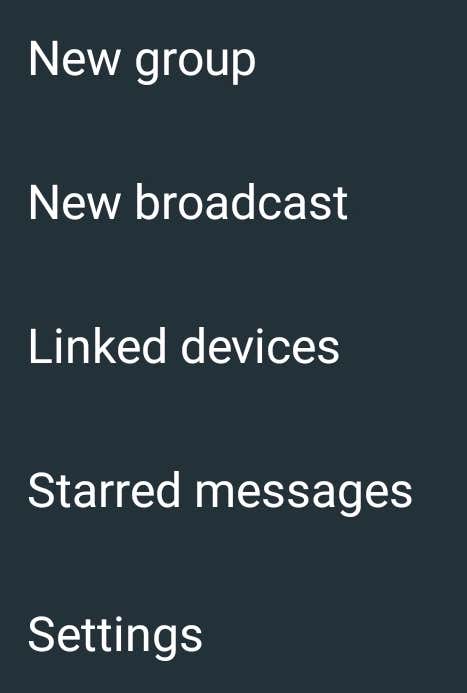
- On the drop-down menu, select Settings.
- In the Settings menu, select Account.

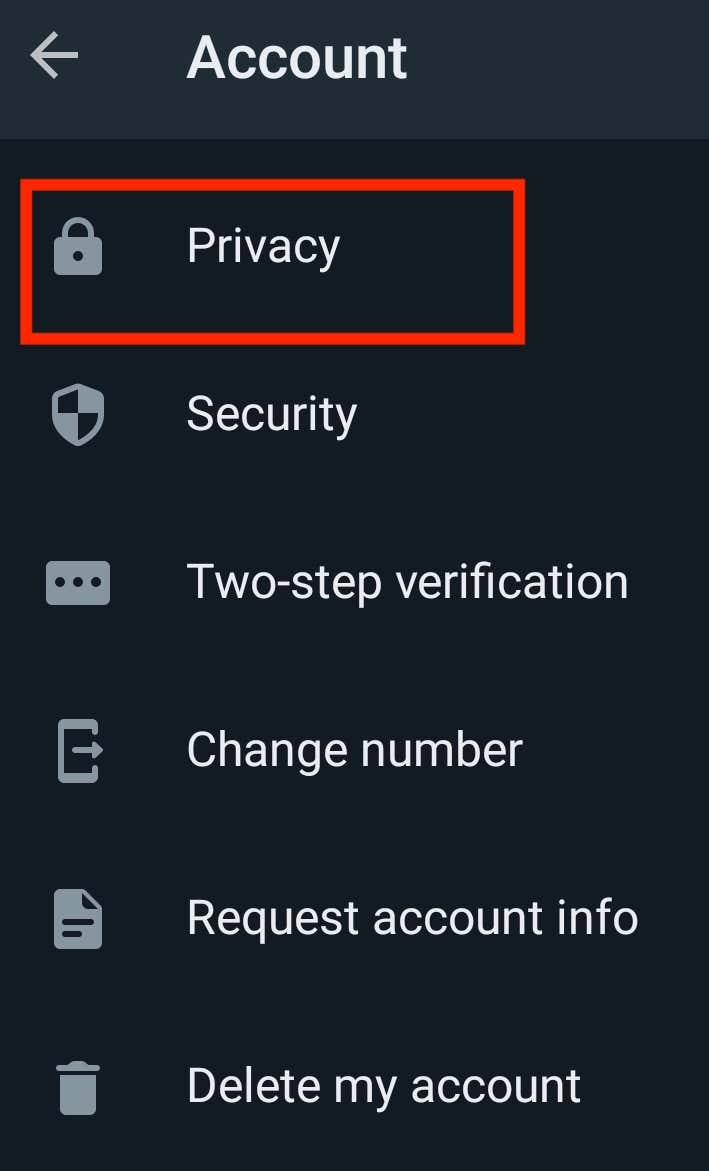
- Select Privacy.
- Finally, in the Privacy settings, select Last seen.
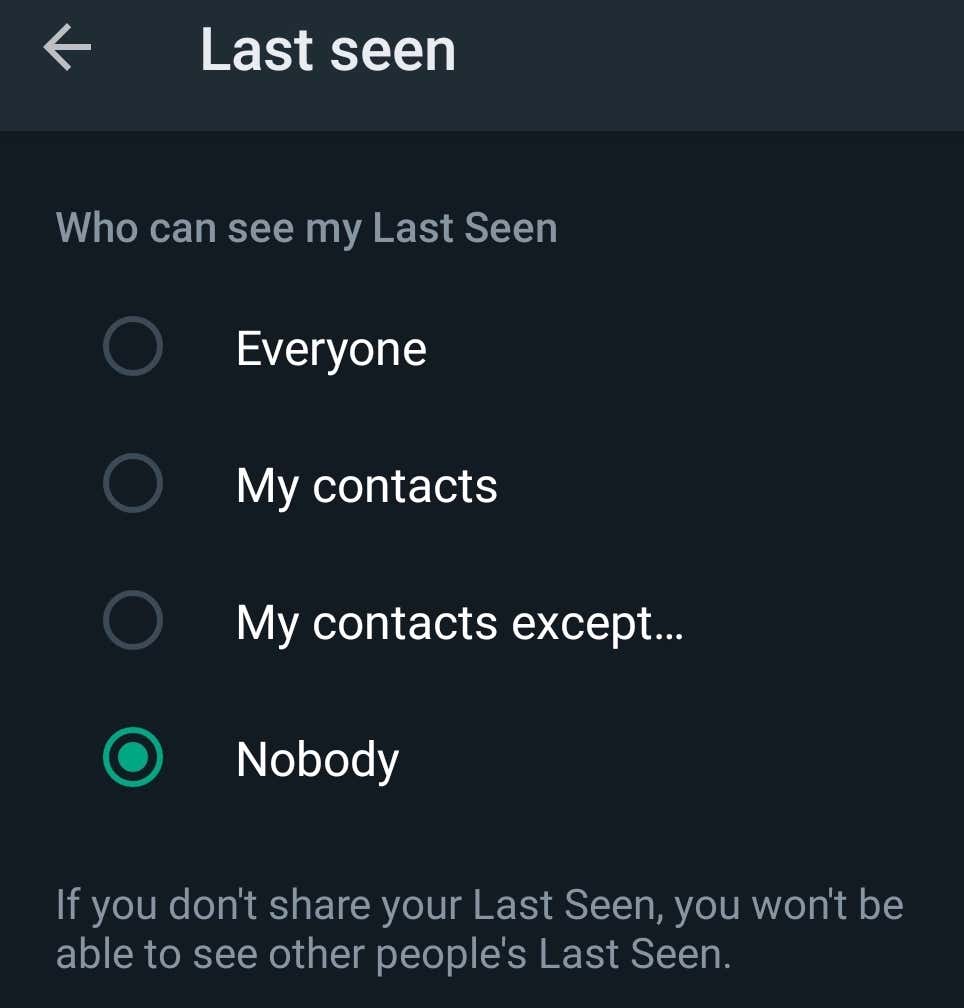
- Select one of the options from the Last seen window, then select Done at the bottom of the screen to confirm. These options include:
- Everyone: Allow anyone to see your Last Seen status.
- My contacts: Allow only people on your contact list to see your Last Seen status.
- My contacts except: Manually select contacts that won’t be able to view your Last Seen status.
- Nobody. Hide your Last Seen info from everyone, meaning you also won’t be able to see anyone else’s Last Seen status.
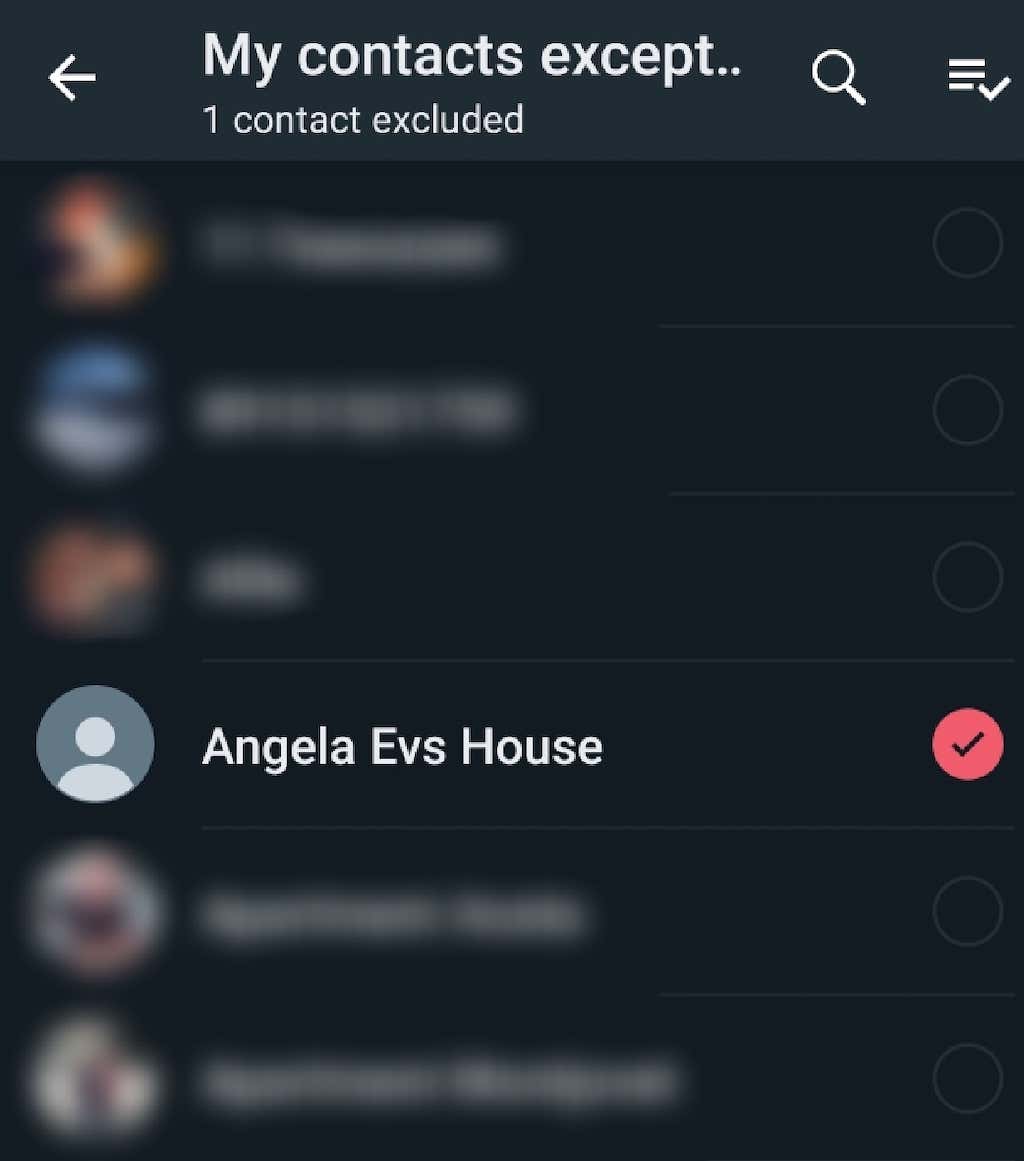
If you change your mind and want to restore your Last Seen status visibility, you return to the Last Seen section of the privacy settings at any time.
Hide Your Last Seen Status on iPhone
The steps for hiding your Last Seen status on Apple devices are similar. However, the app’s interface is a little different. If you’re an iOS user and need help navigating through WhatsApp’s privacy settings to hide your Last Seen info, follow the steps below.
- Open WhatsApp on your phone.
- Select Settings at the bottom-right corner of the screen.
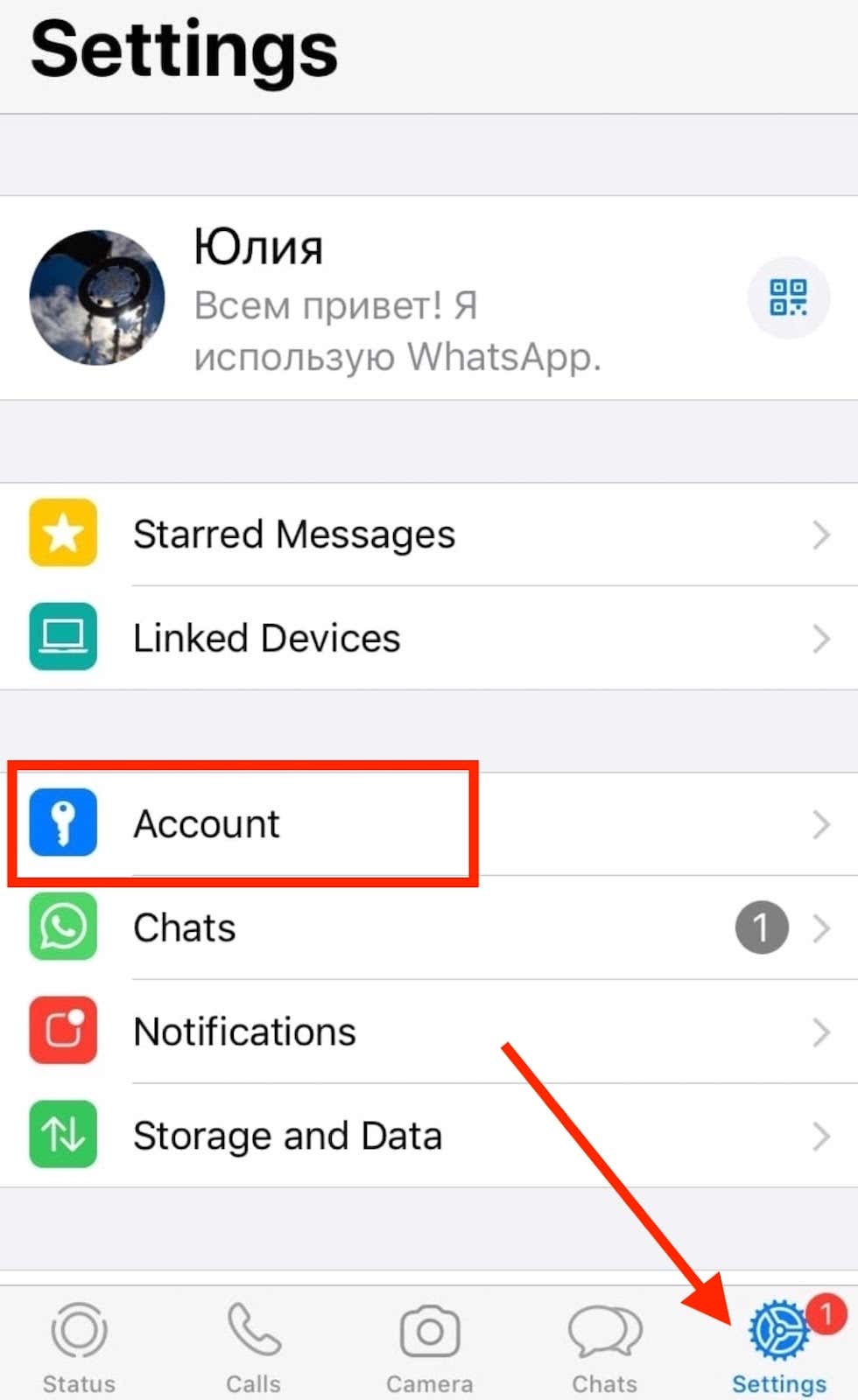
- Then follow the path Account > Privacy > Last Seen.

- This opens a page with the options of who can see your Last Seen status: everyone, my contacts, and nobody. On iPhone, the option to hide your Last Seen status from specific contacts isn’t available yet as it’s still in testing. WhatsApp will automatically save the option that you select.
Note: You can’t access your privacy settings on WhatsApp on the web, which means you can’t change them to hide your Last Seen status from your computer.
Why You Should Hide Your Last Seen Status on WhatsApp
Hiding your Last Seen status or leaving it for everyone to see is a question of how private you want to keep your WhatsApp account. WhatsApp used to set your Last Seen status visibility to Everyone by default, meaning every user on the platform could access this information. This also allowed third-party apps to exploit this feature and track certain users through WhatsApp.
After the latest security update, WhatsApp users who aren’t on your contact list and whom you haven’t exchanged a single message with can’t see when you’ve last been online (or whether you’re online right now). Since an app isn’t a contact, this update prevents third-party apps from accessing your Last Seen or Online status information.
You can make use of this new update even if you’re not at all concerned about other people tracking your online presence on WhatsApp. On the contrary, you might want your friends or loved ones to know when you were last seen online. In that case, you can set your Last Seen status to My Contacts Except and only leave the people that you trust unselected.
Make Your WhatsApp More Private
Last Seen is a common feature in many other social media platforms and messengers (like Viber or Telegram). However, on most of them, you can either keep this feature enabled or disable it altogether. The ability to hide your Last Seen status from certain users is an excellent addition to WhatsApp privacy features that can help you make your WhatsApp account more private.