
Here's a couple of ways to get those icons back

If your Windows 10 desktop icons are missing, there may be an issue with either your icon settings or your core Windows system. Issues like these often don’t have an apparent reason and that makes it difficult to troubleshoot them.
However, for the desktop icons missing issue, there are a few standard fixes you can try and hopefully resolve the issue on your computer.
Table of Contents
Also, if you prefer to watch a video, check out our YouTube tutorial below that goes through a couple of the options. However, if none of those work, make sure to read the rest of the article as we have more steps and solutions listed here.

Ensure The Desktop Icons Aren’t Disabled
The first and the most basic thing you’ll want to do before you perform any other methods is to check if the option that displays your desktop icons is enabled. If you or someone else turned off the option for some reason, that’s why your Windows 10 desktop icons have gone missing. You can bring them all back in a couple of clicks, though.
- While you’re on your desktop, right-click anywhere blank and select View followed by Show desktop icons.
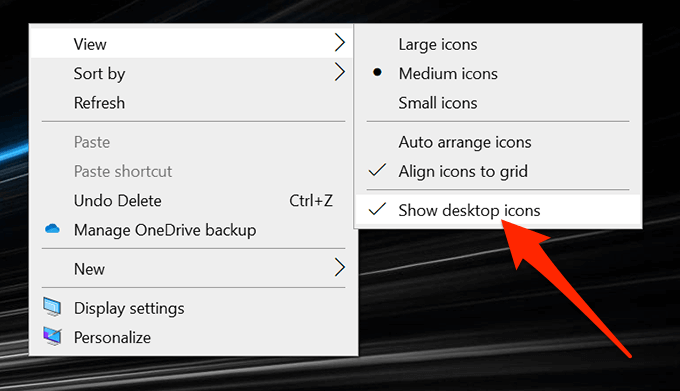
- Ensure there’s a tick-mark next to the option which indicates the option is turned on.
Re-Configure Your Desktop Icons’ Settings
You also want to check the settings for your desktop icons and ensure the ones you want are selected and enabled. If you’ve customized your icon settings, it might have caused your icons to disappear from your desktop.
You can head into the Settings and configure the options there to fix the issue.
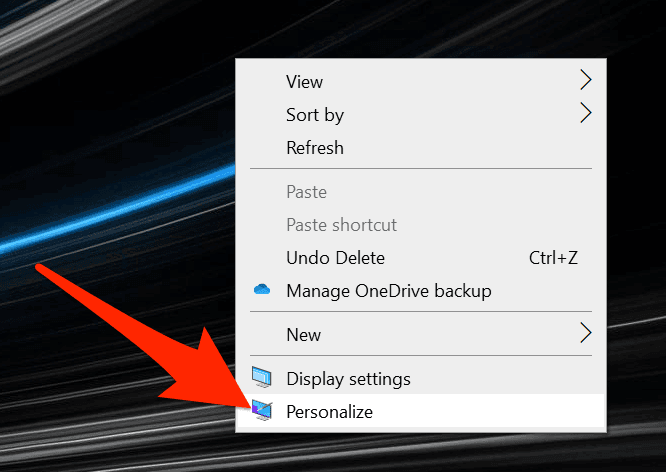
- Right-click anywhere blank on your desktop and select the Personalize option.
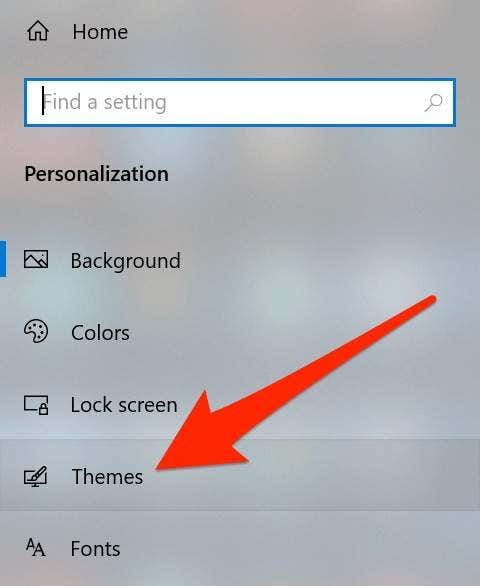
- Select the Themes option from the left sidebar on your screen.
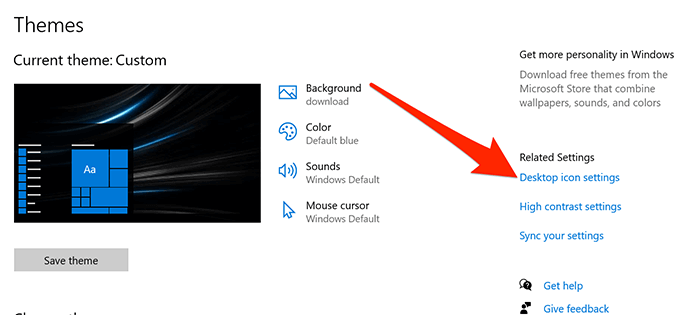
- You’ll see an option for Desktop icon settings on the right-hand side pane. Click on it to open the settings menu.
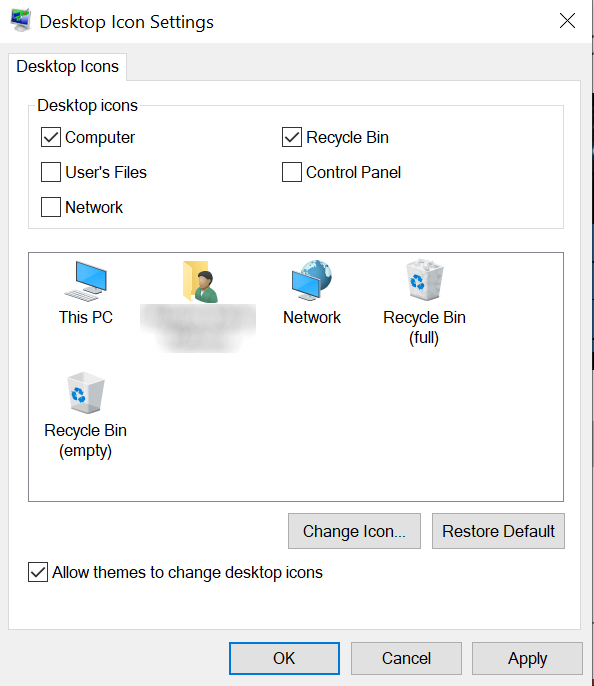
- The following screen lets you select and deselect the icons that you want to make visible on your desktop. Make your selection and click on Apply followed by OK.
Relaunch The Windows Explorer
Your desktop icons are part of the explorer.exe process that runs on your computer. If there’s an issue with the process, it can cause issues like Windows 10 desktop icons missing or disappearing on your Windows PC.
The good thing is that you can easily fix the issue by relaunching the process on your machine.
- Press the Ctrl + Alt + Delete keys at the same time on your keyboard.
- Select Task Manager from the options available on your screen.
- Click on the Processes tab if you aren’t already there.
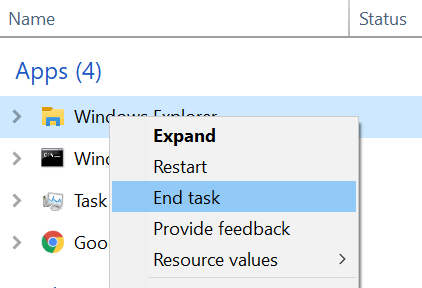
- Find the process named Windows Explorer, right-click on it, and select End task.
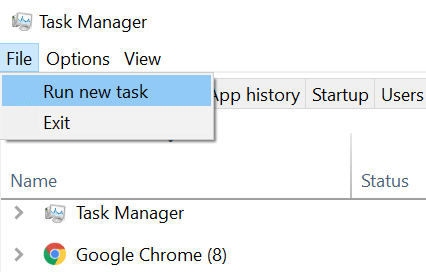
- Click on the File menu at the top and select Run new task.
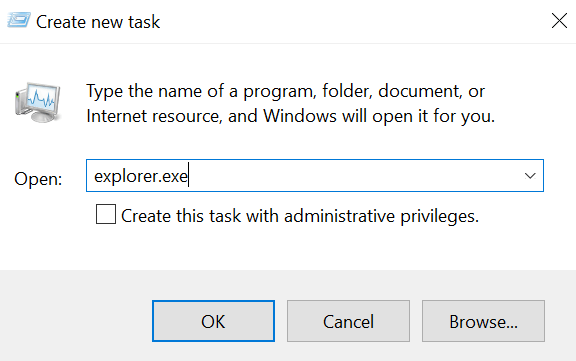
- Type explorer.exe in the box on your screen and press Enter. It’ll relaunch the Windows Explorer for you.
Toggle The Tablet Mode In Windows Settings
Tablet mode changes how the icons and other elements appear on your system, and it’s worth toggling it to see if it helps fix the Windows 10 desktop icons missing issue on your computer.
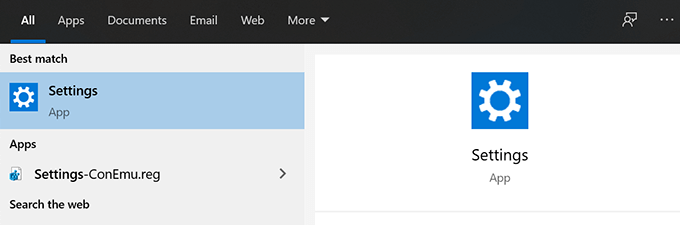
- Launch the Settings app using Cortana search on your machine.
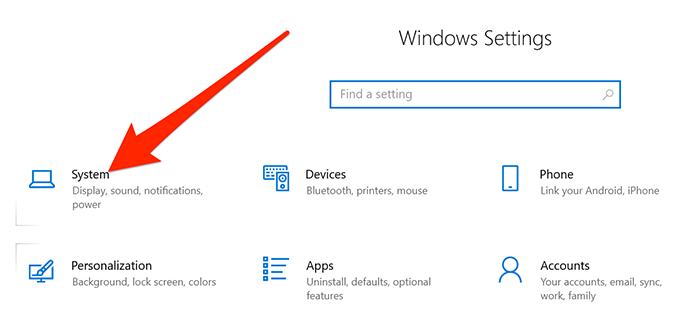
- Click on System when the app launches.
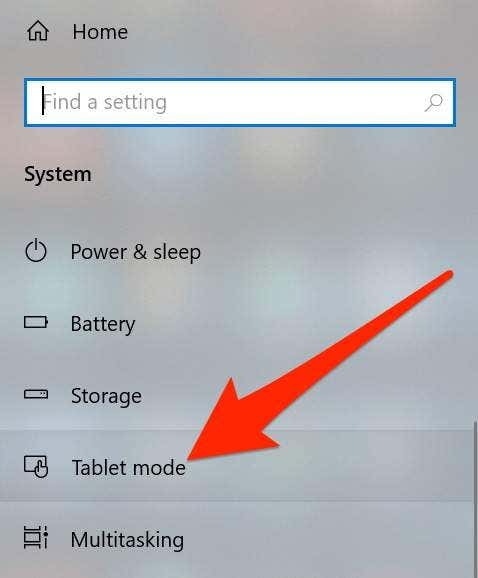
- Select Tablet mode from the left sidebar on your screen.
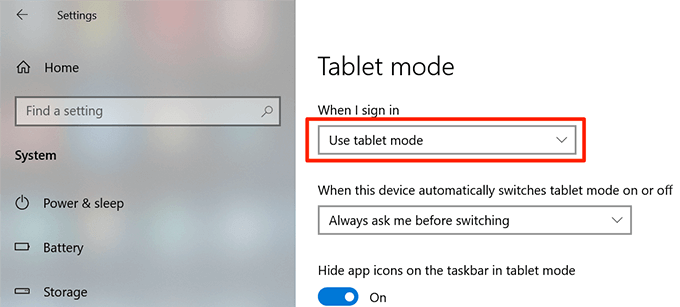
- Select Use tablet mode from the When I sign in dropdown menu.
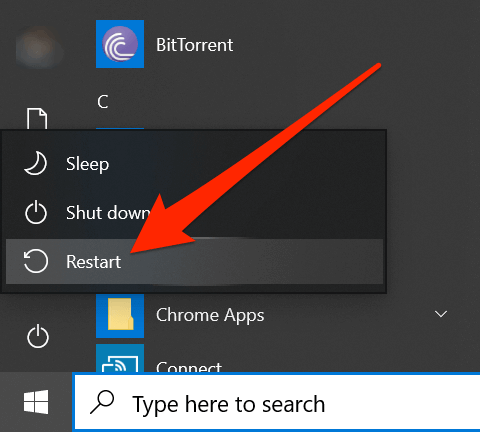
- Click on the Start Menu, select the power icon, and choose Restart.
- When your computer restarts, go into Settings and disable the tablet mode. Then, reboot your machine again.
Scan For & Fix Corrupt Files On Your System
Corrupt files are often the reason why some functions don’t work on your computer. Your files can get corrupted due to various reasons but you can actually fix them pretty easily with a built-in tool.
Microsoft has included a command in the Windows operating system to let you search for and fix corrupt files on your computer.
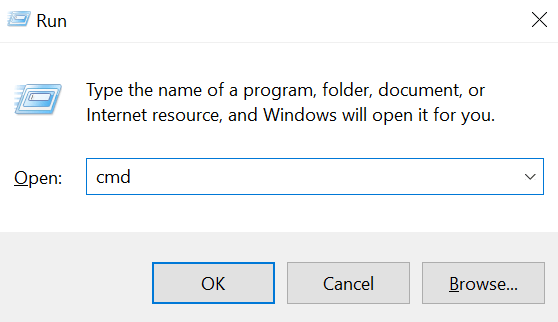
- Press the Windows + R keys at the same time, type in cmd, and hit Enter.
- Type the following command into the CMD window and press Enter.
sfc /scannow
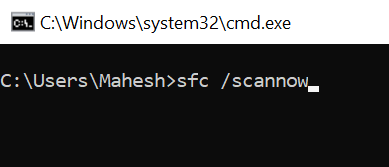
- Wait for it to find and fix corrupt files on your computer.
Toggle The Start Menu Full-Screen Option
Since there’s no apparent reason why your Windows 10 desktop icons are missing, you can try enabling and disabling the options related to your user interface and it can hopefully fix the issue for you.
One of the things you can do is toggle the full-screen option for your Windows Start Menu.
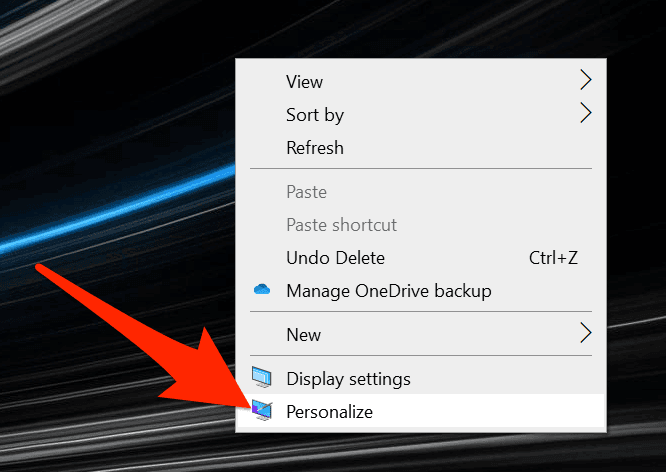
- Right-click anywhere blank on your desktop and choose Personalize.
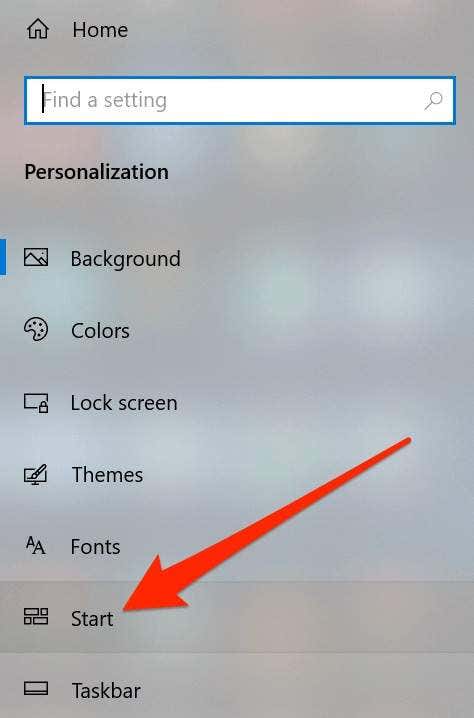
- Click on the Start option in the left sidebar on your screen.
- On the right-hand side pane, find the option that says Use Start full screen and turn it ON.
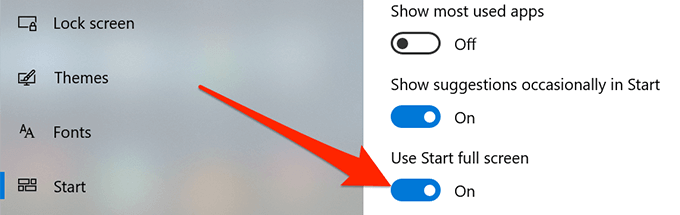
- Turn the option back OFF and see if it resolved the issue for you.
Rebuild The Icon Cache For Your Computer
Your computer uses the icon cache file to display icons on your desktop. If there’s an issue with this file, it can cause your desktop icons to disappear. Fortunately, you can rebuild this cache file by following a few steps on your computer.
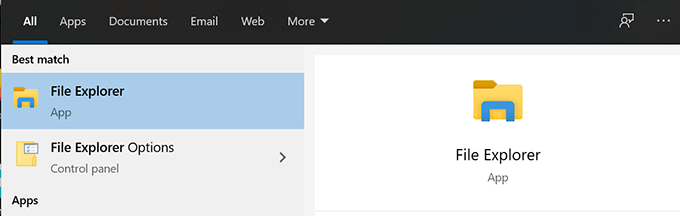
- Use the Start Menu to search for and open File Explorer.
- Click on the View tab at the top and ensure the Hidden items option is enabled.
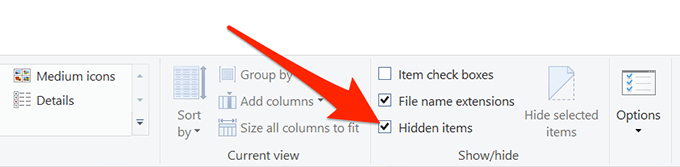
- Navigate to the following path.
C:Users<your-username>AppDataLocal - Find the file named IconCache.db, right-click on it, and select Delete.
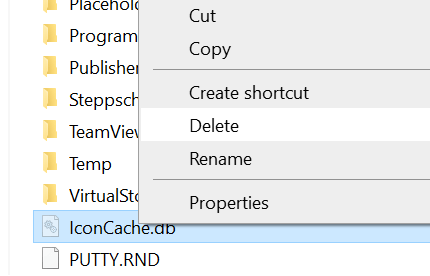
- Make sure to empty your Recycle Bin as well.
- Reboot your computer and it should create a new cache file for your icons.
Roll Back To a Previous Restore Point
If the issue has arisen after installing software or making changes to your computer configuration, you can resolve it by rolling your machine back to a system restore point. It’ll get your configurations back to what they were when the icons displayed perfectly fine on your desktop.
- Open Control Panel and click on Recovery.
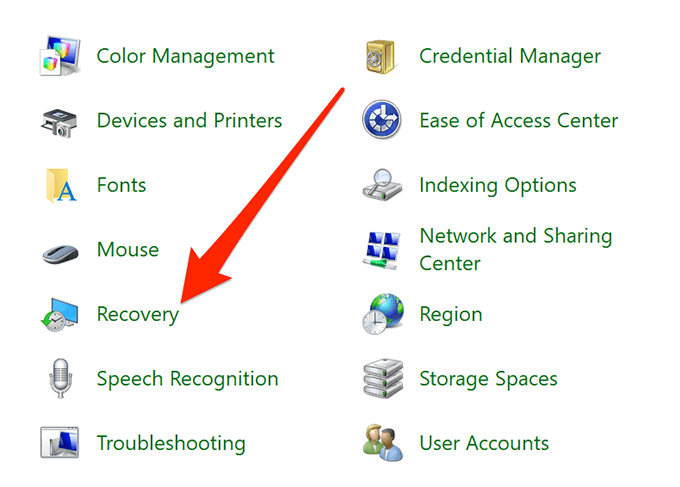
- Click on Open System Restore on the following screen.
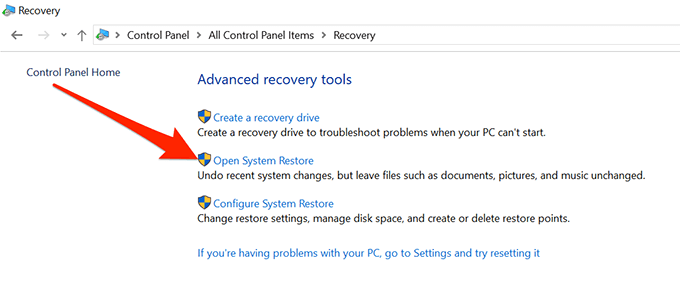
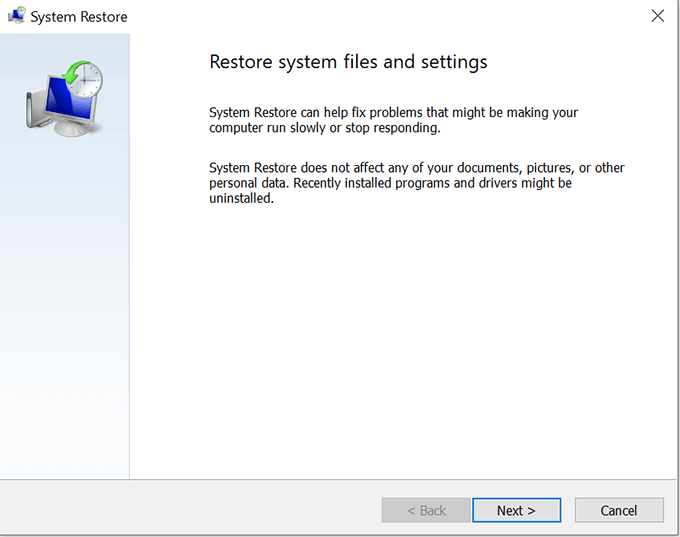
- Hit Next on the first screen.
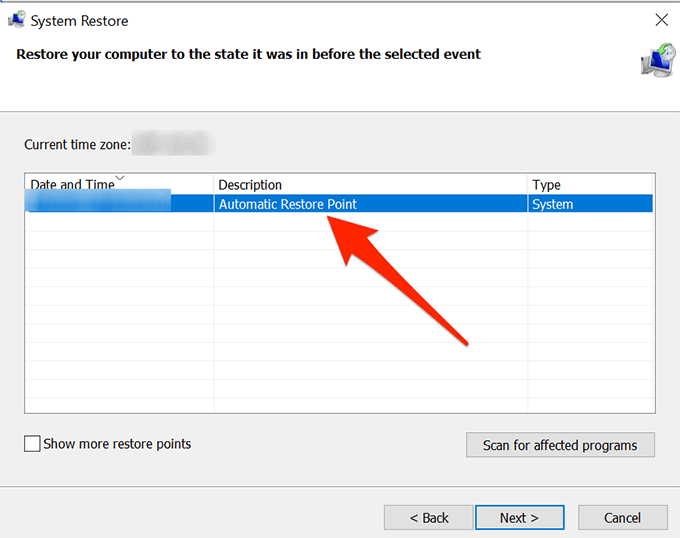
- Choose the system point you want to restore your machine to and click on Next at the bottom.
Reset Your Computer
Lastly, if nothing works, you can try resetting your PC to the factory settings and see if it resolves the issue for you. It most likely should fix it as that’s what it’s been built for.
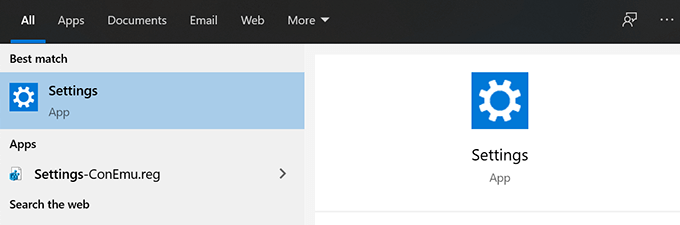
- Open the Settings app on your PC.
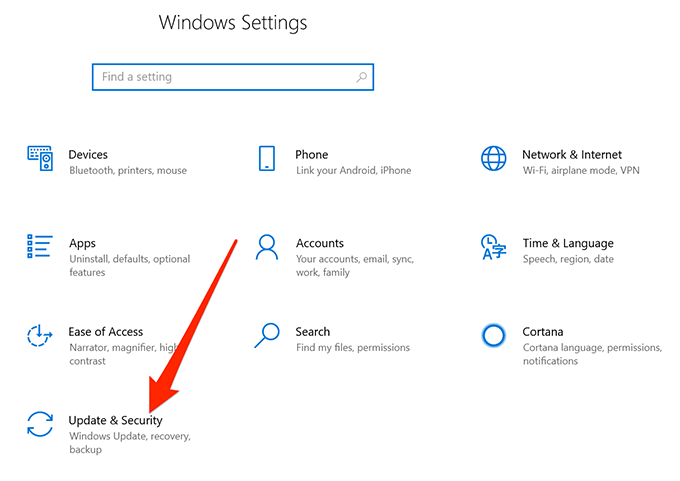
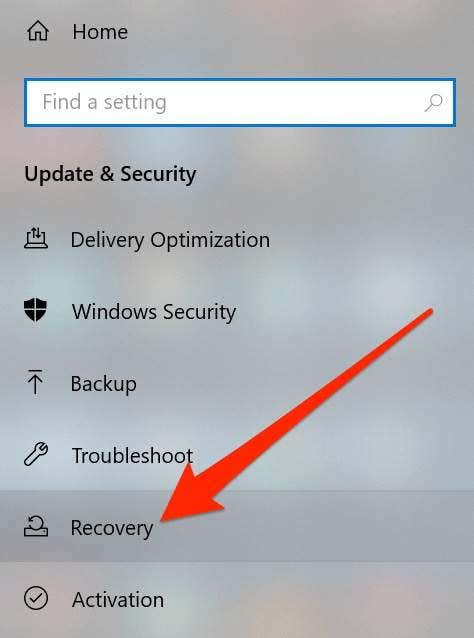
- Click on Update & Security.
- Select Recovery from the left sidebar.
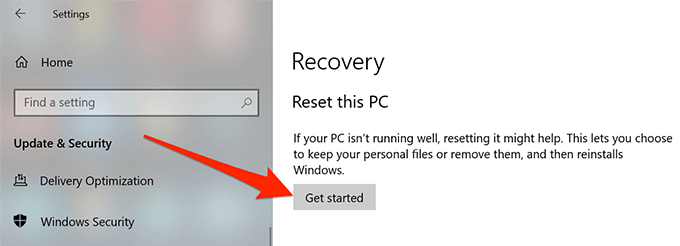
- Click on Get started under the Reset this PC section.
Your Windows 10 desktop icons can go missing for any reason but you can always try out some of the standard fixes to see if they help bring your icons back to your desktop.
If the above guide helped you fix the desktop icons disappeared issue on your PC, please let us know what method worked for you in the comments below, so others can benefit from it.

