
Moving multiple Gmail emails into another Gmail account should be a dead-simple feature built into Gmail, but it’s not. Fortunately though, you can still transfer Gmail messages between accounts in bulk using the tips on this page.
Sure, you could forward an email or two into another account, but if you want to move a massive number of emails at one time, forwarding just isn’t the best option. What you need is a Gmail-to-Gmail transfer tool so that the emails from one account are moved into the other account in just a few minutes tops.
Maybe you just got a brand-new Gmail account and you want to use it as your primary one and forget about all your other accounts, or maybe you’re wanting to back up your Gmail emails to a different account with more storage.
No matter the reason, the best options for transferring Gmail emails between accounts are described below. If you need to transfer emails between Yahoo, Outlook, Gmail, etc., then check the link.
Transfer Gmail Emails With Gmail
Gmail has a tool called Import mail and contacts that you can use to do just that. Here’s how:
- From the source Gmail account (the one that has the emails you want to transfer), open Settings from the options menu and then go to Forwarding and POP/IMAP.
- Select the bubble next to Enable POP for all mail (even mail that’s already been downloaded).
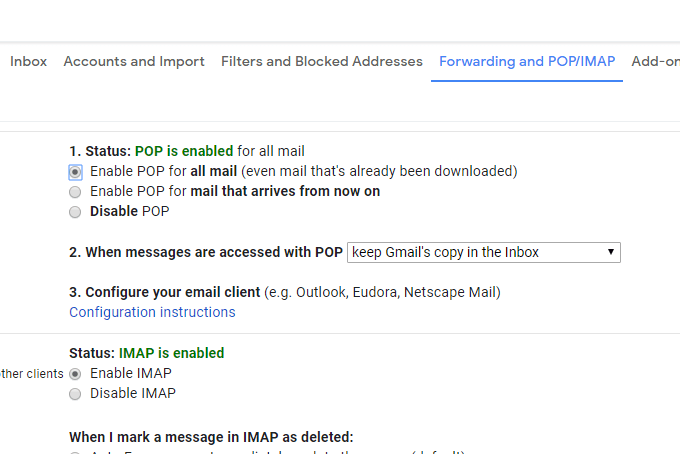
- Scroll down and select Save Changes.
- Sign off and log in again, but this time into the other Gmail account (the one that will receive the emails from the other account).
- Go to Settings > Accounts and Import.
- Select the Import mail and contacts link.
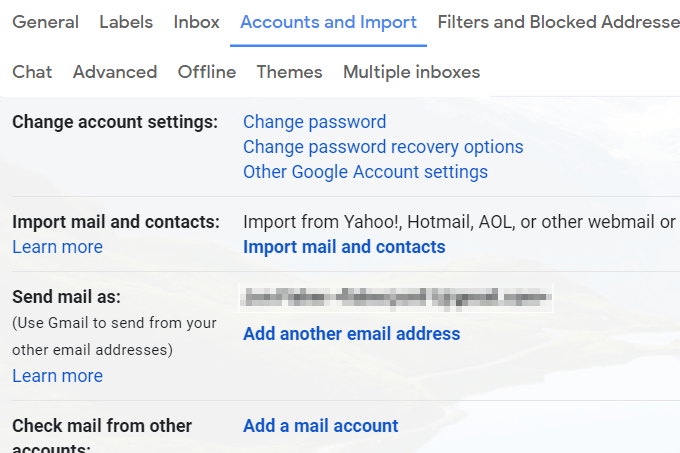
- Type the email address of your other Gmail account, and then select Continue.
- Choose Continue again on the Step 1 screen.
- Log in to your other Gmail account.
- Give Gmail permission to access the other account by selecting Allow when prompted.
- Close the window that says Authentication successful.
- Choose Start import.
- Select OK to return to Gmail’s settings page.
Now that Gmail is transferring all your emails between the Gmail accounts, you just need to wait. You can monitor the process from the Accounts and Imports screen.
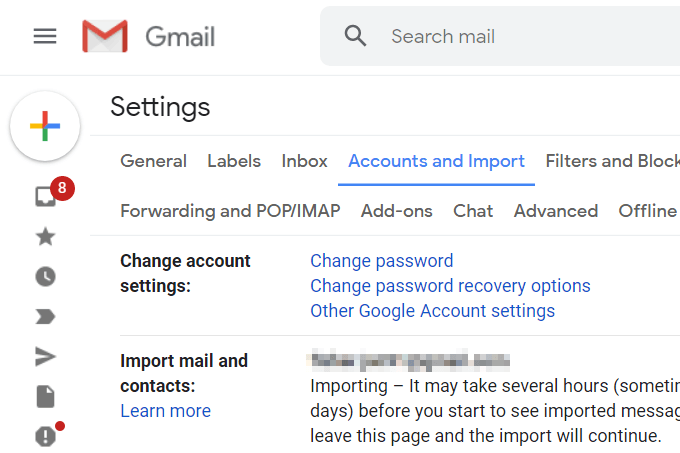
This method lets you send mail from the other account, too. Return to the screen above after the import has finished, and select make default to make all outgoing mail default to that Gmail address (you can still use the other one by selecting it manually).
Use Your Desktop Email Client to Transfer Gmail Emails
If you have both your Gmail account connected to an email program on your computer, transferring some or all of your emails into the other account is very simple.
Let’s look at an example of how to transfer emails between Gmail accounts with Microsoft Outlook. Most other email clients will work very similarly.
First, we’ll start with adding the two Gmail accounts to Outlook:
- Go to File > Info > Account Settings > Account Settings.
- Select New from the Email tab.
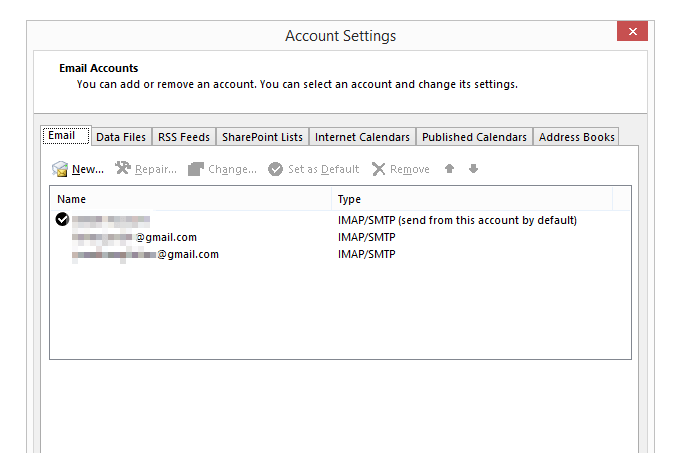
- Type one of your Gmail email addresses and follow the prompts to sign on and download your emails to the program.
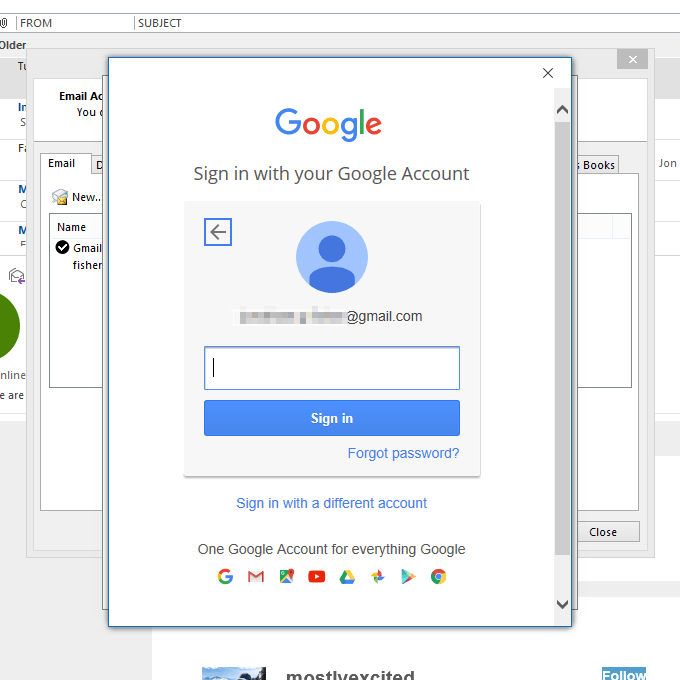
- Once your account has been added, repeat the first three steps again to add the other Gmail account.
- Finally, close out of the Account Settings screen so that you’ll return to the list of emails in Outlook.
- Let all the emails from both accounts fully download into Outlook.
Now it’s time to actually move the Gmail emails in bulk:
- From the account that has the emails you’re moving, open the folder that contains the messages.
- Select the emails you want to move over to the other Gmail account. You can do this by selecting multiple with the Ctrl key or by grabbing all of them with Ctrl+A.
Tip: Do you want to move everything over at once, from every folder? Follow the PST export directions here to learn how to merge a PST file (Outlook data file) with your Gmail account.
- Click and drag the highlighted emails into a folder in the other Gmail account. You can always move the emails again later if they land in the wrong folder, but do your best to pick the right one now (transferring them again later might be a tedious process).
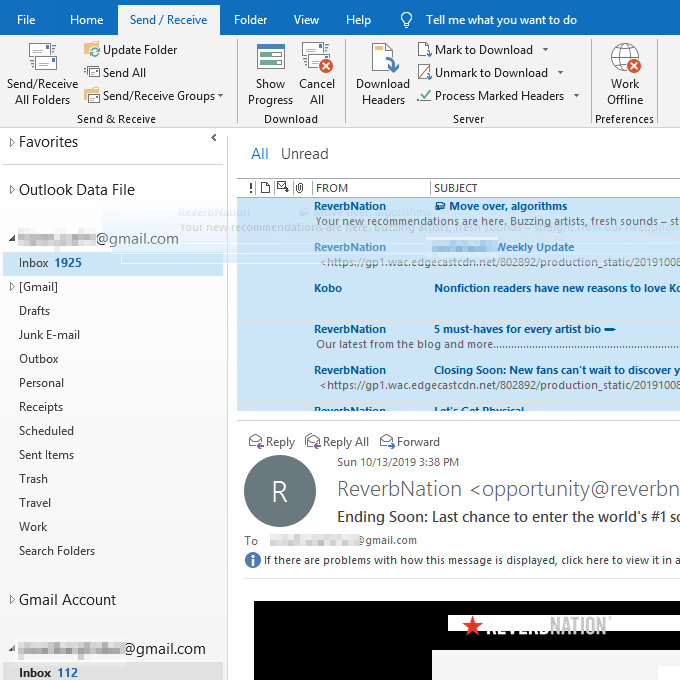
Tip: If you prefer, make a new folder in the destination account that’s entitled “Old Emails” or “Emails From XYZ Account” so that it’ll be easier to distinguish them from other messages.
- Wait while Outlook synchronizes the local messages with your Gmail account. They’ll appear in your online account shortly, and thus visible from your phone, tablet, web browser, or wherever you access Gmail.
If you’re interested, you can also check all of your email accounts from Gmail. This is ideal if you like the Gmail interface but you want to hold onto your other accounts from different email services.