
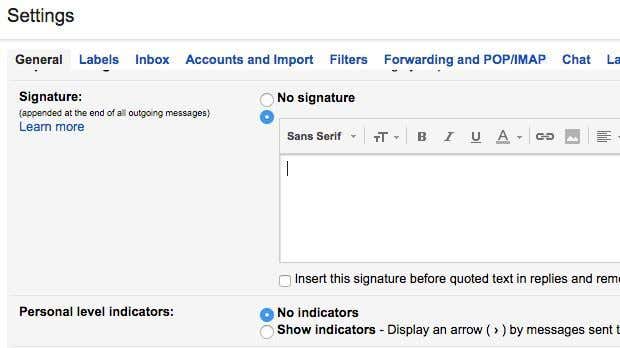
If you’re using a web-based email client like Gmail or Yahoo, then you have probably learned that neither service supports HTML signatures. In Gmail and Yahoo, you can create rich text signatures with pictures, etc, but you can’t start typing HTML code right into the signature box.
For most people the default signature settings are enough, but for truly unique and professional looking signatures, HTML is the way to go. Using HTML, you can create fancy layouts, add icons for social networking profiles and more. If you think you need to know HTML in order to create an HTML signature, you’d be mistaken.
There are many websites out there, several that I will mention in this article that let you create your own HTML signature or download one from hundreds of templates free or for a small fee.
You’ll also notice that I didn’t mention Outlook.com and that’s because it’s the only web client that lets you create HTML signatures natively. All you have to do is copy your HTML code and paste it right into their signature box, which I will explain below. Let’s start with Gmail.
Gmail HTML Signature
In Gmail, there are two ways to add HTML signatures to your emails. Firstly, if you want it added to every email you send, the best option is to use the signature box under Settings – General.
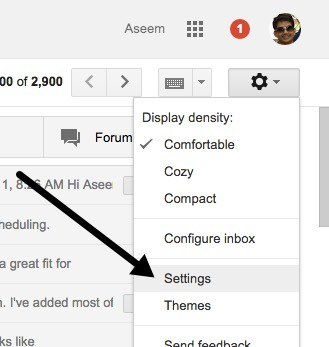
At the top right of the Gmail screen, click on the gear icon and then click on Settings.
You’ll automatically be brought to the General tab where you have to scroll pretty much all the way down before you see the signature box.
Even though you can’t type HTML code into this box, you can copy and paste it! This simple little workaround works just fine. Scroll down to our Find or Create HTML signatures section to get an HTML signature you like. If there are any images in the HTML signature, you will need to make sure they are hosted online and that you change the link URL in the HTML code first before copying and pasting into Gmail, otherwise you’ll see broken images.
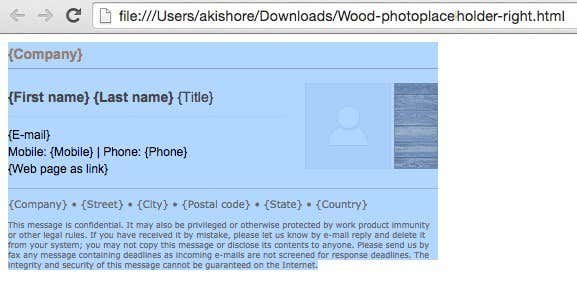
Go ahead and open the HTML signature in your web browser, select the whole thing and copy it. You don’t want to select the HTML code itself, but the actual output shown in your browser.
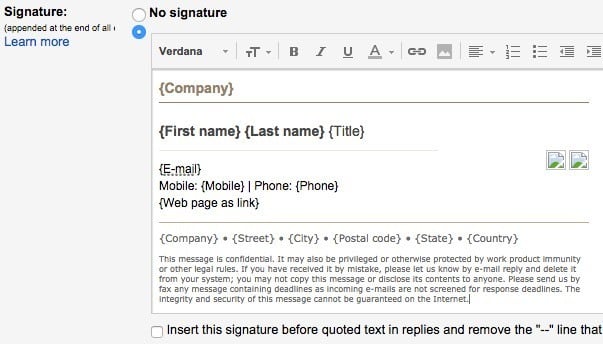
Go back to your Gmail window and paste the content into the signature box. Notice that my images are showing up broken and that’s because the images are stored locally on my computer.
That’s the first way to go about getting HTML into a Gmail signature. If you don’t want to include a signature with every email or if you need more than one signature for a single Gmail account, then the other option is to use Canned Responses. This is a Gmail labs feature that you can enable and use to add blocks of content into an email.
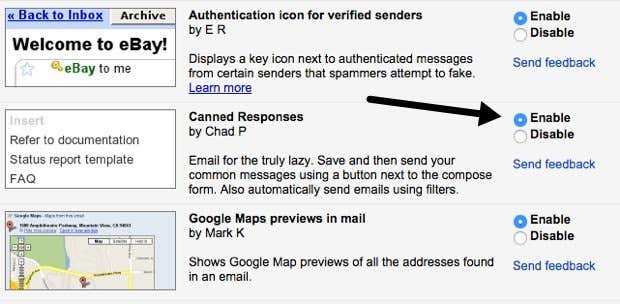
Firstly, let’s enable it. Go to Settings and then click on Labs. Scroll down to Canned Responses and then click on the Enable box. Make sure you scroll down to the bottom and click on Save Changes before leaving the labs screen.
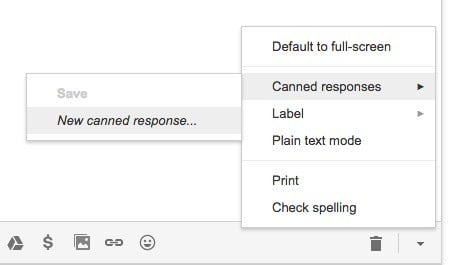
Now compose a new email and then click on the little down arrow at the bottom right of the compose window. Click on Canned responses and then click on New canned response under the Save header.
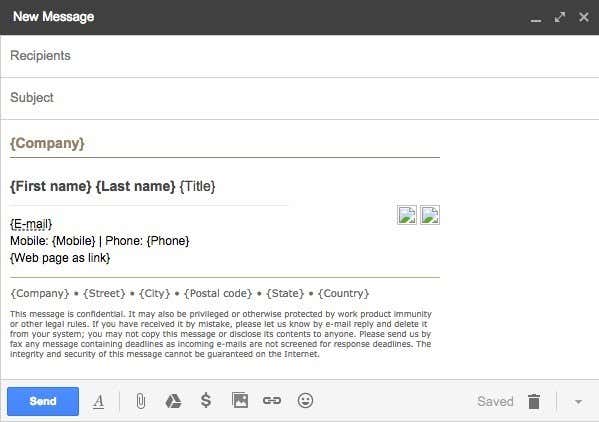
Give your canned response a name like Email Signature or whatever you like and click OK. You’ll now just see a blank compose window. In the body area, go ahead and copy and paste the HTML signature.
Now we need to save it. Click on the arrow, then Canned responses and then click on the name of the canned response under the Save header. You’ll get a prompt asking if you want to overwrite your canned response, to which you should click OK. Your canned response has been saved. Now open a new compose window and click on the down arrow followed by Canned responses again.
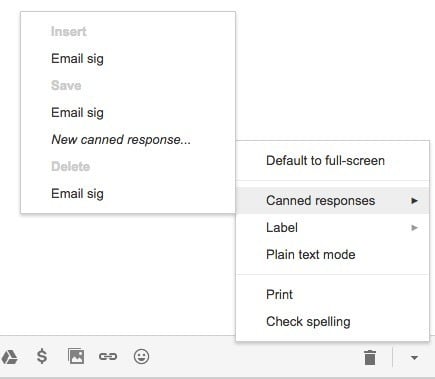
Now you’ll see a couple of new headers. To insert the previously saved canned response, click on the name of the response that is under the Insert header. The HTML canned response will be inserted wherever your cursor was located.
That’s pretty much it for Gmail. Both methods work well and for different purposes, so feel free to use the one that works for you.
Yahoo HTML Signature
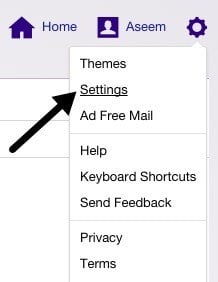
The procedure for Yahoo Mail is very similar to the first method I wrote about in Gmail. The first step is to open the settings screen. Log into Yahoo Mail and click on the gear icon at the top right and then click on Settings.
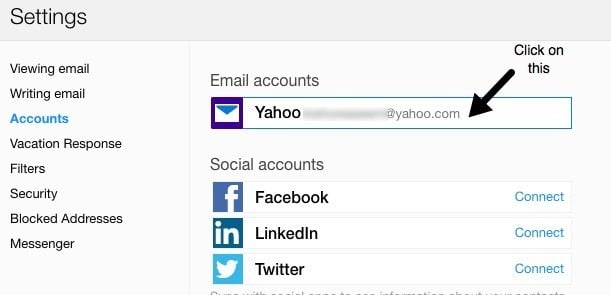
Now click on Accounts at the left and then click on the email account listed on the right.
Scroll down a bit and check the Append a signature to the emails you send box. Now just copy and paste your HTML signature into the box.
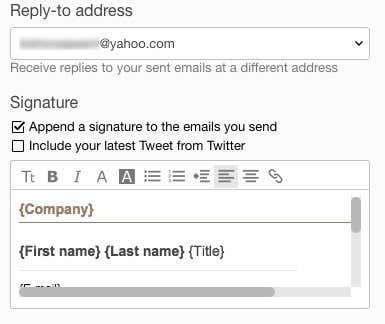
It should retain all the HTML formatting and look exactly like it is displayed in the web browser, except for the image issue I had mentioned above. Yahoo doesn’t have any canned response feature, so you pretty much have to add the signature to all your emails once you turn it on.
Outlook HTML Signature
Outlook is nice in that it allows you to directly add HTML code for your email signature. You can do this by clicking on the gear icon at the top right and then clicking on Options.
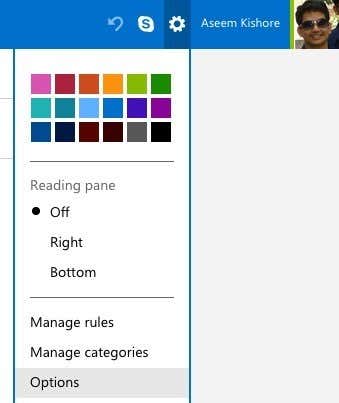
Under the Writing email heading, click on Formatting, font and signature.
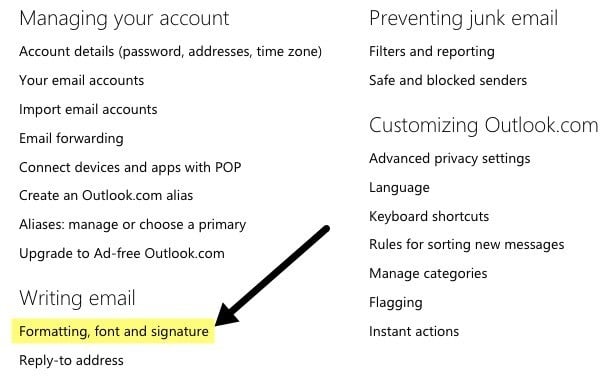
Under the Personal Signature heading, you’ll see the signature box set to Rich text by default.
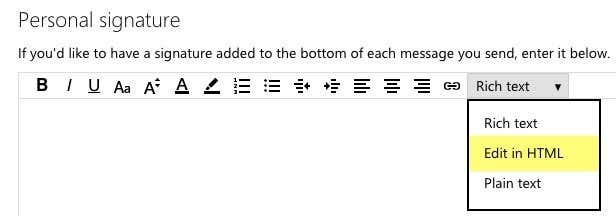
Just click on the drop down box and pick Edit in HTML to enter your HTML signature. Note that here you want to copy and paste the actual HTML code this time instead of the web browser version.
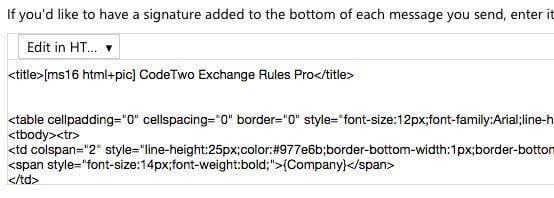
Find or Create HTML Signatures
Lastly, you don’t need to worry about coding your own HTML signature because thankfully lots of coders and designers have done all the hard work for us. Either you can download pre-made HTML signatures or you can use some online tools to create your own from scratch. I’ll mention both below.
Create an HTML Signature
To create your own, you can use a couple of websites mentioned below, some free and some paid. Depending on how professional and unique you want the signature to be, your cost will range from free to $5 to $7.
htmlsig is a popular site and lets you create a free email signature which expires after 30 days. They have some paid subscription options, but I only recommend these guys if you have to create a bunch of email signatures for a business, etc. If you only need to create a single personal signature, it’s pricey.
NewWorldStamp has a free online HTML signature generator that lets you pick from a couple of nice looking designs.
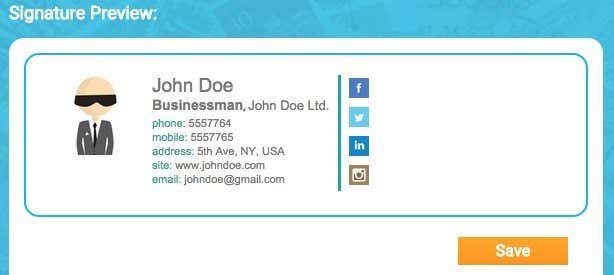
Email Signature Templates
If you prefer to just download a template and enter your information, then there are a many sites you can download templates from. Here are a few:
http://emailsignaturerescue.com/email-signature-templates
http://www.mail-signatures.com/articles/signature-templates/
https://www.template.net/business/email/free-email-signature-templates/
Hopefully, you can now create a great looking email signature that will wow your friends, family and clients when they see it. If you have any questions, feel free to post a comment. Enjoy!