
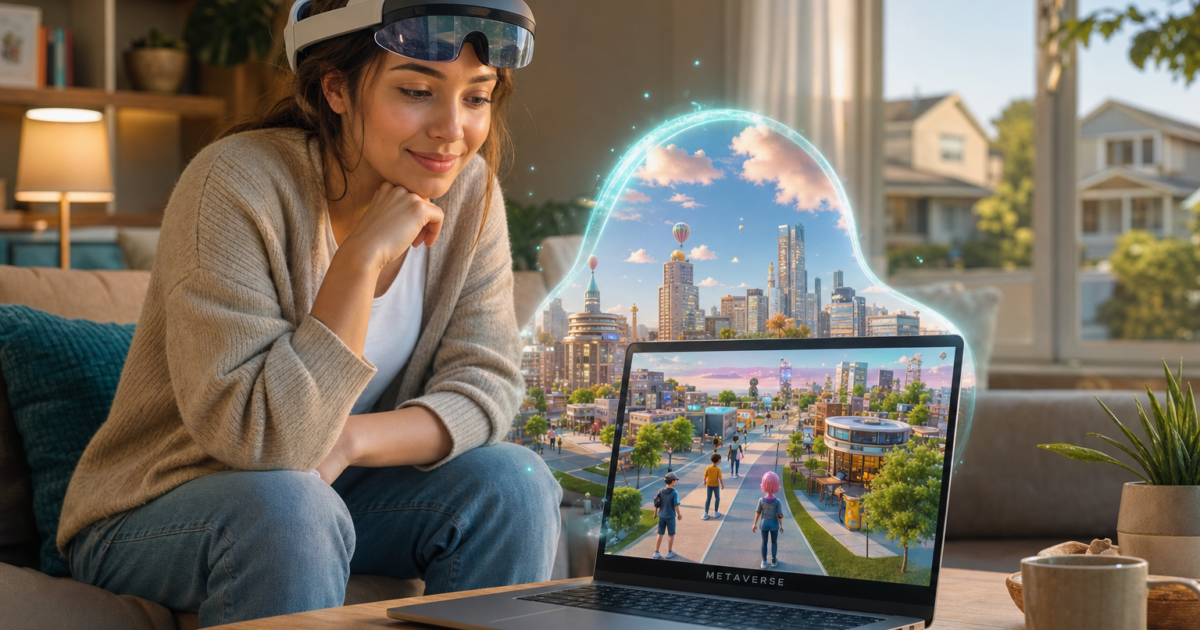
You’ve probably been hearing about the metaverse for years now, and if you’re still not sure what it actually is, you’re not alone. Between the hype cycles, the Meta rebrand, and about a thousand think-pieces declaring it either “the future of everything” or “completely dead,” it’s genuinely hard to get a straight answer.
Here’s the thing: the metaverse didn’t turn into the single VR world we were all promised back in 2021. But the underlying idea, persistent 3D spaces where people hang out, work, play, and create, is very much alive and already showing up in places you probably use every day. In this guide, we’ll cut through the noise and explain what the metaverse actually means in 2026, what you can do in it right now, and whether you need any special hardware to get started (spoiler: you don’t).
Where Did the Term “Metaverse” Come From?
Like a lot of tech buzzwords, “metaverse” started in science fiction. Author Neal Stephenson coined it in his 1992 novel Snow Crash. In the book, the metaverse is a massive shared virtual city, a 100-meter-wide road wrapping around an entire virtual planet. Users buy property, build stuff, and show up as custom avatars. Some characters never leave. Sound familiar?
The idea got a flashier pop-culture treatment in the Steven Spielberg film Ready Player One, where virtually everyone spends most of their waking hours inside a rich virtual world called OASIS. It’s part social platform, part game, part economy, and everything is connected into one seamless reality. That’s the dream version of the metaverse. The reality in 2026 is a bit more complicated (and honestly, a bit more interesting).

So What Is the Metaverse, Really?
Here’s the clearest way to think about it: the metaverse is a collection of persistent, 3D, networked spaces where people can meet, play, work, and create, accessed through VR headsets, AR glasses, regular PCs, game consoles, or even your phone. There’s no single “metaverse.” Instead, there are dozens of platforms that each offer a piece of that vision.
Think of it less like “a place you go” and more like a direction the internet is heading, toward experiences that are spatial, social, and three-dimensional rather than flat web pages and apps. The long-term vision (a fully connected, interoperable virtual world) is still aspirational. But right now, in 2026, pieces of it are already woven into games, workplaces, and AR tools you can use today.
Key characteristics of metaverse-style platforms:
- Persistent: The world keeps existing even when you log off, your stuff is still there when you come back
- Social: Other real people are present, not just NPCs (non-player characters controlled by a computer)
- 3D and spatial: You navigate a space rather than scroll through a feed
- Creator-driven: Users build a lot of the content, not just the platform company
- Multi-device: Accessible from VR headsets, PCs, consoles, and phones, not VR-only
Wait, Isn’t the Metaverse Dead?
Fair question. Meta (formerly Facebook) spent billions building out its metaverse vision, took massive losses through its Reality Labs division, and has since redirected a huge chunk of that budget toward AI and smart glasses instead. The NFT “virtual land” craze in platforms like Decentraland collapsed spectacularly along with the broader crypto bubble. And somewhere along the way, everyone started talking about ChatGPT instead.
So yeah, the marketing term “metaverse” has definitely cooled off. But here’s what hasn’t gone away:
- Roblox has hundreds of millions of registered users and a thriving creator economy
- Fortnite is now as much a platform as a game, with user-built worlds and virtual concerts
- VRChat and Rec Room have active, passionate communities doing genuinely creative things
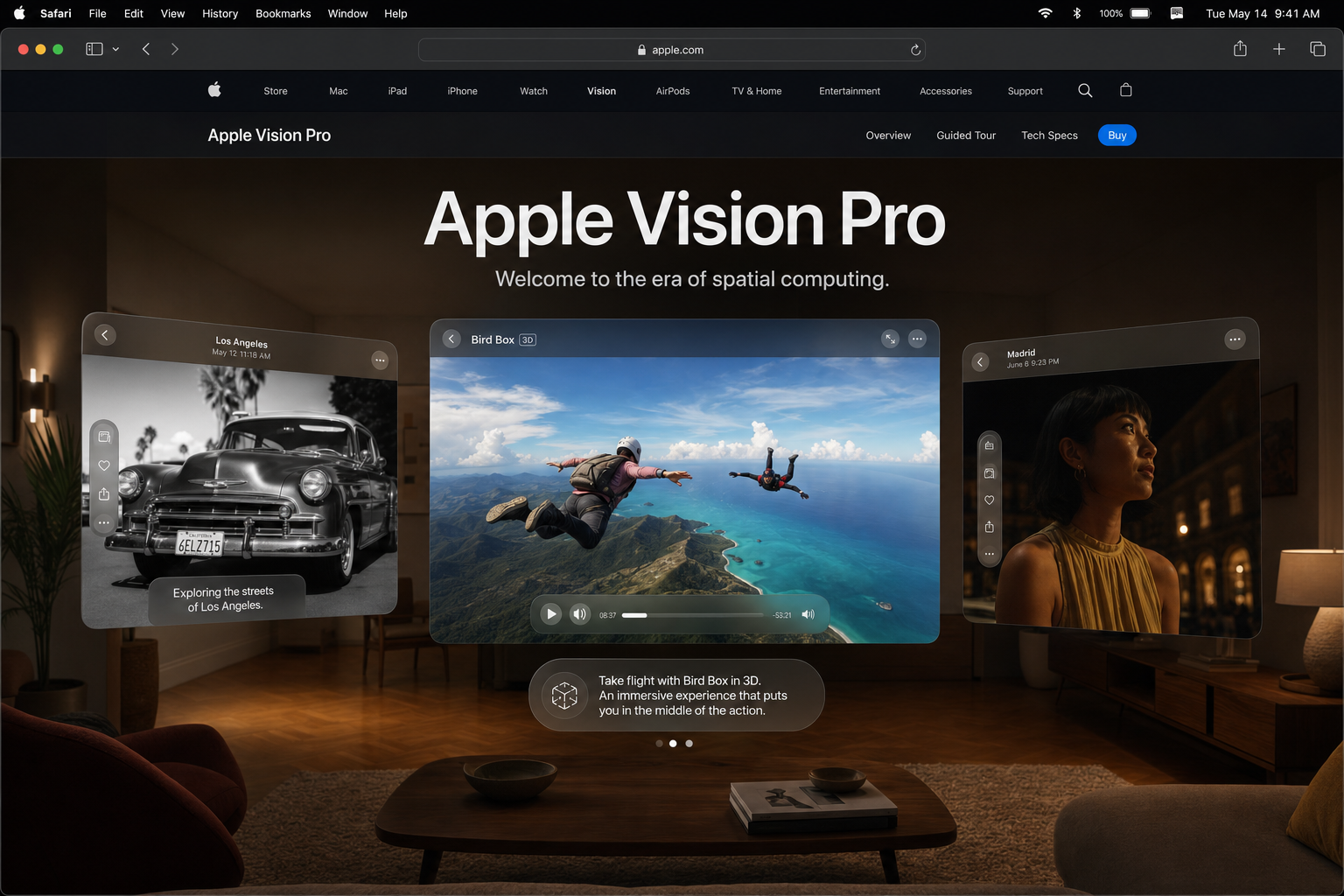
- Apple launched the Vision Pro and made “spatial computing” the new buzzword for the same underlying idea
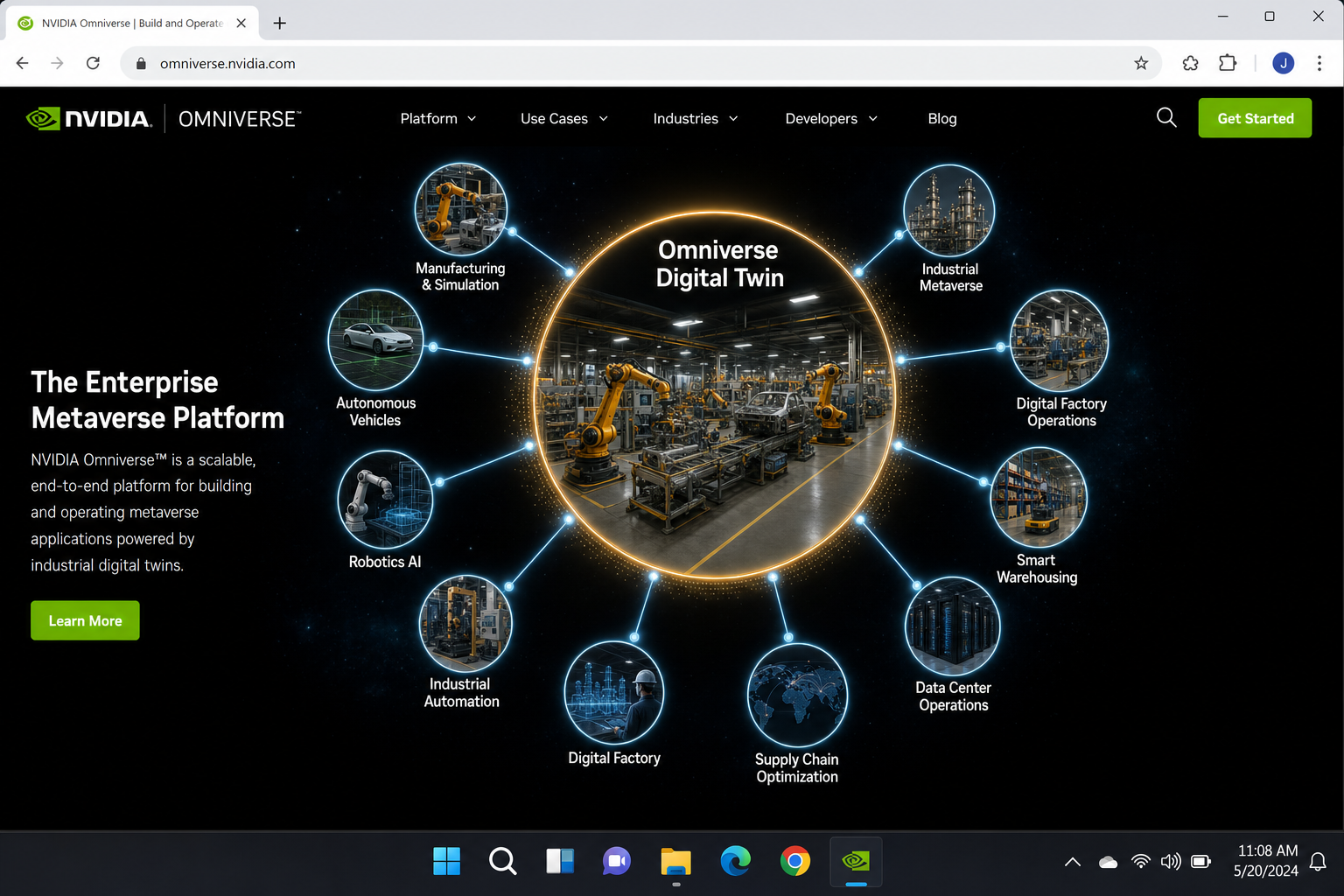
- Industrial companies are using “metaverse” tech to simulate entire factories before building them
The metaverse didn’t die. It just stopped being one company’s marketing pitch and became a bunch of real, messy, interesting things happening across many platforms. That’s actually a healthier place to be.
What People Actually Do in the Metaverse Right Now
This is where it gets concrete. Forget the abstract vision for a second, here’s what real people are doing in metaverse-style spaces in 2026:
- Hanging out and socializing: Meeting friends in VRChat worlds, joining Roblox hangout spaces, or attending virtual events in Fortnite’s creative hubs
- Gaming and mini-games: User-created experiences in Roblox, Fortnite UEFN (Unreal Editor for Fortnite) islands, and Rec Room rooms
- Virtual concerts and events: Major artists have performed inside Fortnite and Roblox to audiences of millions
- Work and collaboration: Virtual meeting spaces like Microsoft Mesh (inside Teams), Meta Horizon Workrooms, and Spatial for 3D design reviews and remote team hangouts
- Education and training: VR simulations for medical training, safety drills, virtual museum tours, and language labs
- Building and creating: Designing your own worlds in Roblox Studio, Fortnite’s UEFN toolkit, or browser-based tools like Spatial
- Industrial digital twins: Companies like BMW and Siemens use platforms like NVIDIA Omniverse to simulate entire factories. This is sometimes called the “industrial metaverse.”
The Platforms Worth Knowing About in 2026
There’s no shortage of options here. Here’s a quick rundown of the main players and what makes each one worth your attention:
Roblox
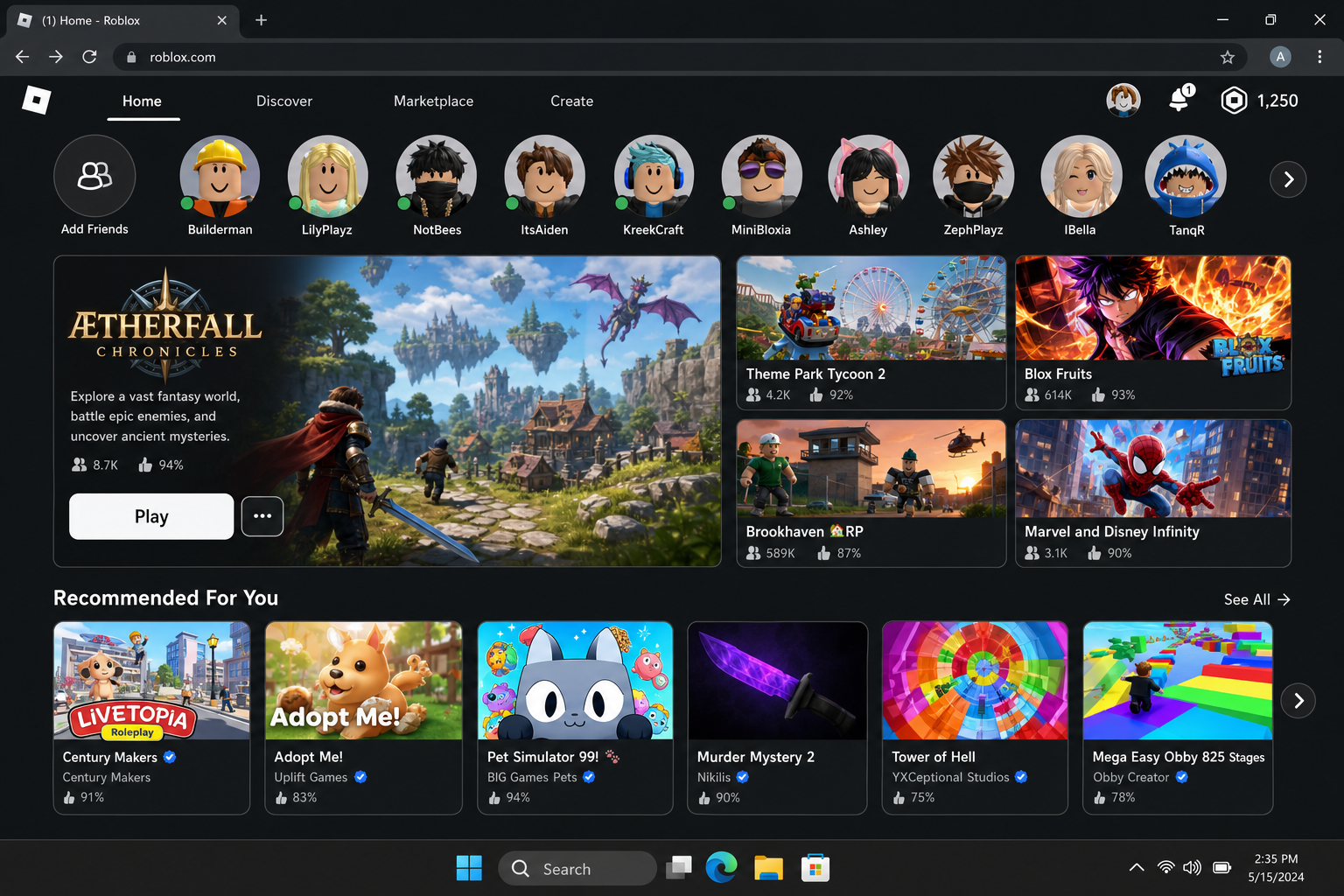
Roblox is probably the closest thing to a functioning metaverse that exists right now. It’s a platform where users create and share their own games, hangout spaces, and experiences, and it runs on pretty much everything: Windows, macOS, iOS, Android, Xbox, and select VR headsets. The creator economy is massive, with some developers earning serious money from their Roblox experiences. If you have kids, there’s a very good chance they’re already in here.
Fortnite + UEFN
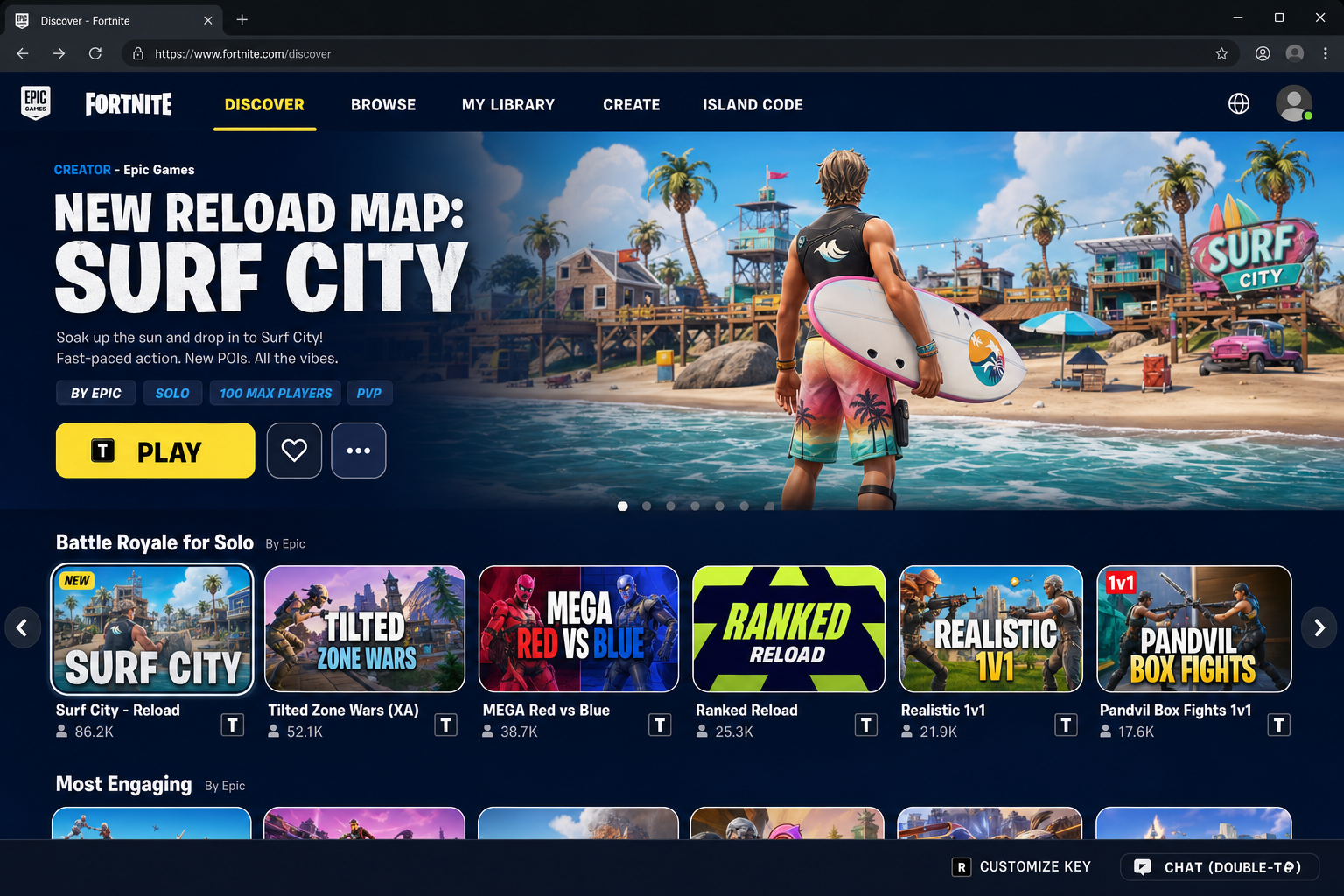
Fortnite long ago outgrew being just a battle royale game. Epic Games has turned it into a full platform, and with the Unreal Editor for Fortnite (UEFN), creators can build surprisingly sophisticated worlds using the same tools that power AAA video games. Think of it as Roblox for a slightly older crowd, with higher-fidelity graphics. It’s free, runs on basically every device, and hosts some genuinely impressive user-created experiences.
VRChat and Rec Room
These are the social VR veterans. VRChat has one of the most creative and passionate communities around. People build incredible custom worlds and avatars, and the platform supports both VR headsets and regular PC play, so you don’t need a headset to join. Rec Room is similar but also available on consoles and mobile, making it even more accessible. Both have been around long enough to have genuinely interesting subcultures.
Meta Horizon Worlds
Meta’s own metaverse platform has come a long way since its rough early days. It’s no longer Quest-only. You can now access Horizon Worlds on VR headsets, mobile, and the web. The creator tools have improved significantly, though it still has a smaller active community than Roblox or Fortnite. Worth trying if you have a Quest headset already.
Spatial and Browser-Based Platforms
If you want to host a 3D event, gallery, or meeting space without asking everyone to install anything, platforms like Spatial let you build and share 3D worlds that run right in a web browser. These are great for professional use cases, such as virtual art shows, product demos, or small team meetups.
Apple Vision Pro
Apple’s spatial computing headset brought a new vocabulary to this space. Rather than “VR” or “metaverse,” Apple talks about “spatial computing,” meaning digital content that exists in the same physical space as you, layered over the real world. The Vision Pro is expensive and the app ecosystem is still growing, but it represents where AR-style metaverse experiences are heading for mainstream consumers.
Do You Need Special Hardware?
This is probably the question we get asked most, and the answer is a pretty satisfying “no.” Here’s how to think about it:
- Want to try it with what you already own? Jump into Roblox, Fortnite, or VRChat right now on your PC, Mac, phone, or game console. No extra hardware needed.
- Want a more immersive, 3D experience? A standalone VR headset like the Meta Quest 3 or Quest 3S is the sweet spot. No PC required, reasonably priced, and it works with most major platforms.
- Want the cutting edge of spatial/AR computing? The Apple Vision Pro is impressive but expensive, and the content library is still catching up. Meta’s Ray-Ban smart glasses are a more casual entry point into “ambient” AR, offering an AI assistant in your ear plus a camera rather than full 3D worlds.
The bottom line: you don’t need to spend a penny on new hardware to start exploring metaverse platforms today. The VR headset just makes it more immersive. It’s not a requirement.
How to Get Started in the Metaverse (Step by Step)
Ready to actually try this stuff? Here’s the quickest path from zero to actually being inside a metaverse-style experience.
Step 1: Pick a Platform to Start With
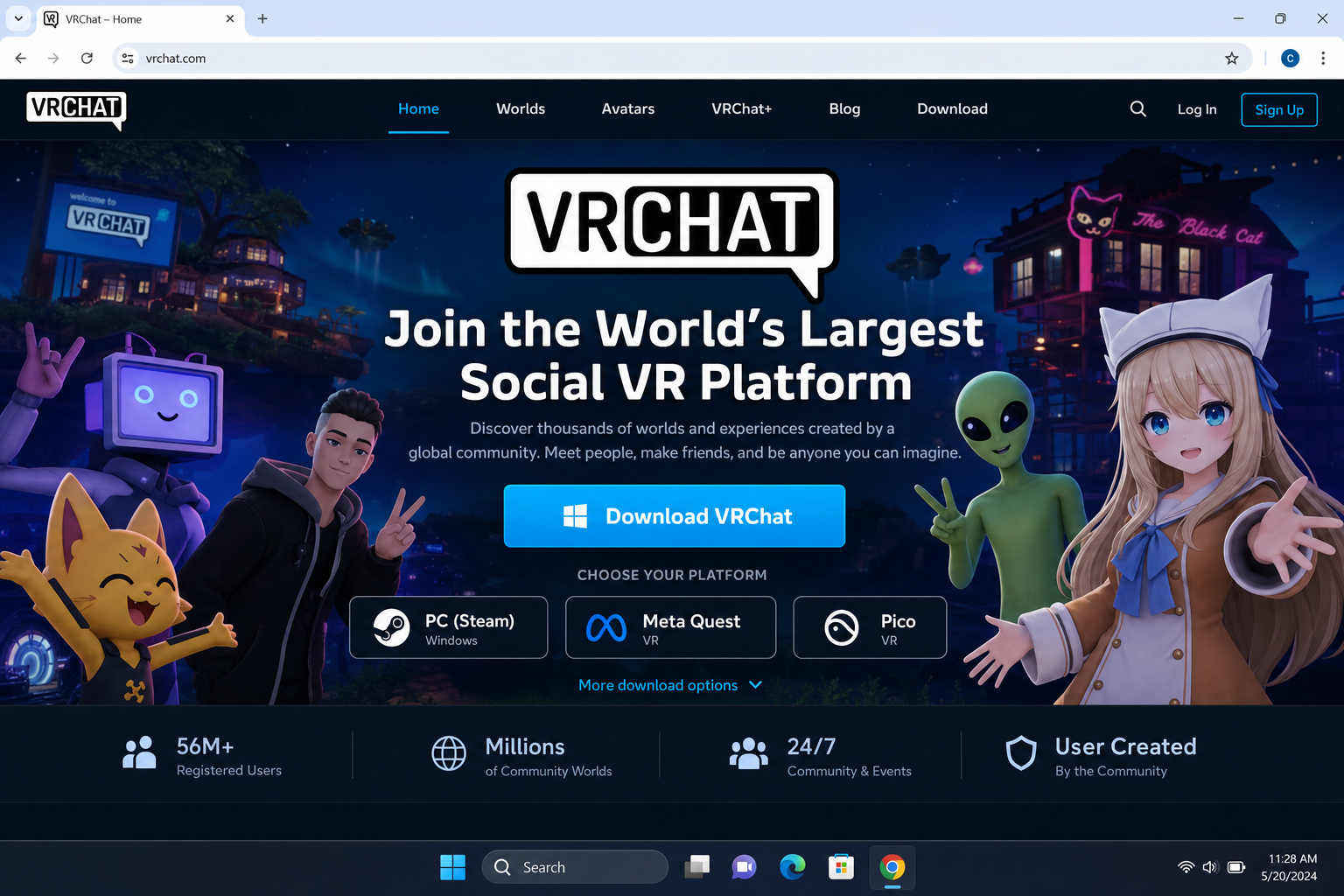
For most people, Roblox or VRChat are the easiest entry points. Roblox is great if you want a huge variety of experiences and don’t need VR. VRChat is better if you specifically want the social VR angle and are comfortable with a slightly steeper learning curve.
Head to roblox.com or hello.vrchat.com and download the app for your platform.
Step 2: Create Your Account and Avatar
Every platform has its own account system. Here’s what to expect:
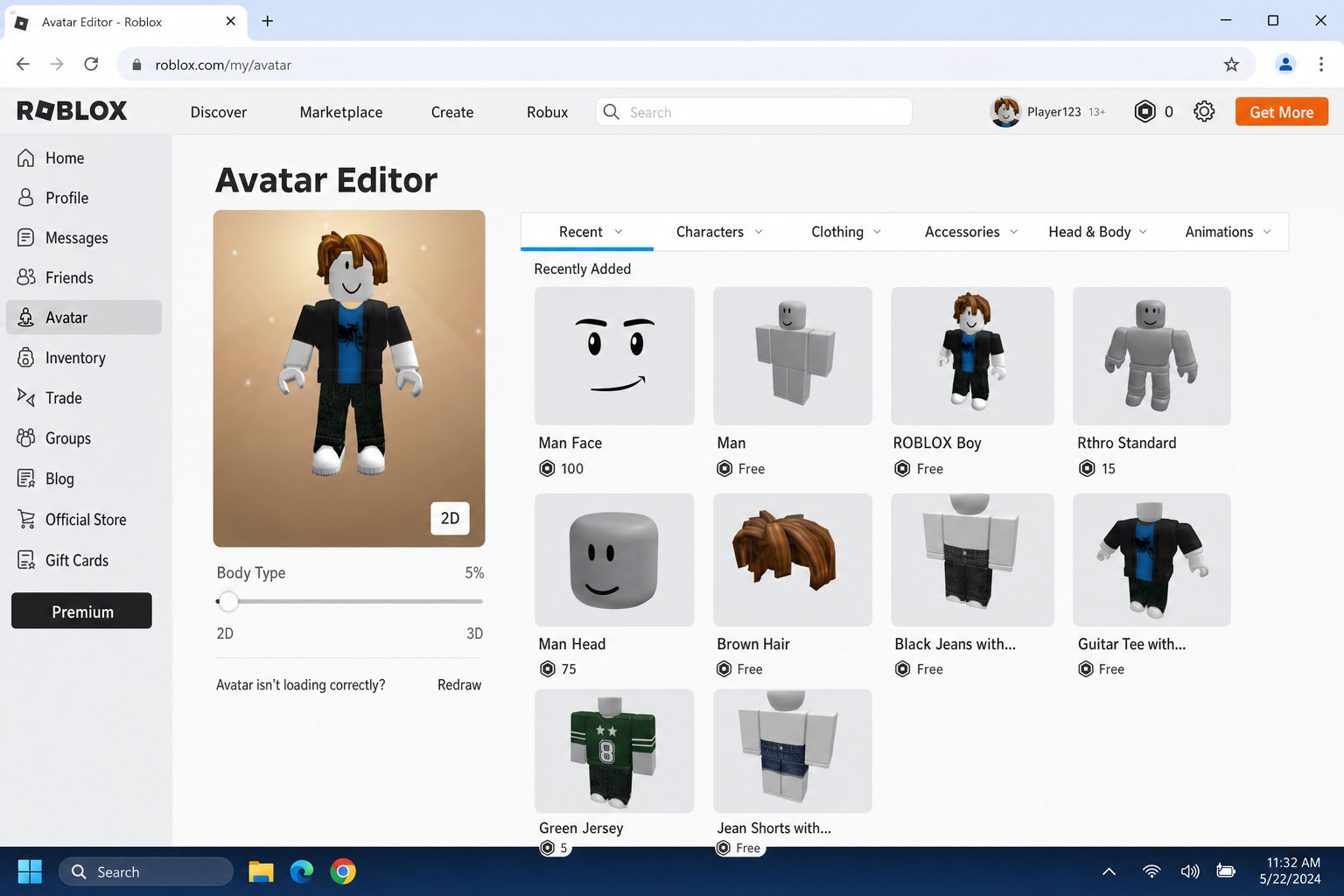
- Roblox: Sign up at roblox.com with an email address. You’ll customize a blocky avatar to start, with tons of options to personalize it.
- Fortnite: You need a free Epic Games account at epicgames.com. Your avatar (called a “skin”) can be customized with free and paid options.
- Horizon Worlds: You’ll need a Meta account (no longer requires a Facebook login). Set up your avatar through the Quest headset or the Horizon app.
- VRChat: You can log in with a VRChat account, or link it to your Steam account if you play games on PC.
Once you’re in, spend a few minutes in the avatar editor. Most platforms now offer pretty robust customization, including body types, facial features, and clothing, so you can make something that actually feels like you (or whatever you want to be).
One thing worth doing right away: head into Settings and look for Privacy or Safety options. You’ll want to configure who can message you, who can join your sessions, and what content maturity filters are active, especially if you’re setting this up for a younger family member.
Step 3: Explore Some Worlds or Experiences
Don’t just stand in the default starting area. Go find something interesting. Here are some good starting points depending on where you are:
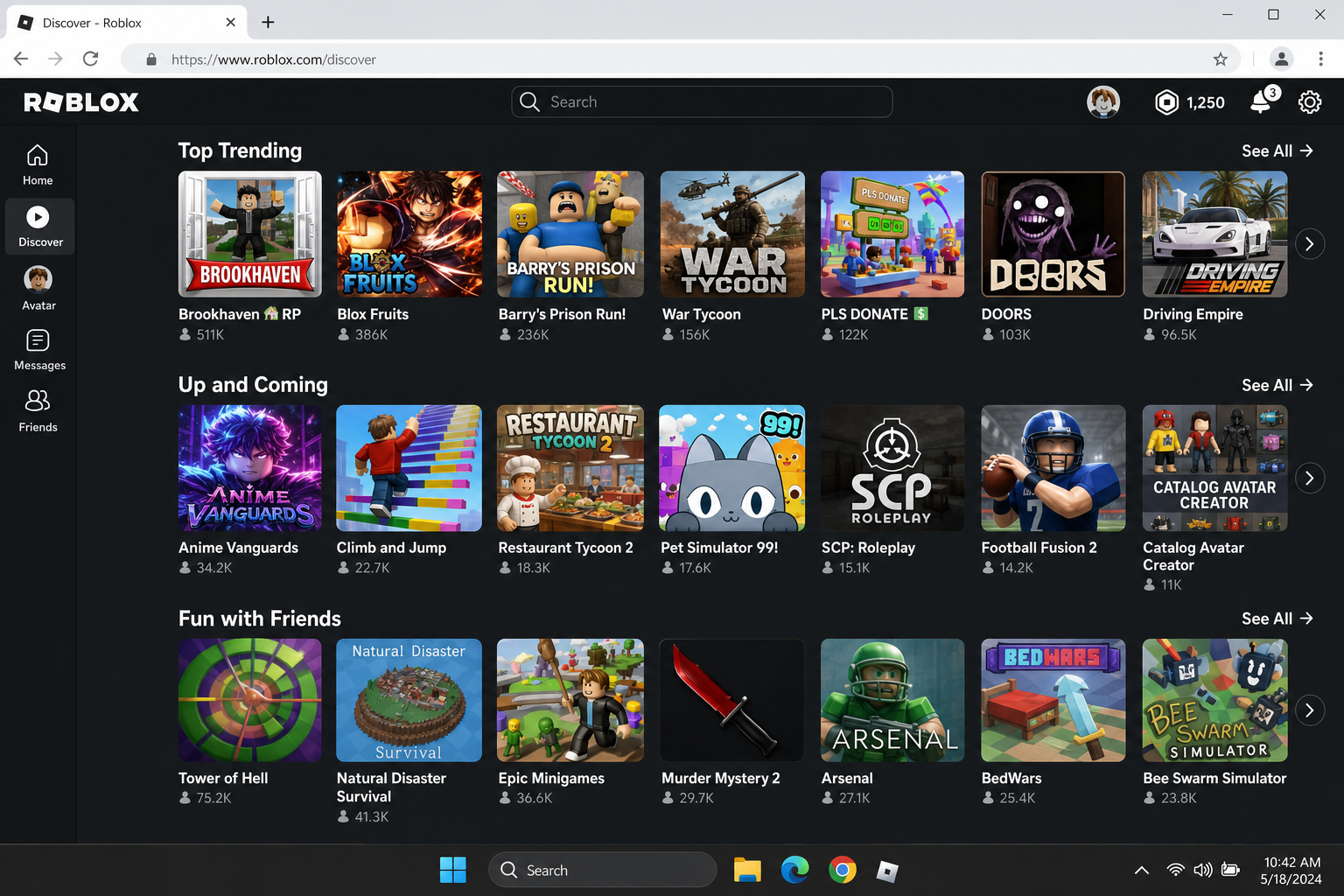
- Roblox: Hit the Discover tab and browse by category. Look for “hangout” or “social” experiences if you want to meet people, or dive into any of the thousands of user-created games.
- Fortnite: Go to the Discover tab from the main menu and look for Creative or UEFN islands. There are some genuinely impressive user-built worlds in here.
- VRChat: Open the Worlds menu and browse by “Popular” or “New.” The Hub is a good starting point for meeting other users.
- Horizon Worlds: From your home space, check the recommended worlds and any live events happening that day.
Step 4: Try Creating Something (Optional, But Fun)
One of the coolest things about most metaverse platforms is that you’re not just a consumer. You can build stuff too. You don’t need to be a programmer to get started:
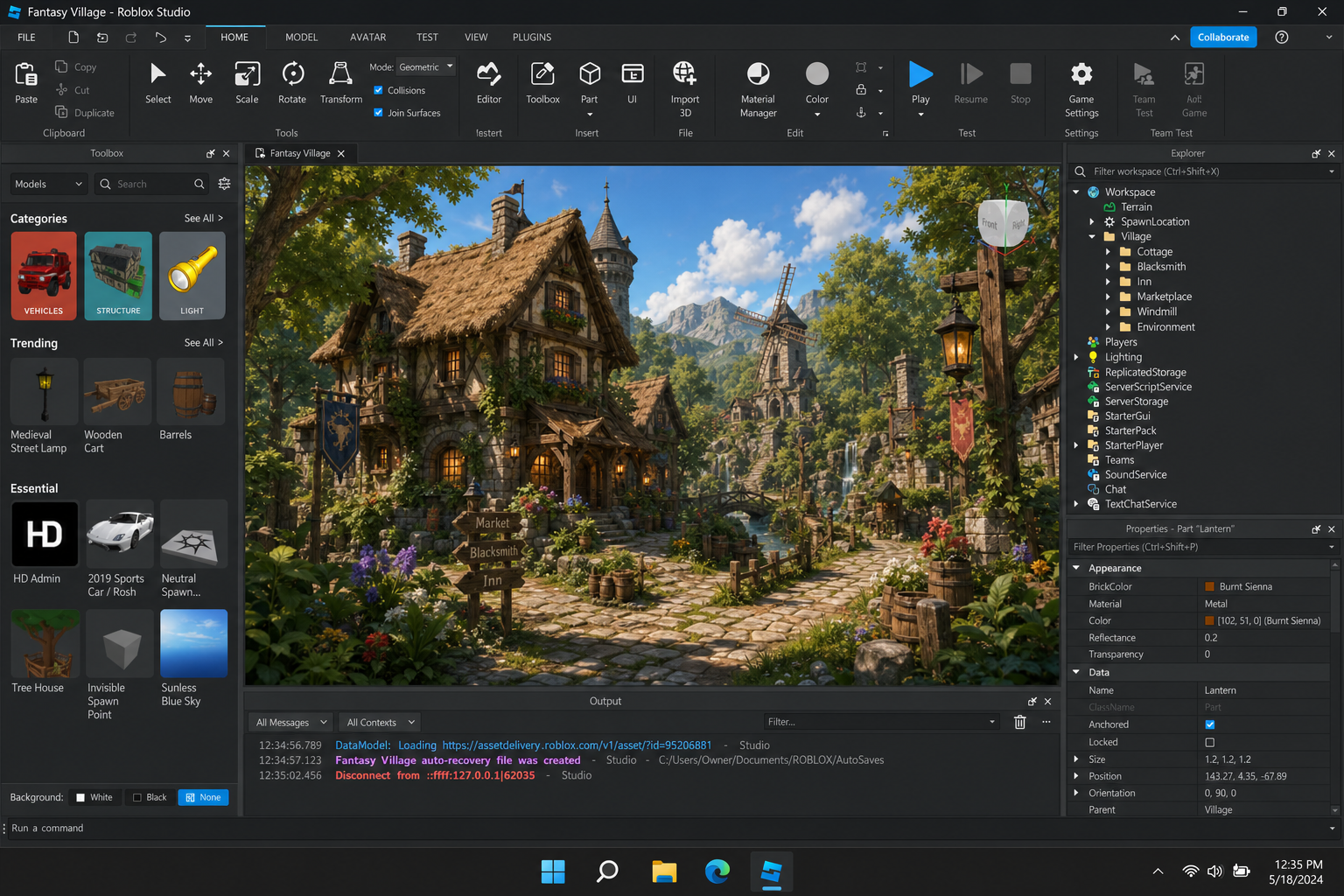
- Roblox Studio: Free download for Windows and macOS. Drag-and-drop tools plus Lua scripting if you want to go deeper. Great tutorials on the Roblox Education site.
- Fortnite UEFN: Download the Epic Games launcher and install the Unreal Editor for Fortnite. More powerful than Roblox Studio but also more complex, so it’s better for people who want to really dig in.
- Spatial: The most beginner-friendly option. Go to spatial.io, sign up, and you can build a 3D room or gallery right in your browser. No download needed.
- Rec Room / Horizon Worlds: Both have in-world building tools you can use without leaving the platform, which is a nice low-friction way to start.
Step 5: If You’re Using a VR Headset, Set It Up Properly
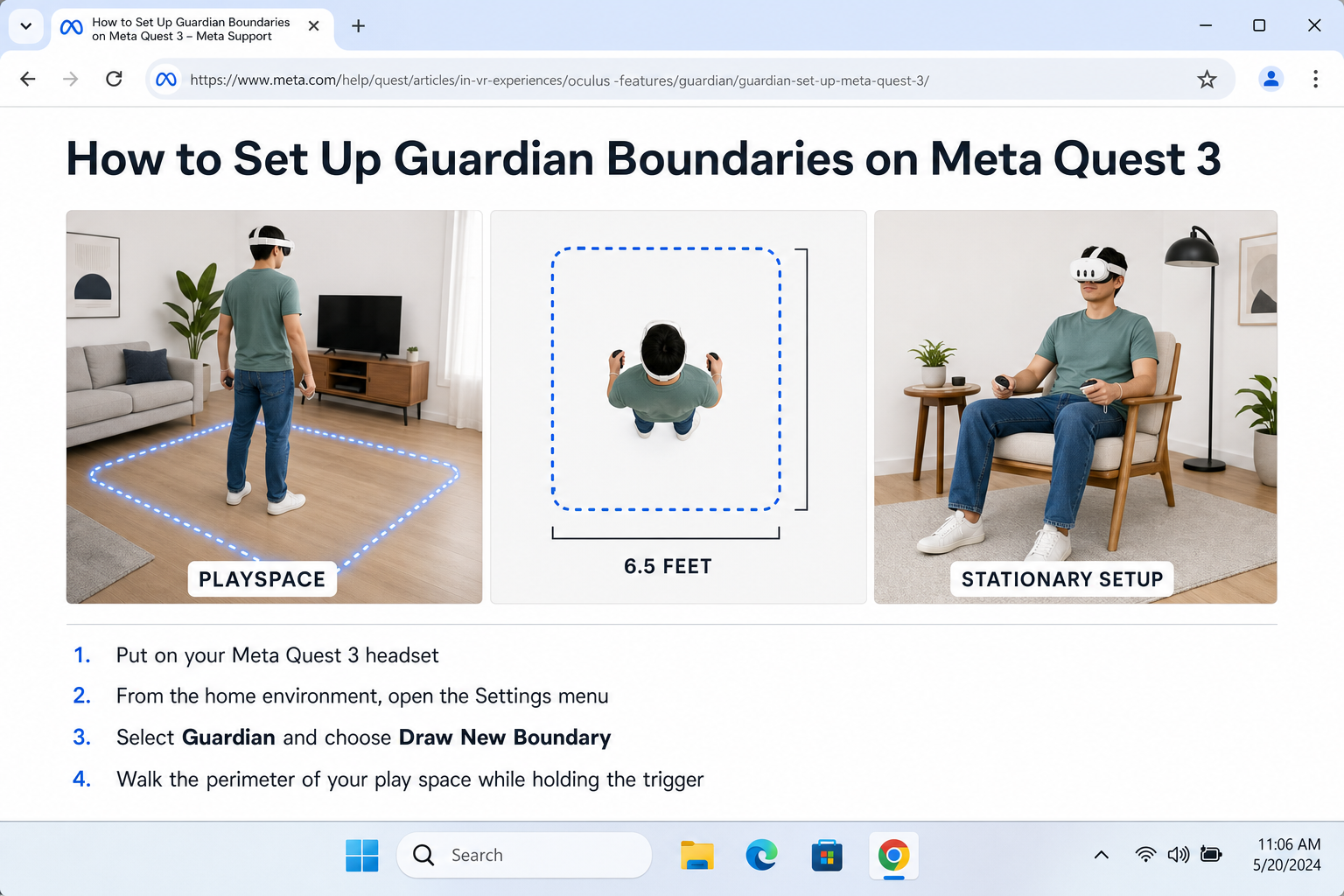
If you’ve got a Meta Quest 3, Quest 3S, or another standalone headset, a few setup steps will make your experience much better:
- Define your Guardian boundary in Settings. This is the virtual fence that warns you when you’re about to walk into a wall. Don’t skip this.
- Clear your play area of tripping hazards. Seriously, the wrist strap on the controller exists for a reason.
- If you feel nauseous during movement, go to Settings > Comfort and turn on Teleport movement and Vignette. These dramatically reduce motion sickness for new users.
- Keep your first sessions short, around 20-30 minutes, and build up from there. VR legs are a real thing.
- Keep the headset firmware updated via Settings > System > Software Update.
The Technology Making It All Work
You don’t need to understand the tech to enjoy the metaverse, but it’s worth knowing what’s actually under the hood, especially since a lot of the 2021-era predictions about which technologies would matter have shifted.
Spatial Computing and AR
This is probably the biggest shift since the early metaverse hype. The vision is no longer just “everyone wears a VR headset and lives in a fake world.” Increasingly, it’s about digital content that lives in your physical space, with virtual objects anchored to your real environment and seen through AR glasses or a device like the Apple Vision Pro. This is what Apple means by “spatial computing,” and it’s arguably a more practical path to everyday metaverse use than strapping a full VR headset on your face.
5G and Edge Computing
A real metaverse needs fast, low-latency networks, because being in a virtual world with a two-second lag would be genuinely awful. 5G networks and edge computing (processing data closer to where you are, rather than routing everything through a distant data center) are the infrastructure that makes real-time 3D experiences at scale possible. Coverage is still uneven globally, but it’s expanding steadily.
AI
AI has become deeply embedded in metaverse platforms, from generating 3D assets and environments to powering more realistic NPCs to enabling real-time translation so people from different countries can hang out without a language barrier. The AI boom that “stole” attention from the metaverse in 2023 is actually feeding right back into making metaverse experiences better.
Game Engines
Unity and Unreal Engine are the workhorses behind most of the 3D experiences you’ll encounter. Fortnite runs on Unreal; Roblox has its own engine. These tools have become dramatically more accessible to everyday creators over the past few years, which is a big reason why user-generated content in these platforms has gotten so good.
What About Blockchain and NFTs?
Remember when “metaverse land” NFTs were selling for millions? Yeah. The speculative bubble in crypto-based virtual worlds like Decentraland and The Sandbox collapsed hard in 2022-23, and those platforms never recovered their peak hype numbers. Blockchain and NFTs are still present in some corners of the metaverse world, but they’re far less central to the story than people assumed they’d be. The mainstream metaverse platforms, Roblox, Fortnite, and VRChat, run on traditional platform economies, not crypto.
Things to Watch Out For
The metaverse is genuinely fun to explore, but there are some real issues worth knowing about before you dive in.
Privacy and Data Collection
VR headsets collect a surprising amount of data, not just what you look at, but how you move, where your eyes focus, and your physical dimensions. AR devices can capture your physical environment. It’s worth reading the privacy settings on any platform you use and being thoughtful about what permissions you grant, especially for camera and microphone access.
Harassment in Social VR
Unmoderated voice chat and the anonymity of avatars can create some genuinely unpleasant situations, especially in open social VR spaces. Most platforms now have tools to help: you can mute or block other users, enable a “personal boundary” bubble in VR that prevents other avatars from getting too close, and report bad behavior. Use them. Also worth knowing: most major platforms have parental control dashboards if you’re setting this up for kids.
Motion Sickness
If you’re new to VR, motion sickness is a real possibility, especially with smooth locomotion (where your avatar glides through the world). The fix is to use teleport movement instead, keep sessions short at first, and make sure your headset’s IPD (the distance between the lenses) is adjusted to match your eyes. Most people get their “VR legs” within a few sessions.
Platform Lock-In
Here’s something that might frustrate you: your Roblox items stay in Roblox. Your Fortnite skins stay in Fortnite. Despite years of talk about interoperability (the ability to take your avatar and items between platforms), most metaverse platforms are still walled gardens with their own currencies and ecosystems. Some progress is happening, as avatar frameworks like Ready Player Me work across a handful of apps, but don’t expect to buy something in one platform and use it in another anytime soon.
Tips and Troubleshooting
Common Issues
Problem: VRChat or Roblox runs poorly on my PC
These platforms can be surprisingly demanding, especially in busy worlds with lots of user-created content. Try lowering the graphics settings inside the app, closing other programs running in the background, and making sure your graphics drivers are up to date. In VRChat specifically, you can set an “Avatar Performance” limit in Settings to stop high-poly avatars from tanking your frame rate.
Problem: I keep getting motion sick in VR
Switch to teleport locomotion in your headset’s comfort settings, reduce your session length to 15-20 minutes, and make sure the headset fits correctly. A poorly fitted headset (wrong IPD, wrong position on your face) makes motion sickness significantly worse.
Problem: I can’t find anyone to hang out with
Timing matters more than you’d think. VRChat and Rec Room tend to be busiest in the evenings (US time zones). In Roblox, look for experiences that show a high current player count. The number is displayed on each experience card.
Pro Tips
- Start with desktop mode: If you have a VR headset but aren’t sure about a new platform, try it in desktop mode first to learn the layout before putting the headset on.
- Check for free items: Roblox, Fortnite, and Horizon Worlds all regularly offer free avatar items and cosmetics. Worth grabbing even if you’re just exploring.
- Use the browser-based options first: Platforms like Spatial work right in Chrome or Edge with no download, which is great for testing the waters before committing to an install.
- Look for events: Virtual concerts, seasonal events, and branded experiences are some of the most memorable things to do in these platforms. Check the events or featured sections regularly.
- Don’t buy “virtual land” as an investment: The NFT land speculation era is over. Treat any in-platform purchases as entertainment spending, not investments.
Wrapping Up
The metaverse isn’t the single, unified VR world that was hyped in 2021, and honestly, that’s fine. What we actually have in 2026 is a collection of genuinely interesting platforms where millions of people are already socializing, creating, working, and playing in 3D spaces. You can jump into most of them right now, for free, on hardware you already own. The VR headset is a nice upgrade, not a requirement.
If you want to dig deeper into the bigger-picture vision and the business and technical forces shaping where this is all heading, Matthew Ball’s Metaverse Primer is still one of the best resources out there, dense but worth it. For now though, the best way to understand the metaverse is just to go try it. Start with Roblox or VRChat, spend an hour exploring, and you’ll have a better feel for it than any explainer article can give you.