

Ever sat down to study and realized an hour later that you’ve been staring at the same paragraph, or worse, scrolling through your phone? You’re not alone. Getting new information to actually stick is hard, especially when your phone is both your biggest distraction and potentially your best study tool.
Here’s the thing: the right apps can genuinely change how you study. Not by doing the work for you, but by helping you focus, organize your notes, drill information into your memory, and even get unstuck when a concept just isn’t clicking. In 2026, there are more good options than ever, including some seriously impressive AI-powered tools that didn’t exist a few years ago. We’ve rounded up the 7 best study apps worth your time, organized by what they actually help you do.
A Quick Note Before You Download Everything
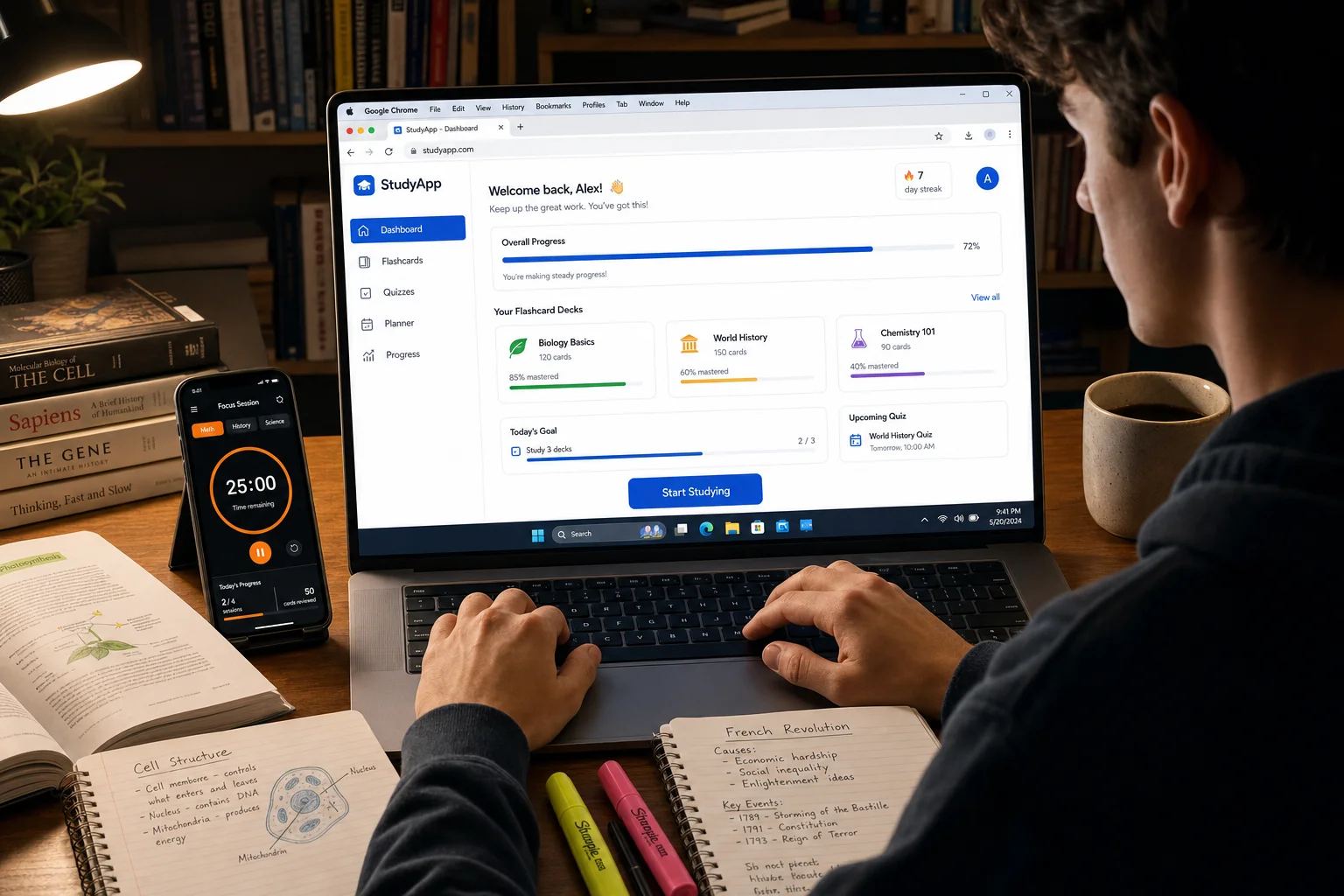
One of the biggest mistakes students make is installing a dozen apps and then spending more time managing them than actually studying. Current study-skills research is pretty clear on this: 3–5 focused apps, one for each role (focus, planning, notes, flashcards, and on-demand help), is all you need. Think of it like a toolkit, you want the right tools, not every tool. The apps below cover each of those roles, so pick the ones that fit your workflow and actually use them consistently.
1. Forest, Best for Staying Focused
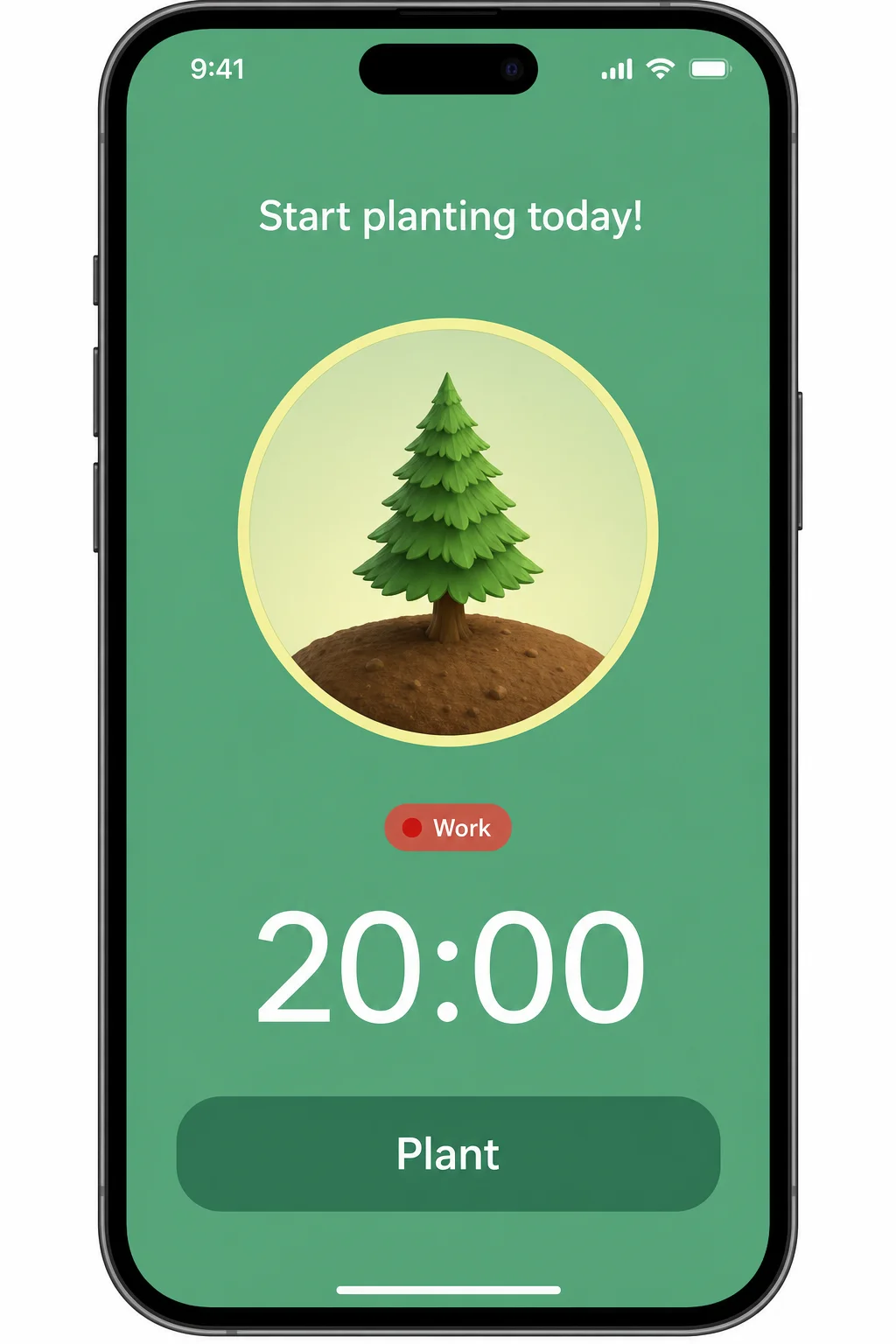
If your phone is your biggest enemy when you sit down to study, Forest is the app that fights back. The idea is simple and surprisingly effective: you plant a virtual tree when you start a study session, and if you leave the app to check Instagram or scroll TikTok, your tree dies. It sounds a little silly, but it works. There’s something oddly motivating about not wanting to kill your tree.
Forest uses the Pomodoro technique, a time-management method where you study in focused bursts (usually 25–50 minutes) followed by short breaks. You set the timer, lock your phone down, and watch your forest grow. Over time, you build up a visual record of your focus sessions, which is genuinely satisfying to look back on. Forest also integrates with your phone’s built-in Focus or Do Not Disturb mode, so notifications from distracting apps get silenced automatically during your sessions.
Highlights:
- Visual focus timer: Grow a virtual tree during each study session, leave the app and it dies
- Pomodoro-style sessions: Set 25–50 minute focus blocks with built-in break reminders
- Focus history: See a visual map of all your past study sessions over days and weeks
- Works great for ADHD: The visual timer and low-friction setup make it easy to just start
- Real trees planted: You can spend earned coins to have real trees planted around the world
Pro tip: Pair Forest with your phone’s built-in Study or Focus mode (available on both iOS and Android) for an extra layer of distraction blocking. Forest handles the timer and motivation; your phone’s Focus mode handles the notifications.
Download: Forest for iOS and Android
2. Quizlet, Best for Flashcards and Retrieval Practice
Quizlet has been around for years, and it’s still one of the best flashcard apps out there, though it’s come a long way since its early days. In 2026, Quizlet has solid AI features that can help you generate draft flashcard sets from your notes, which is a nice time-saver when you’re staring down a 40-page chapter the night before an exam.
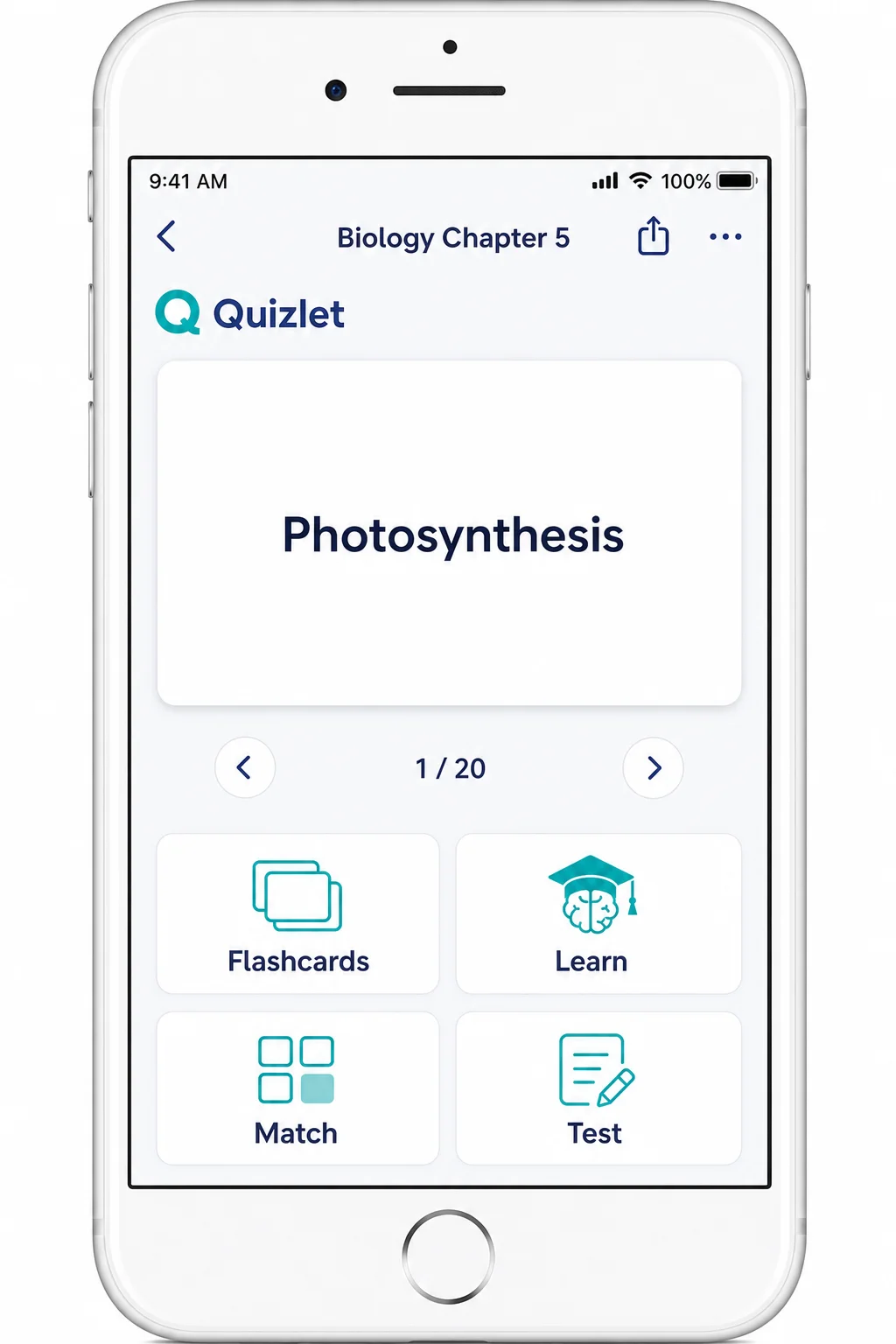
Beyond basic flashcards, Quizlet gives you multiple ways to study the same material: match terms against a timer, do a written recall test, or take a mock quiz. That variety matters because mixing up how you review something is one of the best ways to actually remember it long-term.
One important heads-up: Quizlet’s AI can generate flashcard answers for you, but leaning on that feature too heavily defeats the whole purpose. The research on this is pretty unanimous. Making and editing your own cards, even imperfect ones, leads to way better retention than just flipping through AI-generated sets. Use the AI to get a head start, then edit the cards yourself.
Highlights:
- Multiple study modes: Flashcards, Learn, Match, and Test, all from the same set
- AI-assisted card creation: Generate draft flashcard sets from your notes or topics
- Massive community library: Search millions of user-created sets across every subject
- Spaced repetition: The Learn mode adapts to what you’re getting wrong and drills those cards more
- Cross-device sync: Start on your phone, continue on your laptop, your sets go everywhere
Download: Quizlet for iOS and Android
3. Microsoft OneNote, Best for Taking and Organizing Notes
If you’ve been taking notes in a random mix of Google Docs, phone memos, and paper notebooks, OneNote might just be the organizational upgrade you didn’t know you needed. It’s a free digital notebook that syncs across all your devices, so your lecture notes from your laptop are right there on your phone when you’re reviewing on the bus.
The structure is intuitive once you get going: create a notebook for each class, a section for each unit or topic, and a page for each lecture or reading. You can type notes, paste in images, draw diagrams, record audio during a lecture, and even clip web pages directly into your notes. It’s a lot more flexible than a plain document.
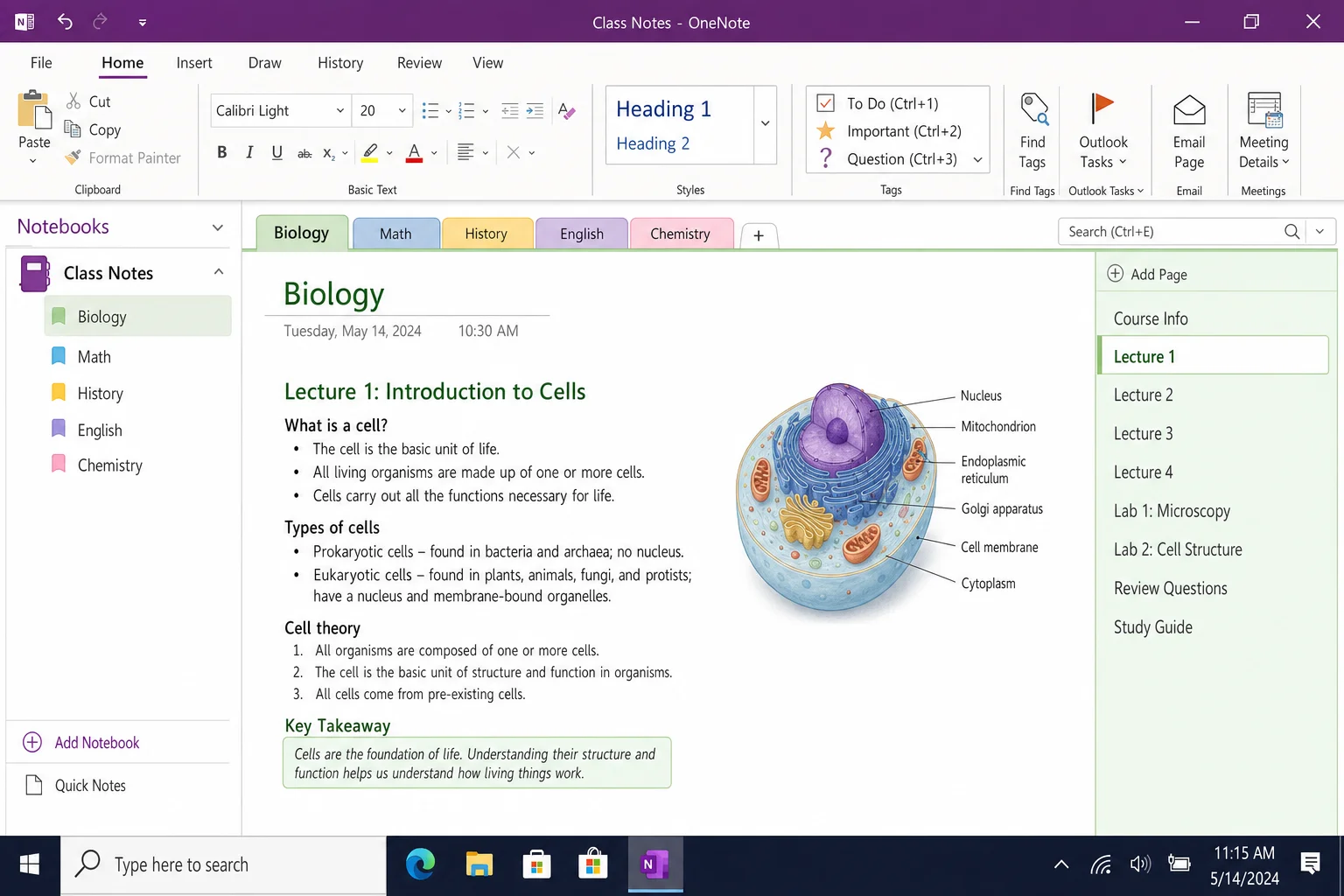
OneNote also supports popular note-taking formats like the Cornell method, a layout where you split your page into a main notes area, a cues column, and a summary section at the bottom. There are templates built right in, so you don’t have to set it up manually every time.
Highlights:
- Free and cross-platform: Works on Windows, macOS, iOS, Android, and the web
- Flexible organization: Notebooks → Sections → Pages keeps everything easy to find
- Audio recording: Record lectures while you type notes, tap any word later to hear what was said at that moment
- Built-in templates: Cornell notes, meeting notes, and more, ready to use out of the box
- Cloud sync: Your notes are always up to date across every device
Pro tip: Use the OneNote Web Clipper browser extension to save articles, research, and web pages directly into the right notebook. It’s a huge time-saver for research-heavy assignments.
Download: OneNote for iOS and Android (also available on Windows and macOS)
4. StudyFetch, Best AI Study Helper
This one’s the newcomer on the list, and honestly, it’s a bit of a revelation. StudyFetch is an AI-powered study tool that takes your course materials, including PDFs, lecture slides, and even audio recordings, and automatically turns them into flashcards, quizzes, summaries, and personalized study sessions. It’s like having a study assistant who actually read your syllabus.
You upload your notes or lecture files, and StudyFetch’s built-in AI tutor (called Spark) generates study content from them. You can then quiz yourself, ask follow-up questions, or have the AI explain a concept in simpler terms. It’s genuinely impressive how well it handles dense academic material.
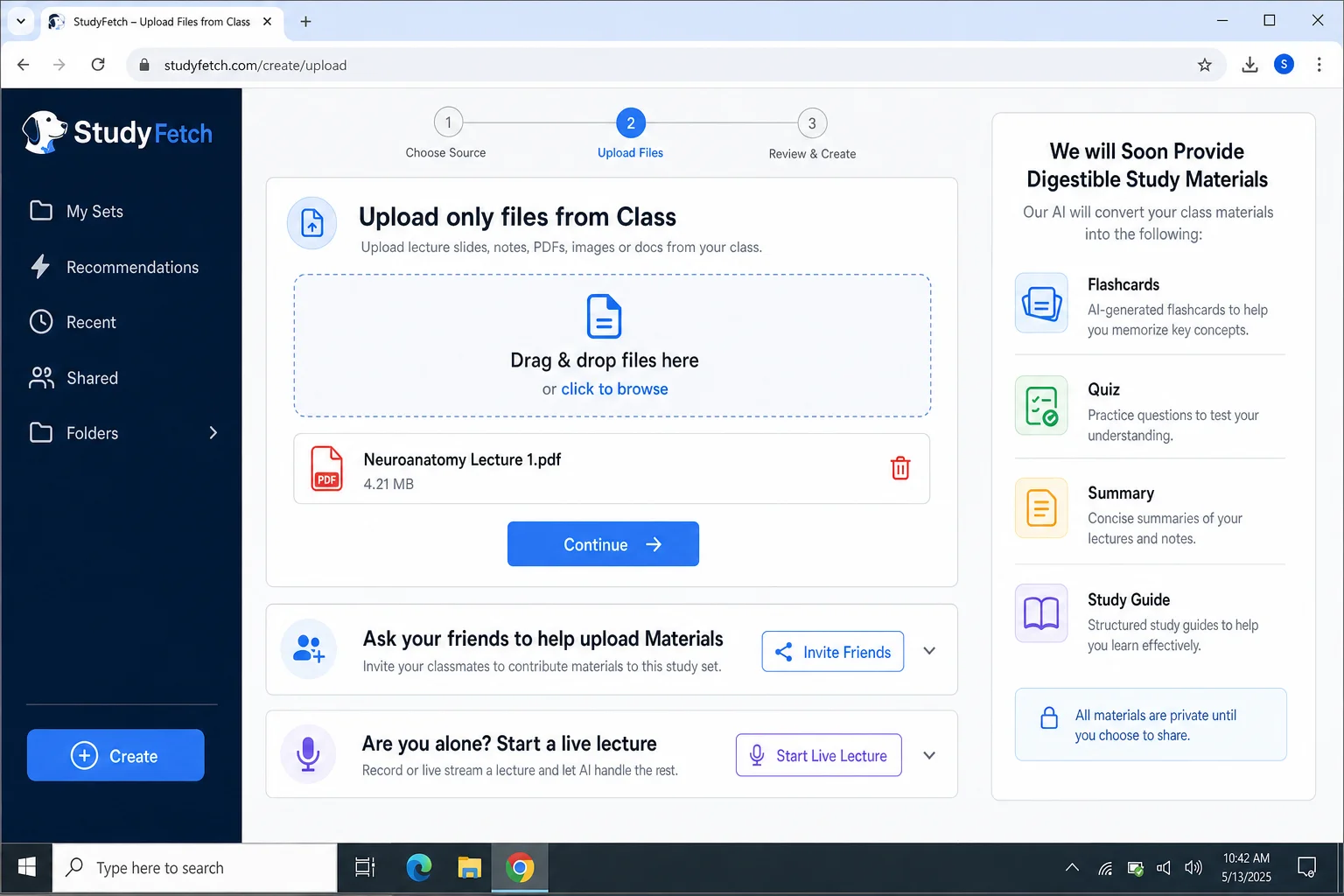
That said, a word of caution: AI study tools are only as useful as how you use them. If you’re using StudyFetch to get answers without doing the thinking yourself, you’re not actually studying. You’re just outsourcing your brain. The right way to use it is to let the AI generate the practice material, then you do the recall. Quiz yourself, check your answers, and go back to your notes when you’re wrong. Always double-check AI-generated content against your class materials, and make sure you’re clear on your school’s AI policy before using it for graded work.
Highlights:
- Upload anything: PDFs, slides, lecture recordings, and more, StudyFetch handles them all
- AI-generated study sets: Automatically creates flashcards, quizzes, and summaries from your materials
- Built-in AI tutor: Ask questions, get explanations, and request alternative examples on the spot
- Personalized sessions: The AI adapts to what you know and what you’re struggling with
- Web and mobile: Works in your browser and on your phone
Download: StudyFetch for iOS or Android (also available at studyfetch.com)
5. Khan Academy, Best Free Learning Resource
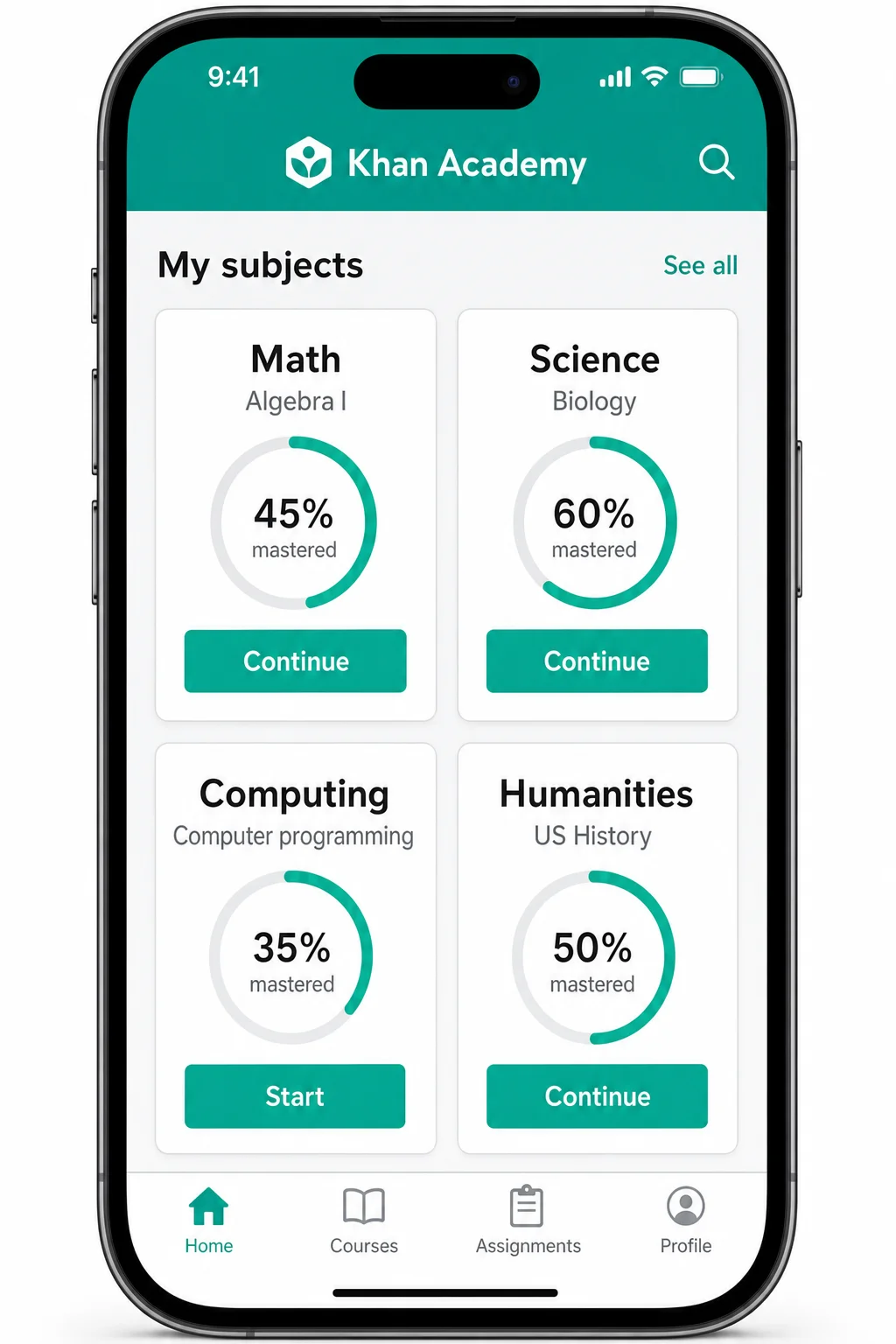
Khan Academy has been a student favorite for years, and it’s still one of the best free learning resources on the internet in 2026. What started as a collection of math tutorial videos has grown into a massive library covering everything from biology and chemistry to economics, history, art, and even SAT/ACT prep.
What makes Khan Academy stand out is how well it explains things. The videos are clear, no-nonsense, and genuinely good at breaking down complicated concepts into something you can actually follow. And unlike a lot of YouTube rabbit holes, the content is organized into proper courses with quizzes after each lesson to check your understanding, so you’re not just passively watching, you’re actually learning.
Highlights:
- Completely free: No subscriptions, no paywalls, everything is free, always
- Huge subject library: Math, science, history, economics, computing, and more
- Built-in quizzes: Test your knowledge after each lesson to reinforce what you’ve learned
- Progress tracking: See exactly where you are in a course and what to tackle next
- SAT/ACT prep: Official College Board partnership means the test prep content is the real deal
Download: Khan Academy for iOS and Android
6. Socratic by Google, Best for Getting Unstuck on Homework
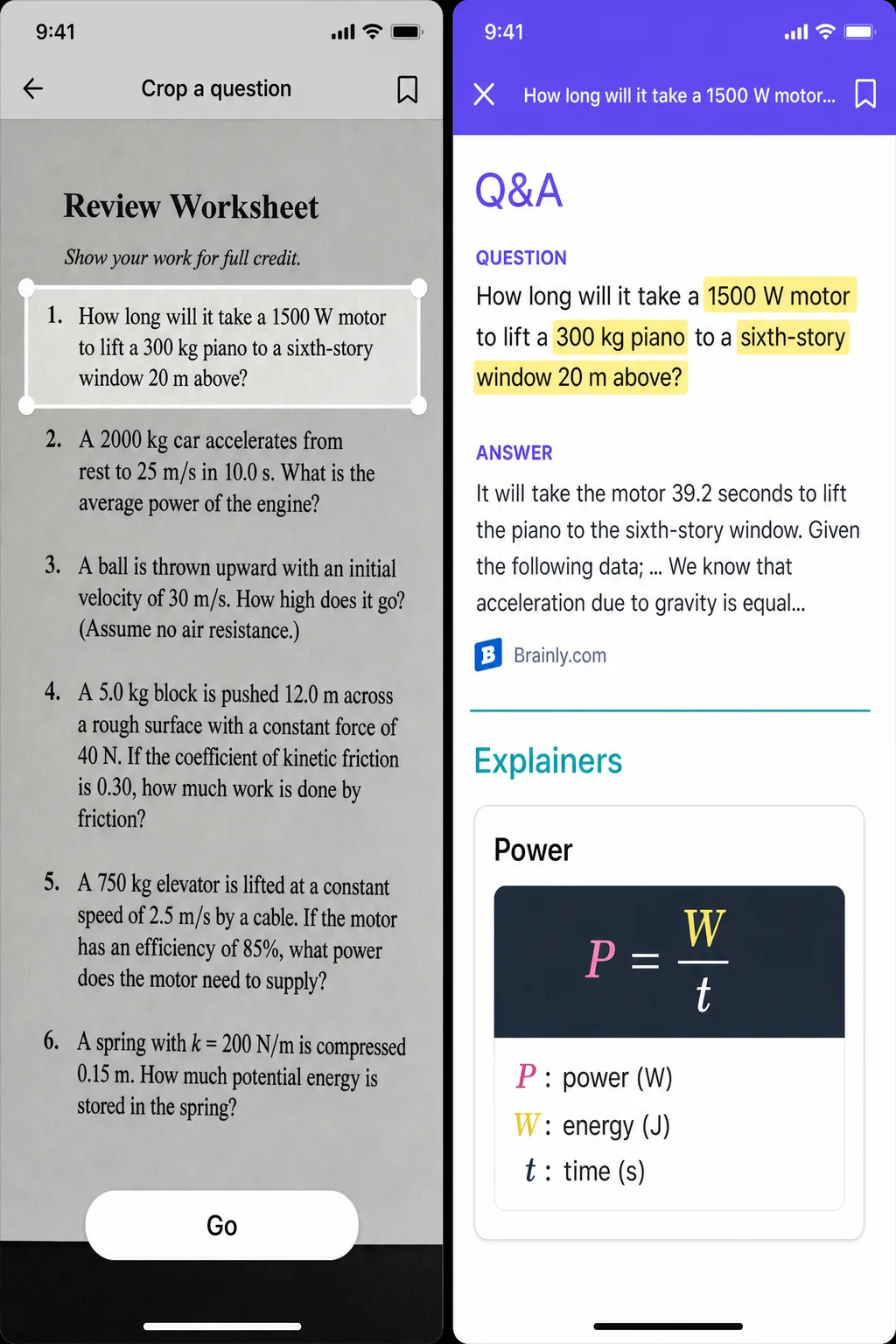
We’ve all been there: it’s 10 PM, you’re stuck on a homework problem, and there’s nobody around to help. Socratic was built exactly for that situation. You snap a photo of the question, straight from your textbook or assignment sheet, and the app uses Google’s AI to find you the most relevant explanations, worked examples, and resources to help you understand it.
The results aren’t just a quick answer (though you’ll get that too). Scroll down and you’ll find step-by-step breakdowns, video explanations, Q&A from similar problems, and links to related concepts. It covers a wide range of subjects including math, science, history, and English lit.
One thing to keep in mind: Socratic is a tool for understanding, not for copying answers. Use it to work through the logic of a problem, not to skip the thinking entirely. Your future self will thank you when the exam rolls around. If you’re consistently struggling with a subject, it might also be worth looking into finding an online tutor for more personalized help.
Highlights:
- Scan any question: Point your camera at a problem and get instant help
- Step-by-step explanations: Understand the process, not just the answer
- Multiple resource types: Videos, worked examples, Q&A, and concept guides all in one place
- Wide subject coverage: Math, science, history, English, and more
- Completely free: No subscription required
Download: Socratic for iOS and Android
7. Brain.fm, Best for Focus Music
Studying in silence isn’t for everyone, but regular music with lyrics can pull your attention away from what you’re reading. Brain.fm sits right in the sweet spot: it’s purpose-built focus music, designed using neuroscience research to help your brain get into and stay in a focused state. It’s not just background noise or a Spotify playlist. The audio is specifically engineered to reduce mind-wandering. If you prefer free alternatives, check out some of the best YouTube white noise channels for a similar effect.
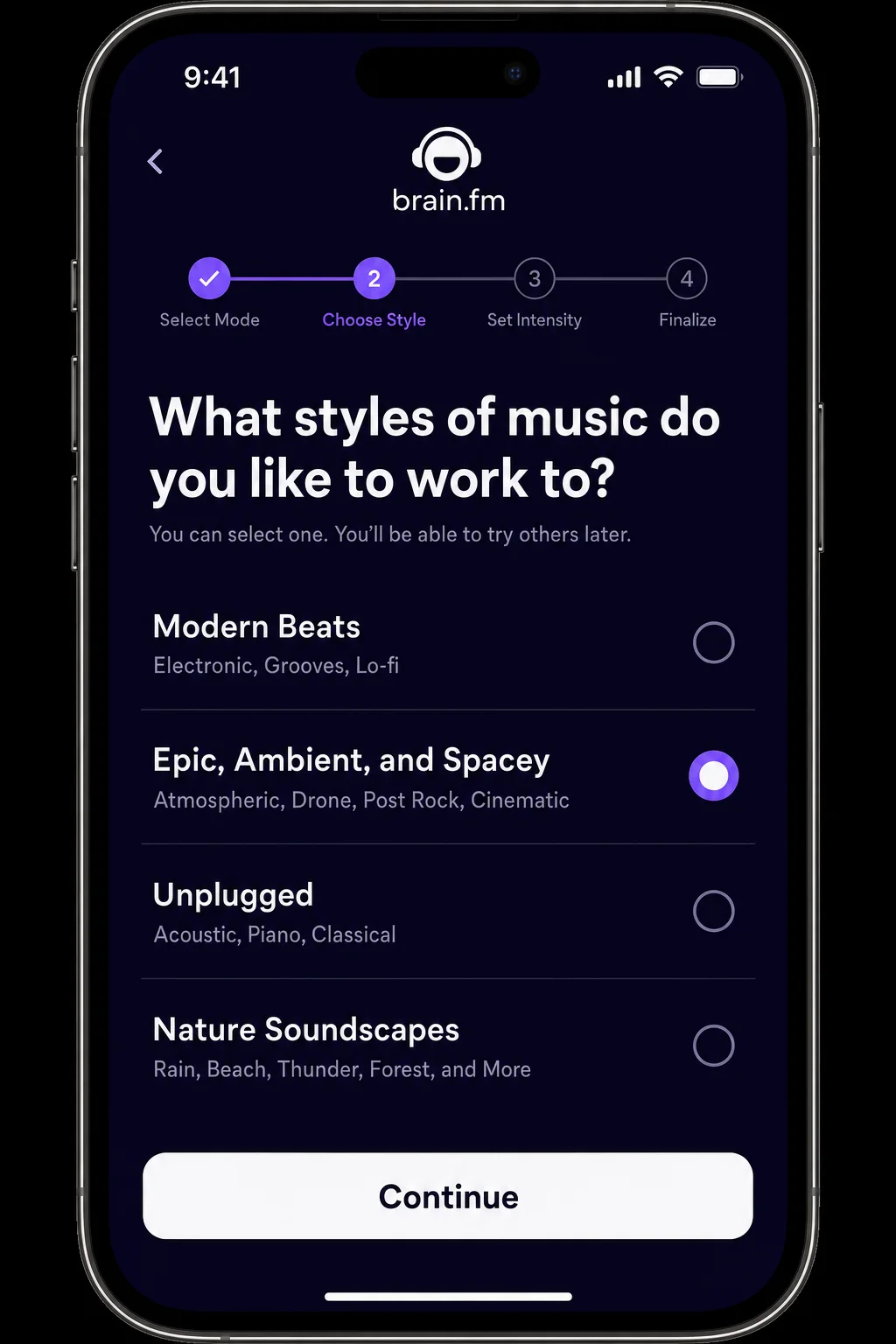
When you open the app, you pick a goal (Focus, Relax, Sleep, or Meditate) and Brain.fm starts playing. You can adjust the intensity, so if deep focus music feels too intense, you can dial it back, and filter by genre if you prefer something more ambient, cinematic, or nature-based. There’s also a built-in timer so your music session lines up with your study block.
Brain.fm isn’t free. There’s a subscription after a short trial, but if you struggle to focus without something playing in the background, it’s genuinely worth trying. A lot of students find it more effective than lo-fi playlists or white noise because it’s actually doing something intentional with the audio.
Highlights:
- Neuroscience-backed audio: Music designed specifically to support focus, not just fill silence
- Multiple modes: Focus, Relax, Sleep, and Meditate, useful well beyond study sessions
- Adjustable intensity: Dial up or down depending on the task and your mood
- Genre filters: Ambient, cinematic, nature sounds, and more
- Built-in timer: Sync your music session with your Pomodoro blocks
Download: Brain.fm for iOS and Android
Tips for Getting the Most Out of Study Apps
Apps are only as useful as the habits around them. Here are a few things that’ll actually make a difference:
- Use your phone’s built-in Focus mode first: Before downloading anything, set up a “Study” Focus mode on your iPhone or Android that silences social media notifications and hides distracting apps. It’s free, it’s built in, and it works.
- Pick one app per job: One focus app, one notes app, one flashcard app. That’s it. Too many apps = too many decisions = less actual studying.
- Don’t let AI do your thinking: Tools like StudyFetch and Quizlet’s AI features are great for generating practice material. But if the app is answering questions for you instead of quizzing you, you’re not learning. You’re just reading.
- Make your own flashcards: Community-made Quizlet sets are a great starting point, but editing and adding to them yourself dramatically improves how much you retain. The act of writing it out in your own words is half the battle.
- Start with free tiers: Almost every app on this list has a solid free version. Try before you subscribe. You might find the free tier is all you need.
Quick Comparison
| App | Best For | Free? | Platforms |
|---|---|---|---|
| Forest | Focus & distraction blocking | Paid (small one-time fee) | iOS, Android |
| Quizlet | Flashcards & retrieval practice | Yes (free tier available) | iOS, Android, Web |
| Microsoft OneNote | Note-taking & organization | Yes (completely free) | iOS, Android, Windows, macOS, Web |
| StudyFetch | AI-powered study sessions | Yes (free tier available) | iOS, Android, Web |
| Khan Academy | Learning new concepts | Yes (completely free) | iOS, Android, Web |
| Socratic by Google | Homework help | Yes (completely free) | iOS, Android |
| Brain.fm | Focus music | Free trial, then subscription | iOS, Android, Web |
The Bottom Line
The best study apps in 2026 aren’t just digital flashcards and timers anymore. They’re genuinely smart tools that can adapt to how you learn, block out distractions, and even help you understand concepts you’d otherwise be stuck on at midnight. The key is picking the right handful and actually using them, rather than downloading twenty and using none. Start with a focus tool, a notes app, and a flashcard app, and if you haven’t tried an AI-powered app like StudyFetch yet, it’s worth a look. Some of these are real gems. Bookmark this list and come back to it when you’re ready to level up your study game.