
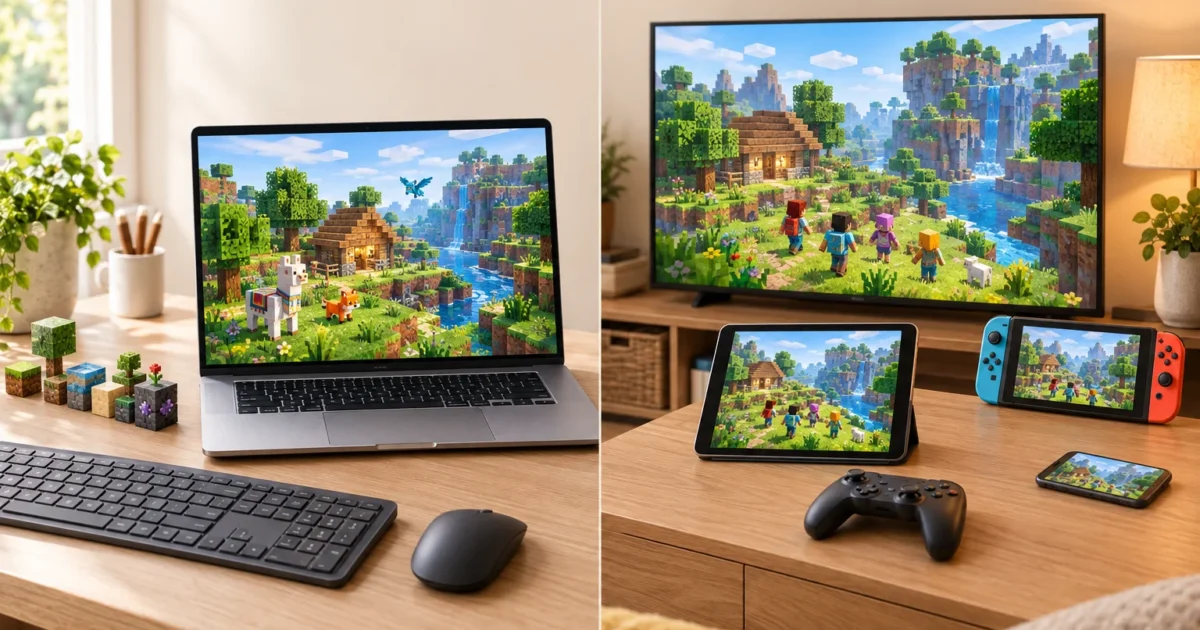
Start with your devices and friends: choose Bedrock for supported consoles or mobile devices and cross-play with Bedrock friends; choose Java for Mac/Linux or Java servers and mods. The standard Windows PC purchase includes both editions. Check the official edition comparison before buying.
You finally caved and agreed to buy Minecraft. Then the store asks you to pick between “Java Edition” and “Bedrock Edition,” and you’re stuck. The two play almost identically, yet choose the wrong one and your kid may not be able to join their best friend’s world. That’s a very long car ride home from the store.
The good news is that the Minecraft Bedrock vs Java decision is simpler than it looks. Forget the spec sheets. It comes down to two questions: who do you want to play with, and what device do you own? By the end of this guide, you’ll know which edition fits your family, what you actually get when you buy on PC, and how to keep younger players safe.
Quick verdict: Get Bedrock Edition if you play on a console, phone, or tablet, or if you want to play with friends on those devices. Get Java Edition if you’re on a Mac or Linux computer, or if you want mods, shaders, and big community servers. On a Windows PC, you don’t have to choose: the standard purchase includes both.
The Short Answer: Which Minecraft Should You Get?
Here’s the side-by-side summary. If you only read one table, make it this one.
What We’re Comparing
| Edition | What It Is | Best For | Price (US) |
|---|---|---|---|
| Java Edition | The original PC version, built for Windows, macOS, and Linux | Mods, shaders, community servers, Mac players | Check the current PC store; both editions included |
| Bedrock Edition | The version for consoles, phones, tablets, and Windows | Cross-play with friends on supported Bedrock devices | Check each platform store; PC includes both editions |
What Java and Bedrock Editions Are (and Why There Are Two)
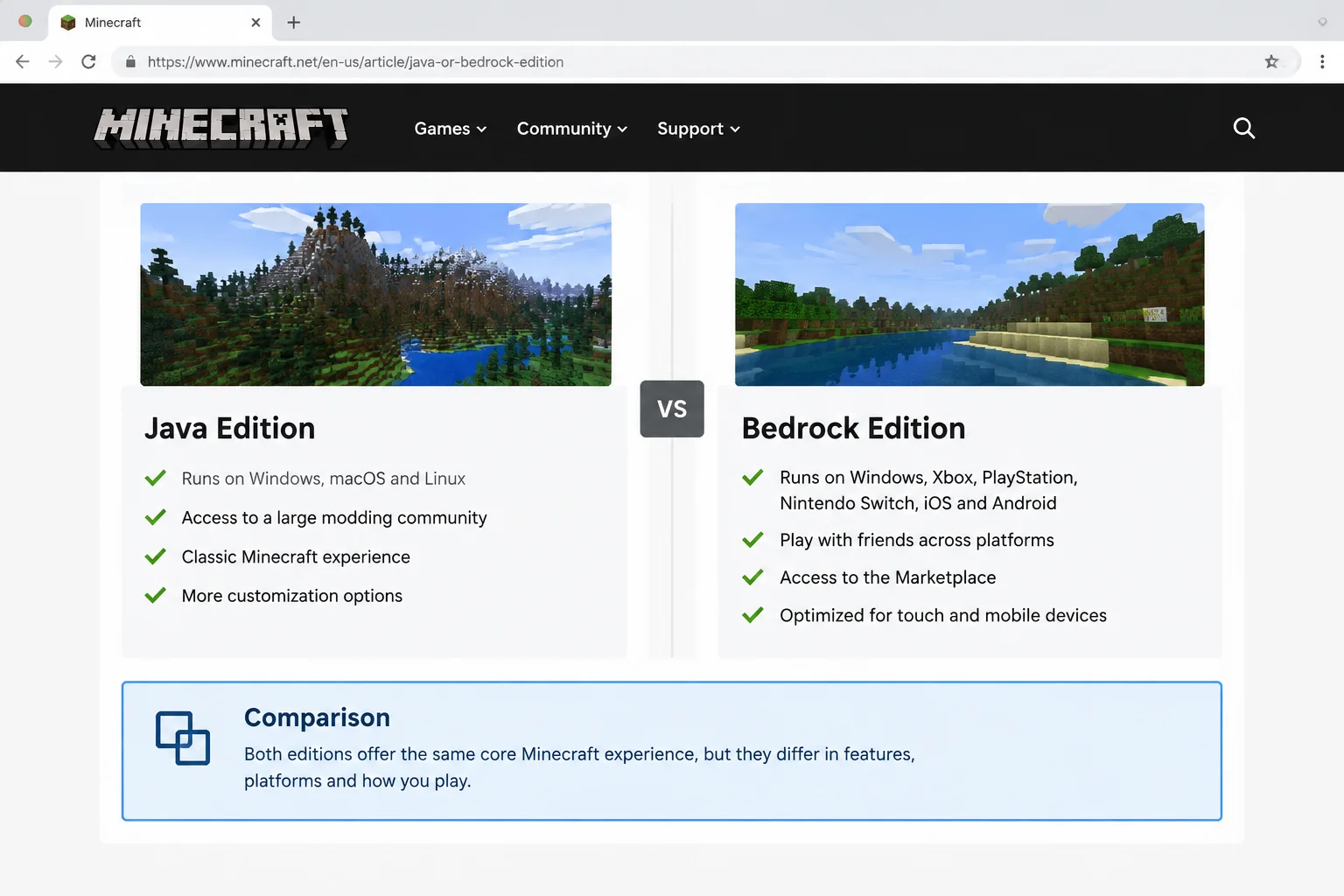
Minecraft started life in 2009 as a PC game written in a programming language called Java. That’s where Java Edition gets its name. It’s the “original recipe” version, and it still runs only on computers.
As Minecraft spread to phones and consoles, Mojang (the studio behind Minecraft) needed a version that could run well on very different hardware. So they rebuilt the game from scratch, and that became Bedrock Edition. Think of it like a restaurant that opens a food truck. The menu is basically the same, but the kitchen is totally different, and you can’t order from one and pick up at the other.
Here’s what matters in plain English:
- Same core game: Both have survival mode, creative mode, the same mobs, the same blocks, and roughly the same updates.
- Different engines: Worlds, mods, and multiplayer servers from one edition don’t work in the other.
- Different communities: Java players lean toward modding and PC servers. Bedrock players lean toward cross-play and the built-in Marketplace.
- Shared updates: Major updates now land on both editions around the same time. Mojang’s year-based numbering uses a 26 prefix in 2026, with different release numbers for each edition.
Mojang has an official explainer if you want the company’s own take.
Devices and Platforms: Where Each Version Runs
This is where most families make their decision without realizing it. Your device often picks the edition for you.
| Device | Java Edition | Bedrock Edition |
|---|---|---|
| Windows 10/11 PC | Yes | Yes |
| Mac | Yes | No |
| Linux PC | Yes | No |
| Xbox (One, Series X/S) | No | Yes |
| PlayStation 4/5 | No | Yes |
| Nintendo Switch family | No | Yes |
| iPhone and iPad | No | Yes |
| Android phones and tablets | No | Yes |
| Compatible Chromebook | Not the standard ChromeOS release; Linux setups need separate checks | Yes, if Google Play lists it for that device |
So if your kid only has a Switch or an iPad, the choice is already made. It’s Bedrock. If they have a MacBook, it’s Java. Only Windows PCs get to play both.
Before you buy on a computer or phone, it’s worth checking that the device is new enough. Here’s how on each platform.
On Windows
Java Edition needs 64-bit Windows 10 or Windows 11 (Windows on ARM works too). It also wants a reasonably modern graphics chip and 8 GB of RAM with a dedicated graphics card, or 12 GB if your PC uses built-in graphics. Bedrock is lighter and runs on Windows 10 version 19041 or later with as little as 4 GB of RAM.
To check your Windows version:
- Click Start and open Settings.
- Select System, then scroll down and click About.
- Look under Windows specifications for the Edition, Version, and OS build. You’ll also see your installed RAM under Device specifications.
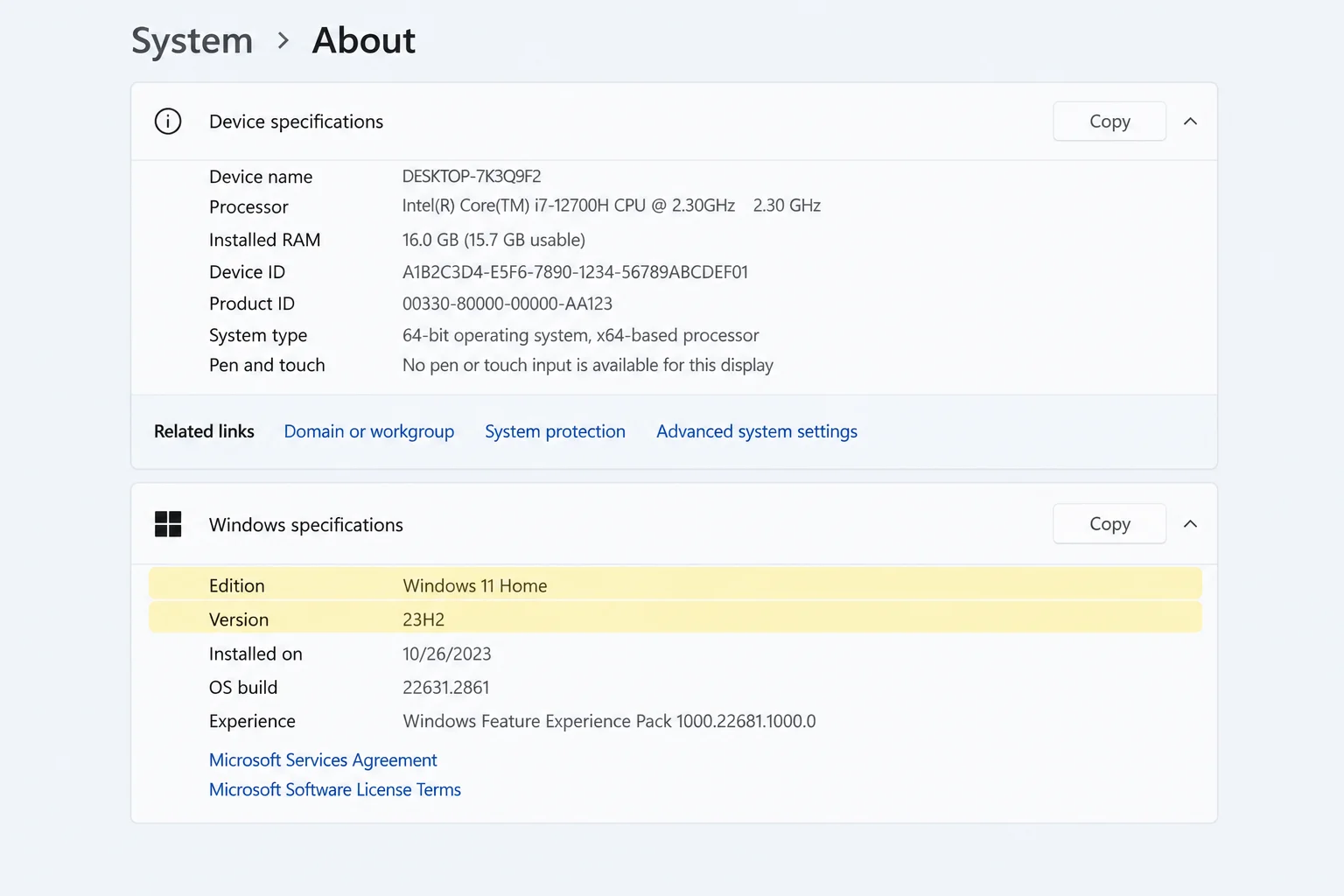
These are minimums from the current PC store, checked October 2, 2026. Verify the full GPU, CPU and memory requirements before buying.
On macOS
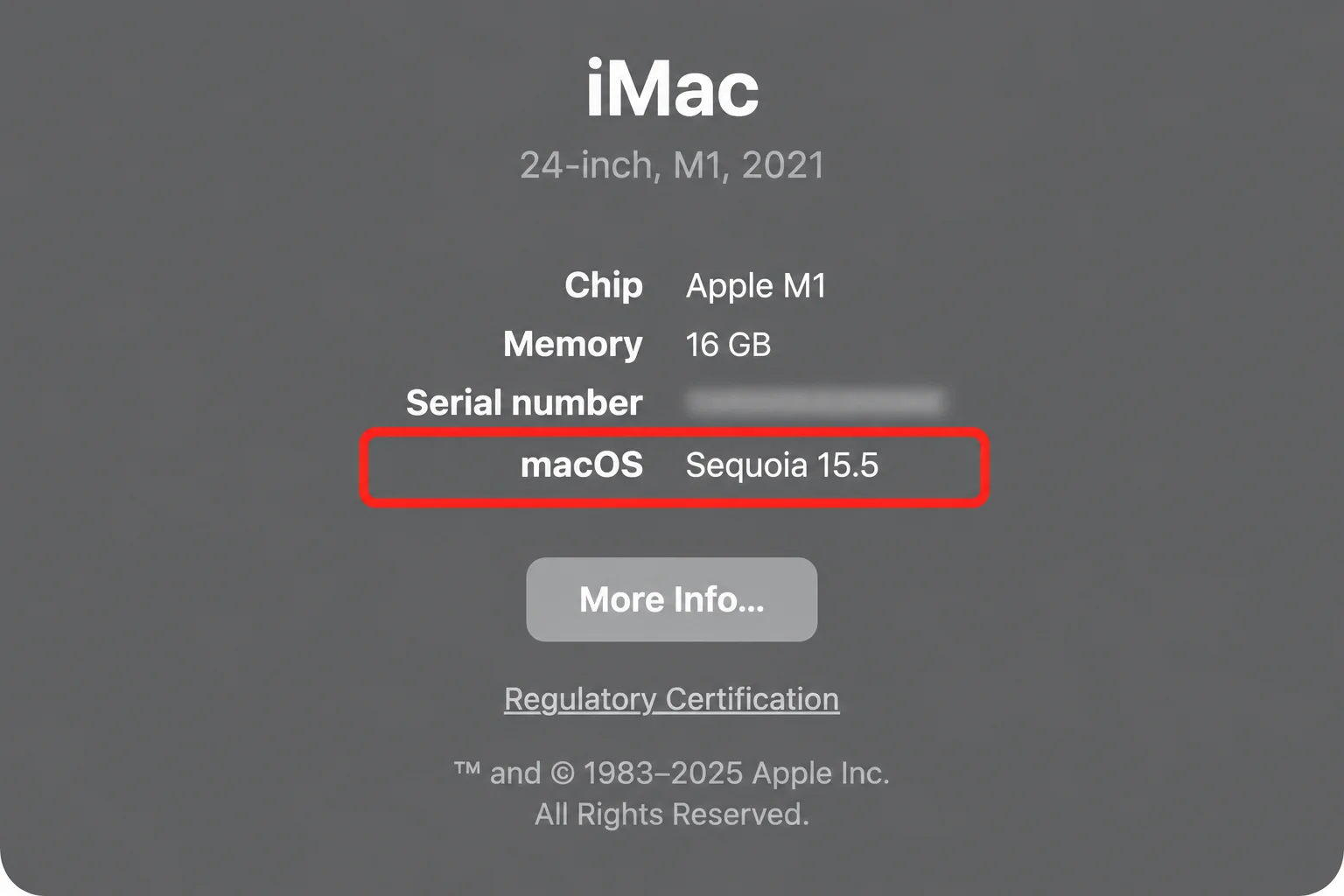
For the standard Mac purchase, choose Java Edition. The current PC store requirements list macOS 12+, not 10.15; older Launcher requirements do not establish support for the current game. Check the full graphics and memory requirements too.
- Click the Apple menu in the top-left corner of the screen.
- Select About This Mac.
- Check the macOS version number and the Chip line.
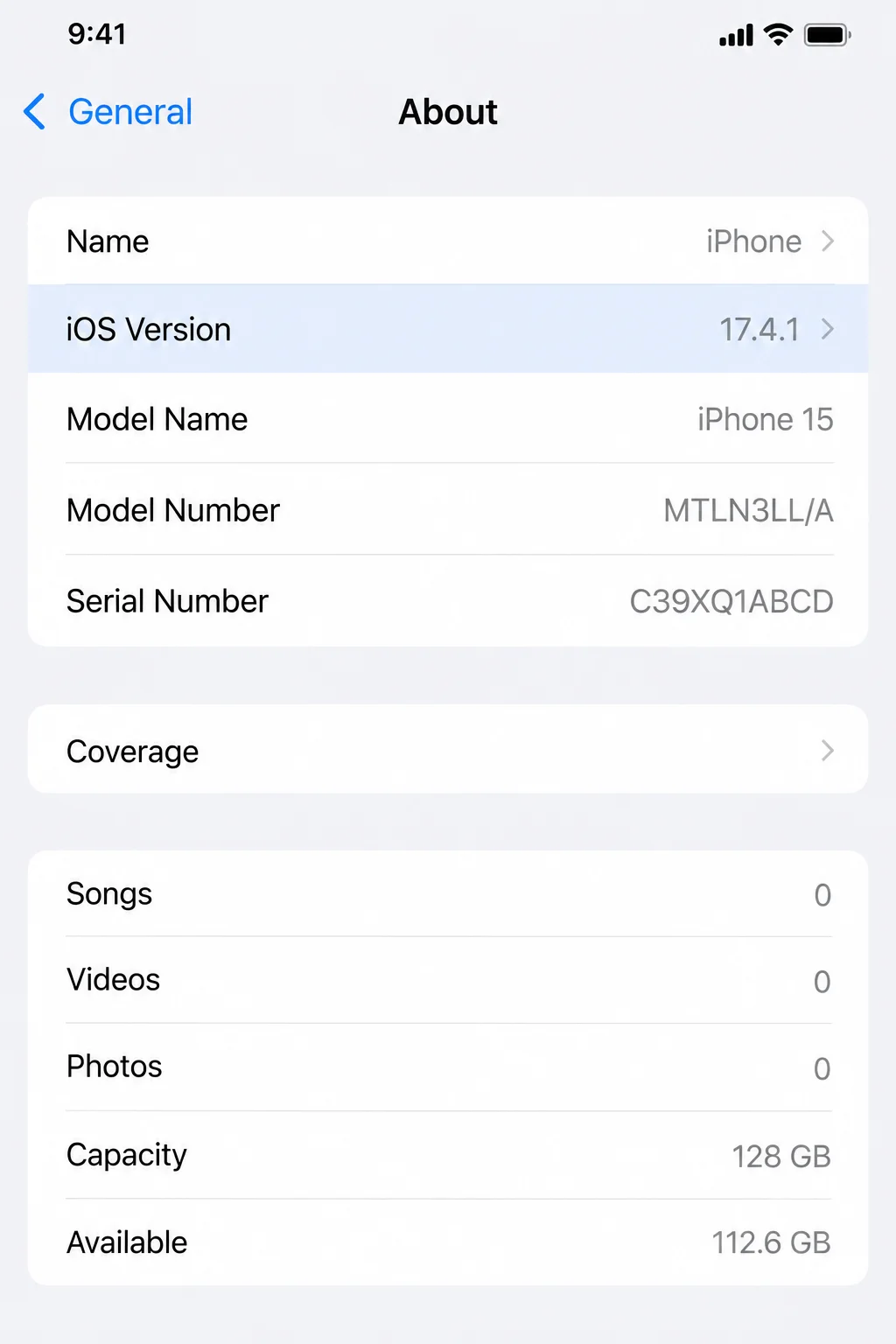
For iOS
iPhones and iPads run Bedrock Edition from the App Store. Older devices can struggle with big worlds, so make sure iOS or iPadOS is up to date first.
- Open Settings.
- Tap General, then About.
- Check the iOS Version (or iPadOS Version) line.
For Android
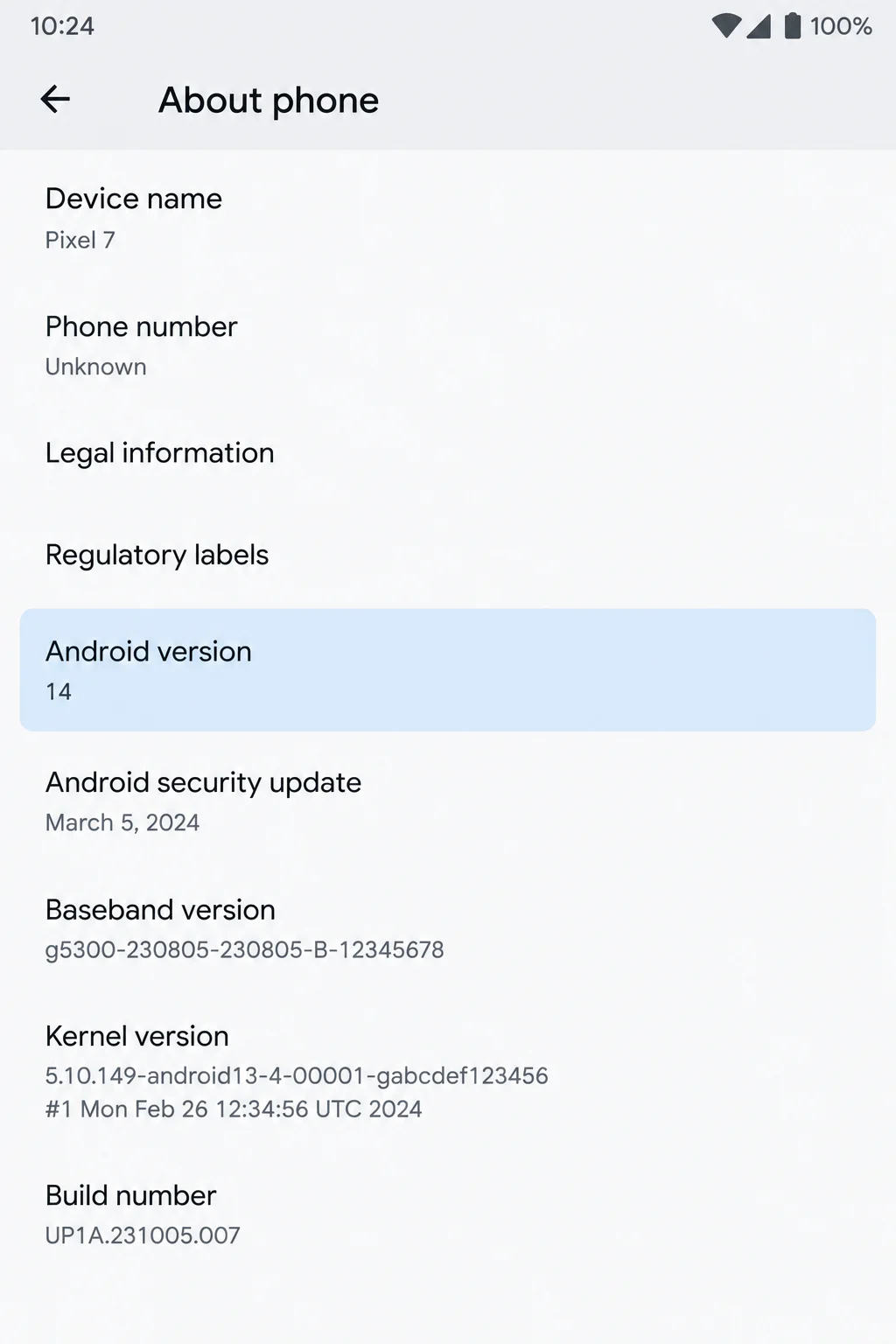
Compatible Android phones, tablets and Chromebooks can run Bedrock from Google Play. Mojang documents compatible Chromebooks; check the store listing on the actual device before purchase.
- Open Settings.
- Tap About phone (on some phones it’s About tablet or About device).
- Look for Android version. On some phones, it’s tucked under Software information.
On the Web
Java and Bedrock are installed games; use the browser store to buy them. The official Minecraft store and the Xbox store both sell the PC version. Sign in with the Microsoft account you (or your kid) will play on, because that’s where the game gets attached.
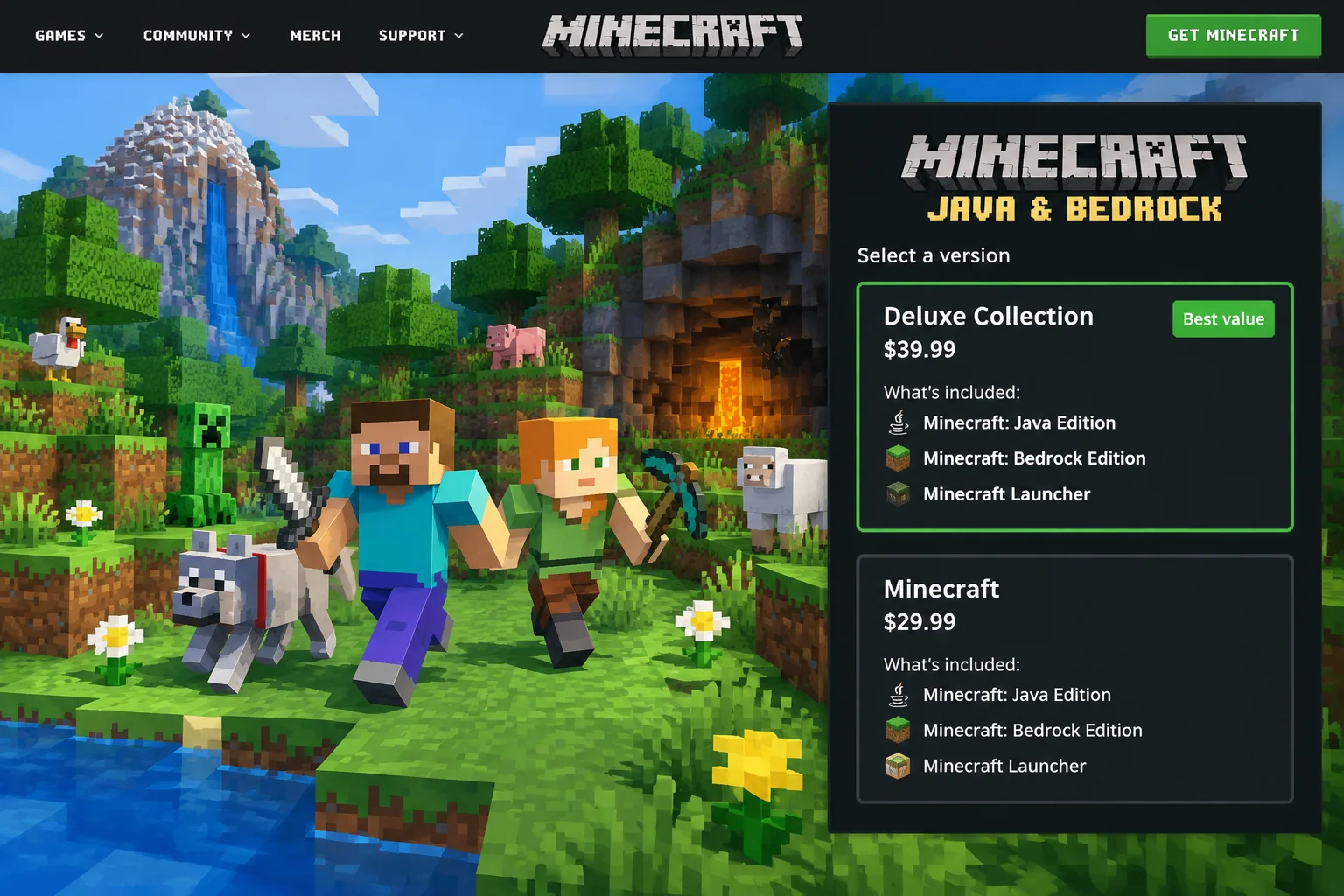
Device choice: Bedrock covers supported consoles and mobile devices. The standard Mac/Linux choice is Java; Windows buyers can run both if requirements are met.
Feature Comparison
At a Glance
| Feature | Java Edition | Bedrock Edition |
|---|---|---|
| Cross-play with consoles and phones | No | Yes |
| Cross-play between PCs | Yes (Windows, Mac, Linux) | Yes (Windows only) |
| Free community mods | Yes, huge library | ⚠️ Limited add-ons |
| Official Marketplace | No | Yes |
| Shader packs | Yes | No (uses Vibrant Visuals instead) |
| Vibrant Visuals | ⚠️ Still in development | Yes, on supported devices |
| Ray tracing | Via shader packs | Yes, Windows with supported graphics cards |
| Realms (private servers) | Yes | Yes |
| Big community servers | Yes, thousands | Yes, Official Featured Servers plus others |
| Controller support | ⚠️ Mostly keyboard and mouse | Yes, full controller and touch support |
| Parental controls | Microsoft account settings | Microsoft account plus console/phone controls |
Cross-Play: Who Can Play With Whom
This is the big one. It’s also the source of more family arguments than whose turn it is on the TV.
The rule is simple: Java players play with Java players. Bedrock players play with Bedrock players. The two groups can’t join each other’s worlds in normal play.
Java Edition: Anyone running Java on Windows, Mac, or Linux can play together. A kid on a MacBook and a cousin on a Windows gaming laptop can share a world or server with no trouble. But nobody on a console or phone can join them.
Bedrock Edition: This is where Bedrock shines. Xbox, PlayStation, Switch, iPhone, iPad, Android, Chromebook, and Windows players can all hop into the same world. Everyone signs in with a free Microsoft account, and that’s what links them together. Yes, that includes PlayStation and Switch players.
A few catches to know about:
- Console subscriptions: Online play on consoles usually requires a paid subscription, from Xbox, PlayStation or Nintendo; check the current plan and region at the console’s store. Phones, tablets, and PCs don’t need one.
- Privacy settings: A child’s Microsoft account may have multiplayer or cross-play turned off by default. If friends can’t connect, check those settings first.
- Bridge tools: You’ll find unofficial tools online that claim to let Java and Bedrock players mix. They aren’t made by Mojang, and results vary. For most families, matching editions is far less hassle.
Winner: Bedrock, by a mile, if anyone in your group plays on a console or phone. Java only wins if everyone plays on a computer.
Mods, Add-Ons and the Minecraft Marketplace
If “mods” means nothing to you, here’s the quick version. Mods are fan-made changes to the game. They can add new creatures, new tools, whole new worlds, or just handy things like a minimap.
Java Edition: Java is modding heaven. There are many community mods, often free, plus shader packs (which make lighting and water look gorgeous) and resource packs (which change how blocks look). Installing them takes a few steps: you’ll use a free mod loader, download files, and drop them into the right folder. It’s not hard, but it’s not one-tap either. Mods also come from lots of different websites, so stick to well-known sources.
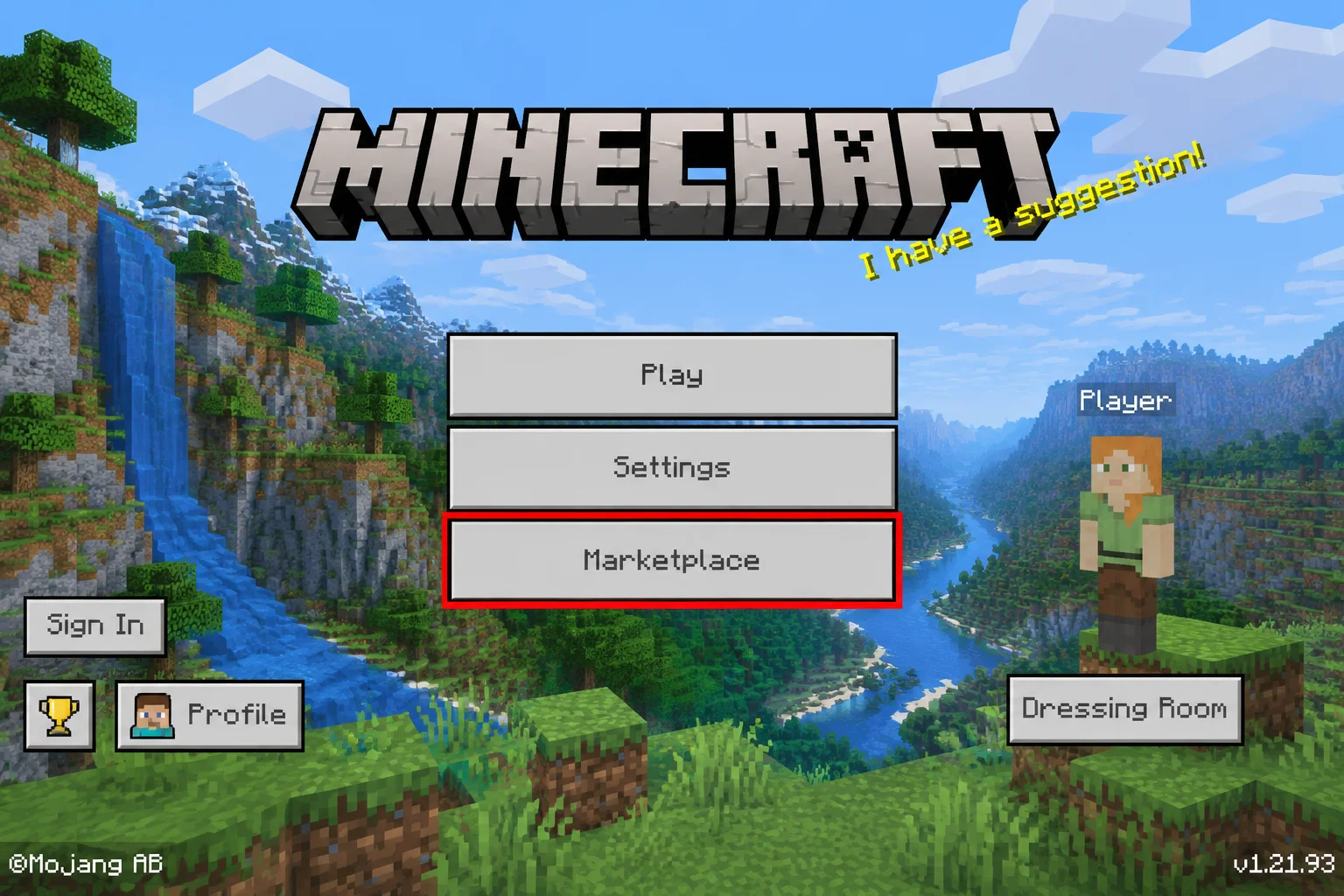
Bedrock Edition: Bedrock has the Minecraft Marketplace, an official in-game store. You’ll find skins, texture packs, mini-games, and adventure maps, distributed through the official store; check the item description, age suitability and device support. Most items cost Minecoins, which you buy with real money. Bedrock also supports add-ons, which can change mobs and items, but they’re more limited than Java mods.
Parents, the Marketplace is the easy button. Official distribution does not guarantee that every item or online experience is suitable for your child. Review content and payment controls on the device. Java mods are more powerful but take more supervision.
Winner: Tie. Java wins for customization, though individual projects and hosting can have costs. Bedrock offers convenient store installation. Pick based on how hands-on you want to be.
Servers and Realms: Playing Online With Friends
There are three main ways to play online: join a friend’s world, subscribe to Realms, or join a public server.
Realms (both editions): Realms is Mojang’s paid private server. Think of it as renting a clubhouse that stays open 24/7. Friends can hop in even when the owner isn’t playing, and only invited players can join. That makes it perfect for families. Realms is available on both editions, but a Java Realm only works with Java players and a Bedrock Realm only works with Bedrock players. Pricing is a monthly subscription (check the current price in the game). Bedrock’s Realms Plus also bundles a rotating catalog of Marketplace content.
Java servers: Java has thousands of community-run servers. Some are tiny friend groups. Others host thousands of players with mini-games, economies, and custom rules. You can also host your own for free on your PC (it has to stay on, though).
Bedrock servers: Open Play > Servers for the featured partner list. Use Mojang’s server guide to find compatible options; the original Hypixel example does not belong in this Bedrock list. Custom-server options depend on platform.
Winner: Java for sheer choice and freedom. Bedrock offers a convenient in-game list; review each server’s rules and moderation yourself.
Graphics and Performance (Including Vibrant Visuals and Ray Tracing)
Both editions share the classic blocky look. But how they get fancier graphics is quite different.
Java Edition: Java’s secret weapon is shader packs. These free add-ons give you realistic shadows, waving grass, reflective water, and sunsets that look like screensavers. The catch? They need a decent graphics card, and you install them yourself. On older or budget computers, Java can feel sluggish in busy areas even without shaders. Mojang’s current Vibrant Visuals page lists compatible Bedrock devices and describes Java availability as planned.
Bedrock Edition: Bedrock generally runs smoother on weaker hardware, including phones and older laptops. It’s built to squeeze more out of less. In June 2025, Bedrock got Vibrant Visuals, an official graphics upgrade with better lighting, shadows, fog, and reflections. It’s a toggle in the video settings on supported devices, not every device. On Windows PCs with a supported graphics card, Bedrock offers ray tracing in compatible content with a DXR-capable GPU; see the store graphics requirements. This is separate from Vibrant Visuals.
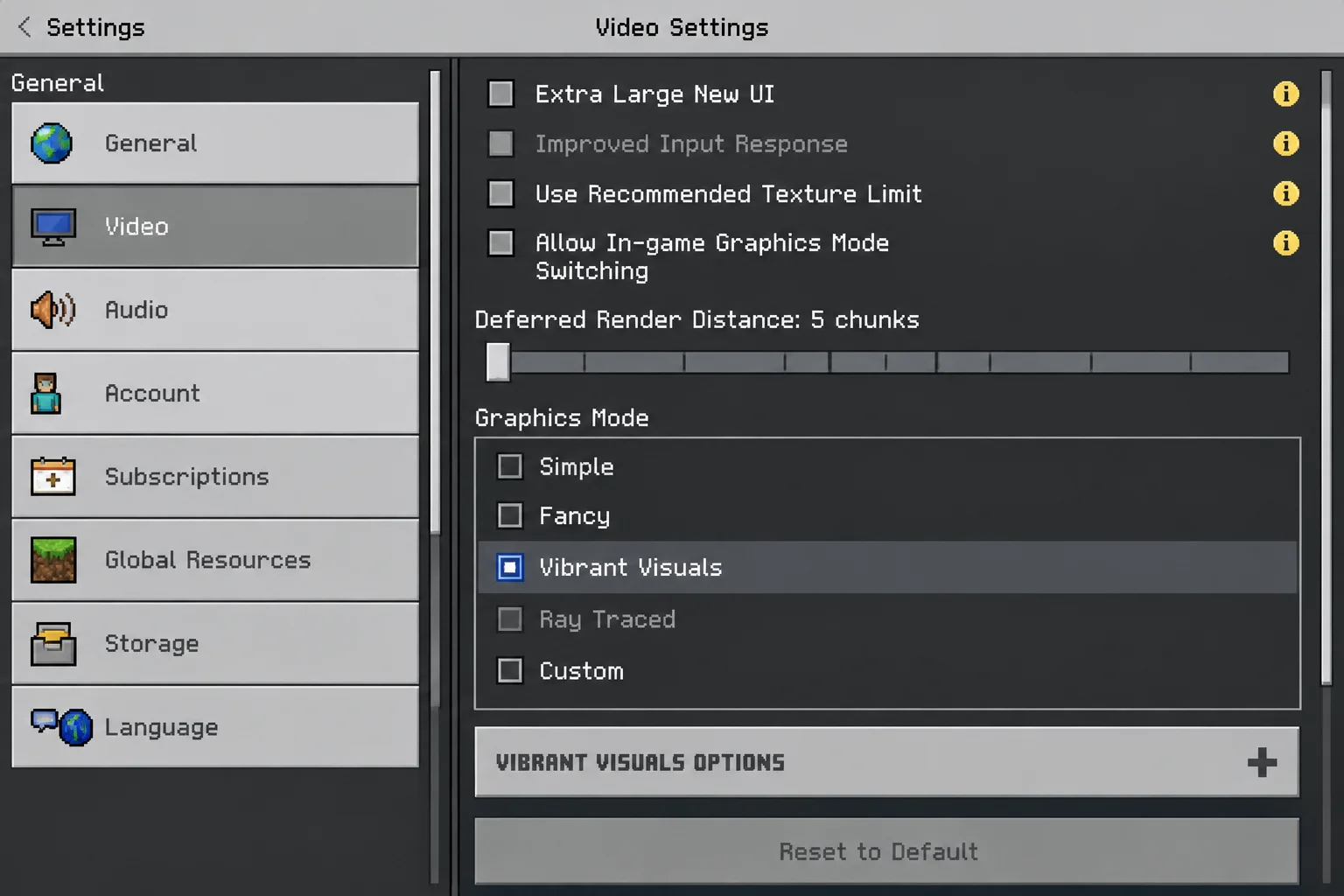
Quick hardware notes:
- Budget laptop or older PC: Bedrock will usually run better.
- Gaming PC with a good graphics card: Java with shaders looks stunning. Bedrock with ray tracing is also impressive.
- Consoles: Bedrock is optimized for them, and Xbox Series X/S and PS5 look great with Vibrant Visuals.
- Phones: Newer phones handle Bedrock well. Older ones may need a lower render distance.
Winner: Bedrock for most people, since it runs better and has official visuals built in. Java wins if you’ve got a strong PC and love tinkering with shaders.
Gameplay Differences You’ll Actually Notice
The editions share the core survival and creative experience. But experienced players will spot some differences, and they tend to have strong opinions about them.
- Combat timing: Java has an attack cooldown, so spamming the click button doesn’t work well. Bedrock combat is quicker and more forgiving.
- Redstone: Redstone is Minecraft’s wiring system for building machines and contraptions. It behaves a little differently in each edition, so a tutorial for one may not work in the other.
- World seeds: A seed is the code that generates a world. Seeds now mostly match between editions, but details like villages and structures don’t always land in the same spots.
- Controls: Bedrock is built for controllers and touchscreens. Java is designed for a keyboard and mouse (a decent gaming mouse makes a real difference).
- Achievements: Bedrock achievements connect to your Xbox profile, so they follow you across devices. Java uses in-game “advancements” instead.
- Hardcore mode: Check the mode and world settings before starting; death restrictions make this a poor first choice for a casual family world.
For casual players and younger kids, none of these are deal-breakers. They matter most when you watch a YouTube tutorial and it doesn’t work the same in your game. Always check which edition the video uses.
Winner: Tie. It’s mostly personal preference. Just match the edition your tutorials and friends use.
Price and What You Get When You Buy on PC
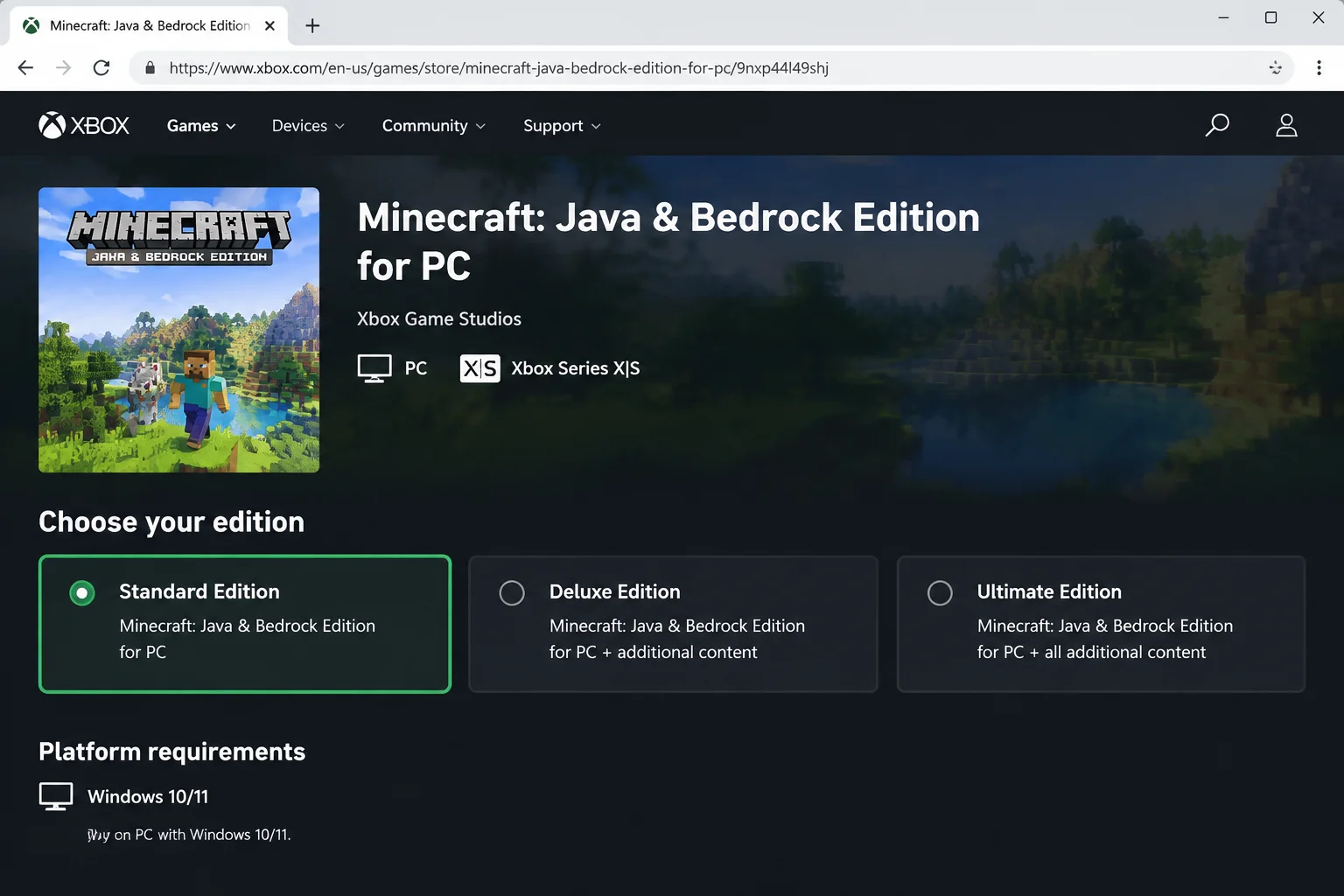
Here’s the part that surprises a lot of people. On PC, Minecraft is sold as Minecraft: Java & Bedrock Edition. One purchase, both editions.
| PC (Java & Bedrock) | Consoles | iOS / Android | |
|---|---|---|---|
| Current price | Check the PC store | Check the console store | Check the device store |
| Editions included | Java + Bedrock | Bedrock only | Bedrock only |
| Bigger bundles | Compare current collection contents and prices | Varies by store | Check device store |
| Online play fee | None | Console subscription usually required | None |
| Realms | Optional monthly subscription | Optional monthly subscription | Optional monthly subscription |
| Also on Xbox Game Pass for PC | Yes | Varies | No |
A few important details:
- On Windows: You get both editions. Java runs through the Minecraft Launcher. Bedrock runs as its own app from the Xbox app or Microsoft Store.
- On Mac or Linux: You buy the same bundle, but only Java works, since Bedrock doesn’t run there.
- Deluxe and Ultimate Collections: These add Minecoins and Marketplace goodies like skins and worlds. They’re nice extras, not must-haves.
- Consoles and phones: Each platform sells Bedrock separately. Buying on Xbox doesn’t give you the iPhone version, and vice versa.
Buying as a gift? A Minecraft gift card or digital code lets the recipient redeem it on their own Microsoft account, which saves a headache later.
Winner: Java & Bedrock PC bundle. Two editions for one price is hard to beat. If you have a Windows PC, this is the obvious buy.
Parents: Safety, Accounts and Parental Controls
Review the account requirements for the platform, then set the child’s multiplayer and social permissions using Minecraft’s family guidance. Purchase controls also depend on the store and device.
Java Edition:
- Multiplayer access and chat follow the child’s Microsoft account privacy settings.
- Java has in-game chat reporting for inappropriate messages on servers.
- The wild card is community servers. They’re run by strangers with their own rules and moderation. Some are fantastic. Some aren’t.
- Mods come from outside websites, so younger kids shouldn’t install them without help.
Bedrock Edition:
- Microsoft account settings apply here too, including multiplayer, cross-play, and chat.
- Consoles and phones add their own layer: Xbox family settings, PlayStation family management, Nintendo’s parental controls app, Apple Screen Time, and Google Family Link.
- Check purchase approval in the payment account and device store. Microsoft, console and mobile controls differ; do not assume one setting covers every purchase.
- Featured Servers are official partners with moderation rules.
Menus differ from device to device, so check each console or phone directly rather than assuming the settings match. An invite-only Realm limits access to invited players. Review the guest list and chat settings; invitation controls do not replace supervision.
Winner: Bedrock for younger kids. It has more layers of control and a curated store. Java is fine for older kids with some supervision.
Pick This If: Quick Decision Table
| Your Situation | Pick This |
|---|---|
| Kid plays on Xbox, PlayStation, or Switch | Bedrock |
| Kid plays on an iPhone, iPad, or Android tablet | Bedrock |
| Family members on different consoles and phones | Bedrock on every device |
| You have a Mac or a Linux computer | Java |
| You want mods, shaders, or big PC community servers | Java |
| Friends already play on Java | Java |
| You have a Windows PC and aren’t sure | Java & Bedrock bundle (you get both) |
| Younger child, want a managed, invite-only option | Bedrock with a private Realm |
| Budget laptop or older PC | Bedrock (runs smoother) |
Choose Java Edition if:
- You play on a Mac or Linux computer
- You want mods, shader packs, or custom resource packs
- Your friends play on large Java community servers
- You enjoy tinkering and don’t mind a little setup
Choose Bedrock Edition if:
- You play on a console, phone, tablet, or Chromebook
- Your family or friends use a mix of devices
- You prefer one-tap official content from the Marketplace
- You want a controller or touchscreen experience
- You’re setting up Minecraft for a younger child
Java Edition
- Massive free modding scene
- Gorgeous shader packs for high-end PCs
- Thousands of community servers
- Works on Windows, macOS, and Linux
- Comes bundled with Bedrock on PC
- No cross-play with consoles or phones
- Mods take some setup
- Heavier on older hardware
- Vibrant Visuals isn’t fully available yet
- Community servers vary widely in safety
Bedrock Edition
- Cross-play across consoles, phones, and PCs
- Runs smoothly on modest hardware
- Official Marketplace with item descriptions to review
- Vibrant Visuals and ray tracing on supported devices
- Strong parental controls on every platform
- Not available on Mac or Linux
- Add-ons are limited compared to Java mods
- Marketplace content costs money
- Console online play usually needs a subscription
- Each platform is a separate purchase
Final Verdict
There’s no universal winner here, and that’s the point. The right edition is the one your friends and devices already use. That said, for most families in 2026, Bedrock is a convenient default for compatible consoles and mobile devices. It supports many console and mobile devices and lets compatible Bedrock players join one another, and it’s easier to manage for younger kids. Java remains the go-to for PC tinkerers, Mac owners, and anyone who lives for mods.
Overall Winner: Bedrock (for most families), with the Windows PC bundle as the best value
If you’re on Windows, don’t overthink it. Buy the bundle and you’re covered either way.
Before You Buy or Join a Friend
Confirm the device’s store lists the game, the purchase is on the intended Microsoft account, and everyone is using the same edition. If joining fails, check game updates, the child’s multiplayer permission, and the Realm or server invitation before purchasing another copy. The official multiplayer requirements explain account permissions.
Frequently Asked Questions
What’s the actual difference between Java and Bedrock Edition?
They’re the same game built on different engines. Java is the original PC version with deep modding. Bedrock is the rebuilt version that runs on consoles, phones, and Windows, with cross-play and an official Marketplace. Worlds and multiplayer don’t mix between them.
Can I play with my friend if we have different editions?
Not in normal play. Java players only play with Java players, and Bedrock players only play with Bedrock players. The easiest fix is for everyone to use the same edition. If you both have Windows PCs, you likely already own both.
Which version should I buy for my kid’s console or phone?
Bedrock. It’s the only edition available on Xbox, PlayStation, Switch, iPhone, iPad, and Android, so the store will sell you the right one automatically.
Do I get both editions if I buy Minecraft on PC?
Yes, on Windows. The standard Minecraft: Java & Bedrock Edition purchase includes both. On a Mac or Linux, you’ll only be able to play Java, since Bedrock doesn’t run there.
Which version has mods, and which has the Marketplace?
Java has the huge library of free community mods and shader packs. Bedrock has the official Minecraft Marketplace, plus simpler add-ons.
Which version looks better or runs better on my device?
On most everyday devices, Bedrock runs smoother and has Vibrant Visuals built in where supported. On a powerful gaming PC, Java with shader packs can look amazing, and Bedrock with ray tracing is impressive too.
Can I move my world from one edition to the other?
Not officially. Mojang doesn’t offer a built-in converter, and the save formats are different. Your best bet is to keep playing a world in the edition where you created it.
What parental controls exist for each edition?
Review Microsoft account multiplayer/chat settings and the payment store’s purchase approvals separately. Bedrock adds each device’s own controls, like Xbox family settings, Nintendo’s parental controls app, Apple Screen Time, and Google Family Link.
Wrapping Up
Picking between Minecraft Bedrock and Java doesn’t need a spreadsheet. Figure out which device you’re playing on and who you want to play with, and the answer mostly picks itself. Consoles and phones mean Bedrock. Macs and mod lovers mean Java. Windows PC owners get both.
Honestly? For most parents buying Minecraft for the first time, Bedrock plus a private Realm is the least stressful setup around. Save Java for the day your kid comes home begging to install a dragon mod (and trust me, that day is coming!).
| Step | Action | Applies To |
|---|---|---|
| 1 | Check which device(s) you’ll play on | Everyone |
| 2 | Ask which edition your friends or family use | Everyone |
| 3 | Confirm your OS version meets requirements | Windows, macOS, iOS, Android |
| 4 | Buy Bedrock on consoles and phones, or the Java & Bedrock bundle on PC | Everyone |
| 5 | Set up Microsoft Family Safety for child accounts | Parents |
| 6 | Consider a Realm for private family play | Families and friend groups |
This comparison is based on information available as of September 2026. Prices, features, and availability may have changed since publication. Source review: October 2, 2026. Prices vary by store; requirements refer to the current game listing. No firsthand performance or child-safety test is claimed.