
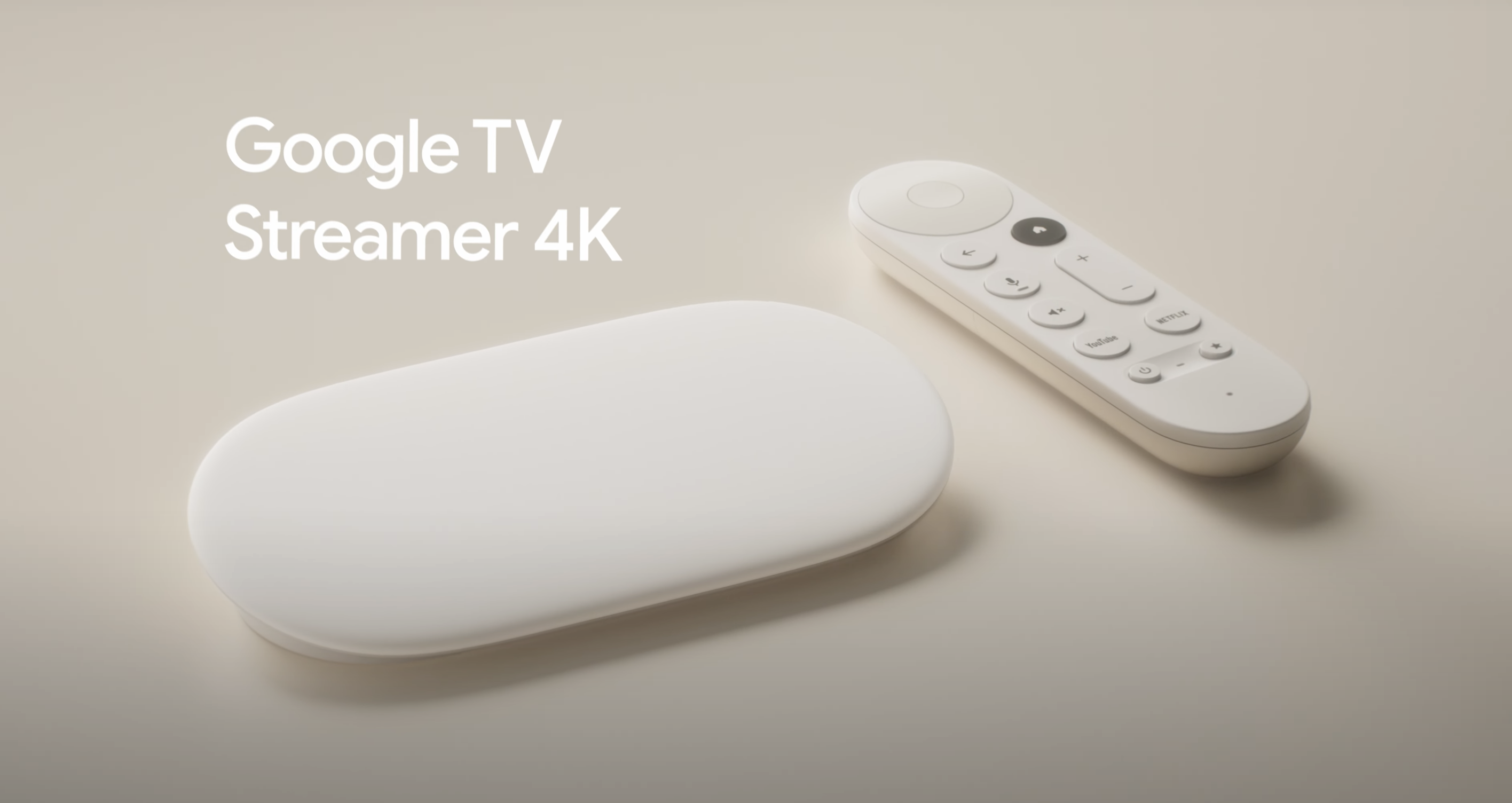
Google finally debuts the Google TV Streamer, the long-awaited Chromecast replacement. The company calls it a premium version of the Chromecast designed to provide “the best entertainment and smart home experience possible.”
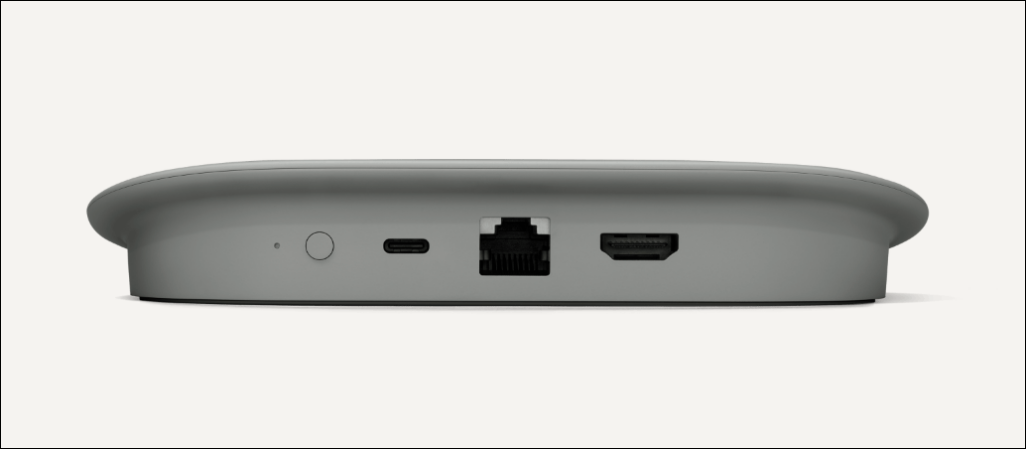
Design-wise, Google ditched the Chromecast’s dongle form for a table-top design. The front view reveals a slim, flush, sloping, and “low profile” surface with no inscription, button, or logo. Conversely, it packs a status light, button, USB-C, Ethernet, and HDMI port on the rear.
The Google TV Streamer’s remote is pill-shaped, just like the Chromecast voice remote. However, Google finetuned the remote with a redesigned button layout and textured material for improved ergonomics. There’s also a built-in speaker that lets you find the remote if it’s lost or missing.
Pressing the button on the back of the Google TV Streamer beeps the remote. Interestingly, users can chime/beep the remote using voice commands on nearby Google Assistant-enabled speakers or Pixel smartphones.
The streaming device will run the Android TV operating system, which includes a new Home Panel in the Quick Settings menu. The Home Panel provides quick access to camera live streams, light controls, and other devices in your smart home setup.
Google TV Streamer uses artificial intelligence (AI) to curate content suggestions based on the user’s preference. It’ll also use AI to generate screensaver art when in ambient mode. Powering these features are 4GB RAM, 32GB of storage, and, as Google calls it, “a 22% faster processor.”
Google TV Streamer will retail for $99.99 in two color variants: Hazel and Porcelain. Pre-orders start August 6, while official availability is slated for September 24. Orders will ship with a Google TV Streamer device, Voice Remote, two AAA batteries, a power adapter, and a USB-A to USB-C power cable. The streaming device won’t include an HDMI cable. Check out the Google TV Streamer product page on the Google Store for more information.