
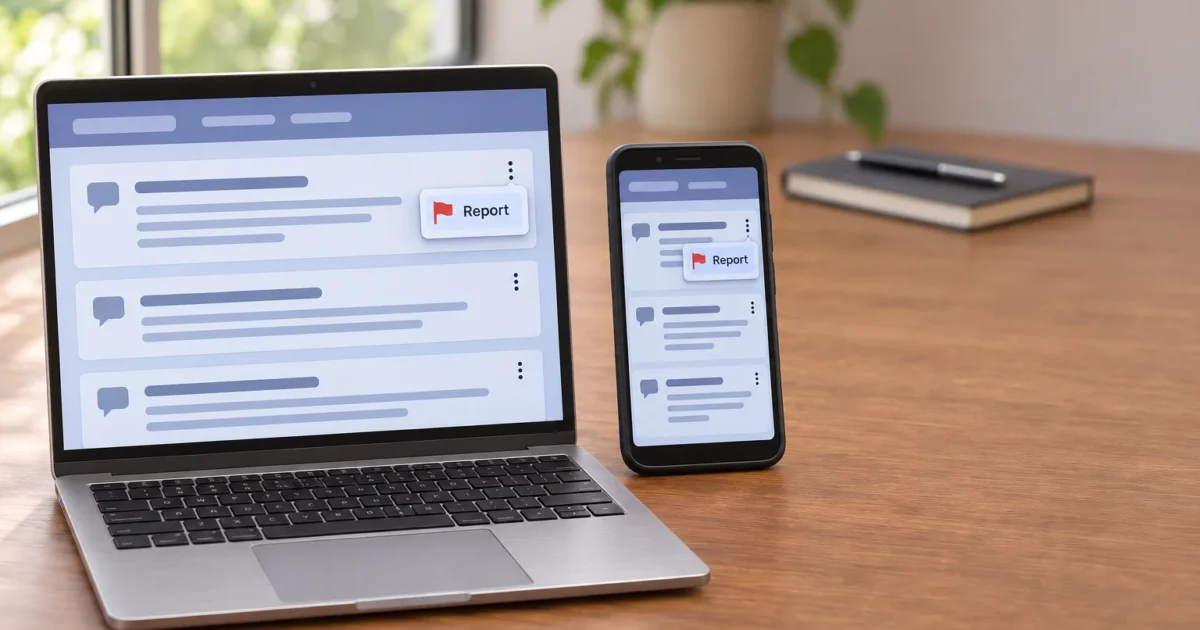
You just scrolled past a post that’s harassing someone, or a user keeps showing up in your replies with nasty comments. The fastest fix is the Report option in the three-dot menu on that specific post or comment.
The core steps are the same on reddit.com, the iPhone app, and the Android app, though the exact menu placement and icon (vertical dots on Android) can vary slightly by platform. The standard in-product steps below assume you are signed in; separate Help Center forms can have different requirements.
This guide covers how to report a subreddit, post, or user on Reddit, plus moderators who abuse their powers. It also explains who reads your report and what happens next. One heads-up: there’s no single “report this whole subreddit” button, and reporting a community means reporting the specific posts or comments that represent the problem. When something is just annoying and doesn’t break a rule, blocking or muting does the job faster.
Quick Reference: Which Reddit Report Path to Use
| What you want to flag | Where to start | Who usually reviews it |
|---|---|---|
| A single post or comment | Three-dot menu on that post or comment > Report | Subreddit moderators, plus Reddit admins for sitewide rule breaks |
| A user’s account (username, profile picture, banner, bio, messages) | The user’s profile or the offending content | Reddit’s admins for sitewide rule breaks; subreddit mods for community-rule issues |
| An entire subreddit | Report individual, representative posts or comments from that community | Reddit admins, who review the content and its context |
| A removal or ban you disagree with | Mod mail, or an appeal where the subreddit offers one | Subreddit moderators |
| A moderator facilitating or encouraging rule-breaking | Reddit Help Center request form (Moderator Code of Conduct) | Reddit admins |
| Content that may be illegal in your country | Help Center’s illegal/restricted content option | |
| Stuff you just don’t like | Block the user or mute the community | Nobody needs to review it |
Who Actually Reviews Your Reddit Report
Reddit runs on two layers of rules, and that decides where your report lands.
- Community rules: Each subreddit sets its own rules, enforced by volunteer moderators. Breaking a community rule (like posting off-topic in a photography sub) goes to that sub’s mods. They can remove the content or ban the person from their community.
- Reddit Rules: These are the sitewide rules that apply everywhere, covering things like harassment, doxxing (posting someone’s private info), spam, and violent content. Reports in these categories go to, or can be escalated to, Reddit’s own admin and Safety team.
Only the admins can take sitewide action, such as suspending an account across all of Reddit or shutting down a whole community. Think of the moderators as the managers of one store in a mall, and the admins as mall security. Reddit spells out how this works in its Content Moderation, Enforcement, and Appeals page.
Get Set Up Before You Report
For the in-product reporting steps below, sign in on the platform you use.
- On the web: Go to
https://www.reddit.comin any current browser and sign in. - On iPhone: Install the official Reddit app from the App Store and sign in.
- On Android: Install the official Reddit app from Google Play and sign in.
If a menu option described below doesn’t appear in the app, update it first. Reddit changes its menus from time to time, and an old app version can hide or block features.

You’ll know you’re ready when your username or avatar shows in the top corner of Reddit.
How to Report a Post or Comment on Reddit
This is the report path you’ll use most. It’s also how you report a whole subreddit, so it’s worth learning first. Reddit’s official steps are in How do I report a post or comment?
On the Web (reddit.com)
- Open the post, or scroll to the comment you want to report.
- Click the three-dot menu (…) on that specific post or comment. Make sure it’s the menu attached to the content itself, not the subreddit’s menu up top.
- Click Report. A window opens with a list of reasons.
- Pick the reason that fits best. You’ll see community-rule options from that subreddit along with Reddit Rules categories like harassment or spam. The exact labels shift occasionally, so choose the closest match.
- Follow any follow-up prompts that ask for more detail, then click Submit (or the equivalent button at the bottom).
Follow any confirmation or error message the reporting flow returns; the exact presentation can vary.
On iPhone
- Open the Reddit app and find the post or comment.
- Tap the three-dot menu (…) on that post or comment.
- Tap Report. A sheet slides up with the list of reasons.
- Tap the reason that matches the problem.
- Answer any follow-up questions and tap the submit button.
Follow any confirmation or error message shown after submission.
On Android
- Open the Reddit app and find the post or comment.
- Tap the vertical three-dot menu (⋮) on that post or comment. (It’s the same idea as iPhone, just turned on its side.)
- Tap Report to open the list of reasons.
- Choose the closest reason.
- Fill in any extra prompts and tap the submit button.
Check for any confirmation or error message after submission.
Tip: Pick the most accurate category, even if it feels less dramatic. Report genuine violations accurately; do not file false reports or organize duplicate reports to harass someone.
How to Report a Reddit User or Their Profile
Sometimes the problem is the person, not one comment. Reddit lets you report a user’s posts, comments, and messages, plus their username, display name, profile picture, banner image, and bio. That covers things like an offensive username or an account impersonating someone else.
Reddit’s How do I report a Reddit user? article has the current steps for each platform. The general flow looks like this:
- If it’s a specific post, comment, or message: Report that item using the steps in the previous section. This gives Reddit the exact evidence.
- If it’s the profile itself: Open the user’s profile by tapping or clicking their username.
- Open the profile’s three-dot menu and look for a Report option.
- Choose what you’re reporting (such as the username, profile picture, banner, or bio) and the reason.
- Submit the report.
If you don’t see a report option on the profile page, update the app or try the web version, then follow Reddit’s article linked above for the current wording.
Is the user still messaging you? Block them right after you report (covered below). Blocking can cut off direct contact, with exceptions such as shared group chats and some moderator interactions; a report alone does not guarantee that contact stops during review.
How to Report a Subreddit for Breaking Reddit’s Rules
This trips up a lot of people. Don’t go looking for a one-click “Report Subreddit” button. According to Reddit’s How do I report a community? article, the best way to flag a problematic community is by reporting specific posts or comments inside it. Some concerns, such as moderator misconduct or content that may be illegal where you live, also have separate Help Center forms, covered below.
- Open the subreddit you’re concerned about.
- Find a post or comment that appears to break Reddit’s sitewide rules, which go beyond that subreddit’s own community rules.
- Report it using the post-or-comment steps above, picking a Reddit Rules category.
- If you spot other clear, separate violations, report those too. The goal is to flag examples that genuinely represent the problem, not to maximize the number of reports you file.
Why report it this way? Reddit says reported content is reviewed together with its context, so a report on a post or comment that clearly represents the problem gives reviewers something concrete to evaluate.
Filing the same report repeatedly or flooding the queue with duplicates doesn’t make your case stronger. Stick to reporting genuine, representative examples as you come across them.
How to Report a Moderator for Abusing Their Power
Moderators have their own rulebook, called the Moderator Code of Conduct. If you disagree with a specific removal or ban, or think a mod made the wrong call on your content, start with mod mail or an appeal where the subreddit offers one. That’s the normal channel for everyday moderation disputes.
The Code of Conduct form is meant for something different: evidence that a moderator is creating, approving, enabling, or encouraging content or behavior that breaks Reddit’s rules, which goes beyond an unpopular removal. If there’s also specific rule-breaking content involved, report that content separately using the post-or-comment steps above.
- Go to the Reddit Help Center request form at
https://support.reddithelp.com/hc/en-us/requests/new. - Look for the option covering moderator conduct or the Moderator Code of Conduct and select it.
- Fill in the form, including the subreddit, the moderator’s username, and links to specific examples of the rule-breaking behavior.
- Submit the form.
Follow the form’s confirmation or error message after you submit it. Links to concrete examples help far more than a general complaint.
Reporting Content That’s Illegal in Your Country
The regular Report button covers Reddit’s own content rules. If you believe something violates the law where you live, Reddit’s Help Center provides a way to flag that separately from a standard report. Start at the Help Center request page and look for the option covering illegal or restricted content. You can use it alongside a regular report.
What Happens After You Report
What’s more frustrating than reporting something awful and then seeing it still there an hour later? Unfortunately, that’s normal.
- Reports get reviewed. Community-rule reports typically go to that subreddit’s moderators, while sitewide enforcement is handled by Reddit’s own staff, who may use automated tools to help prioritize flagged content.
- Action against a whole community or account follows a review of the reported content and context, rather than happening automatically the moment a report comes in.
- You won’t always see the outcome. Content may be removed, or the account may face action, without a big announcement.
If you think a moderation decision about your own content was wrong, Reddit’s enforcement and appeals page explains how appeals work.
Block or Mute Instead When Nothing Breaks the Rules
Reporting content that’s just irritating clogs up the queue for mods. If someone’s posts bug you but don’t break any rule, blocking or muting cleans up your feed right away, with no review needed. These are probably the most underused tools on Reddit.
- Block a User: Blocking prevents direct messages, chat requests, and most direct interaction. Reddit documents exceptions for shared group chats and certain moderator interactions in its blocking guidance. Open their profile, tap or click the three-dot menu, and choose Block. You can manage the list later under your account’s privacy and safety settings.
- Mute a Community: Muting removes a subreddit’s posts from your Home and Popular feeds and stops its notifications, without reporting anything, and you can still visit the community if you want to. Open the subreddit, tap or click its three-dot menu, and look for the Mute option. You can unmute it later from the same menu; depending on your app version, your account settings may also list muted communities.
For someone who won’t leave you alone, do both. Report the behavior so Reddit has a record, then use blocking to limit contact, keeping the exceptions above in mind.
Fixes When the Report Option Won’t Cooperate
Problem: There’s no Report option on a post, comment, or profile
- Confirm you’re signed in. The ordinary in-product reporting flow may require sign-in; use the applicable Help Center instructions for separate report forms.
- Open the three-dot menu on the individual post or comment, not a surrounding menu.
Problem: The menus look different from these steps
- Update the Reddit app from the App Store or Google Play, or refresh the tab on desktop.
- Check Reddit’s current Help Center article for the exact wording.
Problem: Your reports seem to get ignored
Stick to genuine violations and pick the most accurate category, so your report reaches the right reviewers.
Frequently Asked Questions
Where is the Report button on Reddit’s website and app? It’s in the three-dot menu on each post and comment. On Android, the three dots are vertical.
Who reviews my report, the subreddit’s mods or Reddit itself? Community-rule reports go to that sub’s moderators. Reddit Rules violations go to, or can be escalated to, Reddit’s admins.
Can I report an entire subreddit? Not with one button. Report individual, representative rule-breaking posts and comments from that community, and Reddit’s admins review the content and its context.
How do I report a Reddit moderator? For an ordinary removal or ban dispute, try mod mail or an appeal first. If a moderator is facilitating or encouraging rule-breaking behavior, use the Help Center request form’s moderator conduct option with links to specific examples.
Will reporting something get it removed right away? No. Reports are reviewed first, and a single report doesn’t typically trigger instant removal or a ban.
What should I do if a user won’t stop bothering me? Report the messages or comments, then use blocking to limit contact. Shared group chats and some moderator interactions are exceptions.
What’s the difference between reporting and blocking or muting? Reporting asks mods or admins to act on a rule violation. Blocking limits contact and visibility, with exceptions; muting changes community content shown to you. Neither asks Reddit to enforce a rule.
Is there a way to report illegal content specific to my country? Yes. Reddit’s Help Center includes an option for reporting content you believe is illegal where you live, separate from a standard report.
Wrapping Up
Reporting on Reddit works best when you’re specific. Report the exact post, comment, or profile element, and pick the category that truly fits. I’d lean on blocking and muting more than most people do, since they fix your feed today while a report can take a while.
If the same user or community keeps causing trouble after you’ve reported and blocked, keep filing accurate reports as new violations appear. If a moderator is enabling or encouraging rule-breaking behavior, take it to the Help Center form; for an ordinary dispute over a removal or ban, try mod mail or an appeal first instead.