
You’ve just launched your first Facebook page. Maybe it’s for your small business, or for a cause you want to promote. Making the page itself is pretty straightforward, but how do you actually get people to like it and interact with it?
Though you may not know where to start, there are some concrete steps you can take to increase your page’s visibility and grow its audience. As one of the largest social media platforms in the world, Facebook is a great place to get people’s attention. Below you’ll find the best tips on how to do this.
1. Post Often and Reliably
When you’re first creating your page, it’s important to post on it as often as you can. A good starting point is once a day. This way, people who see your posts often will more likely become engaged. However, you also don’t want to bombard people’s feeds with posts, so if you intend to post more, don’t exceed 2 posts per day.
A study at Hubspot found that pages with less than 10,000 likes that post over 60 times a month, or 2 times a day, get a reduced amount of clicks on their post. It’s also better if you spread your posts out during the week, at around 3 times a week. Once you gain over 10,000 followers, posting more often will be beneficial.
2. Invite People to Like the Page
At the very beginning, your best bet is to invite people, such as friends and family members, to like your page. Especially if you already have a large number of friends on your Facebook page, they will be more likely to look at your page if you invite them. You can easily get your first 100-200 likes with this method, depending on how many people you invite.
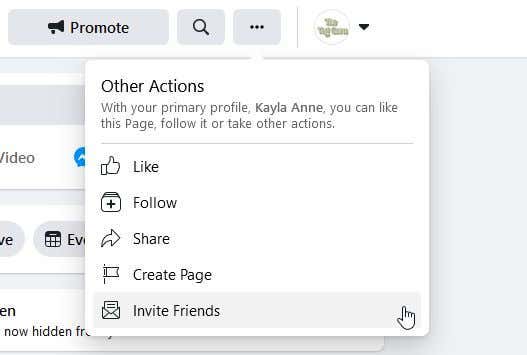
You can also post a link to your page on your personal Facebook profile, making it easy for your friends who already engage with you to click on it and give it a like.
3. Post as Your Page in Groups
Another great way to increase your page’s audience is to post as your page in a relevant Facebook group. For example, if you run a page showcasing your art, posting as your page in an art-related Facebook group is a great way to get eyes on your page that are more likely to click on it.
Try to post something relevant to the group, or share a bit of information, instead of just posting a link and waiting for people to show up. Also make sure you read the rules of any group you intend to post on, as some of them won’t want people promoting their businesses. If everything is good, create an engaging post that ideally includes photos, video, and a call to action (see tip six below.)
4. Use Targeted Ads
Facebook ads are a great resource for any business page. The social media giant is well known for being extremely efficient at targeting ads to relevant audiences. You can see what types of people like and engage with your page using Facebook’s Audience Insight tool. This will show you the ages, locations, interests, and social media behaviors of the people who like your page.
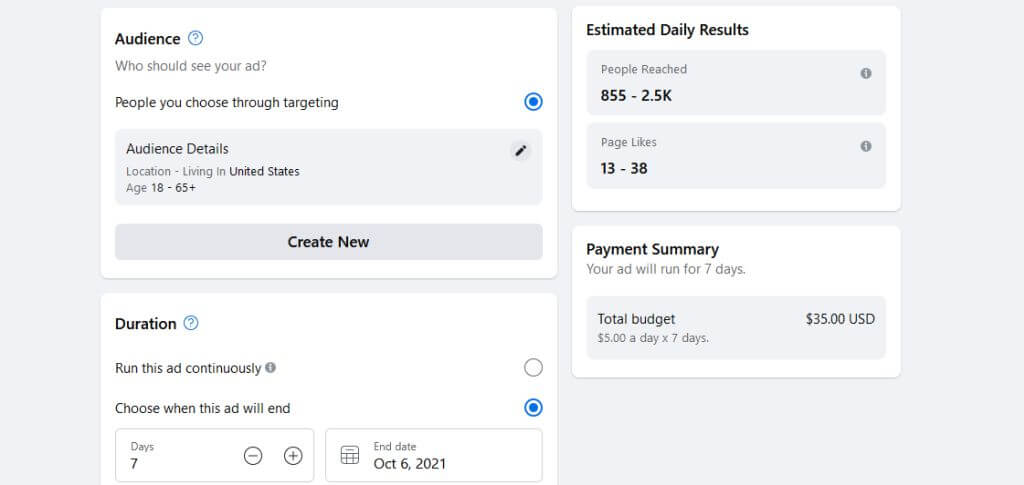
Using this knowledge of who your audience is, you can run a targeted ad that Facebook will display to people who are within this bracket. This way your ad is more likely to reach people who will engage with your page, easily growing your audience.
5. Make Relevant Posts to Your Target Audience
If your page is popular among people in a certain age range, you’ll want to cater your posts to them. For example, if your page seems to get more engagement from people in the 18-25 age range, you’ll want to use language that resonates with a younger group. Keep in mind, though, that you don’t want to come off as fake. If you’re really unsure of how a certain demographic would respond to your posts, you might want to do some research by speaking directly to similar people.
Think about the issues or constraints your target audience may be facing, and gear your posts in consideration of them. If your audience consists of people who don’t have much time on their hands, such as parents, keep your posts simple, and include a picture or short video that gets the point across quickly.
6. Add a Call to Action
A call to action is a simple statement that encourages your audience to engage with your post or page. You can ask people to comment on the post with their opinions, or to use certain Facebook reactions to run a poll (keeping in mind that certain types of reactions, such as the Love react, increase the visibility of your Facebook page on people’s feeds.)
Including a call to action can greatly increase engagement and help to boost your page’s audience in the long run, and is one of the easier steps you can take to do this. You don’t need to include one in every post, but be sure to do so more often than not.
7. Add Your Page to Your Email Signature
You may already be linking to your Facebook page on your brand’s website or other social media sites, but email is also a great place to link your page. If you’re regularly contacting people, this link can be a great way to bring in a few more likes.
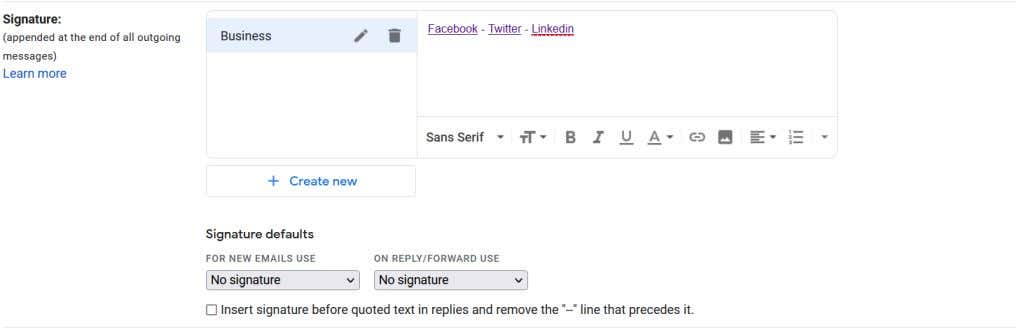
To do this, head to your email settings and look for the Signature option. In Gmail, this will be on the General settings page. From here, you can add a link and even add clickable icons you can get from sites such as Exclaimer.
8. Go Live on Facebook
When you go Live on Facebook, you are live streaming to your page audience and people will be able to interact with your Live video during the session. This content format is growing in popularity, and Facebook found that people are three times more likely to watch Live videos as they are being streamed.
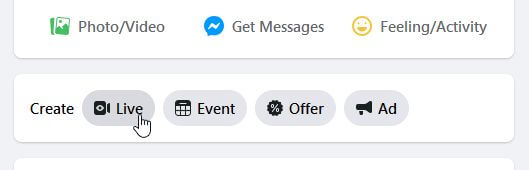
When you are going Live, the video will also appear higher in people’s newsfeeds as opposed to Live streams that have ended. So, it’s a good way to get people watching you and to increase engagement. Keep in mind that Facebook now favors Live videos that are actual footage, as opposed to only graphics.
Growing Your Facebook Audience
Social media is one of the best tools for growing a business or organization. When you know the right way to use these platforms, your audience base can increase exponentially. Let us know how you use social media to promote your brand in the comments.