

Life should come with a soundtrack and sound effects. Who doesn’t want Darth Vader’s Imperial March to play every time they enter a room? Discord has been an excellent substitute for real-life lately, and we can live the sound effect dream using soundboards. Let’s look at the best soundboards for Discord.
What Are Soundboards for Discord?
If you haven’t used a soundboard before, they’re a simple concept. Imagine a board with a bunch of buttons on it. Each button plays a specific sound when pushed. There can be actual hardware tied into a sound system or, in our case, an app that does the job.

How to Use a Soundboard in Discord
Right now, there aren’t any plug-and-play soundboards for Discord. All require installing a virtual audio device. Think of it as an app that acts as a microphone for the soundboard to speak into and have the sound come out in Discord.
VB-Cable is a donationware app for personal use. It’s available for Windows and Mac. If you like it, support them.
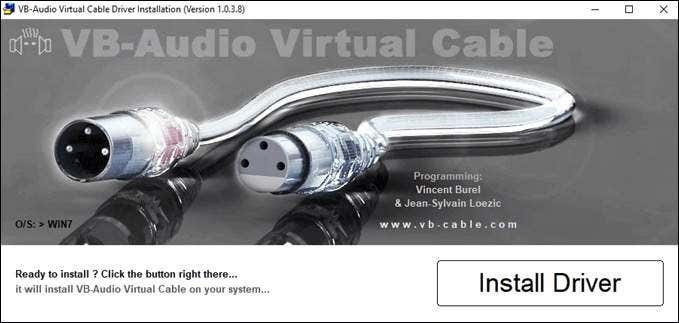
Be warned! Once VB-Cable is installed and set up, any sound on the computer or through the mic will come out in Discord.
- Download and install VB-Cable.
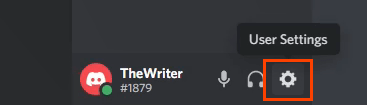
- In Discord, select the User Settings cog.
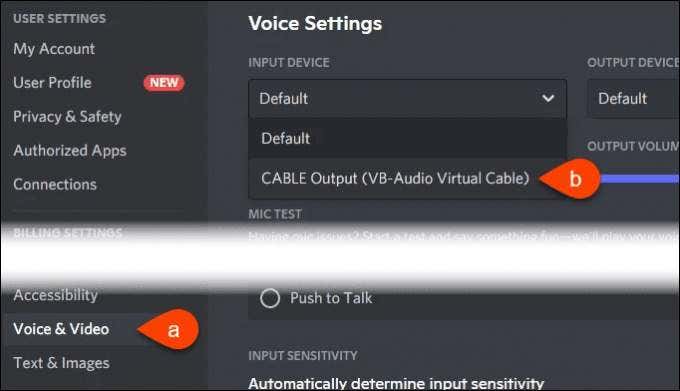
- In the window that opens, select Voice & Video on the left side. Then under Input Device, select CABLE Output (VB-Audio Virtual Cable).
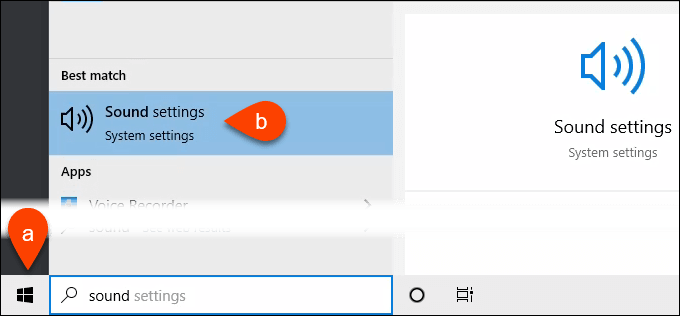
- Open the Windows Start menu and start typing “sound.” Sound settings will be one of the matches. Select it.
- In the Sound window, scroll down to Input. Under Choose your input device, make sure a microphone is selected. Then select Device properties.
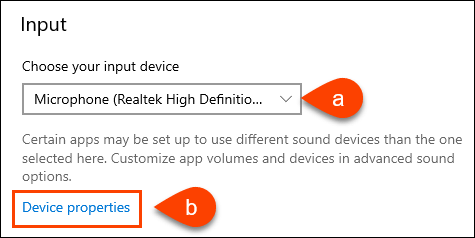
- In Device properties, select Additional device properties.

- In the Microphone Properties window, select the Listen tab. Put a checkmark next to Listen to this device. Under Playback through this device, select CABLE Input (VB-Audio Virtual Cable).
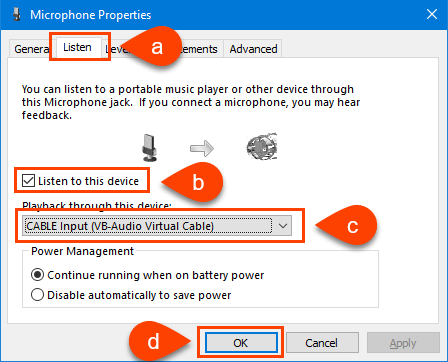
Now any soundboard, or anything else on the device, can make sounds in Discord.
Best Soundboards for Discord
Here are the best soundboards for Discord—both free and paid.
1. Resanance
OS: Windows
Audio File Types: .wav, .mp3, .flac, and .ogg
Price: Free with ads or $4 monthly, or $32 yearly with no ads
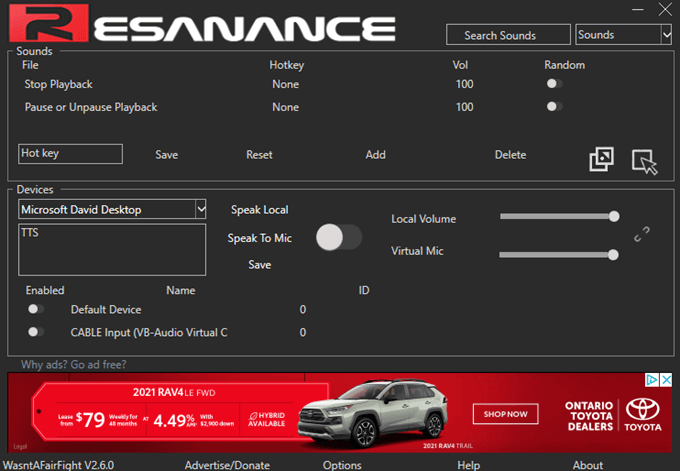
Every search result for the best soundboards for discord will have Resanance at the top of their list. 450,000 users can’t be wrong. Resanance is highly customizable to play sounds based on the hotkey we assign to them or buttons, stream music, pass through the mic, and do text to speech. There are separate device volume controls and sound searches too.
The makers claim Resanance will work with any app that accepts sound input, yet we only tested it with Discord. There’s also a lively official Resanance server on Discord for additional support.
2. Clownfish Voice Changer
OS: Windows, Chrome OS
Audio File Types: .wav, .mp3, .ogg
Price: Free
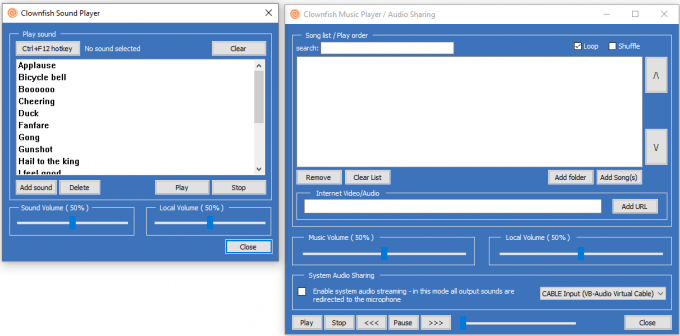
Although not primarily a soundboard, Clownfish Voice Changer has a plugin to add a soundboard. So we can sound like an alien or a robot while chirping at friends in Discord and throw in sound effects. Does it get any cooler? There’s push-to-talk and text-to-speech with several voices, and it’s possible to stream audio from other Internet sources like YouTube.
The app runs in the system tray, keeping the taskbar clean. Clownfish Voice Changer not only works in Discord, but in Steam, Skype, and most other apps with voice capabilities.
3. Podcast Soundboard
OS: Windows, MacOS, iOS
Audio File Types: .wav, .mp3
Price: Windows – $8, MacOS – $5, iOS – $3
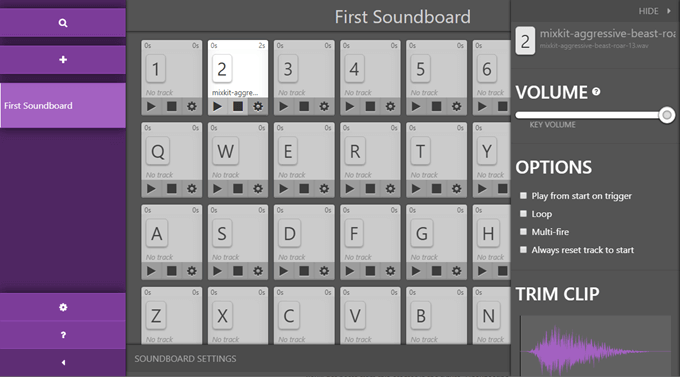
Although the pricing per operating system type seems odd, Podcast Soundboard hits the ease-of-use sweet spot while providing impressive functionality. There’s no learning curve to get Podcast Soundboard running or using its advanced features.
Features include color-coding buttons, per button sound adjustment, clip trimming, looping, multi-fire, adjustable fade out, and can be bound to MIDI sources.
The user interface is handy for monitors and small screens like phones and tablets, making it a great podcasting tool.
4. Mixere
OS: Windows
Audio File Types: .wav, ,mp3, .ogg, .flac, .aiff, .mod
Price: Free
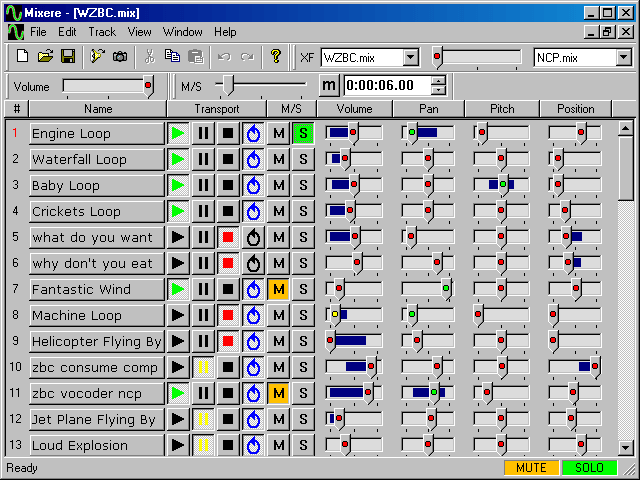
Easily the oldest recommendation on the list, Mixere deserves respect. Not because it’s 17 years old, which is like 80 in human years, but because it has the chops. It’s an audio mixer, and it’s got a steep learning curve. But once it’s dialed in, it will meet most needs.
Clips can be looped, modified with vibrato and tremolo. You can schedule clips to repeat at intervals as well. One feature that most soundboards don’t have is the ability to play several tracks simultaneously. So no matter which soundboard you choose, still give Mixere a shot.
5. EXP Soundboard
OS: Windows, Mac, Linux
Audio File Types: .wav, .mp3
Price: Free
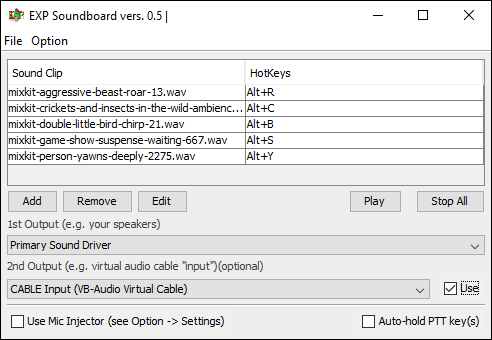
Maybe something like Resanance is a little too much. EXP Soundboard is a minimalist app that allows us to assign keys to sounds and allows the mic to pass through. You can save custom soundboards and reload them later, so you have multiple soundboards to work with.
EXP Soundboard does require at least Java 7 installed to run.
6. JN Soundboard
OS: Windows
Audio File Types: .wav, ,mp3, .wma, .m4a, .ac3
Price: Free
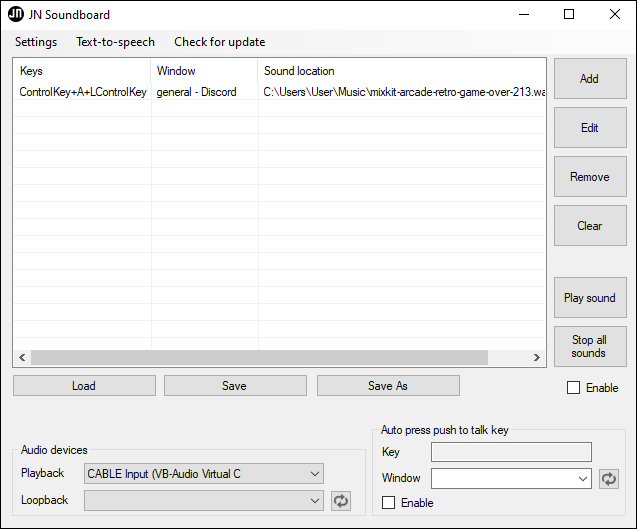
If you think JN Soundboard looks like EXP Soundboard, you’re not wrong. But JN Soundboard has more features like greater file type diversity, looping mic sounds, push-to-talk, and text-to-speech. Sounds can also be limited to playing in specific windows too.
The downside is that it’s only for Windows, where EXP Soundboard is for Mac and Linux too. That’s why EXP Soundboard ranks slightly higher for us.
7. Voicemod
OS: Windows
Audio File Types: .wav, .mp3
Price: Free trial, $35 lifetime license

With six voices changing daily in the free mode or 80 in the premium, Voicemod will add depth to roleplaying in Discord, or just plain fun to anything else. Each voice can be tweaked using reverb, intelligibility, and mixing. It does take Voicemod a while to load compared to other soundboards, though.
The trial version is limited in creating new buttons, but there are several premade soundboards like EDM, Santa, Prankster, and background noises to play over the voice changer. Of course, getting the premium version unlocks all the bells and whistles, literally.
8. Voxal Voice Changer
OS: Windows, Mac OS
Audio File Types: .voxal
Price: Free for home use, $30 for commercial license
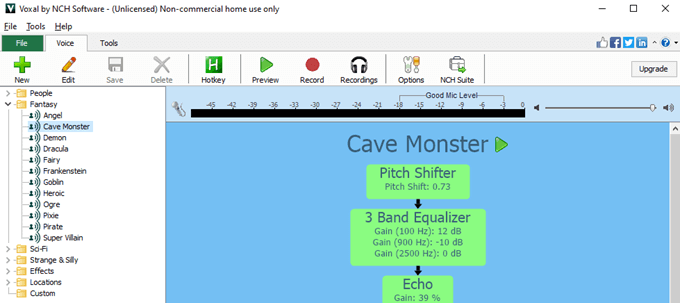
Yes, Voxal Voice Changer isn’t a soundboard in any way. But look at how many voices there are! You can tweak the voices infinitely and create new ones. With a little effort, you could save recordings of your voices to use in other soundboards.
Plus, it’s free for home use and runs on Windows and Mac. You can trigger the different voices with hotkeys, so that’s sort of like a soundboard.
Which Soundboard Is Your Favorite?
We know there are other soundboards available. However, these are the ones that we installed, tested, and enjoyed the most. Do you have a favorite from the list? Or another soundboard you’d like to recommend? Let us know.