

Facebook’s security is pretty solid. However, there are many loopholes people use to monitor the activities of others. Furthermore, you don’t have to have already friended these stalkers on Facebook in order for them to view your personal data.
We’ll show you the various tricks people use to stalk you, including identifying your relationship status, where you live, your interests, who your family members are, and more.
1. Scouring Through Your Profile Details
Not everyone has the best Facebook security set up. If you haven’t checked your Facebook settings or you’re even unsure what they are, you could definitely be at risk from stalkers.
You’ll know immediately what someone’s Facebook settings are if you start browsing their profile. On the About page, you may or may not be able to find out where they work, where they went to high school or college, what town they live in, and their relationship status (including the significant other’s name).
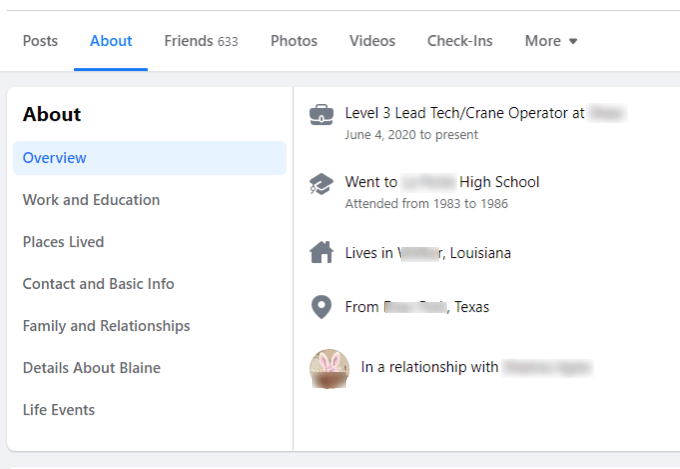
The other details in the About section also give away information you may not have realized.
- Work and Education: Reveals your job history and when you went to school
- Places Lived: Gives location details that people can use to identify you with background checks
- Contact and Basic Info: Address and phone number (most people are smart enough to not include or set this as private)
- Family and Relationships: Who you’re dating or married to and your family members
- Life Events: You may not think that the dates you attended school are important, but this information makes it easy to figure out your exact age.
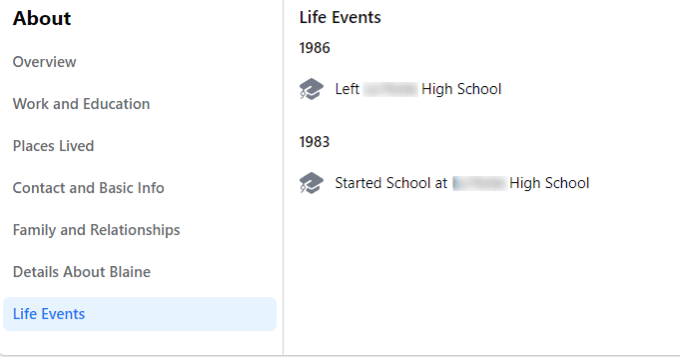
As you can see, even letting the public see any About details can be dangerous. Any information here can be data points that stalkers can use elsewhere to learn more about you.
Most people on Facebook set their photos, videos, and check-ins to private so stalkers usually can’t use this information for anything nefarious. If you haven’t set all this to private, do so now!
2. Checking What Photos and Posts You’ve Commented On
When you make a comment on a photo or post where the setting is set to public, anyone can see it. Many people don’t bother to check the little privacy icon when they post a comment, which opens up those comments to the entire world.

It’s very easy to see every public post or photo someone commented on or liked.
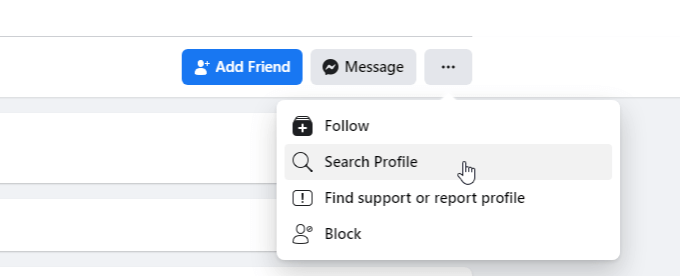
- On their main profile page, select the three dots to the right and select Search Profile from the dropdown menu.
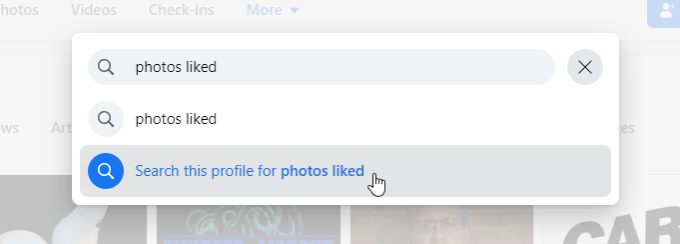
- On the search bar to the left, type “photos liked”, and then select Search this profile for photos liked.
- Press Enter and you’ll see all of the results, showing public photos this person has liked.
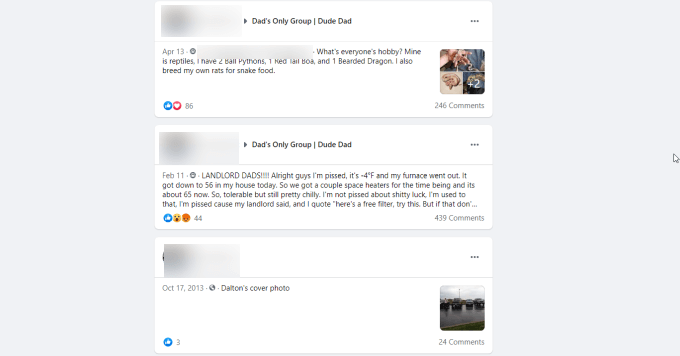
- The same approach works for posts they’ve liked by typing “posts liked” and selecting Search this profile for posts liked.
3. Your Phone Number Brings Up Your Facebook Profile
Did you know that if you’ve given your phone number to anyone at all, they can just go to Facebook and quickly find your profile?
It’s true, with one important caveat. If the person has made their contact information private on Facebook, then this trick won’t work.
Since most people set their contact info to private (or viewable only by friends), this tip doesn’t usually work for stalkers, but be sure to check your contact info privacy settings!
4. Looking Up Your Recent Photos
One of the areas where most people on Facebook keep the poorest security is their photo collection and photo albums where people set their privacy on these to public.
This means once a stalker knows your Facebook profile, they can see photos of your children, pets, your house and where you live, where you’ve traveled to, and much more. They just have to go to the profile page and select the Photos link.
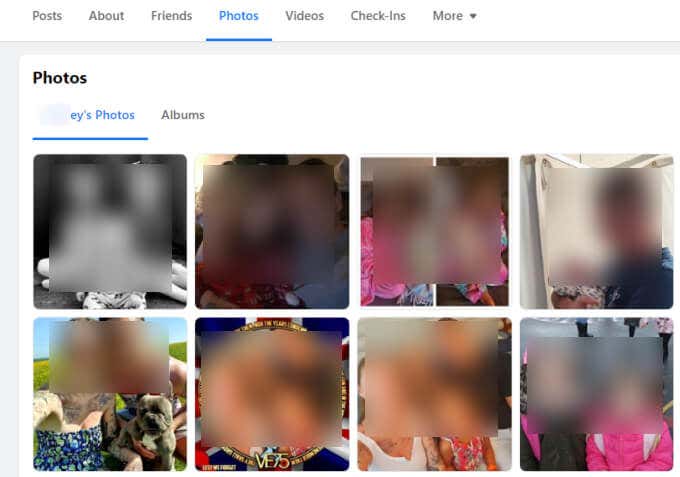
If there is any area of your Facebook profile that you should set to Friends Only privacy, this is absolutely one of them.
5. Anyone Can See the Pages You Like
Before liking politically sensitive or controversial pages on Facebook, keep in mind that if you’ve kept your “likes” privacy as public, anyone can see them.
That may not matter generally, but for anyone job hunting or otherwise in a situation where their personal beliefs or political interests could affect those prospects, it’s something to consider.
Seeing this is as simple as going on someone’s Facebook Profile and selecting the Likes link under More.
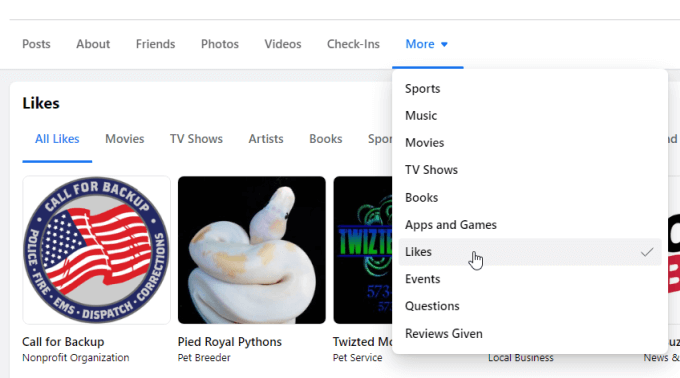
Anyone can view All Likes, or select categories like Movies, TV shows, Artists, and more. A stalker can build an entire personality profile about you just based on your Facebook Likes alone.
6. Beware Social Engineering
The last Facebook stalking trick to be very aware of is social engineering. If someone is very interested in getting closer to you, a common tactic is to “get inside” through one of your friends. They may join a group that one of your friends has joined, and then befriend them through conversations there.
Once they’ve become a friend with one or two of your friends, they may attempt to send you a friend request, hoping you’ll add them since your friends already have.
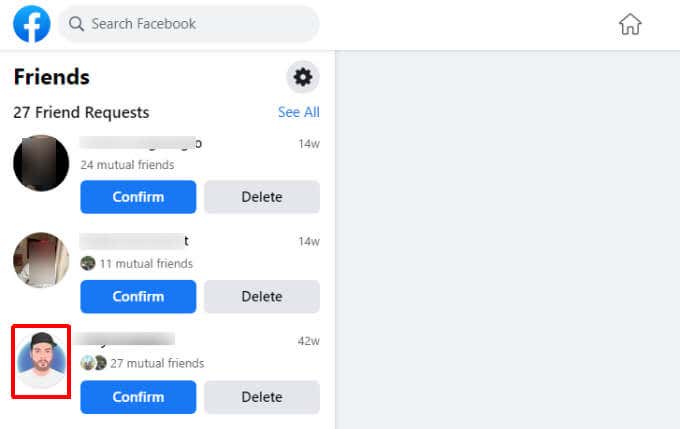
Some things to identify if a friend request is real or not includes:
- Fake photos (like cartoon portraits)
- Very few mutual friends (1-4 friends)
- A friend request from a friend you already have on your friend list
Any of these indicate either a stalker or a scammer trying to get access to your private Facebook details.