

Instagram is possibly the hottest social media platform for influencers and would-be influencers. It’s a visually-focused platform that attracts the coolest cats around. If that sounds like you, then you’re probably keenly interested in your follower count.
Unfortunately, Instagram doesn’t offer a way for you to check who has unfollowed you or even if you’ve been unfollowed. This is standard practice for social media platforms. For example, Twitter won’t tell you when followers leave or block you.
If you suspect that someone who was following you before no longer is, or want to know who unfollows you on Instagram in real time, here’s how to do it.
Manually See Who Unfollowed You on Instagram
While Instagram won’t notify you when someone unfollows you, it’s still possible to check whether someone is currently following you as long as you know their name.
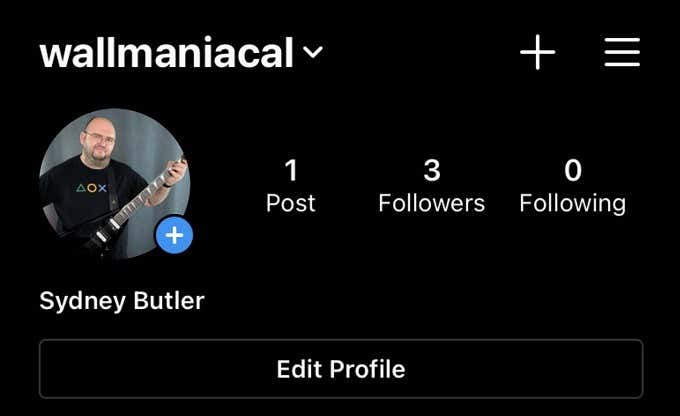
The first method is to simply go to the account page of the person you think has unfollowed you. On Twitter, you would see a piece of text telling you that the person follows you, but not on Instagram. Instead, you’ll have to select “Following” on that person’s page and look for your own name.
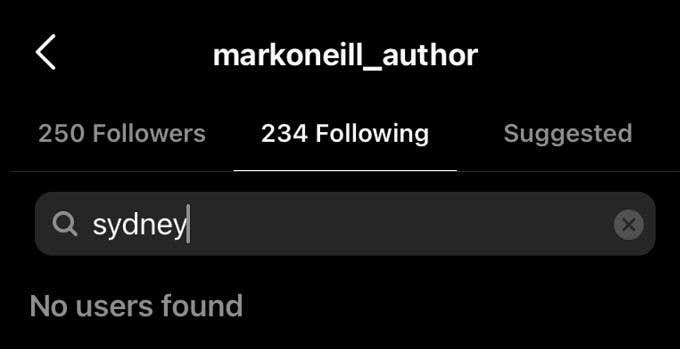
Your other option is to go to your own profile page and select your list of followers. Here you can search for people by name. If the person in question’s name doesn’t come up among your followers, that means they don’t follow you.
If you want a complete list of followers and unfollowers, the only way to do it is by using a third-party application. Before you jump in and sign up with one, however, you should know what you’re getting into.
Be Careful of Third-Party Apps
Almost every social media platform offers some sort of interface for third-party applications to help you manage your account. Most of the time this is perfectly fine. After all, it’s not in the interest of the third-party service to harm their customers.
However, giving a third party control over your Instagram account always has some level of risk involved. Read their policies carefully and think twice about the permissions you are required to hand over.
If you’re serious about your Instagram account and want to go professional, consider opting for a paid Instagram follower service.
Let’s take a look at a few of the most popular and highly-rated Instagram follower apps.
Followers and Unfollowers
Followers & Unfollowers has nearly 200,000 downloads on Android alone and a 4-star rating. Clearly, the developers are doing something that users like.
The feature set of Followers & Unfollowers is almost exactly what you want from this type of application. It gives you insights into your relationships with other users and lets you quickly use those insights to adjust your own following habits.
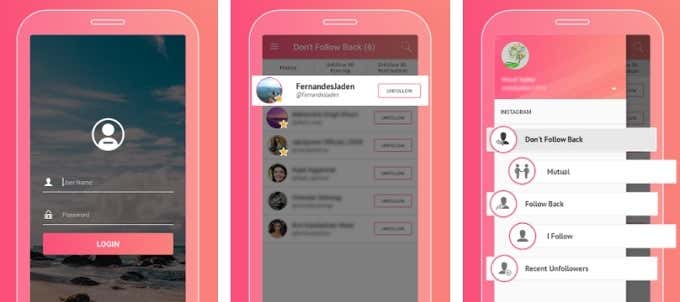
You can see at a glance who you’re following but who isn’t following you back. If you want to cultivate mutual relationships, you can unfollow those users in turn.
Another useful feature lets you see exactly who has unfollowed you recently. If you want to know who has unfollowed you by name, that’s the one to use.
Unfollowers 4 Instagram
Another popular application, Unfollowers 4 Instagram, continues the tradition of unimaginative names. However, in terms of doing it’s advertised job, thousands of users seem happy with the software.
The main feature of the application is to show you which of the users you follow aren’t following you back. However, it can also show you recent unfollowers. You can see a list of accounts that follow you, but you don’t follow back as well.
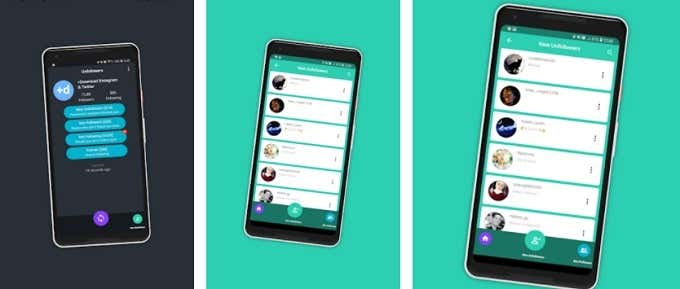
One of the coolest features is that the app supports two different Instagram accounts at the same time. You can also easily follow or unfollow anyone from within the app using the list, which makes follower management a doddle.
Follower Analyzer for Instagram
This app has a ton of users and is actively maintained by its developer. While it will show you who has unfollowed you or what your mutual following relationship is with various users, this app does a few more interesting things as well.
One really cool function will show you a list of people who either always or never like or comment on your post. That’s one way to find ghosts, bots and lurkers.
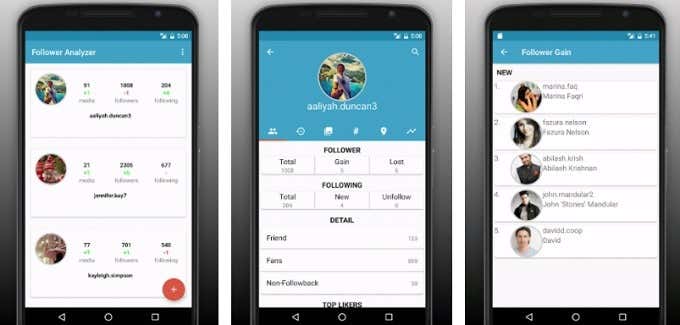
If you’re an Instagram Maven with many different accounts, you can also log in as multiple users at once. We also have to know that Follower Analyzer has one of the best designed interfaces for this class of app. Many of its competitors look a little cheap, even if they work just fine. Here it both works like a charm and is easy on the eyes.
Unfollowers for Instagram +
We were surprised to find that there are hardly any good Instagram unfollower tracking applications available for iOS. Yes, despite spending an afternoon looking for a good one, we only feel that Unfollowers for Instagram + is worth your time.
While not as good as some of the better apps on Android, this app is one that any iPhone or iPad user should consider. It looks a little old-fashioned, but it’s being actively maintained and the lite version of the app is free to use. If you find that it does work well for you, there’s an in-app purchase to unlock the fully-featured version of the software.
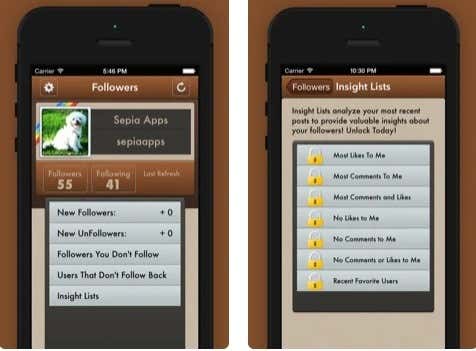
With this iOS app you can of course track people who have recently unfollowed you. You can also see new followers, see non-mutual users and generally get good insight into what your follower population is up to.
Paying the $4.99 a month removes all advertising, offers additional lists, shows you who has blocked you and lets you follow/unfollow directly from within the app. Yes, the free version of the app requires that you go to Instagram itself to actually follow or unfollow someone. Not a big deal if you have a small account, but big accounts will want to pay.
It’s Not a Big Deal
While it can feel like a personal insult when someone unfollows you on social media, it’s important not to jump to conclusions. There are many reasons why someone might unfollow you on Instagram and not all of them have anything to do with you personally.
Even if someone has unfollowed you because of something you’ve done, so what? Are you staying true to your brand? Are you getting a net increase in followers instead of losing them? Then the loss of followers in general is no big deal.
If you’re concerned about specific individuals no longer following you, well what can you really do with that information? If it’s someone important to you and the unfollowing is upsetting, the only real choice you have is to ask them about it or ignore it.
Each person has their own style of conduct on social media, so we’re not going to tell you what to do. If policing specific people who choose to unfollow you is valuable information to you, then that’s your choice. It’s just worth keeping some perspective, since social media has a tendency to make us take it more seriously than it deserves.