
Know the tune to a song, but don’t remember the lyrics? Normally, I hear a song on the radio or in a coffee shop and if I can’t figure out the artist, I just Google some of the lyrics while they are fresh in my mind. I had written a few months back about how to find the name or title of a song by lyrics, but that’s only useful if you know the lyrics.
Also, there are lots of songs without any lyrics, so in those cases you definitely have to identify the song by tune or by sound. Luckily, there are a ton of ways to identify songs easily with online tools, desktop apps and smartphone apps. In this article, I’ll list out the different methods for you can utilize to tag a song.
Identify Songs Online
If you’re sitting with your computer, then the easiest way to identify a song would be to use many of the free online services. Over the years, they have become fairly advanced and even allow you to just hum the tune of songs to identify them.
Midomi
Midomi will let you sing or hum a tune to identify a song, so if you like singing to yourself all the time, this will be perfect for you. I’m a terrible singer, so the service had a pretty hard time identifying half of the songs I tried to sing. My wife passed by and sang three songs and Midomi identified all three. So it looks like your singing ability will affect your results.
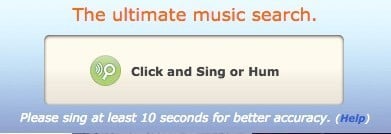
Thankfully, humming a few tunes proved to deliver better results for me so if your singing isn’t working, try humming. The accuracy isn’t all that great, so keep reading if you aren’t able to identify your song with Midomi.
AudioTag
Midomi is the only online tool that I could find that lets you sing or hum to identify songs. Everything else is either a smartphone app or desktop software. The other interesting site I found was AudioTag.
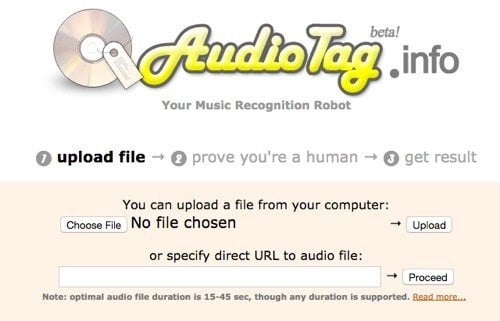
Here you can basically upload a sound bite from the song and it will try to compare the song to it’s online database. If you hear a song and are able to record a portion of it using your phone, then you can try your luck by uploading that to AudioTag. It can also prove useful if you have MP3 files with no identifiable artist or song information and need to tag them properly.
In addition to these automatic tagging sites, there are a couple of human powered sites to help you identify music. Basically, you upload your singing or humming or music portion and people on the Internet will try to help you identify it.
NameMyTune
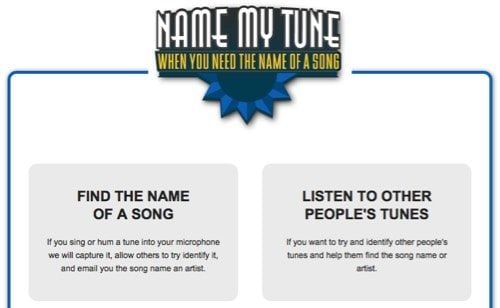
NameMyTune is a very simple site with only two options: record yourself or listen to other people’s recording to help identify their tune. Just click on Find the name of a song and allow access to your microphone. Press the record button and start singing! Choose the genre of the music and about how old it is and then type in your email address. Now you just have to wait and hopefully someone will be able to figure it out for you.
WatZatSong
WatZatSong has a terrible name, but does the same thing as NameMyTune. I like NameMyTune more because it doesn’t require you to sign up like WatZatSong does. Once you do, just record your audio sample and sit back and relax while someone else identify the crazy music you listen to!
Identify Songs using Smartphone Apps
Your options are greatly expanded if you can use your smartphone to identify songs. You’ve probably heard of several apps before because of their popularity.
Shazam
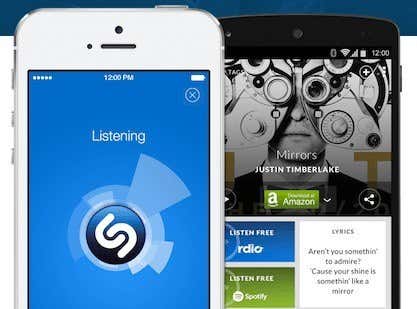
Shazam is the one of the most popular tools for identifying music and other types of media. The app has gotten more and more features over the years and for avid music listeners, this app is great. One of the best features is the automatic background listening option it lets you enable that will continuously identify music, movies and TV shows without having to open the app.
It does a good job of not killing your battery and it really works. If you never want to miss a song that you hear while going about your day, then Shazam is pretty awesome. It also has a bunch of other features like real-time lyrics and the ability to watch music videos for the songs from YouTube.
SoundHound
SoundHound is another app for all smartphone platforms that is pretty similar to Shazam, but also has the additional option of listening to you sing a song or hum.
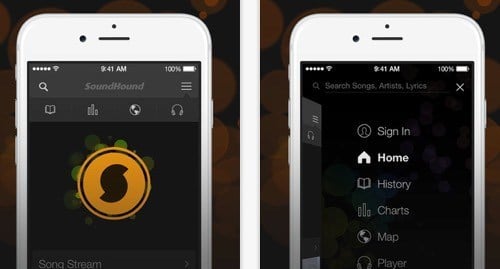
I haven’t been able to find any other smartphone app that can listen to you sing or hum, so this is your only choice if you want to go about doing it that way. SoundHound also has live lyrics and the other normal social music features.
Identify Songs with Desktop Software
There are a couple of options when it comes to desktop software, but not a whole lot. Also, unless you don’t own a smartphone and don’t use the Internet much, desktop software is probably your last choice.
Audiggle
Audiggle is a simple little desktop app that will listen to a song from your microphone and try to identity it. When you first run it, it’ll ask you to choose a recording input and then you’ll have to login. You can register directly from the program interface and then login.
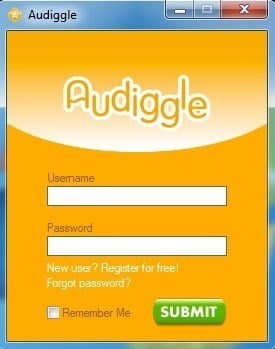
One you login, you can start using the program to identify songs. Overall, it did a decent job of identifying songs, but nothing to write home about. It would be nice if they just had a web version of the software, which the site says they are working on, but that may never happen.
Tunatic
Tunatic is another free program, but it’s really old. According to the website, it still states that it’s been designed for Windows 2000 and Windows XP! Yikes! Sadly, there really are no other desktop apps for identifying music. Like I mentioned before, it’s all most online or in a smartphone app.
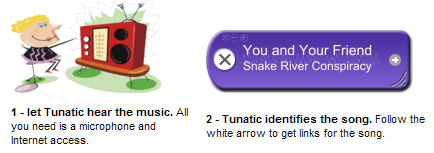
Once you install it, a small little window appears that seems to floats on the desktop. Just start playing your song and then click the little search icon button to identify the song. The software does take a bit of time, but seems to work. That’s not to say the results were very good. I tried to identify some newer songs and Tunatic came back with some crazy results I had never heard of. I think it’s so old that it probably only works for songs before the year 2002.
So as you can see, the best options you have are from the smartphone apps. They seem to be the most reliable and most up-to-date in terms of song databases. Some of the websites aren’t too bad either, but I had a lot more luck with the phone apps. If you use something else to identify music, let us know in the comments. Enjoy!