

Want to make a video recording of yourself online? For some odd reason, a lot of people still record simple videos using camcorders, transfer them to their computer and then upload them to the Internet. That’s totally understandable if you are filming a project, film, etc and you’re using an HD cam for that, but if you just need to record yourself speaking about something, that’s a bit overkill for most people.
You can always use your smartphone to record a video and upload it, but a webcam may be preferable due to better resolution, lighting, upload speed, etc. Luckily, there’s a really simple way you can record yourself online using your own webcam and share it with the world. I’m going to assume that most people use YouTube for uploading videos, but will try to list out some alternatives for those of you that don’t.
YouTube Webcam Capture
The easiest way to record a video of yourself online is to use the YouTube webcam capture feature. Simply go to the YouTube upload page and you’ll see a bunch of options for getting videos into YouTube.
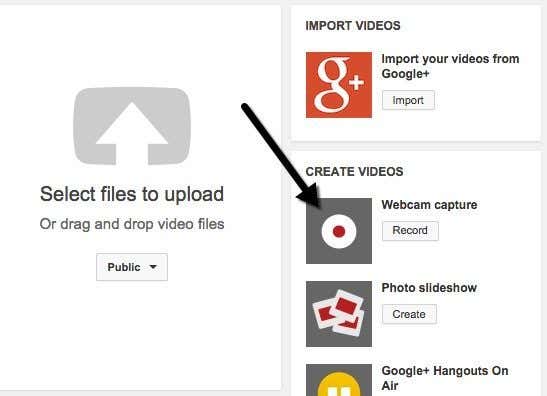
Click on the Record button below Webcam capture and you’ll be brought to another page where you can click the Start recording button to begin recording your video selfie.
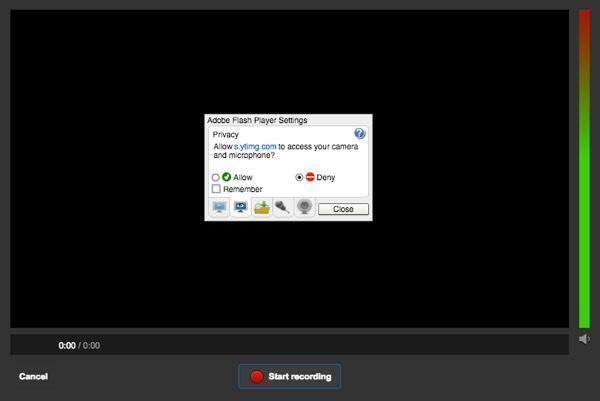
When you click that button, a popup will appear asking if you would like YouTube to have access to your camera and microphone. Click the Allow radio button and check the Remember box. Depending on your OS and browser, you may get another popup message from the browser itself that asks you whether you want to allow or deny access to your camera. In Chrome for me, it showed up at the very top of the website. Once I clicked that, it started the recording.
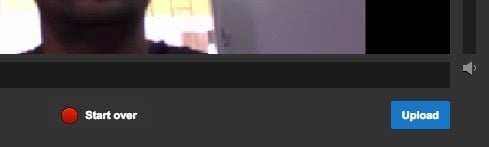
When you are done, click the Stop recording button. Now you’ll have the option to either start over or to upload the video to YouTube. That’s about it for recording videos using your webcam and uploading them to YouTube.
In terms of fun factor, YouTube doesn’t give you a lot of options when recording a video. If you want to add some special effects to your videos without the hassle of video editing, etc, then check out another site called Fotofriend.
Fotofriend Video Effects
I enjoyed using Fotofriend because it has a lot of cool video effects that you can use in real time when recording your video. First, allow access to your webcam and microphone and then you’ll automatically see a grid of four effects that you can choose from. You can also click on the left and right arrows to see more effects. All in all, they have about 56 different video effects.
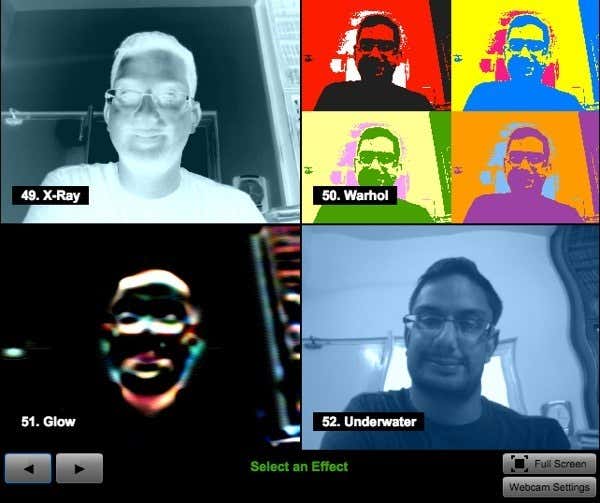
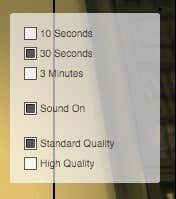
Once you select an effect, it will load the screen with that effect and a couple of options. For some odd reason, you can only choose a recording length of 10 seconds, 30 seconds or 3 minutes. Where they came up with those values, I have no idea. You can also switch it to high quality if your webcam has HD resolution.
Once you finish the recording, you can play it back or click the New Video button to discard the current video and record again. If you like the video, just click the Save Video button and you can download it directly to your hard drive as an FLV file. You can then upload that FLV file to YouTube without any need to convert or alter the file.
There are a couple of other sites you can use to record video online, but for 99% of people, these two options will be just fine. I really couldn’t find any other site that had good video effects like Fotofriend, so if you know of one, please post it in the comments. Enjoy!