
Here’s a simple tip that I just figured out myself the other day: hide your online status on Facebook! Why is this useful? Well, now that Facebook has built chat into the online interface (kind of like Google Hangouts running inside Gmail), your friends can start chatting with you any time you log into Facebook.
Personally, I never wanted to use Facebook.com as an instant messaging program and instead use Facebook Messenger for that purpose. Thankfully, Facebook has made it very easy to change your online status so that people cannot see you are online. Actually, they’ve added a couple of options in the last year or so that let you control it more granularly.

Turn Off Facebook Chat
The easiest way to not be disturbed by anybody is to simply go offline by turning off chat completely.
Obviously, if you go offline completely, no one will be able to see you are online, but you will also not be able to see which of your friends are online. It’s not like the Invisible feature in Yahoo Messenger. Check out my previous post on how to detect if someone is invisible in Yahoo.
Here’s how to quickly go offline and hide your online status:
Step 1: Log into your Facebook account
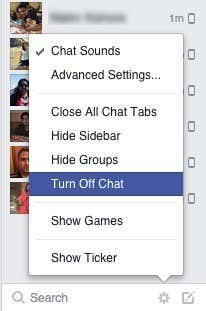
Step 2: Click on the gear icon at the bottom right of the browser screen and you’ll get a list of some options. One of the options is to Turn Off Chat.
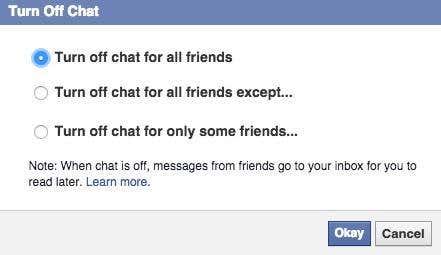
When you click on that option, you’ll get another popup with three options. Previously, you didn’t have another option and Facebook would simply turn off chat for all friends. Now you can selectively pick who you want to hide from, which is great.
You can choose from Turn off chat for all friends except or Turn off chat for only some friends. When you turn off chat for everyone or a group of people, they can still message you, but the messages will go to your Inbox and not show up in the chat area or in Facebook Messenger.
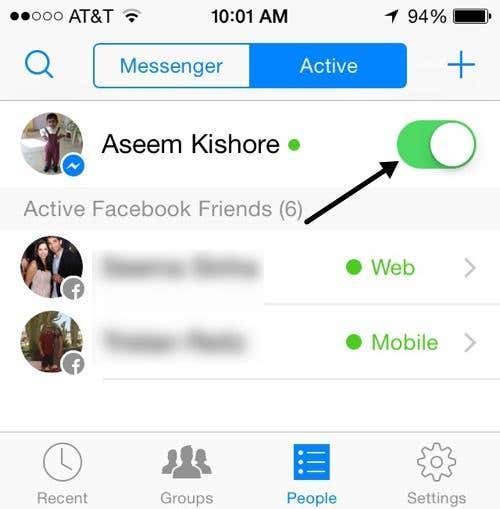
Note that you can also turn off chat in Facebook Messenger, but the app only lets you turn it off completely. Currently, there is no option to choose who you want to hide from.
I’ve written several other beginner articles about Facebook including how to upload and tag pictures in Facebook and how to update Facebook from your mobile phone. Enjoy!