
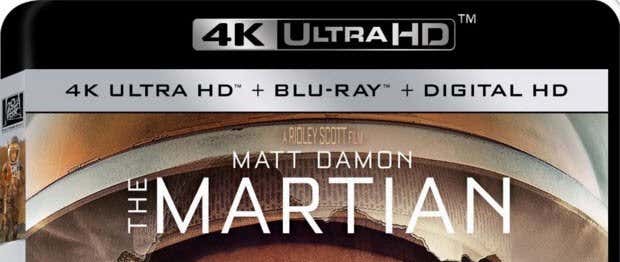
Even though most people still have CD and DVD burner drives in their computers, you’ve probably bought a movie that is in Blu-ray format. Due to the cost, you’ll only see Blu-ray drives installed on custom PCs or on higher-end machines from companies like Dell or HP.
If you like watching movies on your computer and you have a high-end monitor, then it might be worth the extra cost. However, most people spend money on more expensive HDTVs and therefore most Blu-ray discs you’ll buy today are for movies. Most Blu-ray players are stand-alone devices or they are bundled with gaming consoles.
If you want to start using Blu-ray discs to store large amounts of data physically, then your best option is to simply buy an external Blu-ray burner online. You can get a decent Blu-ray burner that can write at 14X speed for around $50 on Amazon. These cheaper ones will let you burn 25 GB and 50 GB discs. If you spend a little more (around $110), you can get an external Blu-ray burner that supports BD-XL discs, which go up to a whopping 128 GBs.
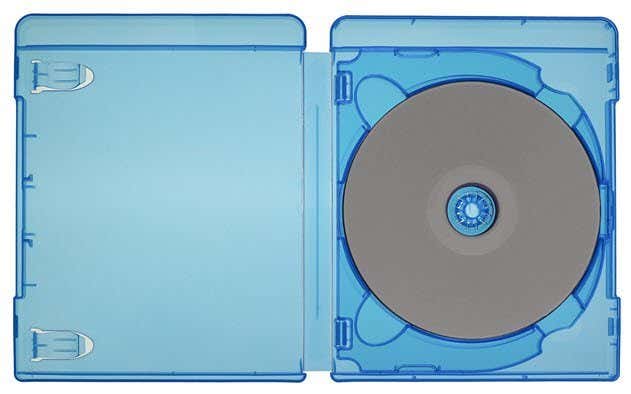
In this article, I’ll talk about the different Blu-ray formats and some of their technical specs. Blu-ray discs are a great way to quickly and cheaply backup large amounts of data that would otherwise require a really large cloud storage plan or large external hard drive.
After I bought an HD camcorder back in 2010, I suddenly had hundreds of gigabytes of data sitting on my computer. The first solution was to copy all that data to a 2 TB external hard drive. That worked great and I still do that, but one of my external hard drives failed and I lost a lot of video. Storing all that data in the cloud was too expensive and slow, so I started burning Blu-ray discs.
The great thing about discs is that they won’t fail on you if you take care of them. As long as they don’t get crushed, my data will be safely stored on those discs for a very long time. It’s just another way to keep your data backed up in case of hard drive crashes, which still happen more often than you would think.
Another great reason to buy them is for watching your movie collection on your HDTV. If you have a Xbox One or PS4 console, you can burn your movies onto a Blu-ray disc and play them directly. This is actually a lot easier than trying to stream your content from your computer or NAS to your HDTV, which requires a gigabit connection between all your devices.
BD-R, BD-RE and BD DL
When Blu-ray first came out, there were really only two types of discs: write and rewriteable. BD-R discs are write-only and BD-RE are rewriteable. The standard size for these discs are 25 GB and they only have one layer. These cost about $1 per disc.
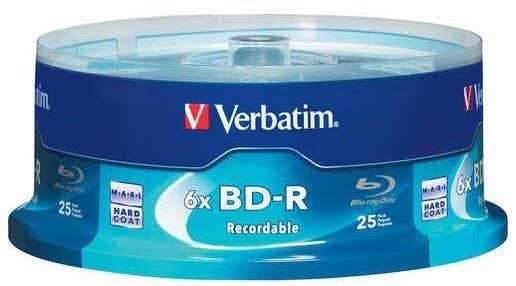
After a while, the dual layer Blu-ray discs started to appear. Just like dual layer DVDs, these Blu-ray discs could hold double the amount of data as regular discs or 50 GB in this case. These discs are significantly more expensive at more than $2 per disc.
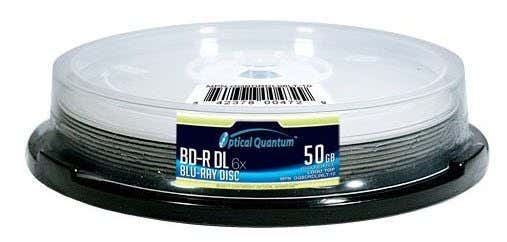
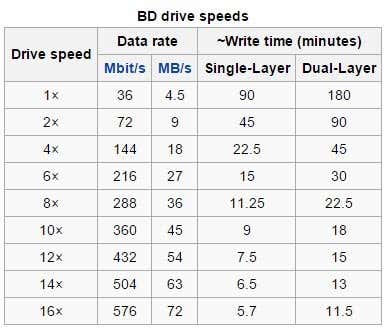
A BD-RE DL (50GB and rewriteable) disc is even more expensive coming in at around $3 per disc. So how long does it take to burn one of these Blu-ray discs? Well, it all depends on the speed of your burner and the size of the disc. Here is a chart from Wikipedia:
BD-XL TL, BD-XL QL, and BD-XL DS TL
Now let’s get to the newer stuff where the really big sizes start to come in. In 2010, BD-XL discs were announced and they come in two flavors: triple layer (TL) and quadruple layer (QL). A BD-XL TL disc can hold up to 100 GB of data and a BD-XL QL disc maxes out at 128 GB.
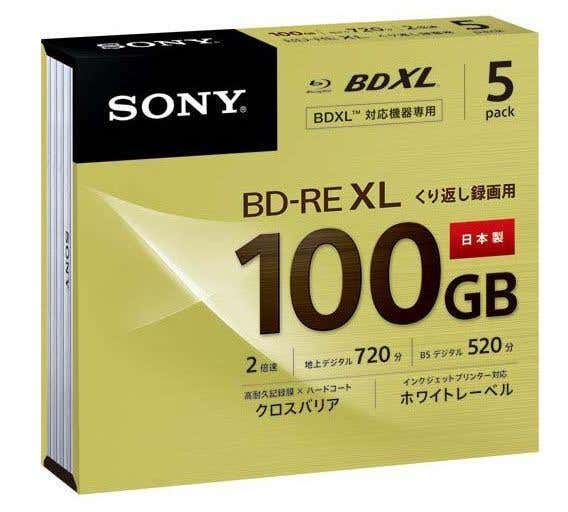
Along with the bigger size comes a bigger price! The BD-XL TL discs start around $10 per disc. It doesn’t seem like the QL discs ever gained any traction because I can’t even find a place that sells them. Seems like the 100 GB discs are the most popular when talking about BD-XL.
BD-XL DS (double-sided) TL is another specification that has been approved by the Blu-ray Disc Association, which will support up to 200 GB, but it will only be cost-effective for commercial uses like data centers, cloud computing, etc.
For consumers, the most you can get with Blu-ray is a BD-XL burner and a BD-XL TL disc, which can store up to 100 GB. That’s still a lot of data on one disc!
Ultra HD 4K BD-ROM
Lastly, the Blu-ray Disc Association announced at the end of 2015 that new 4K Blu-ray disc format will support Ultra HD 4K video up to 60 frames per second. If you haven’t heard about UHD yet, Google it.
Basically, 4K TVs are selling like crazy nowadays, but you might have come across a few that are saying to hold off until 4K UDH sets become available. That’s because these new 4K TVs will support high dynamic range, which allows them to show more colors, more details, and better highlights.
Unfortunately, these high dynamic range 4K sets aren’t coming until 2016 and will most likely be way more expensive than your $700 Vizio 4K set. However, according to the people who have seen it, 4K with high dynamic range makes a significant difference over 1080p, whereas a lot of people say that it’s hard to see the difference between a current 4K set and 1080p, especially on TVs less than 65 inches in size.
Of course, you’ll have to blow up a lot of money. In order to enjoy this awesome resolution, you’ll need a 4K TV with high dynamic range, a native 4K Blu-ray player coming in 2016 and the new 4K UDH Blu-ray discs, arriving on March 1st, 2016.
There are currently 4K Blu-ray players on the market, but they are not native 4K, meaning that they simply take a 1080p signal and upscale it to 4K. A native 4K player will set you back at least $400 to $600 in 2016, but will offer true 4K resolution (as long as you buy the new 4K Blu-ray UHD discs too).
Hopefully, this gives you a little more background into Blu-ray technology and where it is going. For most people, it’ll apply to their movies and TV sets, but also for those who own Blu-ray disc drives on their computers. If you have any questions, feel free to comment. Enjoy!