

Snapchat is a multimedia messaging app that has received less-than-deserved attention compared to Instagram. It’s got a ton of features like entertaining Cameos, the option to create your own Snapchat stickers, or the Snapchat Spotlight feature. This feature lets you add short videos just like TikTok. But if you’re wondering, “What is Snapchat Spotlight, and how do I use it?” we’ve got you covered.
What Is Snapchat Spotlight?
Snapchat Spotlight is similar to social media platforms like Instagram Reels, YouTube Shorts, and TikTok videos. But they’re not exactly the same.
Snapchat Spotlight allows users to submit 60-second videos.
Snapchat relies on its algorithm which looks at four indicators to decide how entertaining your Spotlight video is as well as the number of unique views, total view time, number of times the video was shared, and number of screenshots taken. These factors decide how frequently Snapchat will show your video to viewers.
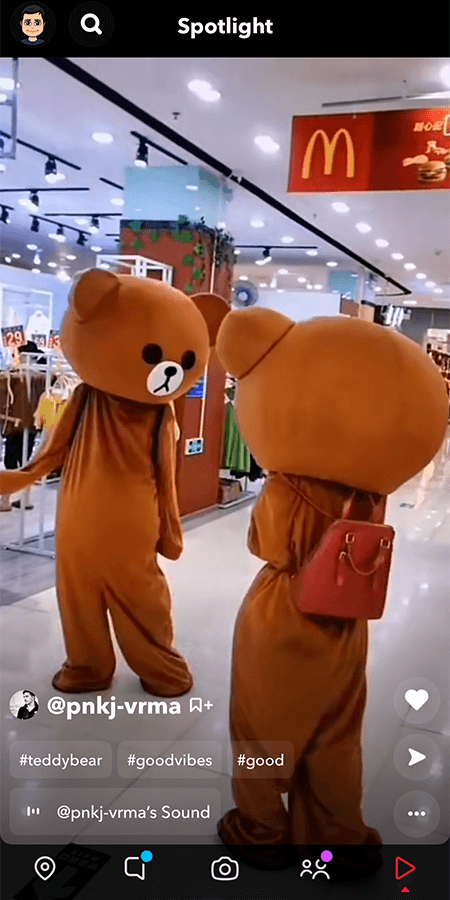
However, Snapchat Spotlight doesn’t have a comments section. Also, if you’re under 18 or if you don’t have a public profile, your name won’t appear on the Spotlight video.
How to Submit a Snapchat Spotlight Video
Every Snapchat user can submit a Snapchat Spotlight video. However, there are a few community guidelines that you need to follow. The videos need to be appropriate for everyone above the age of 13, must have portrait orientation and audio, and a minimum aspect ratio of 3:4.
However, even if you follow all guidelines, it doesn’t guarantee that your Spotlight submissions will be accepted. There’s no hack for getting Spotlight snaps accepted. Just focus on creating top-notch videos and keep Snapchat’s submission terms in mind.
Once you know these specifics, you’re ready to submit your first Snapchat Spotlight video.
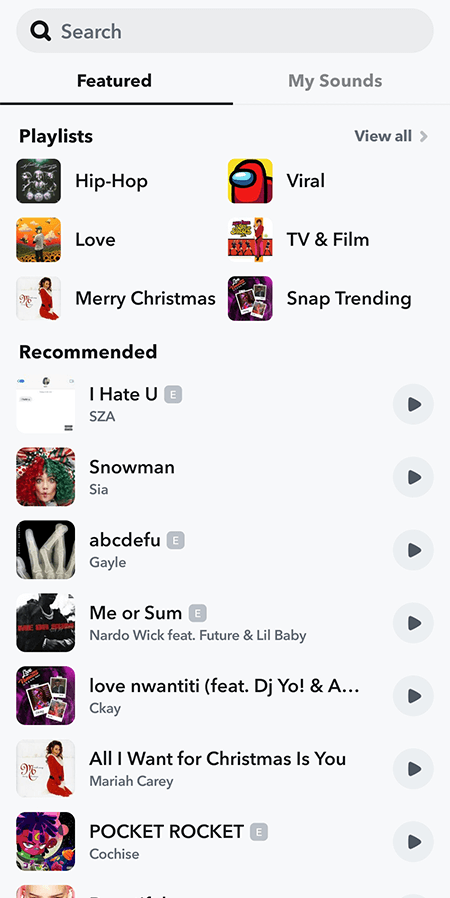
- Launch the Snapchat app and start recording the video. Remember that Spotlight videos can be a maximum of 60 seconds long.
- Add filters and audio to your video.
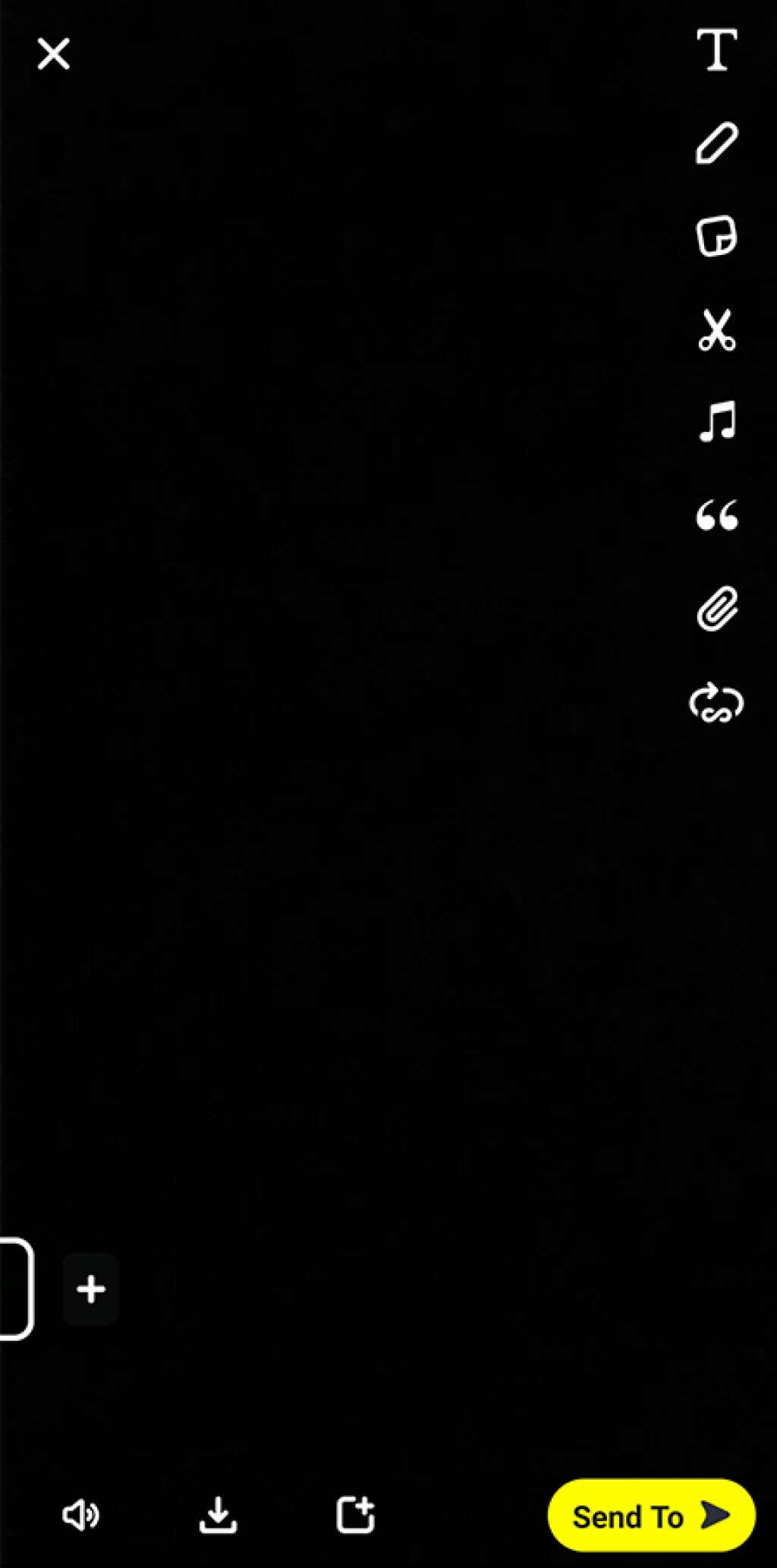
- Once you’ve finished the edits and added everything and are ready to submit, select Send To at the bottom right of the screen.
- On the next screen, select Spotlight.
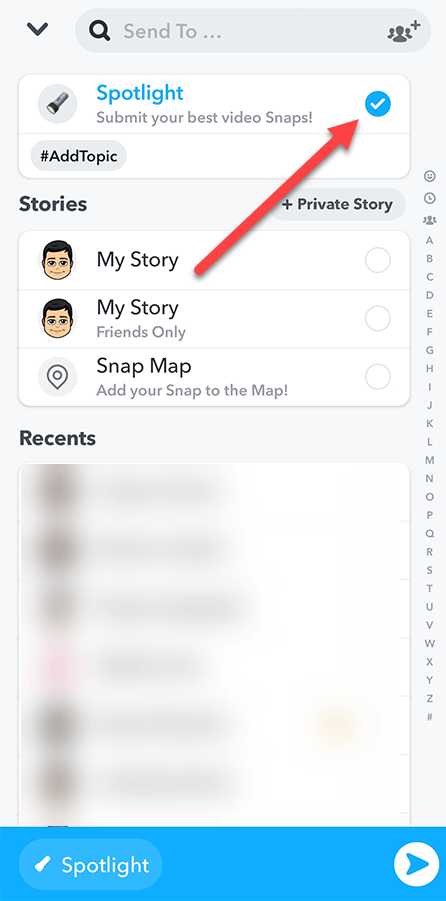
- Select the #AddTopic button and add hashtags related to the video you’ve created. This will help Snapchat show your video to relevant viewers.
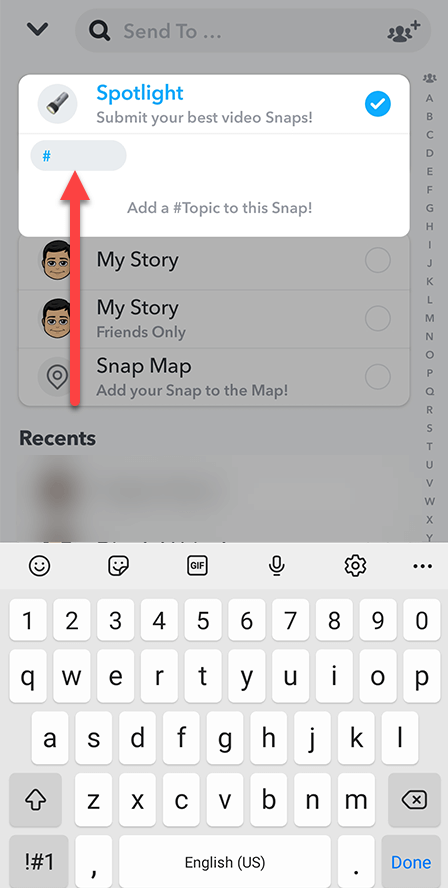
- When done, select the arrow at the bottom right.
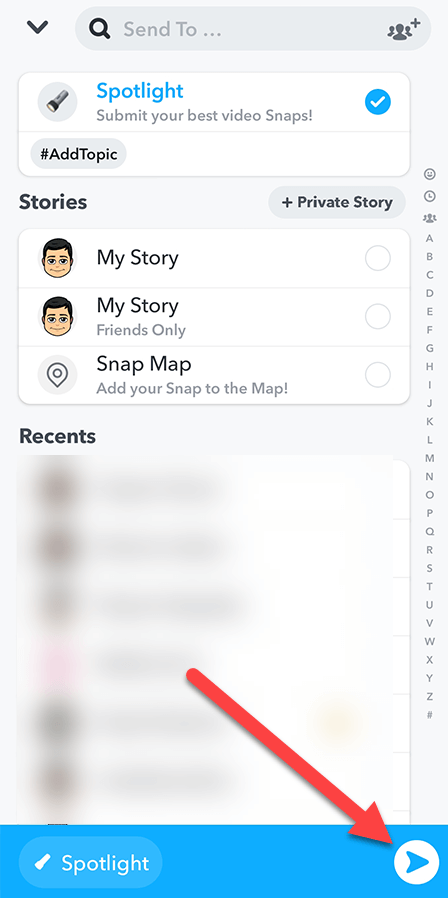
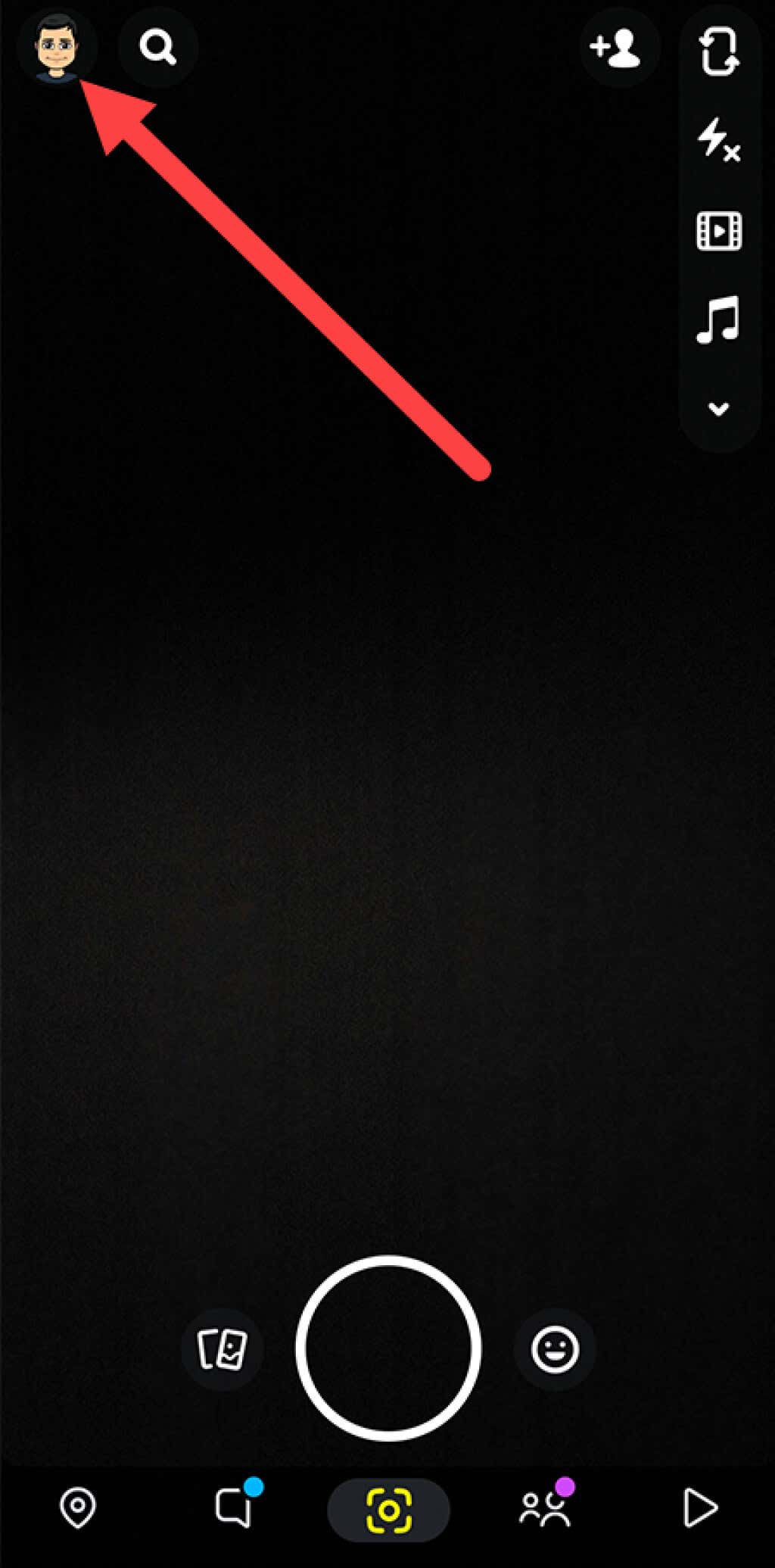
You’ve now submitted the Snapchat Spotlight video. To check its status, select your avatar from the top-left of the Snapchat camera screen and open the video from the Spotlight & Snap Map section. Once it’s accepted, you’ll see its status as Live.
How to Save or Delete a Submitted Spotlight Video
If you didn’t save your Snapchat video after recording it, you’ll need to download it after submission if you want to access it from your device storage. Or, you may want to delete a Spotlight video. You can do both these things from the Spotlight & Snap Map section.
- Click on your avatar from the top-right corner of the Snapchat camera screen.
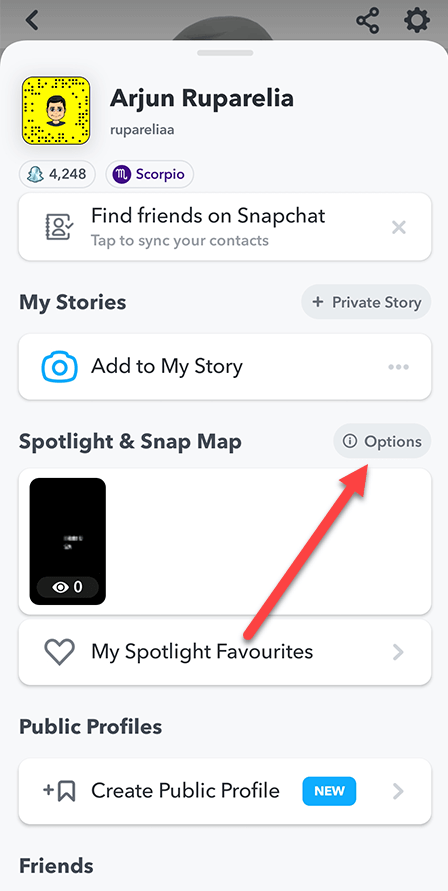
- Select Options in the Spotlight & Snap Map section.
- Select View all Snaps.
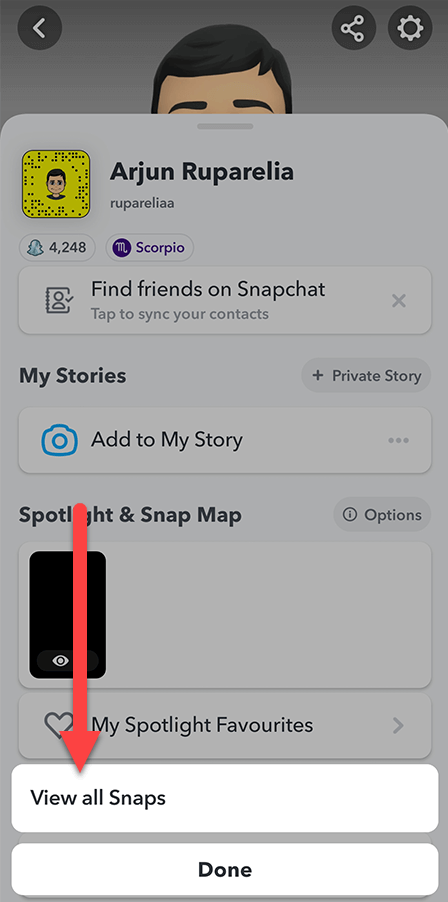
- Press-hold the snap you want to save or delete.
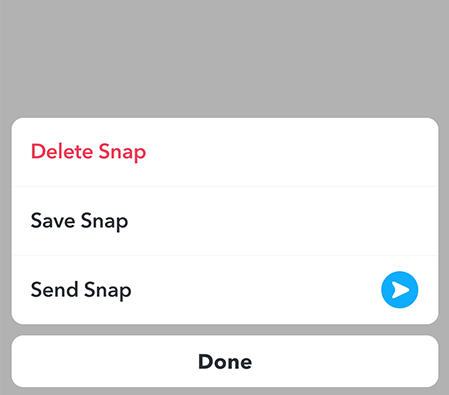
- Select either Save Snap or Delete Snap.
How to Increase the Chances of Getting Spotlight Videos Accepted
There are no workarounds to getting a Snapchat Spotlight video accepted, but as long as you follow the Spotlight guidelines and create good quality content, moderators will accept your videos.
When you follow the guidelines and best practices, you’ll stack the odds in your favor. So, when you create Spotlight videos, be mindful of the following.
- Your videos should be between 3 and 60 seconds long.
- Create videos with a minimum aspect ratio of 3:4, though 16:9 is ideal, and with a minimum horizontal resolution of 640 pixels.
- Your videos should be suitable for everyone above the age of 13+, which means you can’t post anything obscene.
- Don’t submit promotional videos.
- Ideally, use the Snapchat camera to record your Spotlight video. However, you can also select a video saved on your device as well.
- Always add a few hashtags so Spotlight has enough context about the relevant viewers who want to see your Spotlight videos. Make sure that you put some thought into it, and try to use hashtags that are already trending when possible.
- Don’t create generic content. Make sure the videos are unique and entertaining. Sprinkle some audio and filters in there to make them more engaging. If you want to make things interesting, you can even create your own Snapchat filters.
- Don’t post too many Spotlights at once. Snapchat may limit the number of videos you can submit over a certain period of time from your Snapchat account.

How to Win at Snapchat Spotlight
Now that you know how to create and submit Spotlight snaps, let’s talk about how you can build a Snapchat community that will want to keep coming back to you for more engaging and original content.
- Niche down
This is the first thing you need to figure out so you can channelize your efforts in one direction from day one.
Think about this for a second. How would it look if Pewdiepie posted a video about skin care tomorrow? Odd, right? This is why you need to build a community of Snapchatters that are interested in one thing: could be DIYs, gaming, or just plain comedy.
Once you have a niche, stick to it. Snapchat can be a great creator marketplace as long as you get the basics right.
- Consistency is key
Keep your viewers engaged by posting content consistently. If you’ve been following any content creators or influencers for a while, you might have noticed how they consistently create relevant and original content.
Of course, this doesn’t mean you can just post anything that tickles your fancy. You need to strategize your content such that it’s contextually relevant to your audience and posted at regular intervals. You may even choose to batch create content if you’re expecting busy days ahead.
- Promote proactively
If you also have a sizable following on Instagram, Twitter, or Facebook, or other social media platforms, you can share your Snapchat profile there as well. This allows you to bring people who love short-form video content into your audience.
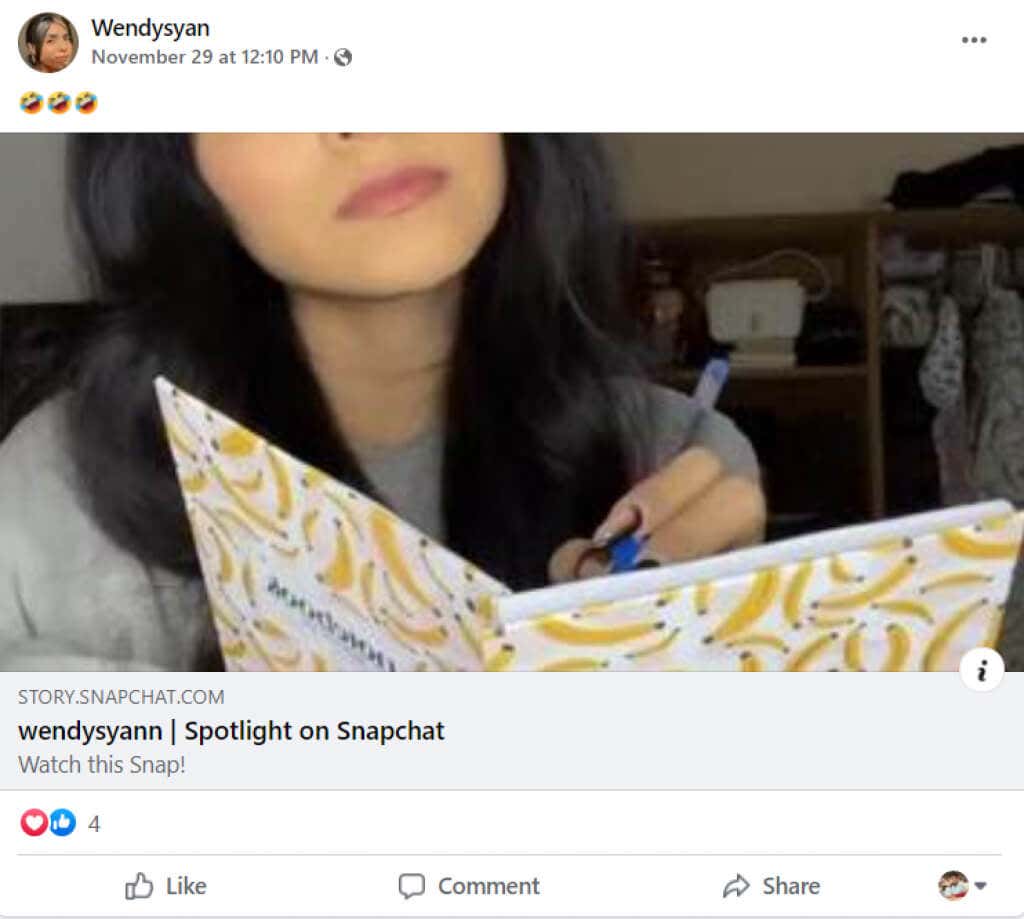
Users can click on your CTA like a profile link and engage with you on Snapchat as well. Remember that this also means more views, shares, and screenshots—the recipe you need for viral videos on Snapchat.
Ready to Create Your First Snapchat Spotlight Video?
Even though less popular than Instagram Reels, Snapchat Spotlight offers a good platform for creators to grow. The low saturation facilitates a quick growth spurt, and creators can also branch out to other platforms over time.
Plus, if Snapchat does reintroduce some incentives, it will make Snapchat a lucrative platform for creators. Now that you know how to create and submit Snapchat Spotlight videos, you can confidently start using the feature.