

In this post, we’ll highlight how Snapchat’s Snap score works.
You’ll also learn how to check your Snapchat Snap score, increase the score, check your friend’s Snap Score, and troubleshoot Snap Score-related issues.
What Is a Snapchat Snap Score?
Snapchat score (otherwise called Snap Score) describes points accrued based on the frequency of interactions with other users on the messaging & social networking app.
How Is a Snap Score Calculated?
Snapchat’s algorithm for calculating Snap Scores is secret, but there are several known factors that can increase your Snap Score. Every time you send or receive a Snap or use any of Snapchat’s features, like posting a story or sending a message, your Snap Score will increase.
Snapchat also takes into account the quality of Snaps and your engagement with other users. This means actually responding to Snaps (not just viewing them), will further increase your score.
How to Increase Your Snapchat Snap Score

Here are some pointers to help increase your Snapchat score:
1. Keep Snap Streaks Going: The more Snaps (i.e., pictures and videos) you send and receive from friends, the faster your Snapchat score increases. So, keeping up Snapchat streaks with all your friends will rapidly increase your Snap Score.
2. Share and View Stories Regularly: Stories (including private Snapchat Stories) you share and view also influence your Snapcore. So post more stories and view your friends’ Stories.
3. Watch More Discover Videos: Viewing random videos from creators, publishers, and community members in the Discover section can also contribute immensely to your Snapchat score.
4. Use Snapchat Often: The frequency you use the Snapchat app itself will contribute toward increasing your Snap Score.
5. Send Snaps to Multiple Friends: Every friend you send a snap to will earn you one point for every friend that opens it. So send snaps to multiple friends at once to multiply your score rapidly.
6. Snap With Popular Users: If your friend has a high Snap Score, your score will increase more quickly when you exchange snaps with them.
The more you interact with other Snapchat users, the faster your Snap Score increases. Note that exchanging direct messages has no direct influence on your Snapchat score.
These are the core elements that count towards the growth of your Snap Score.
Note: Your Snapchat snap score may stagnate if you fail to interact regularly and may not increase when you resume those activities. To get your Snapchat snap score growing again: log out of Snapchat and reconnect your account to the app. However, make sure snaps in your Memories are completely backed up. Otherwise, you may lose important pictures and videos.
How to Check Your Snapchat Snap Score
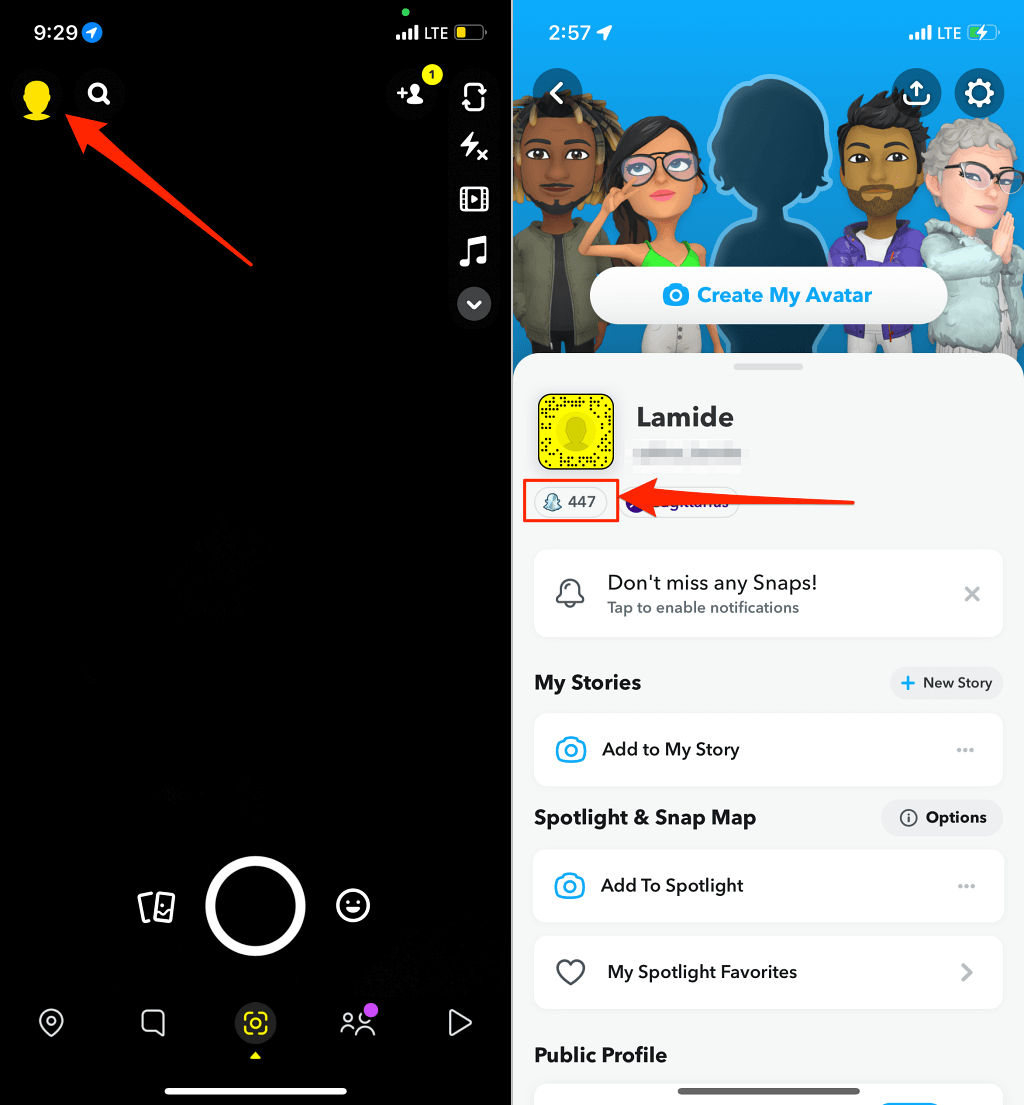
Your Snap Score is right on your Snapchat profile page. You can check your Snap Score anytime you want, and so can your mutual friends. Here’s how to check your Snap Score in the Snapchat app on Android or iPhone.
- Open Snapchat and tap the profile icon or Bitmoji in the top-left corner.
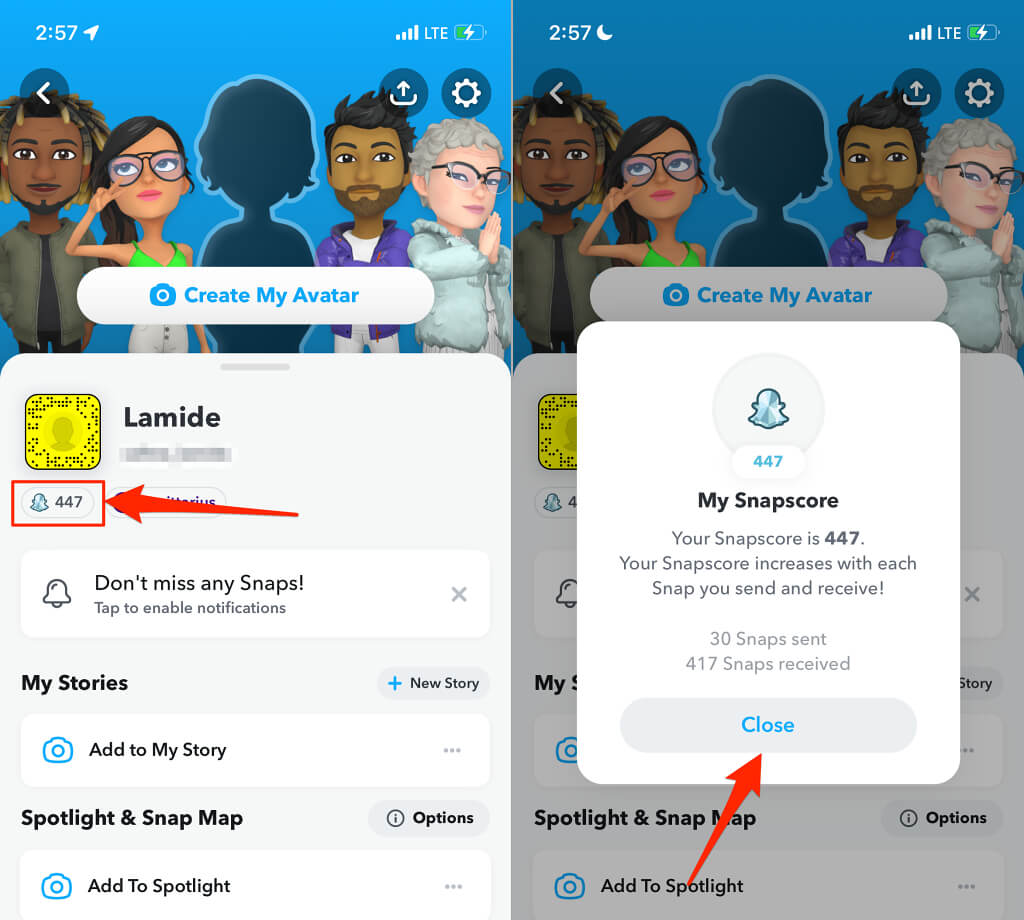
- The number below your profile name and Snapcode is your Snapchat Snap score. Tap the Snapcore to see the total number of Snaps you’ve sent and received so far.
How to Check Your Friend’s Snapchat Snap Score
Snapchat lets you check your friends’ Snap Score, just like they can check yours. Unfortunately, no scoreboard unifies your friends’ Snap Scores on a single page. So you’ll have to visit your friends’ profiles to check their Snap Score individually.
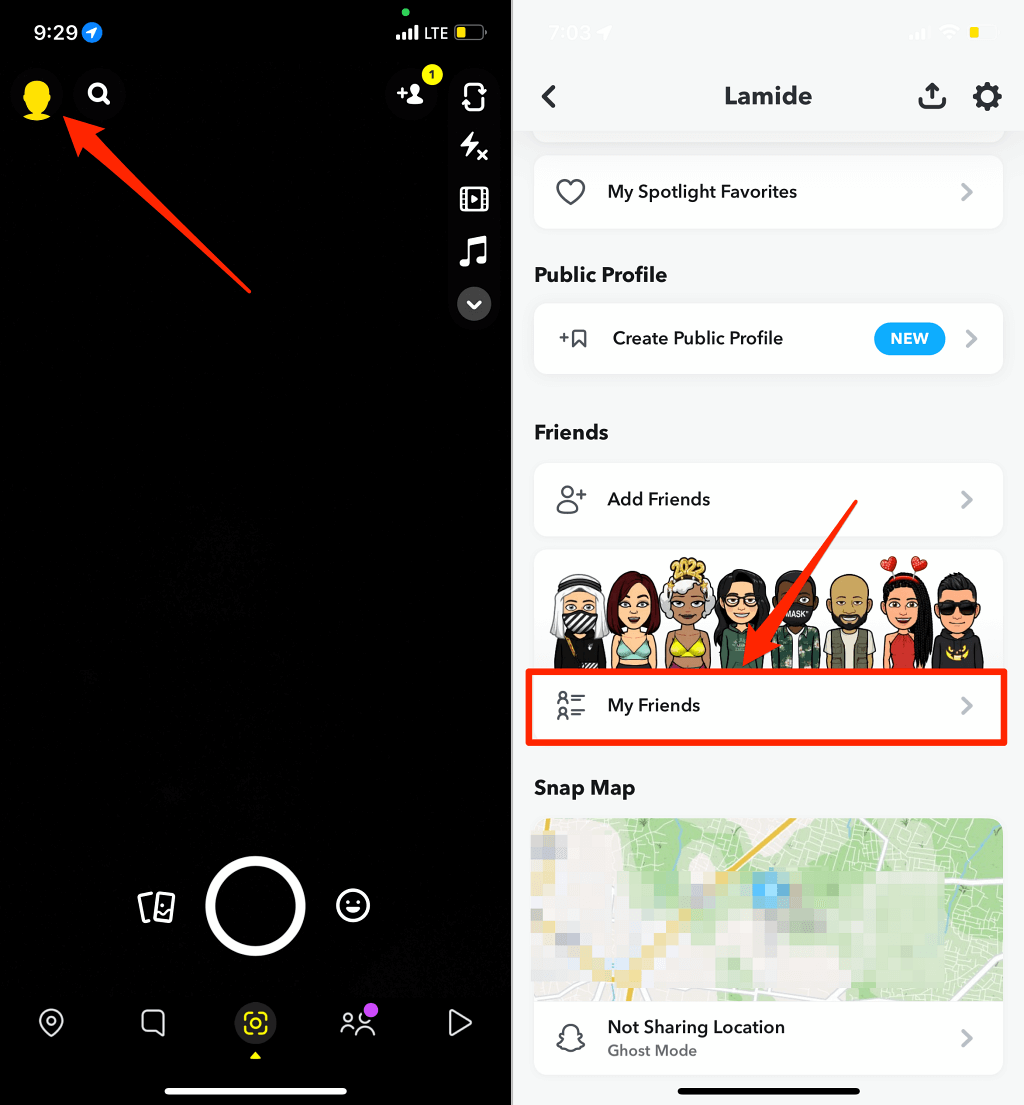
- Open Snapchat, tap the profile icon in the top-left corner and tap My Friends in the “Friends” section.
- Select the person whose Snap Score you want to check. Afterward, tap the person’s display picture to open their profile screen.

- The number below your friend’s Snapchat username & display picture is their Snap Score.
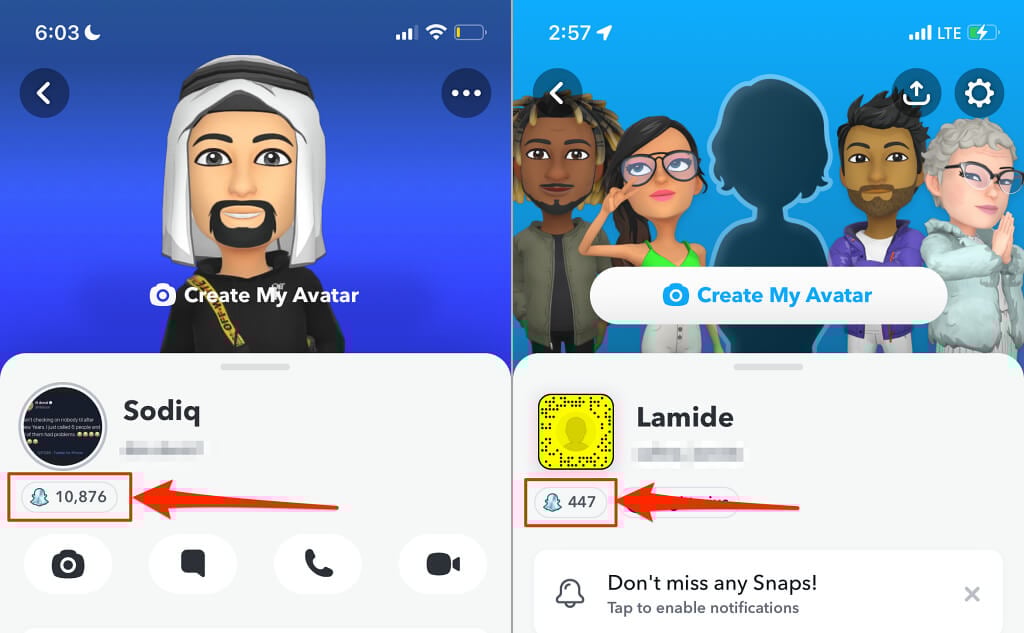
- Tap the Snap Score for a more detailed view and tap Close to dismiss the Snap Score tab.
You won’t see a user’s Snap Score if you aren’t mutual friends. That is, you’re following the person, but they aren’t following back.
Score More Snapchat Points
Snap Scores are points you earn for engaging other Snapchat users and using the app more frequently. Think of it as a gamification technique. Previously, a high Snap Score would unlock Snapchat Trophies—celebratory emojis for special milestones. However, Snapchat Trophies are now defunct, so there are really no functional or practical benefits to accruing Snapchat scores except bragging rights.
By the way, be wary of third-party apps or websites that claim to sell or boost Snapchat scores. They are a waste of money because they can’t genuinely boost your Snap Score. Besides, doing so could get your Snapchat account locked or banned. The genuine and faster way to increase your Snap Score is to increase interactions with your friends and Snapchat more frequently.