

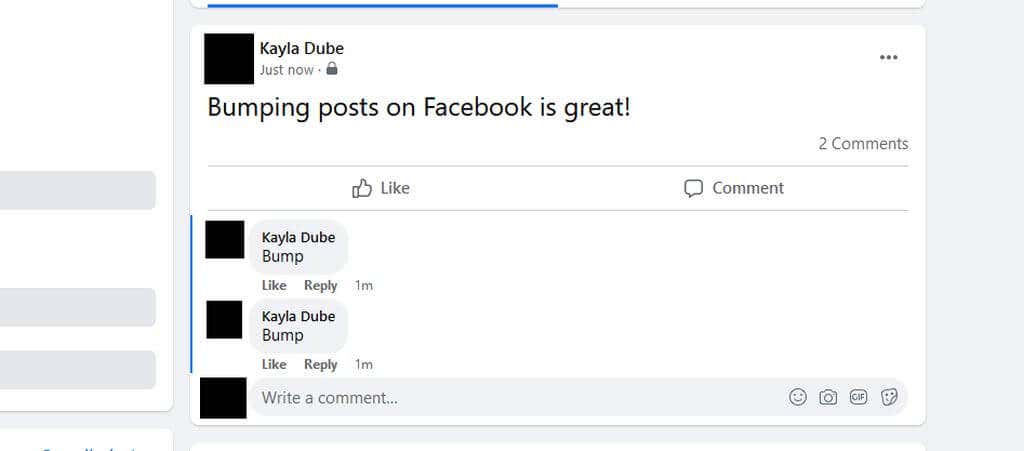
If you’ve been using Facebook for any length of time, you may have come across a post with a comment section reading “bump” or something similar. If you’re not sure what bump means, it might look nonsensical, especially when people are adding the word in their own post threads.
However, it actually serves a purpose which has to do with Facebook’s algorithm. When Facebook decides what posts show up on others’ news feeds, it takes many different factors into account. These factors can also change how high up in the feed a post is.
One of the things Facebook looks at is how recently there was activity on the post. If activity was recent, then it’s more likely to appear higher up on others’ feeds. This fact ties into the reason people comment “bump” on Facebook posts.
What Does “Bump” Mean?
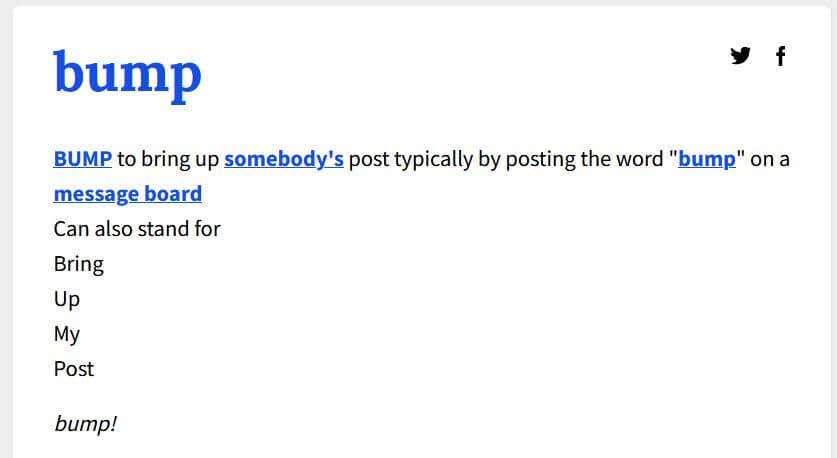
The term “bump” comes from times when people would message over forums. Messaging threads on forums would be sorted by most recent activity, the more recent threads showing at the top. In order to keep threads at the top, people would comment “bump” on a thread to bump it up to the top.
This practice has carried over onto today’s social media sites, which is why you may see people commenting bump on their own or other’s posts. It causes Facebook to notice the recent activity and place it higher up in people’s news feeds.
To some, “bump” is also an acronym for “bring up my post.”
When Should You “Bump” a Post?
Bumping a post with a comment can be helpful for a variety of reasons. There may be a particularly important post you or a friend has posted that you want as many people to see as possible. Once initial activity has died down on the post, bumping it up can get more eyes on it.
Another common reason to bump posts is if you’re selling something on Facebook Marketplace or a group. If it’s been awhile and you still haven’t sold an item, bumping it can get more people to look at it. This is especially true in groups on Facebook.
In general, bumping a post is a good idea if you need more people to see it, as people who may have missed the post the first time around could have a second chance to see it when it gets bumped up in their news feed.
How Often Should You Bump a Post?
If you want to start bumping up your own posts to get more people engaged, there are some etiquette guidelines you’ll want to keep in mind. It’s okay to bump your own post once or twice, but doing so constantly can be seen as an annoyance to some people.
If you have a particularly important or emergency post, it’s okay to bump these more often. You may also, however, try getting friends to share it, as it’ll get across many more people’s newsfeed this way.
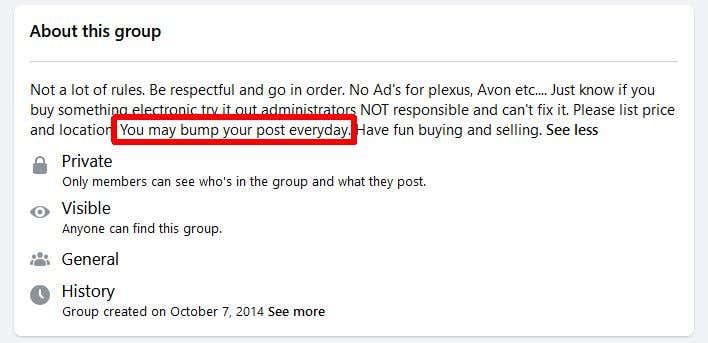
A good rule of thumb is to keep bumping to a minimum of once per day. Anything more than that is bound to be too repetitive for those checking their Facebook feeds. Some Facebook groups also have rules on how much you can bump a post, so make sure to check before you do so in a group.
Bumping Post In The New Algorithm
Facebook is constantly fine-tuning the algorithm which determines what shows up on people’s newsfeed. Although bumping a post can certainly alert that there’s activity on it, thus pushing it up in people’s feeds, Facebook’s most recent algorithm may make it unnecessary.
Facebook now notices posts that have not gained much engagement or activity and may automatically bump it. This also depends on a host of other factors in the algorithm, though, to determine whether or not it will show up on certain people’s feeds.
Bumping posts in groups, however, works the same as it used to across the site.
Get Your Post Seen by Bumping It
If you’re not having luck getting friends to see your post, you could always try using the bump method. Just make sure you aren’t doing it too often and are following any rules set up by Facebook groups you’re posting in.
Bumping a post can be an easy way to spread important info, so the next time you’re trying to do this, give a “bump” comment a try.