

One of the things that powers Twitter is retweets. This is where a Twitter user copies someone else’s tweet to their own page, either with their own comment or without. It is their way of supporting that tweet, promoting it, or if it personally mentions the retweeter, showing other people what is being said about them.
If you are retweeting mentions of yourself to promote yourself or your business, you will know the value of such retweets. They are what’s called “social proof”. If lots of people are singing your praises, it shows others that you are someone worth watching. As a writer and author, this is invaluable advertising for my brand.
But unless you have lots of time to spare for Twitter, you are going to need to automate the whole retweeting process. This is why you should consider setting up a retweet bot.
What Is a Bot?
A bot is a scripted program which runs on a network (in this case, Twitter) and it interacts with others as if it were human. Bots have increased in daily online usage over the past few years thanks to Facebook Messenger. But on Twitter it is nothing new and have been around for many more years.
You can tell it to do certain tasks provided certain criteria is met. So if a retweet comes in and it meets all of the criteria you have specified, it will then do what you tell it to do – in this case, repost it to your page.
But you need to be very careful because some people (including Twitter) may see this as spam. If so, your account could be shut down. So for the initial few days or week, keep an eye on your Twitter account. If things start to look a bit too spammy, deactivate the bot.
Another thing to bear in mind is that mentions on Twitter could be a complaint instead of a compliment. If your bot retweets that, well you are giving the complaint a pair of legs!
Let’s Get The Bot Born!
Assuming I haven’t put you off the idea of a retweet bot, let’s make you a proud parent of one.
First, go to the Twitter Developer section and click “Create an app”.
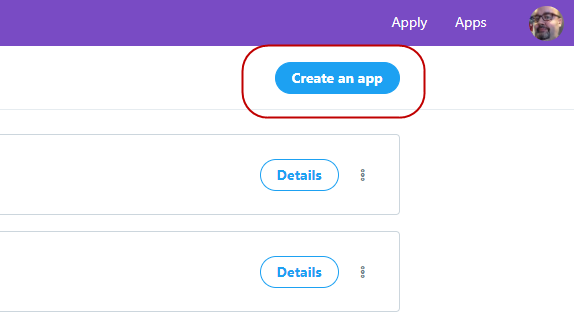
You will have to apply for a developer account (assuming you haven’t already got one). This approval can take a day or two. You will have to be patient until you hear back. There’s no way to rush the process.
When you have the permission, click on “Create an app” again and complete the details. There are only four “required” questions. You have to give your app a name, explain its purpose (twice) and give a website address. You can complete the rest if you want but it is not necessary.
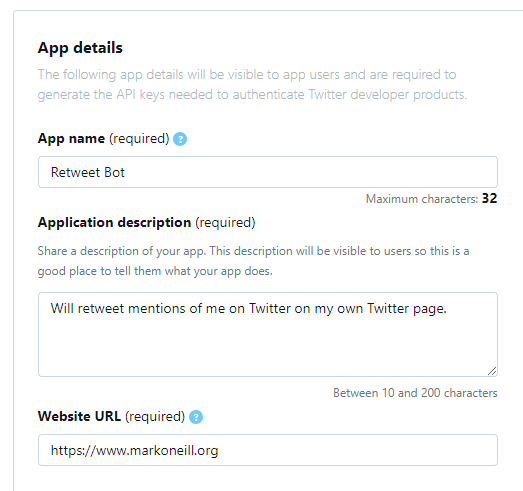
Click “Create” at the bottom and the “Developer Terms” will come up.
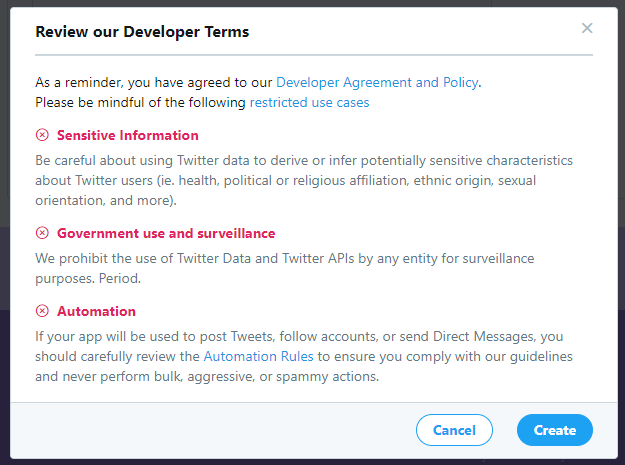
Quickly scan them and click “Create” again to complete the process.
On the next page, click “Keys and tokens” at the top.
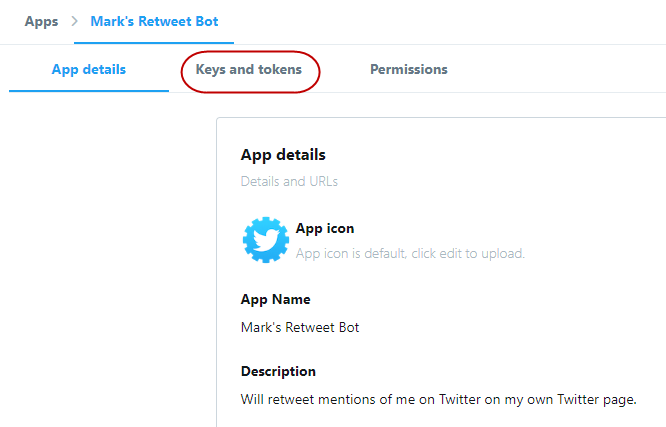
Then scroll down to “Access token and access token secret”. Click on “Create” for Twitter to make those keys for you.
These keys must be kept secret. Do not reveal them to anybody.
Now we take advantage of a tool made by the fantastic Amit Argawal of Digital Inspiration. He made a Google script called Twitter Bots. Click on this link and authorize Twitter Bots with your Google account..
Once you have done that, you will see this screen.
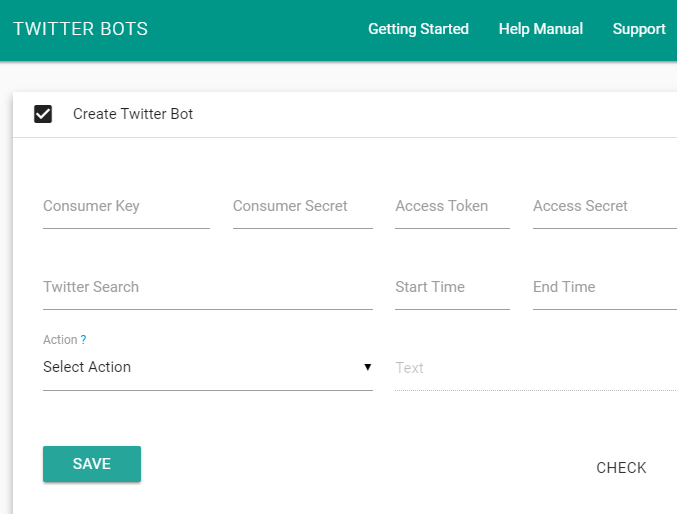
From the Twitter Developer page, add your API keys into the spaces provided on Amit’s page seen above.
Then add the Twitter search you want the bot to perform for you. So if you want to monitor all mentions of your username, you would add your username to this line (with the @ at the start).
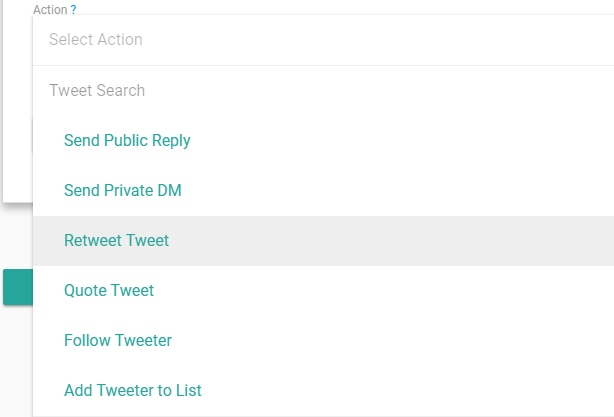
Select the action you want from the drop-down list. In this case, it’s “Retweet Tweet”.
Now test it by clicking the “Check” button. This will send the bot into Twitter to bring back results based on your Twitter search criteria.
This is what it came back with for me.
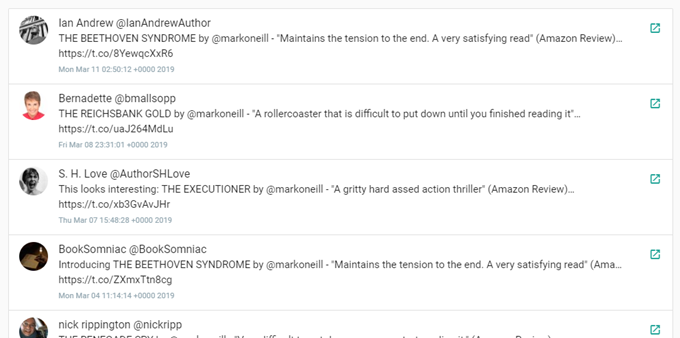
This shows that it is working. If everything looks OK, click “Save” and the bot has been born. Congratulations. It’s an “it”!
Remember to bookmark the Twitter Bots page where you have entered your API keys information. If you need to change anything or switch the bot off, this is the page to come back to.
Now watch your Twitter page and eventually retweets will start to appear.
Other Search Terms
As I said at the beginning of the article, you need to keep an eye on your Twitter account in the early days of the bot. You don’t want spam being retweeted to your account, otherwise you will end up losing followers, and worse case scenario, you will have your account suspended by Twitter.
If all else fails, you will have to deactivate the bot but before you go that far, you could add other search terms to narrow the results. For example, here are three good ones.
#hashtag
Obviously replacing hashtag with the actual hashtag you want to watch. This is good for promoting Twitter contests you may be running.
yourwebsite.com
Replacing yourwebsite with the name of the website you want to monitor.
min_retweets:5
This one could help tremendously with the spam problem. Adding this will only retweet something if it already has a minimum 5 retweets by other people. You can change 5 to whatever number you want.