

Getting negative, spammy, self-promotional, or inappropriate comments on a post you published on Facebook is inevitable.
Worse still, you’re not sure whether to slap back, block the person or ignore the comment altogether, especially if you manage a Facebook group or page for a brand.
Fortunately, Facebook allows you to hide comments that may hurt your reputation or business.
In this guide, we’ll show you how to hide comments on Facebook and what happens when you do.
When to Hide a Comment on Facebook
When you get an unpleasant or offensive comment on your Facebook post, the first instinct is usually to delete the comment. However, not all instances of such comments require deletion – you can respond to some and ignore others.
Hiding a comment is easier to do than deleting it or banning the creator entirely from the Facebook page.
Some users just want to promote their own products through your post, spam it with unsafe links or leave comments with inappropriate content or language.
You could delete such comments, but unless you ban the user from your page, they’ll just keep coming back. Even so, it can be hard to keep up with all the comments especially if the page has lots of engaged followers.

While it’s okay to remove any negative sentiments from your posts that can potentially hurt your Facebook page, not all of them should be hidden. Users may quickly notice that you delete their comments, particularly those that criticize your business, and you may end up losing their trust or loyalty.
Others may get agitated or angry if you delete their comments, leave scathing reviews, or vocalize their opinions on their own pages – and you can’t control it.
Hiding comments can help you reduce collateral damage and benefit you.
What Happens When You Hide a Comment on Facebook
When you hide a comment on a Facebook post, you’re essentially keeping other users from seeing the comment except for the person who posted it and their friends.
Unlike deleting a comment, where the user will know that you removed it, they won’t know when the comment is hidden, and you can avoid potential fallout.
You can still unhide or delete the comment later or report it especially if it violates Facebook community standards.

Before you hide a comment, find out whether you can address it. Oftentimes, a user may leave a negative comment out of frustration. Turning a bad experience into a good one could change a distraught follower into a loyal fan or customer.
You can also address an issue professionally and show other users that you’re ready to resolve any complaints they may have no matter how grave they seem. Many users would be willing to move to a private message to discuss their issue further and you can use that opportunity to assist them.
If you must hide a comment, make sure you catch it before it gets much visibility or engagement.
How to Hide a Comment on Facebook
Whether you’re using a computer or mobile device, you can hide a comment on Facebook in a few easy steps.
Computer
On your Windows PC or Mac, you’ll need to open Facebook on a browser and then hide the comment from your post.
- Go to the Facebook post and select the three dots to the right of the comment you want to hide.
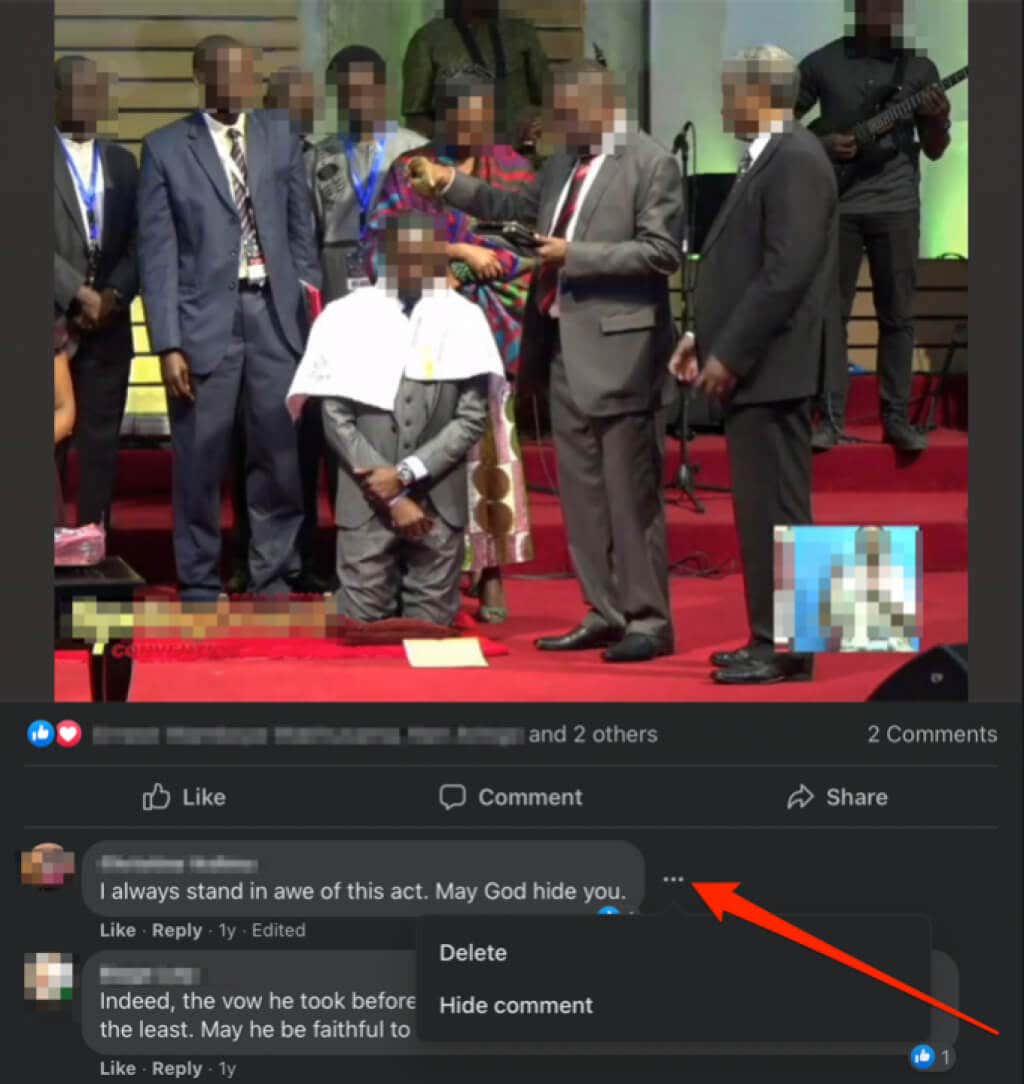
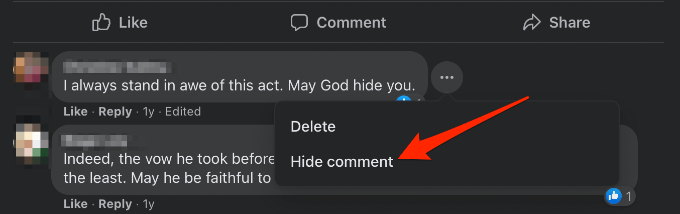
- Select Hide comment.
Android
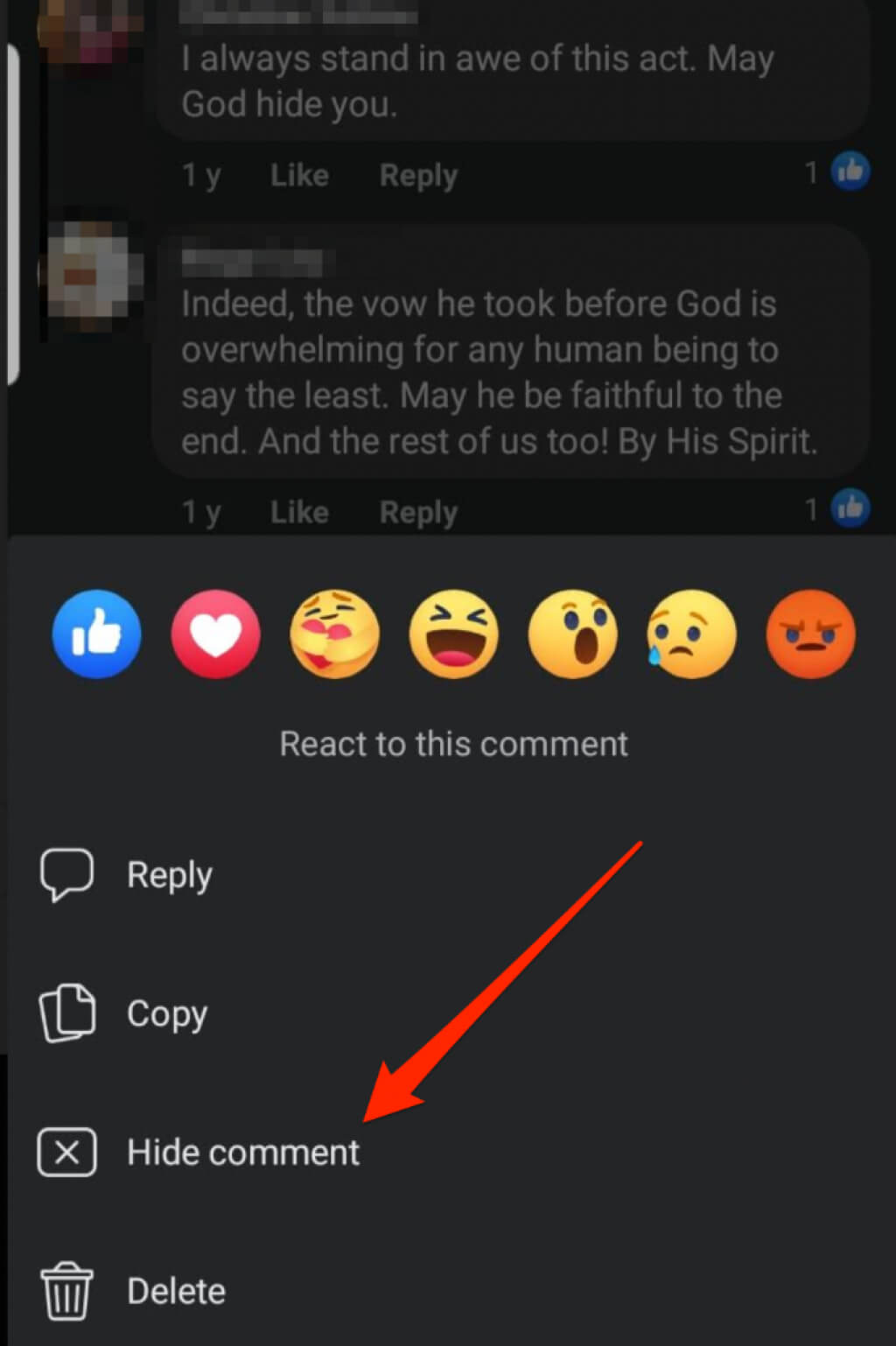
If you’re using an Android smartphone or tablet, you can hide a comment on Facebook via the Facebook app.
Go to the Facebook post, tap and hold the comment you want to hide and then tap Hide comment.
iOS
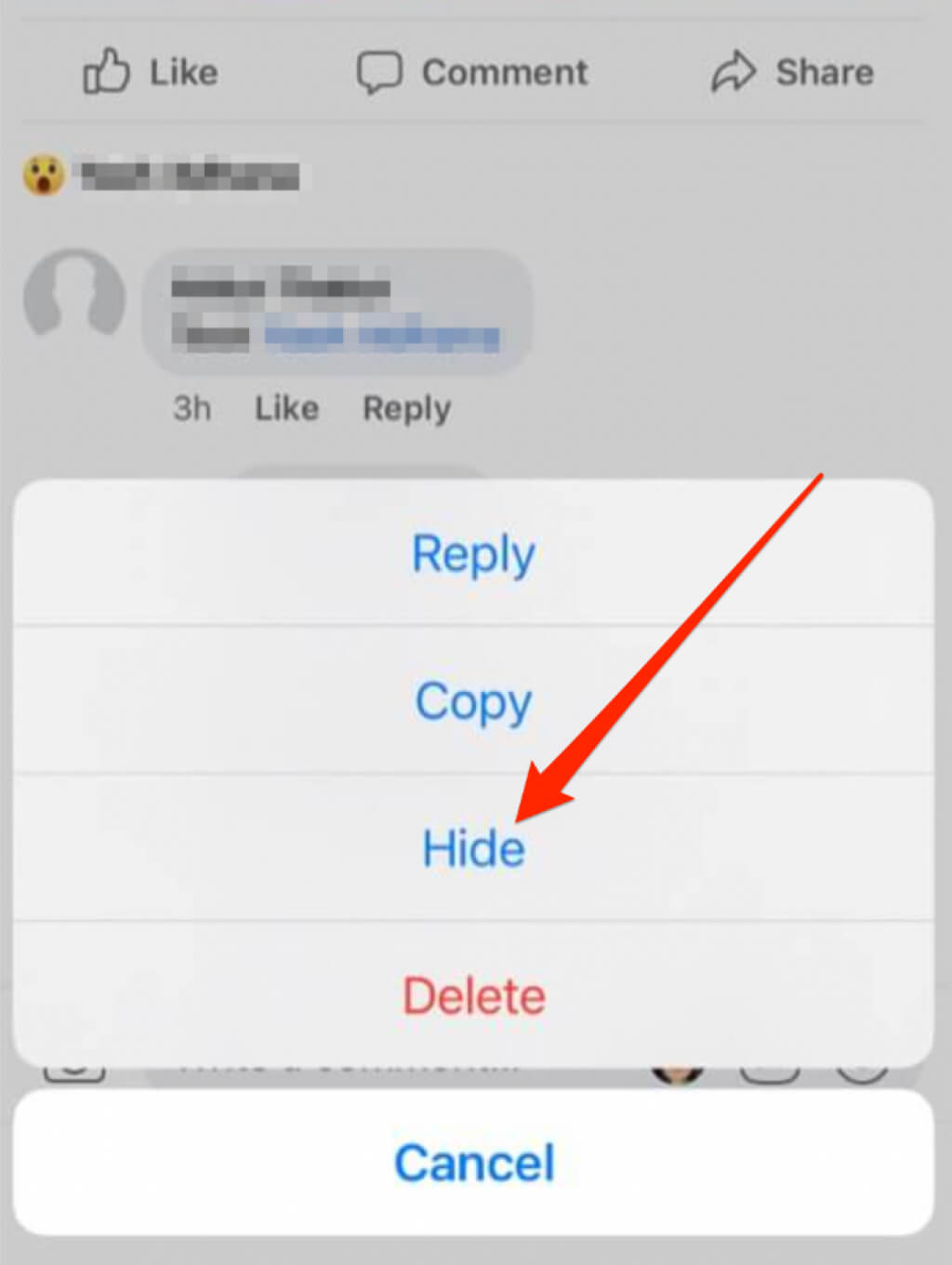
You can also hide a comment on Facebook on your iPhone or iPad via the Facebook app.
Go to the Facebook post and tap on the comment you want to hide and then select Hide.
In all three instances – computer or mobile device – you can ban the user or page that created the comment. You can also report the comment if it goes against Facebook’s Community Standards.
Reduce Collateral Damage
Besides the situations and strategies we’ve mentioned, there’s a lot more to consider when hiding comments on Facebook.
Make sure you have good reasons for hiding the comment, address it if other users ask about it, and always consider the most productive alternative before taking action.
Check out our other Facebook guides on how to send self-destructing messages in Facebook Messenger, create an anonymous Facebook account or hide your status from one or specific friends.
Was this guide helpful? Share your feedback in a comment below.