

Have you ever wanted to save videos from social media websites? Maybe there’s a Twitter video you want to download, or videos from Facebook or Instagram that you’d like to save? There isn’t a download button on these sites, but there are third-party tools that let you save videos from Instagram and other social networks.
Some of the best video downloaders for Facebook, Instagram, and Twitter are web apps, meaning that you don’t need to download a program to your computer to use them. Just copy the link to the video you want to save, and then paste it into the video downloader website to get the file (some even let you convert the video to an audio file format).
All the methods mentioned below work from a computer, but you can also use them to save videos directly to your phone or tablet. However, depending on the device you have, you might need an extra app that can handle file downloads. iPhones, for example, can use Documents, MyMedia, or Files.
Note: Downloading a video from these websites means videos that are actually stored on the site, not linked elsewhere. For example, if a Facebook post has a link to a YouTube video, you can’t use a Facebook video downloader to save it; you’d need a YouTube downloader instead.
Important: You should be aware of copyright laws in your country before downloading videos from Instagram, Twitter, or Facebook. Just because a video can be downloaded for free doesn’t mean that it’s legal for you to take it.
Download Twitter Videos
There are several ways to download videos from Twitter, but we’ll review a method that uses a website called SaveTweetVid.
- Select the arrow next to the Tweet and choose Copy link to Tweet. If you’re already viewing the Tweet that has the video, you can copy the URL shown in the navigation bar of your browser.

- Paste the URL into the text box at SaveTweetVid, and press Download.
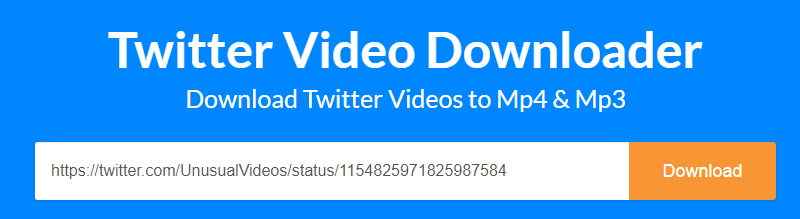
Tip: If SaveTweetVid doesn’t find the Twitter video you want to download, try a similar site like TWSaver, TwitterVideoDownloader, or DownloadTwitterVideo.
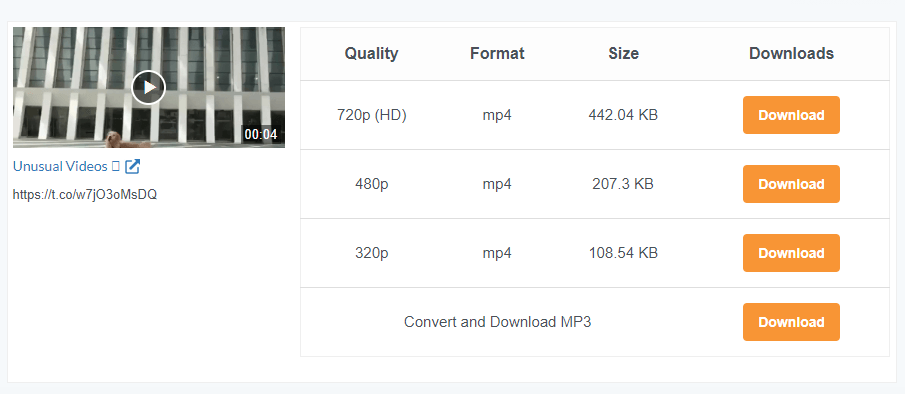
- Select one of the download options. You should see download links for various video qualities.
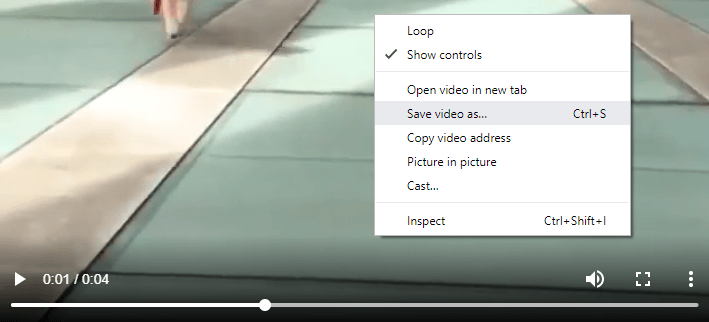
- The Twitter video download should start automatically, but if not, right-click the page and choose the save option. Or, if you see a menu on the bottom right, select it and then choose Download. You might also have luck using the Ctrl+S shortcut.
Mobile users might prefer an app that downloads Twitter videos. Video Downloader for Twitter and Download Twitter Videos are a few options for Android.
Download Facebook Videos
Facebook has a Save video option, but that’s not what you should use if you want to download a Facebook video. Fortunately, there are several free Facebook video downloaders that you can use to the same effect: to save the video from Facebook to your computer, phone, or tablet.
We’ll use Getfvid for this tutorial, but some other sites that work similarly include Fbdownloader, FBDOWN, and BitDownloader. There are even apps that are built specifically for this, like Video Downloader for Facebook for Android.
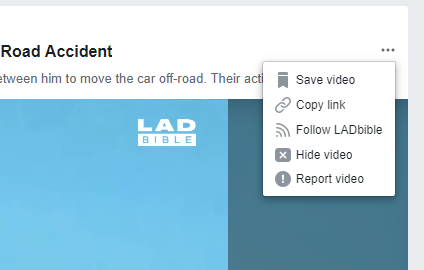
- Copy the link to the Facebook video by selecting the three-dotted menu and choosing Copy link.
- Open Getfvid, paste the link into the text box, and select DOWNLOAD.

Step 3: Select a download option. You can download the Facebook video in HD quality or normal quality, or convert the Facebook video to MP3.

Download Instagram Videos
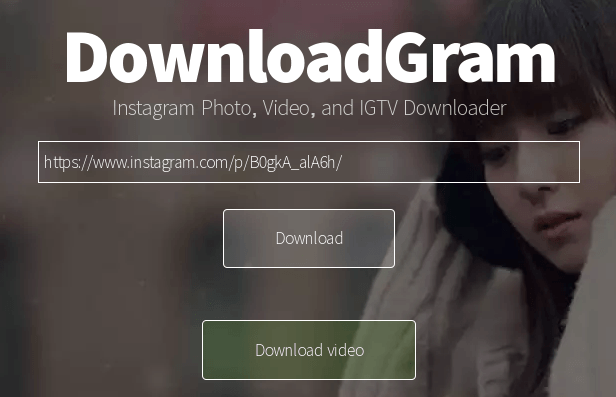
Just like these other social media video downloaders, saving an Instagram video involves copying the link to the post and then pasting it into a web app. We’re using DownloadGram below, but some others that work too, include Instaview, Downloadinstagramvideos, w3toys, and Savefromweb.
Tip: We also have a guide on how to save full-size Instagram images.
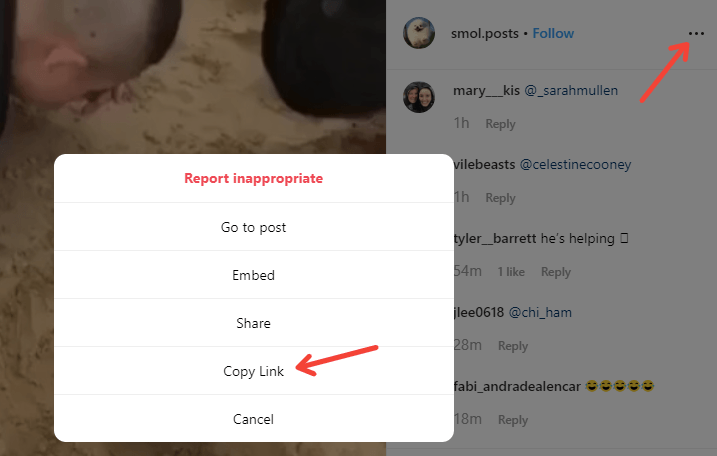
- Copy the link to the Instagram video. You can do this by opening the video and copying the URL displayed in the web browser. Another option, which is required if you’re using the Instagram app, is to tap the three-dotted menu button on the post and choose Copy Link.
- Paste the link into the text box on DownloadGram, and then select Download followed by Download video.
- When prompted to download the video from Instagram, name it something you’ll recognize and choose where to save it.
There are also Instagram video downloader apps that might be easier to use if you’re on a mobile device. InstaSave is one example for Android devices that can download videos and images from Instagram pages.