Skip to content
ONLINE 101010 TECH 010101 TIPS
  • Latest
  • News
  • How-To
  • Social
  • Streaming
  • Gaming
  • Reviews
  • Latest
  • News
  • How-To
  • Social
  • Streaming
  • Gaming
  • Reviews
  1. Home/
  2. Social Media/
  3. How to Delete Your LinkedIn Account

How to Delete Your LinkedIn Account

Levin Roy
October 31, 2022
3 min read
LinkedIn logo image. - preview-media-0-Title-Image-1

LinkedIn is not the hub of professional networking it used to be. If you are tired of being bombarded by an endless stream of solicitations, deleting your LinkedIn account is the way to go.

But like all social media platforms, permanently deleting your account is irreversible. You can reactivate your account by signing in within 14 days, but you will still lose your followings, group memberships, endorsements, recommendations, and any pending invitations.

So think carefully before closing your LinkedIn account, especially if you have a Premium account.

How to Delete Your LinkedIn Account on a PC

Whether your computer runs Windows, Mac, or Linux, you can access and delete your account using the same steps through a web browser.

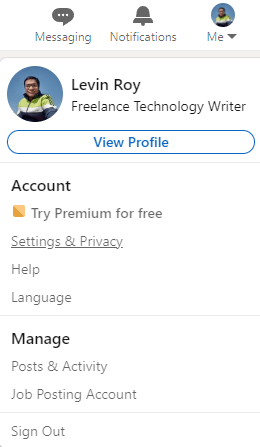
  1. First, open LinkedIn on your web browser and click on the small profile picture visible at the top right. Select Settings & Privacy from the drop-down menu.
 - how-to-delete-your-linkedin-account-2-compressed
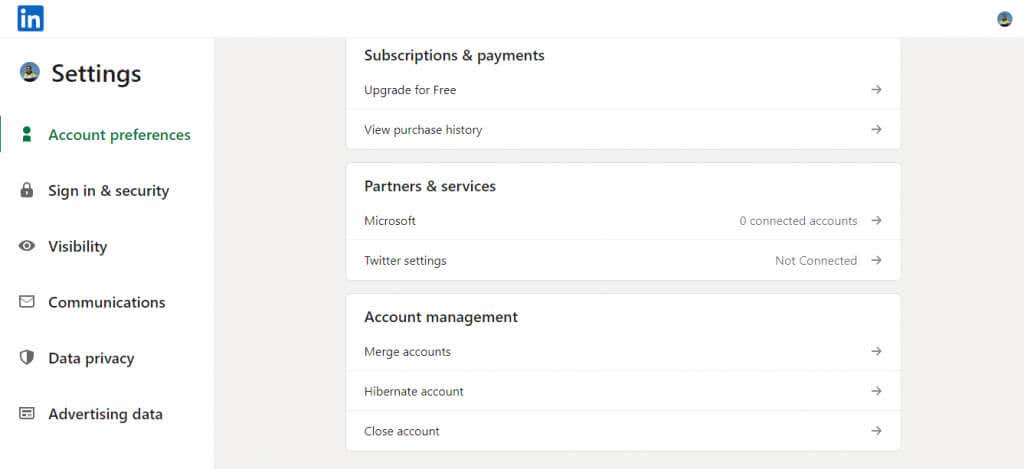
  1. Scroll down to the Account Management section at the bottom and select Close account.
 - how-to-delete-your-linkedin-account-3-compressed
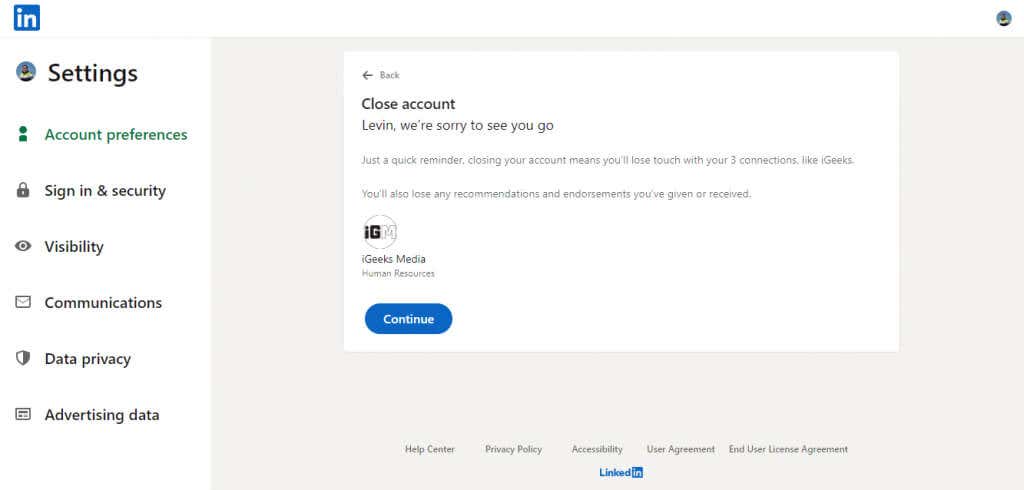
  1. You will be warned about losing your recommendations and endorsements when deactivating your LinkedIn account. Click Continue to proceed anyway.
 - how-to-delete-your-linkedin-account-4-compressed
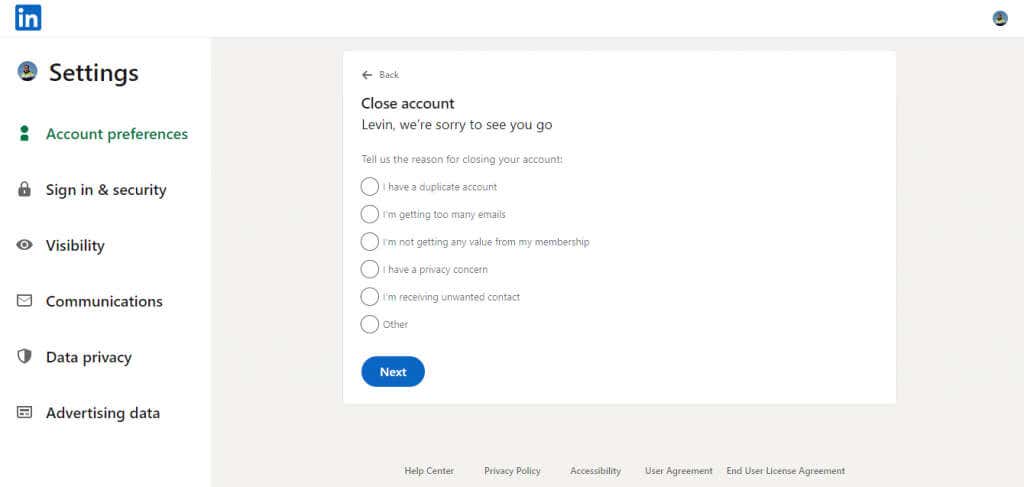
  1. Choose a reason for why you are closing your account. If your reason is not on the list, select Other and type it out in your own words.
 - how-to-delete-your-linkedin-account-5-compressed
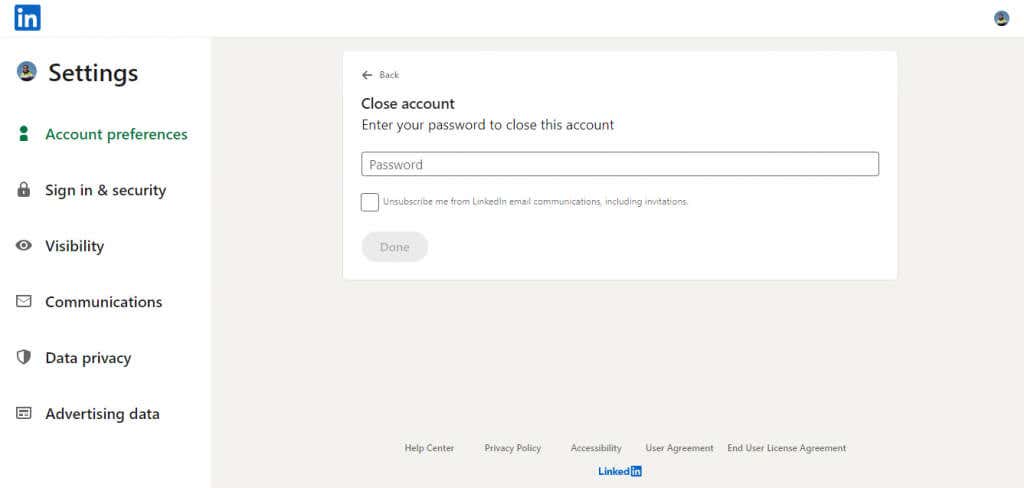
  1. Finally, enter your account password to confirm the deletion of your LinkedIn account.
 - how-to-delete-your-linkedin-account-6-compressed

Your LinkedIn account is now closed. As the website informs you, it will take a few days before your LinkedIn data stops appearing on search engines.

 - how-to-delete-your-linkedin-account-7-compressed

How to Delete Your LinkedIn Account on a Smartphone

The steps to delete your account on the LinkedIn mobile app are virtually identical on Android and iOS devices.

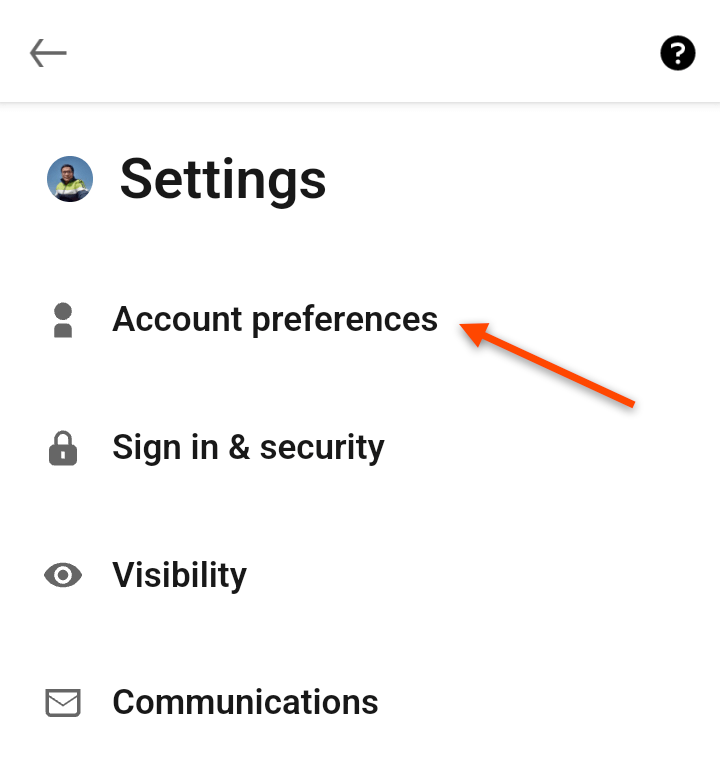
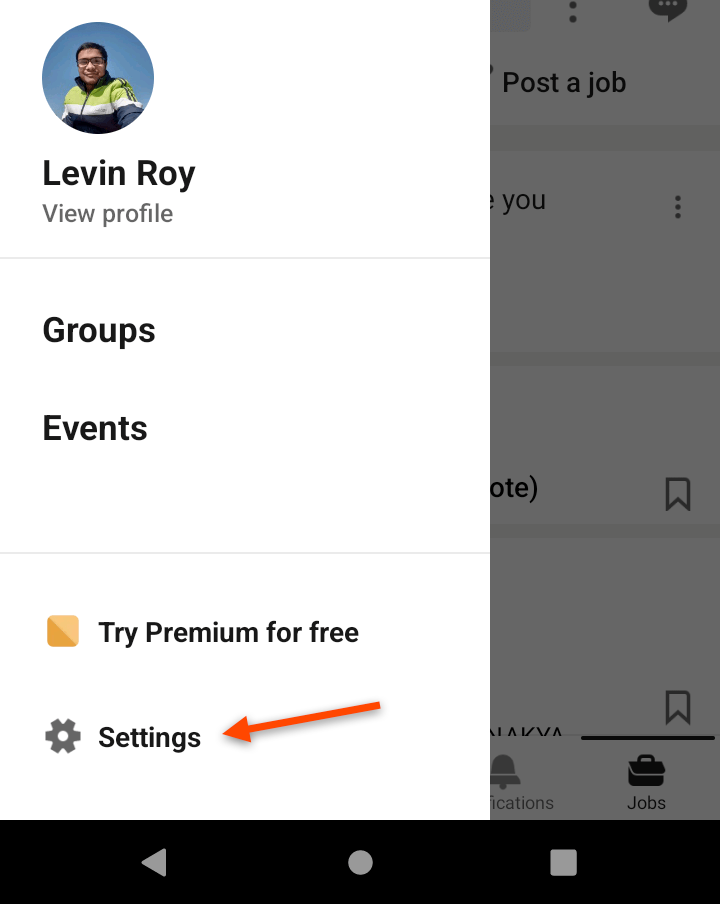
  1. Open the LinkedIn app on your smartphone and tap your profile photo at the top corner. This brings up a short menu. Select Settings.
 - 7-Phone-Menu
  1. Select Account Preferences.
 - 8-Phone-Settings
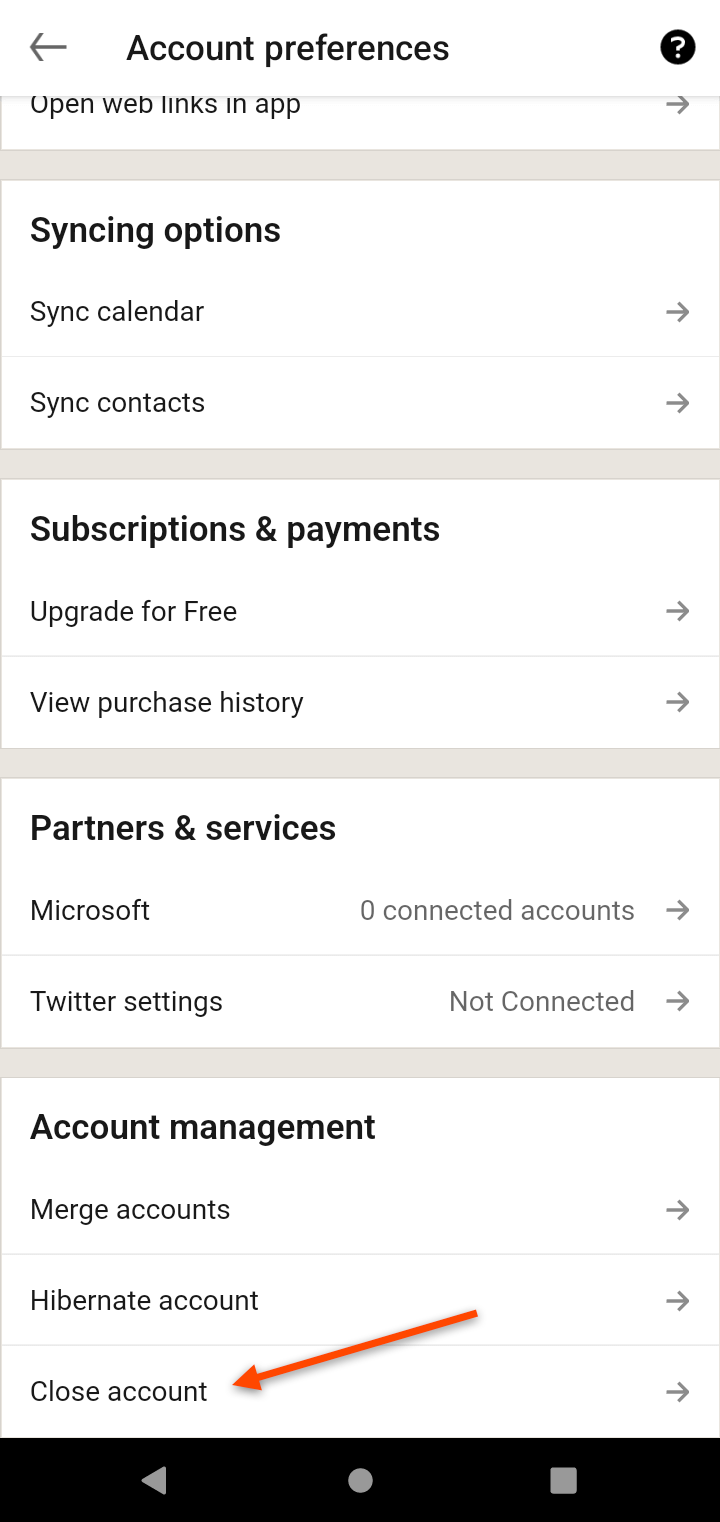
  1. Scroll down to the Account Management section at the bottom and tap the Close account option.
 - 9-Account-Preferences
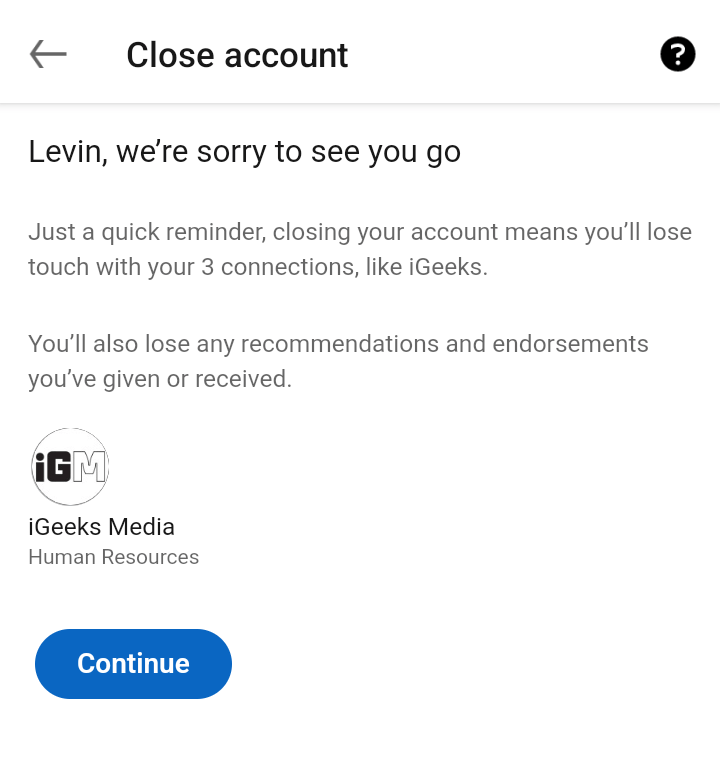
  1. From here on, the steps are the same as on the desktop website. Tap Continue to proceed.
 - 10-Close-Account
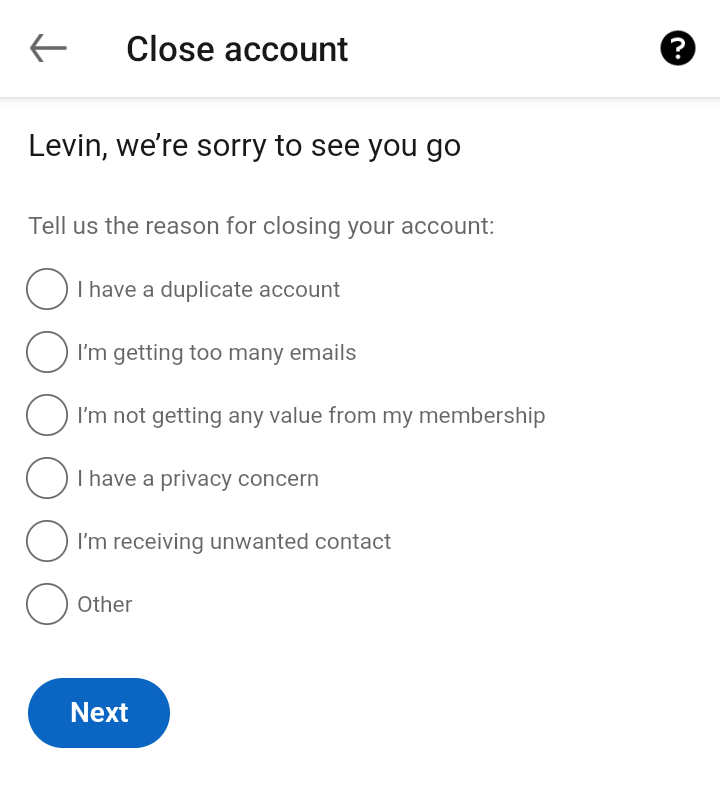
  1. Now choose a reason for deleting your LinkedIn account, using the Other option if you want to enter a custom reason. Tap Next when you’re done.
 - 11-Select-Reason
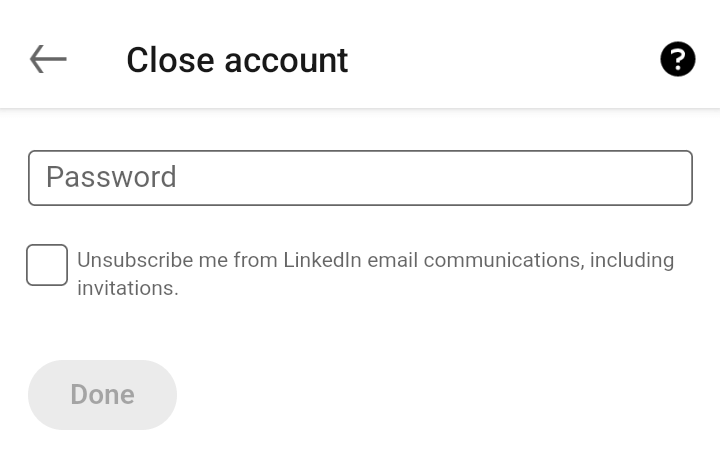
  1. Enter your password to confirm and delete your account.
 - 12-Enter-Password

How to Reactivate Your Deleted LinkedIn Account

If you change your mind about closing your account within 14 days of deactivating it, you can restore your account. Remember that this won’t bring back things like pending invitations or endorsements, no matter how little time has passed.

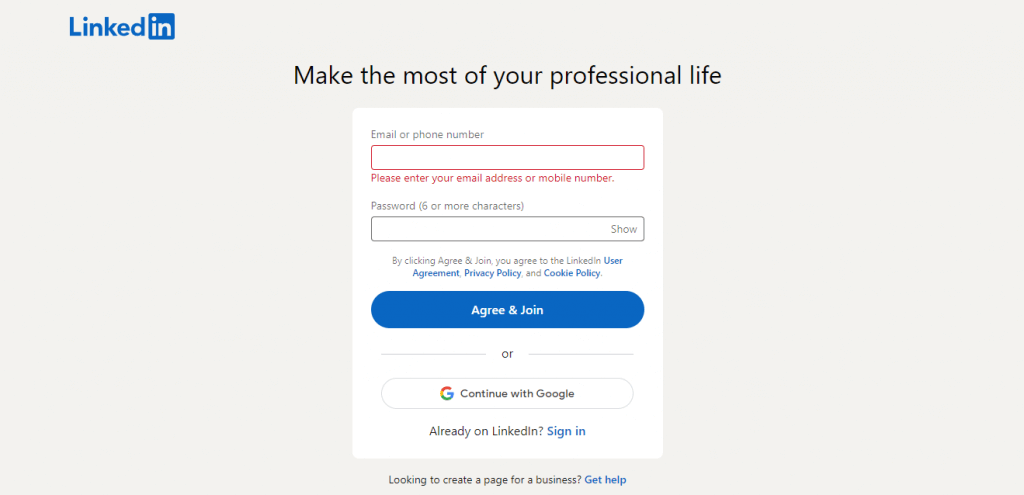
  1. To reactivate your deleted LinkedIn account, open LinkedIn on your web browser. You will be prompted to create an account.
 - how-to-delete-your-linkedin-account-14-compressed
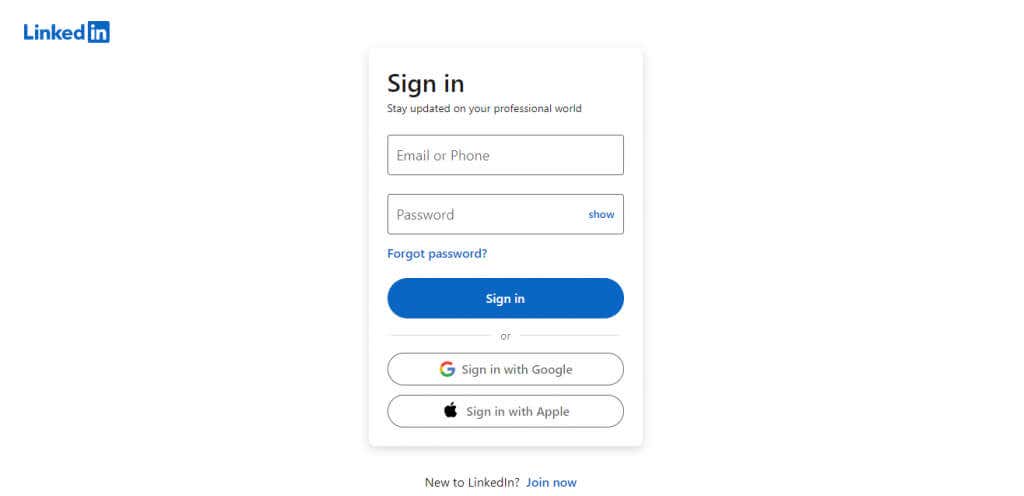
  1. Select Sign in and then enter your login details.
 - how-to-delete-your-linkedin-account-15-compressed
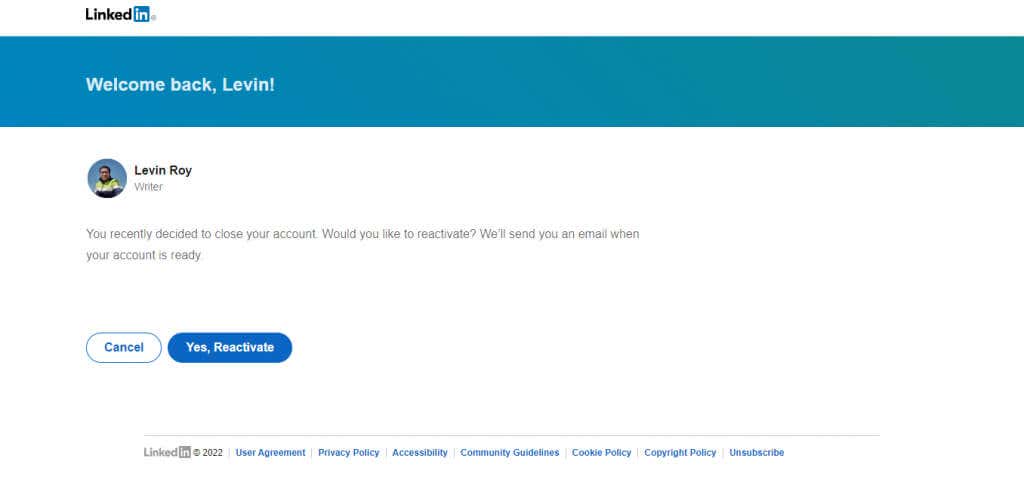
  1. You’ll see the option to reactivate your account. Select the Yes, Reactivate button.
 - how-to-delete-your-linkedin-account-16-compressed
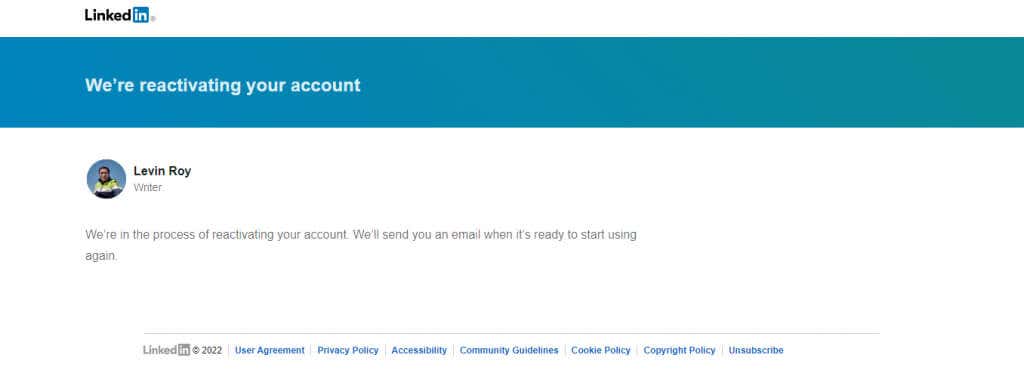
  1. LinkedIn will start reactivating your account and send you an email when your account is ready to access.
 - how-to-delete-your-linkedin-account-17-compressed
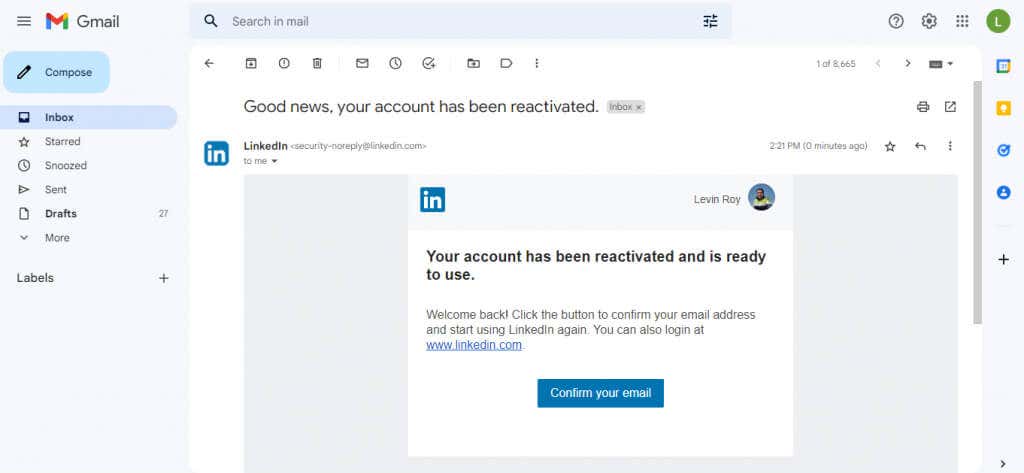
  1. When you receive the email, open the message and select the Confirm your email option. You can also sign in normally from a fresh tab.
 - how-to-delete-your-linkedin-account-18-compressed

And just like that, you can use your LinkedIn account again.

Tags: LinkedIn
Share
Written by

Levin Roy

Levin Roy is a software engineer who loves writing about technology. Whether it is Windows tips-and-tricks or in-depth guides about application development, Levin uses his practical experience and technical skills to create articles that can help solve tricky problems. <a href='https://www.online-tech-tips.com/author/lroy/'>Read Levin's Full Bio</a>

View Levin's Profile

Recent Posts

  •  - personal finance tools
    10 AI Money Apps That Make Mint Look MedievalJun 6, 2025
  •  - smartwatches
    Is a Smartwatch Worth It in 2025 and Beyond?May 20, 2025
  •  - slow wifi
    How to Fix Slow Wi-Fi on Your SmartphoneMay 6, 2025
  • Programmer coding at computer. - vibe coding
    Vibe Coding 101: Your Guide to AI-Powered ProgrammingMar 26, 2025

Search

Categories

  • Gaming (345)
  • How-To (1,120)
  • News (43)
  • Reviews (437)
  • Social Media (461)
  • Streaming (174)
  • Uncategorized (4)

Popular Tags

Adobe AI Alexa Amazon Android Buying Guides ChatGPT Chrome Discord Explainers Facebook FireTV Gadget Reviews Gmail Google Google Docs Google Maps Google Sheets Home Networking Hulu Instagram Internet LinkedIn Minecraft Netflix Nintendo Switch PlayStation Premiere Reddit Remote Work Roblox Roku Roundups Smart Home Snapchat Software Reviews Spotify Steam TikTok Twitch VR WhatsApp Windows X (Twitter) YouTube

Our Publishing Family

Online Tech Tips is part of the AK Internet Consulting publishing family.

  • HELP DESK GEEK
  • THE BACK ROOM TECH
  • SWITCHING TO MAC
  • XBOX ADVISOR

Daily Email Newsletter

Connect With Us

About Online Tech Tips

Online Tech Tips has published easy-to-follow technology tutorials, honest reviews, and practical how-to guides since 2007 — helping millions of readers solve tech problems and get more from their devices.

Learn More →

© 2007-2026 Online Tech Tips.com, LLC.
All Rights Reserved.

  • Home
  • About Us
  • Editorial Standards
  • Contact Us
  • Terms of Use
  • Privacy Policy
Online