
Ever since Facebook decided to drop $1 billion on the acquisition of Instagram, the offered integration has made the two social platforms seemingly inseparable. The integration these two services offer is something you can’t yet find across any other social media platforms.
Other social media sites such as Twitter do allow you to publish Instagram posts in web link format. However, Facebook is the only one that will let you share images directly from Instagram to your News Feed.
Streamlined content is only one of several reasons to link Instagram to Facebook. Let’s dive into them.
How To Link Instagram To Facebook & Why You Should
The ability to link Instagram to Facebook gives you the chance to post the pics and videos you take or edit seamlessly for your viewers and fans. To add to this, Likes you acquire on Instagram will translate over to your Facebook posts.
Facebook’s user base is far larger than that of Instagram. Using both will have the extra added benefit of reaching more people, with the potential of increasing your following significantly. That, and Instagram’s algorithmic feed has been shown to prioritize the more engaging posts, meaning additional likes received on Facebook could help your content rank higher.
Not only can you increase exposure, but even if you don’t care about that, keeping up with friends, family, or fans is made easier when cross-posting between platforms. Also, account recovery is less painful when you lose your account or can’t access one of them. Being linked will help save you a bit of frustration.
Facebook will even save all uploads from Instagram and place them in their own album titled Instagram photos. Not to mention all Instagram post details like location, hashtags, and emojis are seamlessly shared to Facebook.
Brand Engagement
Instagram currently has over 200 million active users with 75 million of them active each day. With 43% of all brands posting daily, Instagram is indeed a platform that has branding written all over it.
Instagram provides brands with an additional social media platform to garner exposure, a larger fan base, and an uptick in revenue. Keeping your social media options minimal by sticking to only Facebook or Twitter can severely hinder your chances in an overly saturated market, where other brands have already embraced multiple digital platforms.
You most certainly don’t want to break up your audience by asking them to switch up social media platforms. So the only real solution is to use both. Even if fans won’t follow you over you’ll still have two active sources of content enabling you to build a second fan base.
Just let your Facebook fans know about your Instagram profile and provide them with a choice to follow it or not. Showcase all Instagram content to your Facebook audience in posts and every photograph that is relevant to them should be hashtagged as such.
Link Instagram to Facebook
To link the two social media accounts will require a mobile device. The process of linking Instagram to Facebook is almost identical for both iOS and Android operating systems.
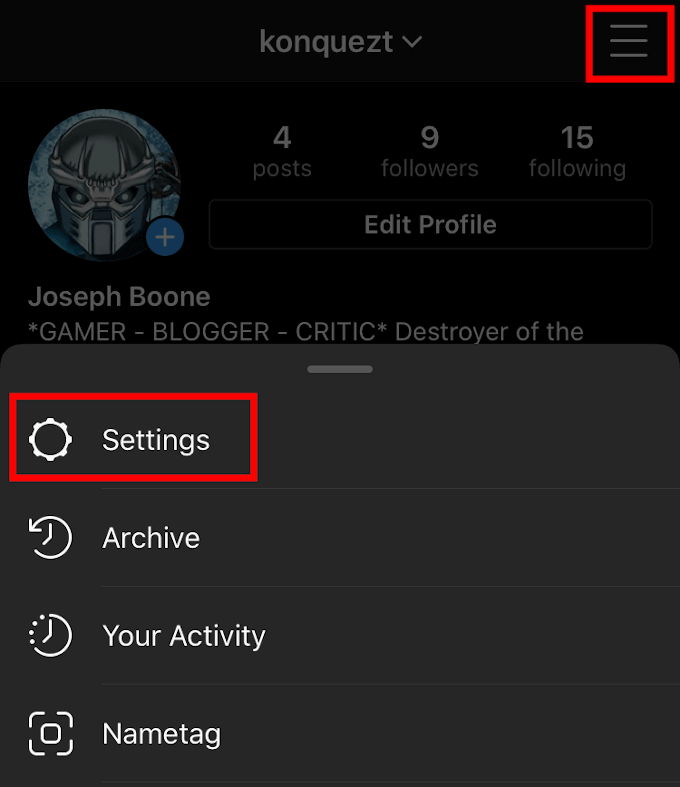
- Begin pairing your accounts by opening the Instagram app on your mobile device and heading to the Profile screen.
- Tap the Menu icon (three horizontal lines) located in the upper-right corner of the screen.
- From the menu, tap Settings.
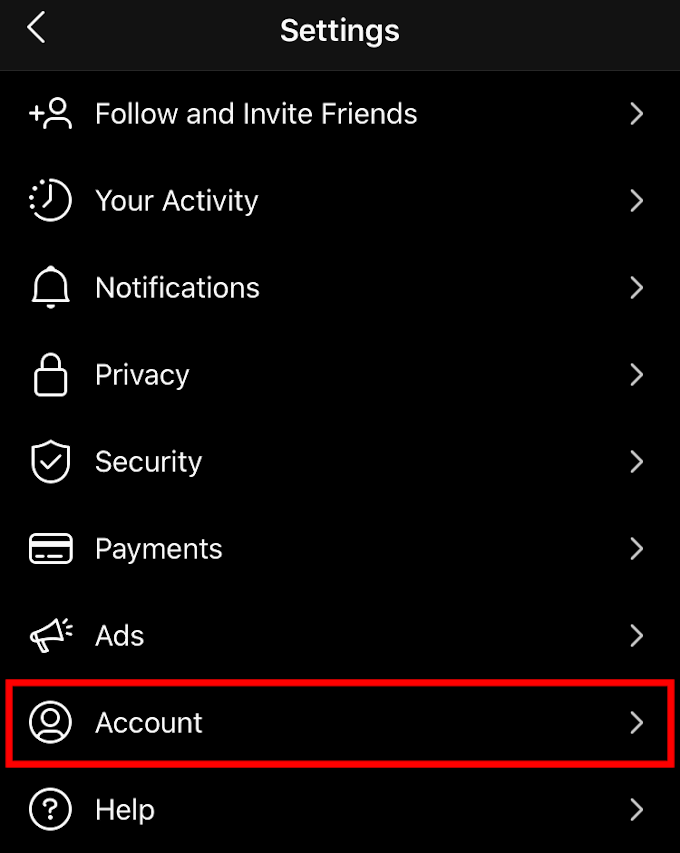
- From the long list, tap Account.
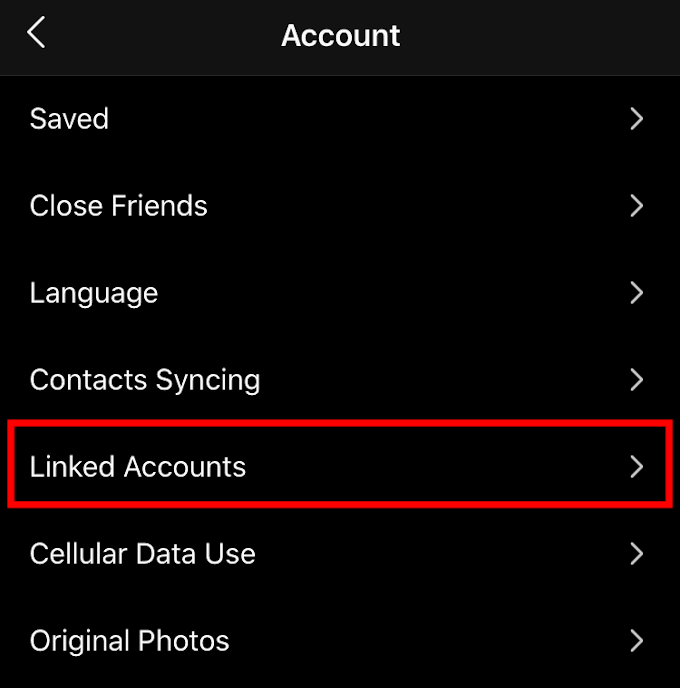
- Followed by Linked Accounts.
- Here you’ll find a list of different social platforms that you can link up to your Instagram account. Facebook will be at the top of the list.
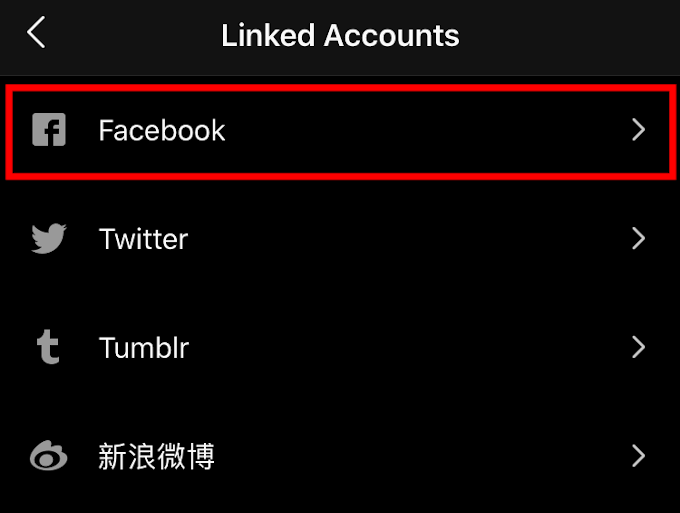
- It will benefit you to link up any accounts that you see that can integrate with Instagram including Tumblr, Twitter, and the others. So long as you have an account for those social media platforms, of course.
- Tap Facebook and you’ll then need to sign in using your Facebook credentials. You can do this through your browser, or if you have it, the Facebook app.
- Once signed in, your accounts will be linked. You’ll notice that your Facebook option now has your name to the right of it.
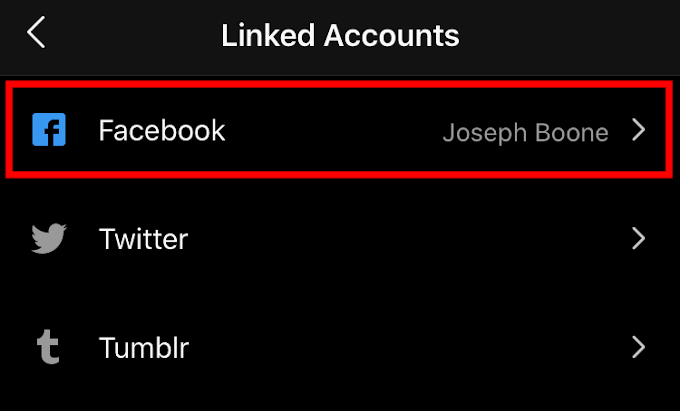
- This means that when you post on Instagram, or Facebook, you will be able to share it seamlessly to the other social media platform as well.
- You can enable this anytime during a post through the corresponding button on the caption screen.
Share Older Photos
- To share older pics from Instagram to Facebook (or any other social media app you have on your mobile device), select the image and open the menu in the upper-right corner.
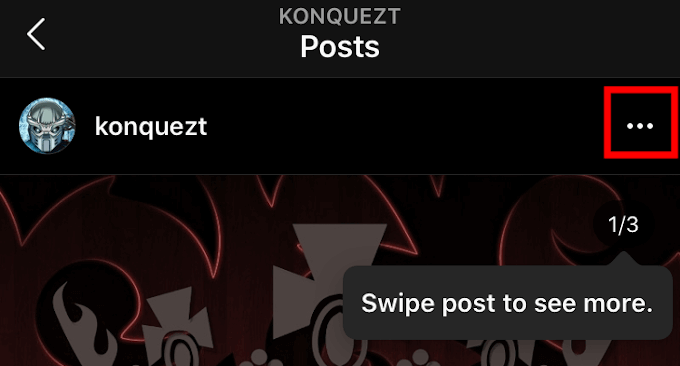
- Then, tap Share to… from the pop-up menu.
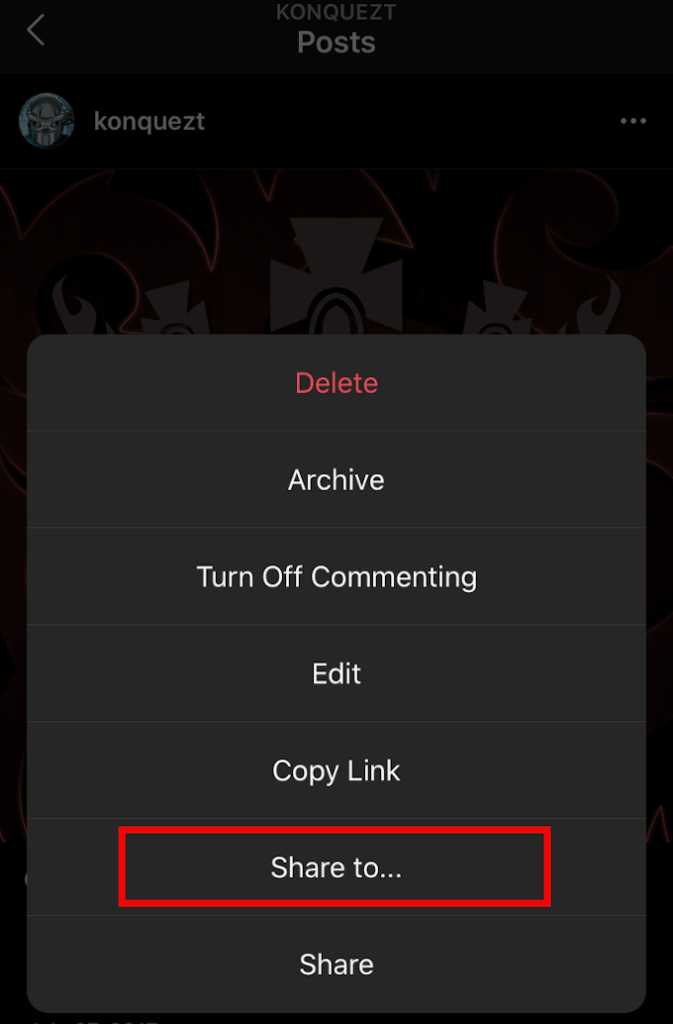
- Select the app to share to and send it out.
- For other apps other than Facebook, it’s likely the image will show up as a link. Keep that in mind when you select it.
- You’re usually given the chance to add a message along with the image or link.
There’s also a way to have it set to automatically share all new posts.
Automatic Post
- Back in Settings > Accounts > Linked Accounts, click on Facebook.
- In this window you can toggle on a few things including Share Your Story to Facebook and Share Your Posts to Facebook.
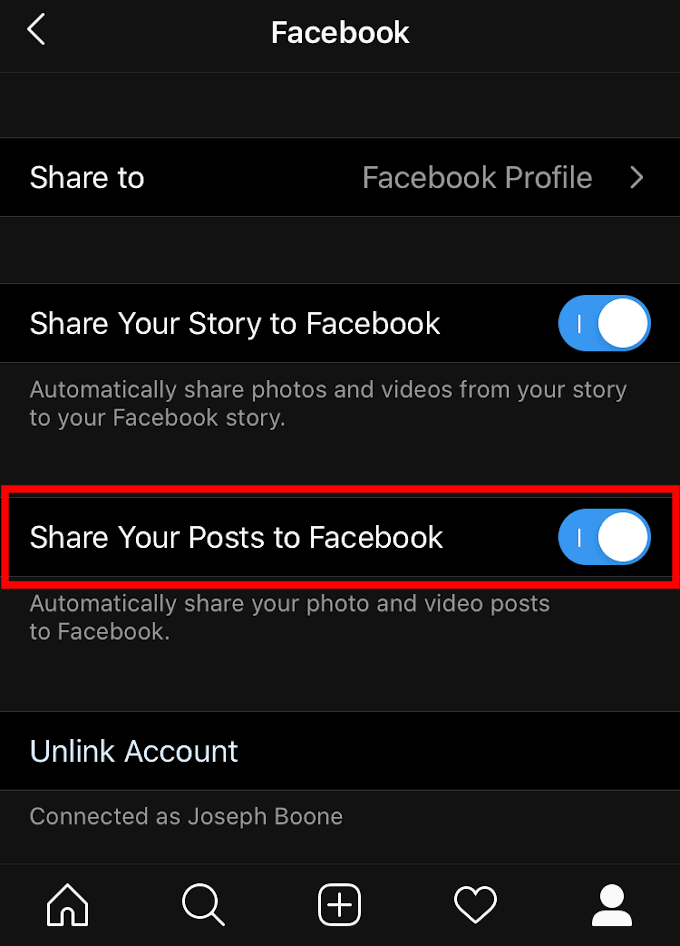
- These toggles will make all stories and posts share automatically to your Facebook feed.
- If you happen to also have pages attached to your Facebook profile, you can toggle to have all posts from Instagram sent automatically to that page as well.
- Tap Share to and select your pages under Choose a Page.
Remove Integration
- The option to Unlink your accounts is also present in the Settings > Accounts > Linked Accounts > Facebook window.
- To unlink, simply tap the button and confirm your desire to unlink accounts.
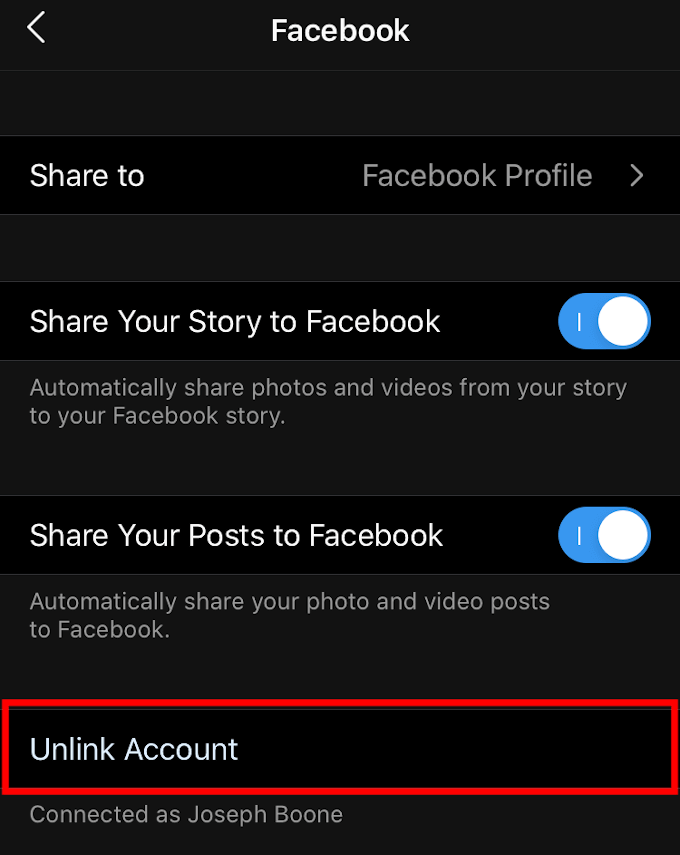
- This will not remove posts already made between platforms, but stop all future post sharing until re-integration is made following the steps outline above.
Do you link Instagram to Facebook? If so, what pros and cons have you found doing it? Let us know in the comments below.