

Twitter has more than 300 million users who use it to keep up with news, share trending stories, follow their favorite sites and public figures, or tell the world what they’re up to.
If you use Twitter on your Windows 10 PC, you’ve probably noticed that there aren’t as many good third-party Twitter alternatives that go beyond the basics. This is because of Twitter’s strict API restrictions on developers, which broke most of these third-party clients and users had no choice but to use the standard web app.
Thankfully, you can still find some Twitter apps for Windows 10 that offer features that are best suited to the way you tweet.
Best Twitter Apps for Windows 10
1. Twitter for Windows
If you’re looking for simplicity in a desktop client, Twitter’s official app for Windows 10 works really well.
The dedicated app lacks all the bells and whistles that other Twitter apps have, but you get a single column view, ability to switch between messages, notifications, and you can even compose tweets.
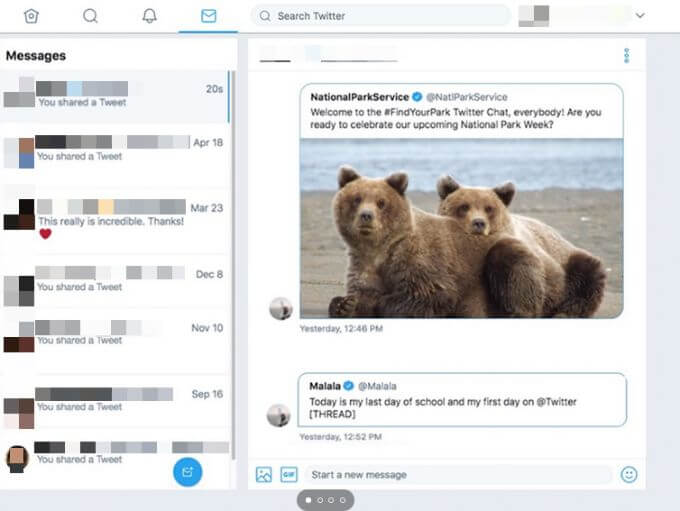
You can also search and embed GIFs in tweets, and if you want any new features, you can click on the smiley icon and give Microsoft your feedback.
Twitter for Windows is easy to navigate but lacks some functionality. For instance, you can’t access hashtags or trending topics at a glance, filter searches, or schedule tweets.
2. Tweeten
Tweeten is a popular Twitter app for Windows 10 that’s based on TweetDeck. The app allows you to download GIFs, pick emojis, and has the same beautiful column-based interface from where you can track everything happening on Twitter.
The multi-column interface helps you monitor all your accounts simultaneously, track your Twitter Lists, notifications, activity, and direct messages.
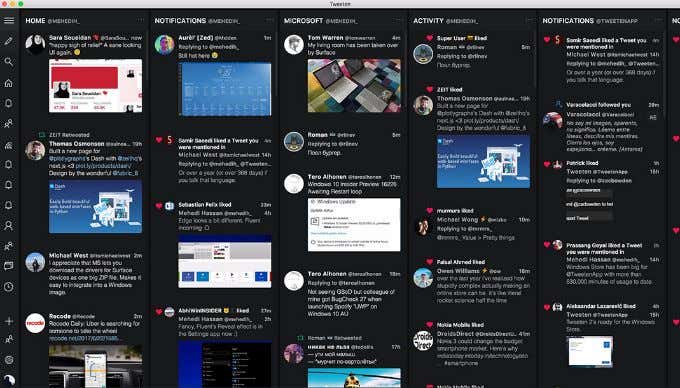
Plus, you can use the app’s powerful search feature to track a topic, search and save GIFs, switch between light or dark themes, and even schedule your tweets.
Tweeten only works with Windows 10 Home and Pro.
3. Fenice for Twitter
Fenice is a premium Twitter app for Windows 10 that offers a pleasant experience designed for large screens.
The universal app brings several unique features including a familiar user interface, interactive notifications that allow you to like, reply, or retweet mentions, and add memes to your tweets.
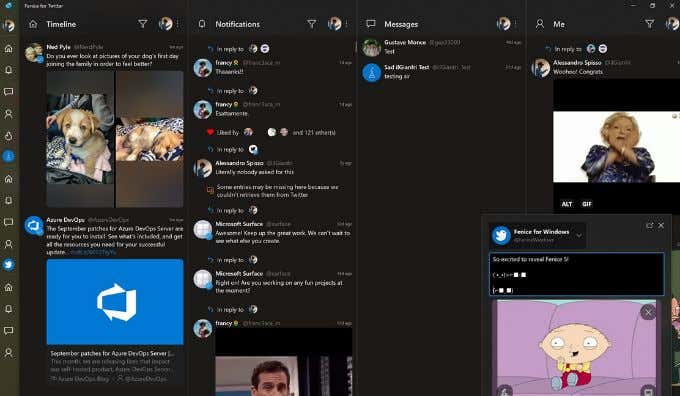
You also get the usual features like multiple accounts, thumbnail previews, quote retweets, and the ability to adjust colors and feeds. Plus, you can shorten links from Fenice, format and spellcheck edited retweets before posting them.
Fenice for Twitter also lets you drag and drop pictures into tweets, schedule tweets to publish later, and view live notifications so that you’re always up to date. The app offers a 24-hour free trial so you can test run it before committing to a paid subscription.
Note: Some Twitter features may not be available on Fenice for Twitter owing to API restrictions.
4. Buffer
If you use your Twitter account in a professional capacity, Buffer is a great choice. With the app, you can maintain a steady flow of tweets all day while managing your account.
Buffer helps you build a list of scheduled posts and then monitor their performance once they’re live so as to see which ones get the best response and at what time. Not only that, but Buffer also allows you to manage other social media accounts including Facebook, Instagram, and Facebook.
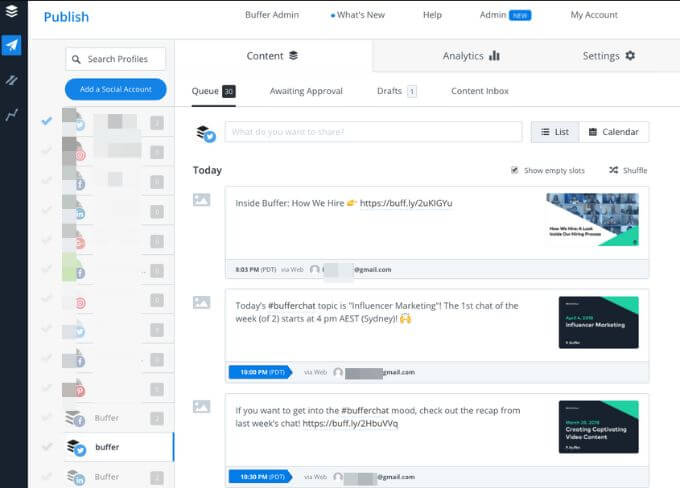
The app can be used for personal or business use, and comes with a free or paid version. The free version lets you connect one account and queue up to 10 posts to be published later, shorten links, and pick images to attach to your tweets.
5. TwitDuck
If you used TweetDeck to manage your Twitter account and need an alternative Twitter app for Windows 10, TwitDuck is worth considering.
The third-party Twitter app for Windows is designed to fill the gap that TweetDeck left, and offers similar functionalities.
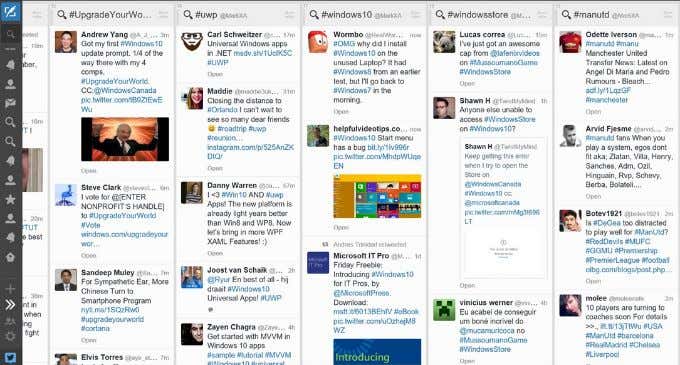
These include the ability to filter out tweets, find activity and notifications on the same screen, and customize your feed to prioritize trending topics, direct messages, and mentions.
6. Tweetium
Tweetium has a distinct design that helps you get the most out of Twitter but with the least effort. The app works with any device and orientation, whether you’re using a mouse, touch, or keyboard.
Plus, it’s quick, reliable, and focuses on performance and reliability thanks to its fast, modern user interface with multi-threaded sync and fluid architecture.
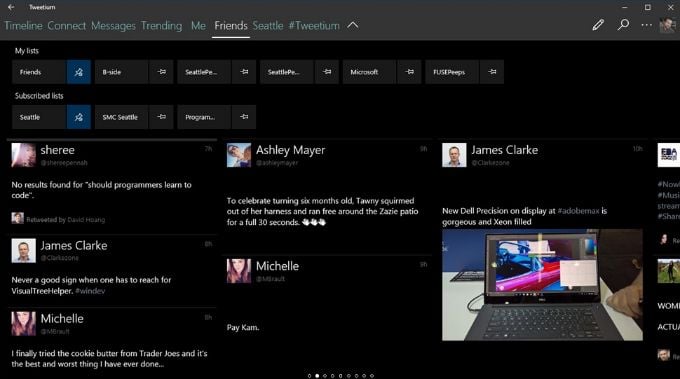
Tweetium also offers a live, connected Twitter experience with up-to-date conversations where replies pop in instantly.
The app also offers customization options like color, theme, background picture, and other features like Giphy integration, live tile support for direct messages and new mentions.
7. Tweetz
Tweetz is an easy-to-use Twitter app for Windows 10 that replicates the Twitter data onto the desktop client.
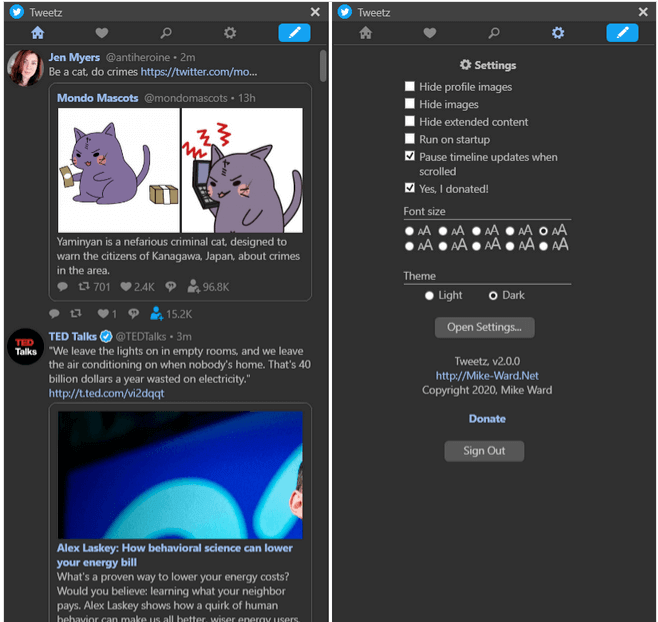
It’s very simple in that all it does is allow you to post and tag from your computer, so you won’t find professional features such as those of Buffer or Fenice for Twitter.
Manage Your Tweets
Twitter may not be very hospitable to third-party clients, but these 8 Twitter apps for Windows 10 will help you browse the social network and manage your tweets with ease.
You probably rely on the basic website for your laptop or desktop browsing habits, but these apps come with fantastic designs, features, and settings that are worth checking out.
Do you have a favorite Twitter app for Windows 10? Share with us in the comments.