

Slack is still one of the most popular team chat tools out there, but it’s not the right fit for everyone. Maybe the pricing feels steep, the message history limits are driving you nuts, or you just want something that fits better with the tools your team already uses. Whatever the reason, you’ve got more options than ever in 2026.
We went through the noise and hand-picked 12 of the best Slack alternatives based on features, pricing, platform support, and how well they actually work for real teams. Whether you’re running a five-person startup, a remote international team, or a security-conscious enterprise, there’s something on this list for you. And if you want to go deeper on productivity tools, check out our guide to the best collaboration tools for remote teams.
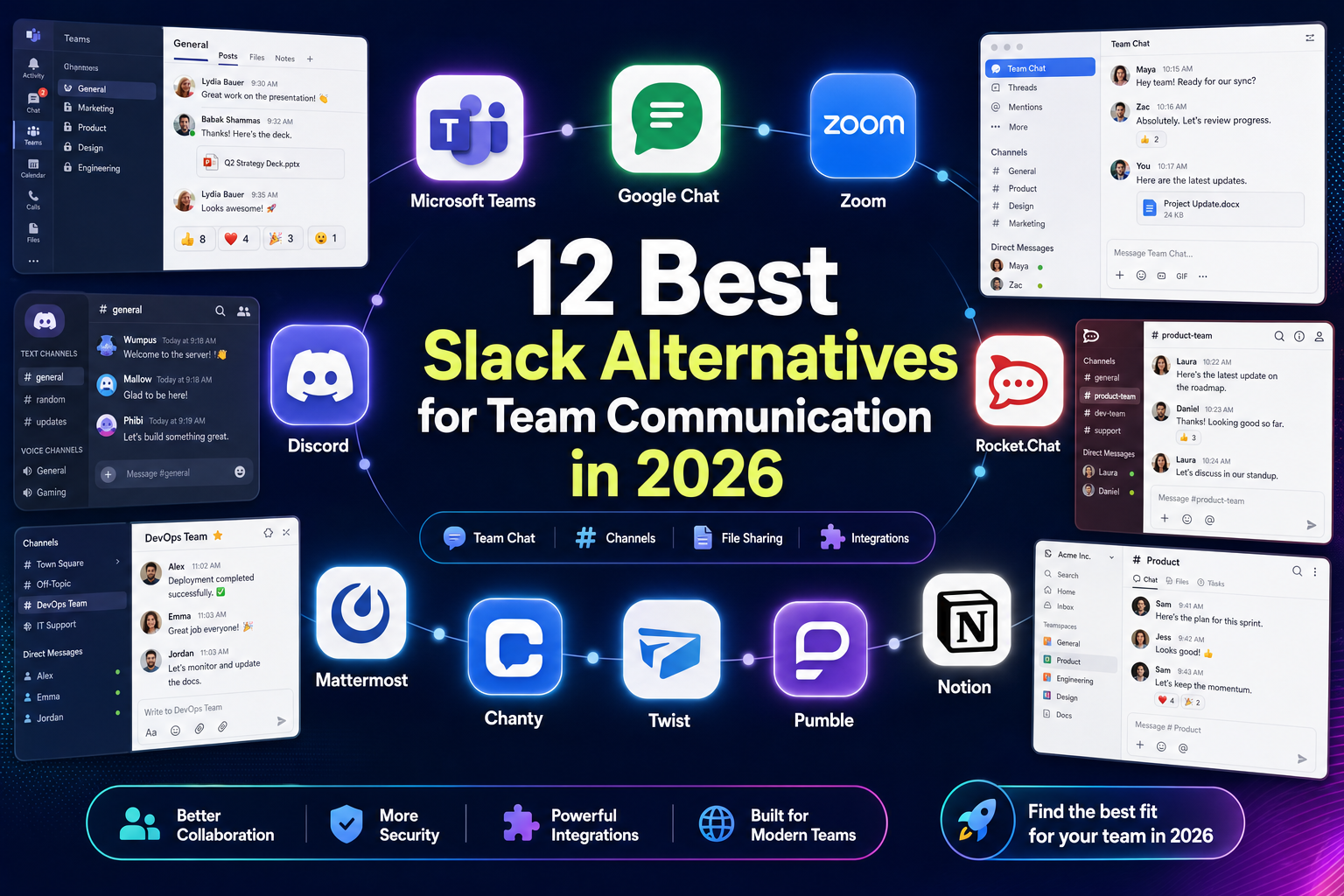
How to Choose the Right Slack Alternative in 2026
Before you dive into the list, it helps to know what you’re actually looking for. The “best” tool depends heavily on your team’s situation. Here’s a quick cheat sheet:
- Already using Microsoft 365? Microsoft Teams is probably the easiest path. It’s already included in your plan and works tightly with Word, Excel, OneDrive, and Outlook.
- Already using Google Workspace? Google Chat (with Spaces) is built right into Gmail and ties into Drive, Calendar, and Meet without any extra setup.
- Want everything in one app? Tools like Lark bundle chat, docs, video meetings, calendars, and task management under one roof.
- Need serious security or self-hosting? Mattermost, Rocket.Chat, and Element are built for regulated industries like healthcare, finance, and government.
- Working across time zones? Async-first tools like Twist are designed to reduce the “respond right now” pressure that real-time chat creates.
- On a tight budget? Pumble and Chanty both offer generous free tiers, and Pumble gives you unlimited message history for free, which is something Slack definitely doesn’t do.
Also worth thinking about in 2026: AI features. Most major platforms now offer some form of AI-powered chat summaries, search, or meeting recaps, but these are often locked behind higher-tier paid plans. We’ll flag that where it’s relevant.
1. Microsoft Teams
If your company is already paying for Microsoft 365, Teams is probably already sitting in your taskbar waiting to be used. It’s the default communication hub for a huge chunk of enterprises in 2026, and honestly, it’s easy to see why. Everything just connects. Your chats, files, meetings, and calendar all live in one place, and it ties directly into OneDrive, SharePoint, and the full Office suite.
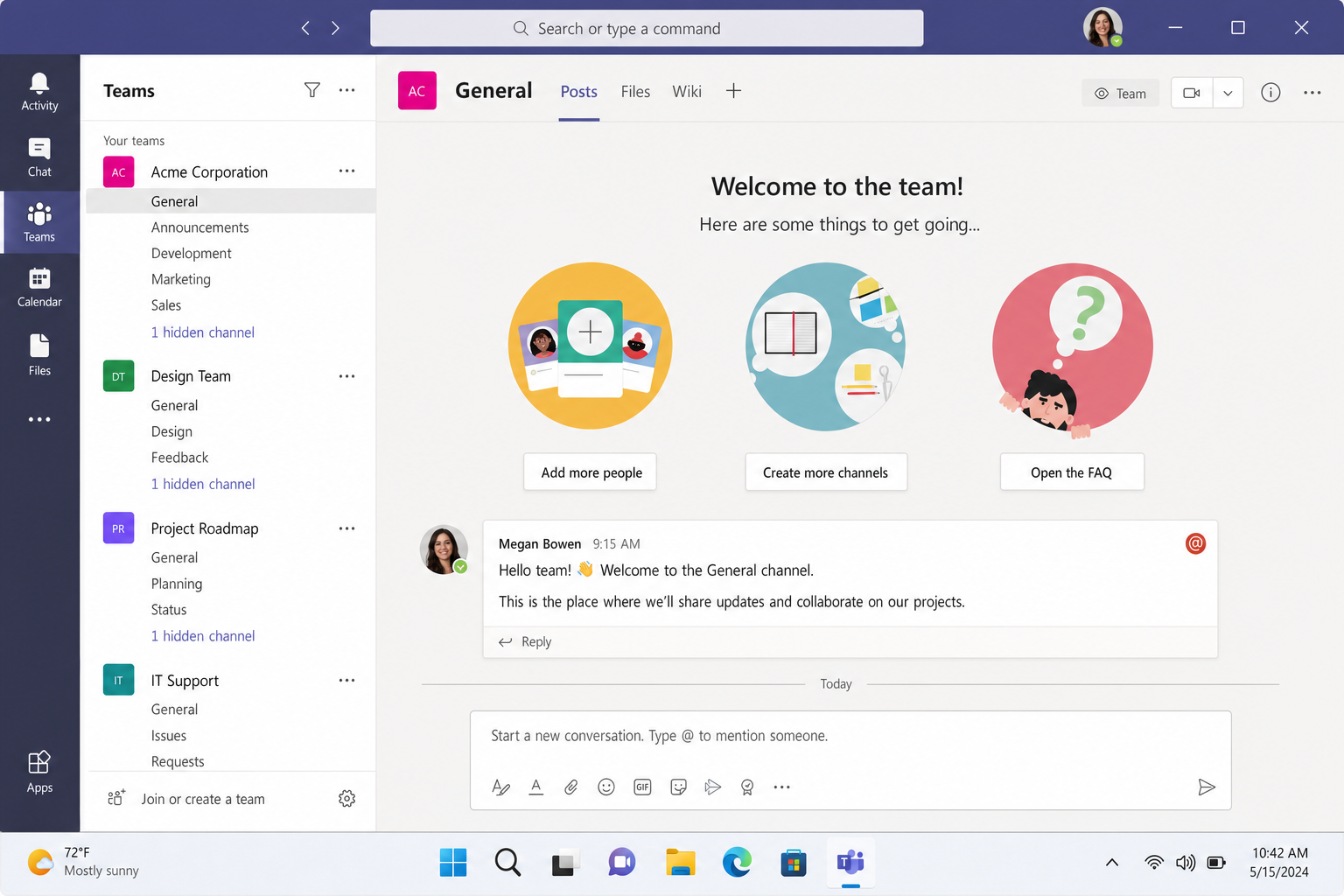
Teams has gotten significantly more capable since its early days. Video meetings now integrate tightly with Outlook, “Meet now” calls are a click away, and shared channels let you collaborate with people outside your organization without jumping through hoops. If you’re on a Microsoft 365 Copilot plan, you also get AI-powered meeting summaries and chat recaps built right in, which is genuinely useful when you’re catching up after a long weekend.
There is a free version of Teams, though it’s trimmed down compared to the paid plans. Most teams end up getting Teams through their Microsoft 365 Business subscription rather than signing up for it separately.
- Best for: Organizations already on Microsoft 365, hybrid teams, enterprises
- Platforms: Windows, macOS, iOS, Android, Web
- Pricing: Free (limited); included with Microsoft 365 Business plans starting around $6/user/month in the US as of early 2026 (prices vary by region — check Microsoft’s site for current rates); Copilot AI features require higher-tier plans
- Standout feature: Deep integration with the entire Microsoft 365 ecosystem, plus Copilot AI for meeting and chat summaries
2. Google Chat
Google Chat has quietly grown into a genuinely solid Slack alternative, especially if your team already lives in Google Workspace. It’s baked right into Gmail, so there’s no separate app to install or manage. You’ve got 1:1 chats, group messages, and Spaces (which are basically persistent team rooms with threads, a Files tab linked to Drive, and tasks connected to Google Tasks).
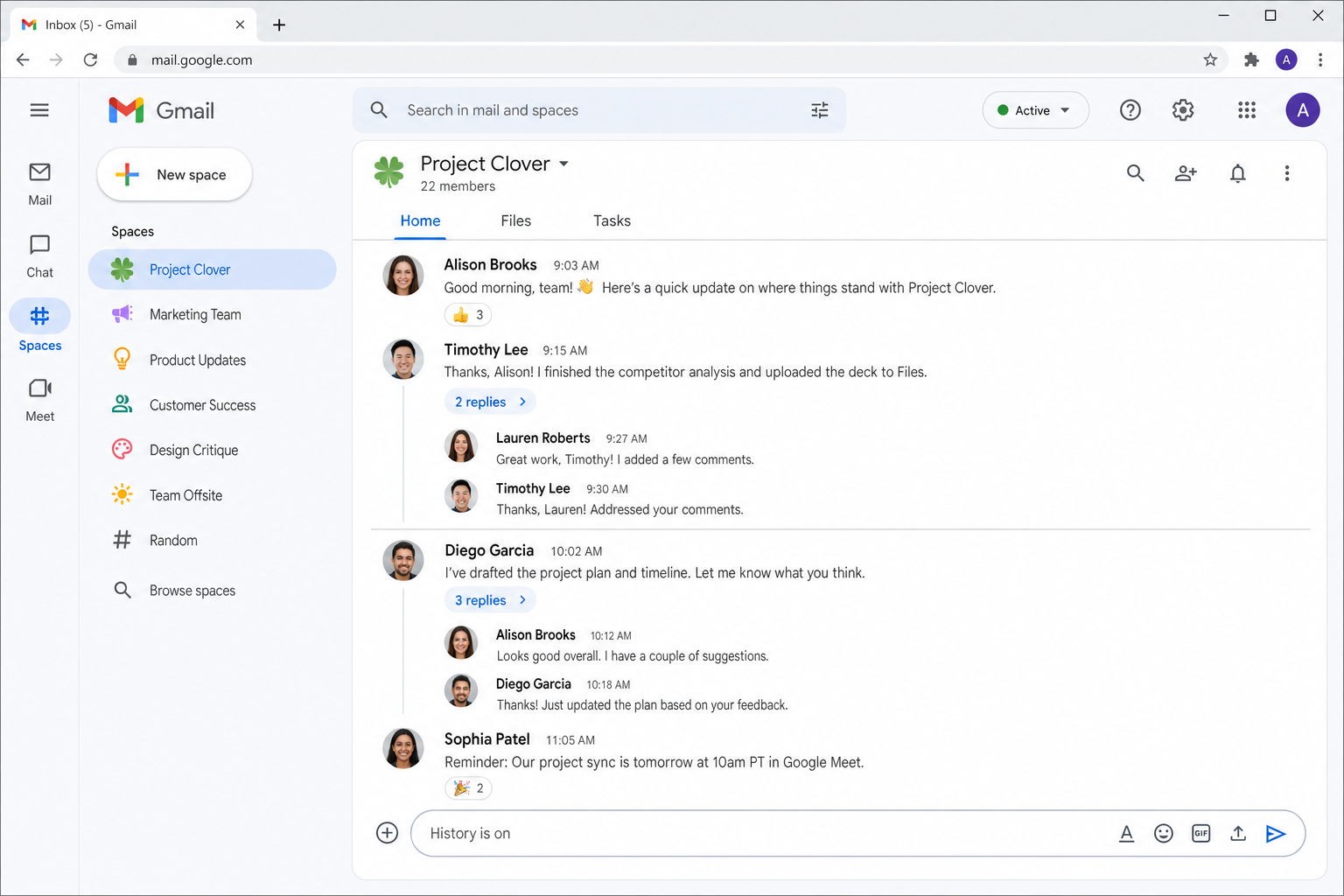
The big upgrade in recent years has been Gemini for Workspace integration. Depending on your plan, you can use Google’s AI to summarize chats, draft replies, and search across your messages and documents. It’s not perfect, but it’s promising, and it’s getting better fast.
Google Chat is included with all Google Workspace plans (and free for personal Gmail accounts, though with fewer features). If your team is already paying for Workspace, you’re essentially getting Chat for free.
- Best for: Teams already using Google Workspace
- Platforms: Web, Android, iOS (integrated with Gmail on all platforms)
- Pricing: Included with Google Workspace plans (starting around $6/user/month in the US as of early 2026 — check Google’s site for current rates); free for personal Gmail accounts
- Standout feature: Seamless integration with Gmail, Drive, Calendar, and Meet, plus Gemini AI on supported plans
3. Discord
Yes, Discord started as a chat app for gamers, but in 2026, plenty of companies use it as their main internal communication tool, and it actually works really well for the right kind of team. Agencies, creative studios, dev shops, and community-driven businesses have all found a home here. For a deeper look at how Discord stacks up as a workplace tool, check out our Slack vs Discord comparison.
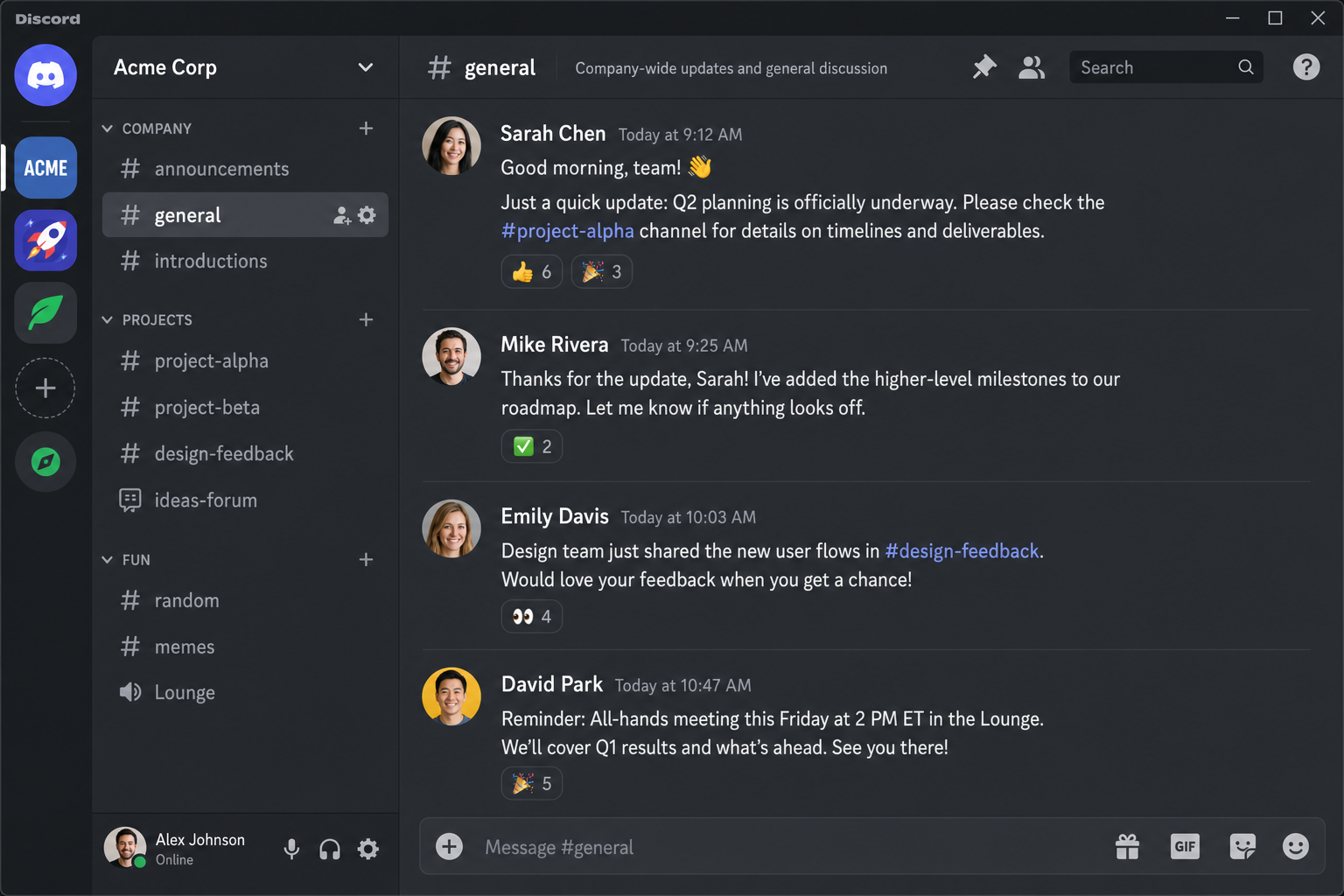
What makes Discord interesting for work is the always-on voice channels. You can just “pop into” a room and chat without scheduling a meeting. Threads and forum channels help keep async conversations organized, and role-based permissions let you control who sees what. It’s genuinely flexible once you set it up properly.
The main hesitation for some companies is data governance. Discord wasn’t designed with enterprise compliance in mind, so if your industry has strict data requirements, you might want to look elsewhere. But for teams that prioritize culture, speed, and informal collaboration, it’s a solid choice.
- Best for: Creative teams, agencies, dev communities, informal company cultures
- Platforms: Windows, macOS, Linux, iOS, Android, Web
- Pricing: Free (with limits); Discord Nitro from $9.99/month for enhanced file sharing and features
- Standout feature: Always-on voice channels and a highly flexible server/channel/role structure
4. Rocket.Chat
Rocket.Chat is the go-to pick for teams that need full control over where their data lives. It’s open-source, which means you can self-host it on your own servers and customize it however you want, adding or removing features, building custom integrations, and more. That level of control is a big deal for industries where data residency and compliance aren’t optional.
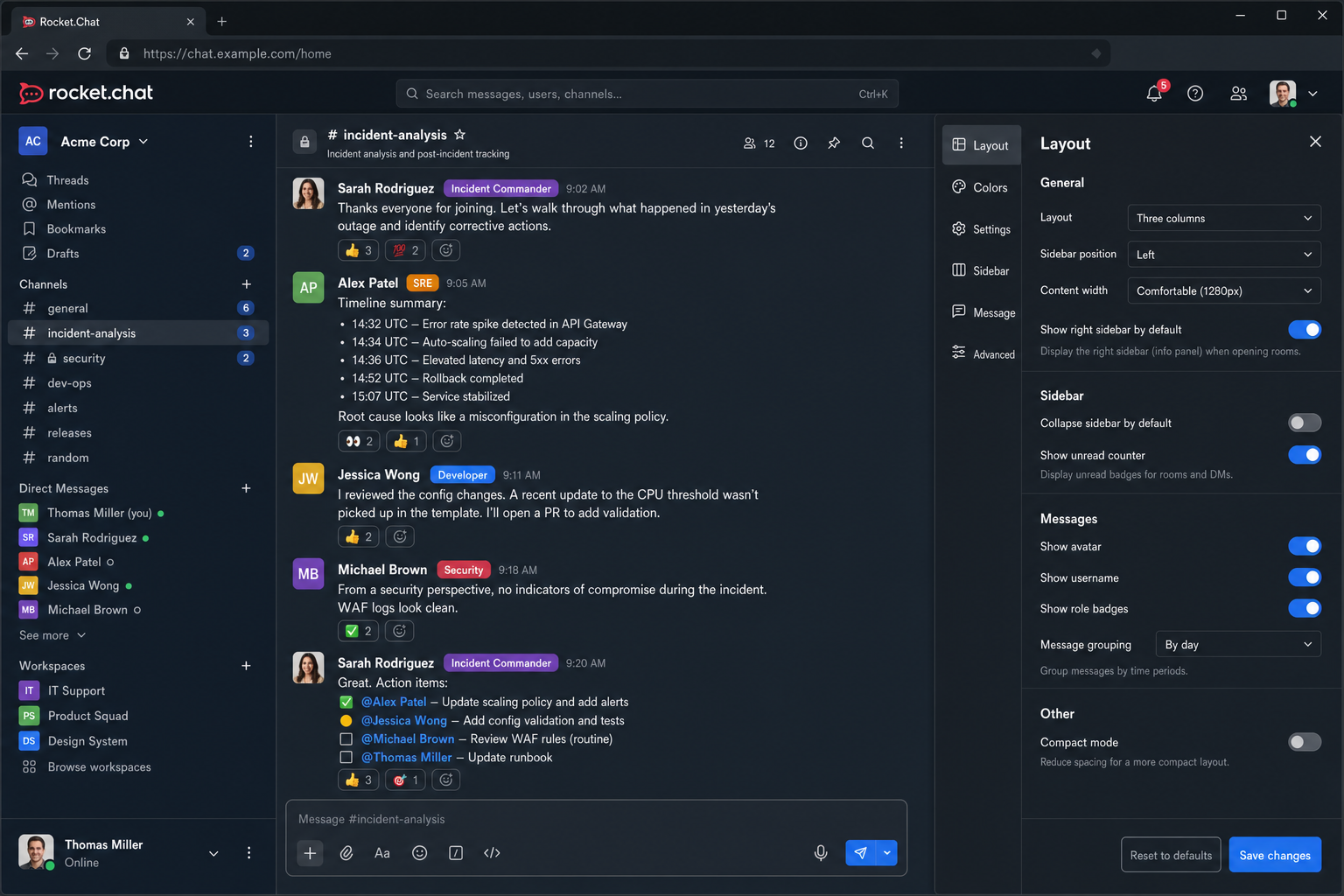
The interface is clean and Slack-like, so switching over doesn’t feel like learning a completely new app. It supports end-to-end encryption, which keeps your conversations locked down, and it runs on pretty much every platform you can think of.
Rocket.Chat now has a polished cloud option too, which is great if you want the flexibility without the server management headache. The self-hosted version is free; the cloud-hosted plan starts at around $4/user/month.
- Best for: Security-conscious teams, regulated industries, organizations that need self-hosting
- Platforms: Windows, macOS, Linux, iOS, Android, Web
- Pricing: Free (self-hosted, open-source); cloud plans from ~$4/user/month
- Standout feature: Full open-source code access, self-hosting option, and end-to-end encryption
5. Lark
Lark is one of the most interesting tools on this list, and it’s been showing up in a lot of 2026 “best of” roundups for good reason. It’s not just a chat app. It’s a full all-in-one workspace with chat, video meetings, collaborative docs, spreadsheets, calendars, cloud storage, and lightweight project management all built in. Think of it like if Slack, Google Docs, and Notion had a baby.
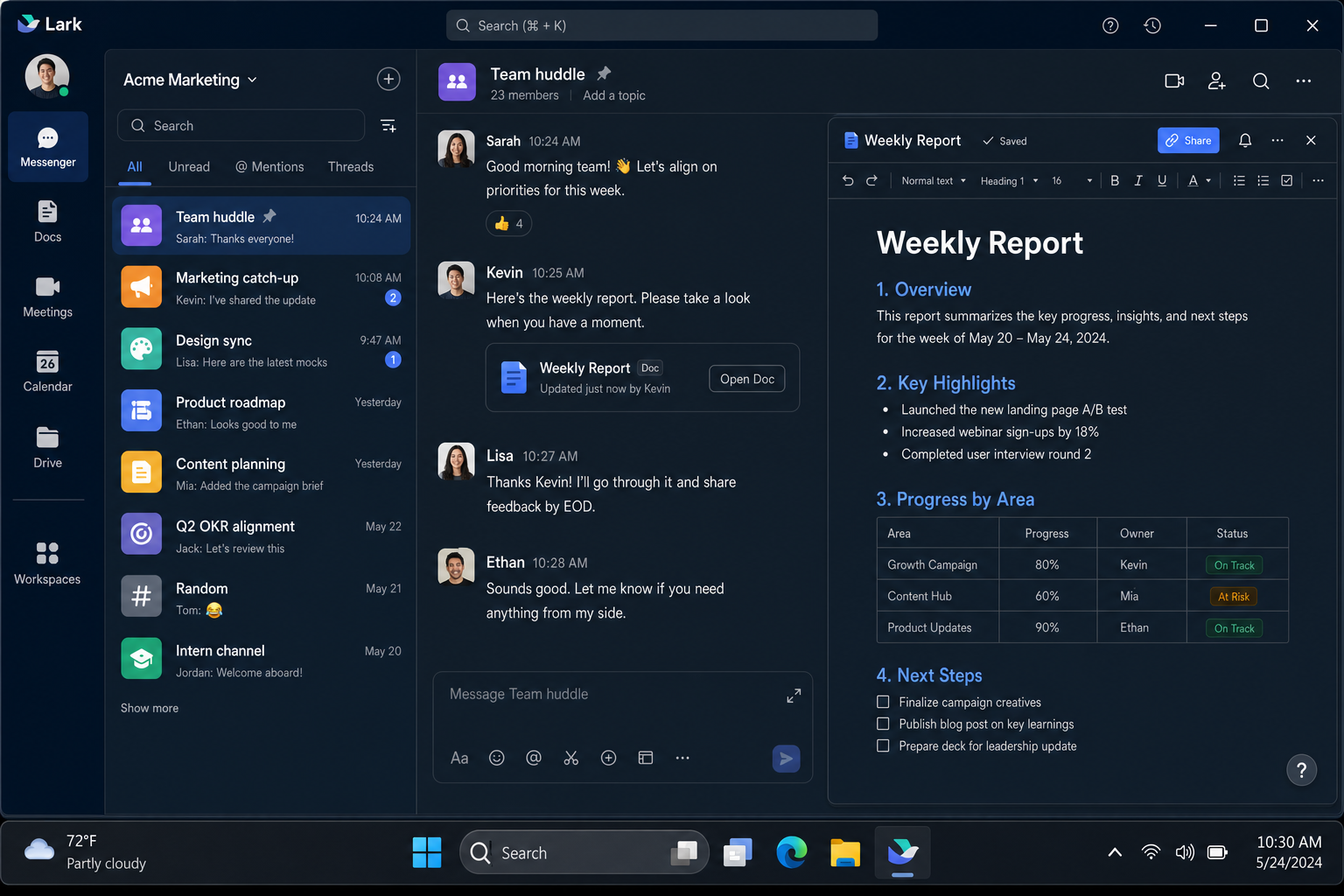
For distributed or international teams, Lark’s real-time translation features are genuinely impressive. Messages can be translated on the fly, which removes a lot of friction when your team spans multiple countries. The free plan is surprisingly generous too, supporting up to 50 users with solid core features.
The learning curve is a bit steeper than pure chat tools since there’s just more to it, but if you want to consolidate your stack and reduce the number of apps your team juggles, Lark is worth a serious look.
- Best for: International teams, SMBs wanting to consolidate tools, all-in-one workspace seekers
- Platforms: Windows, macOS, iOS, Android, Web
- Pricing: Free (up to 50 users); paid plans available for larger teams and advanced features
- Standout feature: Real-time translation, built-in docs/sheets/calendar, and a genuinely useful free tier
6. Pumble
If Slack’s free plan has been frustrating you, specifically the part where it only shows your last 90 days of messages, Pumble is going to feel like a breath of fresh air. It’s basically a Slack clone that offers unlimited message history on its free plan. That’s not a typo. You can scroll back to day one without paying a cent.
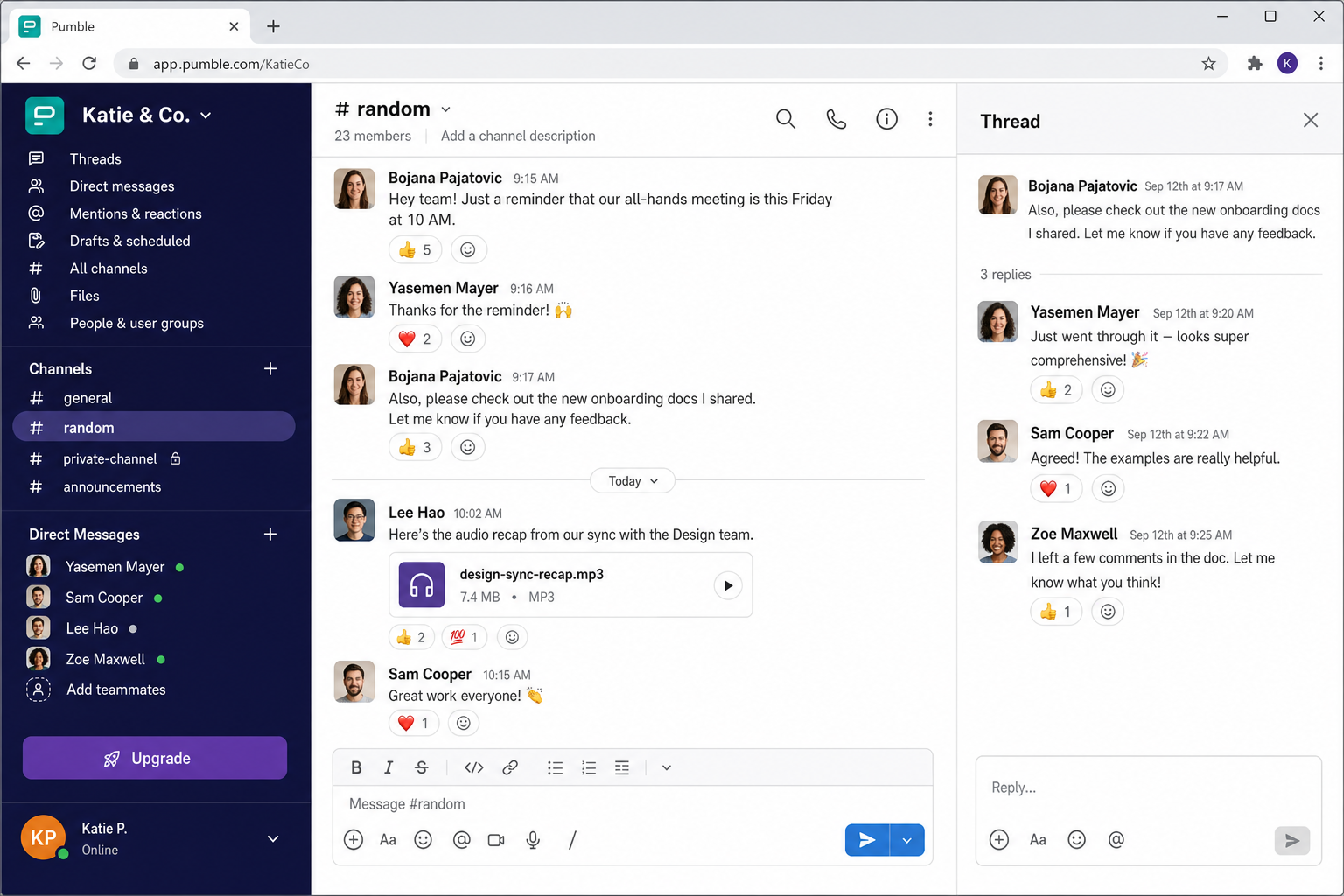
Pumble has the familiar Slack-style layout, with channels, direct messages, threads, and file sharing, so there’s almost no learning curve if you’re switching from Slack. The paid plan starts at around $2.49/user/month, which makes it one of the most affordable options on this list for teams that need a few extra features.
It doesn’t have the deep integrations or AI features of some bigger platforms, but if you’re a small-to-medium team that just wants reliable, affordable team chat with no message history anxiety, Pumble is a really solid choice.
- Best for: Budget-conscious teams, small businesses, Slack switchers frustrated by message history limits
- Platforms: Windows, macOS, iOS, Android, Web
- Pricing: Free (unlimited message history); paid from ~$2.49/user/month
- Standout feature: Unlimited message history on the free plan, a genuine differentiator
7. Mattermost
Mattermost is the serious choice for teams where security and compliance aren’t just buzzwords. They’re requirements. It’s open-source, self-hostable, and has become a go-to platform for government agencies, healthcare organizations, defense contractors, and financial institutions that need strict data control.
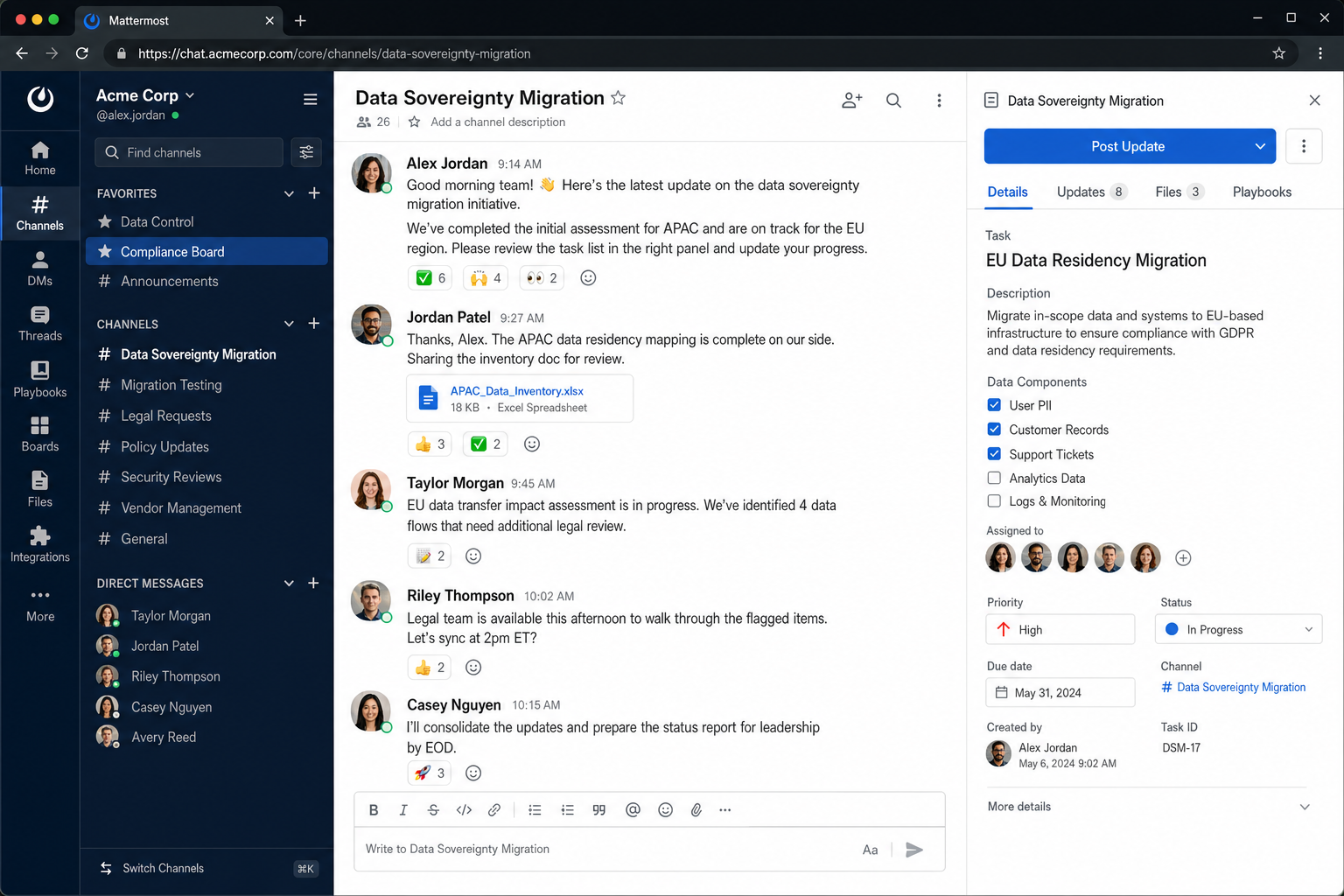
The interface will feel familiar if you’re coming from Slack, with a similar channel structure and similar layout, which makes the transition easier than you might expect. Beyond chat, Mattermost supports workflow management, integrates with developer tools like GitHub and Jira, and has strong support for SSO (single sign-on) and compliance features like message retention policies and audit logs.
The free self-hosted version covers the basics well. If you need enterprise-grade features like advanced compliance tools or dedicated support, the paid plans step up from there.
- Best for: Government, healthcare, finance, and any team needing self-hosted or on-premises deployment
- Platforms: Windows, macOS, Linux, iOS, Android, Web
- Pricing: Free (self-hosted); cloud and enterprise plans available (pricing varies)
- Standout feature: Self-hosting with enterprise-grade security, compliance, and audit features
8. Chanty
Chanty is a straightforward, no-fuss team chat tool that punches above its weight on features for the price. It’s got everything you’d expect, including channels, direct messages, audio/video calls, and file sharing, plus a built-in task management system that lets you turn messages into tasks without switching apps. That’s a small thing that saves a surprising amount of time.
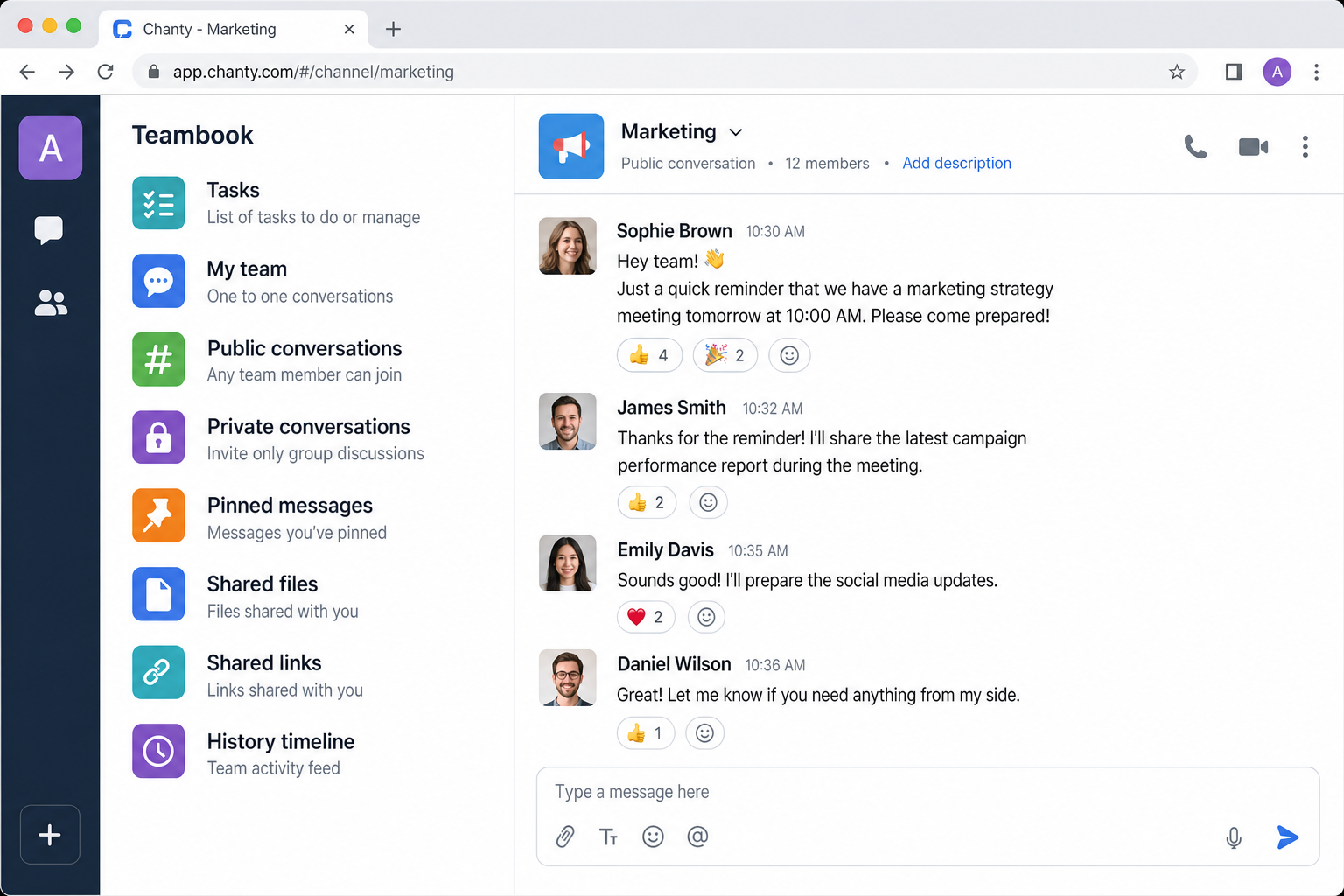
The “Teambook” feature is worth calling out specifically. It’s basically a central hub where all your tasks, chats, and files are organized into folders. If your team tends to lose things in the chat scroll, Teambook helps keep things findable.
Small teams of up to 10 people can use Chanty completely free. Beyond that, the paid plan is very reasonable, making it a great option for growing teams that want Slack-like functionality without Slack-like pricing.
- Best for: Small teams, budget-conscious businesses, teams that want built-in task management
- Platforms: Windows, macOS, iOS, Android, Web
- Pricing: Free (up to 10 users); paid plan from ~$3/user/month
- Standout feature: Built-in task management and the Teambook organizational hub
9. Twist
If your team is spread across multiple time zones and you’re tired of the “always-on” pressure that real-time chat creates, Twist might be exactly what you need. It’s built around an async-first philosophy, meaning conversations are organized into threads rather than a live-fire message stream, so nobody feels like they have to respond immediately or miss out.
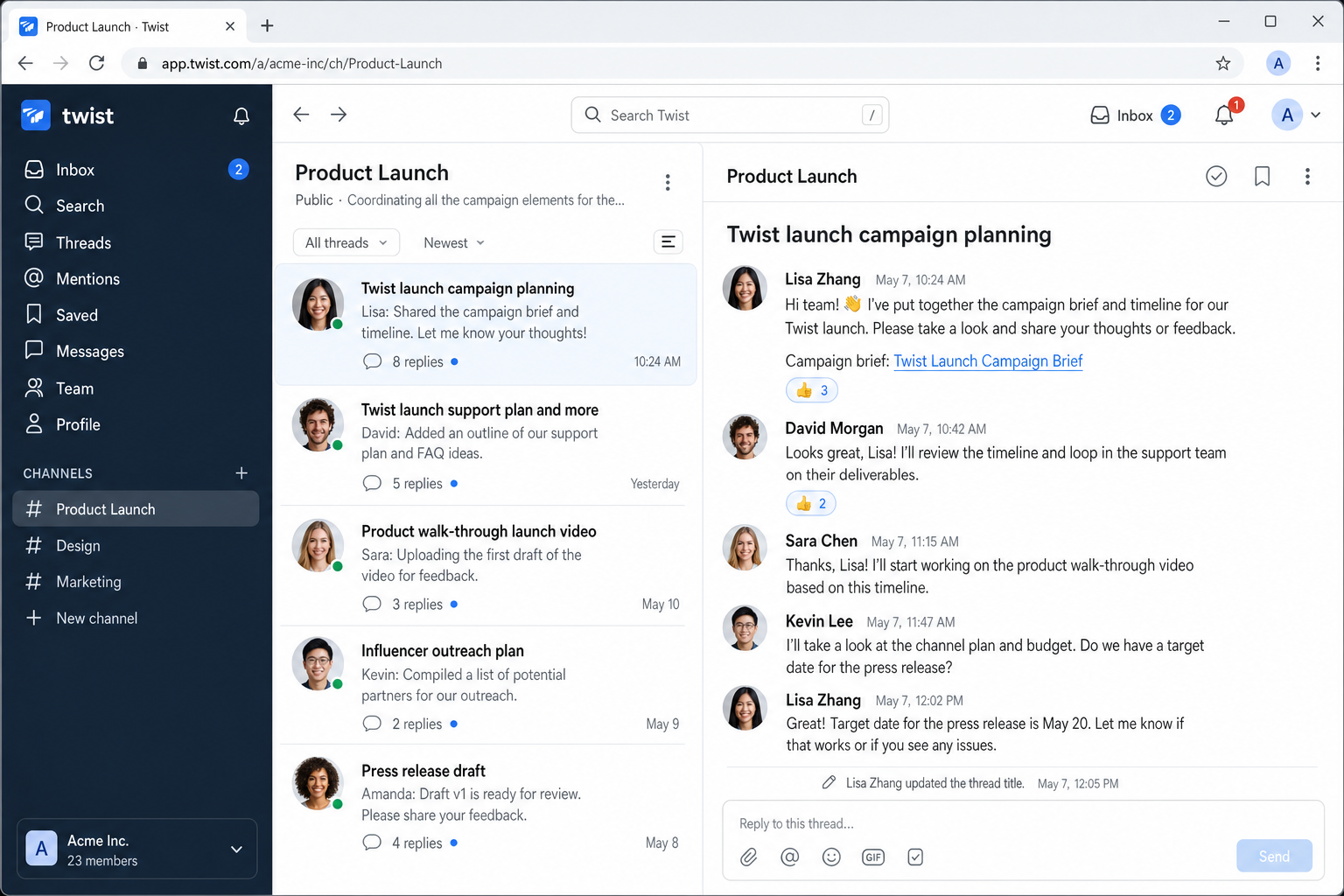
Think of it less like a chat room and more like a well-organized email thread that everyone can contribute to on their own schedule. There’s still a direct messages feature for quick back-and-forth, but the whole design encourages more thoughtful, organized communication. For remote teams dealing with notification overload and burnout, that’s genuinely valuable. If you’re evaluating tools for distributed work, our roundup of the best Zoom alternatives for free group video conferencing is also worth a look.
Twist is free for unlimited users (with some storage limits). The paid plan unlocks unlimited history and integrations for a reasonable per-user fee.
- Best for: Remote and distributed teams, async-first workflows, teams in multiple time zones
- Platforms: Windows, macOS, Linux, iOS, Android, Web
- Pricing: Free (unlimited users, limited history); paid from $5/user/month
- Standout feature: Thread-centric, async-first design that reduces real-time notification pressure
10. Zoom Team Chat
You probably already use Zoom for video calls, but in 2026, Zoom has grown into something much closer to a full communication platform. Zoom Team Chat is built right into the Zoom app you already have, and it connects seamlessly with your meetings, whiteboard sessions, and the newer Zoom Docs (AI-driven collaborative documents). If your team is meeting-heavy, this integration is genuinely convenient.
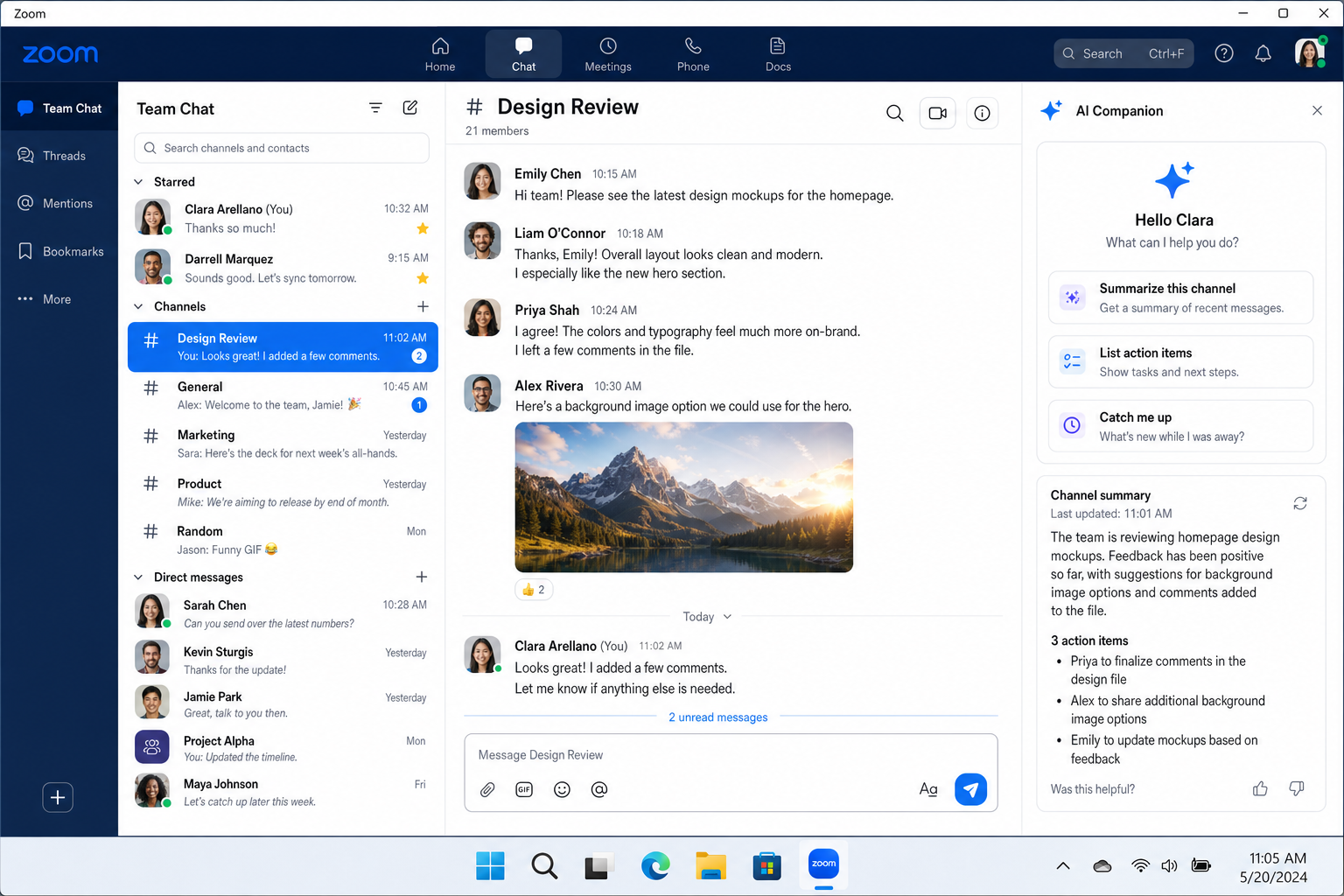
The Zoom AI Companion is worth mentioning here too. It can summarize chat threads, recap meetings, and even answer questions about content from past conversations, all without you having to dig through history manually. It’s included on most current paid Zoom plans — check Zoom’s plan details to confirm, as packaging can change.
If you’re already paying for Zoom for video meetings, using Team Chat as your Slack replacement means one less tool to manage and one less bill to pay. That’s a pretty compelling argument on its own.
- Best for: Teams already using Zoom for meetings, video-first workflows
- Platforms: Windows, macOS, iOS, Android, Web
- Pricing: Included with Zoom paid plans (starting around $13.33/user/month in the US as of early 2026 — check Zoom’s site for current rates); AI Companion included on most current paid plans (check Zoom’s plan details to confirm)
- Standout feature: Native integration with Zoom meetings, Docs, and AI Companion summaries
11. Element
Element is the privacy-focused pick on this list, and it’s genuinely different from everything else here. It’s built on the Matrix protocol, an open, decentralized communication standard, which means your messages aren’t tied to any single company’s servers. You can host your own Matrix server, federate with other servers, or use Element’s hosted service. End-to-end encryption is on by default.
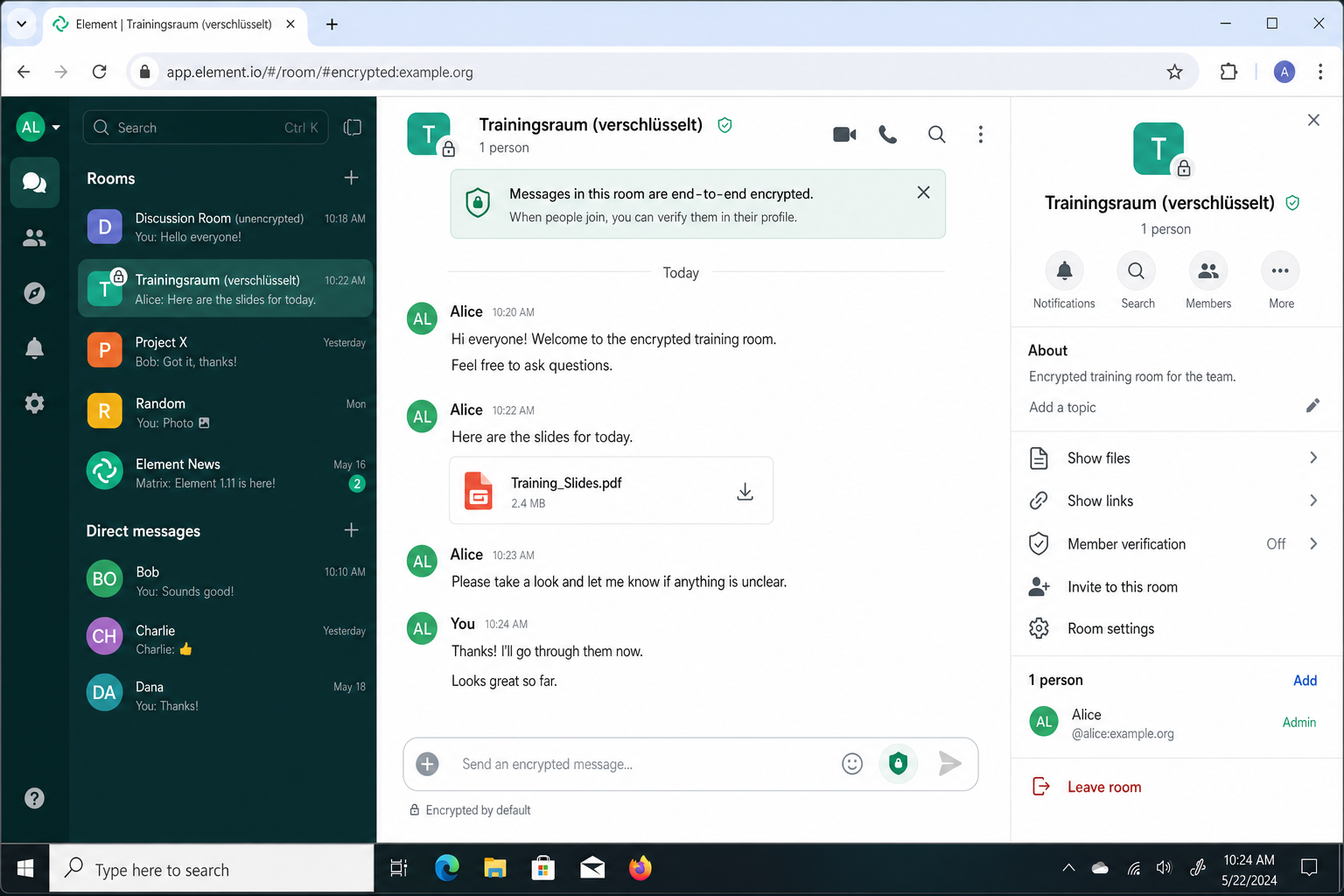
This architecture is why Element has gained serious traction with governments, defense agencies, and privacy-focused organizations across Europe. Several national governments now run their own Matrix servers for secure internal communications, which is not something you can say about most team chat tools.
It’s not the slickest experience for everyday business users, and the setup can be more involved than plug-and-play tools like Slack or Teams. But if your threat model requires true data sovereignty and encrypted communications, Element is in a different league.
- Best for: Government agencies, privacy-focused organizations, security-critical industries
- Platforms: Windows, macOS, Linux, iOS, Android, Web
- Pricing: Free (self-hosted); Element One from $5/user/month for hosted service
- Standout feature: Decentralized Matrix protocol with end-to-end encryption by default and true data sovereignty
12. Bitrix24
Bitrix24 is for teams that want to replace not just Slack, but a whole bunch of other tools at once. It combines team chat with a full CRM (customer relationship management), project management, HR tools, and even a website builder, all under one subscription. It’s a lot, but if you’re currently paying for five separate tools, consolidating into Bitrix24 can make a lot of financial sense.
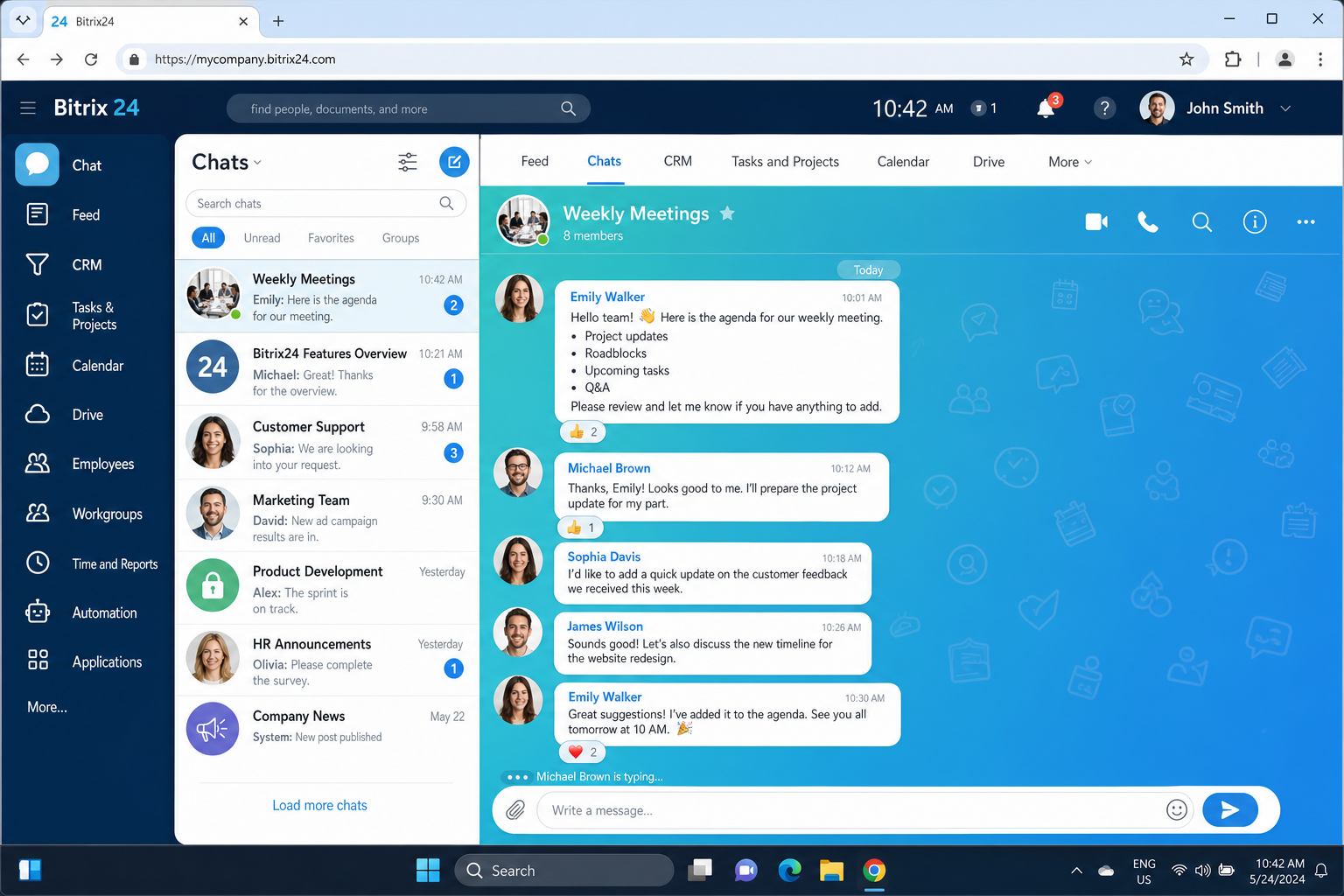
The chat features themselves are solid, with channels, group chats, video calls, file sharing, and task creation from messages. But the real value is how tightly the chat integrates with the CRM and project tools. You can turn a chat message into a CRM deal, a task, or a calendar event without leaving the conversation. For sales teams and client-facing businesses, that’s a genuinely useful workflow.
The free plan is surprisingly capable for small teams. Paid plans scale up with more users, storage, and advanced CRM features.
- Best for: Sales teams, client-facing businesses, SMBs wanting to consolidate multiple tools
- Platforms: Windows, macOS, iOS, Android, Web
- Pricing: Free (up to 5 users with limits); paid plans from ~$49/month for up to 5 users as of early 2026 (flat pricing — check Bitrix24’s site for current rates)
- Standout feature: Full CRM and project management built into the same platform as team chat
Quick Comparison: Which Tool Is Right for You?
| Tool | Best For | Free Plan? | Starting Price | AI Features? |
|---|---|---|---|---|
| Microsoft Teams | Microsoft 365 users, enterprises | Yes (limited) | Included with M365 | Yes (Copilot, higher-tier paid plans) |
| Google Chat | Google Workspace users | Yes (Gmail) | Included with Workspace | Yes (Gemini, higher-tier paid plans) |
| Discord | Creative teams, communities | Yes | Free; Nitro from $9.99/mo | No native AI |
| Rocket.Chat | Self-hosted, security-focused | Yes (self-hosted) | ~$4/user/mo (cloud) | Limited (basic AI search/automation on higher plans) |
| Lark | All-in-one, international teams | Yes (up to 50 users) | Varies by plan | Yes (built-in AI assistant and translation) |
| Pumble | Budget teams, Slack switchers | Yes (unlimited history) | ~$2.49/user/mo | No native AI |
| Mattermost | Government, healthcare, finance | Yes (self-hosted) | Varies | Limited (AI features available on Enterprise plans) |
| Chanty | Small teams, task management | Yes (up to 10 users) | ~$3/user/mo | No native AI |
| Twist | Remote, async-first teams | Yes (limited history) | $5/user/mo | No native AI |
| Zoom Team Chat | Meeting-heavy teams | With Zoom plan | ~$13.33/user/mo | Yes (AI Companion, most current paid plans) |
| Element | Privacy, government, security | Yes (self-hosted) | $5/user/mo | No native AI |
| Bitrix24 | Sales teams, CRM + chat | Yes (up to 5 users) | ~$49/mo flat | Limited (basic AI tools on paid plans) |
Note: The “AI Features?” column reflects native, built-in AI functionality only. Most tools can connect to external AI services via integrations, but those are not reflected here. AI feature availability and plan bundling change frequently — verify with each vendor before purchasing.
Tips and Troubleshooting
Common Issues When Switching from Slack
Problem: You’ll lose your Slack message history when you switch
This is the most common concern, and it’s worth planning for. Here’s what to do:
- Export your Slack data before switching. Go to Settings & Administration > Workspace Settings > Import/Export Data. Free plan exports are limited to the last 90 days; paid plans get more.
- Most alternatives don’t have a native Slack importer. Expect to use a third-party migration tool, or simply keep Slack in read-only mode for historical searches.
- Consider moving long-lived documentation to a neutral tool like Notion, Confluence, or Google Drive so it’s not trapped in any chat platform.
Problem: Your team keeps reverting to Slack out of habit
This is a change management problem, not a tech problem. A few things that help:
- Run both platforms in parallel for 2–4 weeks with a clear cutover date.
- Pin a message in Slack pointing everyone to the new tool.
- Document your team’s communication norms early, including which channels to use for what, when to use threads vs. new messages, async expectations, and so on.
Pro Tips
- Fight notification overload: Whatever tool you pick, set up quiet hours and encourage your team to use threads instead of @-mentioning the whole channel. This applies to Slack too, honestly.
- Don’t just replicate Slack: Moving to a new tool is a good opportunity to clean up your channel structure. Start fresh with fewer, more focused channels instead of copying over the chaos.
- Check the AI fine print: Most AI features (summaries, search answers, recaps) are locked behind higher-tier paid plans. Make sure you know what you’re actually getting before committing.
- Test with a small team first: Most of these tools have free plans. Run a pilot with 5–10 people for a few weeks before rolling out to the whole company.
Wrapping Up
There’s no single “best” Slack alternative. It really comes down to what your team already uses, what you need most, and how much you want to spend. If you’re in the Microsoft or Google ecosystem, Teams or Google Chat are the obvious starting points. If budget is the priority, Pumble’s unlimited free message history is hard to beat. And if security or data control is non-negotiable, Mattermost, Rocket.Chat, or Element are worth the extra setup effort.
Honestly, the tools have gotten good enough in 2026 that you’re unlikely to make a truly bad choice from this list. It’s more about finding the right fit. Start with a free trial, get a handful of teammates involved, and see what sticks before committing the whole organization.