

On-demand streaming services have given plenty of people the excuse to cut the cable cord, but no amount of bottomless Friends episodes can fill the gap left by live TV coverage. Whether it’s the news as it happens, or a major sports event, there’s still a huge demand for live TV.
The good news is that the options for live TV streaming are now numerous. We’ve rounded up seven of the best live TV streaming services we could find that may finally make you drop that pricey cable subscription.
Note: Most of these services are only available in the United States. While it may be possible to work around these geographical restrictions using a VPN or Smart DNS service, you’ll be violating the terms of service and we strongly recommend against this practice.
Hulu+ With The Live TV Add-on ($54.99/mo + 7-day Trial)
Hulu is one of the pioneers of on-demand streaming services. While its main rival, Netflix, has gone global, Hulu has stayed within the borders of the US. This is probably one of the reasons it offers such a strong live TV streaming service.
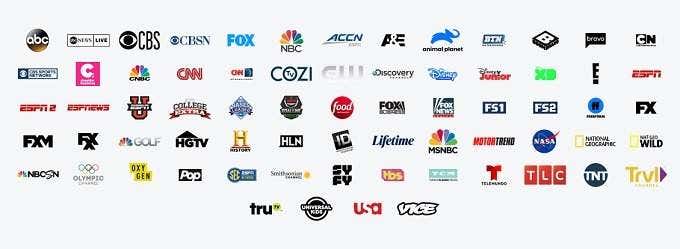
For $54.99 per month, you get access to its standard (ad-supported) on-demand library of shows and movies as well as live sports, news and entertainment programs. As you can see in the graphic above, there’s a huge selection of channels on offer for the price.
You won’t have any issue finding a device to watch on either – Mac, PC, Android, iOS, Chromecast, game consoles, smart TVs, the list goes on. The standard package also offers 50GB of cloud-based recording space, which equates to about 50 hours of recorded TV.
Sling TV (Various Prices)
Sling is a standout service in the live TV streaming world because it’s specialized in this form of digital entertainment. While other services are generally on-demand providers who have bolted live TV on, Sling is the reverse.
There are two packages, Orange and Blue. Both packages cost the same on their own ($30) and don’t offer the same channels or the same number of channels. Though there is some overlap between them. The cheapest option is to go for the combined package, which includes all the channels Sling offers.
There are also additional add-on packages you can bolt on for a few dollars more. If you want absolutely everything, the price can really balloon, but it’s still nowhere near the typical cable package.
The actual experience is quite a bit like traditional cable. There are some heavy-hitting premium channels that you can flick between using the app on a supported device. There is some on-demand content, but that’s not why anyone signs up for Sling.
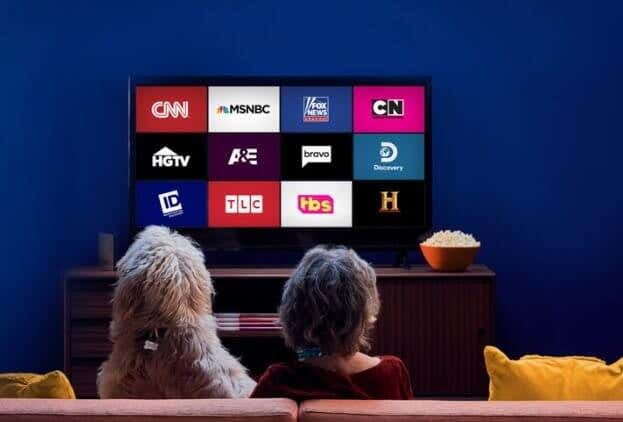
If all you want is live news, then you may not have to pay anything at all. At the time of writing the service is offering several news channels for free, which also gives you a chance to try the app and service out before spending money.
One catch is that hardware support is rather limited right now. AirTV, Roku, Amazon Fire TV, Apple TV, LG webOS and Xbox One are the only listed platforms on the site.
YouTube TV ($49.99/mo + 14-day Trial)
It can be a little confusing to figure out which YouTube subscription service is which. YouTube Music is the Apple Music competitor, YouTube Premium is the ad-free on-demand service and now YouTube TV is the live TV streaming offer.
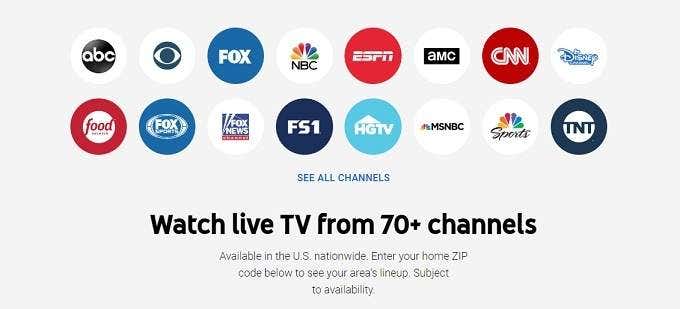
While the service is US-only at this point, it also offers different content depending on where in the USA you live. You’ll get local sports and news along with over 70 channels that include ESPN, ABC, NBC and the Disney Channel.
You get three simultaneous streams and unlimited cloud DVR space. So you can record as much as you’d like.
As you’d expect, device support is wide. As far as we can tell, almost every device that can run the standard YouTube app will work here. This includes major smart TV brands, set top boxes and mobile devices. You can also watch from a browser.
Amazon Prime Live Channels ($5.99/mo + Live TV Addons)
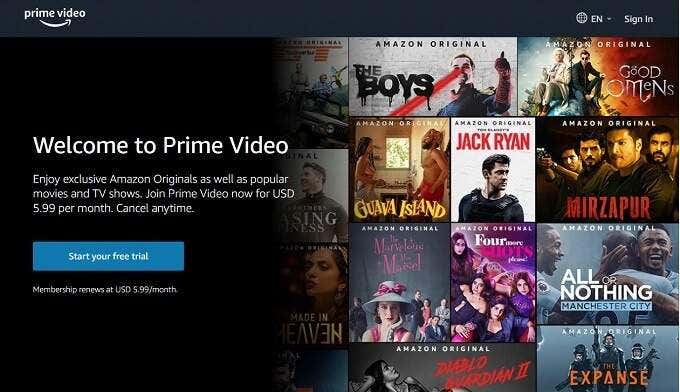
Amazon’s Prime Video subscription is an on-demand Netflix competitor that’s still playing catch-up but has recently started delivering quality original content. However, the basic Prime Video subscription is just the start. Amazon also offers the option for subscribers to add channels onto the service for an additional fee.
Some of these “Channels” only have more on-demand content, but some do have livestreams as well. If you’re paying for any of these, a new row labeled “On Now” will be added to the app’s selection of content.
This is a good solution for those who are already subscribed to the base service and only want one or two additions. However signing up for a significant number of addons quickly makes the service unaffordable, so choose them with care.
Pluto TV (Free)
Pluto TV is the only service on this list that offers live TV streaming for no money at all. There isn’t even an option for any sort of paid subscription. The service offers a mix of on-demand and live content with content that’s not exactly from the premium stable of channels. That being said, there are some well-known brands on offer.
You’ll find the web-streams of news outlets such as Bloomberg and MSNBC for example. But the 240-ish channels are mostly eclectic or plain old. That’s not a bad thing however and it won’t cost anything but time to dig around and find a few gems. Right now this is a US service, but you can check if it’s streaming in your region here.
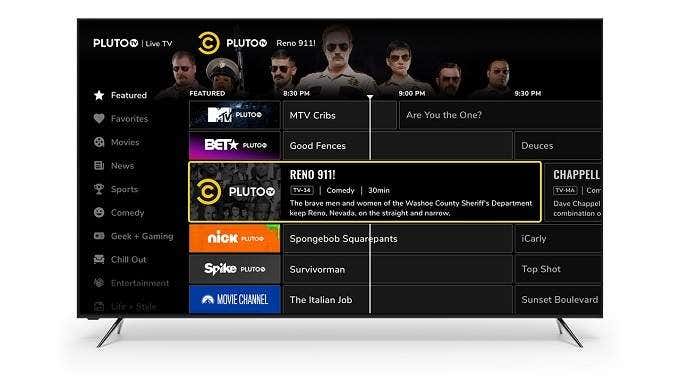
There’s support for iOS, Android, Apple TV, Roku, Chromecast, PS4 and some smart TV models. At the very least you can load Pluto up in a browser right now and have a look yourself.
Fubo TV ($54.99/mo)
One of the biggest reasons people have a hard time cutting the cord comes down to live sports coverage. Cable networks know this, so they work hard to keep exclusive rights to premium sports content. They then bundle it together with non-optional low-quality content. This means your need for great sports coverage ends up subsidizing content you don’t care about.

There are now pay-per-view options open for specific big-name sports events or seasons, but this can get expensive quickly and doesn’t provide the same sort of broad coverage live sports channels do.
Enter Fubo TV. This channel began as a dedicated soccer coverage service but has ballooned into a massive offering with over 100 channels in the base plan. That plan includes 30 hours of cloud storage and two streams. For about $5 more, you can get 500 hours and three streams, as part of the Family Plan.
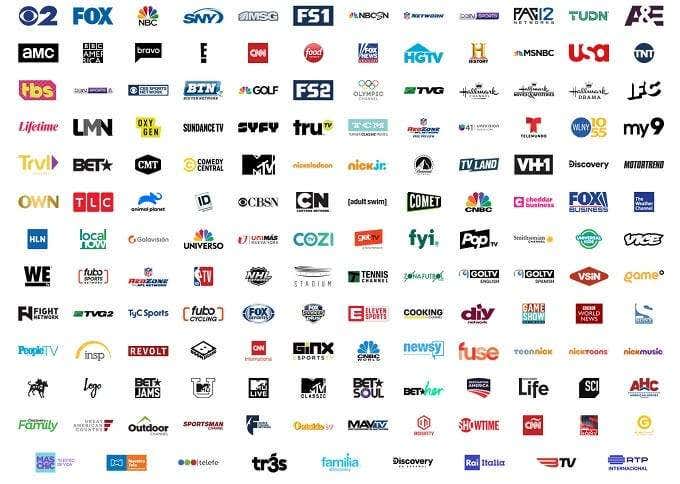
Then there’s the Ultra plan, which comes with the Family Plan, Fubo Extra and Sports Plus. You can also add a selection of premium channels to the service on a piecemeal basis. For example, Sports Plus includes NFL Red Zone and NBA TV for an extra $10.99.
If you aren’t interested in live sports, there are better entertainment options here, but for sports fans who want to cut the cord, Fubo seems like it should be the first stop on your list.
Philo ($20/mo)
Of the paid services on offer here, Philo has the distinction of being the cheapest option. Despite this, it has an impressive selection of premium channels, including the likes of AMC, Comedy Central, BBC America and MTV. It’s a very well-balanced spread of content types and includes both live streams and on-demand content. The DVR offer is also unlimited, which is an amazing deal at this price point.

Although Slings’ Blue and Orange Packages are often close or equal to Philo, the channel count and mix on Philo is better in our opinion and, of course, you only get 50 hours of DVR with Sling.
Three streams are standard with Philo and common devices such as smartphones, Apple TVs, Roku’s, and Amazon Fire TVs are supported. One big issue is that game consoles are not currently supported, nor are major smart TVs or the Google Chromecast. Philo say that they are working on expanding to these other devices, but if you don’t have the right set-top box already, the added expense might make Philo an unattractive choice.
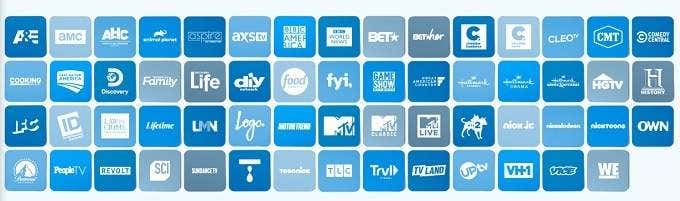
On top of this, we’ve seen many people complain that the app is a bit clunky to use, which suggests that Philo’s software development team might be as budget as the service’s price tag suggests.
Which Live TV Streaming Service Is Right For You?
Although we’ve narrowed down the live TV streaming offerings to just seven choices, you may still be undecided when it comes to your specific needs. We think that, for certain types of viewers, some of these live TV streaming services stand out as the best choice. So let’s figure out which one is the best choice for you.
Fubo TV is the clear choice for cord cutters who need live sports coverage. The optional add-ons cover most mainstream sports needs and it’s still cheaper than either pay-per-view or cable. That being said, this is one of the most expensive live TV streaming options, so you really need to be a big sports fan.
YouTube TV is a great overall choice, but we think it’s especially good for viewers who care about local content. YouTube’s efforts to offer content based on where you live is a unique service that could very well be the clincher for you when choosing where to spend your money.
Sling TV is the best choice for a cable-like experience. This is especially true if you buy the combined package, which should make the cord-cutting experience much less disorienting,
Philo is the clear bang for buck choice. Assuming you already have a supported device and don’t have to specially buy one for the service. Despite clunky software, the actual content on offer can’t be beaten for the money.
So are you feeling more comfortable about cutting the cord? We’d love to hear your own cord-cutting experience and advice down in the comments.