
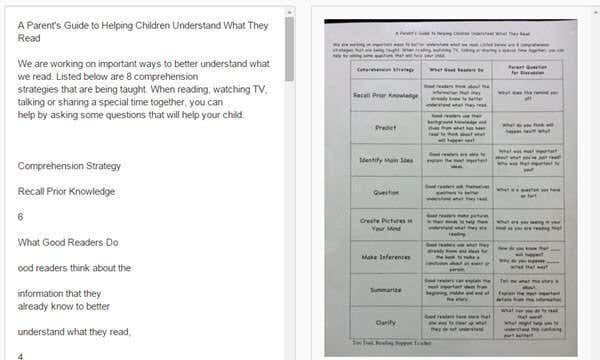
Have a PDF document or an image that you would like to convert to text? Recently, someone sent me a document in the mail that I needed to edit and send back with corrections. The person couldn’t locate a digital copy, so I was tasked with getting all that text into digital format.
There was no way I was going to spend hours typing everything back in, so I ended up taking a nice high-quality picture of the document and then burned my way through a bunch of online OCR services to see which one would give me the best results.
In this article, I’ll go through a couple of my favorite sites for OCR that are free. It’s worth noting that most of these sites provide a basic free service and then have paid options if you want extra features like bigger images, multi-page PDF documents, different input languages, etc.
It’s also good to know beforehand that most of these services will not be able to match the formatting of your original document. These are mainly for extracting text and that’s it. If you need everything to be in a specific layout or format, you’ll have to manually do that once you get all the text from the OCR.
In addition, the best results for getting the text will come from documents with a 200 to 400 DPI resolution. If you have a low DPI image, the results will not be as good.
Lastly, there were a lot of sites I tested that just didn’t work. If you Google free online OCR, you’ll see a bunch of sites but several of the sites in the top 10 results didn’t even complete the conversion. Some would time out, other would give errors and some just got stuck on the “converting” page, so I didn’t even bother to mention those sites.
For each site, I tested two documents to see how well the output would be. For my tests, I simply used my iPhone 5S to take a picture of both documents and then uploaded them directly to the websites for conversion.
In case you want to see what the images looked like that I used for my test, I have attached them here: Test1 and Test2. Note that these are not the full resolution versions of the images taken from the phone. I used the full resolution image when uploading to the sites.
OnlineOCR
OnlineOCR.net is a clean and simple site that delivered very good results in my test. The main thing I like about it is that it doesn’t have tons of ads all over the place, which is usually the case with these kinds of niche service sites.

To start, select your file and wait till it finishes uploading. The max upload size for this site is 100 MB. If you register for a free account, you get a few extra features like the bigger upload size, multi-page PDFs, different input languages, more conversions per hour, etc.
Next, choose your input language and then choose the output format. You can choose from Word, Excel, or Plain Text. Click the Convert button and you’ll see the text displayed at the bottom in a box along with a download link.
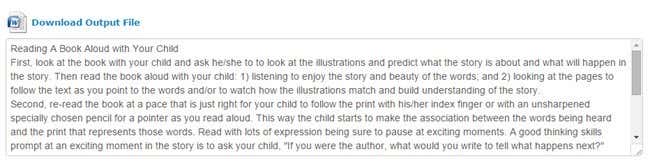
If all you want is the text, just copy and paste it from the box. However, I suggest you download the Word document because it does a surprisingly great job of keeping the layout of the original document.
For example, when I opened the Word document for my second test, I was surprised to find that the document included a table with three columns, just like in the image.
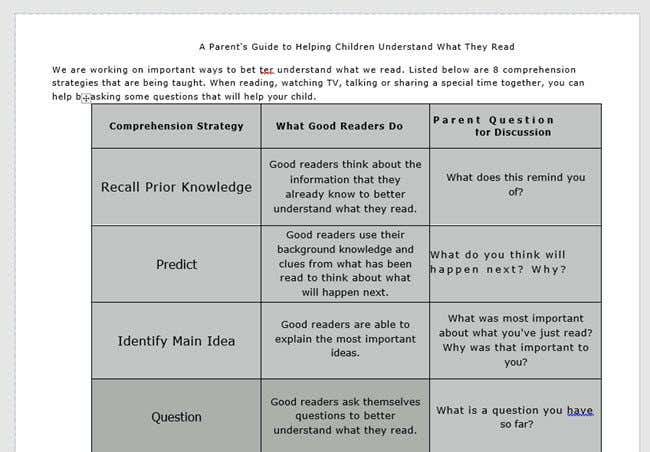
Out of all the sites, this one was the best by far. It’s totally worth registering for if you need to do a lot of conversions.
For completeness, I am also going to link to the output files created by each service so you can see the results for yourself. Here are the results from OnlineOCR: Test1 Doc and Test2 Doc.
Note that when opening these Word documents on your computer, you’ll get a message in Word stating that it’s from the Internet and editing has been disabled. That is perfectly OK because Word doesn’t trust documents from the Internet and you really do not have to enable editing if you just want to view the document.
i2OCR
Another site that gave pretty good results was i2OCR. The process is very similar: choose your language, file, and then press Extract Text.
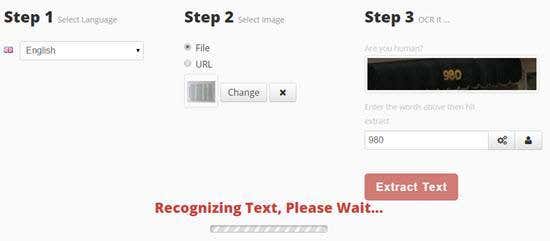
You’ll have to wait a minute or two here because this site takes a bit longer. Also, in Step 2, make sure that your image is showing right-side up in the preview, otherwise you’ll get a bunch of gibberish as output. For some reason, the images from my iPhone were showing in portrait mode on my computer, but landscape when I uploaded to this site.
I had to manually open the image in a photo editing app, rotate it 90 degrees, then rotate it back to portrait and then save it again. Once complete, scroll down and it’ll show you a preview of the text along with a download button.
This site fared pretty well with the output for the first test, but didn’t do so well with the second test that had the column layout. Here are the results from i2OCR: Test1 Doc and Test2 Doc.


FreeOCR
Free-OCR.com will take your images and convert them into plain text. It does not have an option to export to Word format. Choose your file, select a language and then click Start.
The site is fast and you’ll get the output fairly quickly. Just click on the link to download the text file to your computer.
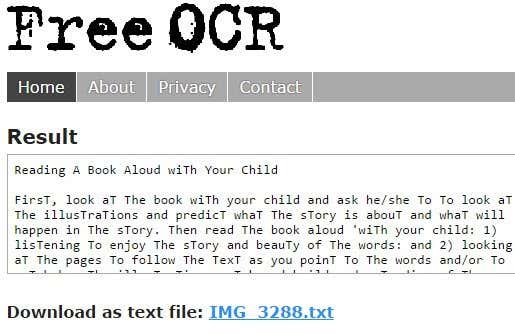
As with NewOCR mentioned down below, this site capitalizes all the T’s in the document. I have no idea why it would do that, but for some odd reason this site and NewOCR both did this. It’s not a big deal to change it, but it’s a tedious process you really shouldn’t have to do.
Here are the results from FreeOCR: Test1 Doc and Test2 Doc.
ABBYY FineReader Online
In order to use FineReader Online, you have to register for an account, which gets you a 15-day free trial to OCR up to 10 pages for free. If you only need to do a one-time OCR for a couple of pages, then you can use this service. Make sure that you click the verify link in the confirmation email after you register.
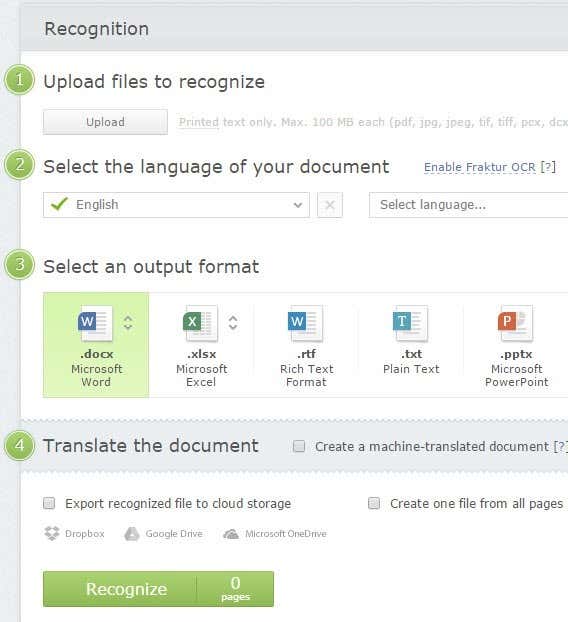
Click on Recognize at the top and then click Upload to select your file. Choose your language, output format and then click Recognize at the bottom. This site has a clean interface and no ads too.
In my tests, this site was able to grab the text from the first test document, but it was absolutely enormous when I opened the Word doc, so I ended up doing it again and choosing Plain Text as the output format.
For the second test with the columns, the Word document was empty and I couldn’t even find the text. Not sure what happened there, but it doesn’t seem to be able to handle anything other than simple paragraphs. Here are the results from FineReader: Test1 Doc and Test2 Doc.
NewOCR
The next site, NewOCR.com, was OK, but not nearly as good as the first site. Firstly, it’s got ads, but thankfully not a ton. You first select your file and then click the Preview button.
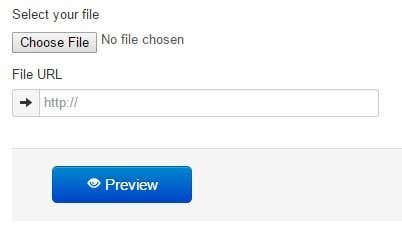
You can then rotate the image and adjust the area where you want to scan for text. It’s pretty much kind of like how the scanning process works on a computer with an attached scanner.
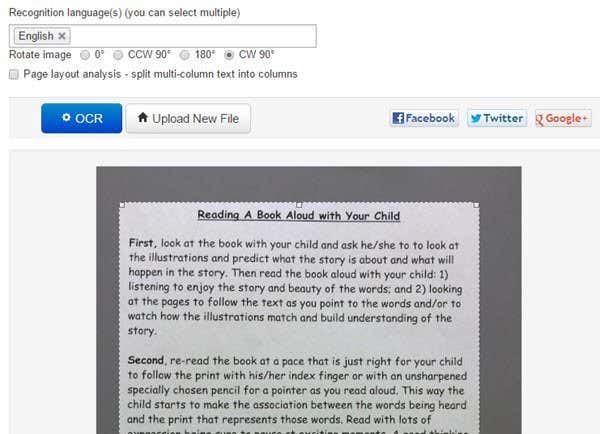
If the document has multiple columns, you can check the Page layout analysis button and it will try to split the text up into columns. Click the OCR button, wait a few seconds for it to complete and then scroll down to the bottom when the page refreshes.
In the first test, it got all the text correctly, but for some reason capitalized every T in the document! No idea why it would do that, but it did. In the second test with page analysis enabled, it got most of the text, but the layout was completely off.
Here are the results from NewOCR: Test1 Doc and Test2 Doc.
Conclusion
As you can see, free doesn’t really give you very good results most of the time unfortunately. The first site mentioned is the best by far because not only did it do a great job of recognizing all the text, it also managed to retain the format of the original document.
If you just need text, though, most of the websites above should be able to do that for you. If you have any questions, feel free to comment. Enjoy!