

If you want to transfer files between different devices, you have a few options. You could use a direct cabled connection, but this only works if your device supports this and if you have the correct cable to hand. You could use cloud storage to sync your files between devices, but this relies on an internet connection.
For most users, the best option for local file transfer from devices like smartphones or digital cameras to your PC is to use Bluetooth. While you can use Bluetooth for all kinds of uses, including for communication, one of its best uses is for file transfers. You can transfer files via Bluetooth on Windows by following these instructions.]
How To Enable Bluetooth In Windows 10
Before you can send files to a Windows PC using Bluetooth, you’ll first need to turn Bluetooth on to allow it to connect to your PC.
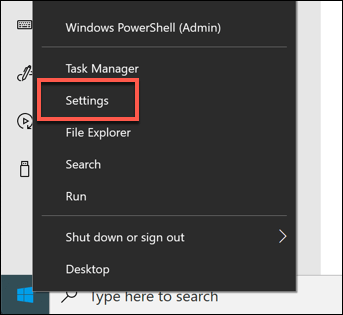
- To do this, you’ll need to access the Bluetooth settings menu. Start by right-clicking the Windows Start menu and clicking Settings.
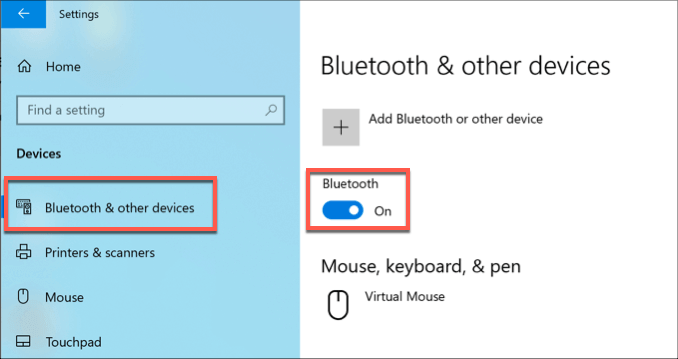
- In the Settings menu, click Devices > Bluetooth to access your Bluetooth settings. To enable Bluetooth, click the slider next to the Bluetooth option. You’ll know that Bluetooth is enabled because On will appear next to the slider once Bluetooth has been enabled.
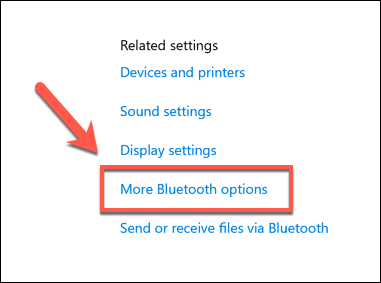
- You’ll need to allow Bluetooth devices to find your PC. To do this, click the More Bluetooth options option under the Related settings section on the right.
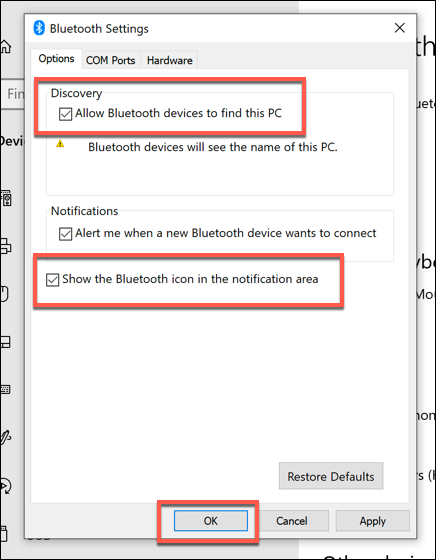
- Under the Options tab, click to enable the checkbox next to the Allow Bluetooth devices to find this PC option.
- You’ll probably want to quickly access your Bluetooth devices and settings from the Bluetooth taskbar icon, but this may not be enabled by default. To enable this, click to enable the checkbox next to the Show the Bluetooth icon in the notifications area option, shown under the Options tab of the Bluetooth Settings window.
- Click OK to save.
With these settings enabled, you can now transfer files via Bluetooth from other devices. This process will differ, depending on the type of device you’re using.
Pairing Bluetooth Devices On Windows
Before you can send files to a Windows PC using Bluetooth, you’ll need to pair your devices together. This creates a secure connection between your PC and the Bluetooth capable device, allowing you to send and receive files.
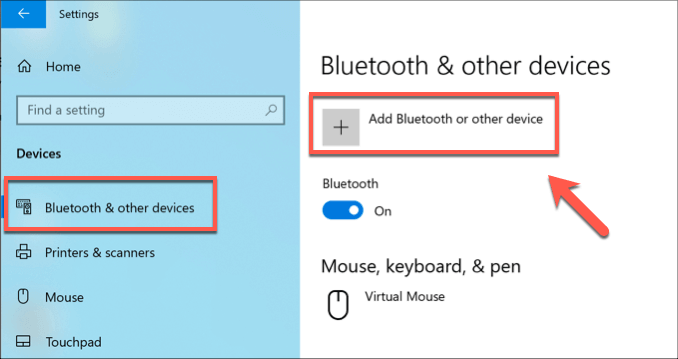
- To pair a device on Windows, open the Bluetooth settings menu (Settings > Devices > Bluetooth) and press the Add Bluetooth or other device button at the top.
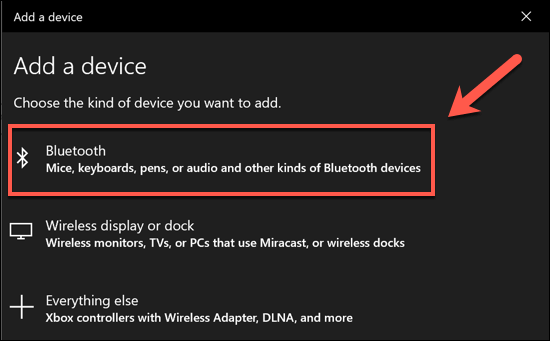
- In the Add a device menu, click Bluetooth. Make sure that Bluetooth is enabled and discoverable on your other device.
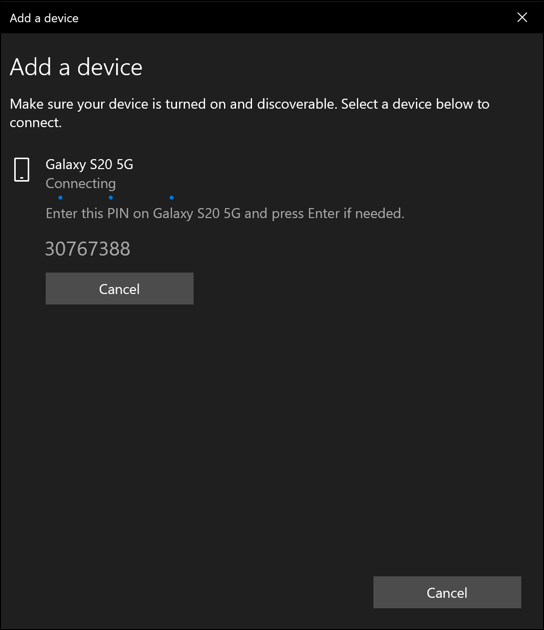
- Windows will scan for nearby devices. Once it locates your device, click on it to begin the connection. Windows will provide an authentication PIN code that you may be required to type in on your other device to ensure a connection is successfully made.
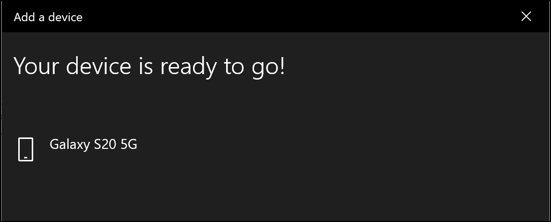
- Once the connection is made and your devices are successfully paired, you should see a Your device is ready to go message in the Add a device window.
Transfer Files Via Bluetooth To A Windows PC
You can send and receive files to a Windows PC once Bluetooth is enabled, your PC is set to be discovered by others, and if you’ve been able to successfully pair your Bluetooth device to your PC. If you followed the instructions above, this should now be the case.
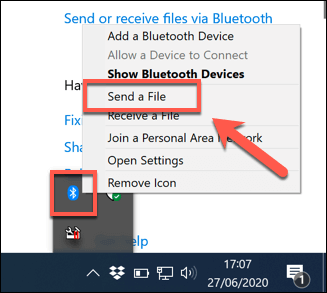
- To send a file to a Windows PC, find the Bluetooth icon in the notifications area of your taskbar. Right-click the icon, then press the Receive a File option.
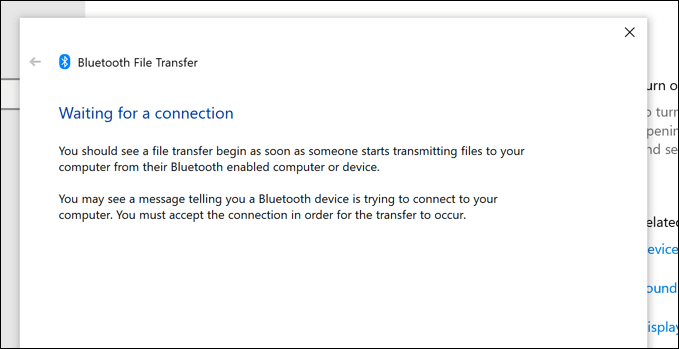
- Windows will now be in a position to receive files. You should see a Waiting for a connection message in the Bluetooth File Transfer window.
You can now send files to your PC if the device you’re sending from has Bluetooth connectivity. This process will vary, depending on your platform.
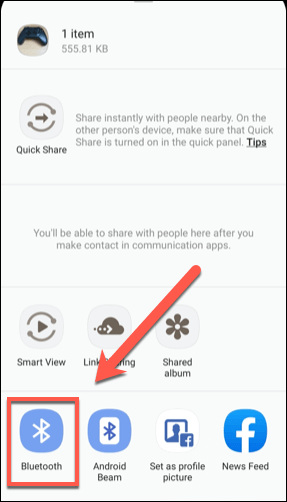
- There are multiple ways to transfer files via Bluetooth from Android to PC. Most Android photo gallery or file management apps, however, will have a Share button, with various methods listed for sharing your files. Select your files in your chosen app, tap Share, then choose the Bluetooth option to begin the file transfer process (selecting your paired Windows 10 PC in the process).
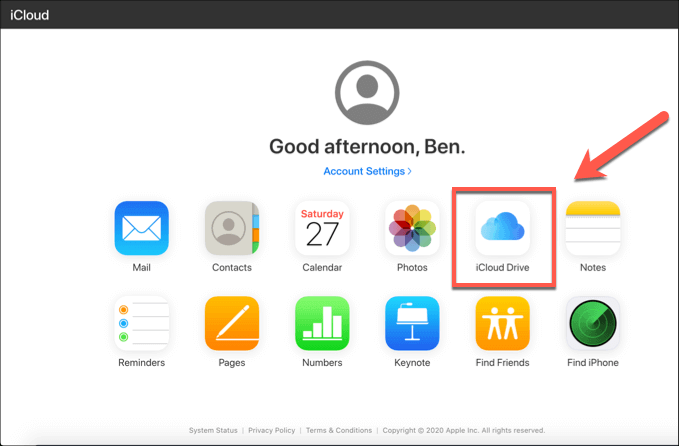
- Unfortunately, it isn’t really possible to send photos or other files from an iPhone or iPad to a Windows PC using Bluetooth. Apple devices use AirDrop for easy file transfers, but this method isn’t supported by Windows PCs. If you want to move files between iPhones, iPads and Windows, you could use iCloud to do so. Files stored in your iCloud storage can be accessed on Windows using the iCloud web interface.
Other devices, such as digital cameras, will have their own methods for enabling Bluetooth and sending files. The pairing and file transfer process remains the same, however. Ensure that Bluetooth is active and your device is paired with your PC, and make sure the Receive a File window is open and ready to receive your files.
If the process fails at first, try again. Bluetooth connections can fail for various reasons, including too much distance between the devices, interference from other sources, or a lack of approval for transfers (eg. being too slow to approve them on your devices), so be sure to double-check your connection before you proceed.
Sending Files To A Mac
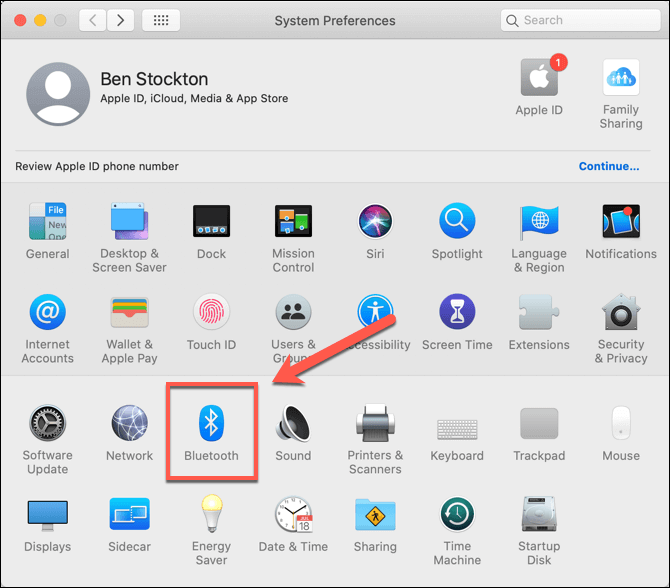
File transfers from Bluetooth devices to a Mac are usually easy to complete if you’re using an iPhone or iPad, as you’ll be using AirDrop for transfers. You can access your Bluetooth devices and settings from the System Preferences > Bluetooth menu, where it’s possible to view and connect to other devices.
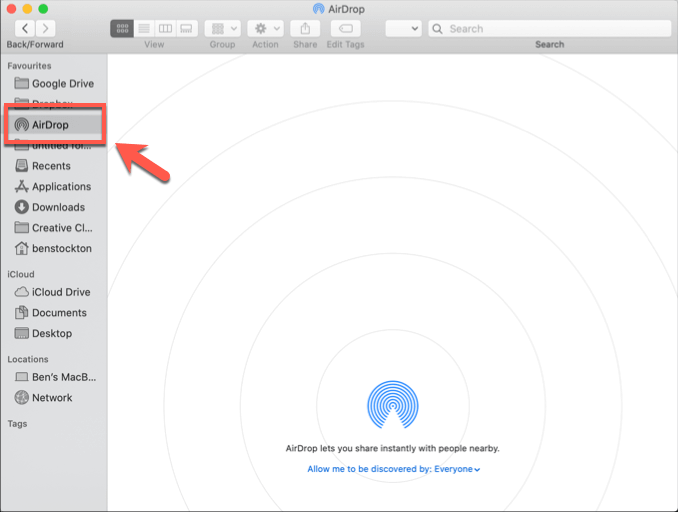
You can quickly access AirDrop on your Mac by opening Finder and clicking AirDrop in the left-hand menu, where nearby Apple devices will be listed.
As long as the Allow me to be discovered by setting at the bottom of the window is set to Everyone, other local Mac, iPhone, and iPad users will be able to send files to this device.
Unfortunately, transferring files to a Mac from other types of devices is a little harder.
Android devices, for instance, will find it hard to connect to a Mac and use Bluetooth file transfers. You can use Bluetooth for other uses, such as internet tethering, but file transfers typically fail. You would need to use an alternative method, such as a direct USB connection or alternative cloud storage method to move files instead.
You may face similar issues with other types of Bluetooth capable devices. If this is the case, investigate other connection methods for those devices, such as by cable or external media.
Using Bluetooth On Windows and Mac
You can save time and effort if you decide to transfer files via Bluetooth, but this is only possible if your devices are close by. Other methods are better for long-distance file transfers, including sending large files by email or by using a secure online service for file transfers instead.
Bluetooth has other uses, however. Once a PC is Bluetooth capable, you can connect wireless peripherals to your PC, stream music wirelessly to Bluetooth speakers like the Amazon Echo, or use Bluetooth for wireless communication using a headset or mic.