
If your iOS device is not syncing Google calendars with your iPhone, then as a result any updates you make to your calendars on the web or any other device won’t reflect on your iPhone or iPad. The version of the calendar that you’ll have on your iPhone will be an old one when it was last able to sync with the Google servers.
You’ll probably want to get the Google calendar iOS issue fixed as soon as possible, as not doing so will lead to missed appointments and a bit of a chaos in your schedule. Luckily, there are a few things you can try to get your Google Calendar to sync with your iPhone.
Enable The Google Calendar In iPhone Calendar App
The stock iOS Calendar app is capable of managing and handling multiple calendars. It often has calendars available from many of your online accounts that you use on your device. If your Google calendar doesn’t appear and you find it not syncing with your iPhone, you want to make sure your calendar is indeed enabled in the app.
It can be easily verified by checking the Calendar app on your iPhone.
- Launch the stock Calendar app on your device.
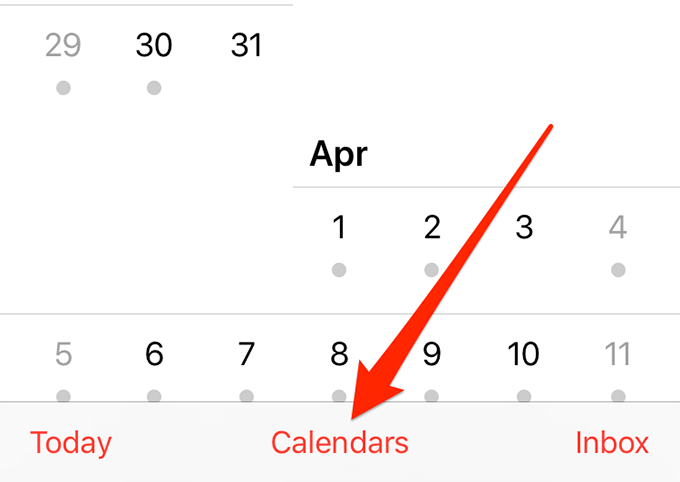
- Tap on the Calendars option at the bottom.
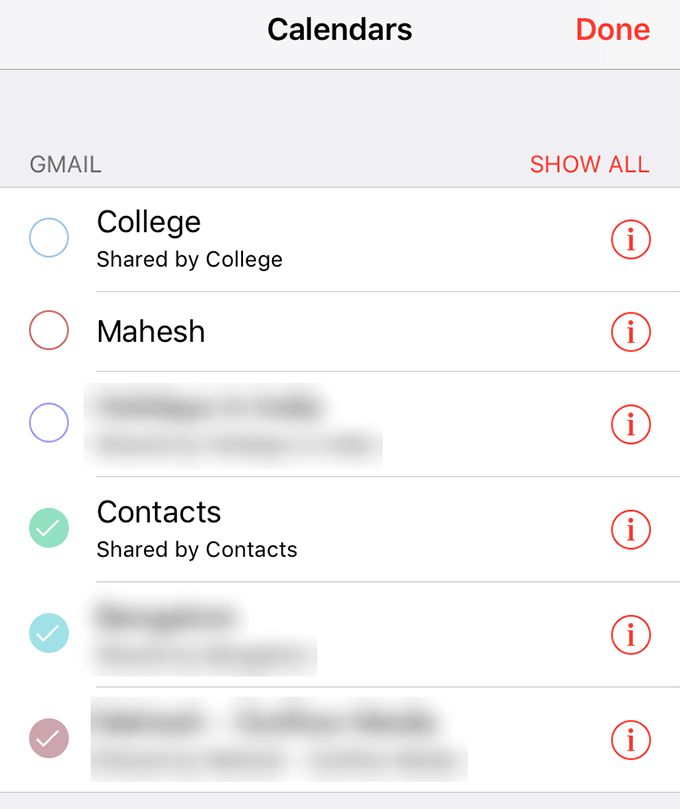
- The following screen lists all the calendars you can view in the app. Ensure your Google calendar is tick-marked and then tap on Done at the top-right corner.
Ensure Calendar Sync Is Enabled In Settings
Your iPhone offers you the flexibility to choose what you’d like to sync from your Google account to your iPhone and what you wouldn’t want to sync. You need to make sure that Google calendar sync is indeed enabled. If it is not, then you’re going to need to enable it to update the Google calendar on your iPhone.
- Launch the Settings app on your iPhone.
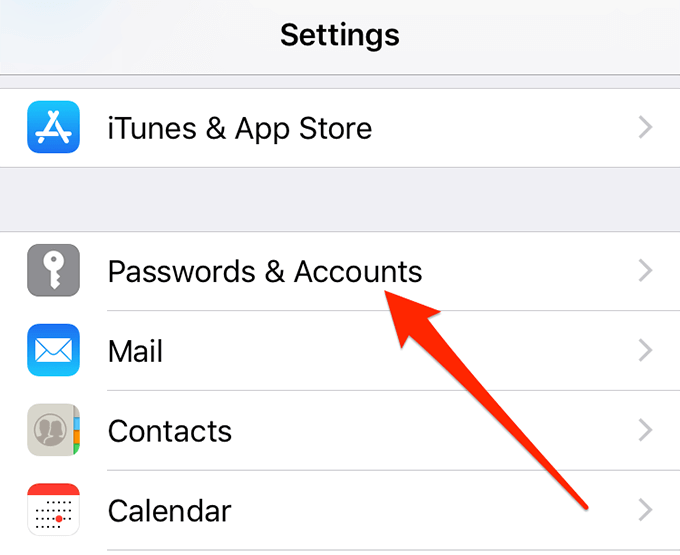
- Tap on Passwords & Accounts.
- Tap on your Gmail account in the list.
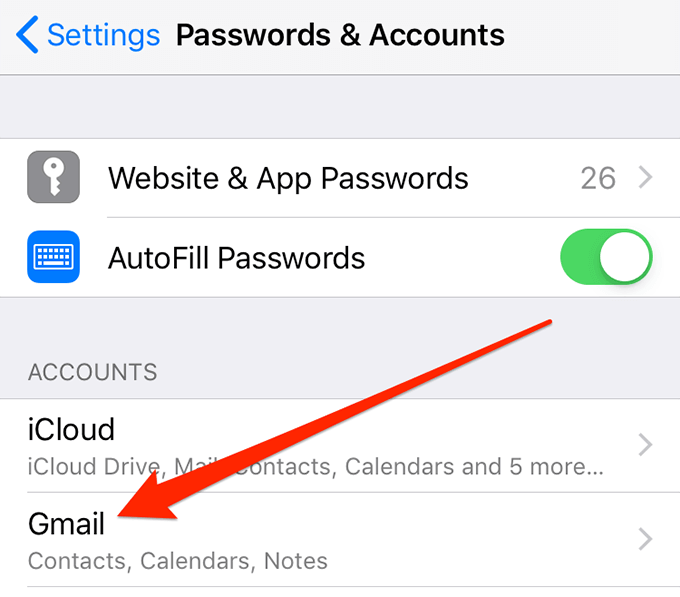
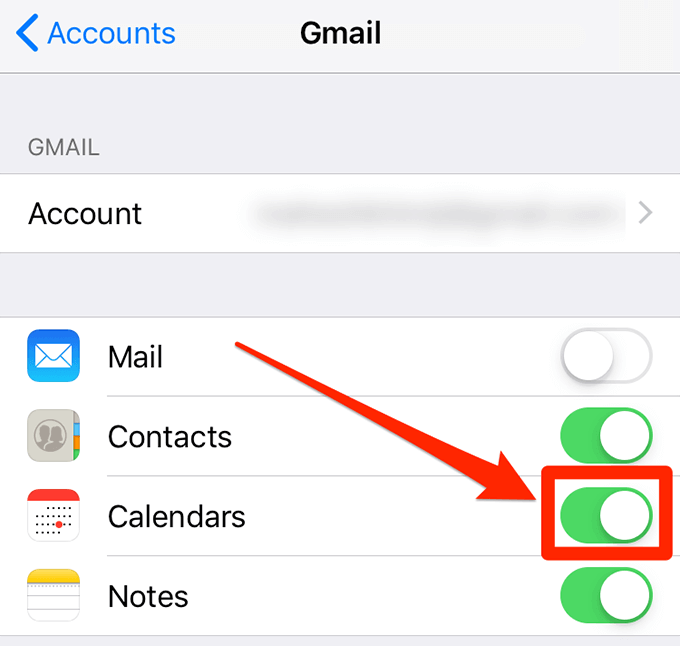
- You should now see the Google services that sync to your iPhone. Make sure the toggle next to Calendars is in the ON position.
Use a Magical Link To Sync All Google Calendars To iPhone
If you have an issue where some of your Google calendars sync with your iPhone but others don’t, then there’s actually a link you can go to to fix the issue. The problem isn’t with your device or with anything else but there’s an option that needs to be enabled before all of your calendars can sync to your iPhone.
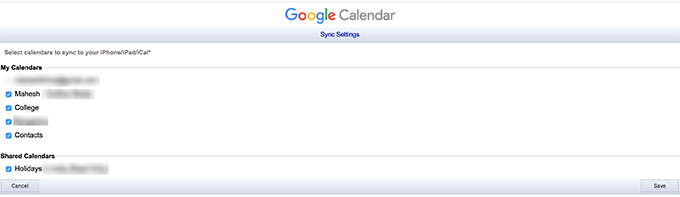
By default, only the calendars under My calendars on Google will sync. However, you can enable other calendars to sync as well using the following steps.
- Open a browser on your computer and head over to the magical Google calendars link.
- Checkmark all the calendar that you want to sync to your iPhone and click on Save to save the changes.
Check Your Internet Connection
Since the sync procedure uses your Internet connection, you want to make sure your iPhone can send and receive data over your connection. If there’s an issue with your Internet, you need to fix it first before syncing any services on your device.
You can verify if your Internet works by opening a web browser and accessing a website like Google or Yahoo. If they don’t open, there might be an issue with your router or your Internet Service Provider (ISP). It’s best you get in touch with them to know the status of your connection and fix issues, if any.
Re-Add Your Google Account To Your iPhone
Sometimes, the issue could appear for no apparent reason, and one of the things you can do is remove your Google account from your iPhone and then re-add it. It’ll force the servers to sync the calendars to your iPhone and might just do the trick for you.
- Open the Settings app on your iPhone.
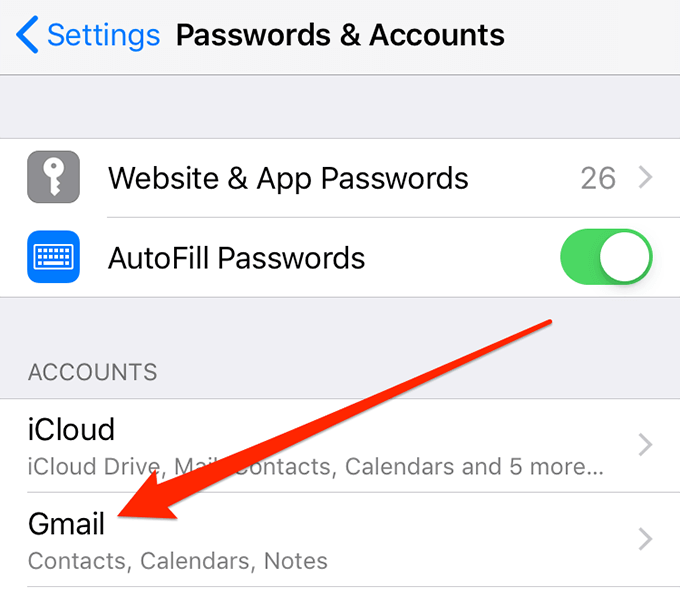
- Tap on the Passwords & Accounts option.
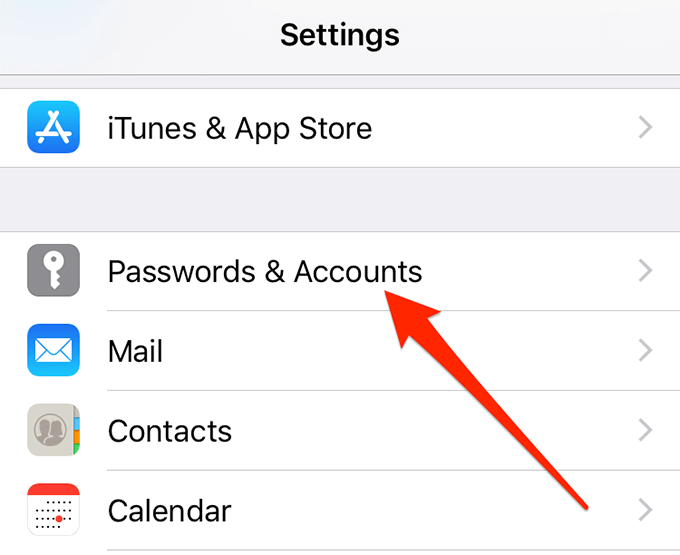
- Select your Gmail account from the list.
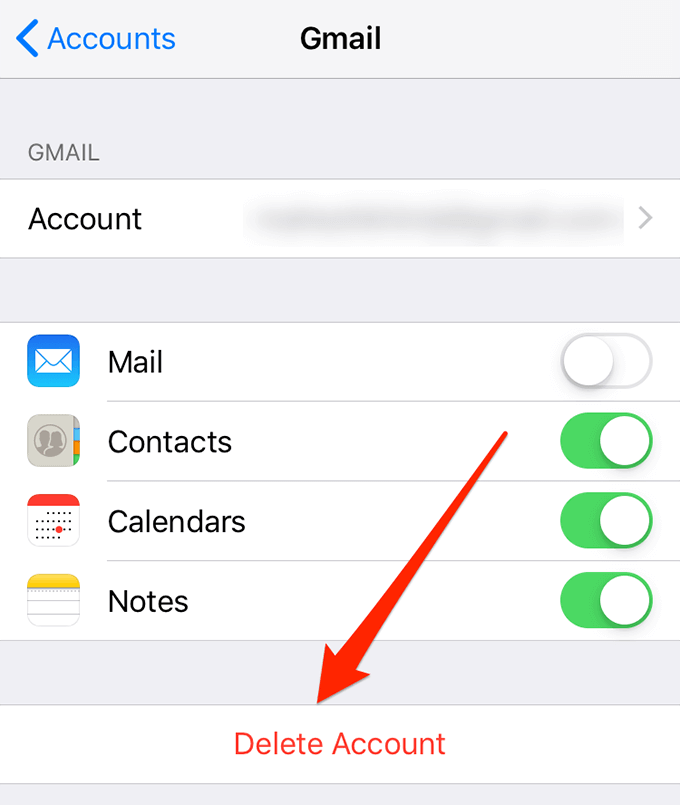
- Tap on Delete Account at the bottom.
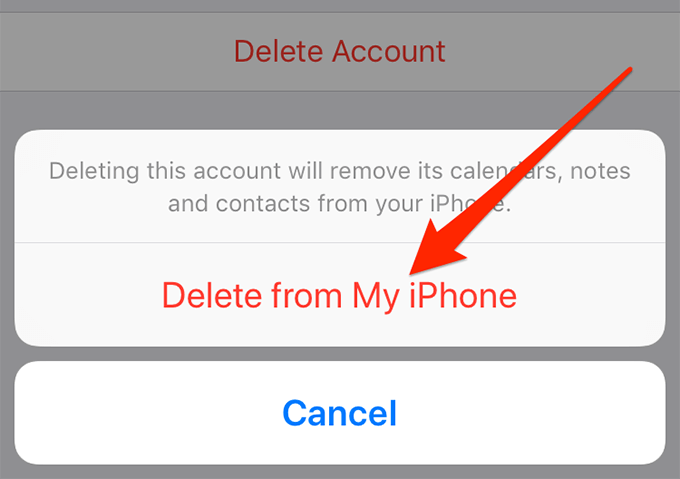
- Tap on Delete from My iPhone in the prompt that appears on your screen.
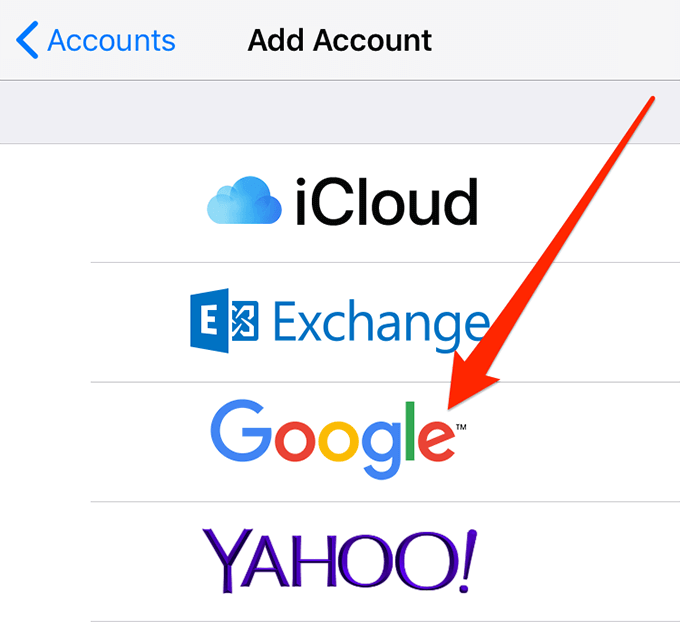
- When the account is removed, head back to the Passwords & Accounts section and tap on Add Account.
- Select Google from the list on your screen.
- Enter your Google login details and continue.
Fetch Data From Your Google Account
Your iPhone offers you multiple options to sync your contents with your accounts. Sometimes, switching from one option to another helps resolve the sync issue and makes your Google calendars start syncing with your iPhone again.
- Open the Settings app on your device.
- Tap on Passwords & Accounts.
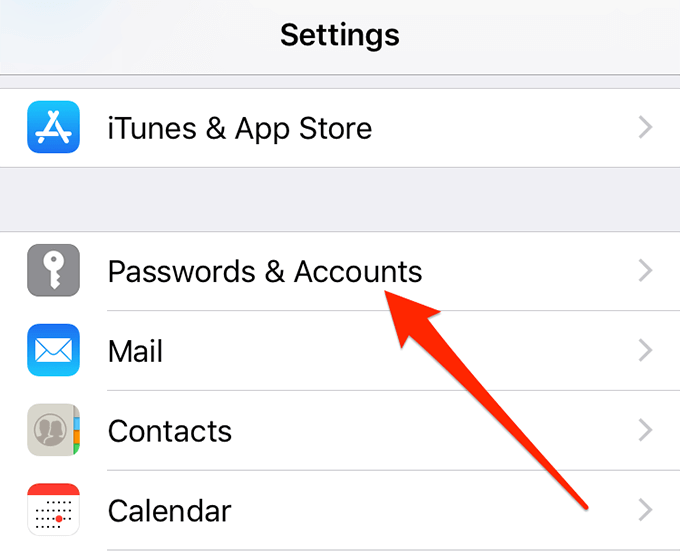
- Tap on the Fetch New Data option at the bottom.
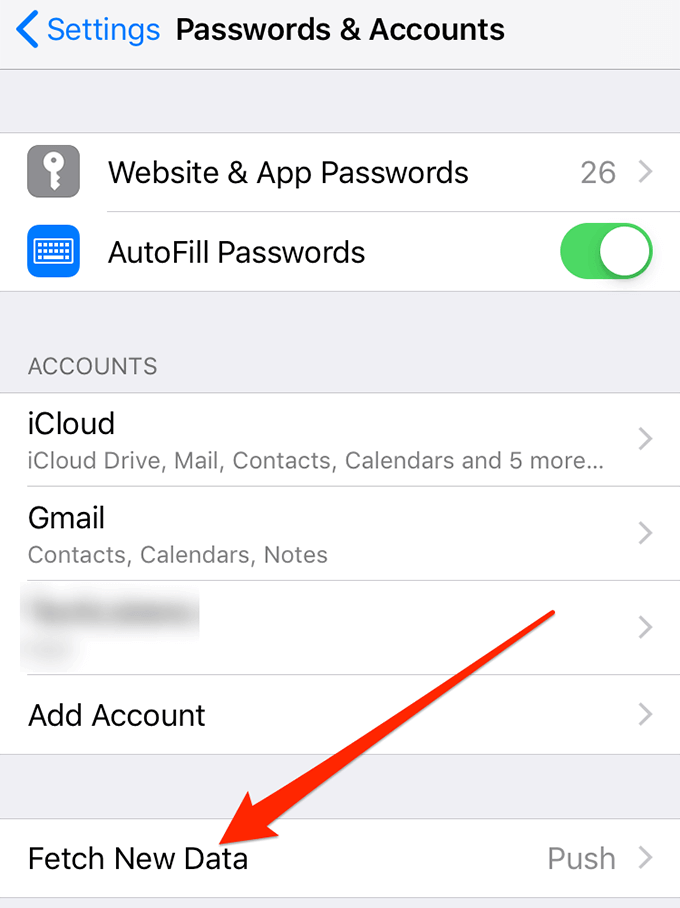
- Select your Gmail account on the following screen.
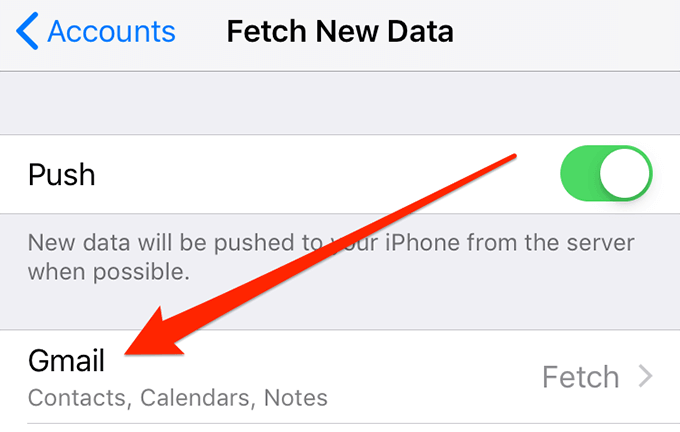
- Tap on Fetch.
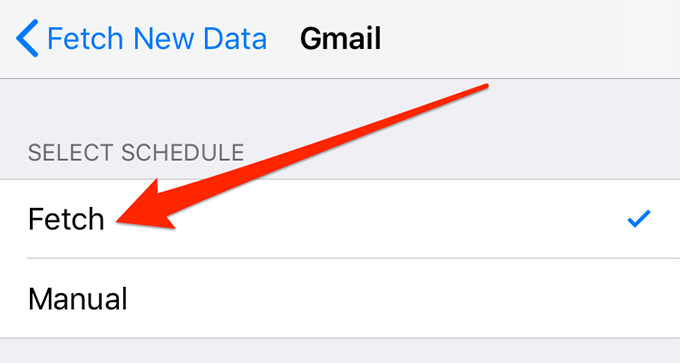
- You can go back to the previous screen and use any of the available fetch options and see if they fix the issue for you.
Set Google Calendar As The Default Calendar
If you have any other calendar set as the default calendar for your iPhone, you might want to switch to the Google calendar being the default one for your device. It’s worth trying it to see if it helps you resolve the Google calendar for iOS sync issue on your phone.
- Open the Settings app on your iPhone.
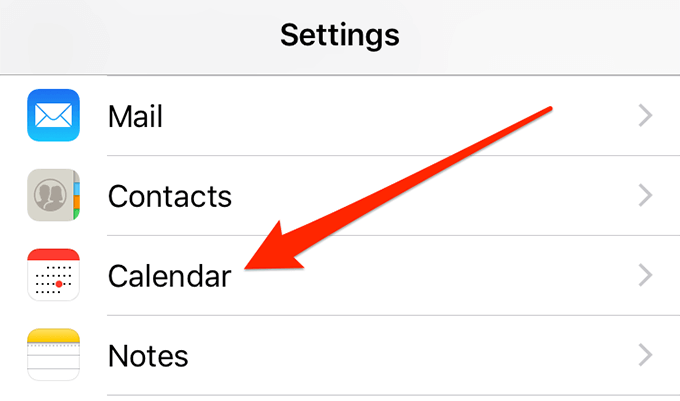
- Tap on the option that says Calendar.
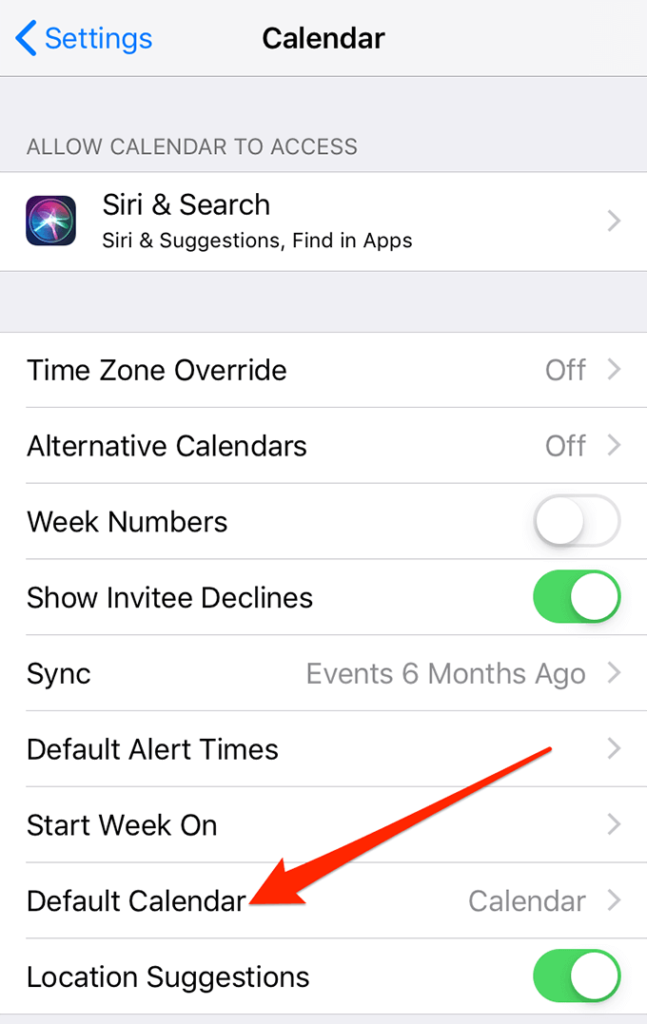
- Select the Default Calendar option on the following screen.
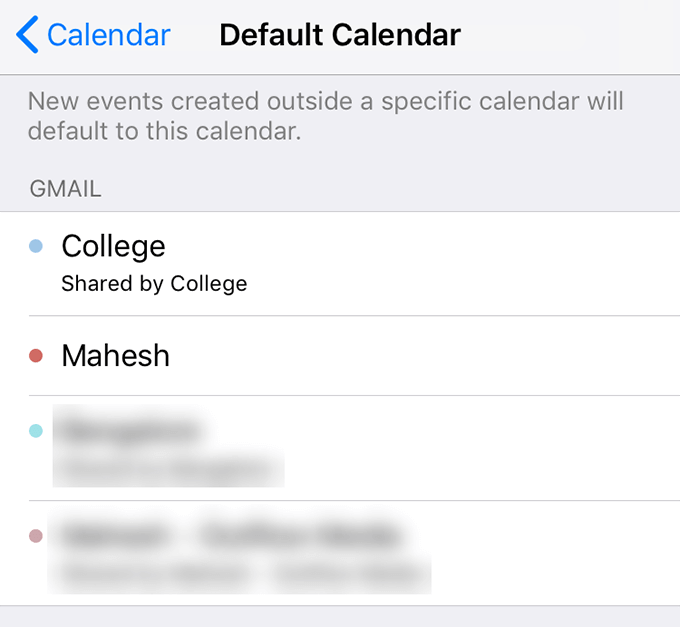
- Choose your Google calendar to be your new default calendar.
- Your sync issue should now likely be fixed.
The iOS Google calendar not syncing issue can be a major issue for you if you heavily rely on it for all of your appointments and schedules. Fortunately, there are a few ways to fix the issue and get your calendars to sync to your iPhone.
Has the issue ever occurred on your iPhone? What did you do to get around it? We’d like to know the fixes you used, and you can let us know about it in the comments below!