
You public IP address is the address visible from outside your network. Most people don’t need to know their IP address except for very specific reasons, but fortunately, it’s extremely easy to figure out.
You might need your public, or external IP address, when you’re remoting into your computer when away from home, or when you’re sharing files from your FTP server, or connecting your network to a custom DNS service.
No matter the reason for needing to know your IP address, there are multiple ways to find it. You can use anything from a simple website to find your IP address to your computer’s command line utility or your router.
IP Address Finding Websites
The easiest way to find your external IP address is most definitely to use a website dedicated to doing just that. These websites are using their own tools to locate your IP address, and they’re just one click away from helping you.

Here’s a list of several websites that can find your public IP address:
- icanhazip.com
- IP Chicken
- What Is My IP Address
- IP-Lookup.net
- WhatIsMyIP.com
- IP Location Finder
Tip: Some of these websites show other helpful information, too, such as your web browser, your local IP address, and even your physical location.
Find Your IP Address From the Command Line
Windows users can use a DNS request within Command Prompt to locate their public IP address. Just open Command Prompt and execute this command:
nslookup myip.opendns.com. resolver1.opendns.com
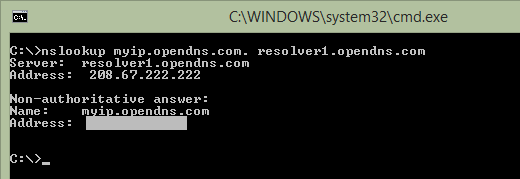
You’ll first see results from the DNS server but then another set of results at the bottom. Your IP address is listed below the line that says Name: myip.opendns.com.
If you get any kind of error when running this command, try doing just opendns.com. (remove the myip.), which should give you the IP address of opendns.com. Then run the command again using the myip. part in the front.
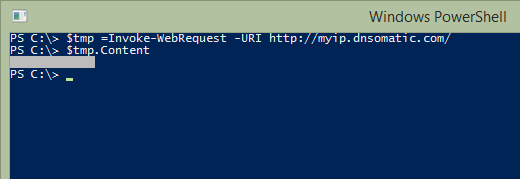
A similar command can be used to find your public IP address in PowerShell:
$tmp =Invoke-WebRequest -URI http://myip.dnsomatic.com/
After entering that command, enter $tmp.Content to see the result.
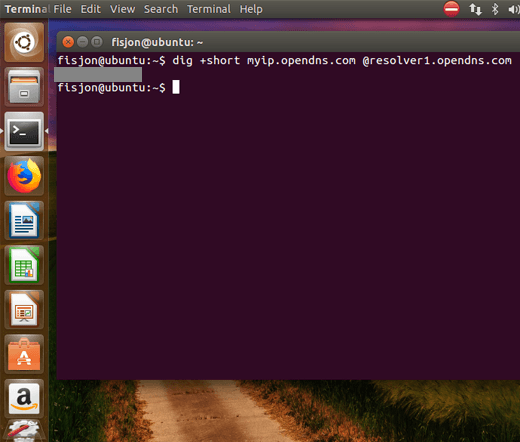
If you’re using Linux, try this command from a terminal window:
dig +short myip.opendns.com
@resolver1.opendns.com
Locate the IP Address From Your Router or Modem
Your router and modem is what sits between your device and the internet, so it needs to know the IP address your ISP has assigned to your network. This means you can use your own device to find your public IP address.
Finding the external IP address from a modem or router is not as easy as using the methods above, but it’s definitely possible. The problem with this method is that you need to know how to log in to your router to see all the settings, which is something many people don’t normally do because they don’t know their password or the router’s IP address.
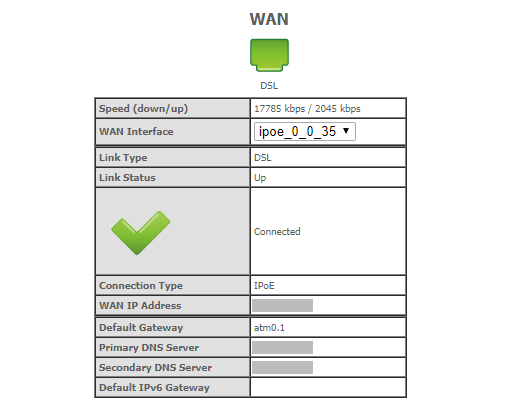
Most routers can be accessed via the http://192.168.1.1 URL, but others use a different private IP address. Once you know the correct address for your router, you need access to the router’s login information so that you can access the administrative console.
If you’ve made it this far, finding the IP address should be relatively easy. You can look in a section like Device Info, Management, Setup, WAN, etc. The IP address itself might be called WAN IP address, External Address, Public IP, or something of that sort.
How to Stop Your IP Address From Changing
Because of the way ISPs assign IP addresses, your public IP address will likely change at some point in the future. This means that the address you find using one of the methods above, will not be the same address you find a few weeks from now, or maybe even sooner.
While you, as a customer of your ISP, can’t technically force your IP address to stay the same, you can implement what’s called a dynamic DNS service to essentially create that effect.
A dynamic DNS service assigns a name to your IP address, while at the same time updating its record of what your IP address is. It does this each time the address changes, effectively giving you one hostname (like a website URL) that you can use to refer to your public IP address.
Once you’ve assigned yourself a hostname, you can access your network at any time through that name, which in turn is actually accessing your network through the public IP address. Again, you don’t need to know your new IP address each time your ISP changes it because the service does that for you. All you need is the hostname!
Can You Change or Hide Your IP Address?
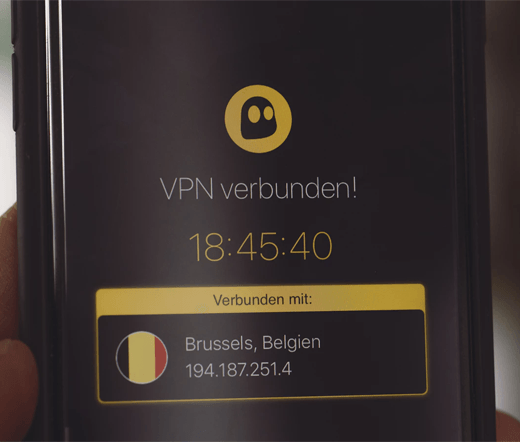
By default, your public IP address is visible by nearly anyone. Each website you visit can see it, your ISP knows what it is, and people snooping on your network from the street can figure it out. What’s the best way to hide or mask your IP address?
A VPN, or virtual private network, is by far the easiest and most effective way to keep prying eyes from seeing your public IP address. What a VPN does is create a tunnel from your network to the VPN service, thereby preventing your ISP or anyone on your local network from spying on you.
What this does is force the website you’re on to see the VPN’s address instead of your own, which basically hides your identity on the internet. That is, so long as the VPN service doesn’t reveal your IP address to anyone, which is why you wanted to pick a trusted VPN provider.
There are lots of VPNs to choose from, both free and paid. Some have more or better features and privacy than others, so be sure to take your time researching the best VPN services before choosing one to hide your IP address. If you need to, make sure to check that the VPN connection is actually encrypted before moving forward with a subscription.
See our list of VPN apps you can use to protect your privacy while on a desktop or mobile device.