
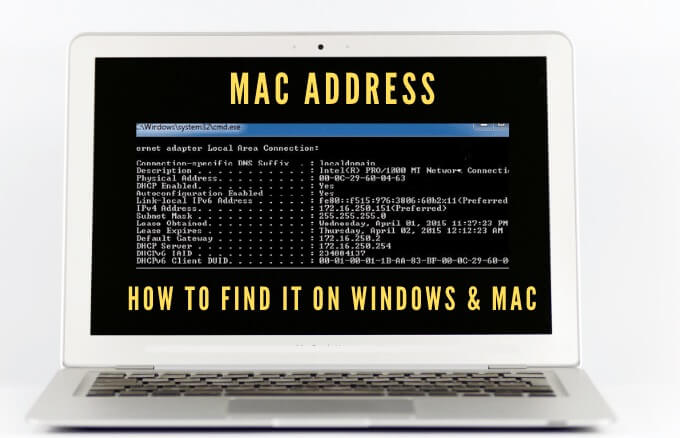
Any device that connects to a WiFi network must identify itself to the network using a unique network address. This unique identifier, known as the Media Access Control (MAC) address helps the network administrators or observers track or profile every user’s network activity and location over time.
While you may not have to worry about your device’s MAC address most of the time, there are times you need to know your network adapter’s MAC address. This way, you can identify the device or configure networking permissions on your router.
Whatever your reasons for needing your MAC address, we’ll show you several ways to do it on both Mac and PC.
What is a MAC Address?
The MAC address is a unique 17-character (00:1A:C2:9B:00:68, for example) which serves as a hardware identifier that’s embedded on your computer’s network interface controller (NIC) card.
The unique identifier is assigned by the device manufacturer and permanently tied to your device. This allows for communication between devices within a local network to initiate a connection.
There are two main types of MAC addresses: Universally Administered Address (UAA) and Locally Administered Address (LAA).
The UAA is the more popular type, which is assigned by the device manufacturer, while the LAA changes your adapter’s MAC address. You can assign the LAA to your network device and it will override the address assigned by the manufacturer.
Your device’s MAC address is sometimes confused for the IP address even though both are used to identify your device on the internet, but there are some major differences.
MAC addresses are permanently assigned by the device manufacturer to identify your machine from others and are designed not to be modified. IP addresses handle the logical routable connection from your devices and networks, and can change based on location.
Your device’s MAC address is used inside your local network, while the IP address can be used across the world to identify network devices.
How to Find a MAC Address On Your PC or Mac
There are several reasons why you need to figure out your device’s MAC address including to:
- Track your device.
- Prevent unwanted network access.
- Find receivers or senders in the network.
- Service your device. Many times you’ll need to provide your MAC address.
- Spoof the identity of a different device when registering a home network gateway device with an internet service provider.
How to Find a MAC Address on a Windows 10 PC
You can find MAC addresses on your Windows 10 PC via the Settings, Control Panel, System Information, Command Prompt, and PowerShell.
How to Find a MAC Address on Your PC Using Settings
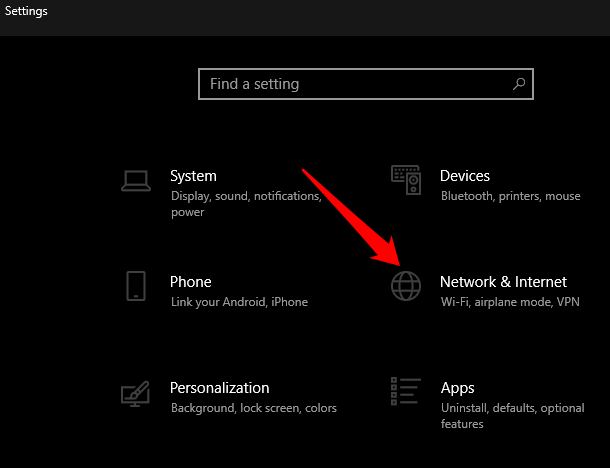
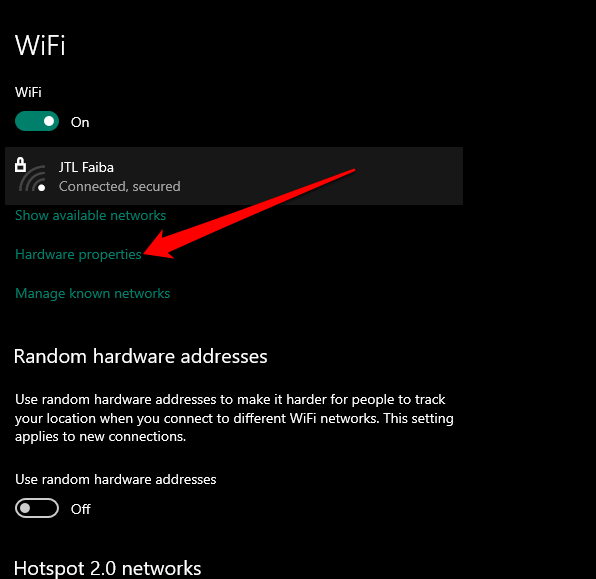
- To do this, select Start > Settings > Network & Internet.
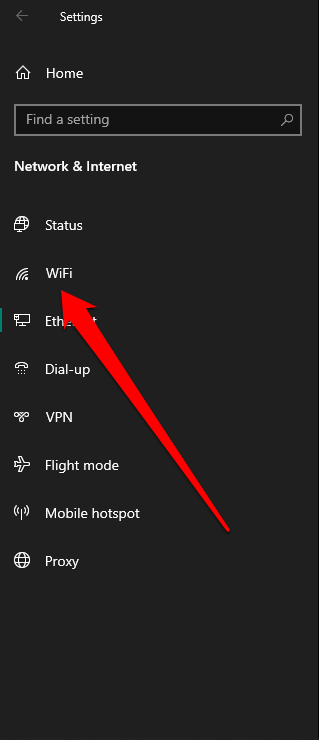
- Depending on your network connection, select Ethernet or WiFi.
- Select Hardware Properties under your connection.
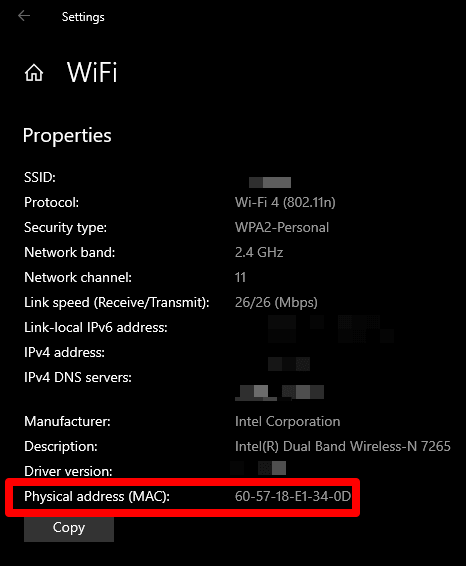
- Check the MAC address of your PC under the Properties section.
How to Find MAC Address on Your PC Using Control Panel
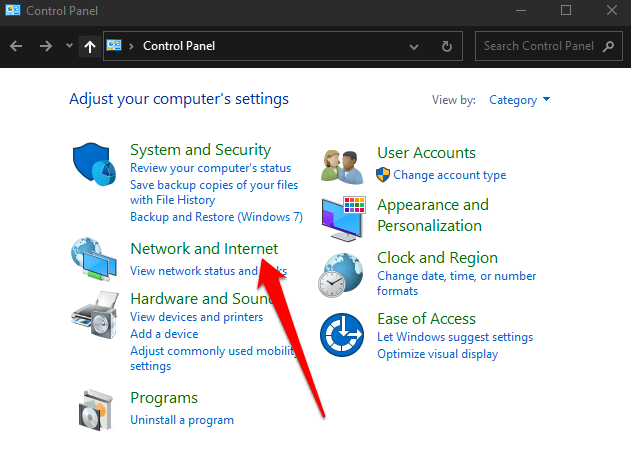
- To do this, open Control Panel > Network & Internet.
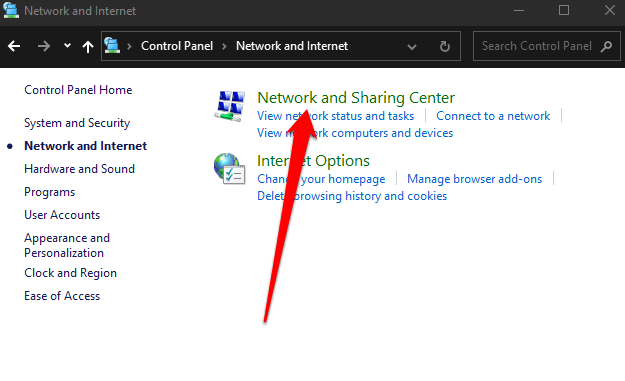
- Select Network and Sharing Center.
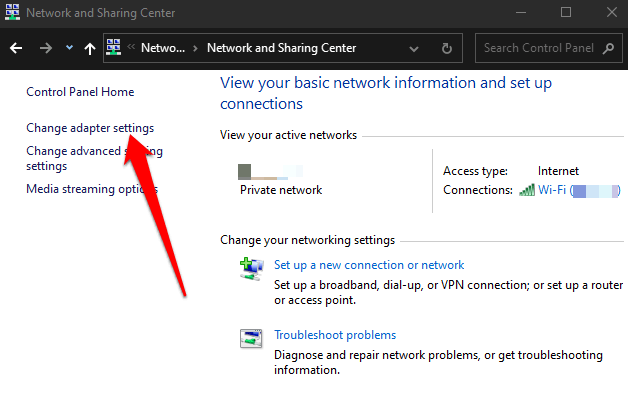
- Next, select Change adapter settings.
- Depending on your connection, double-click Ethernet or WiFi.
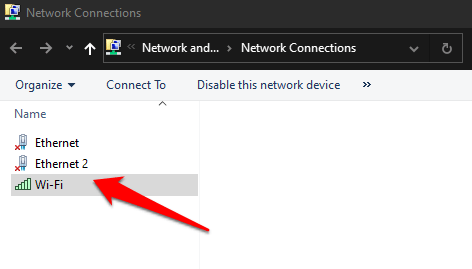
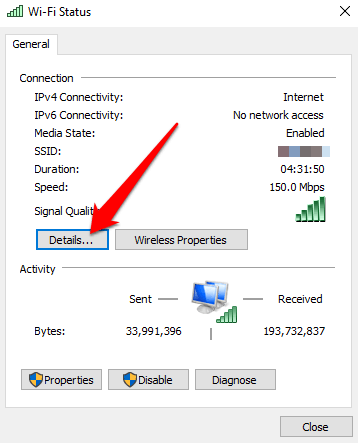
- Double-click WiFi and select Details.
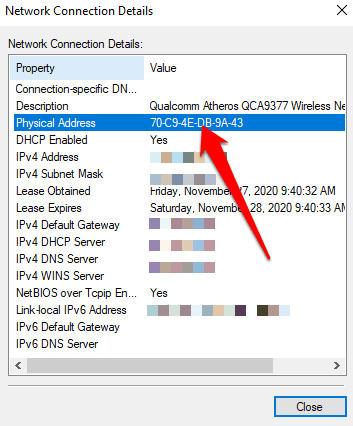
- Check your MAC address next to the Physical address.
How to Find a MAC Address on Your PC Via Command Prompt
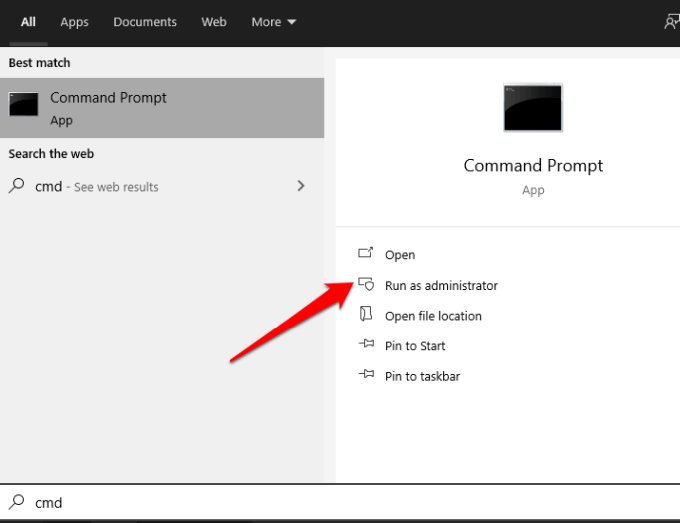
- To do this, type CMD in the search box and select Command Prompt > Run as administrator.
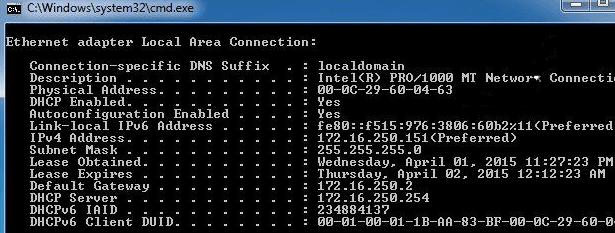
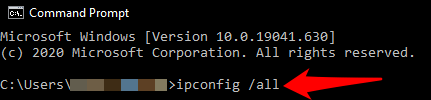
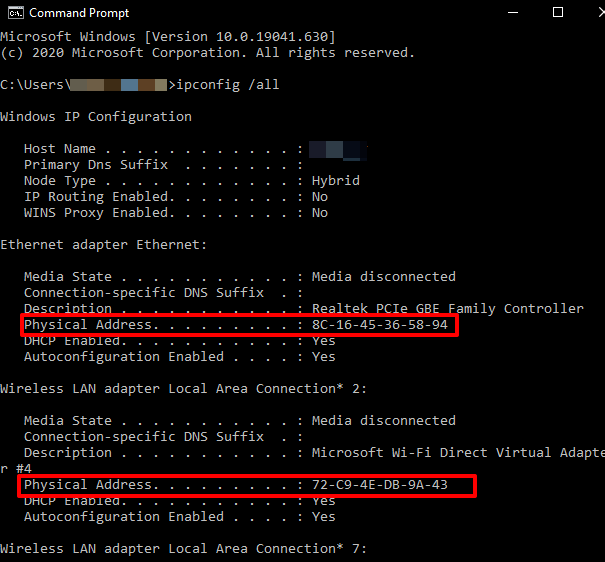
- Enter the ipconfig /all command and press Enter. You’ll see the MAC addresses for every network card installed on your PC, plus MAC addresses that aren’t associated with hardware cards.
- Check for the MAC address in the Physical address field.
Note: If you want to see the MAC information of the active network adapters clearly, type getmac /v and press Enter.
How to Find a MAC Address on Your PC Using Windows PowerShell
- To do this, right-click Start > Windows PowerShell.
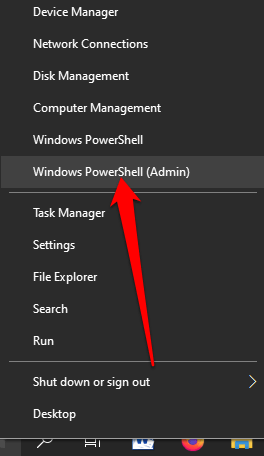
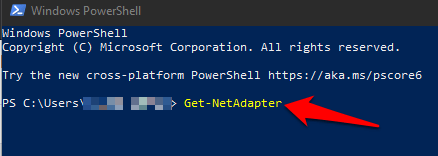
- Enter Get-NetAdapter command and press Enter.
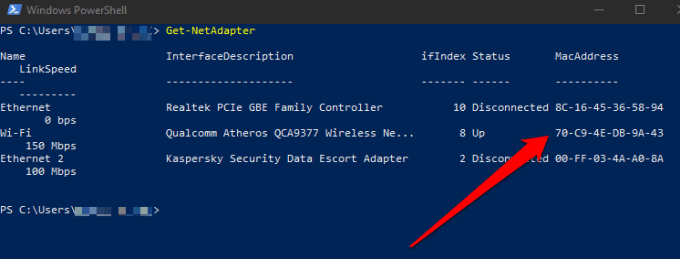
- Check your network adapter’s MAC address. You’ll see a list of each network adapter configured on your PC along with their MAC addresses.
How to Find a MAC Address on Your PC Using System Information
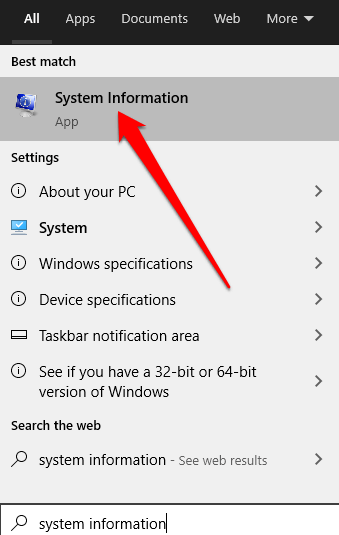
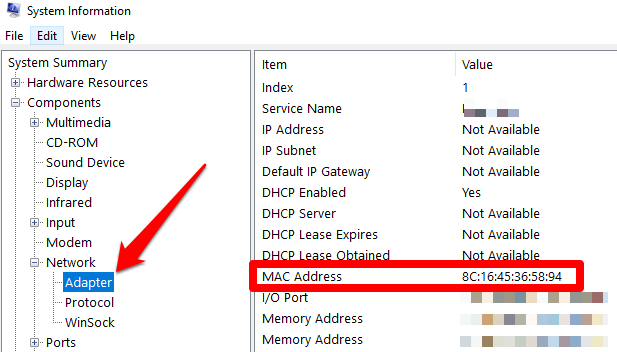
- To do this, type System Information in the search bar and select it from the search results.
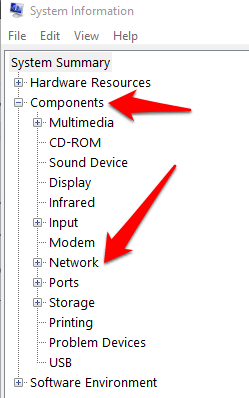
- Next, expand the Components section and then select the Network section.
- Select Adapter, go to your network adapter and confirm your computer’s MAC address.
How to Find a MAC Address on a Mac
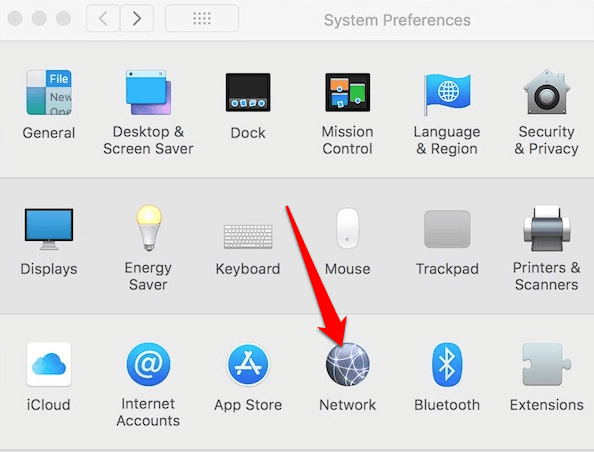
- To find the MAC address on your Mac computer, select Menu > System Preferences > Network.
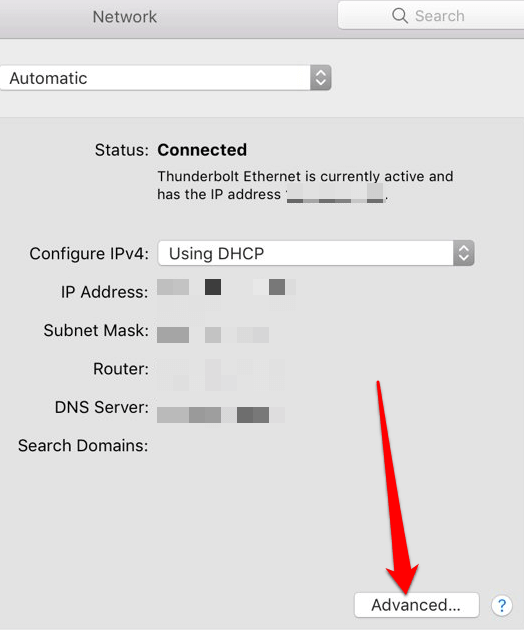
- Select Advanced.
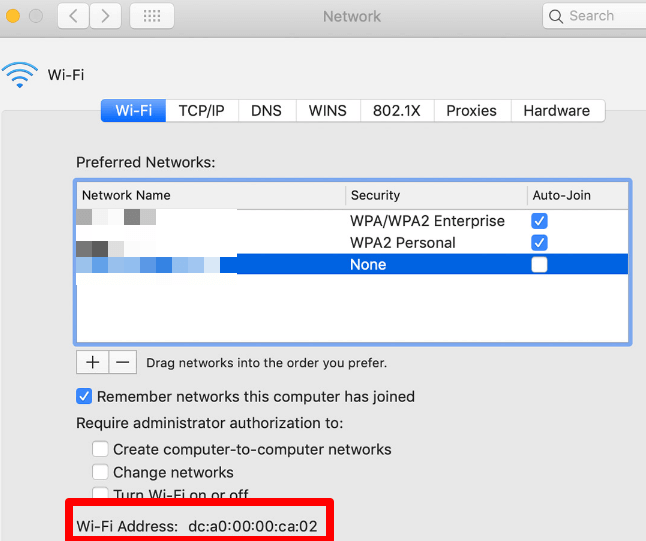
- Check for the MAC address under Info or User Mode/Advanced for a Mac that runs Open Transport, or under the Ethernet icon if your Mac runs MacTCP. You can also select the WiFi tab to see the MAC address under the WiFi address or Airport Address display.
Know Your Computer’s MAC Address
We hope you were able to find the MAC address for your Windows 10 PC or Mac. Learn more about how MAC addresses work from our guides on how to change or spoof your MAC address, and how to determine your IP address from a MAC address.