

Have you ever tried to do real work on your phone or tablet? Your everyday, pay the bills, kind of work? It can be done, but with just a touchscreen, it’s a real pain isn’t it?
There are some things for which you just need a real keyboard and mouse. But if you must start lugging around a keyboard and mouse, you might as well be carrying around a laptop. Do you really want to do that everywhere you go?
Yet, almost everywhere you go, you’ll be able to easily find a desktop computer that you can use. Most hotels, every library and school, even big box stores if you’re really in a pinch, have computers that you can use for free. That’s where portable apps come in.
What Makes a Portable App, Portable?
The beauty of the portable app is that it does not need to be installed on the host computer to work. It’s an executable file that requires only what’s on the USB to run, plus the CPU power and RAM of the computer.
The portable app does not automatically write anything to the host PC as a file, or as a registry entry in order to run. Any settings the app needs are written back to the same folder that the app is held in, on your USB device.
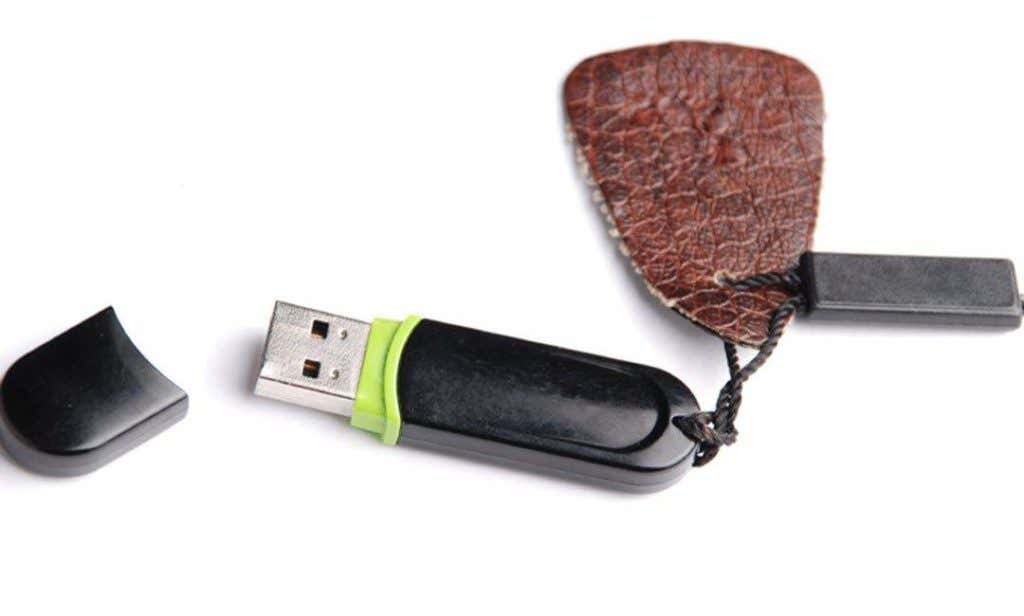
We can’t say that all portable apps leave no footprint on the host, but what is left, if anything, is about as minimal as it can get.
What Apps are Portable?
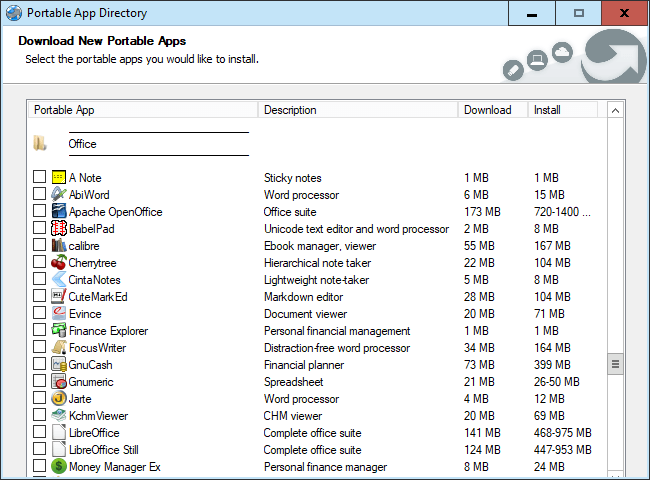
There are hundreds, if not thousands, of portable apps available to you. Most of them are available for free, too. At the time of writing this, there were at least 10 legitimate sites for downloading portable apps from, many listing several hundred apps.
Of course, there will be some overlap between the sites, but still, you would be hard pressed to not find an app for what you’d like to do. Some of the apps whose names you’re likely to recognize include:
- Firefox
- Chrome
- Google Drive
- Dropbox
- Blender
- Inkscape
- Audacity
- Calibre
- LibreOffice
- KeePass
- 7-zip
- TeamViewer
- uTorrent
- CCleaner
There are apps for office work, accounting, audio production, desktop publishing, graphic design, 3D design, web design, app development, encryption, systems administration, eBook management, torrent downloading, music players, file management, and games, games, and more games.
Take a read through our previous article, 12 Handy Tools to Keep on Your USB Stick to get a feel for how a portable app USB drive could serve you.
Beyond that, there are ways that you can make a lot of regular desktop applications into portable apps. That’s not always possible, or easy, but it can be done. The scope of how to do that is far greater than this article.
Where Do I Get Portable Apps?
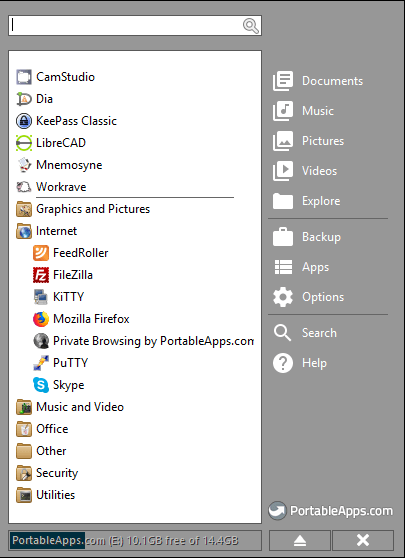
First, you should know that it’s a good idea to have a portable app launcher. Think of it like a Windows Start Menu but just for the portable apps on your USB drive. The launcher can also manage the updating and installation of portable apps.
Arguably, the most popular launcher is from PortableApps.com. Another good launcher is LiberKey. If you’d like to start an IT tech toolkit, you should also look at adding the NirSoft Launcher to your USB. A good repository of portable apps can also be found at PenDriveApps.com.
Portable Apps Equal Portable Security
Isn’t it great that there are so many publicly available computers in the world today? There are some that are even accessible, outside, all day, all year long!
There are two problems with that, however: the computers may not have the software you need and they are probably not very secure.

We’ve covered how portable apps solves the public computer not having the software you need issue. Let’s talk about the security issue, now.
Every web browser needs to know what you’re looking at, what you’ve most recently looked at, and will want to cache information and store cookies to make the websites you’re using run faster and better.
So, many of them are not set up to delete that information upon closing. What’s to stop the next person from logging on to that computer and seeing what you saw, or worse yet, seeing what you typed. This could be any sort of personal information from usernames and passwords to banking or health information.
But with a portable app web browser, none of the history, cookies, or cache needs to be written to the computer. It all gets written within the browser’s folder on your USB drive. Plus, you get to take your bookmarks with you everywhere.
An even more solid step would be using a Virtual Private Network (VPN) whenever you used a public computer. There are portable VPN clients out there that you could use.
Now, all your web traffic is running inside a secure channel, making it much harder for any bad guys to sniff out your secrets. If you don’t have a VPN subscription take a look out our recommended VPN services.
But there’s still the matter of the info being on your USB drive and the possibility of losing it. What’s to prevent someone from picking it up, plugging it into their computer and having free reign over everything on it? Portable encryption apps, that’s what. With a portable encryption app like VeraCrypt, you could make that data inaccessible and unusable to anyone but you.
Portable Apps to the Rescue
Perhaps the driving force behind portable apps was the computer technician who wanted a nice little toolbox full of their favourite troubleshooting apps. Don’t let the tiny size of these apps fool you! Some are extremely powerful and could help you save your computer or be the hero to friends and family.
There are several antivirus and malware detection apps that you could use without knowing much about computers that could revive an ailing system.
There’s also file recovery apps, like Recuva, that could help you bring an accidentally deleted file back from the dead. There are even password and software license key recovery apps that you can use to get back into the programs and websites that you need.
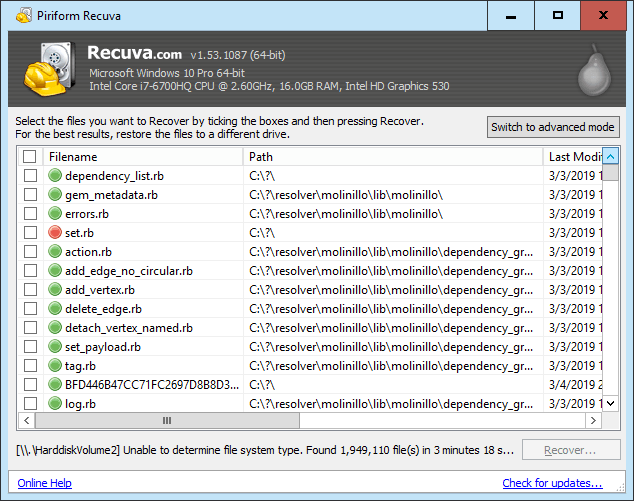
Don’t be afraid to download and try out a few of these different technical maintenance type apps. It’s a great way to learn more about your computer, or your library’s computer, and how to keep things running smooth and fast.
So, Why Should You Care Again?
Even though your phone is more powerful than the first supercomputer to beat a human at chess, it’s still awkward to use for real work. Having the ability to see everything on a screen 5 times the size of your phone, a full-size keyboard and mouse, and keep all your files and programs in one tidy USB flash drive size package is just too good to pass up.
Plus, you’ll have the peace of mind that you didn’t leave behind any personal information on that public computer that you were working on, because you used a portable browser and VPN. Any information on that USB is also protected because you used a portable encryption app.
Then there will be the time when a computer is working poorly, and you’ll be the person on the spot with all the tools to help revive it. Think of it as a computer first-aid kit that can fit in a small pocket.
Don’t forget the price, either. Free. Who doesn’t love free? All the free software, peace of mind, and ability to use it anywhere should be enough reason for anyone to have a USB drive full of portable apps.