

Does the TikTok app keep closing on your iPhone, iPad, or Android phone? Chances are your app is experiencing bugs and crashing as a result of that. There are other reasons your app closes unexpectedly. We’ll show you how to go about fixing this problem.
Other reasons you can’t use TikTok uninterruptedly include your background apps using too many resources, your phone having a minor glitch, TikTok’s cache files being corrupt, your phone not having adequate storage space, and more.
1. Force Close and Reopen TikTok
One reason TikTok crashes on your phone is that the app has a minor glitch. If you restarted the app but to no avail, try forcing the app to close and reopen. This should resolve your problem.
Note that you can only force close apps on Android. You’ll have to use the standard close-and-open method if you use an iPhone or iPad.
On Android
- Open your phone’s Settings app.
- Select Apps > App management in Settings.
- Choose TikTok on the app list.
- Select Force stop to close the app.
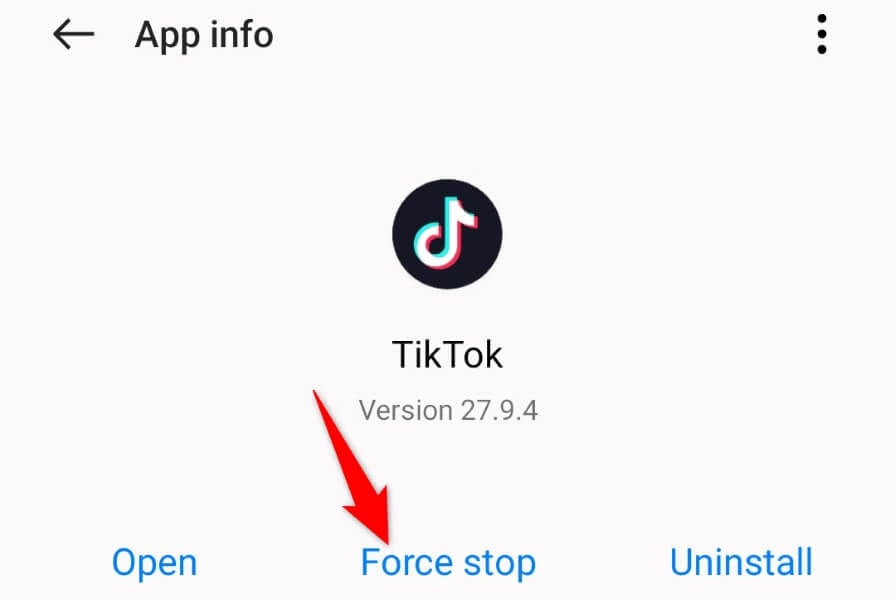
- Choose Force stop in the prompt.
- Reopen TikTok from your app drawer or home screen.
On iPhone and iPad
- Swipe up from the bottom of your device’s screen and pause in the middle.
- Swipe up on TikTok to close the app.
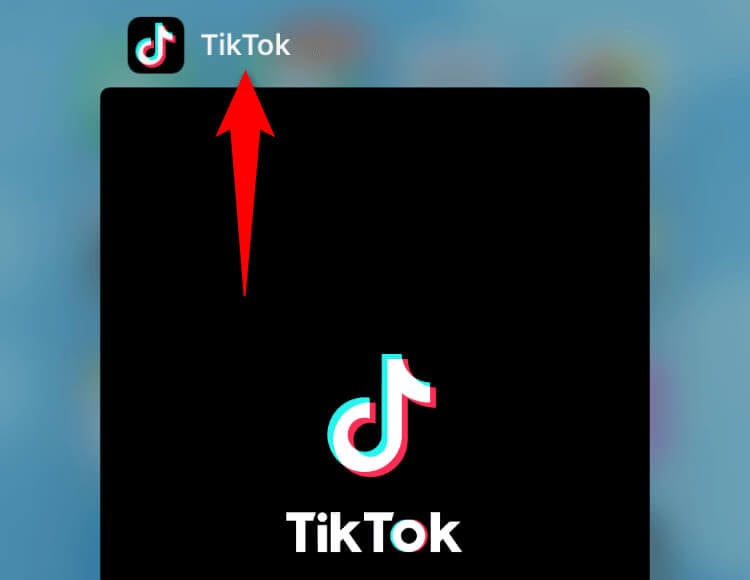
- Tap TikTok on your home screen to relaunch the app.
2. Close Running Apps on Your Phone
Your phone may have other apps running in the background, using too many system resources. This leaves insufficient resources for TikTok to work with, making the app unstable and causing it to crash.
In this case, close all your background apps and launch TikTok to see if the app still crashes.
On Android
- Press the Recents button to view your open apps.
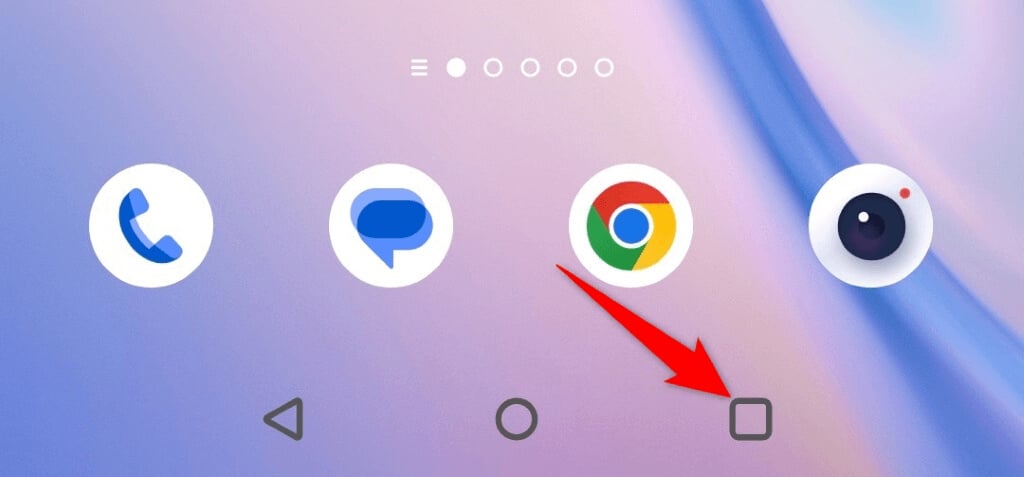
- Swipe up on all your open apps to close them.
- Launch the TikTok app.
On iPhone and iPad
- Swipe up from the bottom of your device’s screen and pause in the middle.
- Swipe up on all your open apps.

- Open the TikTok app.
3. Reboot Your Phone to Fix TikTok Keep Crashing
Your iPhone, iPad, or Android phone may have a minor glitch, causing TikTok to crash. You may experience this issue with your other installed apps as well.
A quick way to get around most minor bugs on your phone is to reboot the phone. Doing so disables all your phone’s features and re-enables them, allowing any minor issues to be fixed.
Make sure you save your unsaved work before powering off your device.
On Android
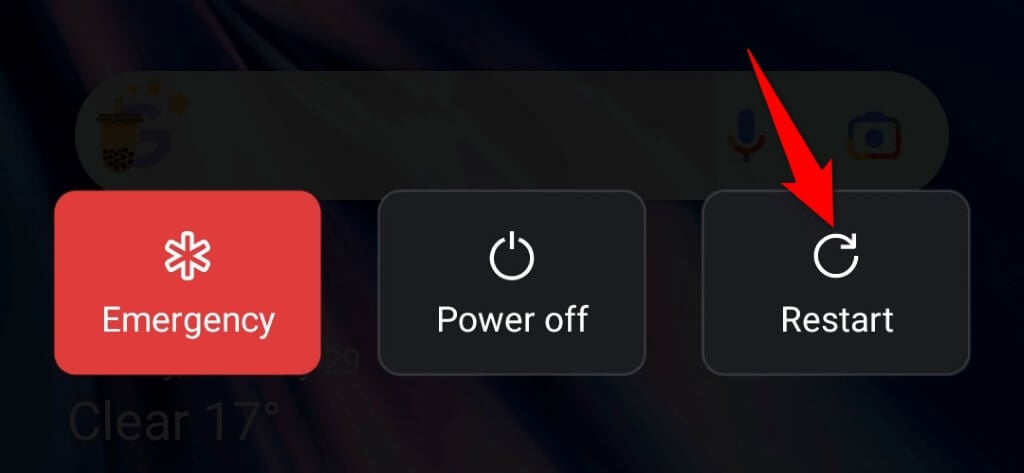
- Press and hold down the Power button on your phone.
- Select Restart in the menu.
On iPhone
- Press and hold down either Volume button and Side button at the same time.
- Drag the slider to the right.
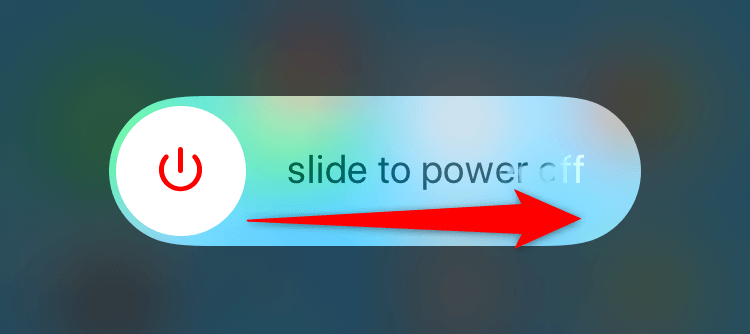
- Turn your phone back on by pressing and holding down the Side button.
On iPad
- Press and hold down either Volume button and Top button simultaneously.
- Drag the slider to turn off your tablet.
- Turn your tablet back on by pressing and holding down the Top button.
4. Clear TikTok’s Cached Data on Your Phone
TikTok stores cache files on your phone to improve your app experience. These files help the app quickly provide you with the content you’re looking for. Sometimes, these files become corrupt, for various reasons.
TikTok’s corrupt cache may be the reason you’re experiencing app crash problems. In this case, you can clear the app’s cached data and resolve your issue. You don’t lose your login session or account data when you delete the cache.
Note that you can only clear the app cache on an Android phone. You’ll have to uninstall and reinstall the app to delete the cached data if you’re on an iPhone or iPad.
- Open Settings on your Android phone.
- Select Apps > App management in Settings.
- Choose TikTok on the app list.
- Select Storage usage.
- Tap Clear cache to remove the cache.
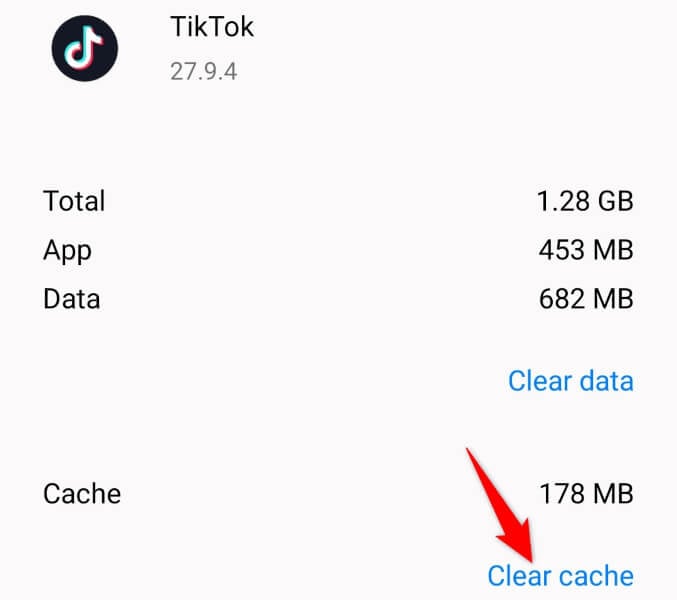
- Launch the TikTok app.
5. Update TikTok’s App Version on Your Smartphone
If you’re using an old version of TikTok on your phone, that may be why you’re facing crash issues. Old app versions are usually not stable, and you can experience a variety of issues with such versions.
Luckily, you can update the app to the latest version and resolve your issue in no time.
On Android
- Open Google Play Store on your phone.
- Find and select TikTok.
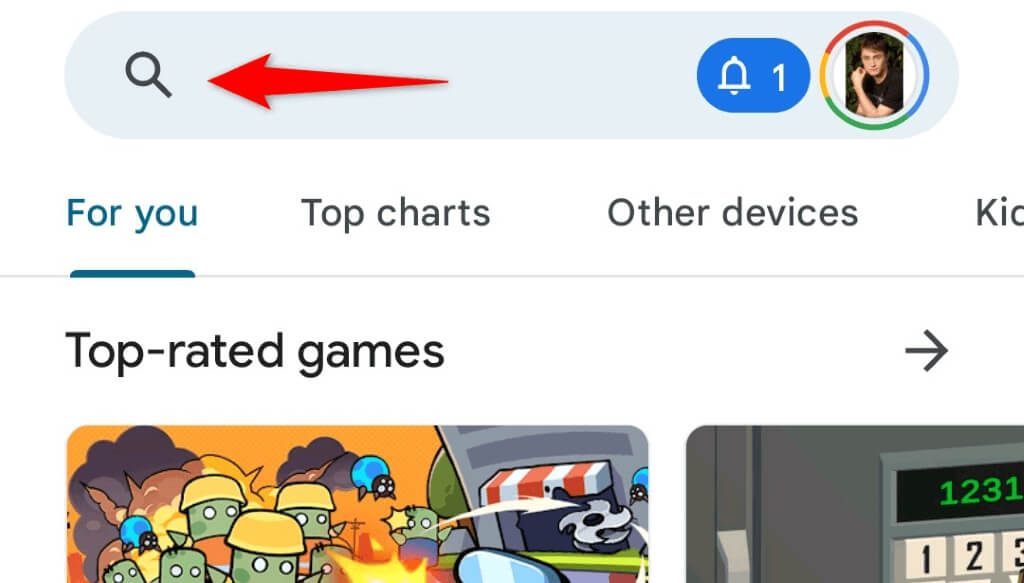
- Tap Update to update the app.
On iPhone and iPad
- Open App Store on your device.
- Select the Updates tab at the bottom.
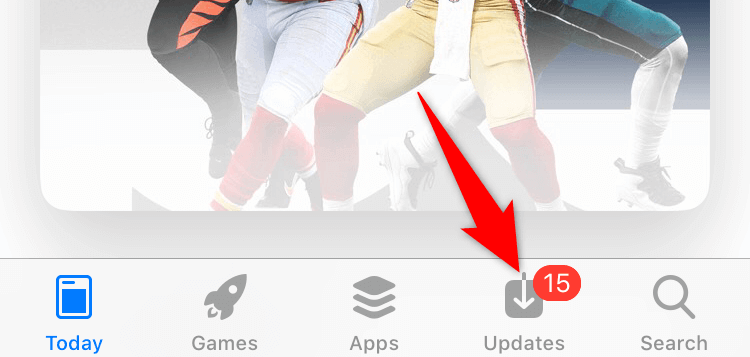
- Choose Update next to TikTok on the list.
6. Free Up Your Device’s Storage Space
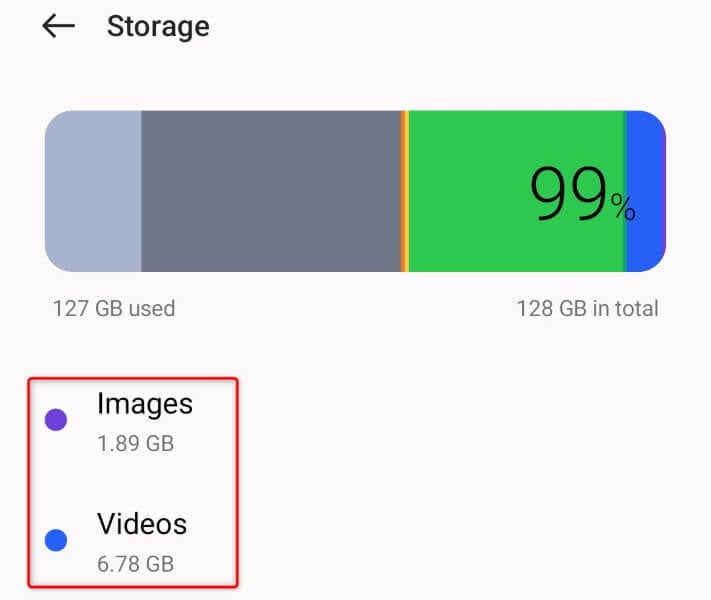
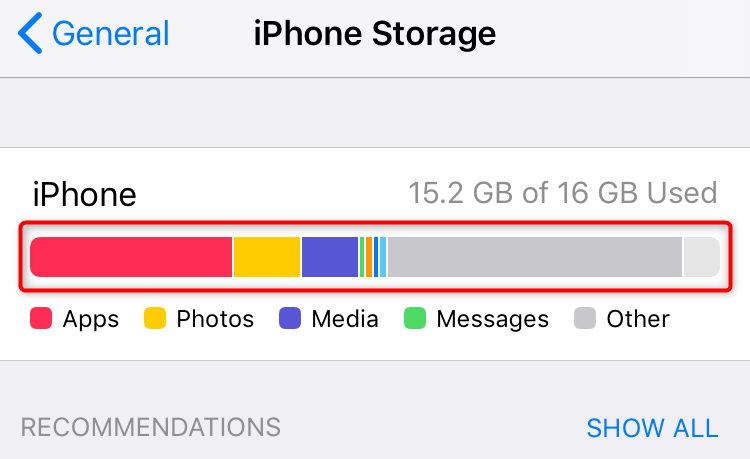
TikTok needs to store certain temporary files on your phone to function. If you’re running low on storage space, the app can’t create and store those files, resulting in a crash.
To get around that, free up a bit of your phone’s storage space, and your issue will be resolved. iPhone, iPad, and Android offer a storage analyzer, making it easier to decide what files to delete to free up your storage.
On Android
- Open Settings on your phone.
- Scroll to the bottom and tap About device.
- Select Storage.
- Review your storage usage and delete the content you no longer need.
On iPhone and iPad
- Open Settings on your device.
- Select General > iPhone Storage or iPad Storage in Settings.
- Analyze your storage space usage and remove the items you don’t wish to keep.
7. Uninstall and Reinstall TikTok on Your Device
TikTok’s core files can go corrupt, causing the app to misbehave on your phone. There’s a good chance your app is crashing because the app’s core files have been altered.
In this case, you can uninstall and reinstall the app to fix your problem. Uninstalling the app removes all the faulty files, and re-downloading the app brings new working files.
You don’t lose your TikTok account data when you do this, but you’ll have to sign back into your account when you reinstall the app.
On Android
- Tap and hold on TikTok in your app drawer.
- Select Uninstall in the menu.
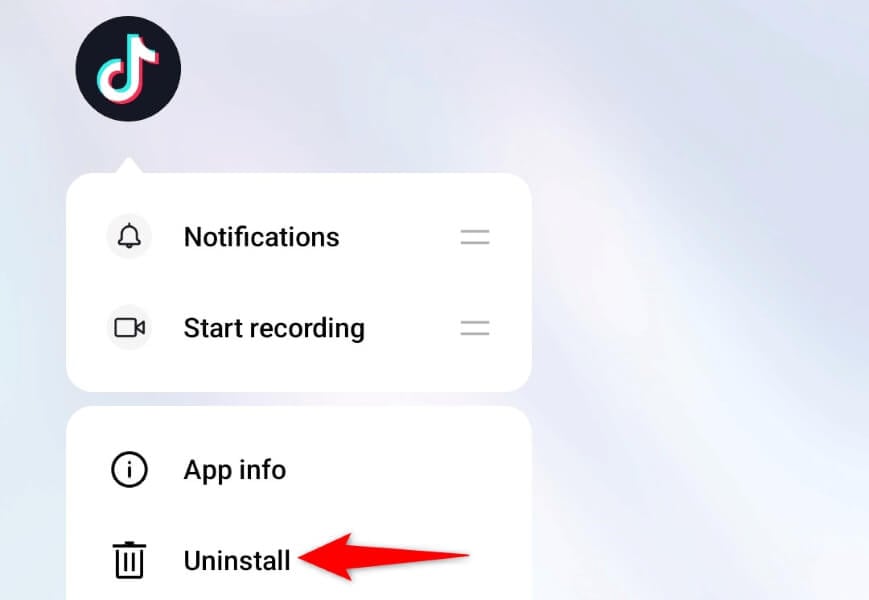
- Choose Uninstall in the prompt.
- Open Google Play Store, find TikTok, and tap Install.
On iPhone and iPad
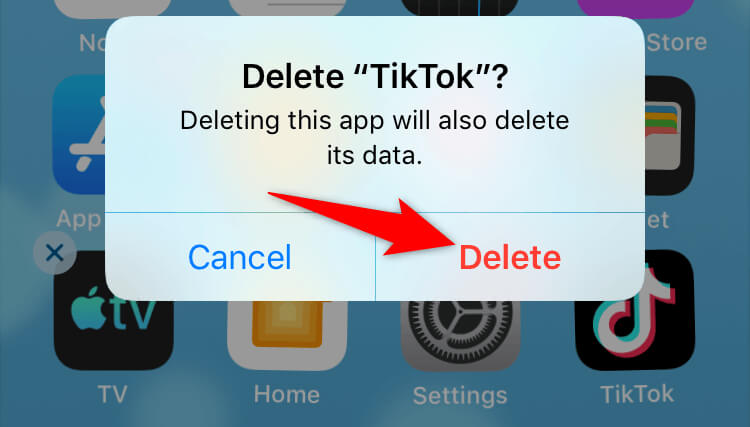
- Tap and hold on TikTok on your home screen.
- Choose X in the app’s top-left corner.
- Select Delete in the prompt.
- Launch the App Store, find TikTok, and select the download icon.
8. Update iOS, iPadOS, or Android on Your Phone
Your phone’s operating system’s issues can cause your installed apps to malfunction. TikTok’s cause of the crash may be a system problem on your device.
In this case, you can update your device’s software version to the latest one, possibly fixing all the bugs in the system.
On Android
- Launch Settings on your phone.
- Select About device at the bottom.
- Choose the Software update option at the top.
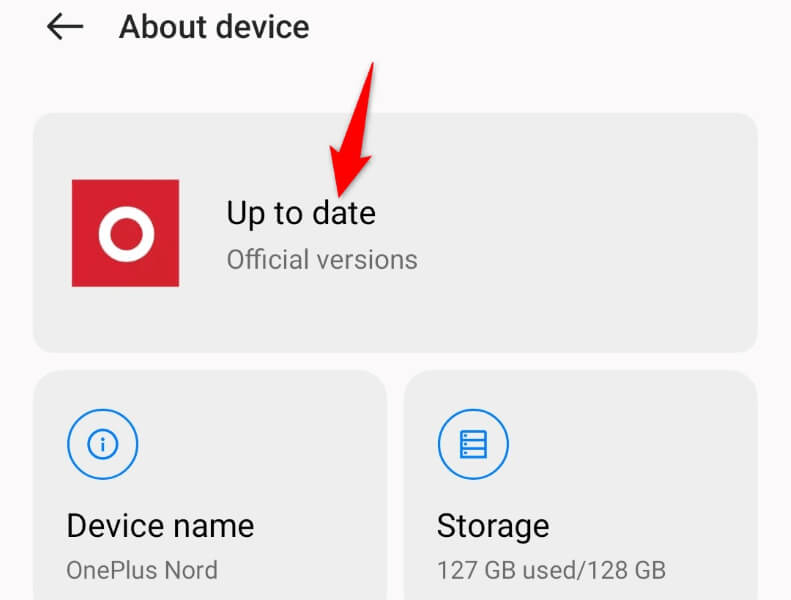
- Download and install the available updates.
On iPhone and iPad
- Open Settings on your device.
- Select General > Software Update in Settings.
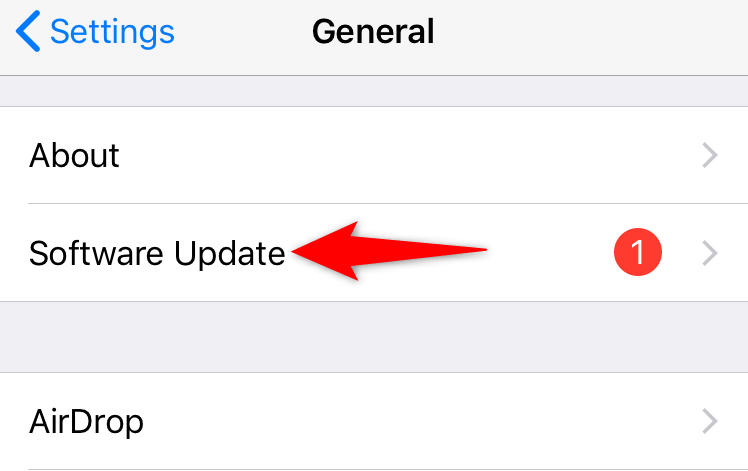
- Get the latest updates and install them.
9. Upgrade Your Smartphone
If TikTok continues to crash despite following the above methods, your smartphone may not be fully compatible with the app. Although TikTok officially supports many Apple and Android devices, your device may be too old and may not have enough resources to fully support the TikTok app.
In this case, your best option is to upgrade to a newer smartphone. You can get any modern Apple or Android device, and it’ll likely have full support for TikTok.
Saying Goodbye to TikTok’s Crash Problems
TikTok’s crash issues occur due to a variety of reasons. If you find the underlying problem and fix that, your issue should be resolved. The guide above outlines some of the common ways to fix TikTok on your iPhone, iPad, and Android devices.
We hope this guide helped you resume your watching and posting sessions on this short-form video app. Enjoy!