

Do you have trouble signing out of Facebook on your phone? It might be a technical issue, Facebook’s servers could be down, or for several other reasons. Here are a few ways to get around this problem in the Facebook app on your Apple iPhone (iOS) or Android phone.
Some other reasons you can’t log out of your account are that your Facebook app’s cache is corrupted, the app itself is damaged, your phone’s operating system has a minor glitch, and more.
Check if Your Internet Connection Is Faulty
One reason you can’t log out of your Facebook account is that your phone’s internet connection isn’t working. Facebook needs access to the internet to sign you out of your account, and an inactive connection prevents that from happening.
You can check if your connection is faulty by opening a web browser and launching a site. If your site fails to launch, your internet connection has issues. In this case, try to resolve your internet problems by rebooting your router or contacting your internet service provider (ISP).
Check if Facebook Is Down
If your internet connection is working, the next item to check is if Facebook’s servers are down. The company’s servers may be experiencing an outage, making all the services unusable.
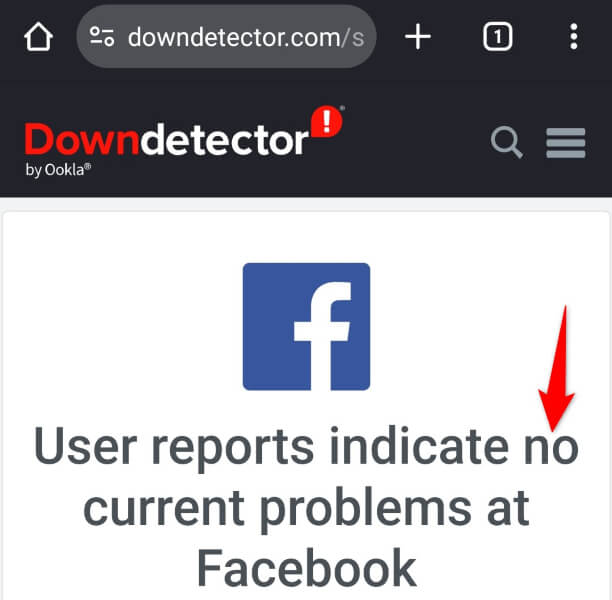
You can check if Facebook is down by visiting the Facebook page on the Downdetector site. This site will tell you if Facebook is experiencing any issues. If the platform is indeed down, wait until the company fixes the issue.
Clear Your Facebook App Cache
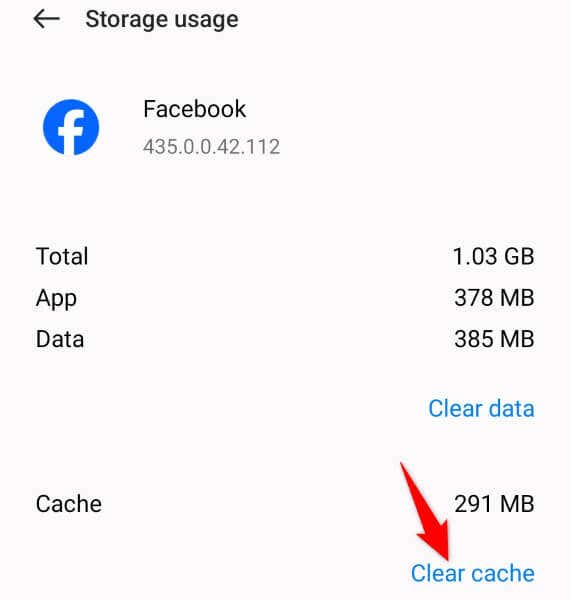
Another reason Facebook fails to log you out of your account is that your app’s cache files are corrupted. Such corrupted files can cause random issues in your app. Luckily, fixing the problem in this case is easy, as all you have to do is clear your app’s cache.
You don’t lose your account data when you do that, and the app will rebuild this cache. Note that you can only clear an app’s cache on Android; the iPhone doesn’t allow you to do that.
- Locate the Facebook app in your app drawer or on your home screen.
- Tap and hold on the app and select App info.
- Choose Storage usage on the following screen.
- Select Clear cache to delete the app’s cache files.
- Launch the Facebook app and try to sign out of your account.
Roll Back Your Facebook App Update
If you started facing a sign-out problem after updating the Facebook app, your app update might be faulty. Such updates cause various issues in your app.
In this case, you can roll back your app update to possibly resolve your issue. Note that you can only downgrade apps on Android; you can’t uninstall app updates on an iPhone.
- Tap and hold on Facebook in your app drawer or on your home screen and select App info.
- Select the three dots in the top-right corner and choose Uninstall updates.
- Select OK in the prompt to begin removing the app update.
- Launch your downgraded app and see if you can log out of your account.
Update Facebook on Your iPhone or Android Phone
If your Facebook app is outdated, that may be why you can’t sign out of your account in the app. Obsolete app versions are known to cause issues, and this may be the case with your app.
In this case, update your app to the latest version, and your issue will be fixed.
Update Facebook on Android
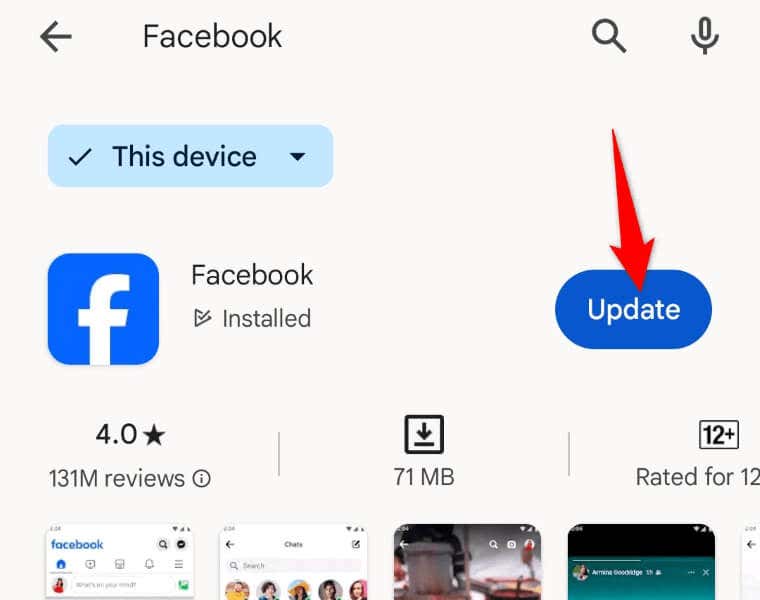
- Open Google Play Store on your phone.
- Find Facebook in the store.
- Select Update next to Facebook to update the app.
Update Facebook on iPhone
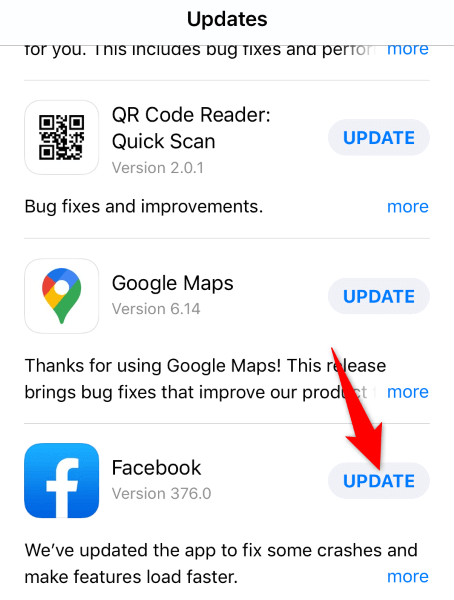
- Launch App Store on your phone.
- Select the Updates tab in the bottom bar.
- Choose Update next to Facebook on the list.
Restart Your iPhone or Android Device
If your Facebook sign-out issue persists, your mobile phone’s operating system may be experiencing a problem. In this case, you can try to resolve those minor system glitches by rebooting your phone. Doing that turns off and back on all your phone features, possibly fixing your issue.
Restart an Android Phone
- Press and hold down the Power button on your phone.
- Select Restart in the open menu.
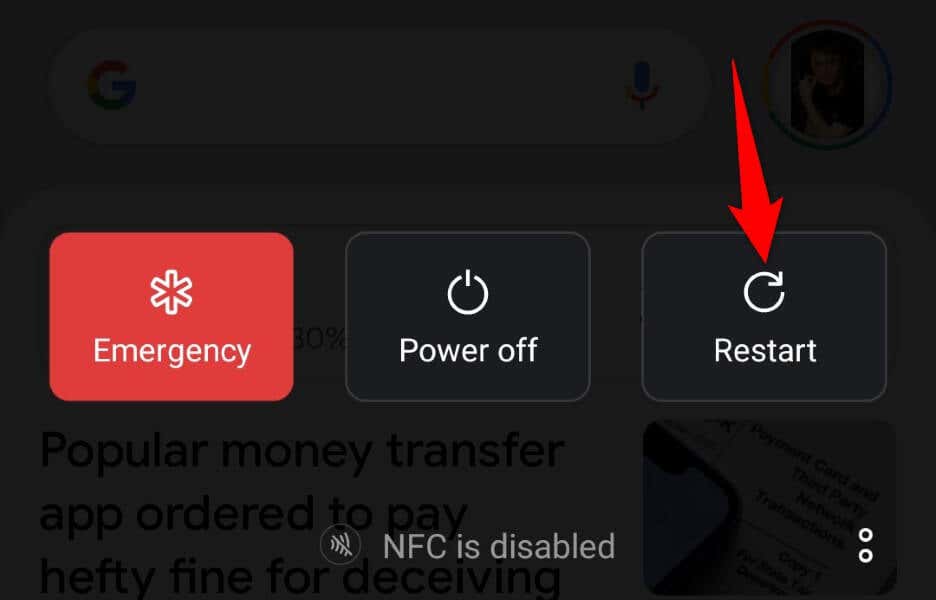
- Launch Facebook when your phone restarts.
Restart an iPhone
- Press and hold down Volume Up + Side or Volume Down + Side on your phone.
- Drag the slider to power off your phone.
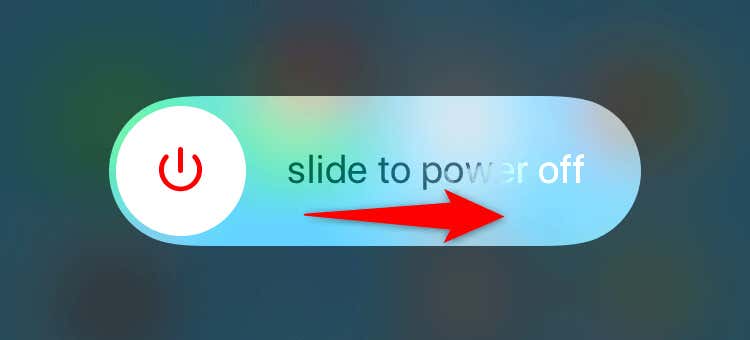
- Turn on your phone by pressing and holding down the Side button.
- Open the Facebook app.
Uninstall and Reinstall Facebook on Your Smartphone
If you still can’t log out of your account on Facebook, your app’s core files might be corrupted. Such file damage can make various app features not work. In this case, your only solution is to remove and reinstall the app on your phone.
Reinstall Facebook on Android
- Tap and hold on Facebook in your app drawer and select Uninstall.
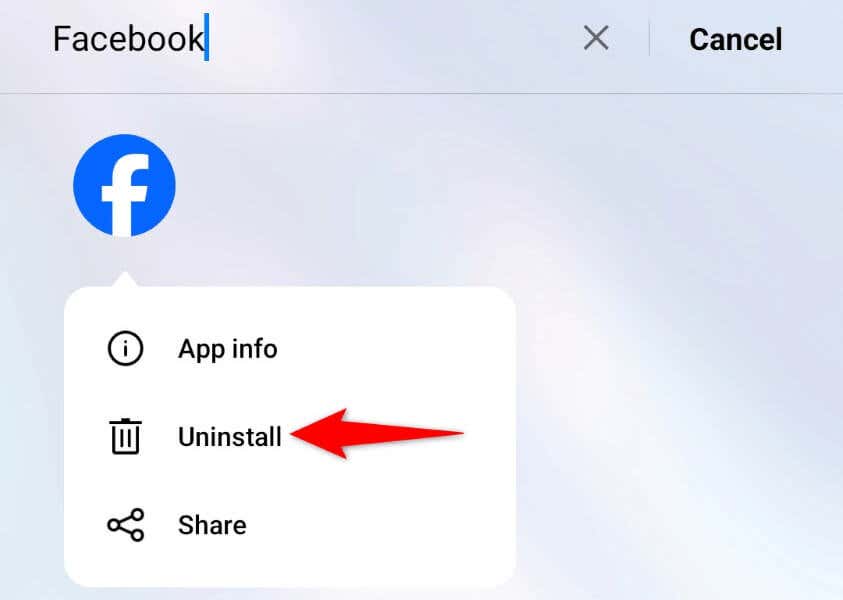
- Choose Uninstall in the prompt.
- Open Google Play Store, find Facebook, and choose Install.
Reinstall Facebook on iPhone
- Tap and hold on Facebook on your phone’s home screen.
- Select Remove App > Delete App in the menu.
- Launch App Store, find Facebook, and tap the download icon.
Use Facebook’s Desktop Site to Log Out of Your Account on Your Phone
One way to log out of your account on your phone is by visiting Facebook’s desktop site and using the remote log-out option. This option allows you to log out of all sessions on all your devices.
- Launch a web browser on your desktop, open the Facebook Accounts Center site, and log in to your account if you haven’t already.
- Select Password and security in the site’s left sidebar.
- Choose Where you’re logged in on the right pane.
- Select the phone where you want to log out of your account.
- Choose Log out on the following page.
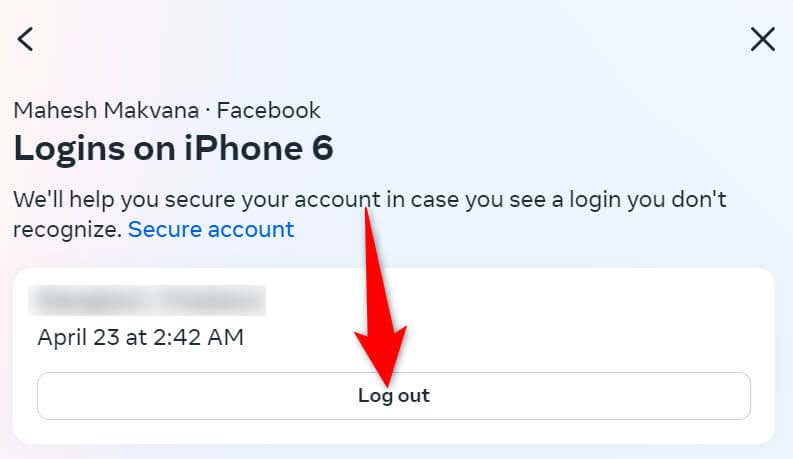
You’re now logged out of your Facebook account on your selected phone.
Resolve the Facebook Log Out Problem to Sign Out of Your Account Successfully
Facebook’s sign-out bug prevents you from removing your account in the app on your phone. If this issue isn’t fixed even after multiple attempts to sign out of your account, use the methods described above. These methods fix the underlying items that may be causing your problem, allowing you to remove your account from this social media app successfully.