

TikTok is a worldwide phenomenon, a social media platform that gives creators the opportunity to make a living off their videos. If you have a creative mind, it seems like a dream come true. However, if you’re new to TikTok, figuring out the best times to post can be a little tricky.
If you want to get more likes and views on TikTok and grow your following quickly, make sure to follow our guidelines on the best times to post on TikTok.
When To Post on TikTok: Things You Need to Keep in Mind
When you create a video that you think will “blow up,” your first instinct may be to post it immediately. If you’re looking for more engagement, you should fight that instinct and create a posting strategy for your content on TikTok.
TikTok’s algorithm decides which videos will appear on the For You page based on repeat views and engagement. That means that to expand your audience, you need to make sure you’re posting your content when people are watching. You have to consider some factors when choosing the best time to post your videos on TikTok.
Where Is Your Audience Located?
One of the most essential facts that you have to consider is the time zone that your audience lives in. If you’re targeting users in your own region, that’s one thing. But if you want people from other parts of the world to see your videos, you need to plan the posting time accordingly. Of course, you can’t choose the perfect time for everyone worldwide, but you can find a compromise.
When Is Your Audience Awake?
The second important factor you need to keep in mind, or rather a question that you need to answer, is “what time is my audience awake?”. If your targeted audience is located in different time zones, you have to think about what time the users are awake in each place and plan your posting schedule accordingly.
TikTok doesn’t have an option to schedule your videos, and there aren’t any third-party tools you could use for scheduling and posting on TikTok. That means you have to build your own posting schedule and stick to it if you want to grow your engagement on TikTok.
What Are the Best Times to Post on TikTok?
The Influencer Marketing Hub conducted a study on over 100,000 posts and their engagement rates to find the best times to post on TikTok.
In short, the best time to post on TikTok seems to be between 6am and 10am and 7pm and 10pm, and the best days to post are Tuesday, Thursday, and Friday. All times in EST.

If you’re wondering how many times you need to post on TikTok, it’s recommended to keep up the pace of 1-4 videos a day for best growth. However, it’s better to set realistic goals in the start: make a rule of posting 1 video per day but make sure to never miss it.
It’s also not recommended to overdo it and post too many videos on your TikTok account at the same time. In that case, you risk splitting your audience and dividing their views instead of multiplying them.
How To Check Your TikTok Account Analytics
Don’t know who your audience is? That’s easy to check. You can use the Analytics feature on TikTok to figure out your audience, where they’re from, and how your videos perform in different parts of the world.
First of all, you need to convert your TikTok account into a Business one to access your account Analytics. The process is free and only takes a few clicks to complete.

- Open the TikTok app and go to your profile page.
- Select Settings and privacy > Manage account.
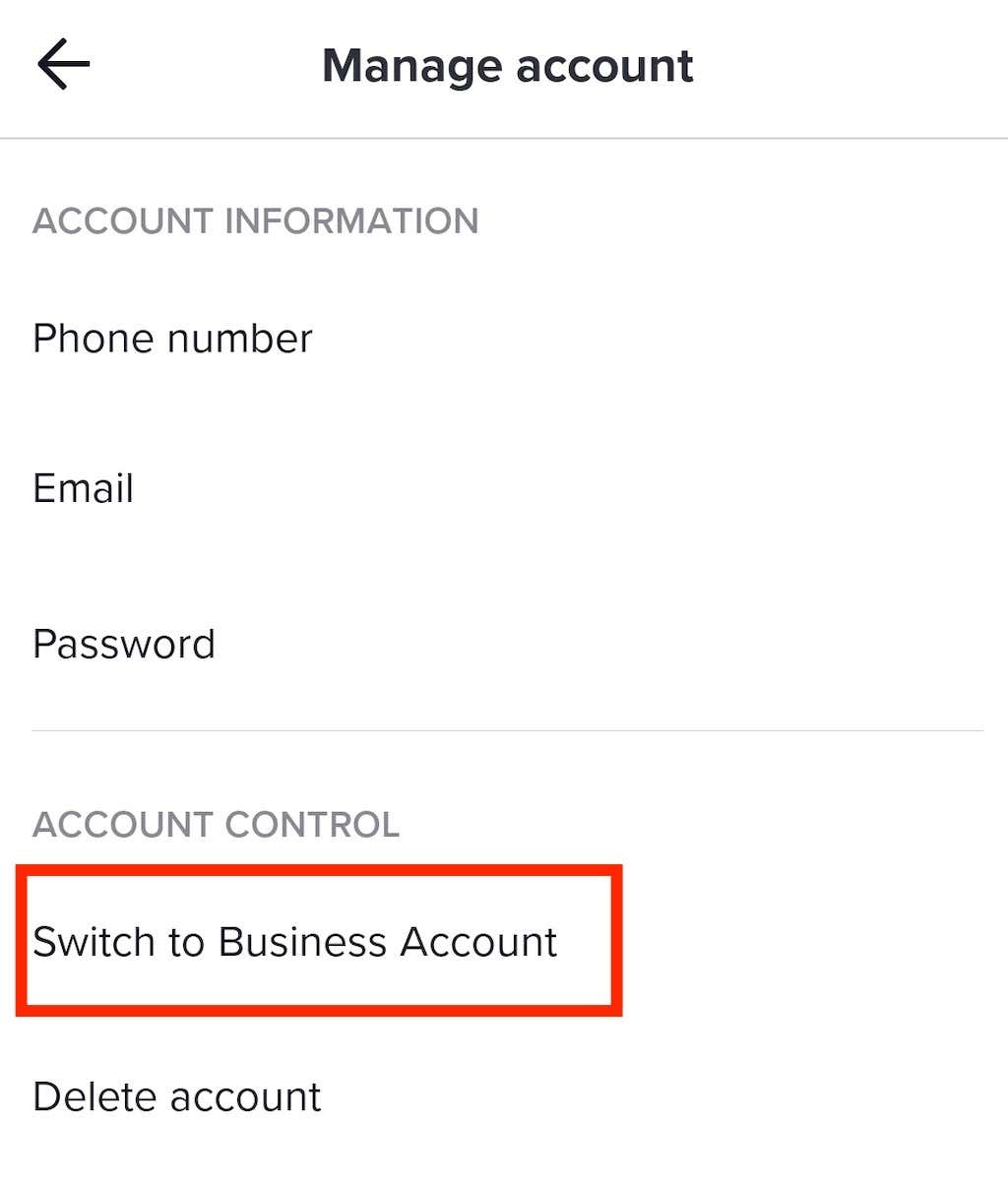
- Under Account Control, select Switch to Business Account.
- Choose a category and select Next to proceed.
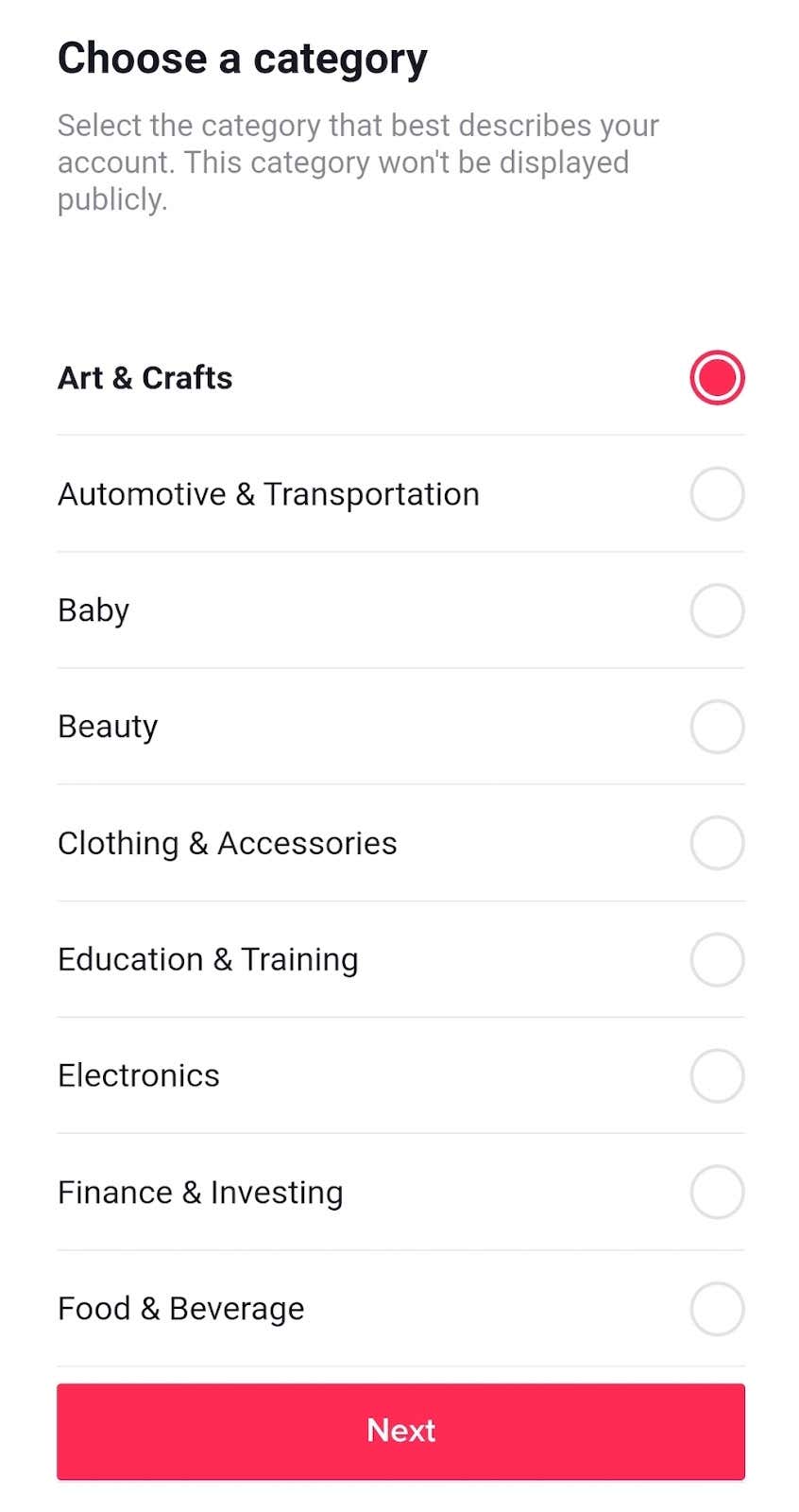
You’ll see a message confirming your switch to a business account. Now you can access more features on TikTok and connect with your viewers better.

If you go back to Settings > Creator tools, you’ll now find your account Analytics there. The Analytics section is divided into four sub-sections: Overview, Content, Followers, and Live.
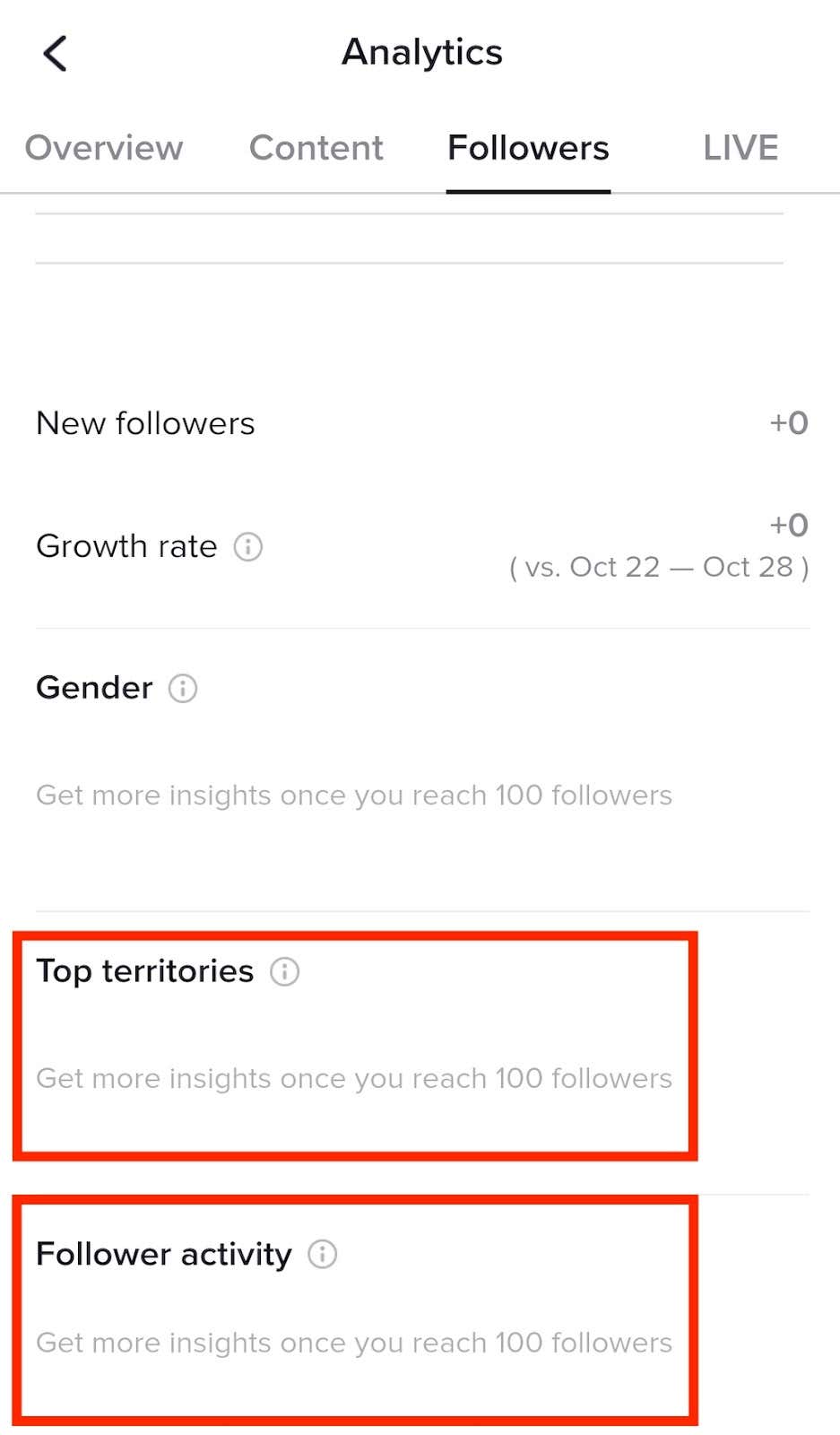
You can use the Followers section to learn more about your audience. The two parameters to note are Top territories and Follower activity. Top territories is the section where you can learn about the distribution of your followers by territory. Once you know where your followers live, it’ll be easier to choose the best time for posting your content. This section is handy if you’re catering to a global audience from different time zones.
The Follower activity metric gives you the days of the week when your followers are most active on TikTok. It further breaks this info into specific hours when your audience is most active on the app. Remember that this data is presented in UTC (Coordinated Universal Time).
Finally, you can use your account analytics to track your content’s performance. Pay close attention to the videos that performed best and worst, and see if you can find patterns there. All of these metrics should help you figure out the best times to post on TikTok.
How To Find the Best Times to Post on TikTok for You
Compared to other social media platforms, TikTok is highly personalized. It means that if you want to really grow on TikTok, you’re going to have to figure out your own posting strategy and schedule your posts following your own personal stats.
The best way to learn what works best is to experiment with different times of day and see which posting times drive your engagement rates most.