
If you’re a regular Discord user, chances are you’ve heard of BetterDiscord. Many users have customized their Discord client by offering exciting features such as plugins, themes, and other in-app cosmetics.
This post will answer what BetterDiscord is and why it has become popular among people who use the digital distribution platform.
What Is BetterDiscord?
BetterDiscord is an add-on that can help you manually modify your Discord client’s appearance and functionality. This tool can help you install themes and plugins to improve your overall Discord experience.
You can add a rhythm bot to add music to your Discord client. BetterDiscord also uses emojis and emoticons, which can be exported from Twitch TV. You can use a custom CSS editor to customize the platform.
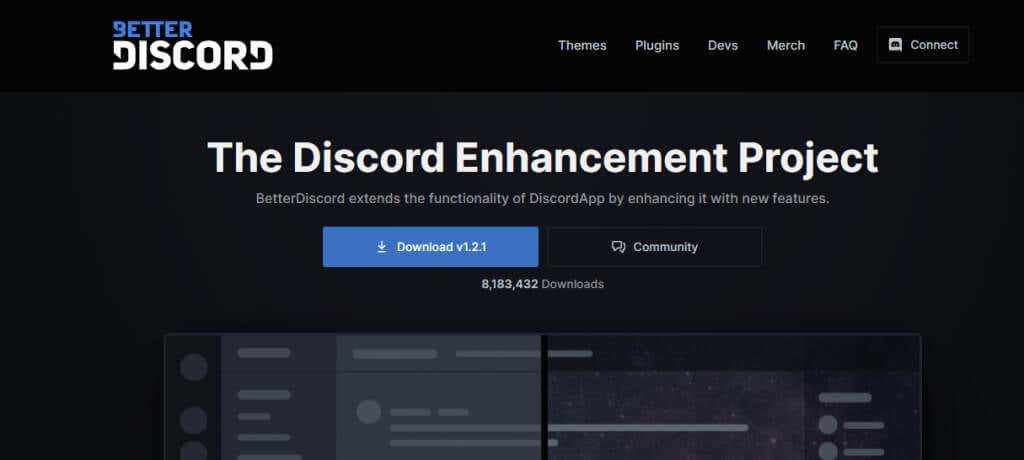
BetterDiscord was started in 2015 by Zack Rauen, a firmware engineer and a group of volunteer developers. They launched BetterDiscord just months after the original Discord was introduced. It’s currently on Version 1.2.1.
While BetterDiscord features, such as minimal mode and basic UI tweaking, are unavailable on the original Discord, many of the features that were developed in BetterDiscord are now integrated into the original Discord. However, the latter is still one step ahead in innovation as it introduces new groundbreaking features.
Top Features of BetterDiscord
Some of BetterDiscord’s helpful features include:
- Allowing users to customize their Discord Client based on their preferences.
- Enabling minimal models so you can focus on specific channels and remove clutter.
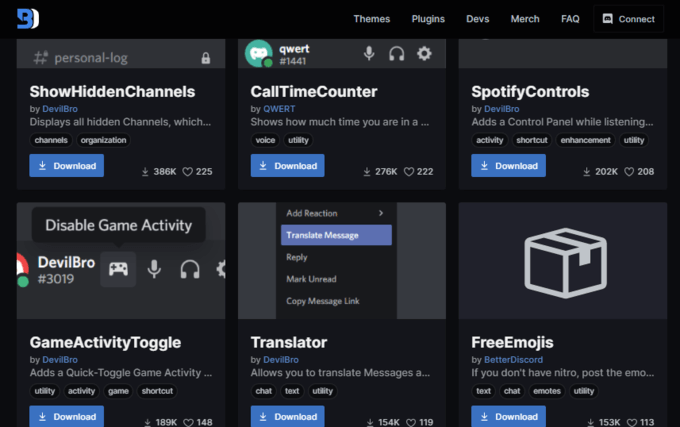
- Ability to download and customize plugins and themes.
- Ability to use emoticons and emojis that aren’t in the official Discord client.
- Option to add a rhythm bot to play music in the background.
How to Install BetterDiscord?
Currently, BetterDiscord is only available for desktop and laptop computers. There are several knock-offs of it, such as Bluecord, which works with mobile phones. However, they often lack certain features that are currently available on BetterDiscord.
Here is how you can install BetterDiscord on your computer:
- Go to BetterDiscord’s website using any browser.
- Download BetterDiscord’s app.

- Once the download is complete, double click on the installer and accept the license agreement to start the installation process.
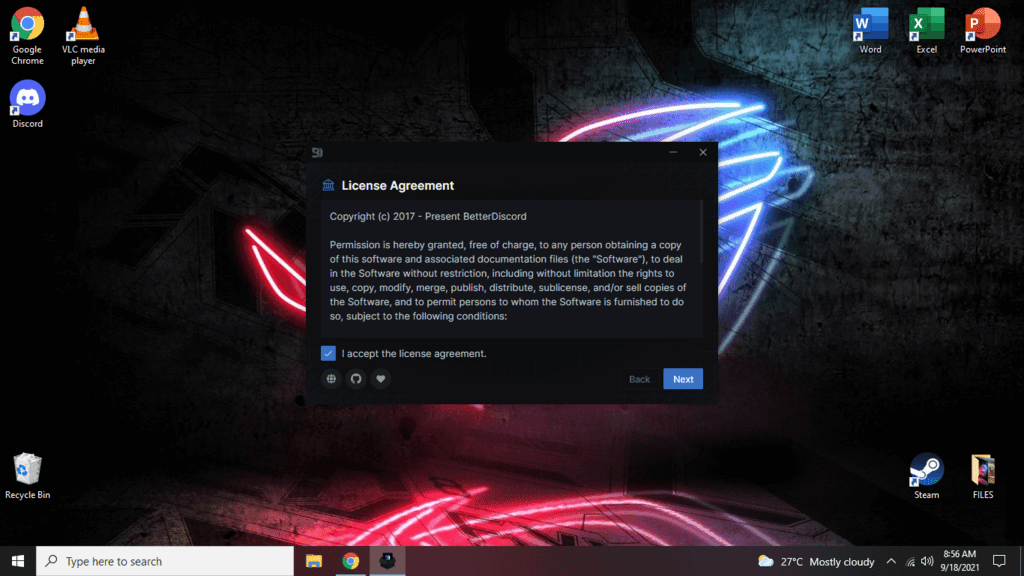
- Select Install BetterDiscord from the Choose an Action menu, and hit Next.
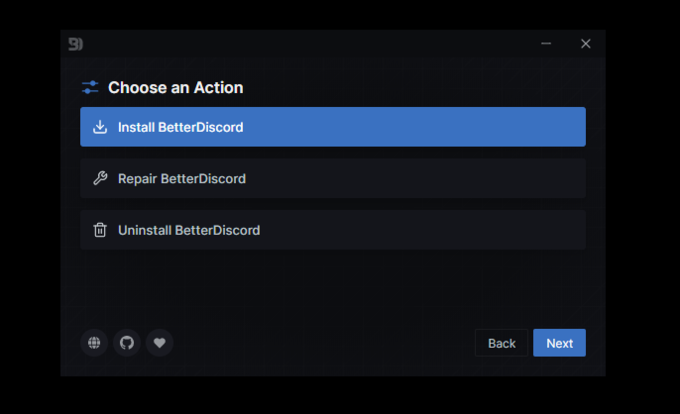
- Select a version of BetterDiscord you want to install based on the version of Discord you are running. If you are not sure which one to choose, click the Default option. Then, click Install.

- Once the installation is complete, it will restart your Discord, and it should open like your normal client. However, you will notice that there are many additional settings on the left side of your screen.
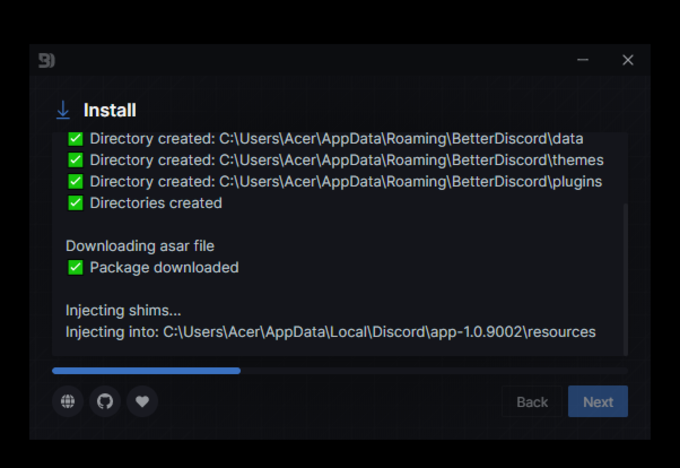
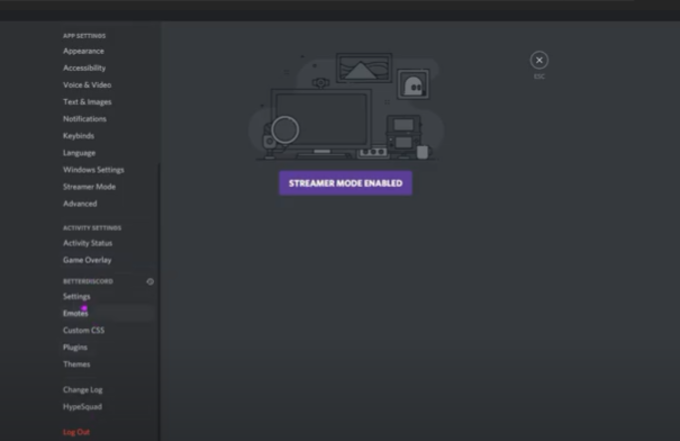
We also recommend downloading the Do Not Track plugin for a better experience by following the steps below:
- Go to BetterDiscord’s website.
2. Click the Plugin tab on the homepage.
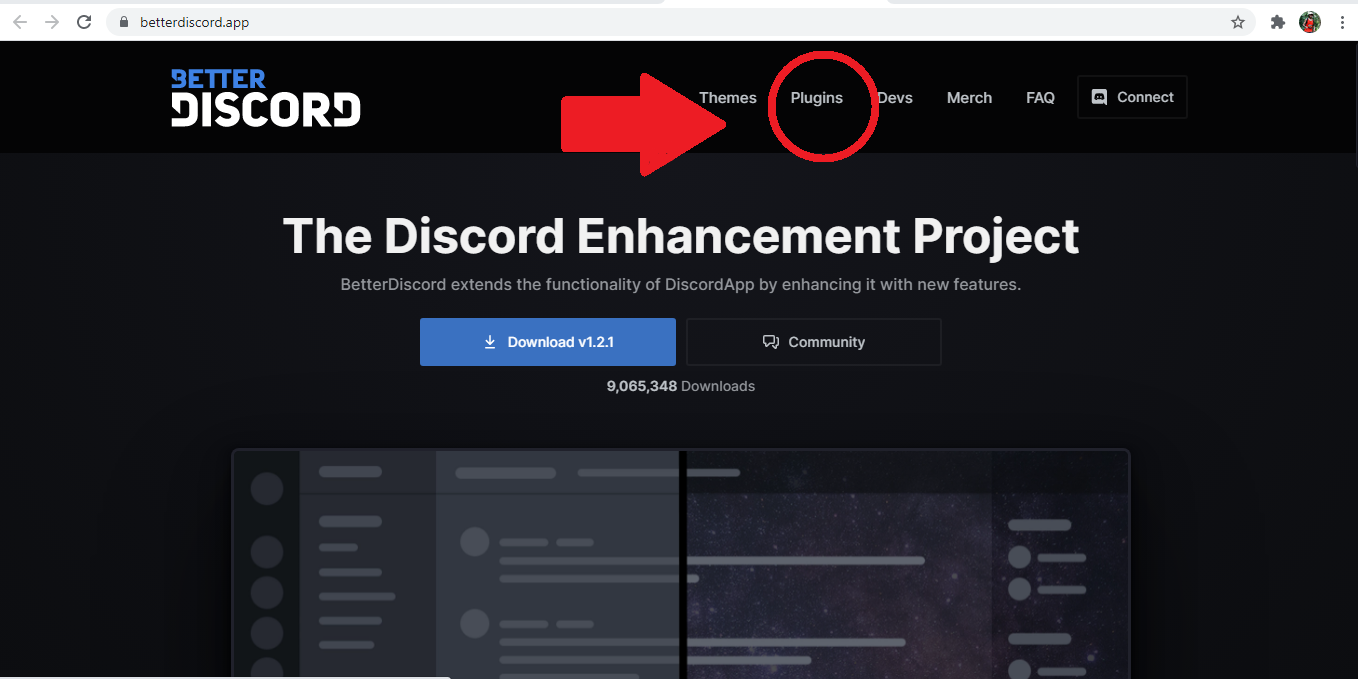
- Type in Do Not Track on the search bar and select the first item on the new page.
- Click Download.
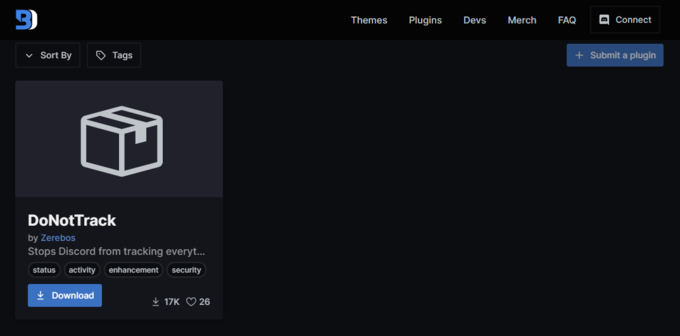
- You will receive a notification blocking the Download of this file since it’s a JAR file. From the selection menu, choose Keep.

- Head over to BetterDiscord and click on Plugins from the left-side panel. Click Open Plugins Folder.

- Then, drag and drop the JAR file to BetterDiscord. This action will open the plugin.
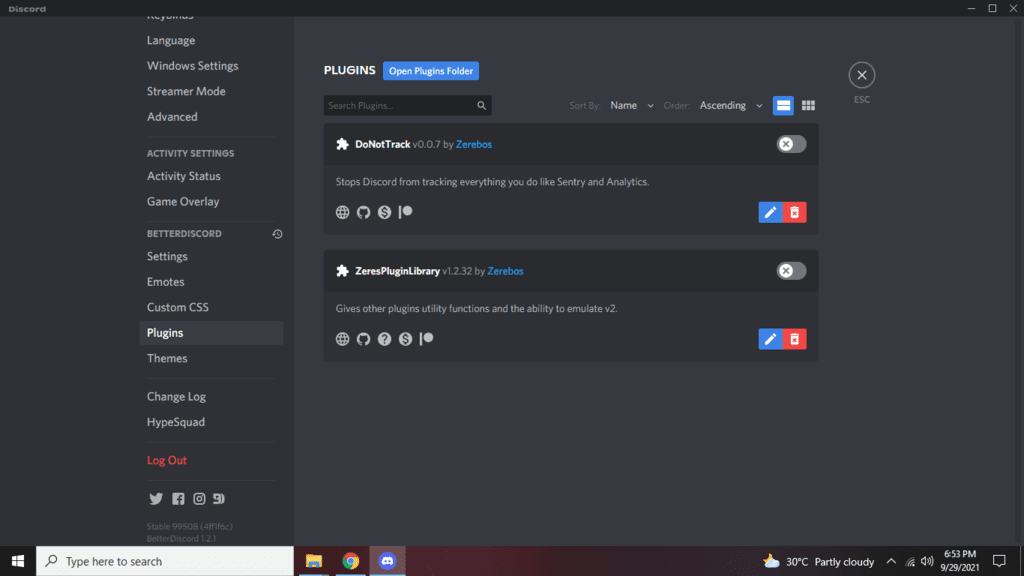
The Do Not Track plugin will stop Discord from tracking your Sentry and Analytics. This plugin will lessen the chance of Discord detecting your use of BetterDiscord and prevent it from following a lot of your data.
Installing Themes
- Click User Settings > Themes on your BetterDiscord homepage.
- Choose the Open Themes Folder at the top of the page.
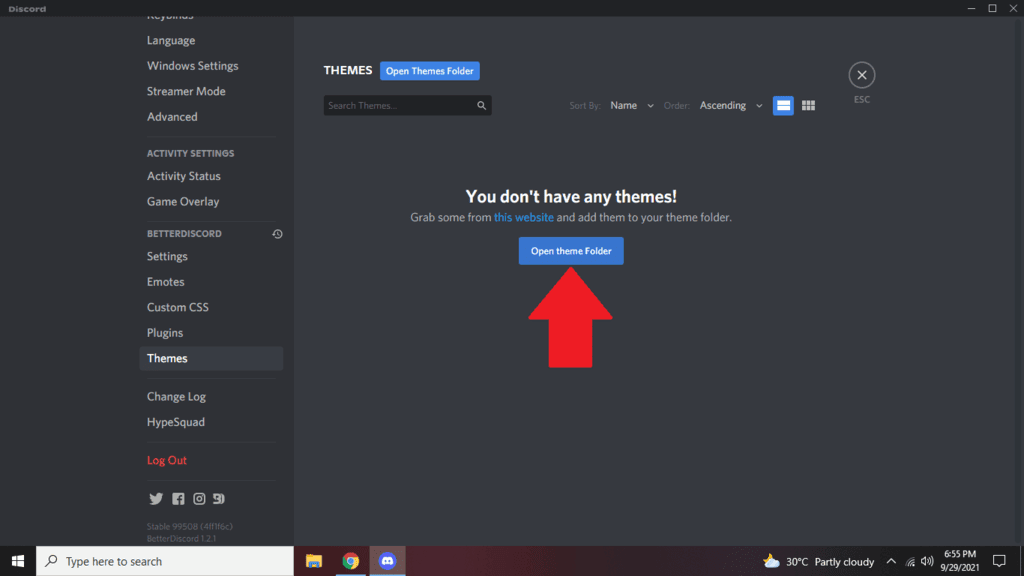
- Head over to the website and click the Themes tab. Drag and drop any of the themes you like towards the Themes folder to save it.
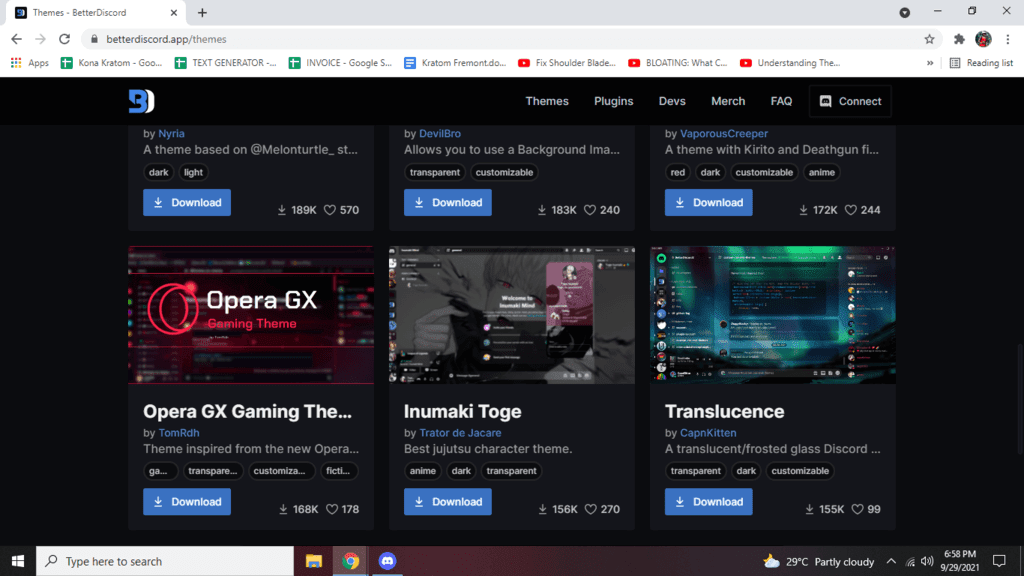
- Once you have your favorite theme downloaded, it should appear in BetterDiscord’s themes. To make it your current theme, move the on/off toggle button located on the box’s upper right. There are also edit and delete buttons on the lower right of each theme.
Installing Plugins
- On your BetterDiscord homepage, hit User Settings (the Clog icon), then click Plugins.
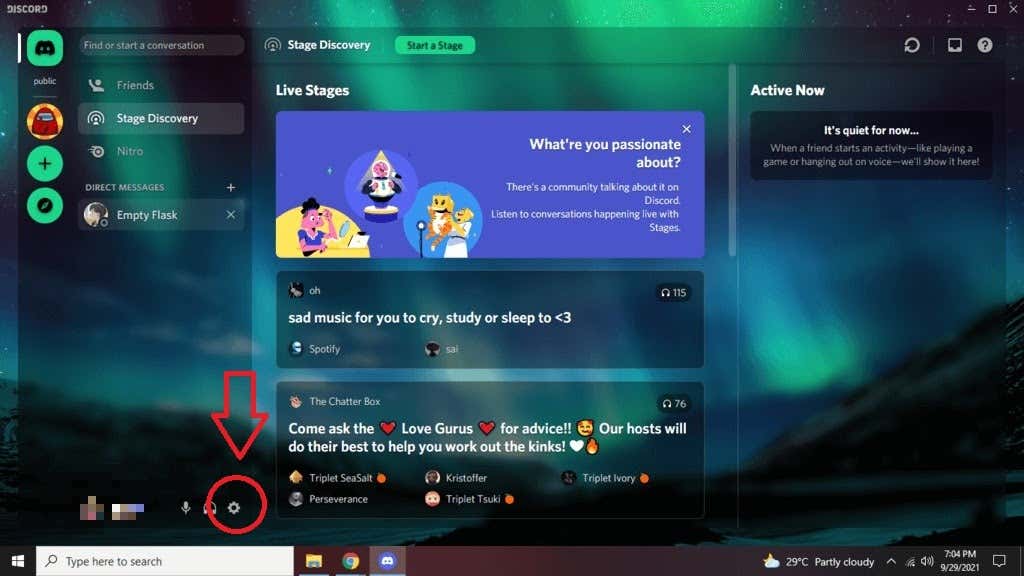
- Click the Open Plugins Folder at the top of the page.
- Then, head over once again to the website and select the Plugins tab.
- Drag and drop any of the useful plugins you like into the Plugins folder to save it.
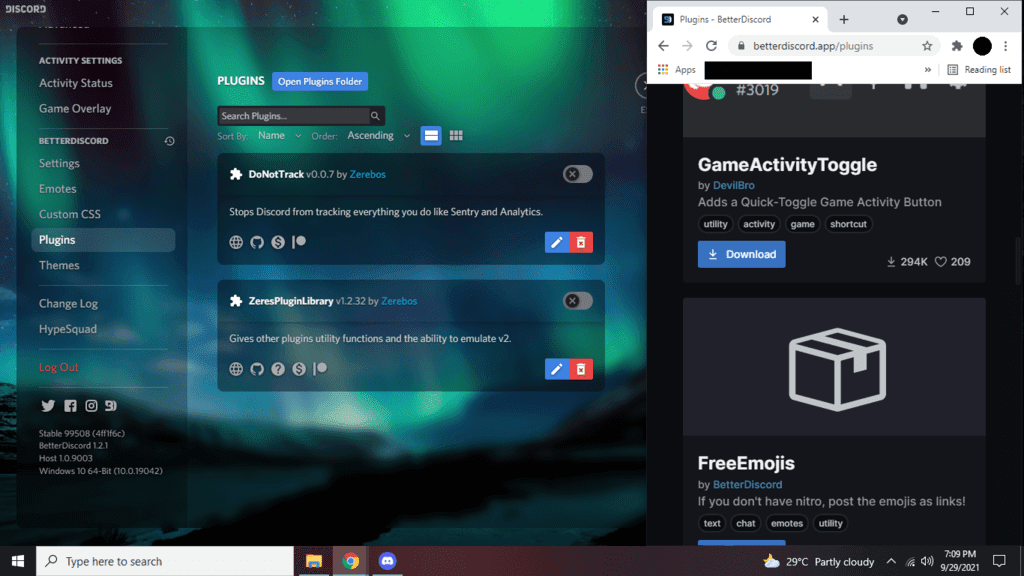
- From there, use the toggle the on/off button next to the plugins to enable or disable them. Much like themes, there are also edit and delete buttons you can use.
Is BetterDiscord Legal?
BetterDiscord is considered an unofficial program that goes against Discord’s Terms of Service. It’s also known to contain some bugs that have the potential to crash your Discord client.
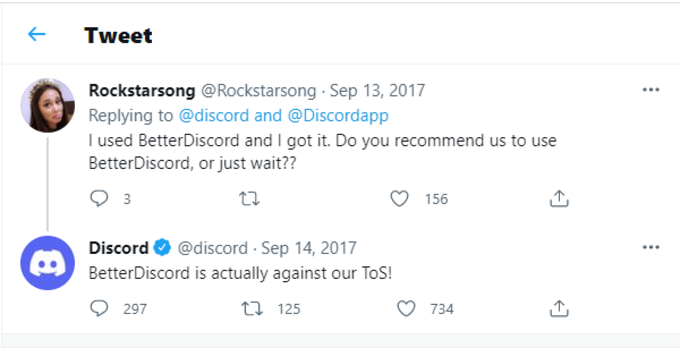
If Discord ever finds out that you are using this third-party app, they may ban your account from using their service. To prevent this from happening, it may be best to use themes and plugins directly from BetterDiscord. Also, never send a screenshot or video recording of your BetterDiscord account to anyone since it can be used to get you banned on the platform.
Is BetterDiscord Safe?
BetterDiscord users should also be careful when choosing which plugins and themes to install. The plugins or themes may be incompatible with the other third-party programs you may have installed and might prevent their functions or appearance.
It would help to read the reviews of the themes or plugins to ensure that they won’t cause any problem to your PC. To be safe, you may want to create your themes instead of downloading them from another source.
For the most part, BetterDiscord is pretty safe to use. It’s rare for users to encounter issues that can damage their Discord client or computers. We suggest you weigh the risks of using BetterDiscord versus the benefits it offers.