
Reddit is the “front page of the internet” for many users. It might even be the first page you check when you go online. That’s why it’s so frustrating when that page isn’t very user-friendly, or when it’s lacking basic customization options.
If you love Reddit but don’t enjoy using the official Reddit apps, you can try one of the third-party Reddit alternatives. They’re free to use and offer a better user experience for redditors.
1. Deck for Reddit
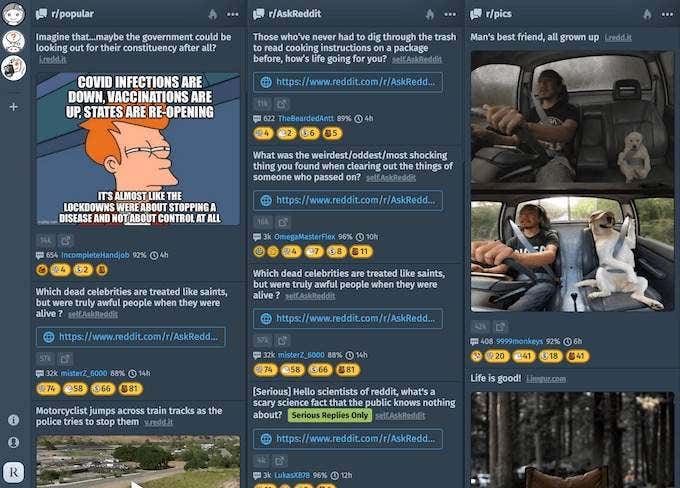
If you consider yourself a Reddit power user, you’ll enjoy Deck for Reddit a lot. The name of the site is self-explanatory – it allows you to create a deck of columns with different subreddits in each. There’s no limit to how many columns you can have in one window.
Deck for Reddit gives you more viewing capabilities – you can select a post and read it inside the column, or open and view it separately in a new browser tab.
The only downside of the Deck for Reddit is that it doesn’t allow you to search the entire Reddit yet.
Key Features:
- New interface – view Reddit in a form of a deck of columns with different subreddits in each
- Organize your subreddits by Hot, New, and Top
- Added viewing options: Standard, Wide, and Collapse
- Added customization options: light and dark themes, different fonts, an option to hide NSFW posts and the posts that you’ve already viewed
2. Updoot
Unless you’re a complete beginner on Reddit, you probably have a collection of saved posts on the site. With the variety of content that you can find on Reddit, anything from a funny GIF to a political argument, it’s important to keep your saved posts organized. Updoot is the app that can help you find that one link or picture that you saved on Reddit and can’t seem to find now.
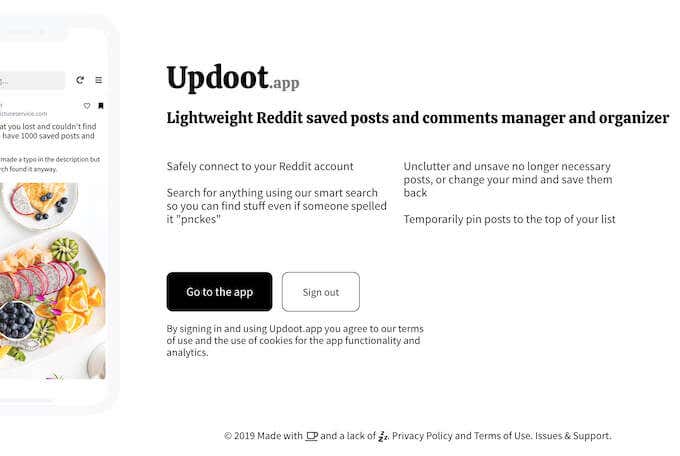
Updoot makes searching your saved Reddit posts easier. All you need to get started is to link your account to the web app. Then you’ll see all of your saved posts in one place on the Updoot site.
Key Features:
- Keeps all your Saved posts in one place
- You don’t need to remember the entire text to search your posts — one word, even one letter, is enough to search
- According to the developers, Updoot can understand misspellings too — so you can find the post even if the author didn’t use the correct spelling
3. Old Reddit
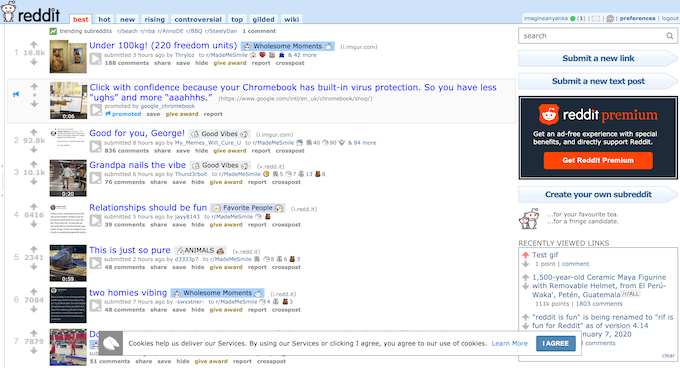
Even though the official Reddit site has gone through a redesign, you can still access the Old Reddit in its original form and shape. If you’re a relatively new redditor who joined the site after it was redesigned you probably don’t feel any massive difference between the two. However, many experienced redditors find that Old Reddit had a much more practical interface, and overall the site was organized better.
Whether you’re team Old Reddit, or team New Reddit, you can now enjoy your time on the site that you like most – old or new. You can even switch back and forth for a while to see which one works best for you.
Key Features:
- Brings back the Old Reddit’s original interface
- According to user reviews, Old Reddit has better information density, and a better organized subreddits system
- Quicker than the new redesigned Reddit
4. Reddit Favorites
Given the amount of fake reviews on sites like Amazon, it’s difficult to trust any product recommendations.
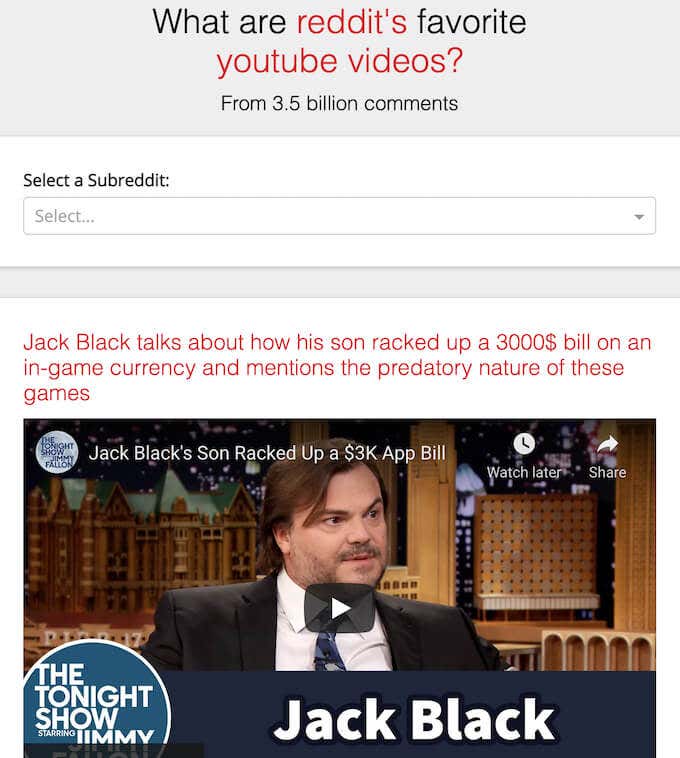
Reddit Favorites is the place where you can find product reviews and recommendations that you can trust by other redditors. Open the main page and select Products to see a full list of categories. You can also search the items by keywords, and the time period when they were listed
Key Features
- Find items and products from a variety of categories, including software, YouTube videos, books, electronics, sports equipment, beauty products, clothing items, and more
- For every product, you get a list of comments where it was featured on Reddit
- See how many users recommended the product and the time period when it was most popular
- See every item’s popularity score set by Reddit Favorites
5. Boost For Reddit
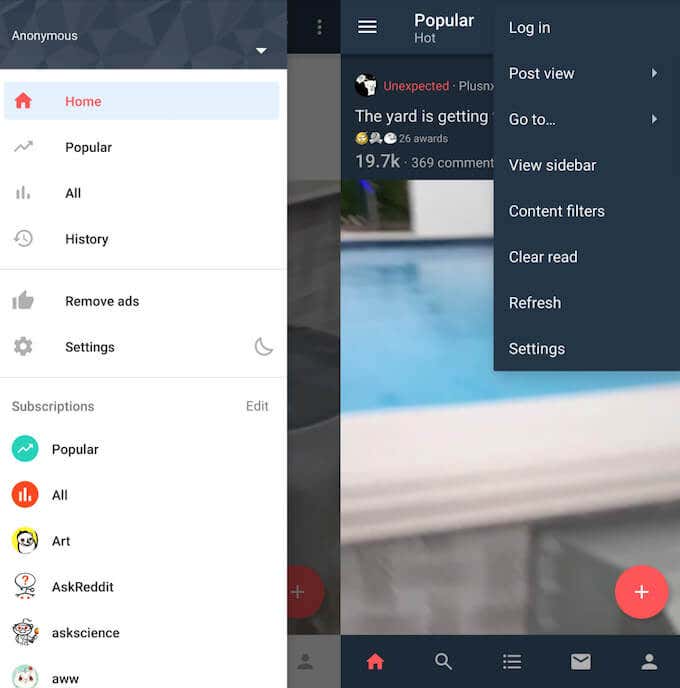
As an Android user, you can find numerous Reddit clients on the Google Play Store. However, most of them are either cluttered with ads that you can’t skip, or ask you to buy a subscription to unlock premium features. Boost for reddit is a free Android app that doesn’t use ads which automatically makes it stand out.
Key Features
- A dedicated ad-free Reddit app for Android that you can use for free
- Added customization options: light and dark themes, the ability to change the layout and filter content by the type of post (images, GIFs, albums, videos, text, or links)
- A special AMOLED theme that can help you use significantly smaller amounts of your smartphone’s battery when browsing Reddit
6. Apollo
For iOS users, Apollo is a great third-party alternative that you can use to browse Reddit for free. Apollo was built by a former Apple employee and an experienced redditor, so you can trust the app to provide you with a seamless Reddit experience.
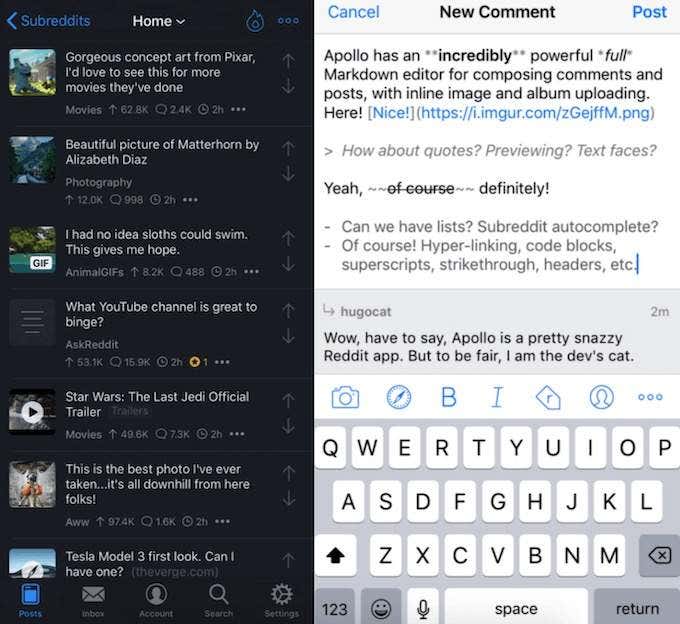
Among the features that make Apollo stand out is a full Markdown writing editor that allows for extensive text formatting, like using bold text, italics, underlined text and strikethrough.
The Key Features
- A dedicated Reddit app for iOS that you can use for free
- According to user reviews, works quicker than the official Reddit site
- A better fit for the iOS design and interface
- A full Markdown writing editor that allows you to write posts and comments on Reddit faster and easier
- The app’s media viewer supports Imgur, Reddit, Gfycat, Streamable, YouTube, and other popular image host websites. You can import and view media from these sites without having to open it in a new tab or window.
Explore Reddit Alternatives Further
What if it’s not the plain interface that you’re tired of, but Reddit itself? Maybe it’s time to change it up and try using a different platform for finding interesting, weird, or educational content. Could be your chance to find out if you’re a truly loyal redditor, or an occasional lurker like most of us.
What third-party apps have you used to browse Reddit? What made you switch from the official Reddit app? Share your experience with the Reddit apps in the comments section below.