
Not safe for work (NSFW) channels on Discord are designed to limit inappropriate access to adult content. This is useful for parents whose children are on Discord and users who want to avoid age-restricted content that isn’t suitable for work.
In this article, we’ll cover how you can change the NSFW settings to access or avoid NSFW content. After that, we’ll show you how to create an NSFW Discord channel.
How to Access NSFW Content on Discord
Discord’s Community Guidelines require users to post adult content only to age-restricted channels. This rule is implemented in an effort to prevent minors from accessing confronting content and requires moderators to remove such content posted to non-NSFW channels.
To access an age-restricted server, you need to:
- Be 18 years of age or older
- Access Discord via a desktop PC, Android mobile device, or the Discord.com web app
- Opt-in for age-restricted content (on Apple iOS devices)
Note: While NSFW usually stands for “Not Safe for Work”, Discord states that in this context it means “Not Suitable for Wumpus”. Wumpus is a cute creature found in Discord’s servers that is sensitive to adult content.
How to Opt-in on iOS Devices
Unlike Discord for Android, to access NSFW content on iOS devices (like iPhones or iPads) you have to opt-in on a desktop device first. To do so:
- Sign in to your Discord account on your desktop PC.
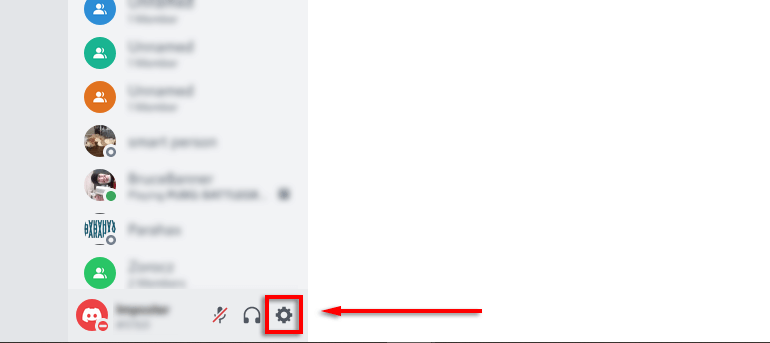
- Click the Gear icon in the bottom-left corner of the screen.
- Click Privacy & Safety.
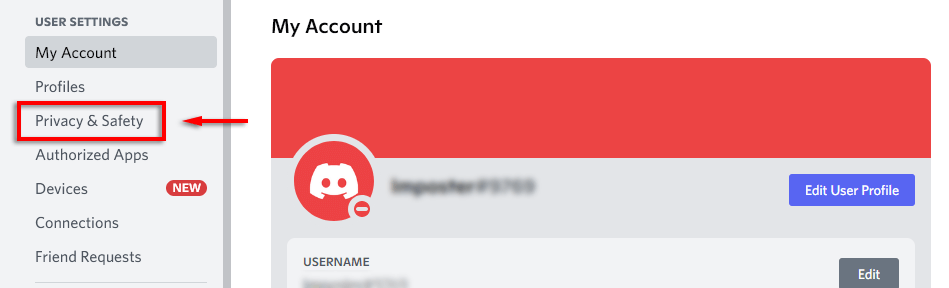
- Toggle on Allow access to age-restricted content on iOS.
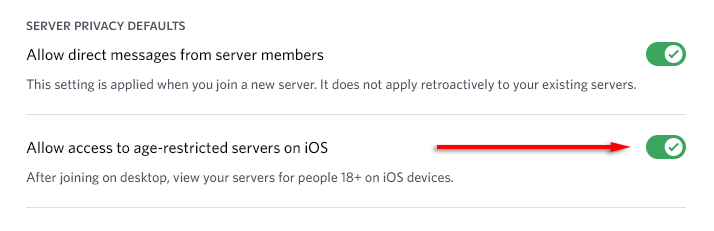
Note: Some content including pornography is blocked entirely on iOS and unable to be accessed on these devices.
How to Access NSFW Content if You’re 18 and Still Blocked
If you’ve just turned 18 and are still being locked out of age-restricted servers on Discord, you can appeal to Discord’s customer service.
To appeal, you will need:
- A photo of yourself
- A picture of your photo ID that includes your date of birth
- A photo of a piece of paper with your full Discord tag clearly written and username
Finally, submit this information to Discord’s Trust & Safety team. To do so, head to the support page and click Appeals, age update, other questions under “Report type”.
How to Avoid Adult Content on Discord
Discord makes it easy to block NSFW content if you would rather not be exposed to it. To turn on the explicit media filter for direct messages:
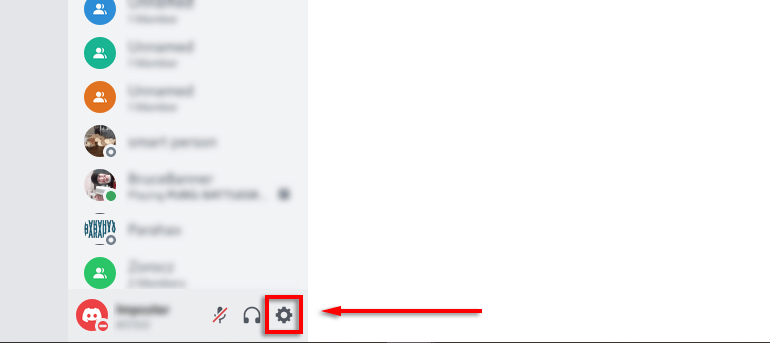
- In Discord, click User Settings (the gear icon at the bottom-left of the screen).
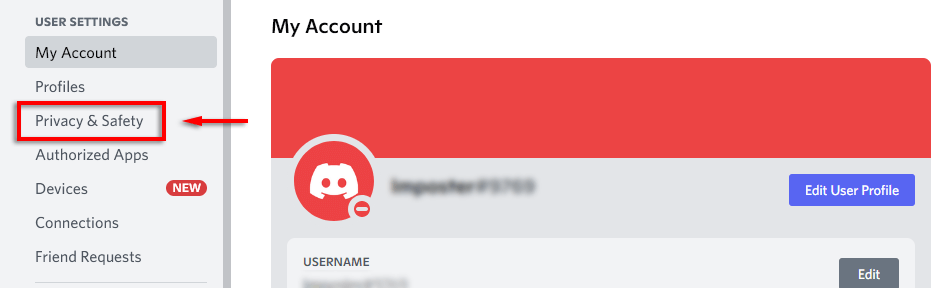
- Click Privacy & Safety from the left-hand menu.
- Select Keep me safe under “Safe direct messaging”.
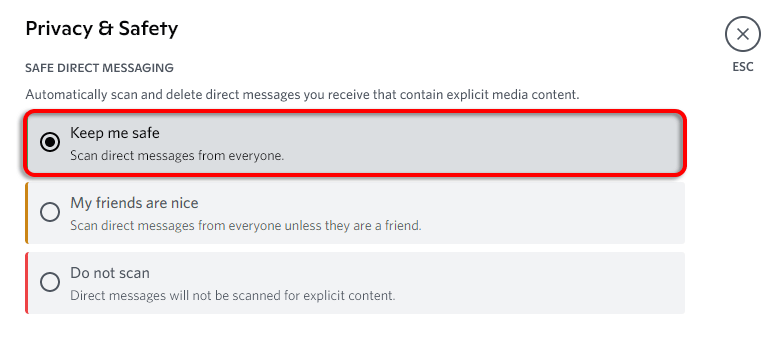
With this setting enabled, Discord will scan and hide explicit content in any direct messages.
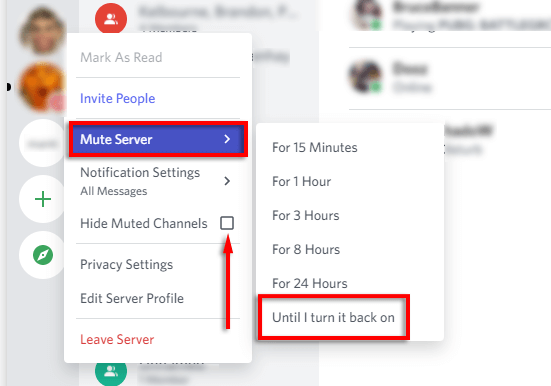
Note: Unfortunately, there’s no built-in setting to block NSFW channels if you’re over 18. However, you can mute the channel and hide muted channels so that they don’t appear in your channel list. To do so, right-click the server and select Mute. Then right-click the server icon again and select Hide muted channels.
How to Make an NSFW Channel on Discord
If you make an NSFW channel on your Discord server, users will be greeted with a pop-up notification that lets them know the channel contains adult content.
To make a text channel age-restricted:
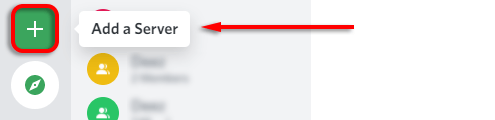
- If you want to make a new channel, click Add a Server and follow the steps.
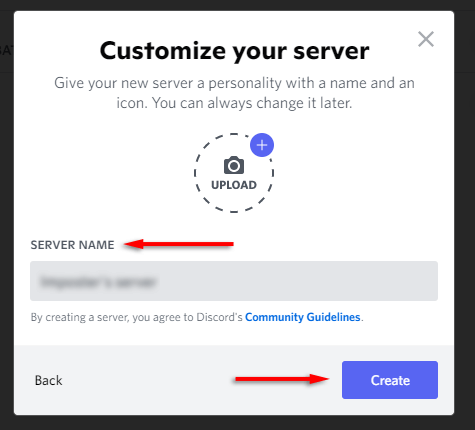
- Enter the channel name and click Create.
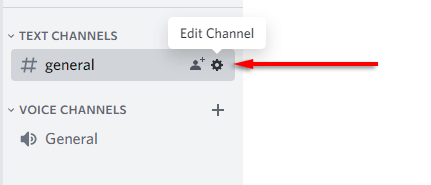
- Open the Discord app and click the Edit channel icon (it looks like a gear) next to the channel you want to designate.
- In the channel settings, scroll down and toggle on Age-Restricted Channel.
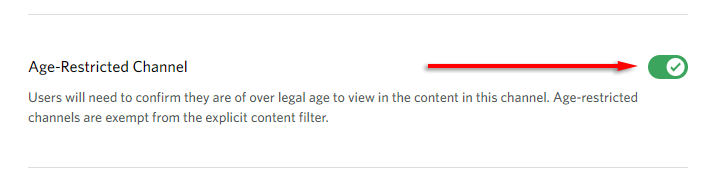
- Click Save Changes.

Note: Server owners can make entire NSFW servers if you change this setting for each of your channels.
How to Make an NSFW Channel on Discord Mobile
To make an NSFW channel on the Discord Mobile app:
- Open the Discord server and tap the channel you want to alter.
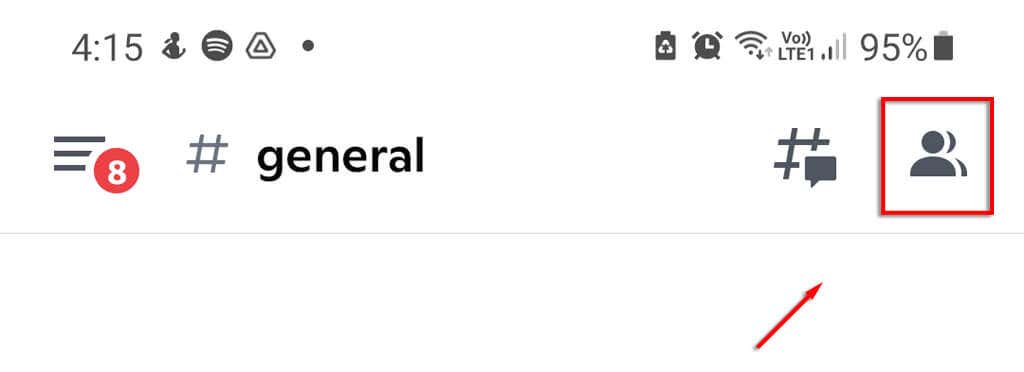
- Tap on the people icon at the top-right of the screen.
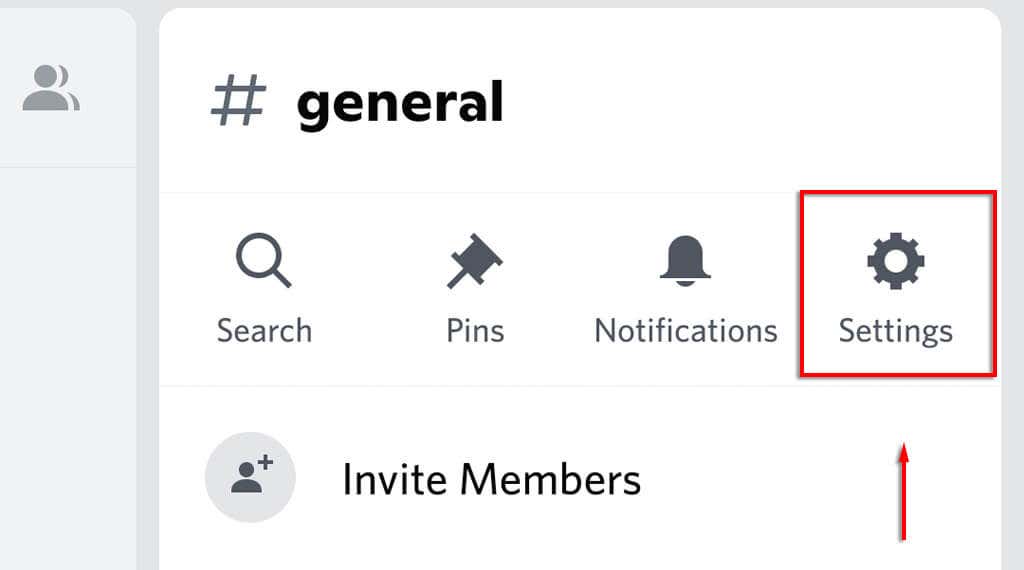
- Tap Settings.
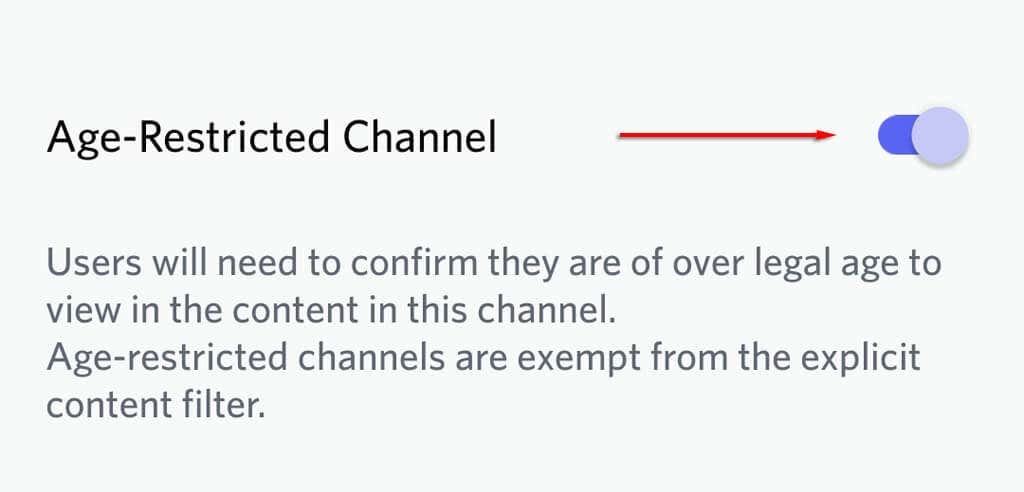
- Toggle on “Age-restricted channel”.
Staying Safe (and Focused)
Discord’s NSFW settings are a great solution to prevent children from seeing adult content while using the app. Using the NSFW option on your own servers means that, while you are subject to a few rules, you also have better control over your servers.