

Reddit is one of the most popular social media discussion websites. However, a problem with the platform is that if a Reddit user, admin, or moderator deletes a post or comment, it’s gone. This can mean losing key information, a great recipe, or a hilarious meme.
Luckily, it’s sometimes possible to retrieve and view deleted Reddit posts. Here’s how.
Note: As Reddit continually updates its platform, and because these third-party applications work without Reddit’s permission, they often stop working.
Reveddit
Reveddit is likely the most powerful tool for viewing and tracking deleted content on Reddit. However, it doesn’t show user-deleted content (it only displays moderator-deleted or bot-deleted content).

Reveddit can also notify you when your posts or comments are deleted, meaning you will be able to contact the mods and discover why they deleted them. This is especially handy if you’ve been shadowbanned and don’t know it.
To use Reveddit:
- Launch the Reveddit website.
- Type any subreddit, post title, or a Redditor’s username in the search bar and hit go.

- Reveddit will display a list of posts that have been deleted, allowing you to navigate the deleted posts much like navigating Reddit normally.

Unddit
Unddit is a third-party tool developed to replace Removeddit and Ceddit when they stopped working.
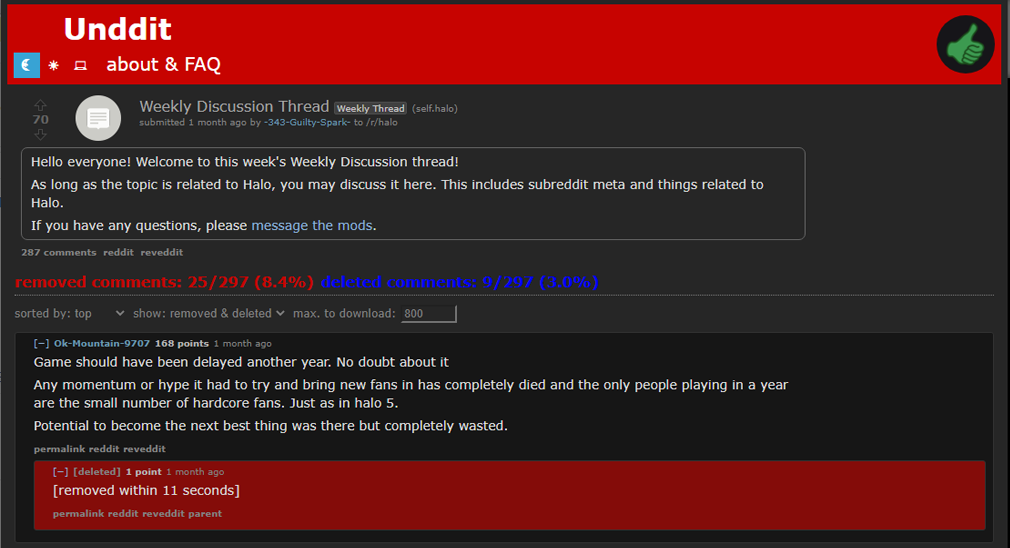
Unddit uses Pushshift.io, a database that automatically stores comments made on Reddit. It compares the Pushshift database to Reddit’s API to see deleted Reddit comments, then lists them for you to see. Unfortunately, it doesn’t seem to work on posts, and when the Pushshift.io database lags, many deleted comments won’t be visible.
To use Unddit:
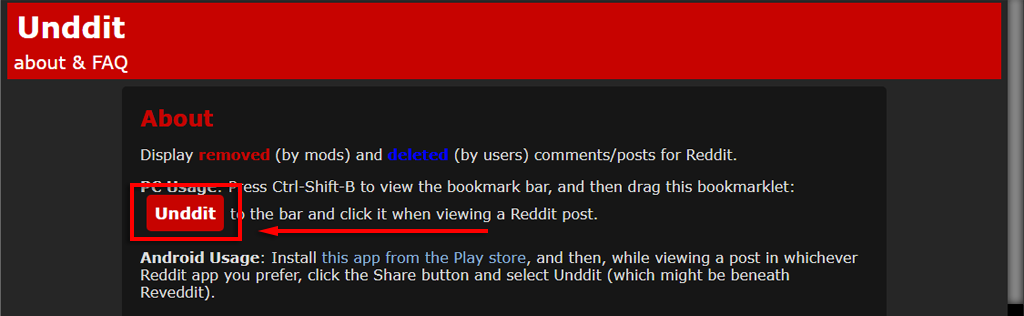
- Open the Unddit website.
- At the top of the page, save the Unddit link as a bookmark.
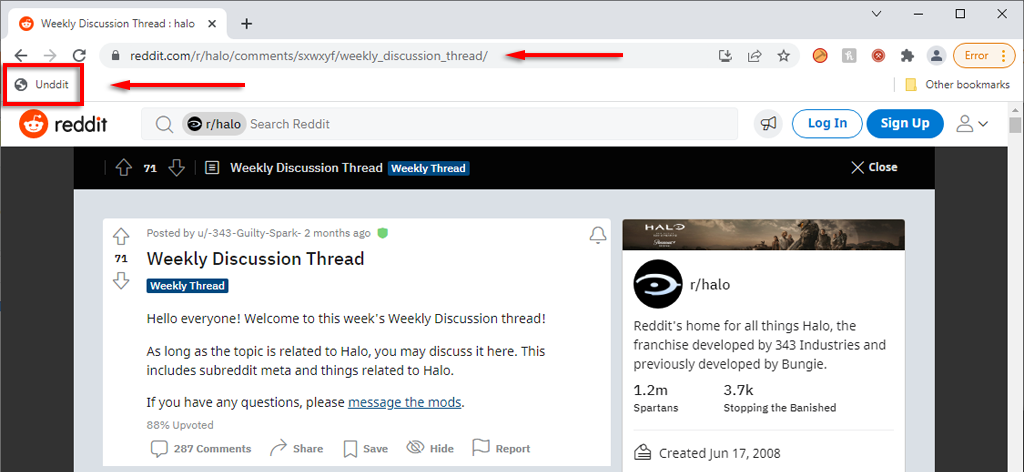
- Navigate to a particular post or Reddit thread where you’d like to see the deleted comments. Click the bookmarklet.
- Unddit will now load a list of all removed Reddit comments from that post.
Resavr
Resavr is less powerful than the other tools on this list but allows you to view deleted comments on Reddit, including those over 650 words.
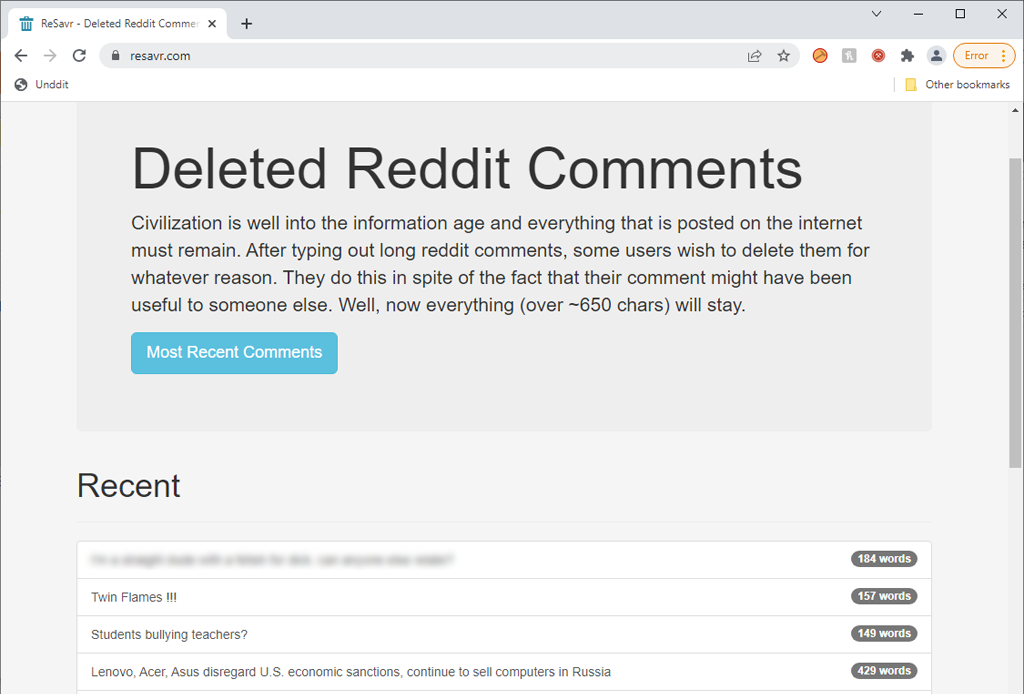
Resavr is straightforward; you just have to head to the Resavr web page and search for a deleted comment. The homepage also shows a list of all recent comments that have been deleted.
Unfortunately, while you can see the deleted comments, you cannot read any deleted Reddit posts with Resavr.
Wayback Machine
Wayback Machine is a non-profit website that aims to store archived versions of websites as snapshots of the past. Because of this, it’s possible to access cached web pages from historical time points.
To use Wayback Machine to view deleted comments:
- Open the Wayback Machine webpage.
- In the search bar, copy and paste the post URL you want to view.
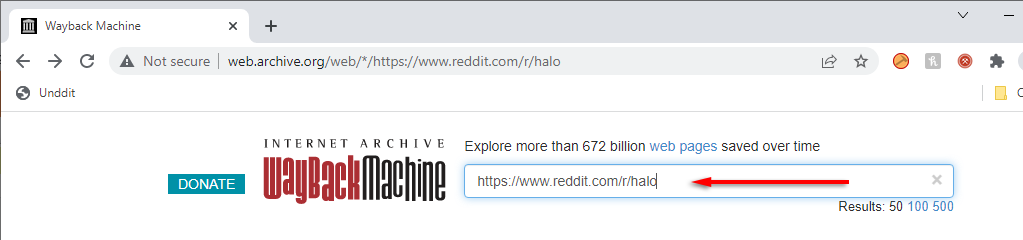
- The website will display a calendar interface with blue circles indicating when the Wayback Machine crawled the page. On the original post, note when someone deleted the comment (say, 13 days ago). Then on Wayback Machine, find and hover over that date and select a time point.
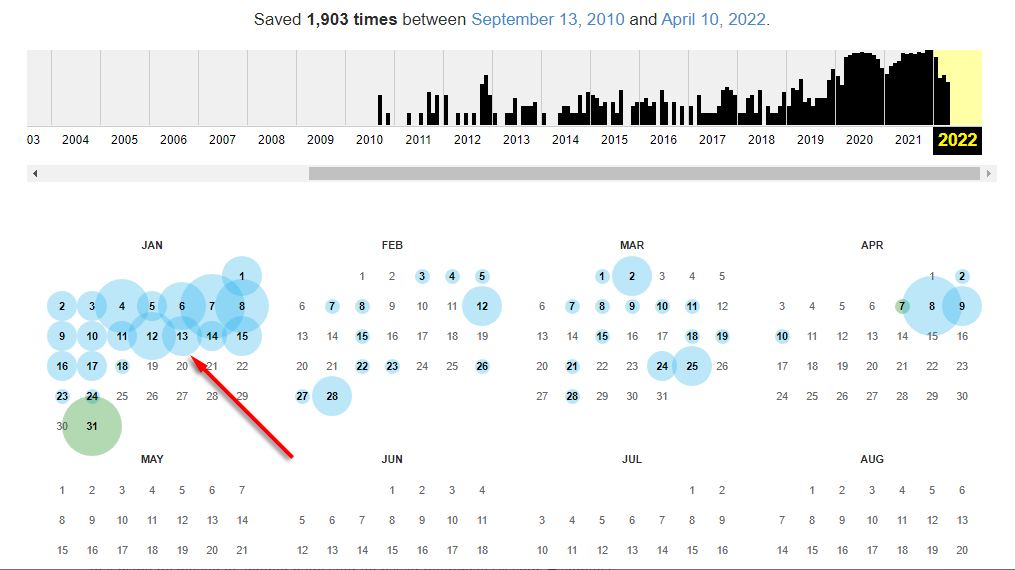
- Wayback Machine will now display a historical version of the specific post with the deleted comments visible.

Because of how Wayback Machine works, you’ll be able to read deleted Reddit comments, posts, and even previous edits.
List of Tools That No Longer Work
Over the years, several apps have been developed that let you see deleted Reddit posts and comments. However, many of these stop working over time as the Reddit platform is updated or the software becomes obsolete. Some of these obsolete tools include:
- Un-delete Reddit Comments: A Chrome extension that was able to store a cached version of a Reddit post locally via the extension button.
- www.removeddit.com: One of the first websites for retrieving deleted Reddit content.
- www.ceddit.com: An alternate “parody” Reddit website that you could navigate like the original site to view deleted content.
Travel Back in Time
Reddit is notorious for having overzealous moderators who love to delete posts and comments. Unfortunately, many of these posts are useful (or at least funny), and you may have forgotten to save them while they were alive. Luckily, it’s usually possible to view deleted Reddit content again with these tools.