

If you just joined Reddit, you’ll need some time to get used to it. It’s not quite the same type of social media as Facebook and Tik Tok, but it’s not a simple forum either. Reddit is its own thing.
That said, maybe you left a few posts you’re not proud of or visited some questionable subreddits and you want to clean up your account. Don’t worry, in this article, we’ll show you how to view and delete your Reddit history.
What Is Reddit?
Reddit, also known as the front page of the internet, is a widely popular social media platform. It’s a forum, where people can discuss various topics, share ideas, or show off their skills. One user creates a post on the platform and the discussion develops in the form of comments.
Reddit deserves its popularity because it promises anonymity. All kinds of people gather in community groups called subreddits. Even some famous people such as actors, scientists, and writers admit they like to browse Reddit. But even though no one will know who you are on the platform, Reddit still allows the things you search for to linger. In fact, Reddit tracks and collects your activity log which is stored in your personal account. All this information about you will stay on their website unless you delete your history or account.
Why Do You Want to Delete Reddit History?
If complete anonymity is not your concern, there are other reasons you might want to delete Reddit history. For example, the site’s algorithm uses the data from your activity log to display targeted ads. Also, other people are able to see what you searched for, posted, and commented on.
How to Delete Reddit History Through the Browser
No matter if you use a Mac or Windows PC, you can delete Reddit history by using any internet browser. Reddit gives you the possibility to delete your history through the profile page. Here is a step-by-step guide on how to do it:
1. Access the official Reddit website
2. Log into your profile with your account information
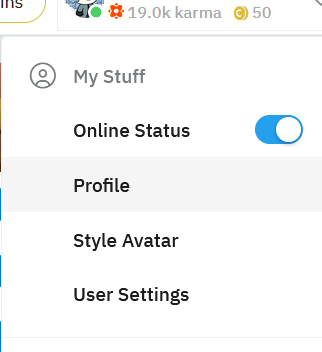
3. Find your Profile icon in the top right corner of the browser and click on it
4. A drop-down menu will appear. Navigate to My Profile and click on it. This will lead you to an overview page.
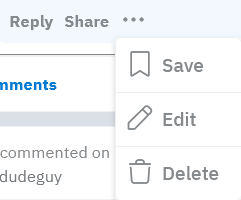
5. Locate the comment or a post that you want to delete. Hover your cursor over it and click on the ellipsis icon or three dots.
6. A prompt pop-up screen will appear and you need to choose the Delete option.
This method will delete comments and posts you made, one by one. Unfortunately, Reddit doesn’t give us an option to delete all history at once. It is similar to search history, although you will do it through the search bar instead of your profile.
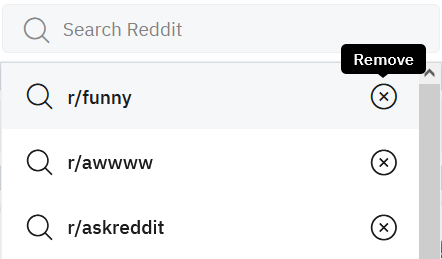
Click on the search bar and the drop-down menu containing your previous searches will appear. Simply click on the X next to each search to remove it.
In the past, it was possible to use Chrome extensions, such as Nuke Reddit History, and Reddit History Delete to delete all Reddit history at once, but they proved to be unreliable and glitchy, and they don’t work anymore. Reddit Enhancement Suite is still around, but it’s in maintenance mode.
How to Delete History by Using the Reddit App
Deleting history from the mobile phone app is the same for Android devices and iPhones. It is also a pretty straightforward and easy thing to do and might even be a better option than doing it through the browser.
Here is how to delete all Reddit history at once from the app:
1. Find the Reddit app on your smartphone and tap it to open
2. If not logged in, enter your account details
3. In the top left corner of the screen tap on your profile picture
4. Choose History from the drop-down menu
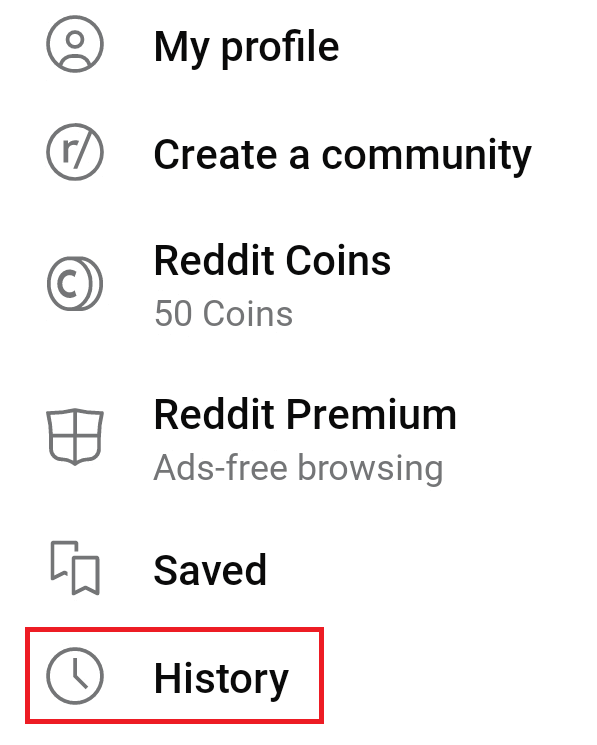
5. Head back to the top right corner and click on the three dots
6. Tap the pop-up Clear History

It is that simple. Understand that this is how you clear search history from the app. Your comments and posts will still be visible.
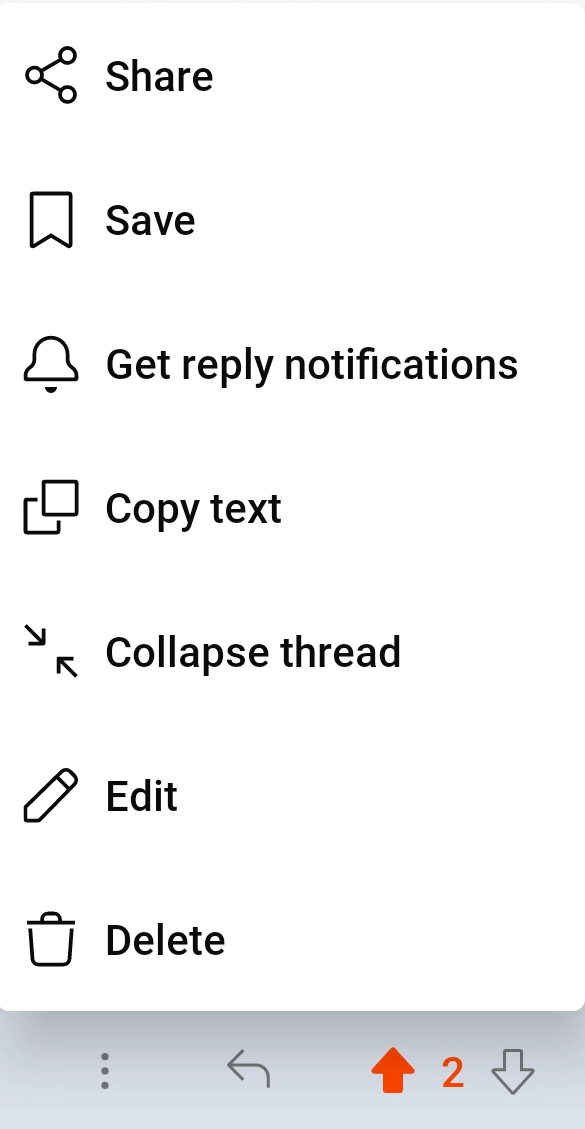
To delete your Reddit posts on the dit app you will have to:
1. Go to your profile
2. Find the post you want to delete
3. Tap on the three dots above it, and choose the Delete option

To delete comments:
1. Go to your profile and choose the Comments tab
2. Find the comment you want to delete and tap on it
3. This will lead you to the original post on Reddit where you will find your comment
4. Tap three dots and choose the Delete option
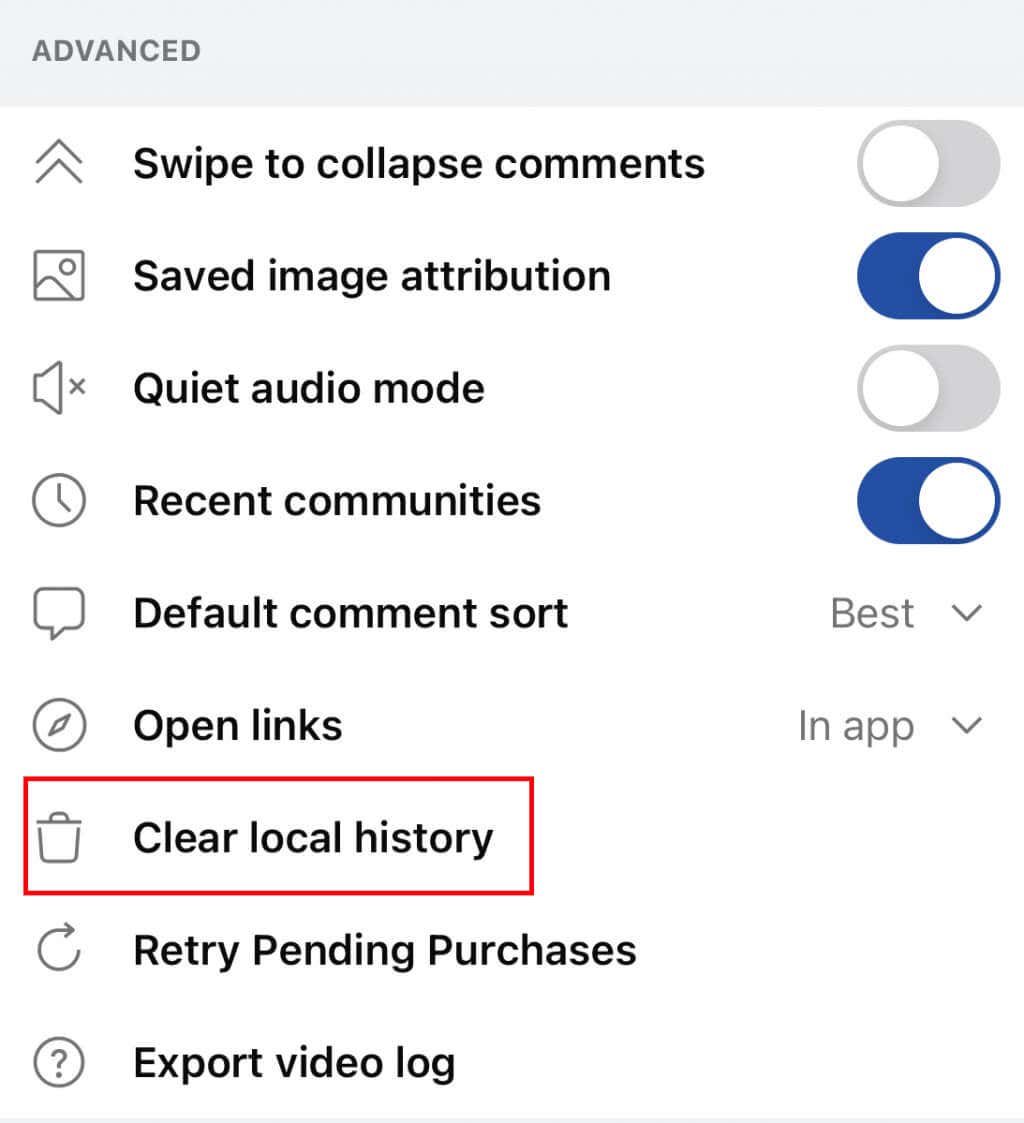
On iPhones, you have an option called Clear Local History that is not available to Android users. This will clear your search history, and all Reddit posts you viewed using your account. To do it:
1. Launch the Reddit app on your iPhone
2. Tap your profile icon, then tap Settings
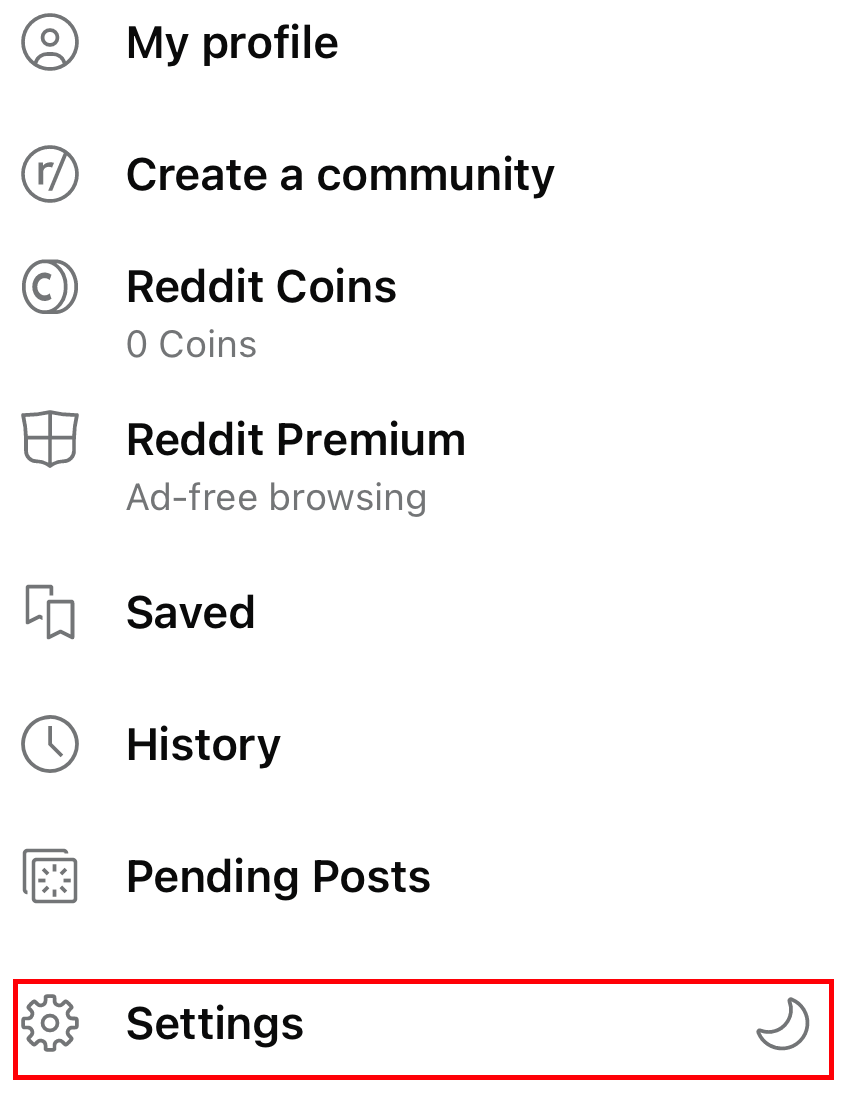
3. Find Clear Local History and tap it
4. A pop-up screen will ask you to confirm it, tap yes
How to Hide Posts on Reddit
If you don’t want to clear your post history from Reddit, but you still don’t want other people to see it while looking at your profile, you can opt to hide it. Here is how to do it using a web Browser:
1. Open up Reddit and make sure you are logged in. Then click on your Profile icon and choose Profile
2. You will find yourself in the Overview tab. Navigate to the Posts tab
Find the post or comment you wish to not be displayed, and click on the Hide icon right below it.

FAQ
Now that you know how to delete your Reddit history, here are a few answers to the most common questions related to Reddit accounts and their history.
Can I Delete My Reddit History Permanently?
All history deletions on this platform are permanent. If you chose to do it, you won’t see your Reddit history again.
Can Anyone See What I Post on Reddit?
Yes. Reddit is a public forum platform, and everything you write there can be seen by anyone. However, you can choose to hide some of your posts, and they won’t show up on your profile anymore.
Do I Need to Clear Reddit Cache?
No, Reddit doesn’t keep its own Cache. If you want to get rid of anything related to Reddit, simply delete your browser cache. If you are using the Reddit application, clear the app’s data and cache and you will boost its performance.
Can I Delete My Reddit Account?
You can delete your Reddit account. Remember that Reddit deletes accounts permanently. You will lose all your post history, links, videos, and images. Reddit doesn’t offer the option to temporarily deactivate an account.