
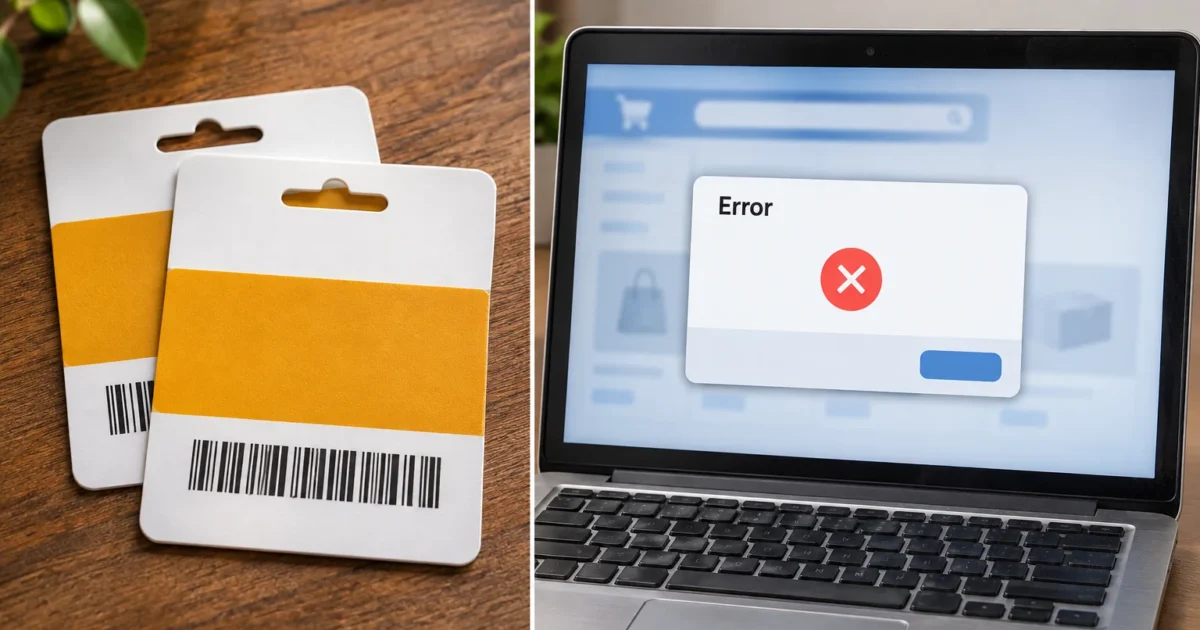
Did you redeem an Amazon gift card on the wrong account? Or are you hoping to move some of your balance to a friend, your bank, or Google Wallet? First, check whether the money has been touched. If the balance is completely unused, you may contact Amazon Customer Service promptly to ask whether it can review an accidental redemption—but Amazon’s published policy does not guarantee reversal or movement of the balance.
Wanting to move a gift card balance is completely reasonable (it’s your money, after all!). But Amazon’s rules are stricter than you’d expect. This guide covers what Amazon allows, how to contact support about a wrong-account redemption, and which “cash out” tricks put your account at risk.

Can You Transfer an Amazon Gift Card Balance to Another Account?
No. Once you redeem an Amazon.com gift card, the balance stays in that account. Amazon’s Gift Card Redemption Issues help page says redeemed balances can’t move between Amazon accounts or to an Amazon store in another country. If a code was accidentally applied to the wrong account and the balance remains unused, you may contact Amazon Customer Service to request a review—approval is discretionary.
It helps to know which situation you’re in:
- Unredeemed gift card: Nobody has entered the claim code yet. You can still give the card to the person it was meant for.
- Redeemed gift card: The value is now part of an Amazon account balance. It can’t be moved to another account.
- Wrong-account redemption: Customer service may review the situation, but Amazon does not promise to reverse or transfer the balance.
Quick Reference
| Method / Fix | Best For | Quick Steps / Key Detail |
|---|---|---|
| Contact Amazon Customer Service | A code redeemed to the wrong account, balance unused | Sign in to the account that got the code, open Customer Service, pick the gift card issue, and request chat or a call |
| Give the unredeemed card to the intended person | A card you haven’t redeemed yet | Hand over or forward the claim code before anyone redeems it |
| Spend the balance on eligible Amazon purchases | A balance that’s already in your account | Use it at checkout for things you’d buy anyway |
| Pay for eligible subscriptions | Prime membership or Prime Video add-ons (U.S.), and other services where allowed | Check the subscription checkout page to see if gift card funds are accepted |
| Transfer to a bank, card, PayPal, Cash App, or Google Wallet | Nobody | Not supported by Amazon |
| Sell the card or code for cash | Nobody, if you want to follow Amazon’s rules | Against Amazon’s terms and a common scam setup |
Amazon’s Terms and Conditions include several limitations that spell out what you can’t do with a gift card. You can’t:
- Transfer a gift card balance to another Amazon account once the claim code has been redeemed.
- Transfer the balance to a debit card or credit card (like Mastercard or Visa).
- Withdraw the balance to a bank account.
- Move the balance to your PayPal account, Amazon Pay, Cash App, Google Wallet, or any other payment service.
- Use the gift card to buy another gift card.
- Cash out the gift card (except where the law requires it).
- Transfer the balance to an Amazon store in another country.
So if you were searching for a way to put your Amazon gift balance into Google Wallet, there isn’t one. Amazon.com gift card funds only work for eligible purchases on Amazon.
What Are the Types of Transfers?
You can’t send a gift card balance from one Amazon account to another. Other customers can’t send you theirs either. When you redeem a card, Amazon shows a warning that your gift card balance can’t be transferred to other accounts or used to buy other gift cards. That’s your cue to check the account name before you hit the button.
These restrictions help Amazon control fraud, unauthorized resale, and gift card misuse. Here’s how each “transfer” idea shakes out:
- Gift Card to Cash Transfer (via Third-Party Platforms): Amazon doesn’t support converting gift cards to cash. Selling a card or code on a third-party site conflicts with Amazon’s Gift Card Terms and Conditions, which prohibit reselling and transferring cards for value. More on the risks below.
- Transfer Gift Card to Subscription Payment: Amazon says customers in the United States and U.S. territories can pay for Prime Video add-on subscriptions with their Amazon.com gift card balance. In the U.S., you can also apply gift card balance to your Prime membership fee by turning on the option to use your gift card balance when available in your Prime payment settings. Other subscriptions vary, depending on the service and your billing setup. Some sign-ups also ask for a backup debit or credit card, so check the subscription checkout page to see what it accepts.
Can You Move an Amazon Gift Card Balance to Amazon Pay or a Bank Account?
You can’t. You also can’t send an Amazon.com gift card balance to a bank account. A lot of confusion comes from mixing up several different Amazon “balances,” and they don’t work the same way:
- Amazon.com gift card balance: Money from redeemed gift cards, spendable on eligible Amazon.com purchases.
- Amazon Pay: A payment service you use to check out on other websites. It pays with cards or bank accounts you’ve linked to it.
- Seller or business payouts: Money Amazon sends to sellers. That’s a completely separate system.
Amazon Pay’s help pages describe linked bank accounts as a way to pay for things, not a way to withdraw gift card money. Amazon also says Amazon.com gift cards can’t be used as a payment method on Amazon Payments orders, meaning purchases you make with Amazon Pay on other merchants’ websites. So your gift card balance can’t fund Amazon Pay checkouts elsewhere, and neither one can be cashed out to a bank.
If a website, video, or “support agent” tells you to convert your balance through Amazon Pay, PayPal, Cash App, or a debit card, walk away. That’s a scam pattern.
Note: Reselling gift cards, redeeming them for cash, and transferring them for value is against Amazon’s Gift Card Terms and Conditions.
How to Transfer Amazon Gift Card Balance
You can’t transfer a redeemed balance on your own. But if a code landed in the wrong account, you may contact Amazon Customer Service to request a review—approval is discretionary, and Amazon’s published policy does not guarantee reversal or movement of the balance.
Before you contact support, gather the details that make your case clear:
- Confirmation that the code went to the wrong account by mistake.
- Whether any of the balance has been spent.
- The receipt or order details for the card, if you have them.
Amazon doesn’t publish criteria for these requests, so there’s no guarantee of the outcome either way.
Amazon’s menus vary by country, device, and account, so your labels might not match these exactly. Look for the closest gift card or payment option.
On the Amazon Website
- Open Amazon in your browser and sign in to the account where the code was mistakenly redeemed. Check the account name in the top-right corner to confirm you’re in the right one.
- Click the All menu (the three horizontal lines) in the top-left corner. A side menu slides open.
- Scroll down and select Customer Service. You’ll land on Amazon’s help hub.
- Pick the payment or gift card category. It usually appears as Payments, Charges, Invoices & Gift Cards, Payment, charges or gift cards, or something similar.
- Choose the gift card option, such as Gift Cards or Problem with a Gift Card. You should see a list of specific gift card issues.
- Select Applied to the wrong account if it’s listed. If it isn’t, pick the closest match.
- Click I need more help (or a similar button) to reach the contact options.
- Choose Start chatting now to chat with an agent, or Request call now to get a callback. A chat window opens, or Amazon asks for your phone number.
- Explain that the code was redeemed to the wrong account and that the balance hasn’t been used. Share the claim code or order details only inside this signed-in Amazon chat or call.
In the Amazon Shopping App
- Open the Amazon Shopping app and sign in to the account that received the code.
- Tap the Menu icon (three lines), then scroll down and tap Customer Service.
- Choose the gift card or payment issue, then pick the wrong-account option if it appears.
- Tap the chat or call option. The same advice applies: confirm the balance is unused and keep the details inside the app.
Note: Amazon reviews each request on a case-by-case basis and may decline. If any part of the balance has been spent, Amazon generally won’t reverse or move it. Contact support as soon as you notice the mistake, before anything gets charged to that balance.
When the Official Steps Don’t Work
- The “Applied to the wrong account” option is missing: Menus change by region and app version. Pick the general gift card problem, then ask for chat and describe the issue in your own words.
- You can’t sign in to the account that got the code: If it’s a locked or wrong account, sort out the sign-in problem first. Support needs to verify the account holding the balance.
- Redemption is blocked or the balance is on hold: Stop retrying the code and contact support instead, then wait for their answer.
- The agent says no: Be wary of any “recovery service” that contacts you afterward offering to get the balance back. That’s a common scam pitch, and the only place to sort out a gift card problem is Amazon’s own Customer Service.
How to Exchange Amazon Gift Cards for Cash
Amazon doesn’t offer a standard cash-out option for Amazon.com gift cards. Its terms prohibit redeeming cards for cash, reselling them, and transferring them for value. The only exception is where local law requires a cash refund. Some places have laws covering low-value gift card balances, but the rules differ a lot, so check the law where you live before asking.
Use Third-Party Exchanges or Marketplaces
This is the high-risk option, and I’d skip it. Selling an unredeemed card on gift card exchanges, social media, or online marketplace platforms goes against Amazon’s terms, even on a reputable site. Amazon warns that prohibited activity can lead to blocked redemptions, revoked balances, or a closed account.
If you’re considering it anyway, protect yourself:
- Never share account access: Don’t give anyone your Amazon password, one-time passcode, ID, or remote access to your computer.
- Watch for payment tricks: Walk away from buyers who ask for off-platform payment, overpay you, or want a “verification fee.”
- Treat DMs as red flags: Social media buyers, classifieds, and direct messages are where these scams happen most.
- Assume payments can bounce: Buyers can pay with stolen or reversible methods, so the money can vanish later.
Note: It goes against the Amazon Terms and Conditions to transfer, redeem, or sell gift cards for cash.
Buy Items and Resell for Cash
This one sounds clever, but it’s shakier than it looks. Buying things for a friend who pays you back for stuff they’d buy anyway is a personal arrangement. Buying products just to resell them is different. Amazon’s terms ban using gift cards for unauthorized commercial resale.
Even for small amounts, the math rarely works out. Returns usually go back to your account balance rather than cash. Marketplace fees and shipping eat into any profit, and buyers can claim an item never showed up.
How to Sell Unredeemed Cards Online Safely
There’s no fully safe way to sell an Amazon gift card online, and Amazon’s gift card terms prohibit reselling cards or transferring them for value. The safest move is to give the card to the person it was meant for. If the problem is a bad purchase or a redemption error, contact Amazon instead.
A gift card code works like cash in an envelope. Whoever has the code can spend it. That’s why sellers get burned so often:
- A buyer can grab the code and never pay.
- A platform can freeze your funds or demand ID verification.
- Amazon can cancel or restrict cards tied to fraud.
- A posted photo of the code lets anyone redeem it instantly.
Never send a code by email, text, DM, or photo to a stranger. And never post it publicly, even partly covered.
Repurpose Your Amazon Gift Cards
The pleasant surprise is how flexible the balance turns out to be once you stop trying to move it. Amazon gift cards don’t expire, and the balance works on most eligible goods and services sold on the Amazon store it belongs to. It can’t be used for other gift cards, and some other categories are excluded, so check the terms if a purchase won’t accept it.
Good ways to use it up:
- Stock up on household basics: Paper towels, batteries, pet food, and other things you’d buy anyway.
- Replace worn-out tech gear: A fraying USB-C charging cable or a new Kindle e-reader is a smart use of balance you can’t move anyway.
- Pay for eligible subscriptions: In the U.S., Prime membership fees and Prime Video add-on subscriptions can draw on gift card funds. For other services, check at checkout.
- Pass along an unused card: If you haven’t redeemed it, give it to the person it was meant for.
Avoid buying other gift cards with it, sending it to PayPal or a bank, or using it for commercial resale. Those all break Amazon’s rules.
Wrapping Up
You can’t transfer a redeemed Amazon gift card balance to another account, a bank, or a digital wallet like Google Wallet. If a code went to the wrong account and nothing’s been spent, contact Amazon Customer Service promptly and ask for a review—but be aware that approval is discretionary and Amazon’s published policy does not guarantee reversal or movement.
Otherwise, spending the balance on things you’d buy anyway is the cleanest fix, and honestly, it’s a decent one. Bookmark this for the next time someone in your family redeems a card on the wrong login.
| Step | Action | Applies To |
|---|---|---|
| 1 | Confirm whether the balance is unused | Any wrong-account redemption |
| 2 | Contact Customer Service via chat or callback | Website and Amazon Shopping app |
| 3 | Spend the balance on eligible purchases | Any redeemed balance |
| 4 | Check local gift card cash-out laws | Small leftover balances |
If Amazon says no and the balance is already spent, stop there. Don’t chase it through resellers or “recovery” services. If you think the card was bought fraudulently or your account was compromised, change your Amazon password and report it to Amazon support right away.