
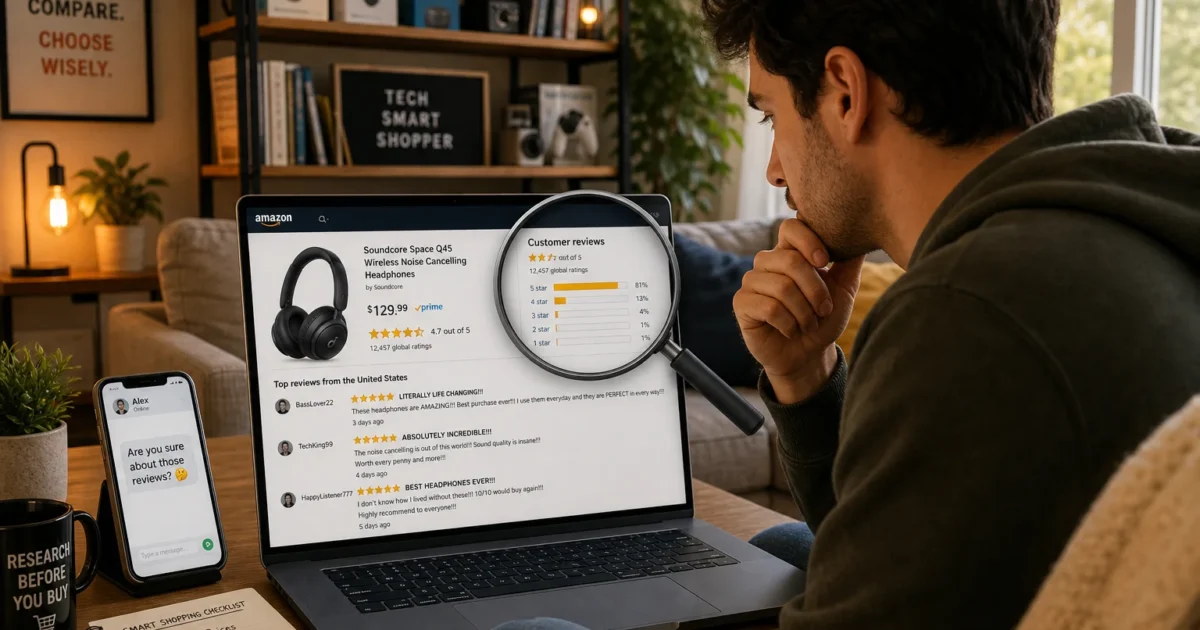
You’re shopping on Amazon, found something that looks perfect: 4.7 stars, over 2,000 reviews, and you’re this close to clicking Buy. But something feels off. Maybe the reviews all sound a little too enthusiastic. Maybe they all showed up in the same week.
That nagging feeling is worth paying attention to. Fake reviews on Amazon are still a real problem in 2026. A 2023 UK government report found that 11–15% of consumer electronics reviews on major e-commerce platforms were fake, and consumer investigations through 2025 and early 2026 keep turning up new manipulation schemes. Amazon is fighting back harder than it ever has, but you still can’t just glance at the star rating and hit Buy.
The good news is that fake reviews leave patterns. Once you know what to look for, you can usually catch them in two or three minutes of extra digging.
What Is a Fake Review on Amazon?
A fake review is one written by someone with a financial stake in the outcome, not a real customer sharing an honest experience. The typical players:
- A seller (or someone they paid) writing glowing 5-star reviews for their own product
- A competitor posting 1-star reviews to tank a rival’s listing
- A “review broker,” a paid service that connects sellers with people who post reviews in exchange for refunds or gift cards
Amazon bans all of these. With money on the line, it keeps happening anyway.
How Amazon Fights Fake Reviews, and Why You Still Need to Check
Amazon’s approach has gotten a lot more aggressive. Machine learning models now scan for suspicious patterns, including sudden spikes in review activity, repetitive phrasing, and unusual account behavior. They try to block fake reviews before they’re ever published. Amazon has also filed over 150 lawsuits against fake review brokers, targeting services that sell reviews for just a few dollars each.
The problem is, sophisticated review campaigns still slip through. Some sellers stagger fake reviews over time, use more natural-sounding language, and exploit “Verified Purchase” loopholes, refunding buyers after delivery to manufacture what looks like a legitimate, verified transaction.
There’s another wrinkle: Amazon’s automated purges have become aggressive enough that real reviews sometimes disappear too. Sellers have reported losing hundreds of genuine “Verified Purchase” reviews overnight with no explanation. So if a product’s review count drops suddenly, it’s not always manipulation; it might just be Amazon’s cleanup sweep catching legitimate reviews in the net.
The bottom line: Amazon’s doing more than it used to, but you still need to do your own homework.
How to Spot Fake Reviews on Amazon
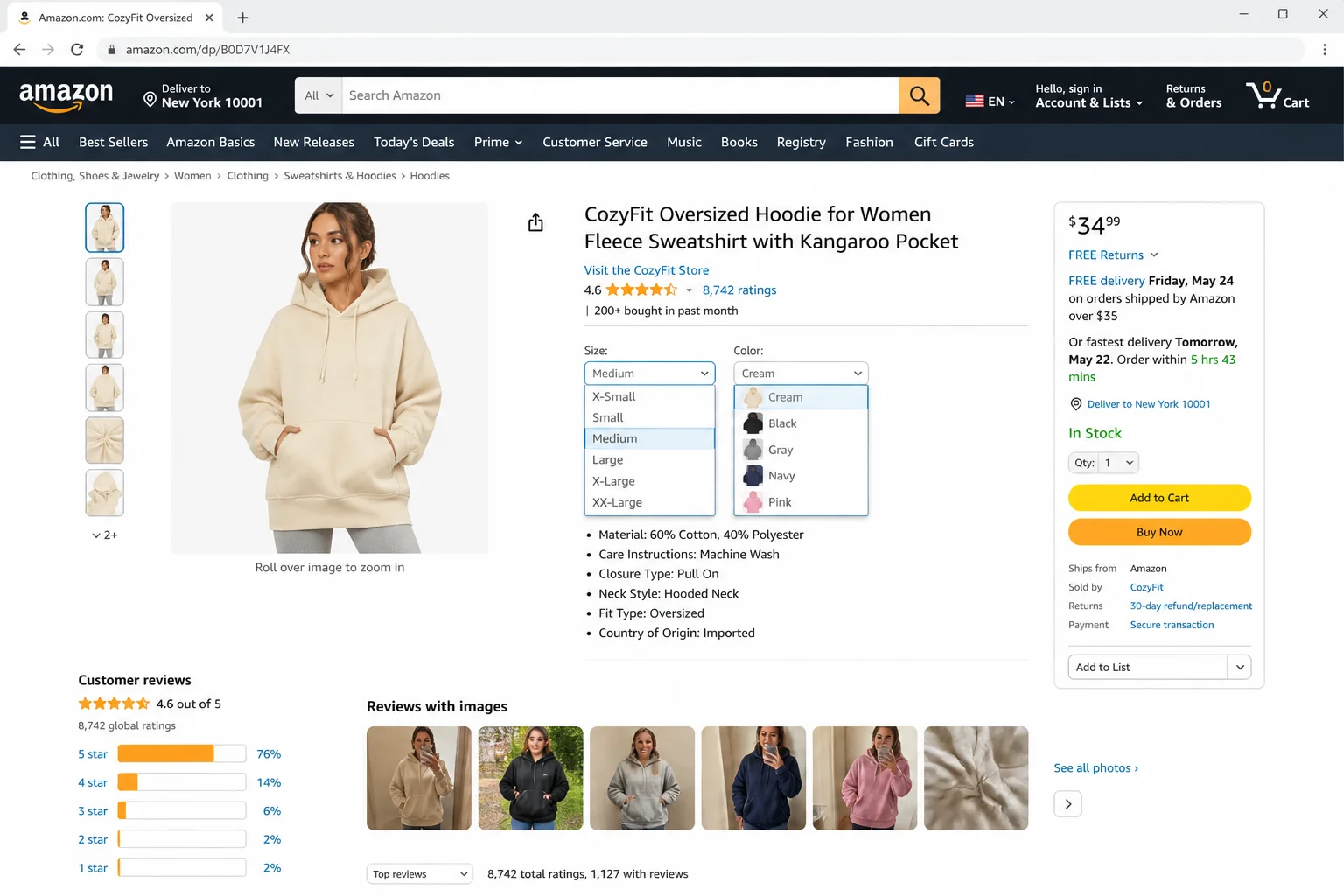
Step 1: Confirm You’re Looking at the Right Product
This one trips up a lot of shoppers. Amazon lets sellers group multiple product variations, such as different sizes, colors, or models, under one listing, all sharing the same review pool. Some sellers go further and swap out the actual product while keeping old reviews attached, so you could be reading reviews for something completely different from what you’re about to order.
Before you read a single review, check that the title, photos, and variation selector (things like Size, Color, or “Style Name”) match exactly what you’re buying.
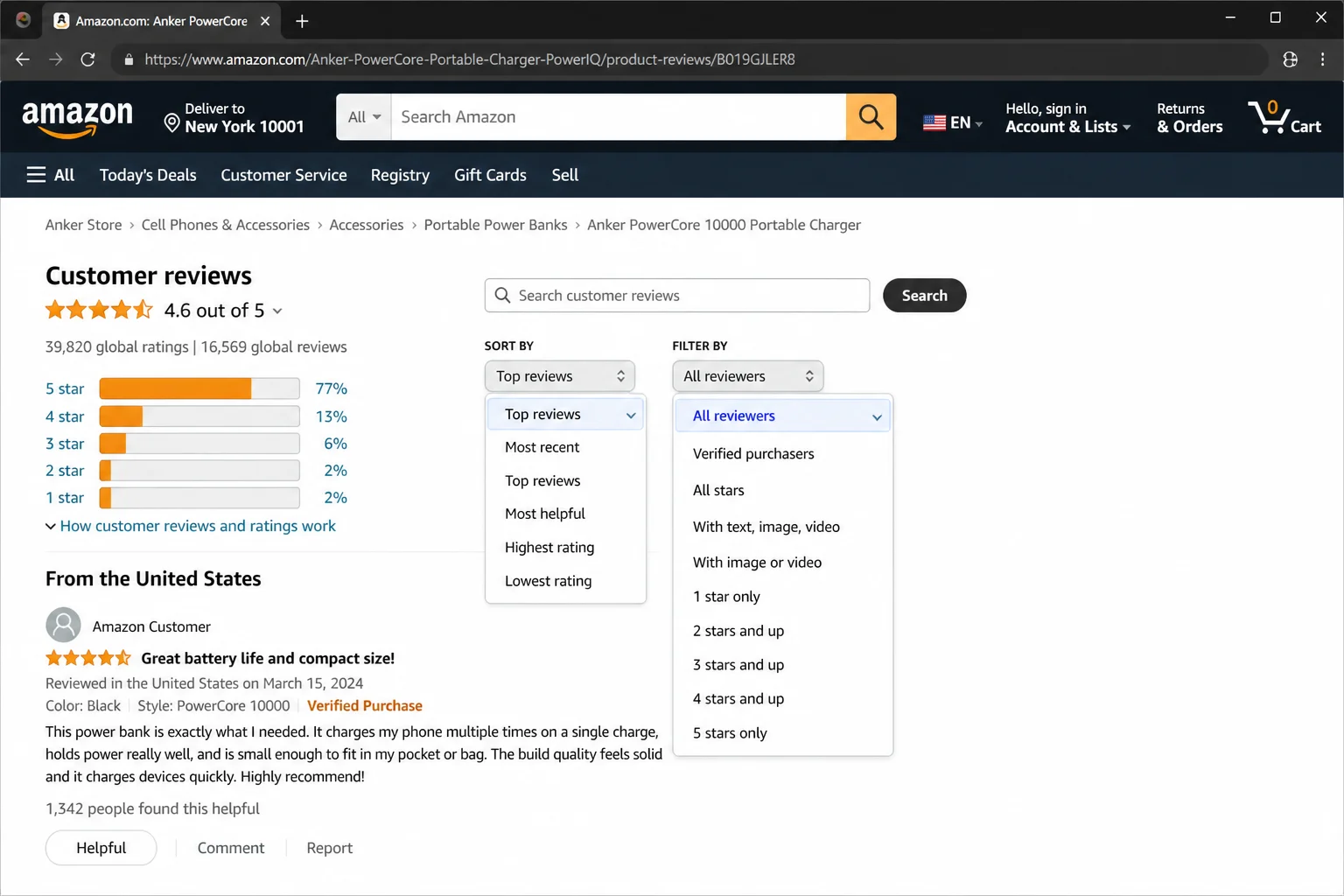
Step 2: Open the Full Reviews Page and Filter It
The star rating on the main product page is just a snapshot, and it can be heavily skewed by old review campaigns. For a clearer picture:
- Scroll to the reviews section and click See more reviews to open the dedicated reviews page.
- Click the Sort by dropdown and switch to Most recent. Top reviews can be dominated by early manipulated campaigns; recent ones better reflect current quality.
- Use the All formats dropdown to filter reviews to your specific variation (the exact size, color, or bundle you’re buying).
If you’re using the Amazon mobile app, the sort and filter options might be tucked behind a small icon rather than visible dropdowns, but they’re there. Worth a tap around to find them.
Step 3: Look at the Star Distribution and the Average
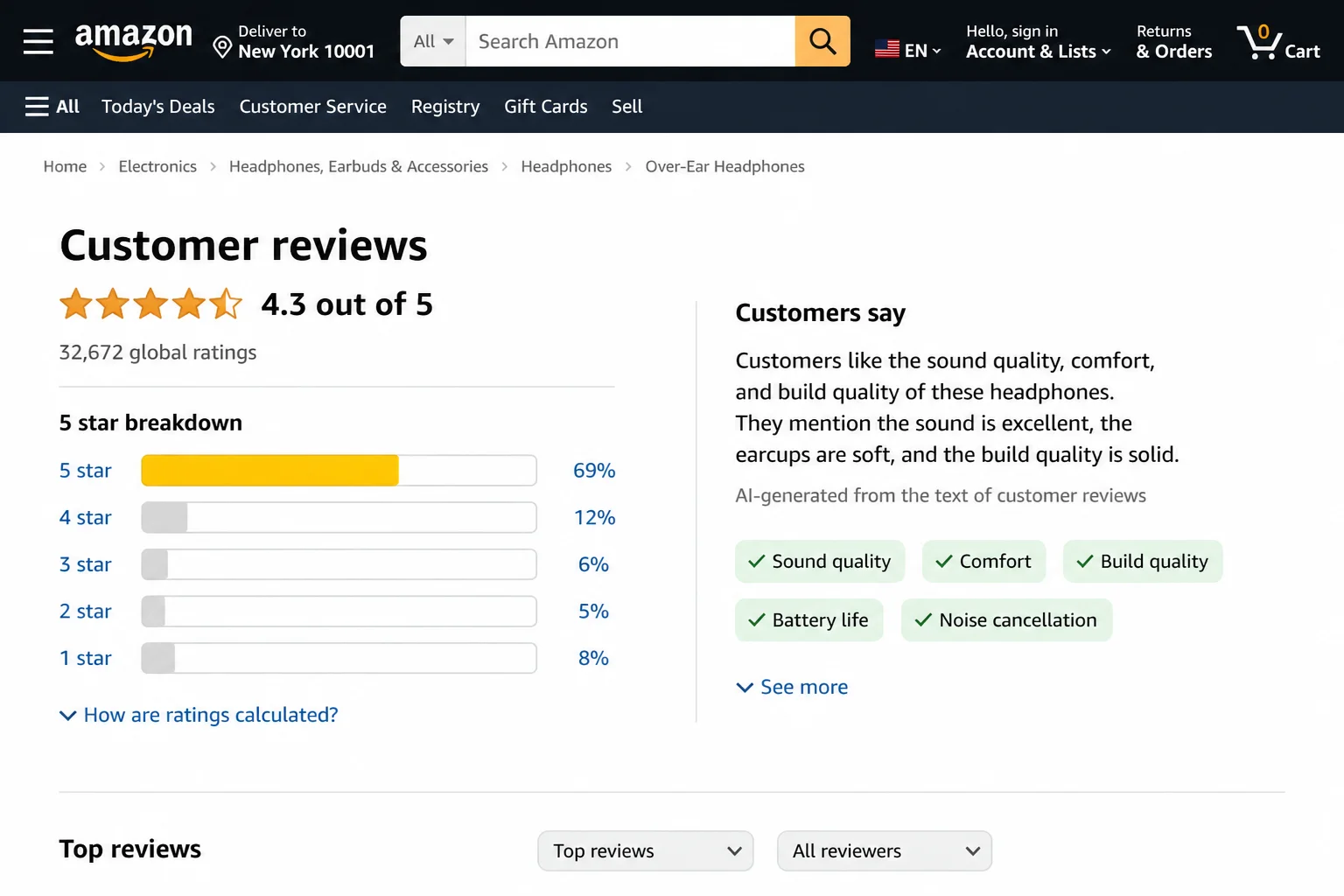
That 4.7-star average tells you almost nothing on its own. Expand the star-rating histogram (the bar chart next to the overall score) and look for:
- A massive spike at 5 stars with almost nothing at 3 or 4. Real products tend to have a more spread-out distribution. A gap in the middle is a red flag.
- Big clusters at both 1 star and 5 stars. This often means a competitor’s fake negative campaign is running alongside the seller’s fake positive one (yes, both happen at the same time).
The most useful reviews tend to live in the 3- and 4-star range. Those reviewers have less reason to exaggerate in either direction, and their feedback is usually more specific.
Step 4: Actually Read the Reviews
This sounds obvious. Most shoppers spend about three seconds here and then regret it. Slow down and watch for:
- Generic praise with no details: “Amazing!” or “Love it!” and nothing else. Real buyers tend to describe how they use the item, or what surprised them.
- Copy-paste phrasing: Multiple reviews using nearly identical sentences. Scroll through several and see if the same language keeps appearing.
- Fake-balance cons: Phony positive reviews often include something minor like “packaging could be better” to seem objective, while skipping any real problems.
- Wrong product details: A review mentioning features the current listing doesn’t have, a leftover from when the listing sold something different.
- Repetitive structure with awkward grammar: A cluster of reviews following the same formula, sometimes with similar spelling patterns throughout.
Ask yourself: does this reviewer describe a real situation? Do they mention specific features or actual problems? Does it sound like a person talking, or a template filling itself out?
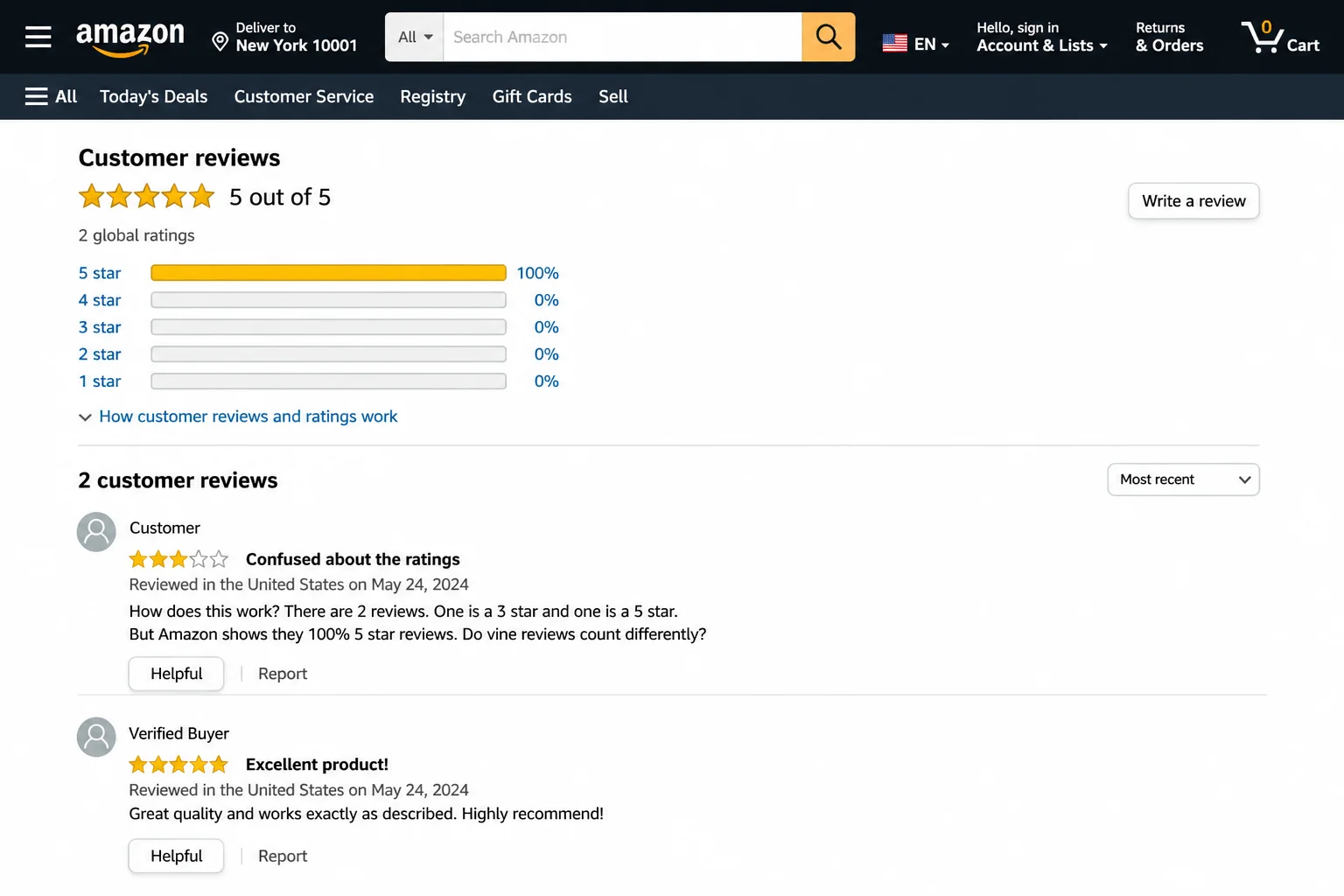
Step 5: Check When the Reviews Were Posted
With the page sorted by Most recent, scan the dates. Watch out for:
- Dozens of reviews posted on the same day or within a two-to-three-day window, especially after a long quiet stretch.
- A brand-new product with hundreds of 5-star “Verified Purchase” reviews in its first couple of weeks on sale.
Review timing clusters are one of the primary signals Amazon’s AI uses to detect manipulation. A product that went from 3 reviews to 847 in a single week is a product worth approaching cautiously.
Step 6: Treat “Verified Purchase” as One Signal, Not a Green Light
The Verified Purchase badge confirms that a transaction happened on that account. Nothing more. Think of it like a receipt: it proves someone bought something, not that their review is honest. Some sellers run refund schemes where they send buyers money back after delivery specifically to manufacture what looks like a verified, legitimate review.
Treat Verified Purchase as a mild positive signal. Cross-check it against timing, wording, and star distribution before you give it much weight.
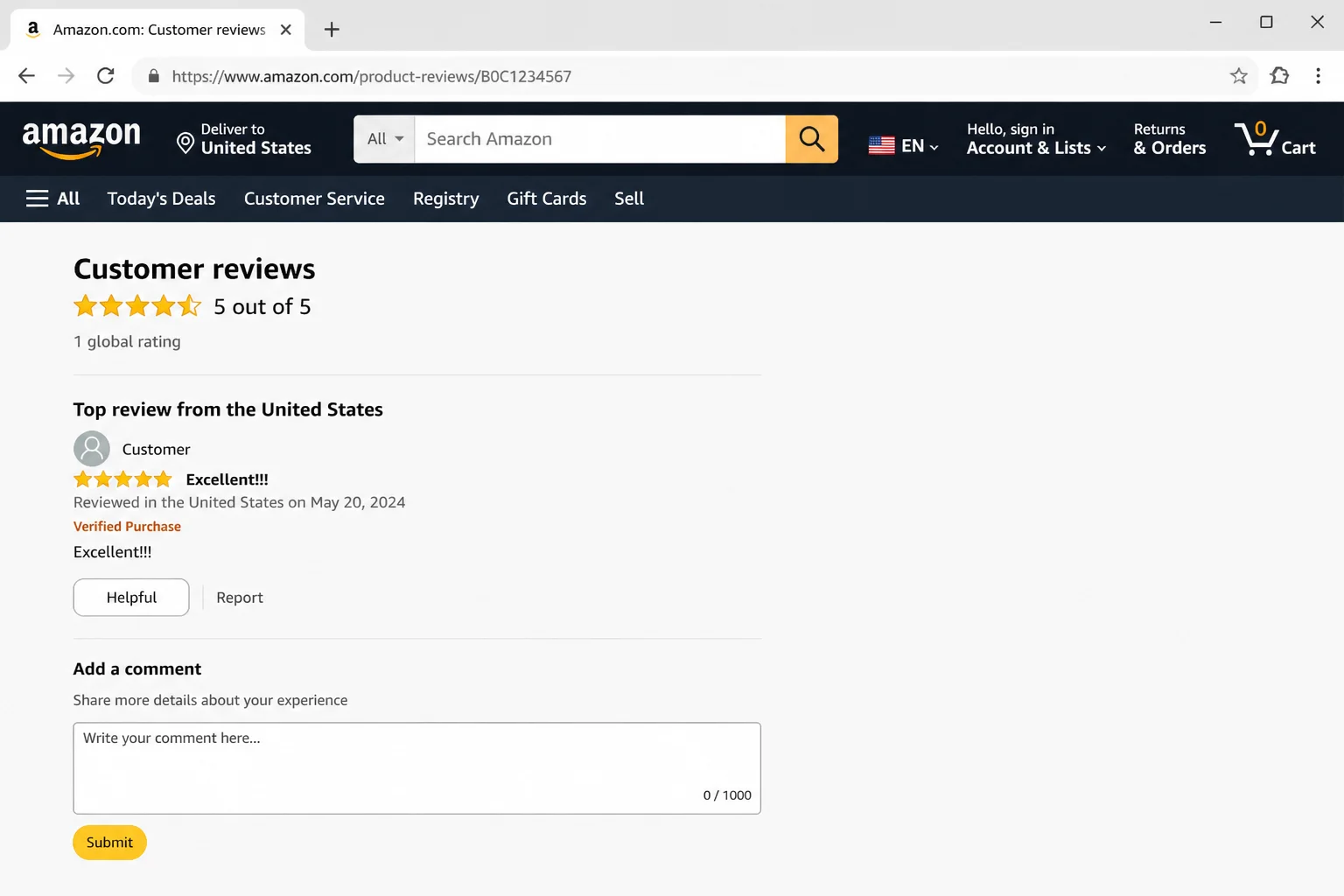
Step 7: Check Q&A, User Photos, and “Customers Also Bought”
A few more places worth a quick scan:
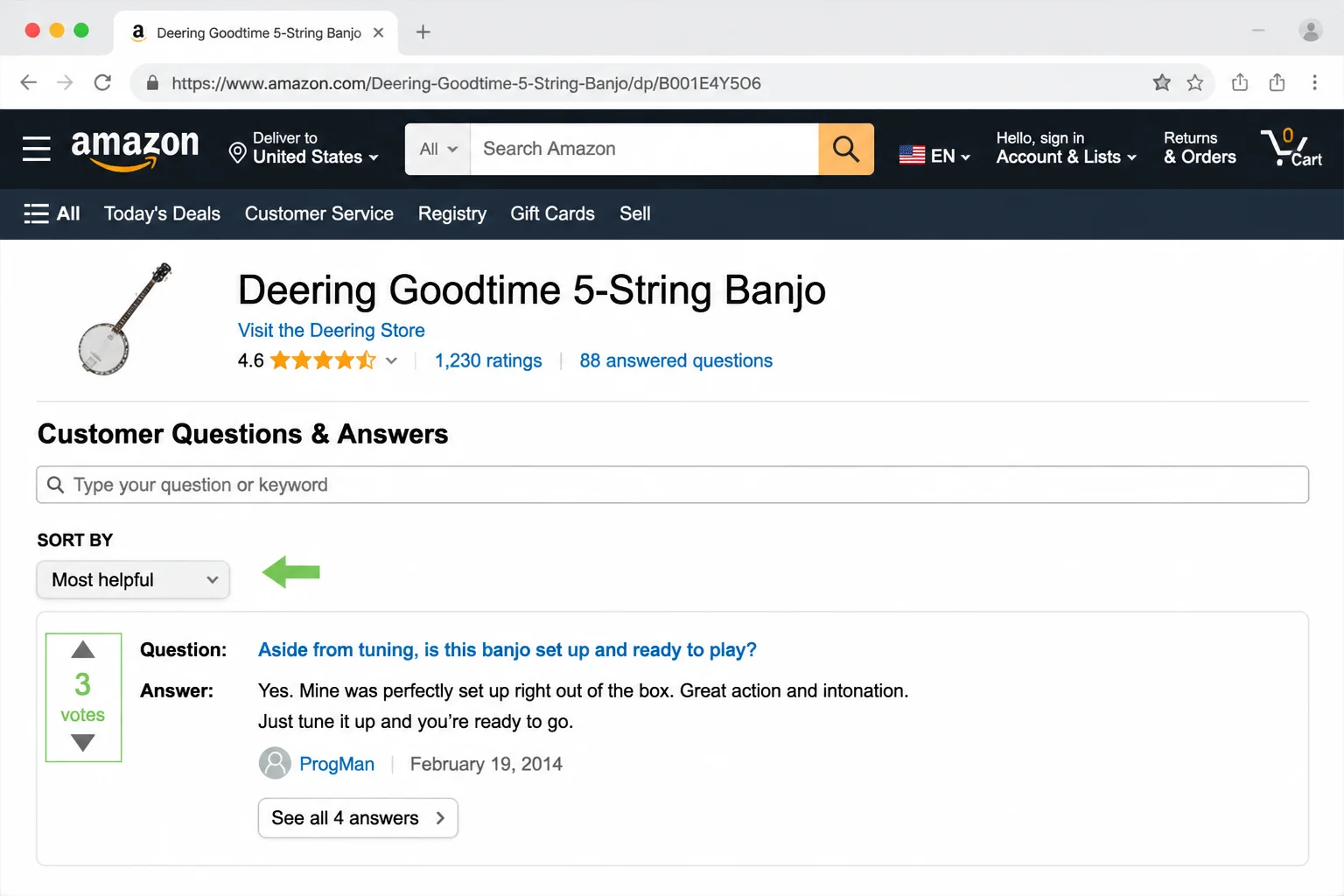
- Customer questions & answers: Real product problems tend to surface here before they make it into reviews. Multiple people asking about the same issue is a meaningful pattern.
- User-uploaded photos and videos: These are much harder to fake than text. Real-world photos often reveal quality, or quality problems, that glowing written reviews gloss over.
- “Customers also bought”: If this section is full of completely unrelated products, that can indicate listing manipulation or a seller switching what the listing actually sells.
Use Third-Party Tools to Check Reviews
Third-party tools can do a lot of the heavy lifting when you’re spending serious money on something. They analyze reviews using text pattern analysis and reviewer behavior to flag suspicious content. Think of them as a second opinion, not a verdict.
FakeSpot is probably the best-known option. It assigns each listing a letter grade based on its review analysis, and you can use it by pasting any Amazon product URL directly into the site. A browser extension is also available.
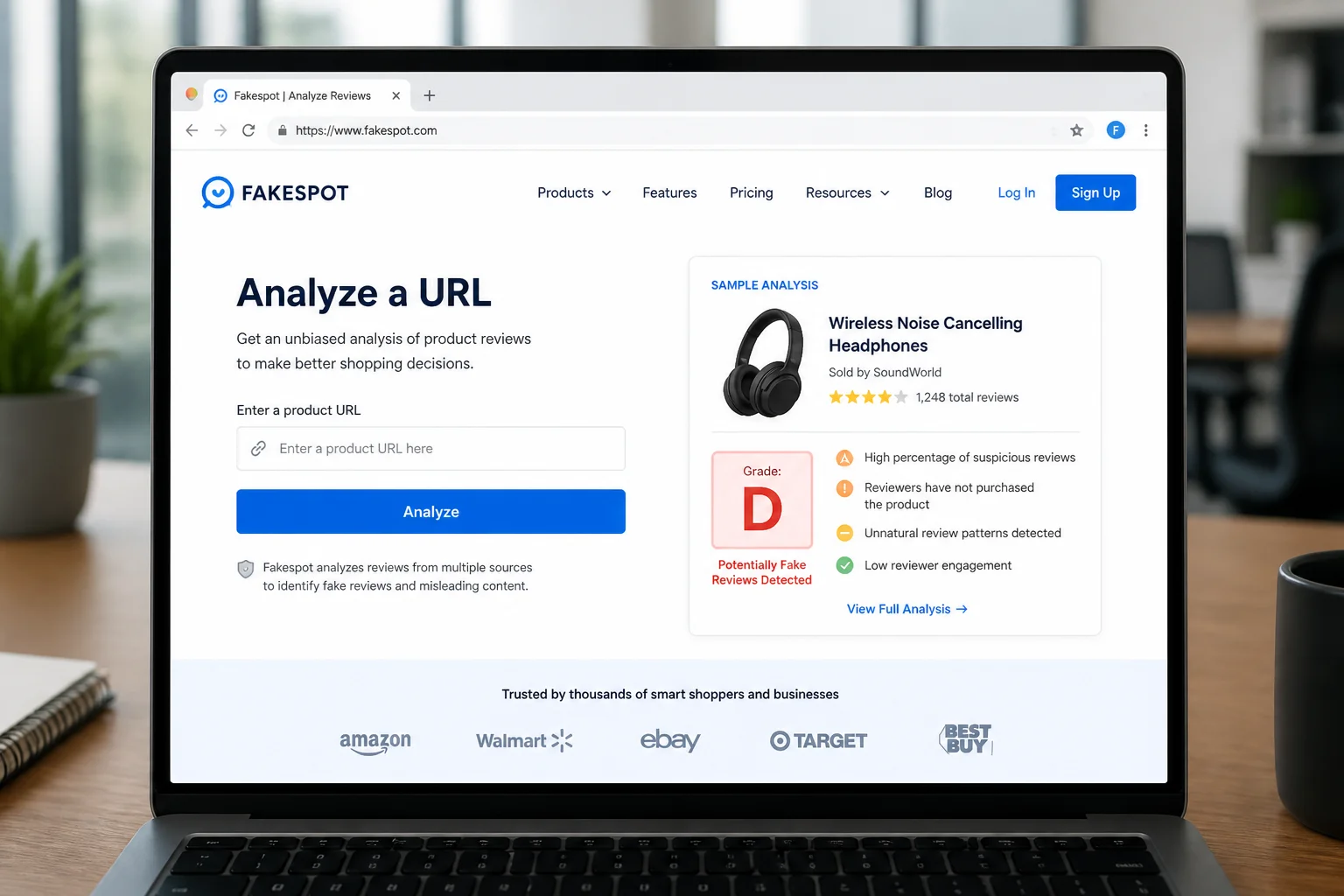
Similar tools and extensions exist for different browsers and use comparable methods: text analysis, reviewer history, and account behavior patterns. Academic research on these tools puts accuracy at around 89–90% for classifying fake versus genuine reviews, which is solid but not infallible. Use them alongside the manual checks above, not instead of them.
One heads-up: browser extensions don’t run inside the Amazon mobile app. If you want them to work on your phone, open Amazon in your mobile browser rather than the app.
How to Report a Fake Review
You can flag suspicious reviews directly on Amazon. The options are limited: you can only report one review at a time, and Amazon won’t tell you the outcome of your report. But reports do feed into Amazon’s monitoring, and a pattern of flags on a single listing can trigger a manual review.
To report a review:
- Find the review you want to flag.
- Click Report abuse directly below the review text.
- Fill out the pop-up form and click Report to submit.
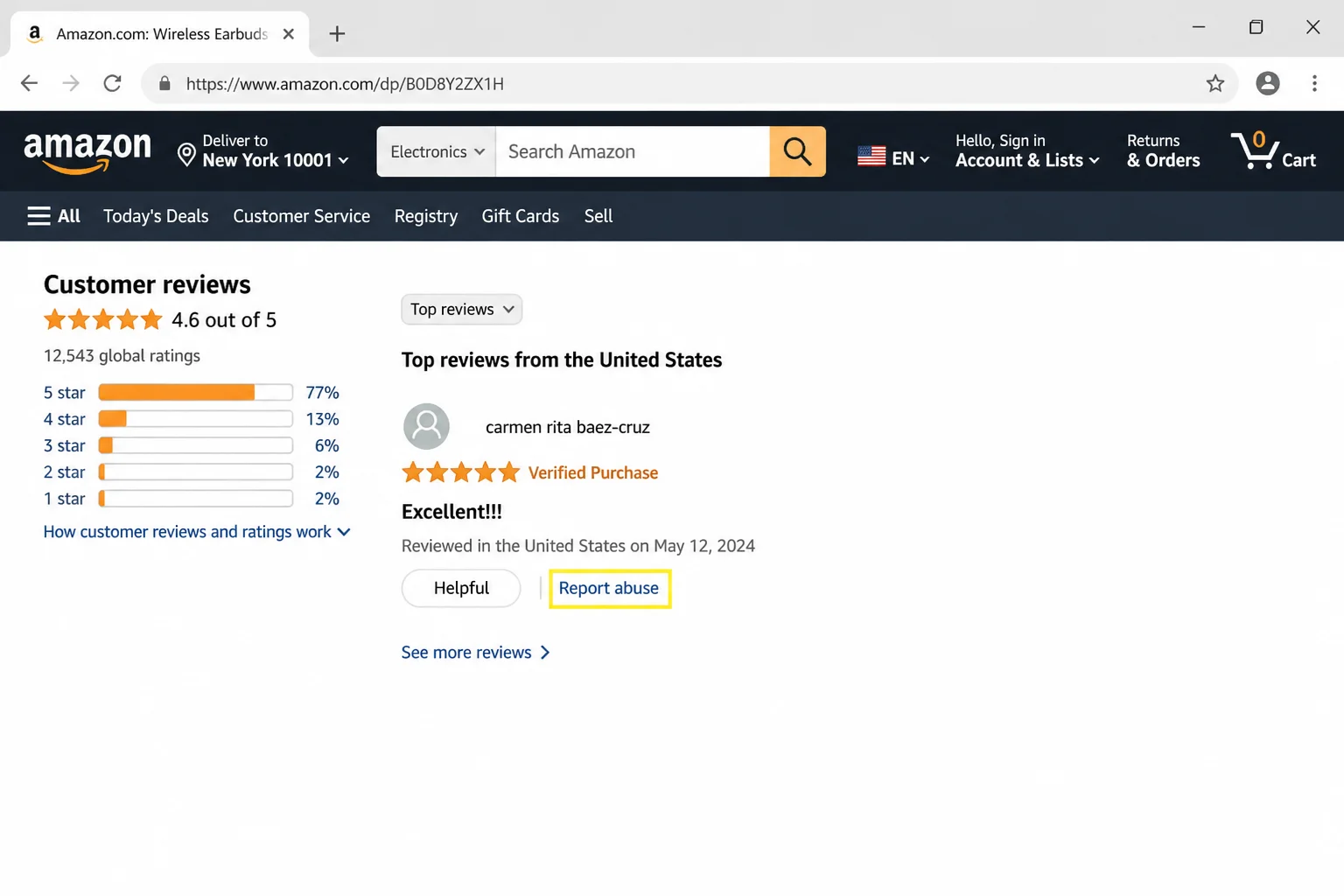
If a listing has a dozen obviously fake reviews, reporting a few of them takes about a minute. It’s a small action, but it helps the next buyer.
Common Questions
Can I trust Amazon reviews at all?
Yes, just not the star average by itself. Individual, detailed, recent reviews from accounts that cover a variety of different products are usually reliable. Those are the ones worth reading carefully.
Why did reviews disappear from a product I own?
Amazon’s automated anti-fraud sweeps sometimes pull legitimate reviews along with fake ones. If a product’s review count dropped overnight, it’s most likely an automated purge, not something the seller engineered specifically.
Are sellers allowed to pay for reviews?
No. Amazon’s policy bans paid reviews, refund-for-review schemes, and third-party review services outright. Products caught using these tactics risk listing suppression, account suspension, or permanent bans. These schemes still exist in practice, but they violate Amazon’s terms.
What if a product has no reviews?
Not a problem on its own. It might just be new. Check the Q&A section, search for the product on YouTube or Reddit, and see if other retailers carry it with reviews you can cross-reference. A new product with zero reviews is fine. A new product with 400 five-star reviews that all arrived last Tuesday is the one to worry about.
Wrapping Up
Fake reviews on Amazon aren’t going away, but they’re not invisible either. Running through these steps (checking filters, scanning the star distribution, looking at timing, and reading a handful of reviews carefully) takes maybe three minutes and can save you from a purchase you’ll regret.
If a listing still feels off after all that, search for it on Reddit or YouTube before you buy. Real impressions from actual users on other platforms are surprisingly hard to fake at scale, and a five-minute video review often tells you more than five hundred templated five-star ratings ever will.
For more information on how Amazon fights fake reviews, you can visit Amazon’s official blog or check out trustworthy shopping tips. Additionally, you can learn more about unbiased news sources and how to get the best deals online.