

Social media is rarely one of the things people consider at the end of their lives or when a loved one passes away, but Facebook has created a world of memorialization settings and Facebook pages that belong to those that are no longer with us.
These Memorialization settings help determine what happens to your Facebook account when you pass on. This article will help you set up settings for yourself and memorialize a page for someone else.
How To Set Up Facebook Memorialization Settings
At the end of your life, it may be nice to leave behind a sort of online memorial to yourself. Facebook provides you with the following two options.
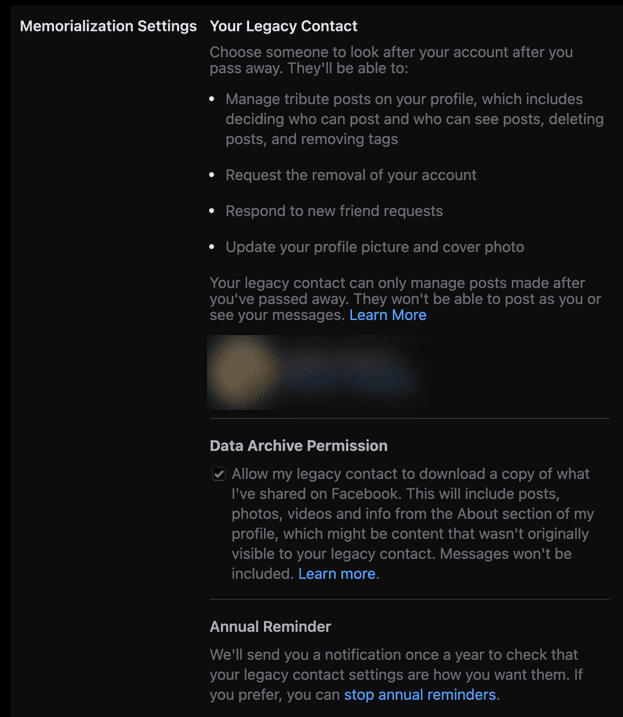
- Set a “Legacy Contact,” someone who will manage your Facebook page after you’re gone. A Legacy Contact can accept friend requests, change cover and profile photos, and post tribute messages.
- Delete your Facebook account completely. This is different from deactivation and means that all traces of your account will be removed from Facebook’s servers permanently.
How To Add a Legacy Contact
Before you add a Legacy Contact, speak to the person about accepting the responsibility. It’s a big job, and not a pleasant one–after all, they’re tasked with dealing with social media after a personal tragedy. If the person agrees, then you can set them as a contact.
To do this follow the steps below:
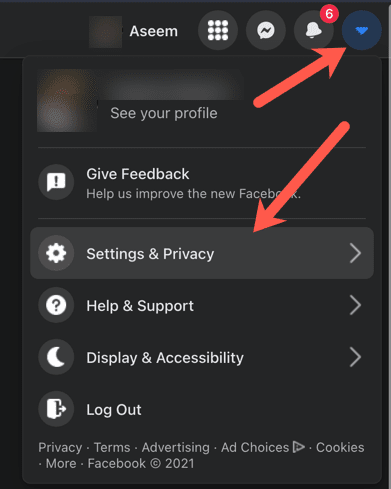
- Click the down-arrow beside your profile picture at the top-right of your Facebook page.
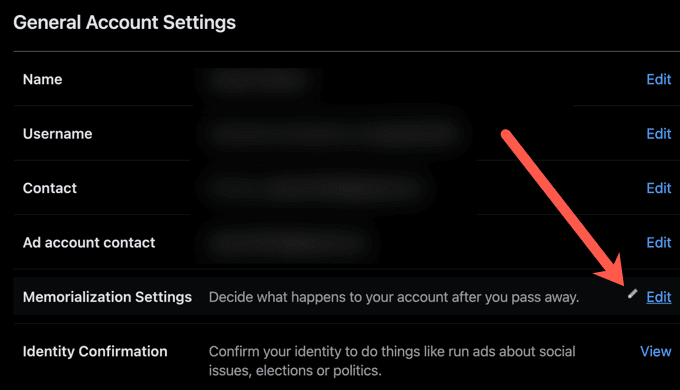
- Choose Settings & privacy > Settings > Memorialization settings.
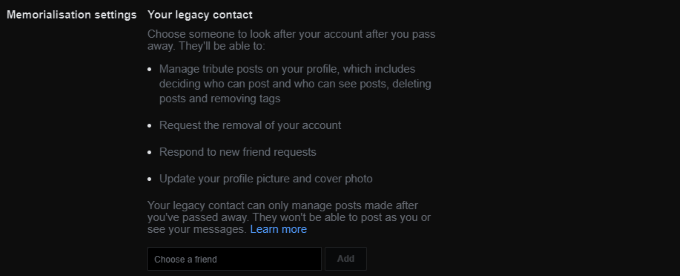
- In the field that says Choose a friend, type a friend’s name and select Add.
This will notify the person that you have chosen them as a Legacy Contact, but they will not be notified again until your account has been memorialized.
How To Delete Facebook After Death
If you decide that you would rather your Facebook account be deleted after you pass away, follow the steps below.
- Select the down arrow beside your profile picture at the top-right of your Facebook page.
- Select Settings & privacy > Settings > Memorialization settings.
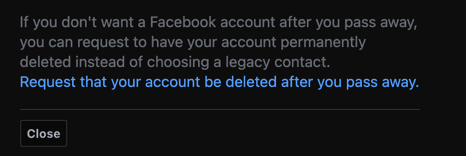
- Select Request that your account be deleted after you pass away.
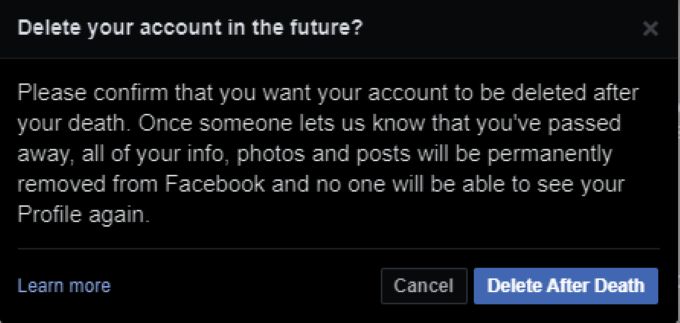
- Select Delete After Death.
Death is a reality for everyone, and you need to consider what will happen to your social media accounts after you’re gone.
How To Memorialize Another Account
If a friend or family member passes away without choosing their memorialization settings, you can request that Facebook memorialize the account. Once again, you have two options here.
- You can request that Facebook create a memorial page for the account, or
- You can request that the account be removed completely.
How To Request Facebook Memorialize An Account
If you want Facebook to create a permanent online memorial to a loved one, follow the steps below:
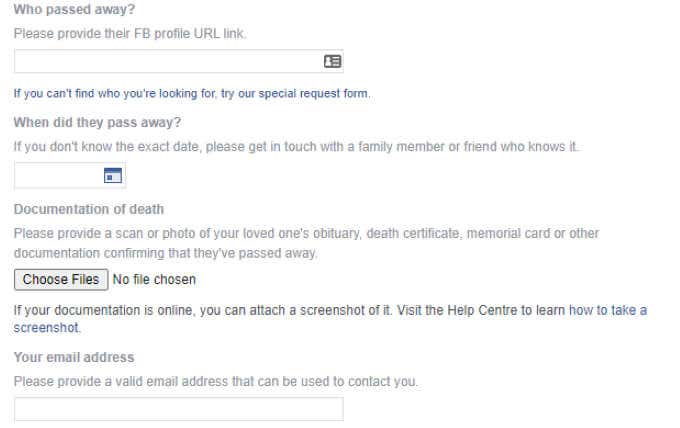
- Fill out a Memorialization Request page on Facebook.
- Fill out the user’s Facebook URL, the exact date of death, documentation of death (a file you can upload – an obituary page, death certification, or memorial card), and your email address.
- If you do not know the exact date of death, speak with another friend or family member to find out.
- Facebook will contact you when the page has been memorialized. Due to limited staff during Covid, this request might take longer than normal.
How To Request The Removal Of a Page
If you would prefer Facebook remove the page of a deceased friend or family member, you need to submit a special request. You can request the removal of a page even if the person is medically incapacitated.
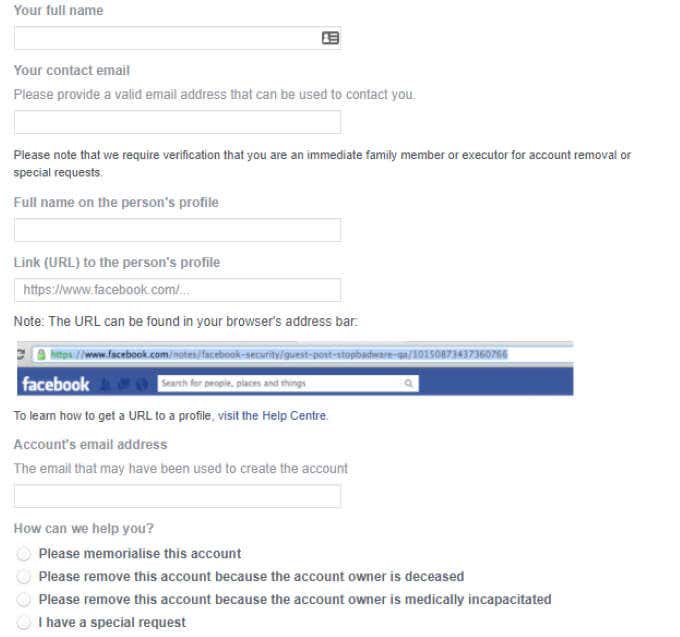
- Submit your full name, your contact email, the full name of the deceased’s profile, a link to the profile, and the account’s email address.
- Then Facebook will contact you requesting proof of death.
- If you do not have the person’s death certificate, you can submit proof of power of attorney, birth certificate, last will and testament, or estate letter. You can also submit a memorial card as proof.
While social media and death are not fun topics to discuss, the last thing you want is to allow your own profile or that of a loved one to remain open for anyone to use. After you have memorialized a page, it will change in appearance, and the word Remembering will appear next to the person’s name on their profile.
Even if you have no plans to shuffle off the mortal coil anytime soon, it’s a good idea to figure out your settings now in case the worst happens.