

Have you ever wondered about the Instagram posts you’ve liked? Maybe you’re curious about one you liked last week or whether or not you remembered to like your bestie’s post. We’ll show you how to see liked posts on Instagram.
You can easily view your liked posts on Instagram in the mobile app on Android or iPhone.
Note: Unfortunately, as of this writing, Instagram.com doesn’t offer a feature for viewing liked posts. Many of the computer apps and browser extensions we tested mimic the website’s settings, thus, not providing an option to view liked Instagram posts.
How to See Liked Posts on Instagram
Instagram is most popular for its mobile app, so it’s no surprise you can see your liked posts there in just a few taps. Open the Instagram app on Android or iPhone and follow these steps.
- Visit your Instagram profile page using the Profile tab in the bottom right corner.
- Use the three-line icon in the upper right corner to open the Menu and pick Your Activity.
- Tap Interactions.
- Choose Likes.
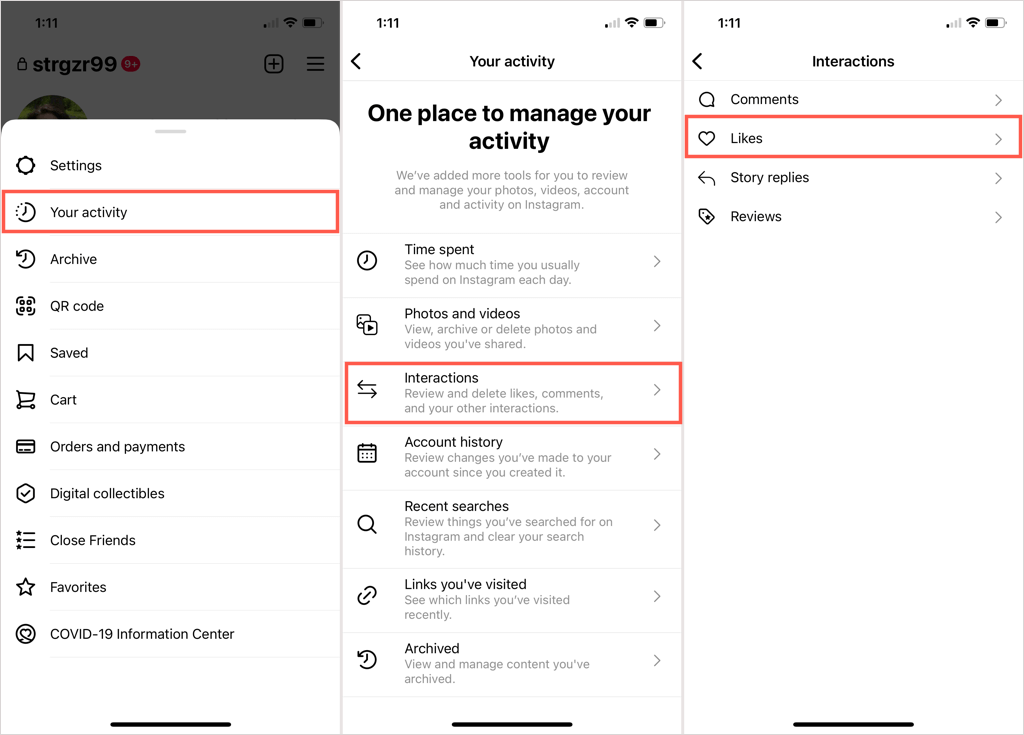
You’ll then see all the posts you’ve liked on Instagram from newest to oldest. This includes liked photos, videos, and reels. You can select a particular post in your list to view the original.
Sort or Filter Your Liked Posts
If you’re looking for a specific post, like one before or after a certain date or from a particular user, you can use the sort and filter options.
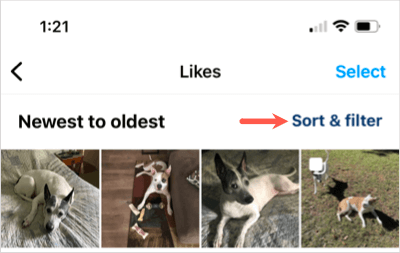
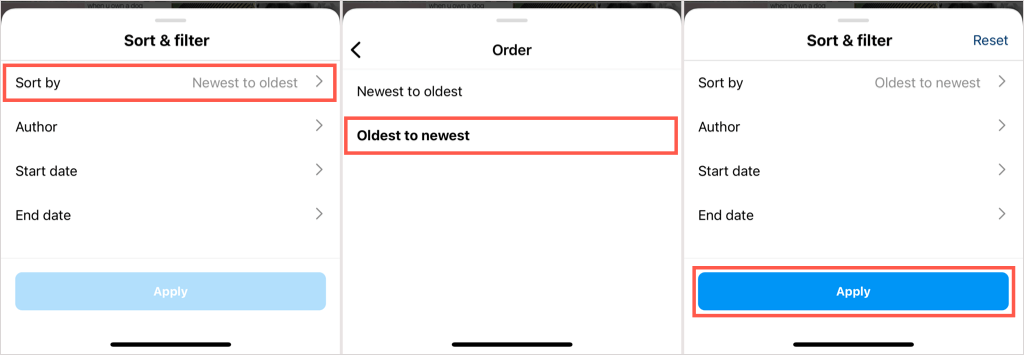
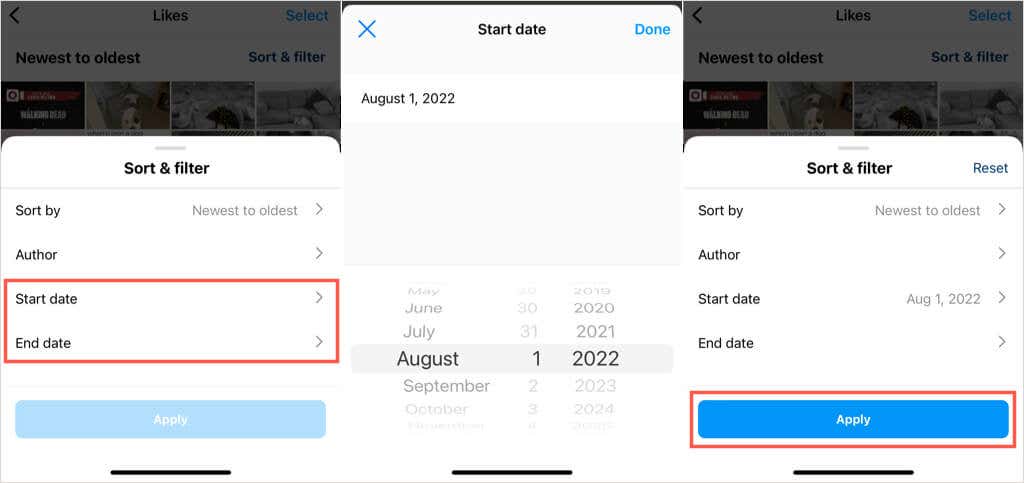
On the Likes screen, tap Sort & Filter on the top right. Then use the following options:
To sort, select Sort By to change from Newest to Oldest to Oldest to Newest. Tap Apply to use the sort option.
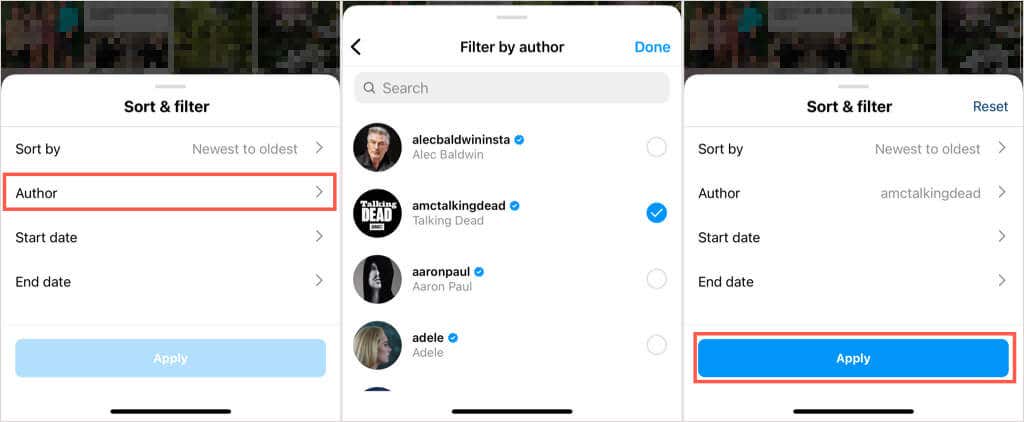
To filter by user, select Author. You can then use the Search at the top to find a specific user or select one or more Instagram users from the list. Pick Done and then Apply.
To filter by date, select either Start date or End date, depending on when you liked the post. Choose the date, pick Done, and then Apply.
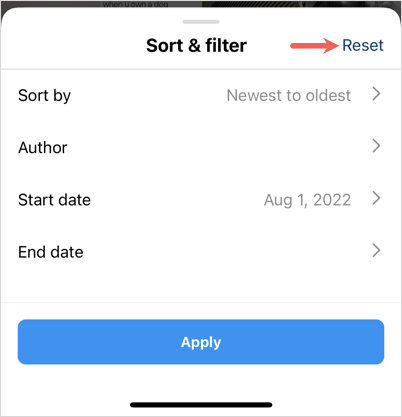
If you want to revert the sort to the most recent posts first or remove a filter, tap Sort & Filter and select Reset in the top right corner. This returns to the sort order to newest to oldest and removes any filter you’ve applied.
Unlike Instagram Posts
If you come across a post or two you’ve liked that you want to unlike, this is also an option from the Likes screen.
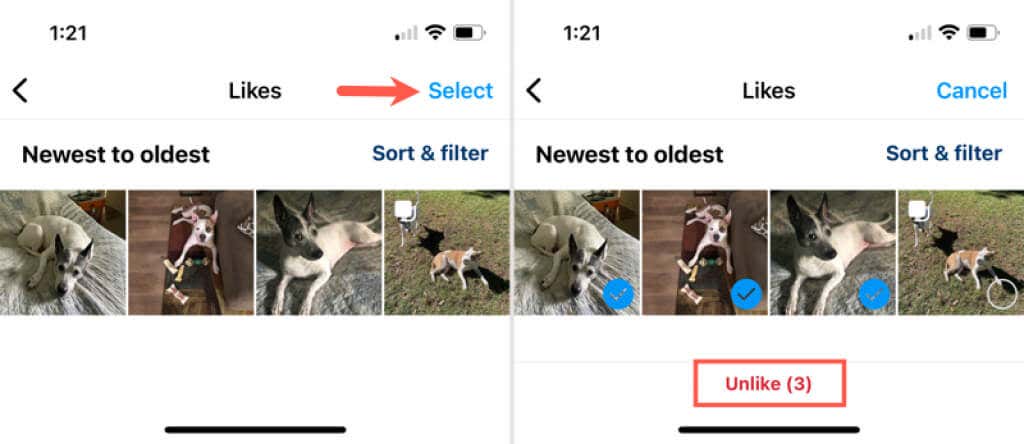
- To unlike one or more posts, pick Select on the top right.
- Choose the post(s) which places a checkmark on it.
- Tap Unlike at the bottom. Warning: You will not be asked to confirm the action, so be sure you want to unlike the post(s) before tapping Unlike.
You’ll then see a brief message displaying the number of posts you’ve unliked.
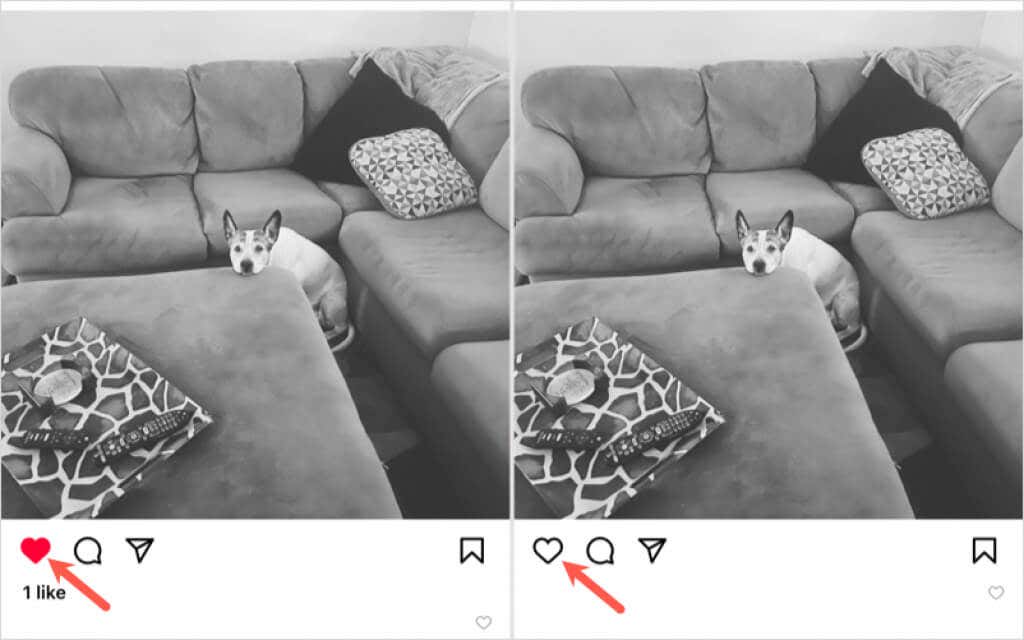
Alternatively, you can select a liked item to see the original post and tap Like (heart icon) to deselect it and thus unlike the post.
There are many reasons you may want to see liked posts on Instagram. You might want to revisit a humorous post for a good laugh, see your friend’s recent photos again, or make sure that you liked a post from your partner. Whatever the case, you now know how to see liked posts on Instagram.
For more, take a look at how to view deleted Instagram posts.