

Unlike other messaging services, there’s no default method of archiving chats or viewing deleted messages on Discord. But third-party add-ons make many things possible, and preserving message history is one of them.
Keep in mind, however, that using an app to log Discord messages can be considered against the platform’s ToS (Terms-of-Service). While you are unlikely to land into trouble for using these apps, it might be considered unethical to do so.
Is There No Built-in Method to View Deleted Messages on Discord?
Unfortunately, there’s no default functionality that allows you to see any deleted messages on the Discord app, whether on mobile or desktop. And this exclusion is deliberate.
Discord considers the ability to view deleted messages an intrusion of user privacy, and has taken steps to ensure it isn’t doable. Messages deleted on a Discord server remain hidden, with even audit logs unable to display the original contents.
Even server mods are unable to get around this restriction since Discord claims that deleted messages are no longer stored on their databases. Any person can take screenshots, of course, but that is a very tedious method.

How to See Deleted Messages On Discord
The best way to track deleted messages on Discord is to use a bot application like Dyno Bot. These bots can automatically copy every deleted message on a server or channel, letting you view them any time afterward.
Of course, this only works on your own servers, greatly limiting its scope of effectiveness. Still, it is a great moderation tool for Discord server owners, which is the most common reason for wanting to view deleted messages anyway.
- As Dyno is a bot rather than an add-on, there is nothing to download. Just head to its site and Login with Discord.

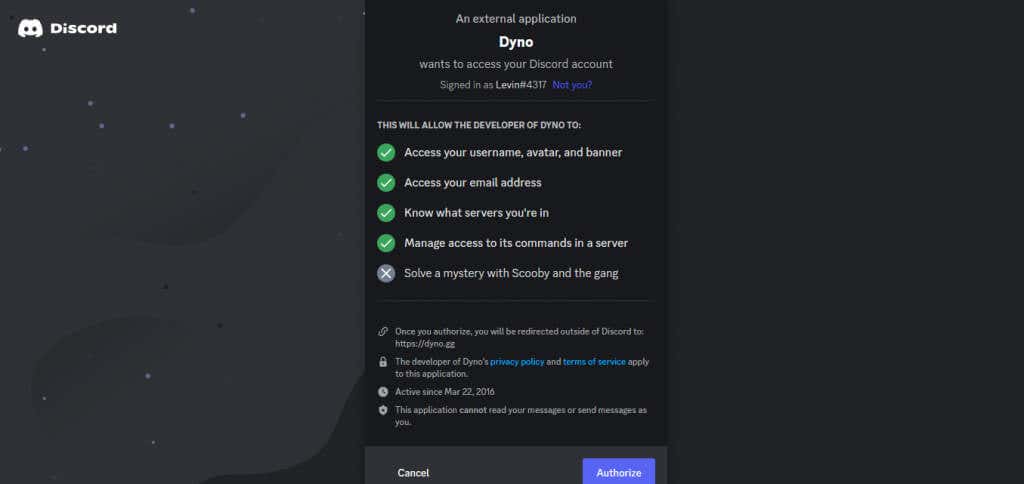
- Dyno will ask for permission to access your account. Hit Authorize to grant that access.
- All the servers you participate in will be listed on the next page. Select the Discord server you want to view deleted messages on.

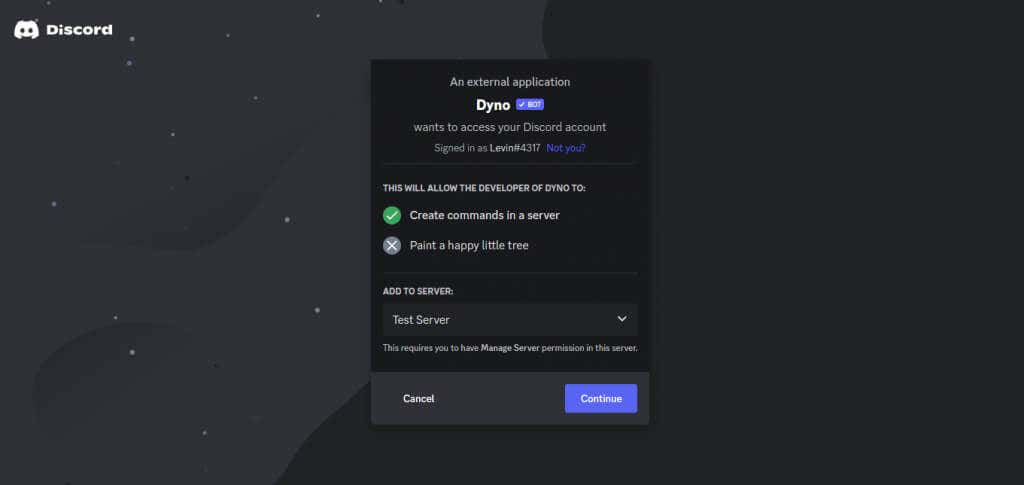
- Once again, you will need to grant the required permissions to Dyno. Note that this will only work if you possess Manage Server permissions yourself, so make sure you select the right server.
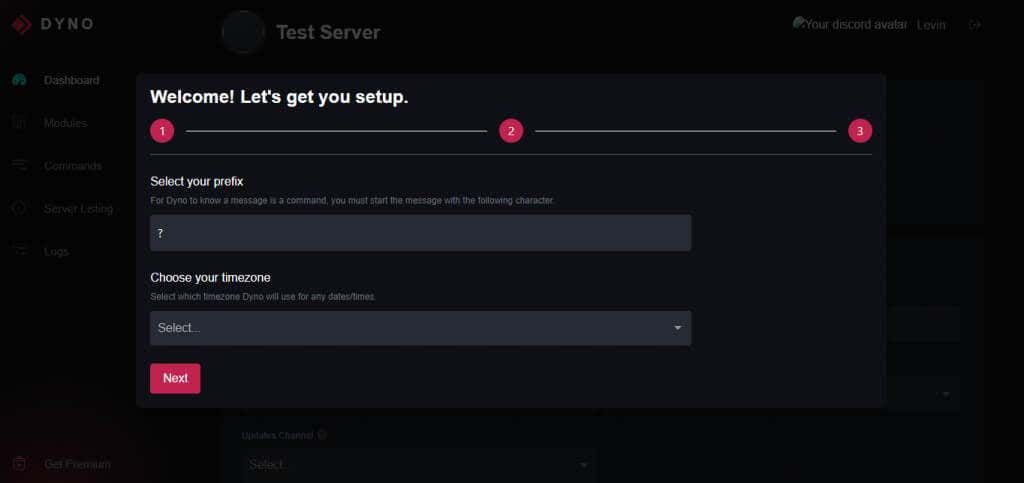
- After that, you just need to set things up, and the Dyno bot would be ready to use.
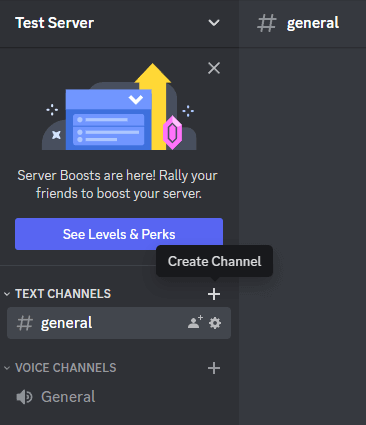
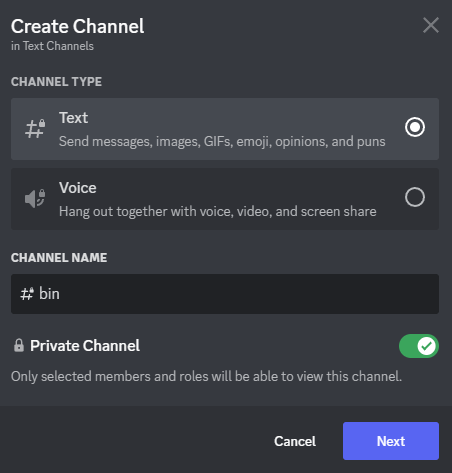
- The way Dyno’s message logging works is by sending you the messages in a dedicated channel. So head to Discord and create a fresh text channel on your server. You can do this by clicking on the + symbol beside the Text Channels tab on your server.
- Enter an appropriate name for the channel and set it to private for good measure.
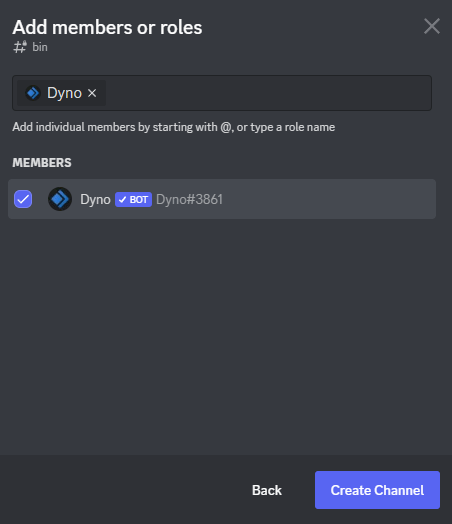
- The only member you need to add is Dyno since it will be the only one messaging to this channel.
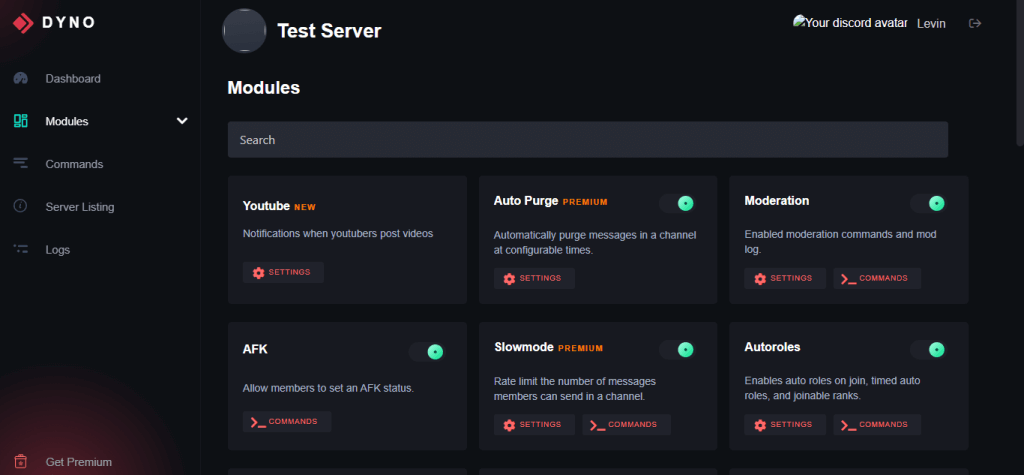
- Now head back to the Dyno dashboard and switch to the modules tab.
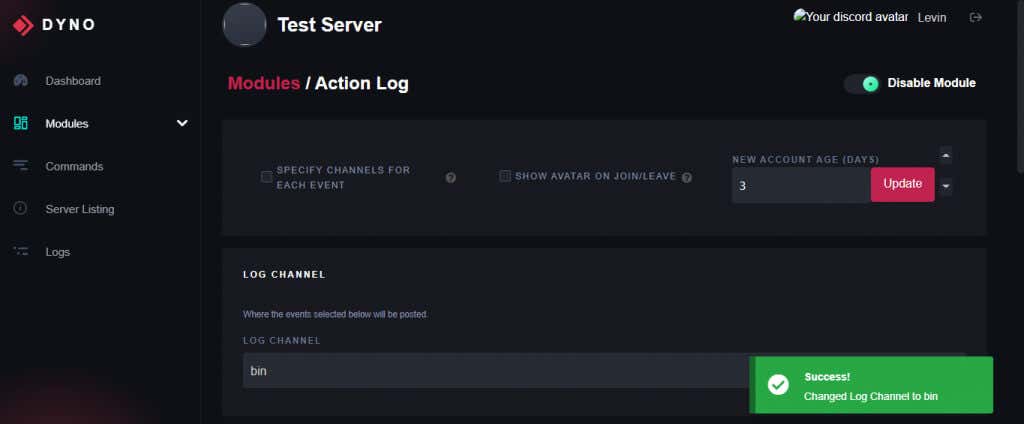
- Open the Action Log module and select the channel you just created as the Log Channel.
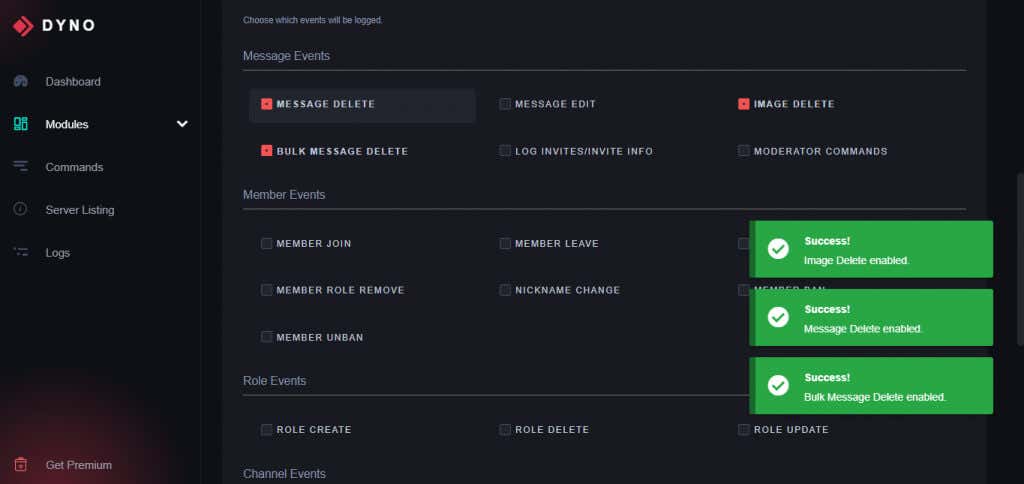
- Scroll down to the Message Events section and check everything with Delete in it. This means Message Delete, Image Delete, and Bulk Message Delete.
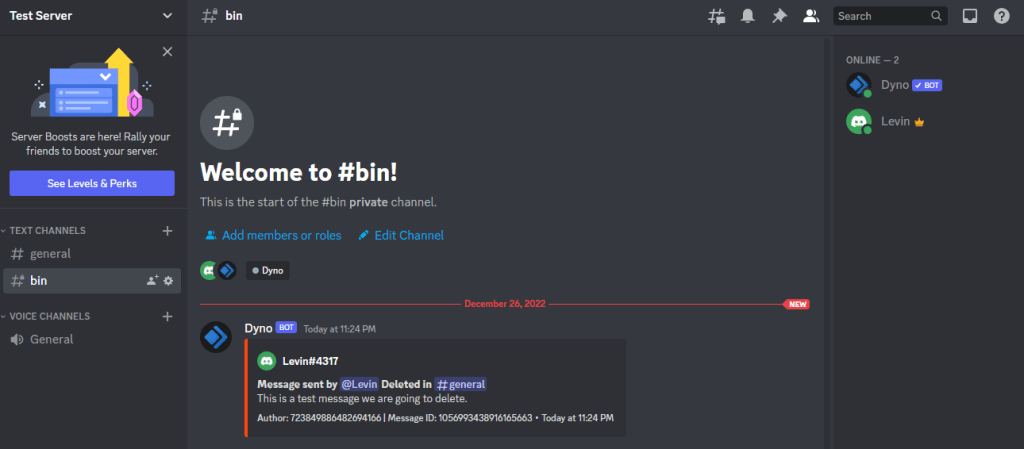
- And that’s it. To check if the feature works, open Discord and delete a message posted on your server. It will appear in the created channel.
What About MessageLoggerV2?
Discord made massive changes to the app in a recent update, breaking many plugins and add-ons. One of the many useful plugins affected by this change is MessageLoggerV2.
Prior to this Discord version, MessageLoggerV2 was the most popular way for people to see deleted Discord messages. Used alongside the equally popular BetterDiscord, the small plugin provided a simple method of logging all server messages and viewing them even after deletion.
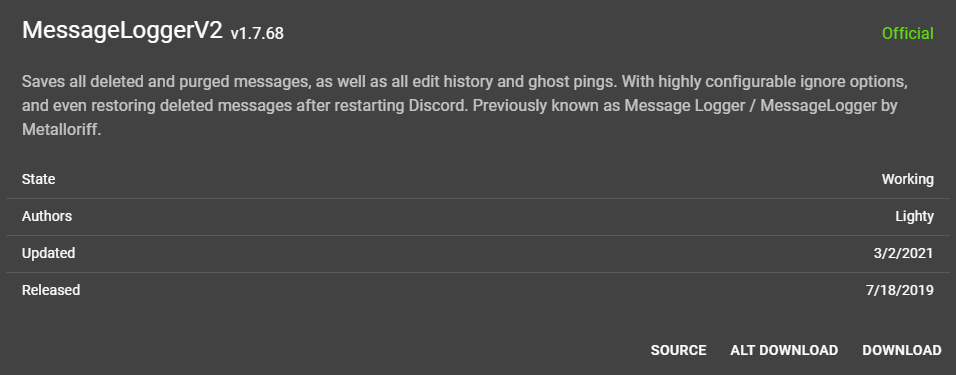
Unfortunately, the plugin no longer works, even with the latest version released by the creator. Maybe the issues will get ironed out someday, but for now, you have to try other methods.
Should You View Deleted Discord Messages?
It is against Discord’s terms of service to preserve and view deleted messages of other users. So should you even try to do it?
To be clear, there’s no real way for Discord to detect if you are saving a log of messages on your server. And being able to see deleted messages is crucial for moderation because troublemakers can send abusive messages and then delete them before getting reported.
This is why most servers run a Discord bot to keep track of chats on their server. It is far more difficult to get this feature working on a personal Discord account, however, since Discord updates tend to break add-ons frequently.
What is the Best Way to See Deleted Messages on Discord?
Currently, the only working way to view deleted messages on Discord is to use a Discord bot like Dyno to back up deleted chats and images. Of course, this only works on a server you manage, and only lets you see those messages that were deleted after the bot was active.
If you want to preserve a message sent to you in DMs, your only recourse right now is to take a screenshot of the message. The MessageLoggerV2 plugin for BetterDiscord was a great way for users to record personal messages, but the plugin no longer works.
An alternative plugin exists, but it is much harder to use since it requires Node.js to work. And there is always the risk of getting banned, since Discord doesn’t approve message loggers, especially for personal use.