

TikTok wants to hold its claim on all its videos, but if your videos can win you fans and increase engagement on one platform, why not another? It’s easy to download a TikTok video to your phone, but it comes with a watermark that remains if you upload it somewhere else.
The good news is that you can remove TikTok watermarks from videos and reupload them to other locations. It’s not always that straightforward, though. You have to have the right tools, or you can distort your video and make them unwatchable.
Why Can’t You Crop Out a TikTok Watermark?
A quick web search will show a common advice thread: “Just use a video editing tool and crop out the watermark.” That doesn’t work, though. At one time, TikTok watermarks might have remained in the same location in the video, but now the watermarks move periodically to different parts of the frame.
While you could individually crop the watermark according to its timestamp, the result would be nearly unwatchable. Instead, you need proper tools to help remove the watermark without destroying your carefully-created video.
How to Save a TikTok Video
Not sure how to save a TikTok video? It’s easy.
- Open TikTok.
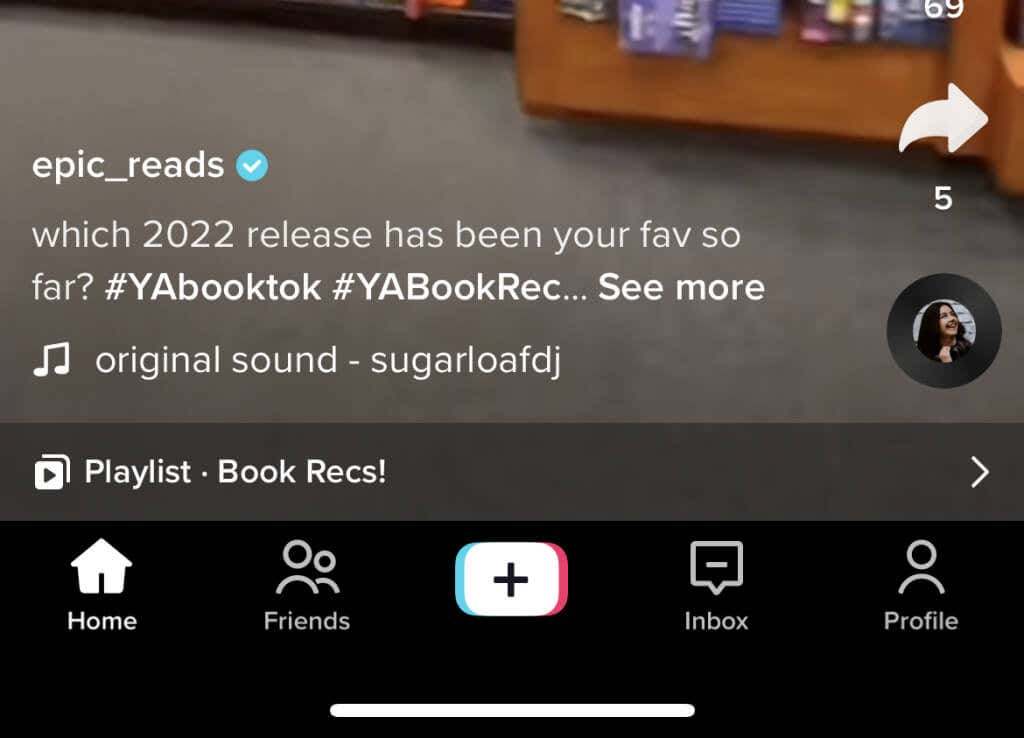
- Open the video you want to save. Near the bottom right corner of the screen, select the Share button.
- Select Save Video. The icon looks like a download button.
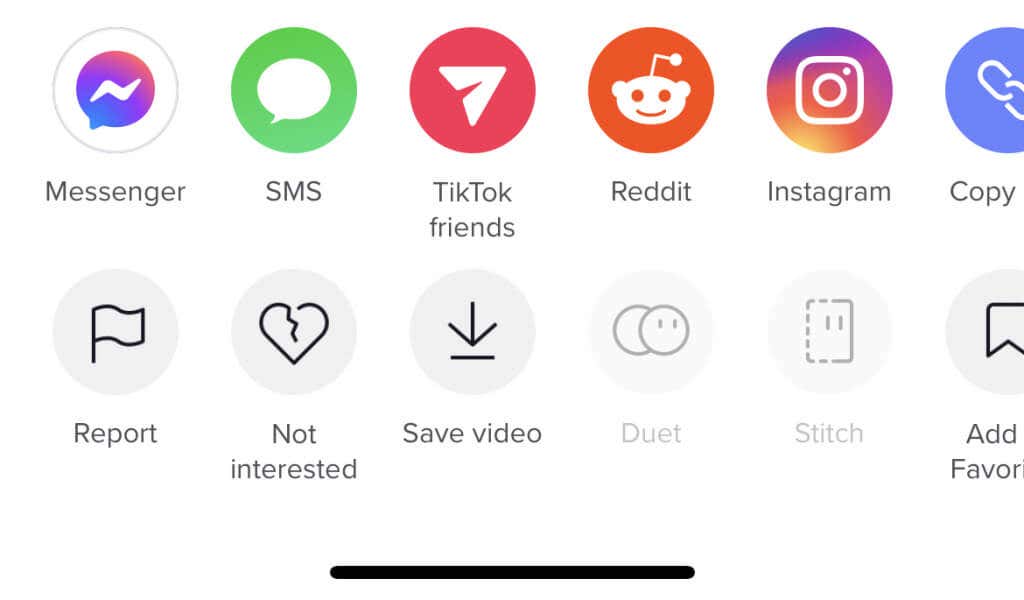
After you do this, the video will be saved to your camera roll or in your Photos app. You’ll receive a version of the video with the TikTok logo. Unfortunately, you can’t download the original video.
How to Remove a TikTok Watermark
There are a lot of ways to remove a TikTok watermark.
Use a Service Like MusicalDown
What’s better than removing a TikTok watermark? Never having to deal with one in the first place. Numerous websites make it possible to download TikTok videos without a watermark, bypassing the entire need to find a way to remove the videos. You’ll access these tools through your web browser.
MusicalDown is simple to use. Just enter the link to the TikTok video, and you can download the video file, perfectly ready to be re-uploaded somewhere else (like Instagram). You can also use SnapTik or any of a half-dozen other websites.
Use an App
If you want to edit videos directly from your phone, there are plenty of watermark remover tools on both the App Store and the Google Play Store. Most apps are targeted toward Windows and Android devices, but there are a few options for iOS and iPhone users. Be warned that not all the apps are free, though – and if TikTok changes the way its rendering algorithm works in the future, these apps might not be able to remove the watermark.
There are numerous examples of these apps. If you’re on an iPhone, look for VideoEraser or Media.io. Windows and Mac users can use Wondershare UniConverter. Android users have many options, but FilmoraGo is one of the best options.
Resize the Video
One thing you can do is resize your TikTok video. Note that this will cut out a tremendous amount of the footage and reduce the overall quality, so don’t do this for anything that needs the full frame. However, this can work if you just want to capture a specific moment from a video and don’t care about the edge details.
Though it’s called resizing, a better term is cropping. By cutting off the exterior edges of the video, you eliminate all the areas where the watermark might appear.
Create Your Own Video Outside TikTok
While saving someone else’s video and removing the watermark is difficult, you can create the video and then upload it to TikTok with almost all the same benefits. Numerous creator tools are available, but one of the best is CapCut.

It lets you create numerous projects and gives access to a vast suite of editing tools. For example, you can create fantastic videos for TikTok and then just upload that same video to other social media platforms. Assuming you don’t re-download it from TikTok before uploading it, you won’t have any watermark to deal with (except at the last frame, when the CapCut logo appears.)
Downloading TikTok videos without watermarks isn’t easy, but there are steps you can take to save TikTok videos to watch later. Best of all, you can do it using free tools that won’t destroy the video’s aspect ratio and spoil the fun.